3D-Printed Spectrometer Using a DVD Diffraction Grating for Smartphone
by gilbercoelho in Workshop > Science
1638 Views, 4 Favorites, 0 Comments
3D-Printed Spectrometer Using a DVD Diffraction Grating for Smartphone

Portable Smartphone Spectrometer
Supplies
- 3D-printed spectrometer parts (body, rotary axis, knob);
- DVD (better resolution compared to CD);
- Double-sided tape or glue;
- Ethanol (alcohol) for cleaning;
- Smartphone with camera.
Understand the Concept
This DIY project is a portable spectrometer that attaches to your smartphone. It uses a DVD diffraction grating to split light into its respective wavelengths, allowing you to view and analyze visible light spectra using your phone's camera.
3D Print the Components


Parts to print (STL files attached):
- Spectrometer body;
- Rotary axis;
- Knob.
Printing tips:
- Use black filament to avoid light reflection inside the chamber;
- Use 4 perimeter walls for the body to strengthen the arc that secures the spectrometer to the smartphone;
- No support is needed for the body or knob;
- Only the rotary axis requires support.
Prepare the Diffraction Grating
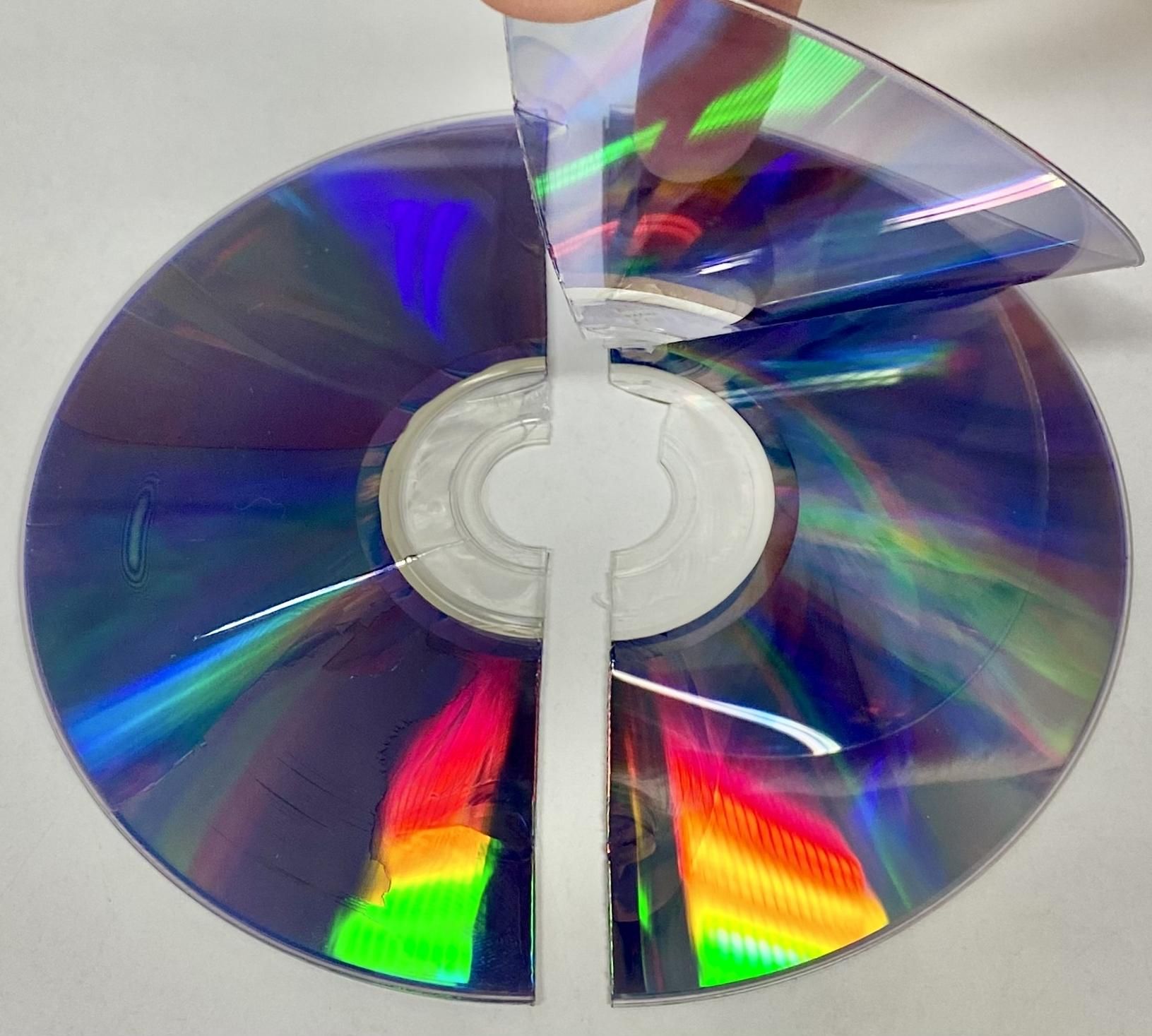
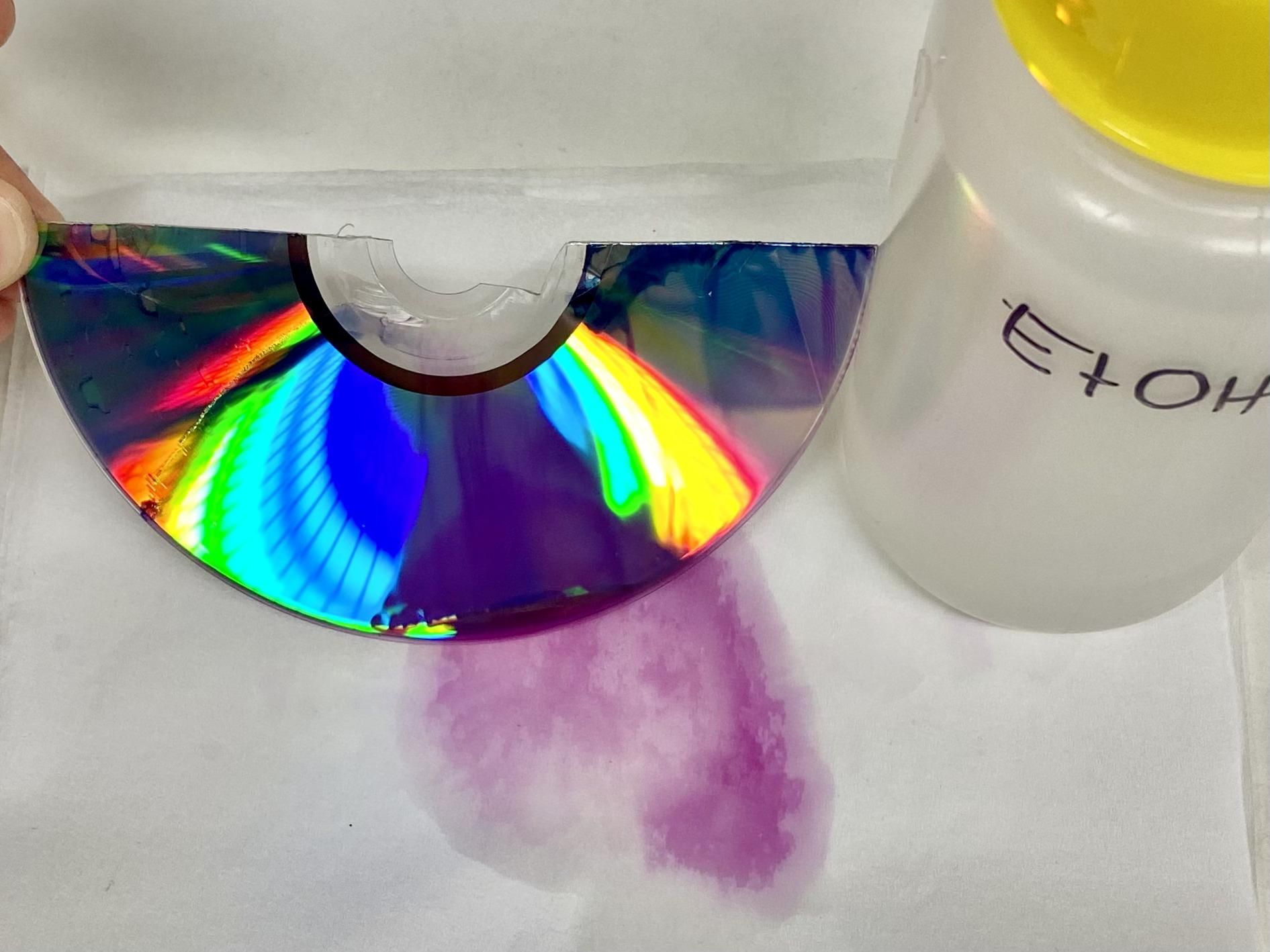
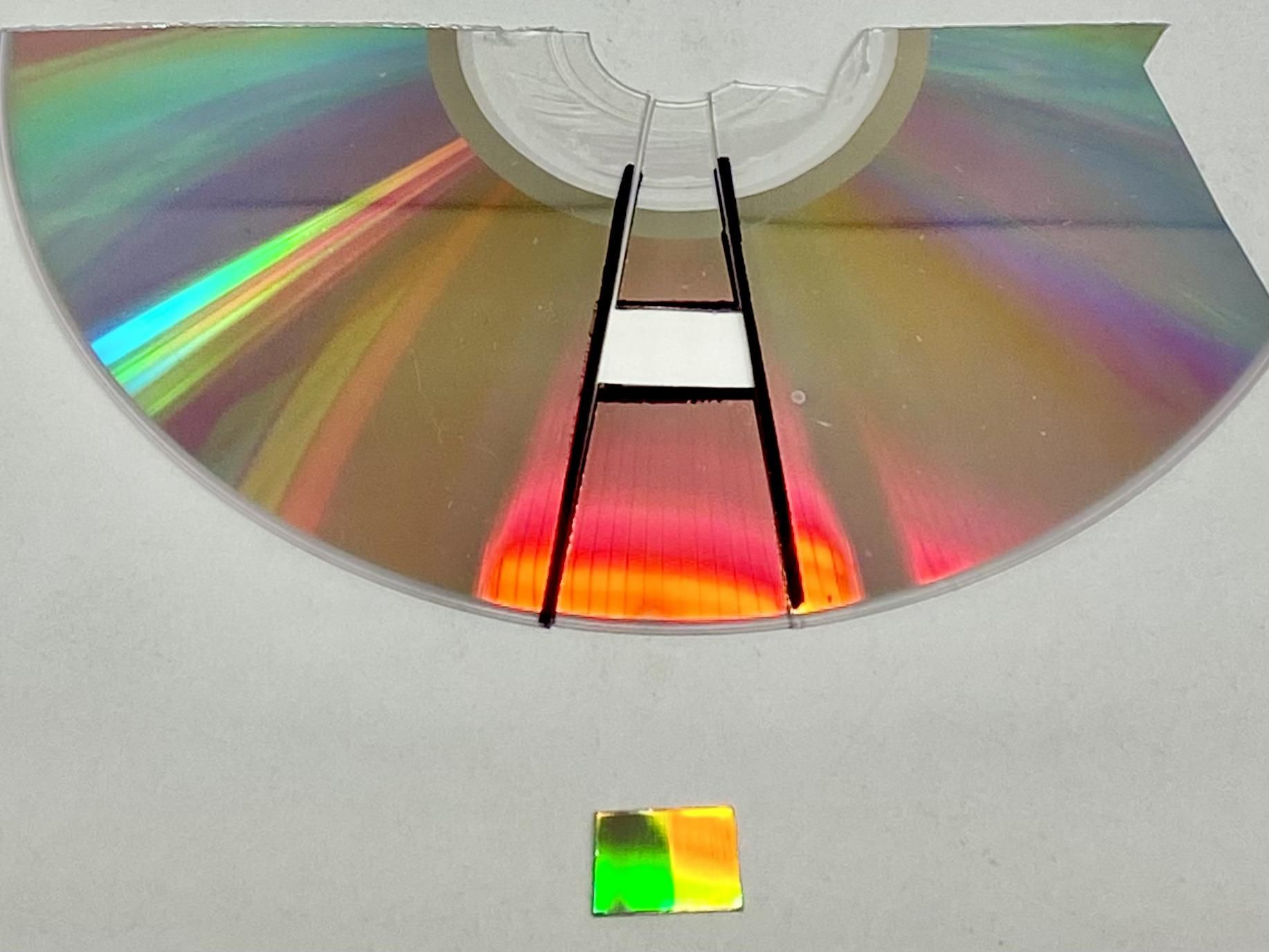
Use a DVD (not a CD), as DVDs have more grooves (lines) per millimeter and provide better spectral
resolution.
Instructions (for DVD+R):
- Cut the DVD in half with scissors;
- Gently separate the two layers (transparent and reflective);
- Clean the reflective layer with ethanol. DO NOT rub it, but let it drain and dry freely. This is needed to remove a dye layer;
- Cut a rectangular piece for use as the diffraction grating, following the orientation shown in the photos.
Important:
- Avoid touching the reflective surface to preserve clarity;
- If you are using a different type of DVD, the method for preparing/cutting the diffraction grating from it can vary;
- Link to CD/DVD diffraction theory: http://www.ikes.16mb.com/physproj/CD_diffraction2.pdf
Assemble the Spectrometer
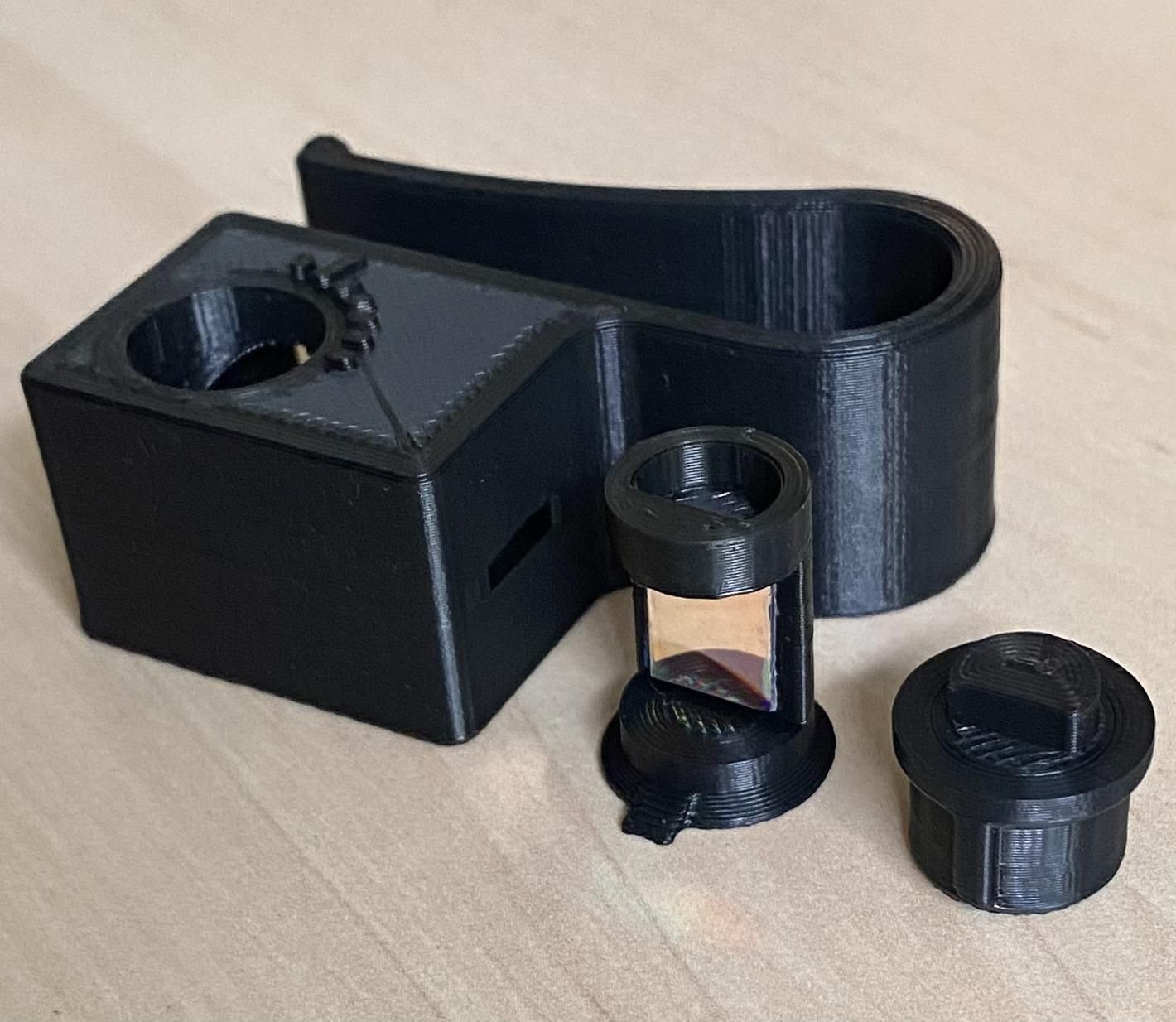
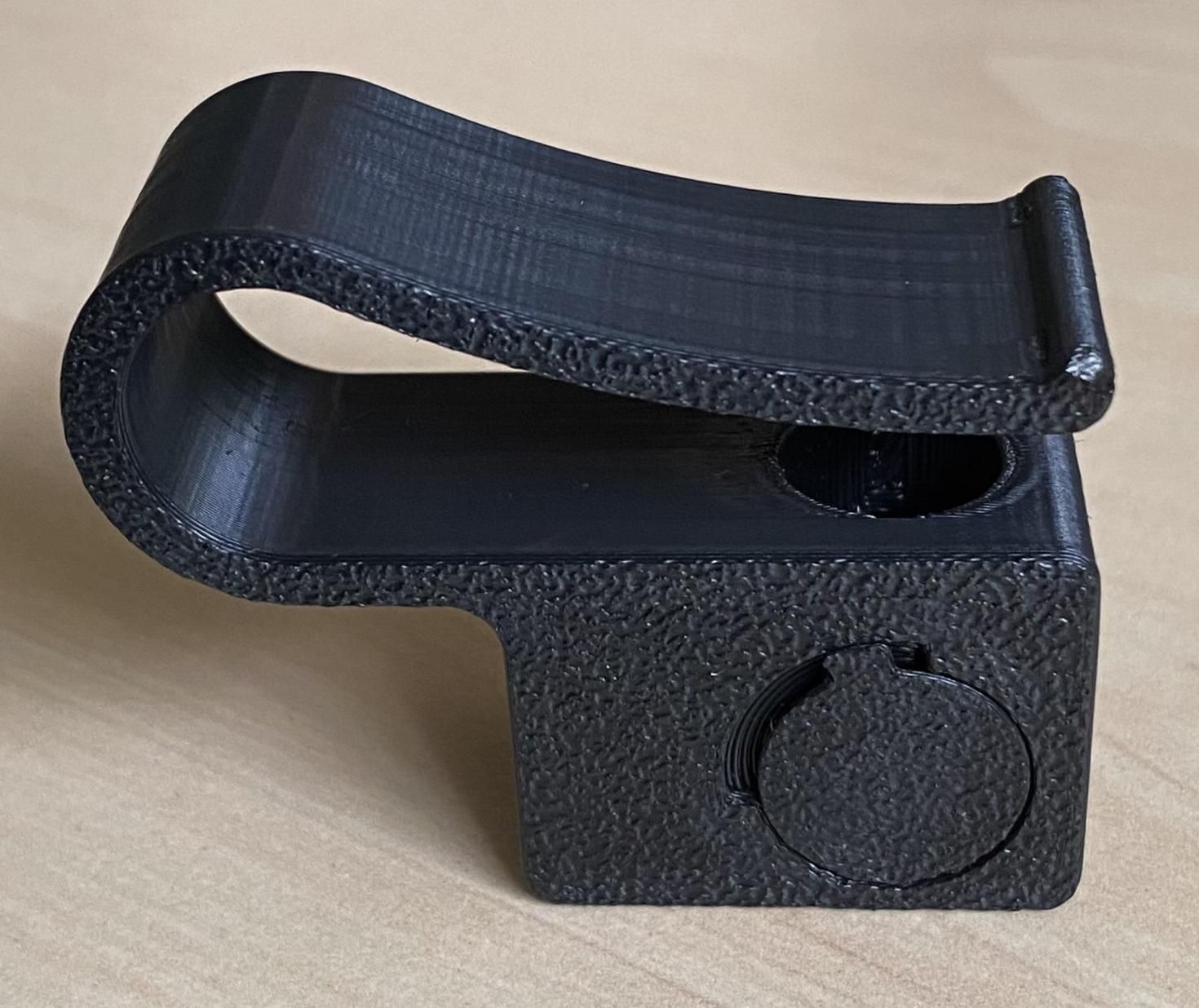
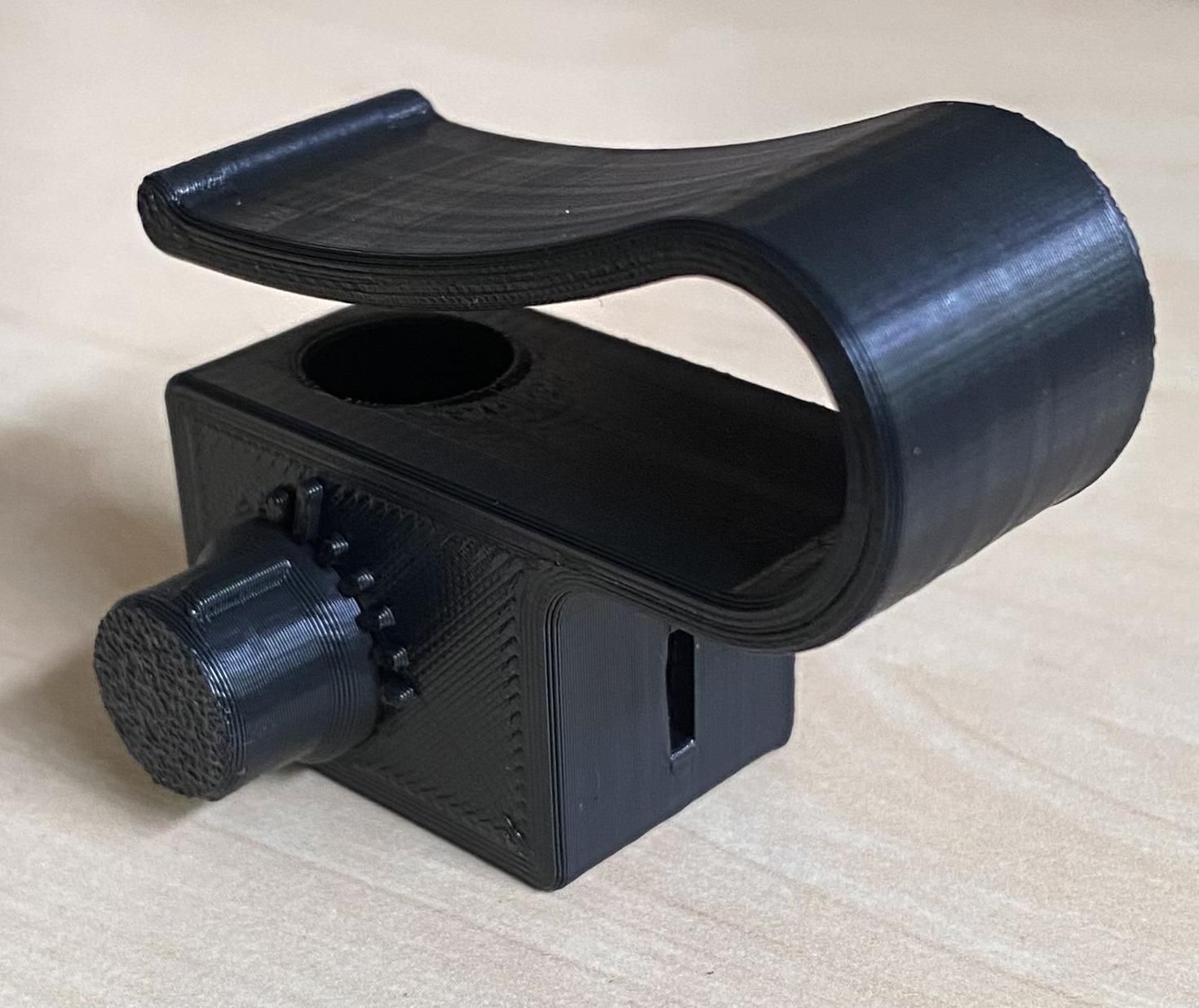
- Attach the DVD piece to the rotary axis, aligning the grooves (the longest side of the rectangle) parallel to the axis. Use double-sided tape or a small amount of glue;
- Insert the rotary axis into the spectrometer body;
- Fit the knob on the rotary axis. If printed accurately, no glue should be needed.
Attach to Your Phone
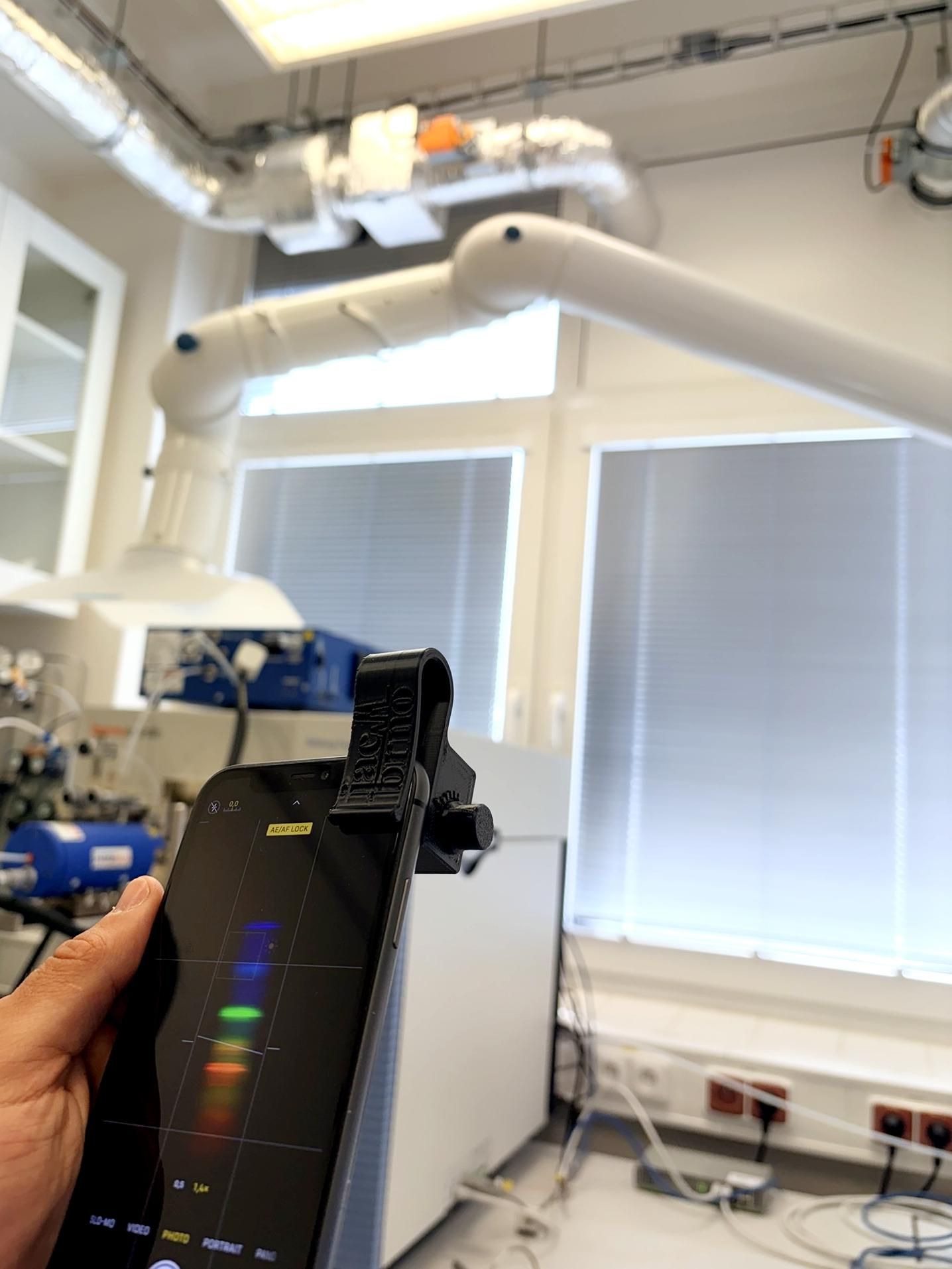
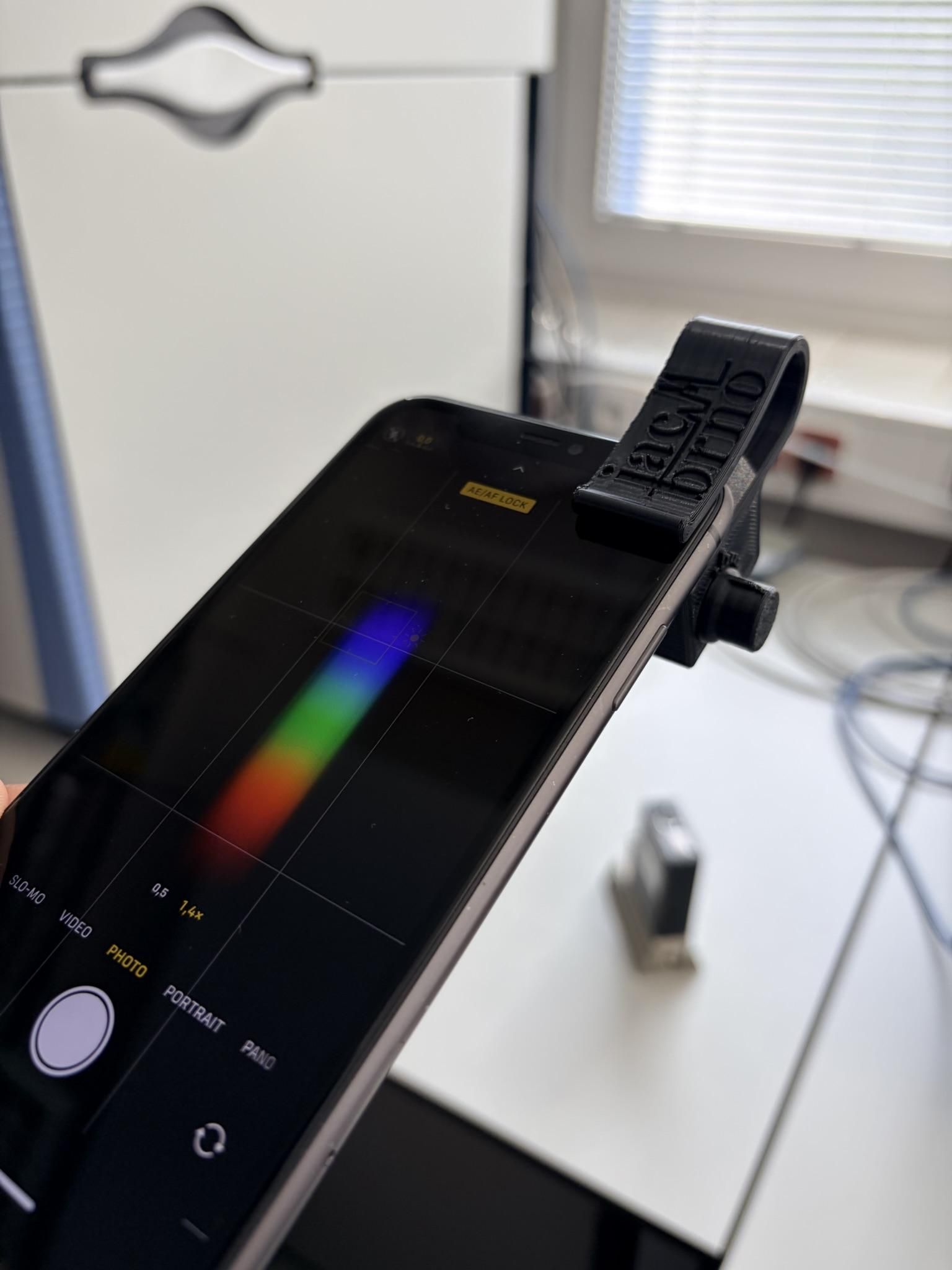
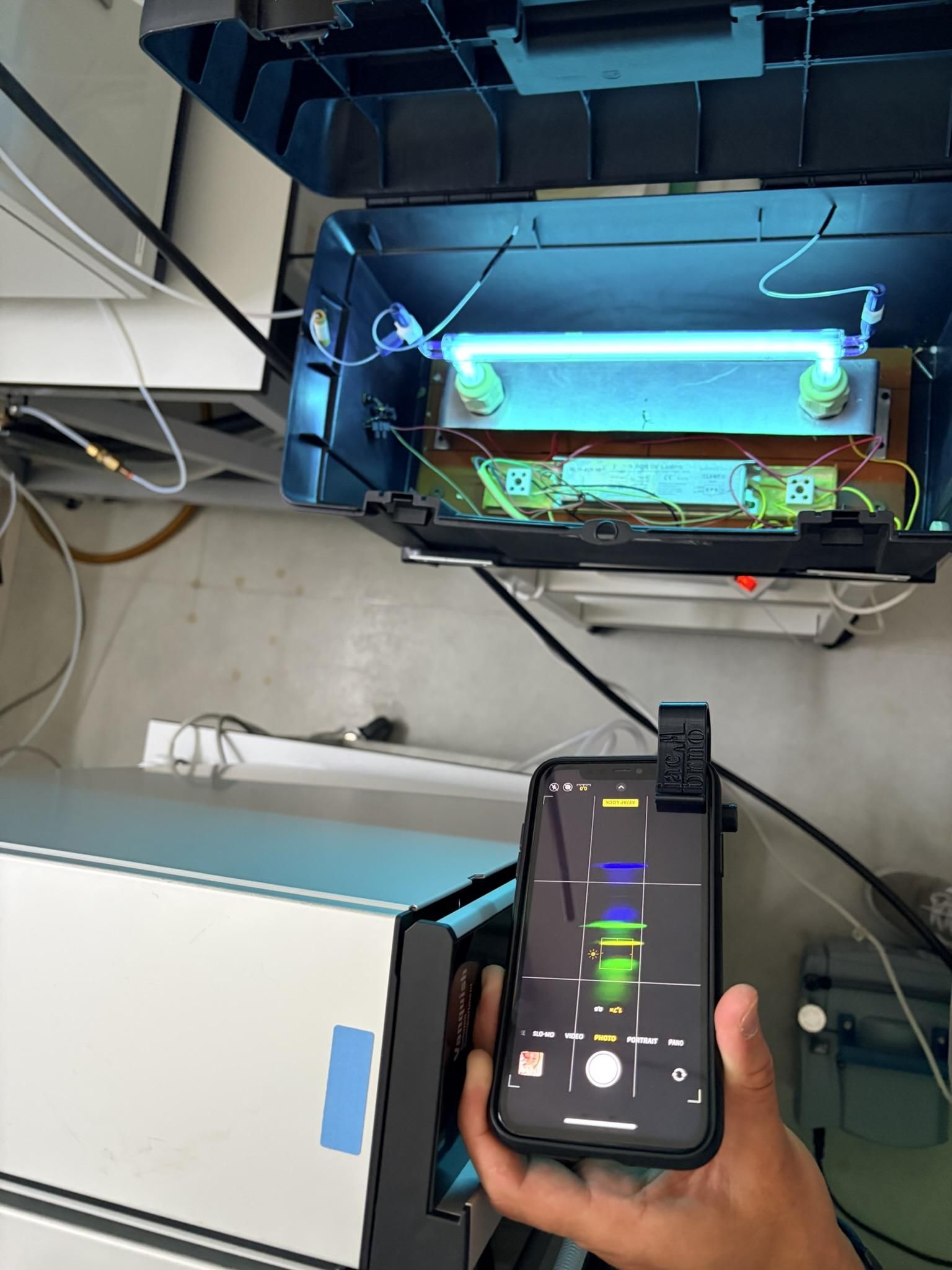
- Before attaching the spectrometer, open your camera app;
- Focus to the light source and lock the focus;
- Attach the spectrometer in the phone;
- Adjust the rotation angle in the knob (around 14 degrees) for the best spectral view;
- Adjust screen brightness for better clarity.
Observe Different Spectra
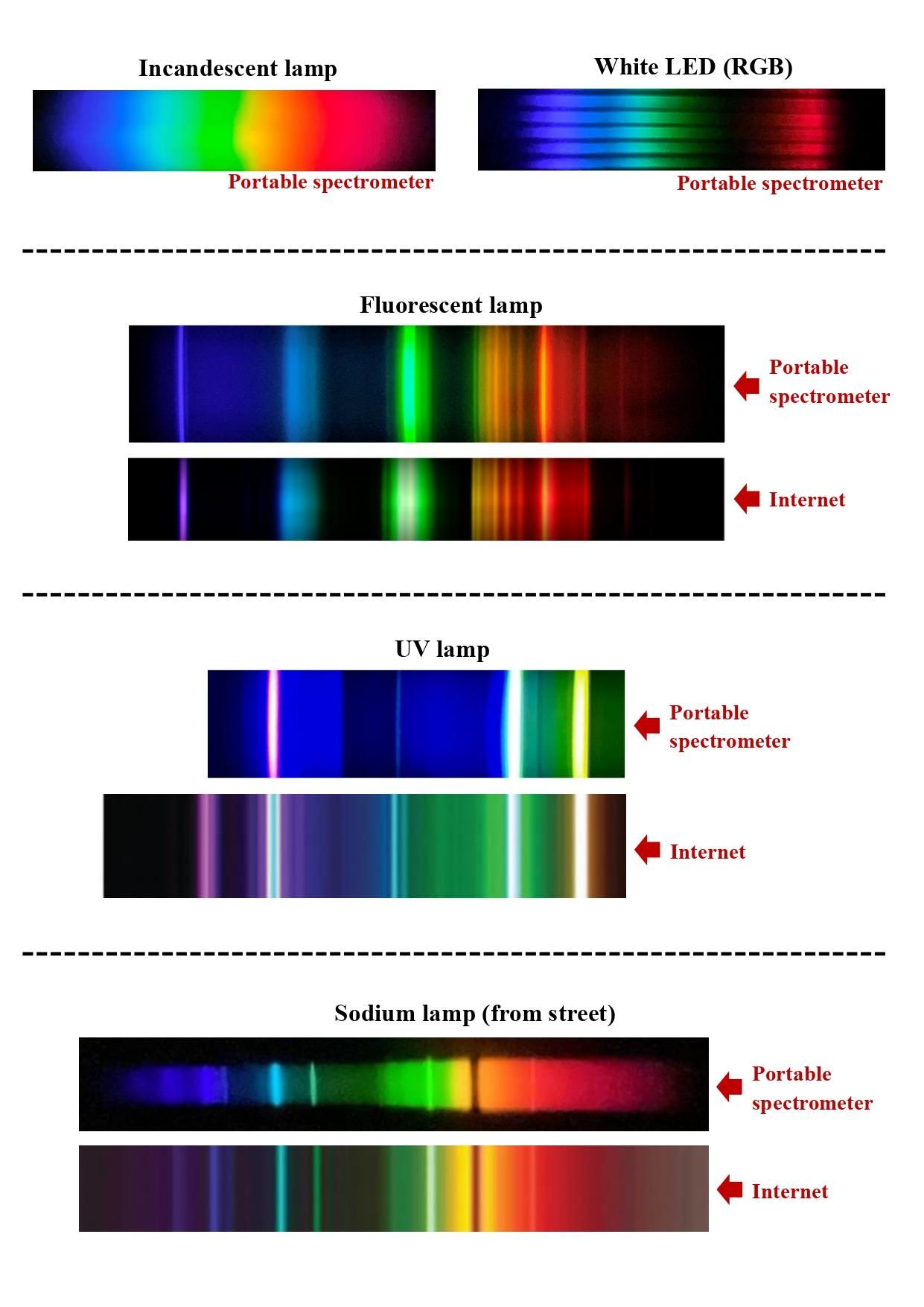
Analyzing various light sources:
- RGB LEDs: separated red, green and blue colors;
- Incandescent or halogen lamp: continuous spectrum;
- Fluorescent lamp: lines;
- UV lamp: lines; ATTENTION: Protect your eyes with proper goggles;
- High-pressure sodium lamp (street illumination): lines and broad spectrum.
Curiosity: The yellow street lamps commonly use high-pressure sodium vapor, and their spectra are dominated by strong emission around 589 nm. However, at high operating temperatures, a self-absorption line can appear near 589 nm, caused by absorption of emitted light by the cooler outer layers of sodium vapor in the discharge.