A Review to DFRobot Gravity PH Sensor Kit V2
by sainisagar7294 in Circuits > Sensors
2057 Views, 7 Favorites, 0 Comments
A Review to DFRobot Gravity PH Sensor Kit V2

That's how I measured the pH with this lab grade DFRobot Gravity pH Sensor Kit V2
Supplies
DFRobot Gravity pH Sensor Kit V2
Arduino
PC
Story:

Hello guys, welcome back to another tutorial! Today, we're diving into something different from my usual audio and PCB projects. I recently ordered DFRobot Gravity: Analog pH Sensor/Meter Kit V2 (SEN0161-V2) to do some research work. I just want to set up this kit and want to see the accuracy of reading it can provide. Because lab-grade PH meters came with a huge price tag. And this kit is well known among the hobbyists for some reason. This was an exciting opportunity to explore pH monitoring from an electronic engineer's perspective.
pH measurement might sound like pure chemistry, but it's actually a fascinating intersection of electrochemistry and analog electronics. Same with this kit, I can pair this with my Arduino; this is a pure analog-based kit which I then control using my Arduino NANO. I will demonstrate how to calibrate it over a serial monitor. And after all this, we will see the accuracy of readings with the given buffer solutions.
This article is brought to you by JUSTWAY. Throughout this project, I'm using Arduino Nano for the microcontroller. Electronics like pH sensors need proper protection from the environment, and that's where JUSTWAY comes in. They help turn DIY projects into professional prototypes with custom 3D-printed enclosures.
What Is PH and Why Does It Matter?
Before jumping into the technical details, let's understand what we're actually measuring. pH is a logarithmic scale that measures the hydrogen ion activity in a solution, indicating whether it's acidic, neutral, or alkaline:
- pH = 7: Neutral (pure water)
- pH < 7: Acidic (lemon juice, vinegar)
- pH > 7: Alkaline/Basic (baking soda, soap)
The scale typically ranges from 0 to 14, where each unit represents a tenfold difference in acidity. This logarithmic nature makes pH measurement quite sensitive and interesting from an engineering standpoint.
Unboxing and First Impressions

The kit arrived well-packaged with everything you need to get started:
What's in the Box:
- pH Probe (Laboratory Grade) with 1-meter cable
- pH Signal Conversion Board V2
- Gravity Analog Sensor Cable (3-pin)
- pH Standard Buffer Solution 4.0 (2 bottles)
- pH Standard Buffer Solution 7.0 (2 bottles)
- Waterproof Gasket (2 pieces)
- Screw Cap for BNC Connector
- M3 nylon standoffs and screws for mounting
How Does It Work?

The heart of this kit is the laboratory-grade pH probe. Unlike the cheap pH sensors you might find online, this one uses a proper glass electrode.
The capabilities are given here:
- Detection Range: 0-14 pH
- Temperature Range: 5-60°C
- Response Time: Less than 2 minutes
- Internal Resistance: Less than 250MΩ
- Zero Point: 7±0.5
The glass electrode works on the principle of ion-selective membrane potential. The glass membrane is sensitive to hydrogen ions (H+), and generates a voltage proportional to the pH of the solution it's immersed in. This voltage is typically in the millivolt range and has extremely high impedance. The raw output from a pH probe is low low-voltage (millivolts) signal, which requires buffering and amplification. The signal conversion board handles all of this:
Specifications:
- Supply Voltage: 3.3-5.5V
- Output Voltage: 0-3.0V (analog)
- Measurement Accuracy: ±0.1 @ 25°C
- Connector: BNC for probe, PH2.0-3P for output
From an electronics perspective, the board likely uses a high-input-impedance op-amp buffer (probably a FET-input op-amp given the impedance requirements) followed by signal conditioning circuitry.
Setting Up the Hardware

The hardware setup is straightforward; connect the pH probe to the BNC connector on the signal conversion board. Wire the signal board to your Arduino:
- VCC (Red) → 5V
- GND (Black) → GND
- Signal (Blue) → A1 (or any analog pin)
I'm using Arduino Nano/UNO for this project because it's compact and has enough analog inputs for future multi-sensor projects I'm planning.
The Calibration Process:

Unlike simple sensors that you can plug and play, pH probes require calibration. The probe's response drifts over time due to ageing or temperature changes. The kit uses a two-point calibration with pH 4.0 and pH 7.0 buffer solutions. This is standard in the industry because pH 7.0 is used for the neutral point (zero point calibration) and pH 4.0 to cover the acidic range (slope calibration). The DFRobot library cleverly automates this process by recognizing these standard buffer solutions.
Step 1: Prepare the Arduino
Uploaded the calibration code (provided by DFRobot library) and opened Serial Monitor at 115200 baud. The same code is given below for reference. Because the sensor output is an analog signal, the calibration is handled according to the output values from the pH kit board modelled in the DFRobot library.
Temperature Compensation

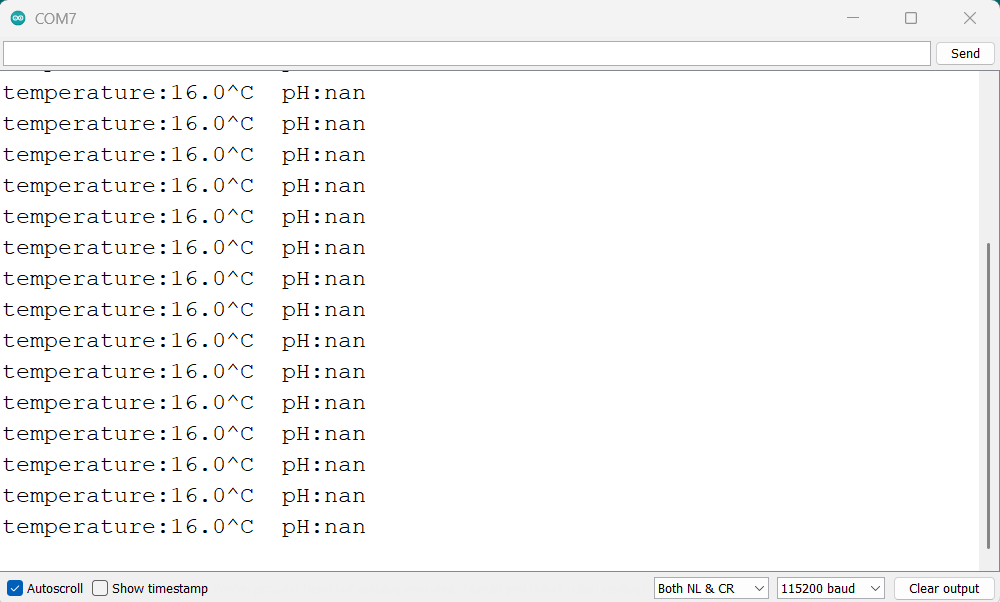
I modified the temperature value in the code from 25°C to 16°C (my ambient temperature). I used a separate temperature sensor to measure this. Ideally, you should integrate a DS18B20 directly into your project for automatic temperature compensation. But for now, the temperature is stable, and I want to do just one measurement, so just change this line of code accordingly:
Why does temperature matter? The Nernst equation shows that pH electrode response varies with temperature at about 0.003 pH units per degree Celsius.
Enter Calibration Mode:


Step 3: Enter Calibration Mode:
In the Serial Monitor, type: "enterph" and press enter
Step 4: pH 7.0 Calibration:
Rinse the probe with distilled water and wipe gently. Immerse the probe in a pH 7.0 solution. Wait for reading to stabilize (about 1-2 minutes). Type "calph" in the Serial Monitor to calibrate. The library automatically recognizes this as the pH 7.0 point.
Step 5: pH 4.0 Calibration:
Remove probe, rinse thoroughly with distilled water, and Immerse in pH 4.0 buffer solution. Wait for stabilization and Type "calph" again. The library recognizes the pH 4.0 point and calculates the calibration curve.
Step 6: Save and Exit:
Type "exitph" to save calibration parameters to EEPROM and exit calibration mode.
Arduino Code:
Let me break down the code I used. It's based on the DFRobot example but I'll explain what's actually happening:
The Arduino's ADC converts the 0-3V signal to a 10-bit digital value (0-1023). We convert this to millivolts: (ADC_Value / 1024) * 5000. The library uses the stored calibration parameters and the Nernst equation to convert voltage to pH. It also applies temperature compensation using the formula.
The probe takes about 1-2 minutes to stabilize when switched between solutions. This is normal for glass electrode pH probes. In my serial monitor, you can see the reading gradually converge to the final value.
Testing and Working:


After all the calibration I have opened the second 4pH buffer solution and tested my calibrated sensor with that one. And here you can see the results at my room temperature of 16 degrees. I could have run some more test but, from the reproducibility it is clear that it would run perfect for my lab experiment, then with some lab grade testers I have calculated accurary given in the next section.
Taking the Project to the Next Level - With JUSTWAY
Electronics without proper housing and the audio circuit, they simply would not work. Yes! Because to keep the system available to us a proper 3D casing should be there. JUSTWAY assists you in turning your do it yourself project into a high-quality prototype that feels and looks like a genuine product that is ready for the market. What they do:
- Rapid Prototyping
- CNC Machining (Aluminum 6061 / Stainless Steel 304)
- Sheet Metal Fabrication
- Injection Molding
- Urethane Casting
- 3D Printing (SLA & HPA-PA12)
Simply upload your CAD files at JUSTWAY.com, select your material and finish, preview in 3D, and order. It's the difference between a breadboard prototype and a field-ready water quality monitor.
Accuracy Analysis

The specified accuracy is ±0.1 pH units at 25°C. In my tests at 16°C with proper calibration, I found:
- Repeatability: Within ±0.05 pH for multiple measurements
- Consistency: Stable readings after initial equilibration
- Drift: Minimal over a 30-minute test period
The glass electrode is fragile. Not suitable for harsh industrial environments. The probe must be stored in the protective cap with KCl solution to maintain electrode performance. The solution is already given in the pH kit itself. The code requires either manual temperature input or integration with an external temperature sensor. The probe itself doesn't include temperature sensing. For continuous monitoring, you'll need to implement a cleaning routine as the probe can get contaminated.
Outro:
After spending time with the DFRobot Gravity pH Sensor Kit V2, I can confidently say this is a solid piece of measurement equipment for DIY. It is:
- True laboratory-grade probe, not a cheap knockoff
- Excellent library with automatic buffer recognition
- Complete kit - everything needed to start measuring
- Hardware-filtered output reduces code complexity
What Could Be Better:
- No integrated temperature sensor (though this keeps costs down)
- Manual calibration required (though this is true for all pH probes)
From an electronics engineering perspective, the signal conditioning is well-executed, and the library makes it accessible even for beginners.