ATLAS AI — Travel Guide
by The Uncertified Engineer in Circuits > Microcontrollers
645 Views, 7 Favorites, 0 Comments
ATLAS AI — Travel Guide
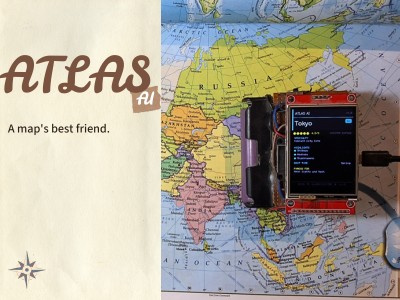
A beautifully printed atlas is a work of art, perfect for visualizing geography and planning a physical route. But when you need quick, hard facts about a specific destination—like the best time to visit or what it is famous for—physical maps fall short. We usually turn to our phones, only to get lost in a chaotic web of reviews, pop-ups, and hotel booking widgets.
Enter ATLAS AI. Built to sit right alongside your favorite physical map, this desktop prototype acts as a digital cartographer for your travel plans. It bridges the gap between traditional geography and modern data. You simply type a location, and it gives you exactly the essential travel facts on a clean TFT screen—nothing more, nothing less. No app. No phone. No subscription. Just an ESP32 charting pure data to be the ultimate companion to your physical map.
Just type a place name like:
“Paris” or “Mount Fuji”
And get:
- ⭐ Rating
- 🌍 Highlights
- 📅 Best time to visit
- 🎯 What it's famous fo
Supplies

Wiring
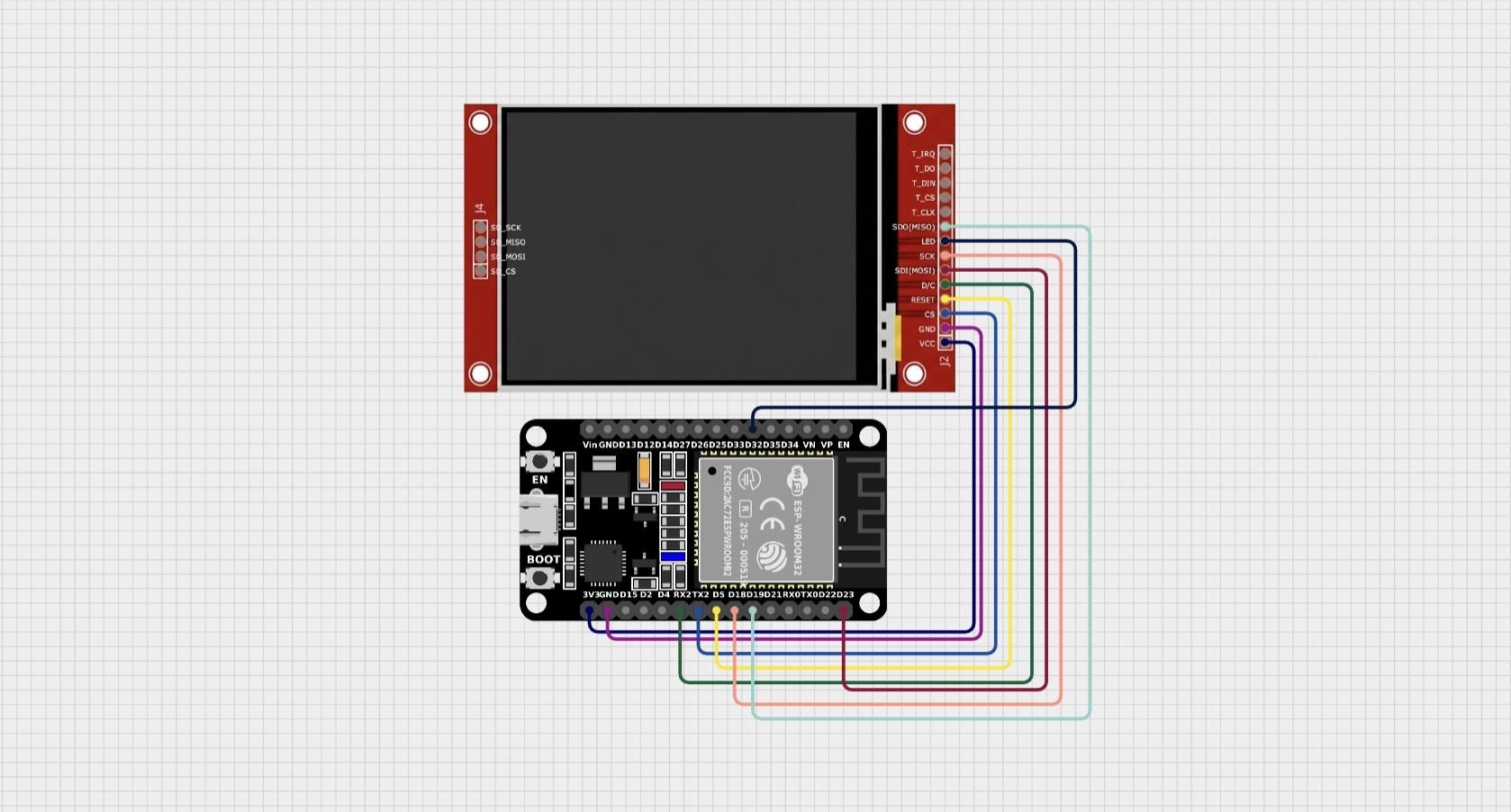
This display uses SPI protocol rather than I2c. I2c is easier to setup and uses less pins but is slower compared to the SPI protocol.
The Pin Mapping:
- 3.3V ---> VCC (Do not use 5V logic, or you will fry the screen).
- GND ---> GND
- GPIO 5 ---> RST (Reset pin).
- GPIO 16 ---> DC (Data/Command pin - tells the screen if the incoming data is a command or pixel data).
- GPIO 17 ---> CS (Chip Select - active low).
- GPIO 18 ---> SCK (The SPI Clock).
- GPIO 19 ---> MISO (Master In Slave Out).
- GPIO 23 ---> MOSI (Master Out Slave In - this is where the heavy pixel data flows).
- GPIO 32 ---> LED (Backlight control).
How It Works
The ESP32 connects to your WiFi. Once online, you type a place name into the Serial Monitor. The firmware sends an HTTPS request to Groq's API, which runs Meta's LLaMA-3.3-70B model in the cloud. The model replies in a strict JSON format — name, specialty, rating, highlights, best time to visit, and what it's famous for. That JSON gets parsed and displayed both on the TFT screen and the Serial Monitor.
Why FreeRTOS?
Making an HTTPS API call to Groq takes 2–5 seconds. If you do that in loop(), everything freezes — including your display. The screen shows nothing while the ESP32 waits, which looks broken.
The solution: run the API call on core 0, run the animation on core 1.
a simple volatile bool g_apiDone flag is used to signal completion between cores. No mutex needed because its just flipping a boolean once.
FreeRTOS & Dual-Core Processing (Avoiding the Frozen Screen)
Making an HTTPS API call to Groq takes anywhere from 2 to 5 seconds depending on the network. If you try to run that request in a standard Arduino loop(), your entire system freezes. The screen hangs, animations stop, and the device looks completely broken while it waits for the cloud to respond.
To fix this, I utilized FreeRTOS to take advantage of the ESP32’s dual-core processor.
The architecture is split using xTaskCreatePinnedToCore:
Core 0 (The Heavy Lifter): This core handles the WiFi stack and the HTTPS client. It connects to the Groq API, allocates the memory for the massive payload, waits for the response, and parses the JSON. I assigned it a large stack size (around 10,000 bytes) because SSL/TLS connections eat up memory fast.
Core 1 (The UI Engine): This core runs the main loop and handles the TFT display. It keeps the loading spinner animating smoothly at a high frame rate, letting the user know the device is actively thinking.
The Handshake:
To keep the cores from stepping on each other, I avoided complex mutexes and simply used a volatile bool g_apiDone flag. When Core 0 finishes parsing the JSON into global variables, it flips the flag to true. Core 1 monitors this flag during its animation loop. The second it sees the flip, it clears the spinner and draws the clean travel card. It’s an advanced architectural move for a small gadget, but it results in a perfectly smooth, professional user interface.
Forcing the AI to Play Nice (Prompt Engineering for Hardware)
Large language models are designed to be conversational. They want to greet you, give you disclaimers, and write concluding paragraphs. But an ESP32 with limited memory absolutely hates parsing paragraphs. It needs structured, predictable data.
To make this work, the secret sauce isn't just calling the Groq API—it’s the system prompt. I had to force the LLaMA-3.3-70B model to act less like a chatbot and more like a strict, rigid database.
In the code, the system prompt is defined to explicitly strip away all conversational filler. It looks like this:
"You are a travel data API. You must respond ONLY with a raw JSON object.
Do not include markdown formatting, do not say 'Here is the data', just output the JSON."
The requested JSON structure is strictly mapped out:
The requested JSON structure is strictly mapped out:
Why this matters:
By forcing this exact architecture, the ArduinoJson library on the ESP32 can easily catch the variables and map them to the correct coordinates on the TFT screen. If the LLM goes rogue and adds conversational text, the JSON parser fails, and the screen breaks. Dialing the model's temperature down to a low setting (like 0.2) ensures the responses remain highly deterministic and strictly adhere to this format. No scraping, no regex nightmares, just pure data hitting the microcontroller.
What You Will Need (software)
.png)
To make this run you will need groq api key.
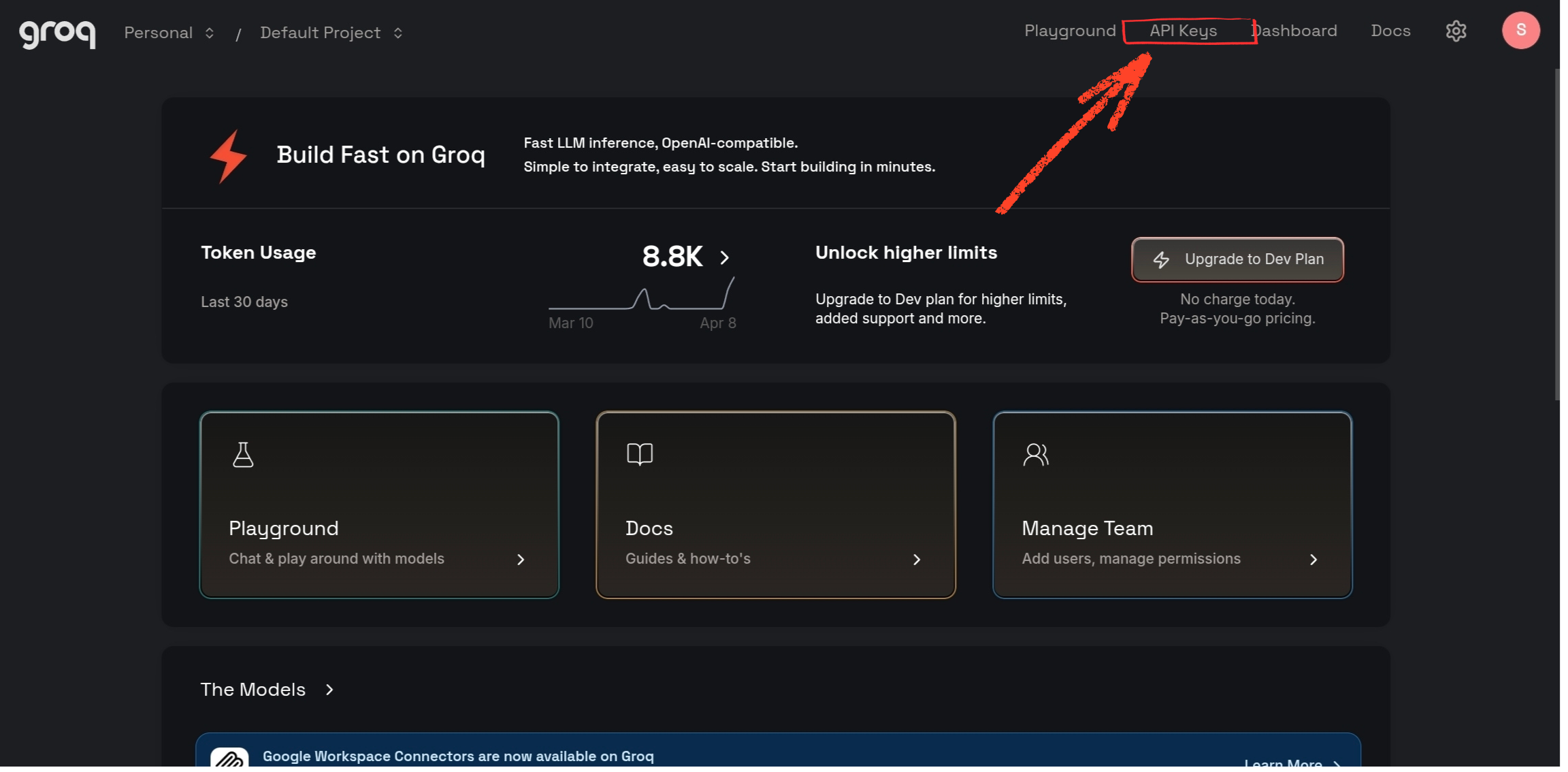
Get a free Groq API key
- Go to console.groq.com and sign up.
- Navigate to API Keys in the sidebar.
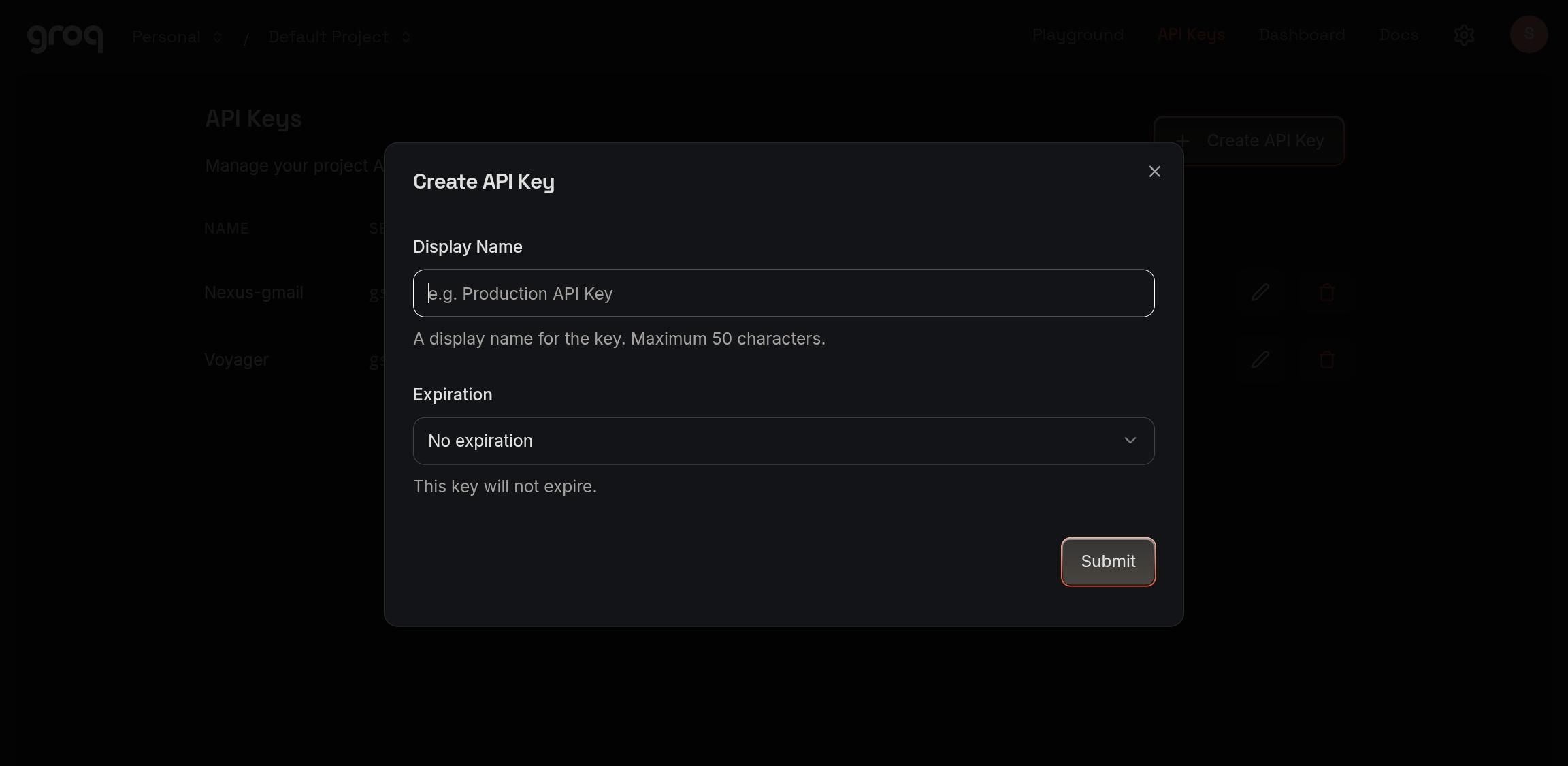
- Click "Create New API Key."
- Give it a name and set expiry to "None."
- Copy the key and save it somewhere safe — you won't see it again.
Install Arduino IDE and the ESP32 board package
If you haven't already, install Arduino IDE and add ESP32 board support through the Boards Manager. Search for "esp32 by Espressif Systems" and install it.
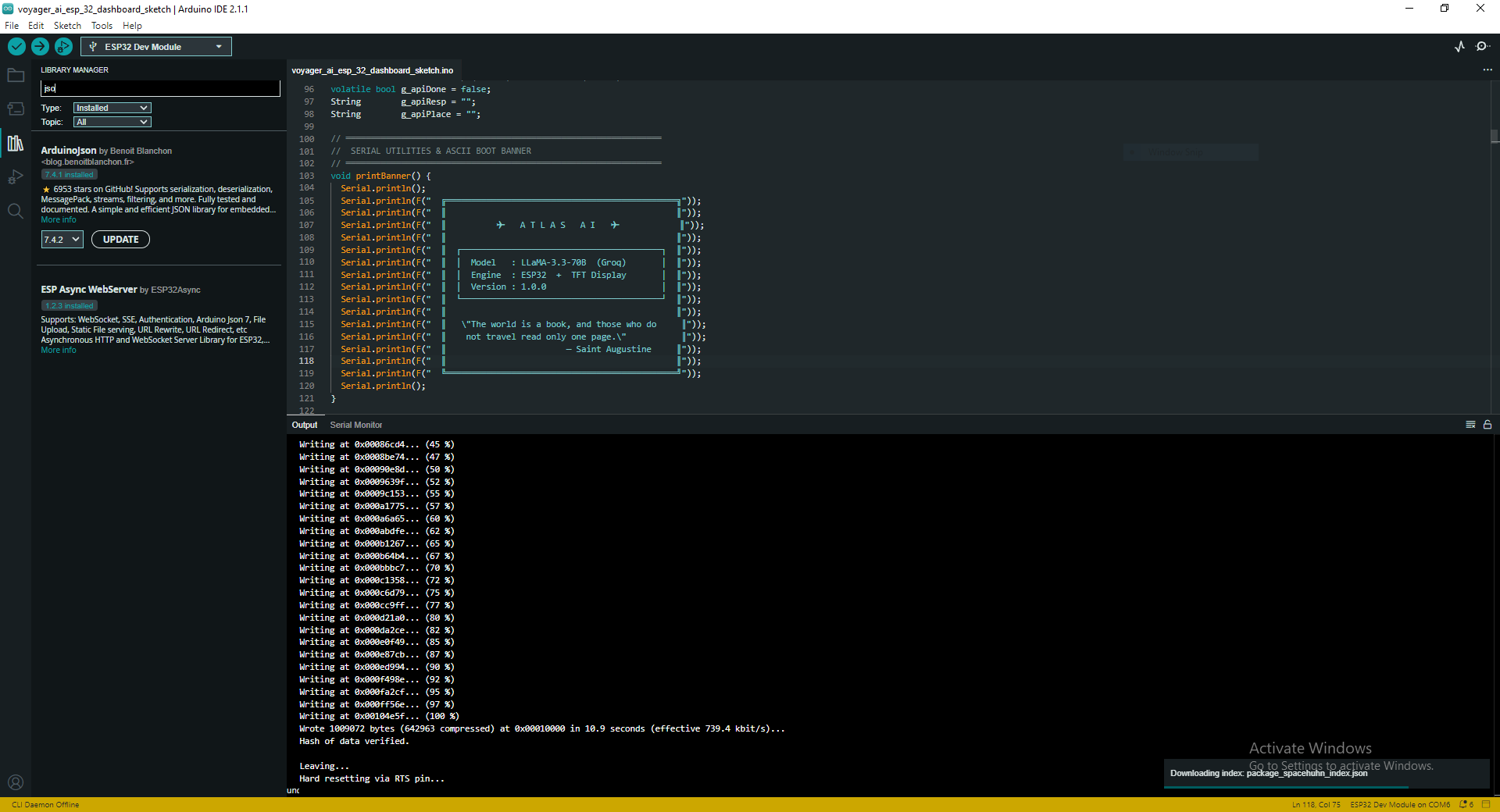
Install these two libraries from the package manager.
- TFT_eSPI
- ArduinoJson
Code and Setup
You can download the source code from my GitHub. Before uploading, replace the WiFi and Groq API credentials in the main file .
The Display Trap:
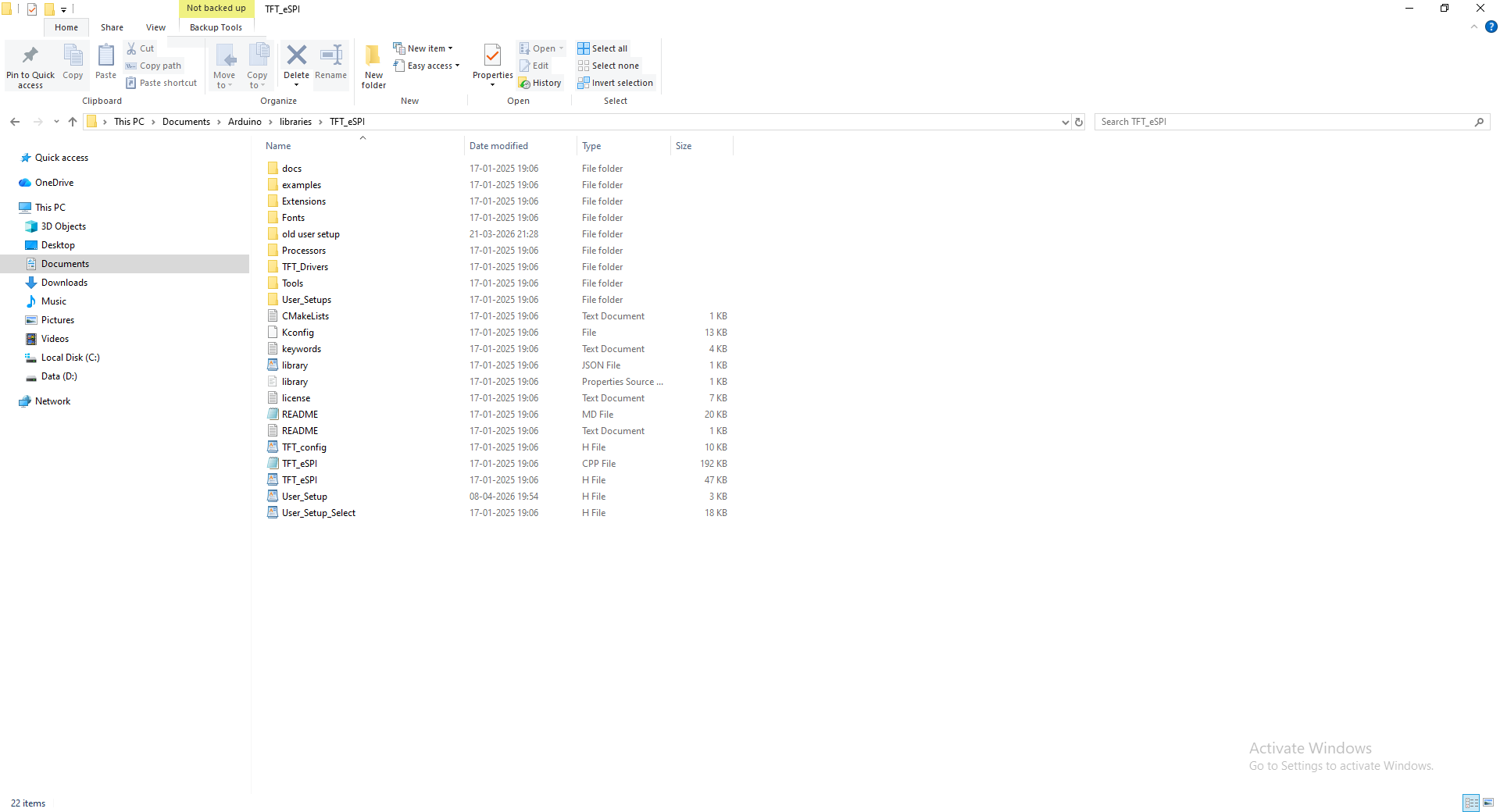
If you have ever worked with TFT displays, you know the dreaded "White Screen of Death." This happens when the microcontroller doesn't know exactly what display driver or pins you are using. To fix this, you must replace the default User_Setup.h file located deep inside your Arduino IDE’s TFT_eSPI library folder with the specific one provided below. This file hardcodes the ILI9341 driver and the exact GPIO pins we wired in Step 1.
Replace these with your credentials.
Flash settings:
- Board: ESP32 Dev Module
- Upload Speed: 921600
- Serial Monitor Baud: 115200
- Serial Monitor line ending: Newline
Upload the code and you are done with setup, Time for testing.
Downloads
A Map's Best Friend (The Offline-First Workflow)

A beautifully printed atlas is a visual masterpiece. It’s the best way to understand geography, trace physical routes, and see where cities sit in relation to the world around them. But paper maps have one fatal flaw: they are static. They can't update you on dynamic data, seasons, or current ratings.
ATLAS AI isn't meant to replace your map; it’s designed to sit right on top of it.
The intended workflow anchors you in the physical world. Imagine you have a world map rolled out on your desk. You trace your route across Japan. When your finger lands on Tokyo, you don't want to pull out your phone, open a browser, and immediately get bombarded with hotel pop-ups, targeted ads, and endless review scrolls.
Instead, you turn to the ESP32 sitting next to the map. You type "Tokyo" into the serial monitor. Within seconds, ATLAS AI pulls the exact, critical highlights—vibrant city life, Shibuya, Neon lights, and the best time to visit—without breaking your focus. It bridges the gap between traditional cartography and modern cloud data, giving the physical map a voice without adding digital clutter.
Using Atlas AI
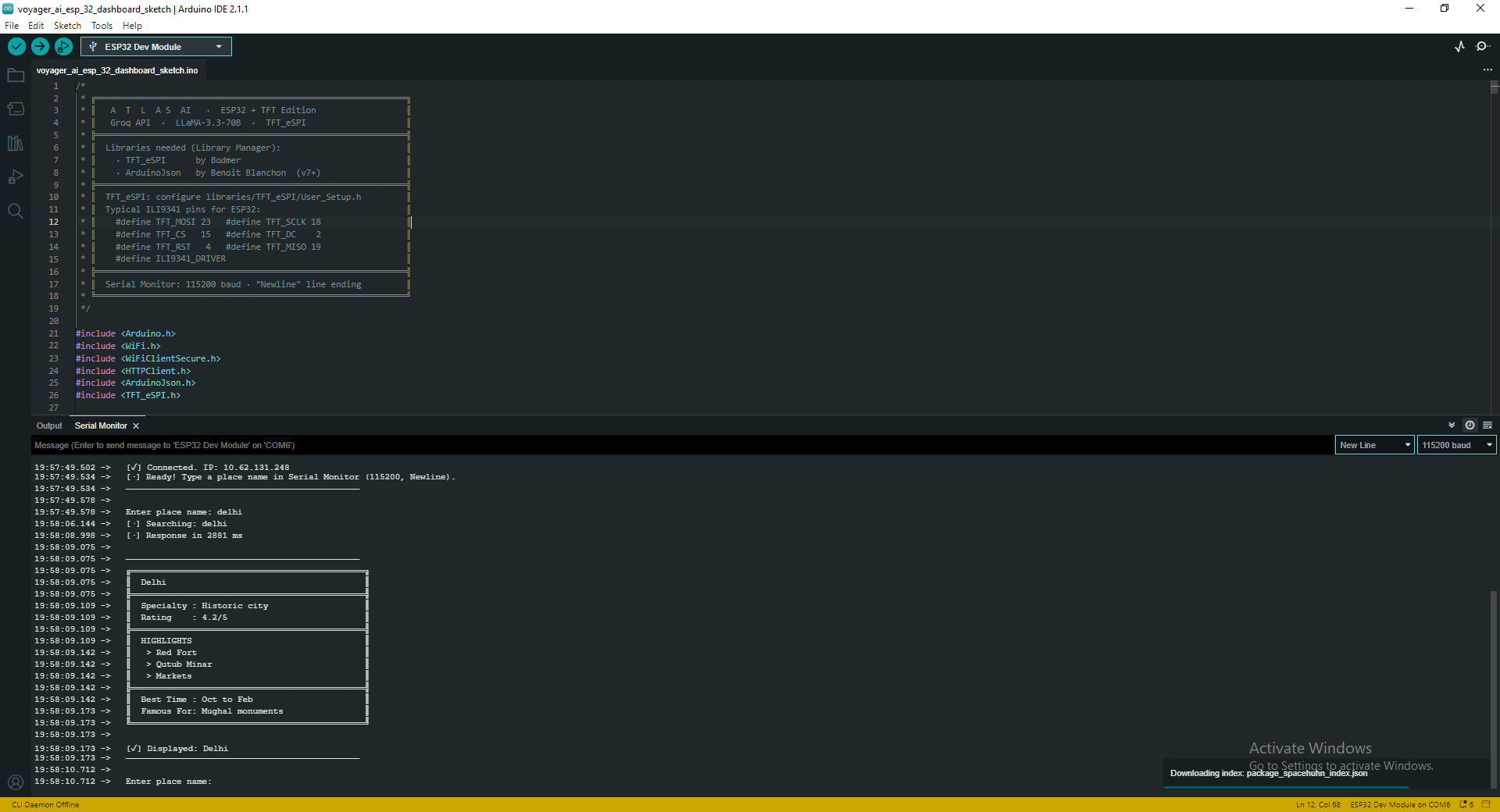


Power on the ESP32. It will automatically connect to the WiFi you configured. Watch the Serial Monitor — it will print the connection status and the IP address once connected.
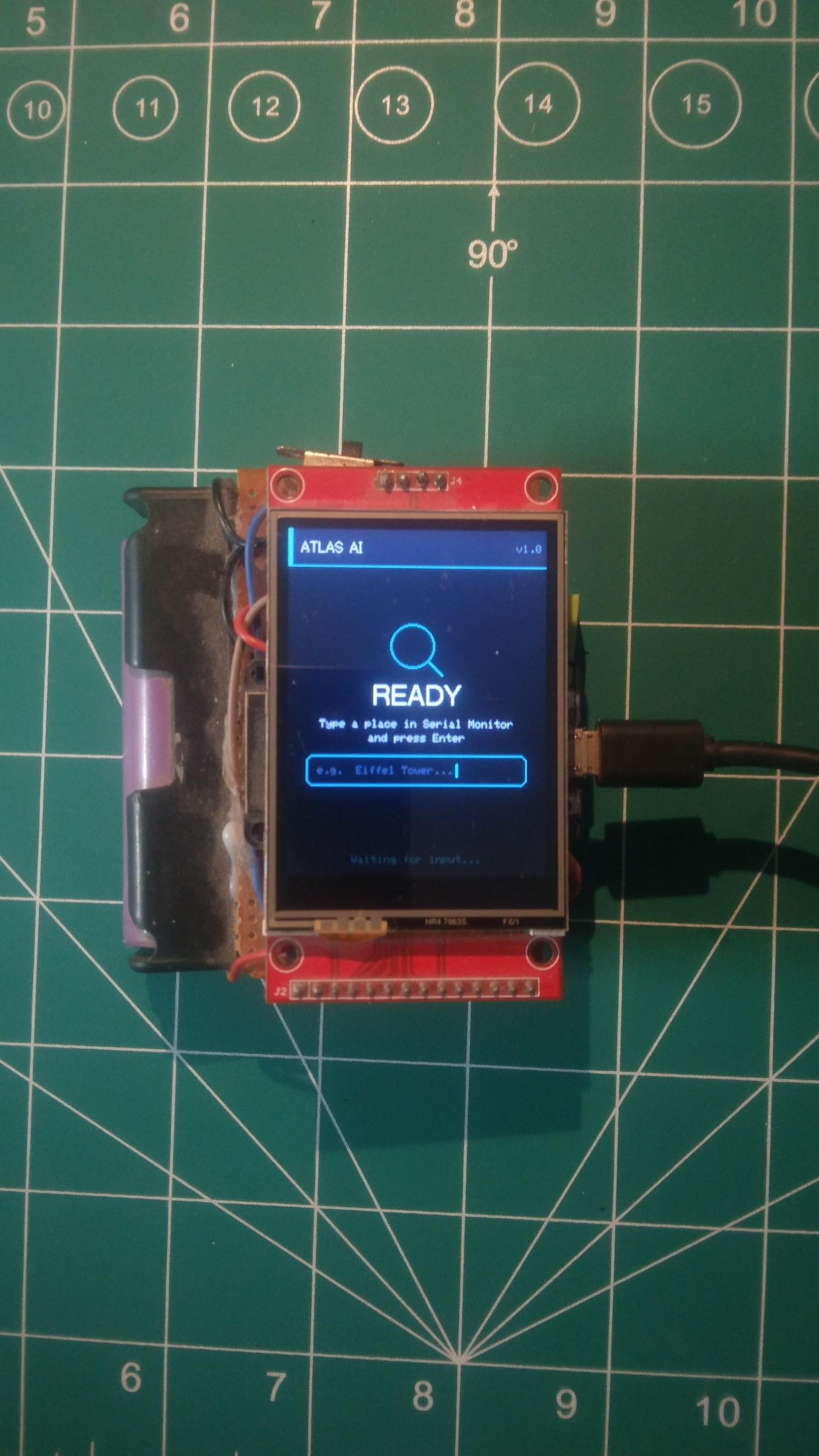
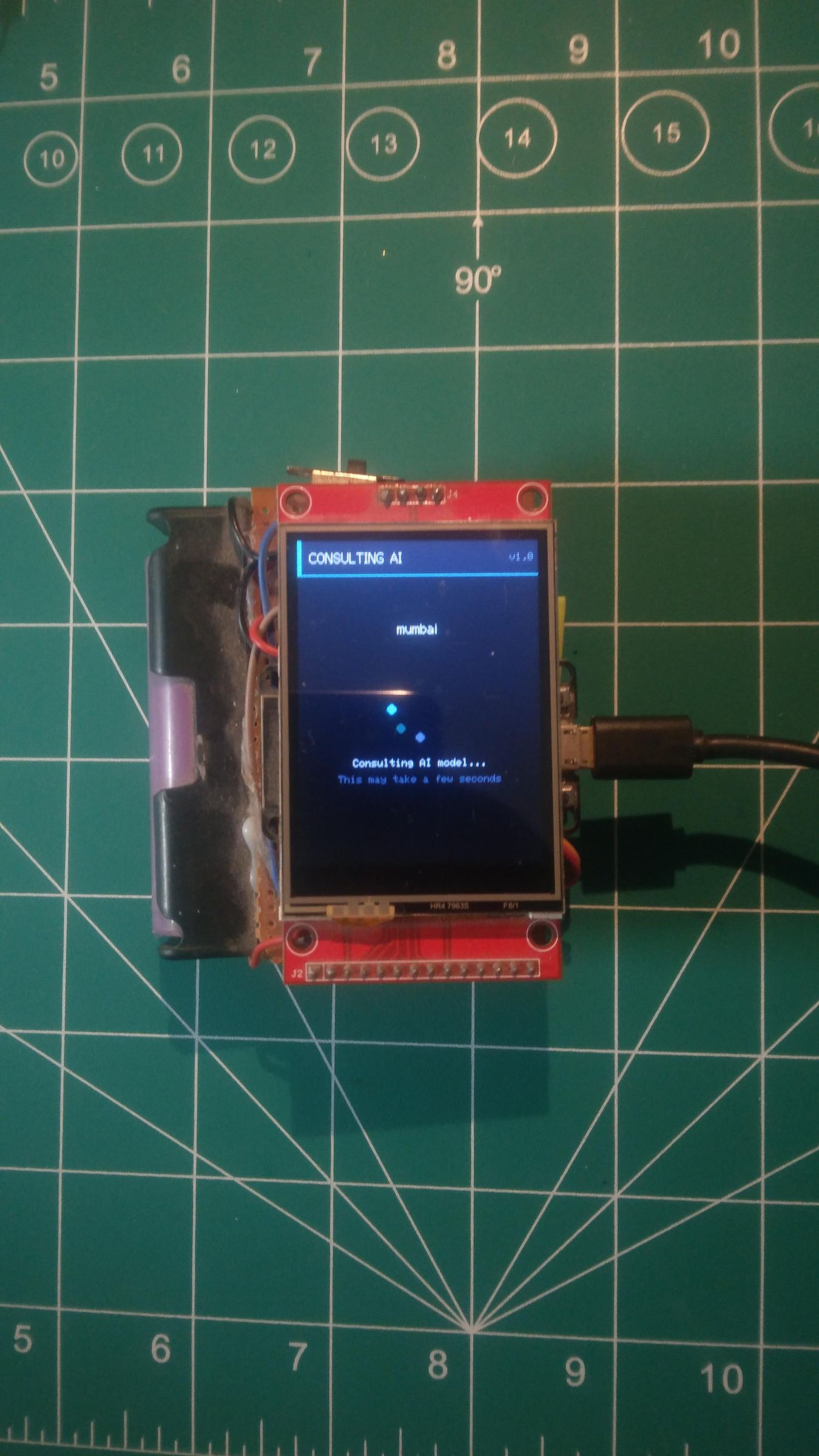
The TFT screen shows a boot animation, then displays a prompt once WiFi is ready.
In the Serial Monitor, type any place name and hit Enter:
Enter place name:
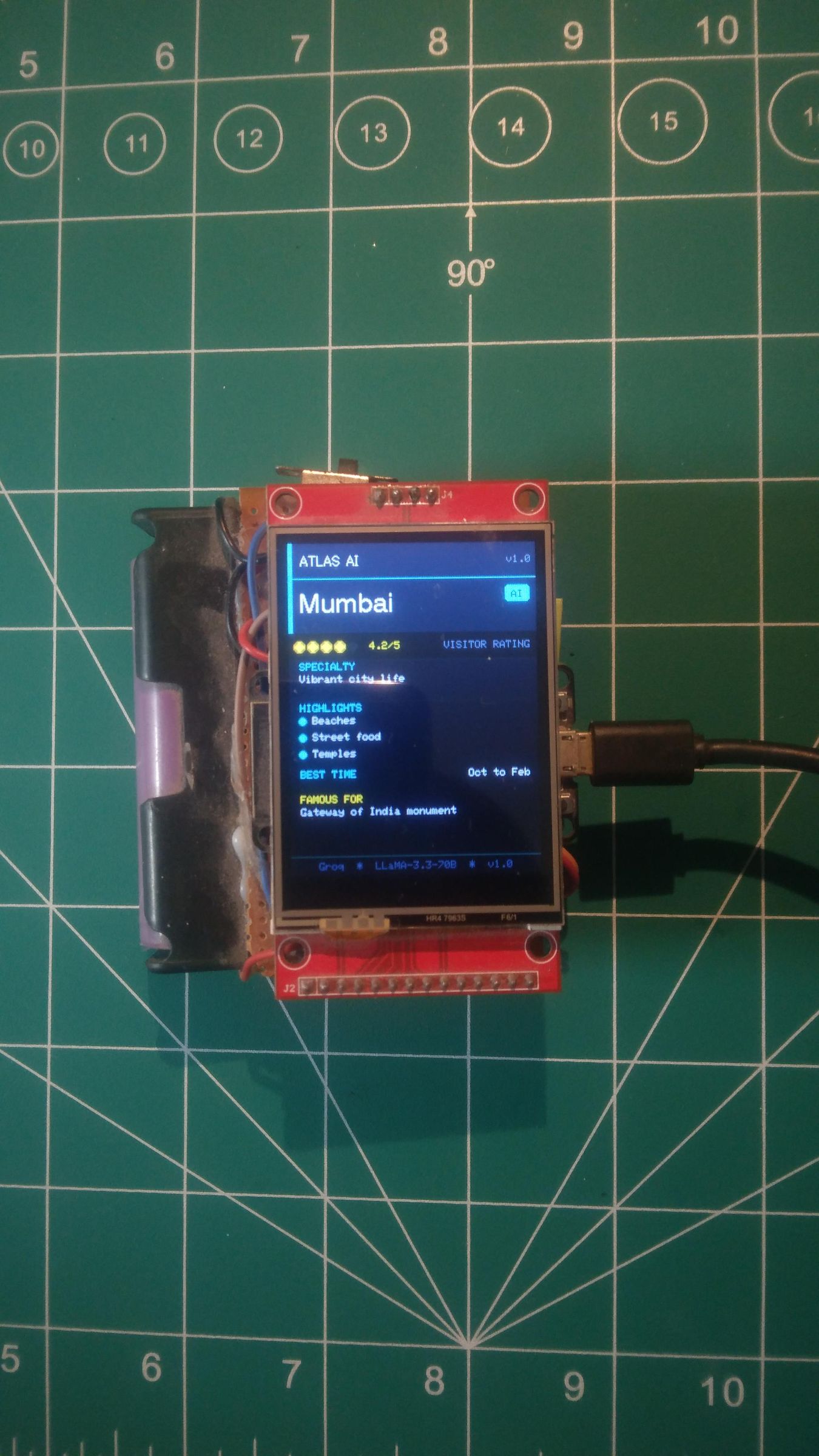
The screen shows a loading spinner while it fetches the response (2–5 seconds depending on your connection). Then it displays the travel card:
The same information appears formatted on the TFT screen.
Troubleshooting
Because this project relies on hardware SPI, local WiFi, and cloud APIs simultaneously, there are a few distinct points of failure. Here is how to diagnose them:
- Blank/White Screen: The ESP32 is running, but the screen isn't getting the signal. Double-check your User_Setup.h file and ensure your MOSI and SCK jumper wires aren't loose. This is the #1 cause of a white screen.
- HTTP error -1: The ESP32 cannot reach the internet. Your WiFi credentials are wrong, or the board is simply out of router range.
- HTTP 401: Unauthorized. Your Groq API key is either invalid, copied incorrectly, or expired.
- HTTP 429: Too Many Requests. You've hit Groq's free tier rate limit. Give it a minute to cool down and try again.
- No response to typing: If you type a city and hit enter but nothing happens, your Serial Monitor line ending must be set to "Newline." Otherwise, the ESP32 doesn't know you finished typing.
- Display works but text is garbled: You are missing the anti-aliased font file. Check that SMOOTH_FONT is defined in your setup.
Conclusion
Yeah, this is over-engineered. An ESP32 running FreeRTOS dual-core tasks to call a 70B parameter AI model just to tell you when to visit Paris—you could technically do that by Googling for 10 seconds.
But here's the thing: that Google search opens a browser. The browser has notifications. The travel site has a popup asking you to sign up. Under the answer, there's a hotel booking widget, three ads, and a "users also asked" section that leads you somewhere completely different. By the time you find what you wanted, you've lost two minutes and somehow ended up reading about flight prices.
Sometimes the over-engineered thing is actually the simpler experience.
This device does exactly one thing, acting as the perfect silent companion to a physical map. It has no ads, no algorithm deciding what else to show you, and no dark patterns trying to keep you scrolling. You trace your map, type a place name, get the information, and you're done.
That's what I actually wanted to build—not just a cool hardware project, but a tool that respects your attention. The fact that it runs on a cheap microcontroller is just a bonus