Analogue Oscillator Tuning for Microrack Modular Synth
by kevinjwalters in Circuits > Audio
143 Views, 1 Favorites, 0 Comments
Analogue Oscillator Tuning for Microrack Modular Synth
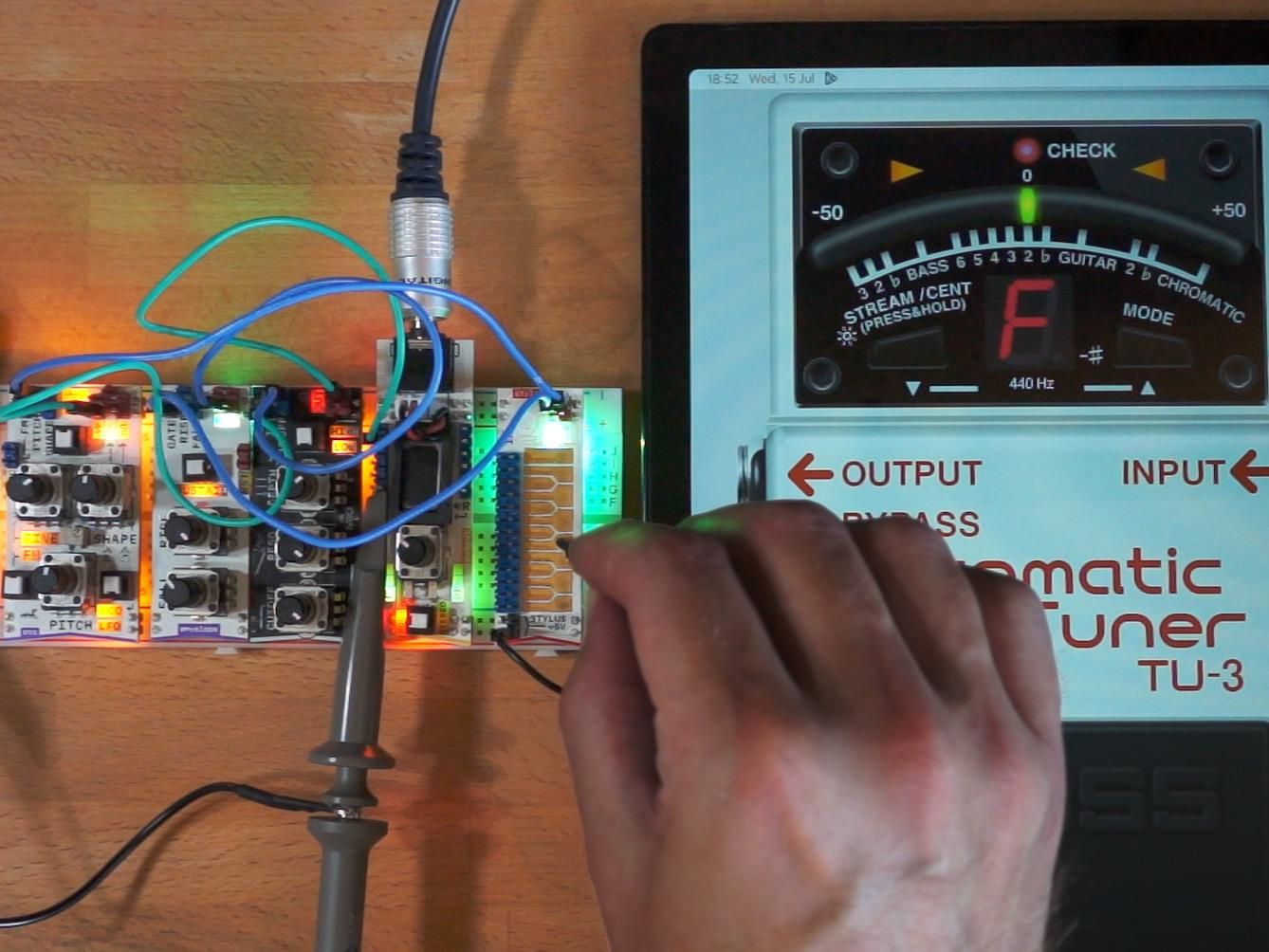
Microrack is a series of modular analogue synthesizer modules in a very small format designed to plug into a standard 830 point breadboard. The modules use Eurorack-style control voltages with connectivity provided by single conductor jumper wires and a common ground.
This article describes three approaches for tuning analogue voltage-controller oscillators (VCOs) like the Microrack oscillator module and includes a video demonstration. The same technique would be applicable to other VCOs without auto-tuning.
Supplies
- Microrack modular synth or anything similar with analogue oscillators.
- A very small flat bladed (jeweller's) screwdriver for the trimmer potentiometer (V/oct tune trim) on the oscillator module.
- Something for tuning
- A frequency counter or oscilloscope with measurement functions.
- Another synthesizer and a good ear.
- A smartphone or tablet with an app for tuning.
- Vocal Pitch Monitor: Google Play Store | Apple App Store
- BOSS Tuner: Google Play Store | Apple App Store
The Task
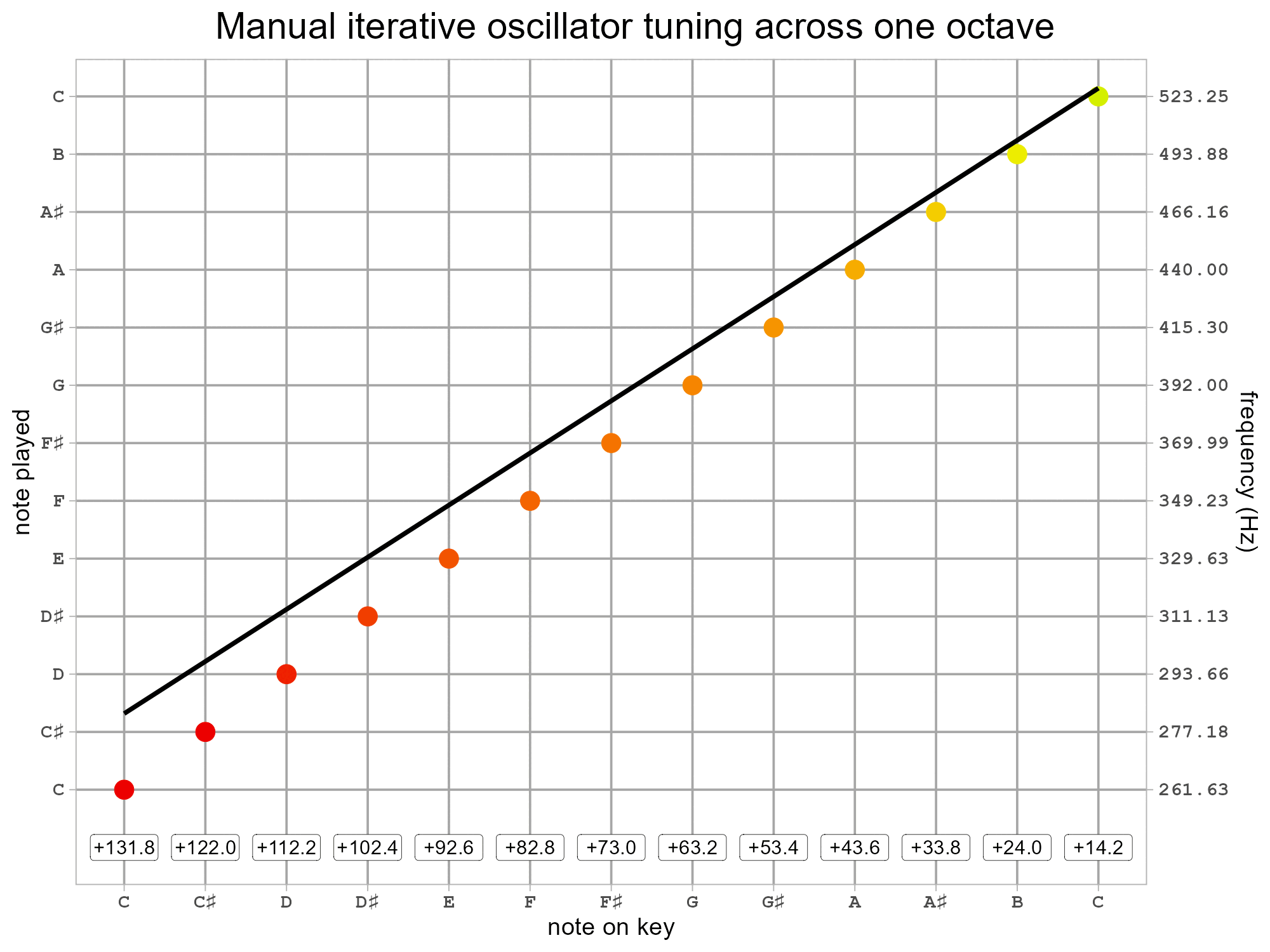
A voltage-controlled oscillator (VCO) typically has two settings for tuning. The first will set the frequency for a certain voltage, the second will set the frequency range for a voltage delta. For a 1V per octave system like Microrack the frequency should exactly double for each volt.
The animation above shows an example of manual tuning across one octave where the tuning gets progressively closer. The line represents the tuned VCO and the dots indicate perfect tuning with colour coding (green good, yellow slightly out, red out of tune). The tuning error in also shown as cents at the bottom of the plot. The procedure (algorithm) can be described by the following steps.
- Preliminaries
- Ensure the power supply is good as the +5V power rail can dip on the Microrack system and this affects the oscillator frequency. Power supply quality is discussed in Step 3: Powering the LogicBoard of Microrack Modular Synth: Ring Modulation With LogicBoard From MH-EDU-Electronics.
- Set the patch up in its final state. Changes to the modules/patch may have a small influence on the oscillator output.
- Wait for the oscillator frequency to stabilise due to (self) heating. This can take 20-40 minutes from power-on - this is shown in Step 5: Effect of Temperature on Oscillator of Microrack Modular Synth: Exploring the Starter Kit Patches, Oscillator Stability and Noise Output Spectrum.
- Adjust the frequency until a reference note is in tune.
- Check a higher or lower reference note and adjust the scale accordingly.
- Scale adjustment will typically shift all the frequencies necessitating a slightly-frustrating readjustment of the frequency.
- Repeat until the reference notes are in tune.
- Optional: check all notes or check higher or lower octaves to see how close the tuning is.
It may not be possible to get a VCO perfectly in tune (say, within +/- 1 cent) across the whole range. If this is the case then focussing on the subset of notes most used or the most prominent ones might be useful strategies.
Using a reference frequency of 440Hz for A4 makes C4 261.626Hz and C5 523.251Hz.
From a mathematical point of view this could be considered as a form of linear regression.
Three Techniques
There are many ways to tune an oscillator depending on your skills and available equipment. Three are described here.
1 Frequency counter
A frequency counter or an oscilloscope with frequency measurement functionality can be used to check the oscillator output. A square wave or sawtooth are best to aid the counting with their sharp transition(s).
2 Ear with another synthesizer
The notes can be tuned by ear against another synthesizer. A synthesizer which can produce similar waveforms will make this easier. Playing the notes alternately until the notes are close to unison and then playing both together at a similar volume and minimising the beating can provide accurate tuning.
A synthesizer with a digitally controlled oscillator (DCO) is attractive for its accurate and stable pitch. For an analogue synthesizer with automatic self-tuning VCOs it may need to left running for a while to warm up and then power-cycled to trigger a retune.
3 Smartphone or tablet app
There are many free or advertising-supported apps for showing audio pitch information. A basic spectrum analyser isn't going to be the best tool for this job as they show the frequency in discrete bins which will be too wide for very accurate pitch. There will be many apps for this, the two shown here are listed below.
- Vocal Pitch Monitor app by TadaoYamaoka is intended for showing the pitch of vocals but turns out to be very useful and efficient for oscillator tuning. This features prominently on the Wings of Pegasus YouTube channel.
- BOSS Tuner app by Roland Corporation is aimed at guitar tuning but works well for other instruments too.
Demonstration
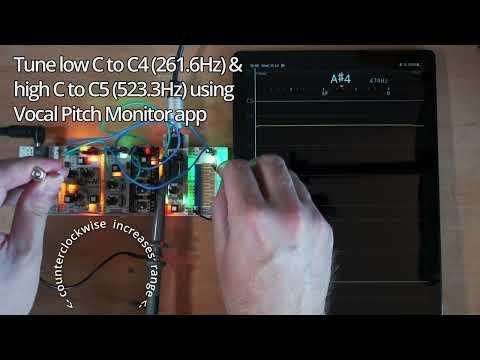
The video above shows waiting for the oscillator frequency to stabilise as the module warms up after being powered on and three different approaches for oscillator tuning.
- Basic tuning using the frequency measurements on a humble Zoyi ZT703-S in oscilloscope mode.
- Basic tuning by ear against a (warmed-up) Korg Volca Bass. This has a feature to detune oscillators which is a useful way to verify the tuning.
- Apps on an android tablet
- Tuning using the Vocal Pitch Monitor including adjustment of the oscillator scale.
- Checking the tuning using the BOSS Tuner. Hopefully, it's fairly obvious how this can be used in the same way as the Vocal Pitch Monitor to perform tuning.
For the Microrack oscillator module, the PITCH potentiometer should be used for large (coarse) pitch adjustments with the FINE potentiometer left in the mid position. In FM mode the oscillator is more difficult to tune as only the coarse PITCH potentiometer is usable. The trimmer potentiometer for scale adjustment is counterclockwise to increase the frequency range per volt and clockwise to reduce it.
The tuning here is against the stylo keyboard module and assumes that has a perfect control voltage output.
Going Further

Other options for tuning.
- Hardware guitar tuners.
- Laptops/desktops with a line-level input and some suitable software.
- Korg Nu:Tekt NTS-2 Oscilloscope has tuning functionality.
- Instructables: Making a Guitar Tuner and Audio Spectrum Analyser Using the Pimoroni Galactic Unicorn - some custom software for the onboard Pi Pico which features autocorrelation-based tuning.
- Tuning forks.
Some other guides relating to oscillator tuning.
- David Hilowitz Music: How to Tune Your littleBits Korg Synthesizer Oscillator (YouTube)
- Erica Synths: Analog VCO calibration
- Synth Seeker: Tune Your Synths - A Guide and Tips (YouTube)
- Tim Shoebridge: Behringer Model D Oscillator Tuning (YouTube) - some interesting analysis of the stability of oscillators on various analogue synthesizers over 3 hours.