Arduino Soft Latch Power Switch Using the AO4606 MOSFET
by NewsonsElectronics in Circuits > Arduino
53 Views, 0 Favorites, 0 Comments
Arduino Soft Latch Power Switch Using the AO4606 MOSFET
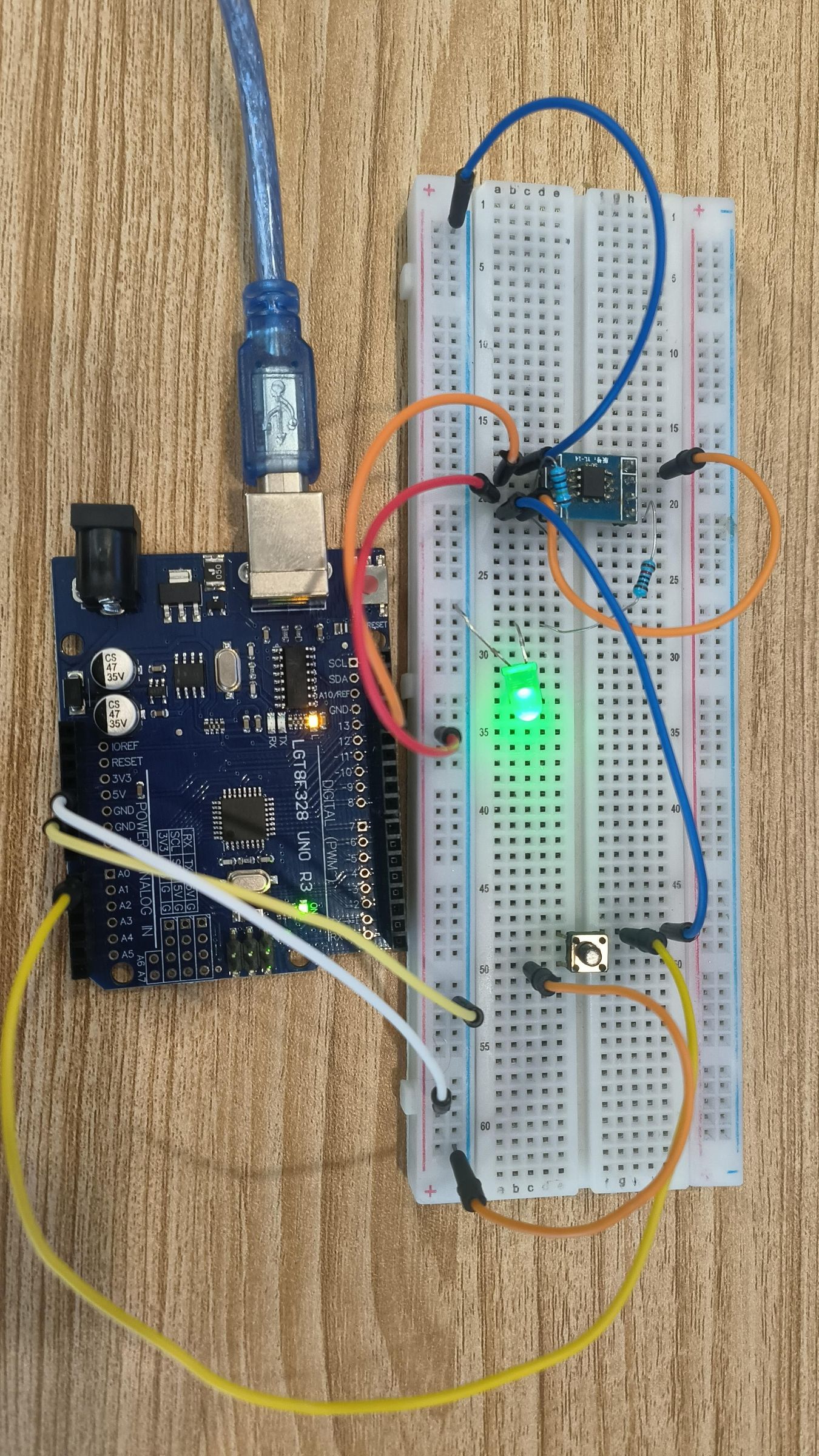
Have you ever wanted your project to use zero current when it’s turned off? This can be achieved by using a soft-latch switch to control the power to your entire electronic project.
The soft latch allows a push of a button to turn the circuit on, powering up the MCU. Once powered, the MCU takes over and holds the power switch on. When you want to turn the project off, the MCU releases the latch, completely disconnecting power from the circuit and reducing the power consumption to essentially zero.
Then, with another push of the button, the soft latch turns the power back on, restarting the MCU and allowing it to take control of the circuit again.
Video that explains how it works https://youtu.be/Inx08JgaJvA
Supplies
Components Required
- 1 × AO4606 dual MOSFET IC (N-channel + P-channel)
- 1 × 100 kΩ resistor
- 1 × Microcontroller (MCU)
- 1 × Battery
Build the Circuit
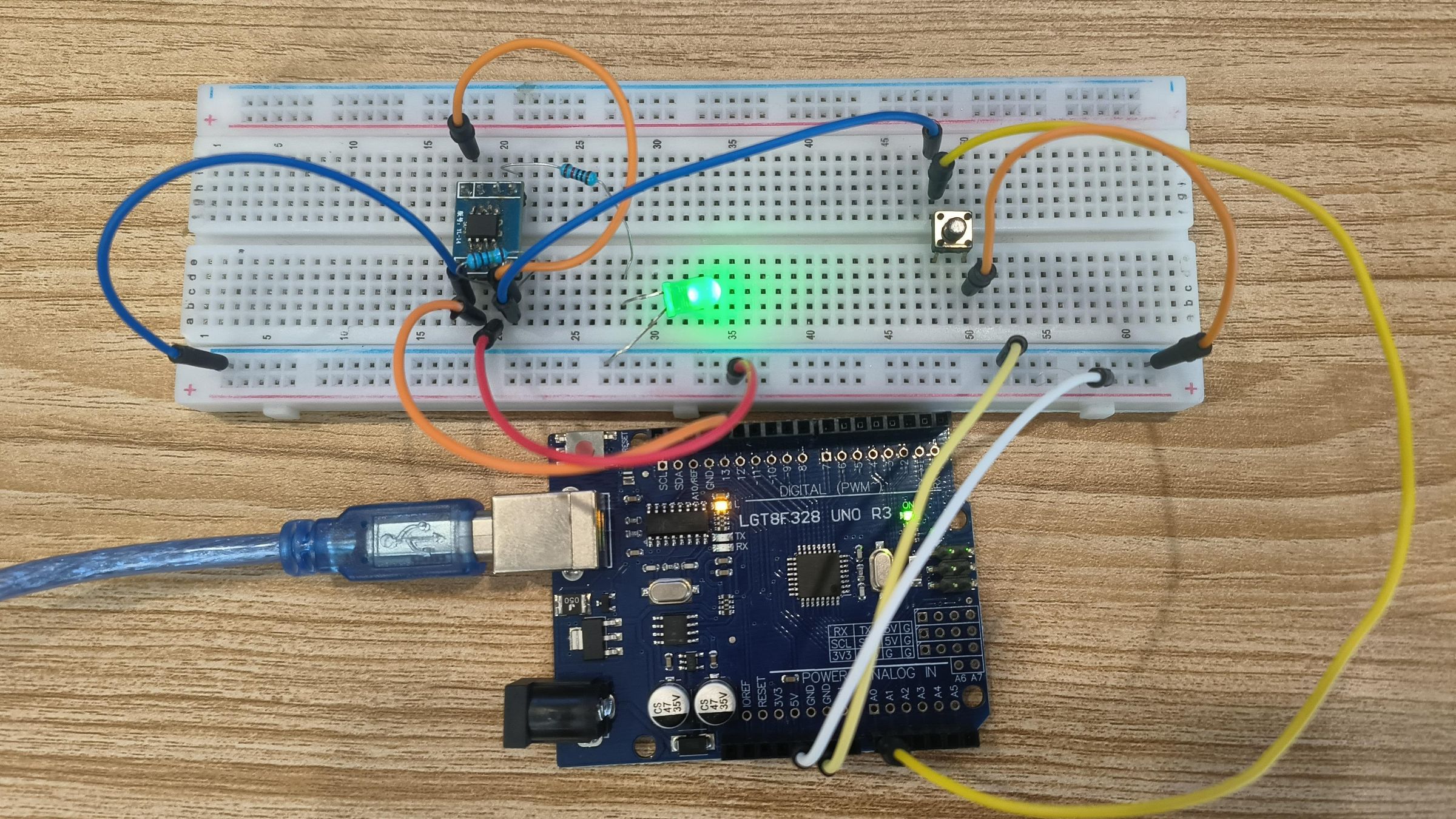
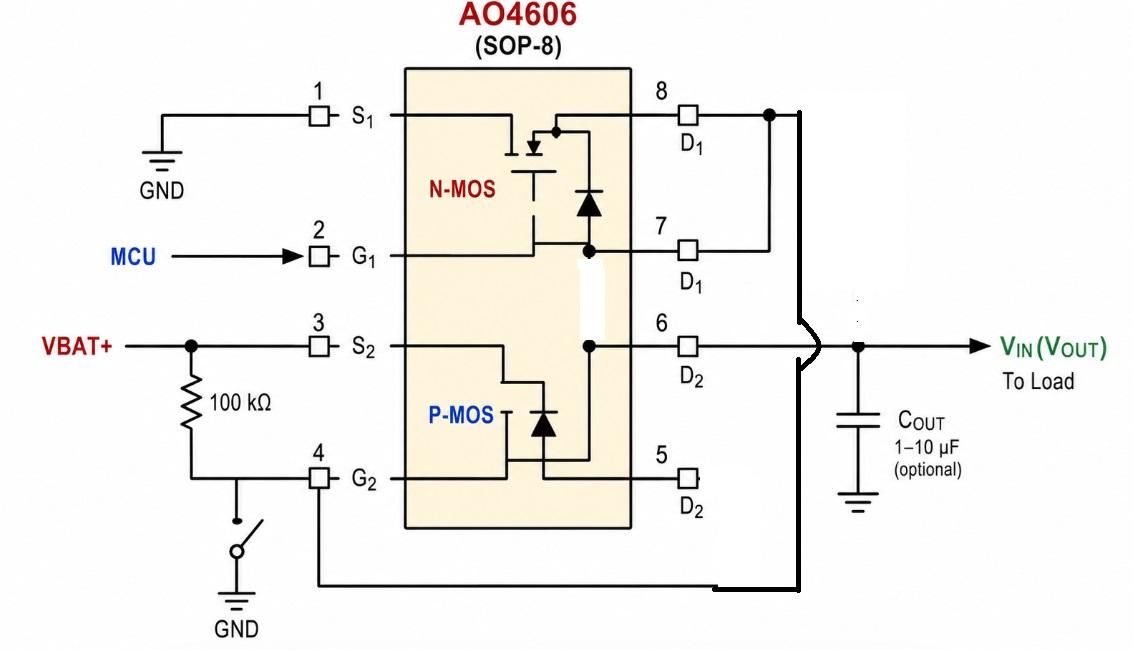
Connect the two MOSFETs as follows:
N-Channel MOSFET
- Pin 1 (S1): Connect to GND.
- Pin 2 (G1): Connect to the MCU.
- Pin 3 (S2): Connect to VBAT+.
- Connect a 100 kΩ resistor between Pins 3 and 4.
- Pin 4 (G2): Connect to Pin 7 or Pin 8.
- Pin 5: Connect to VOUT.
Push Button
Connect a push button between GND and Pin 4.
When the circuit is powered off, pressing the button pulls Pin 4 to GND, activating the latch circuit and powering the system back on. Once the MCU starts, it can take over and hold the latch on until it is instructed to shut down.
Basic Code
When the circuit is powered on, the MCU’s main job is to output a voltage that keeps the switch latched ON. This can be done in the setup() section of your project’s main code, ensuring that the latch is activated as soon as the MCU starts.
Hope this helps if you're interested in electronics check out my youtube channel. Newsons Electronics on YouTube
or my website