Arduino Temperature Sensor System With OLED Screen
by Lin Zhou in Circuits > Arduino
66 Views, 0 Favorites, 0 Comments
Arduino Temperature Sensor System With OLED Screen
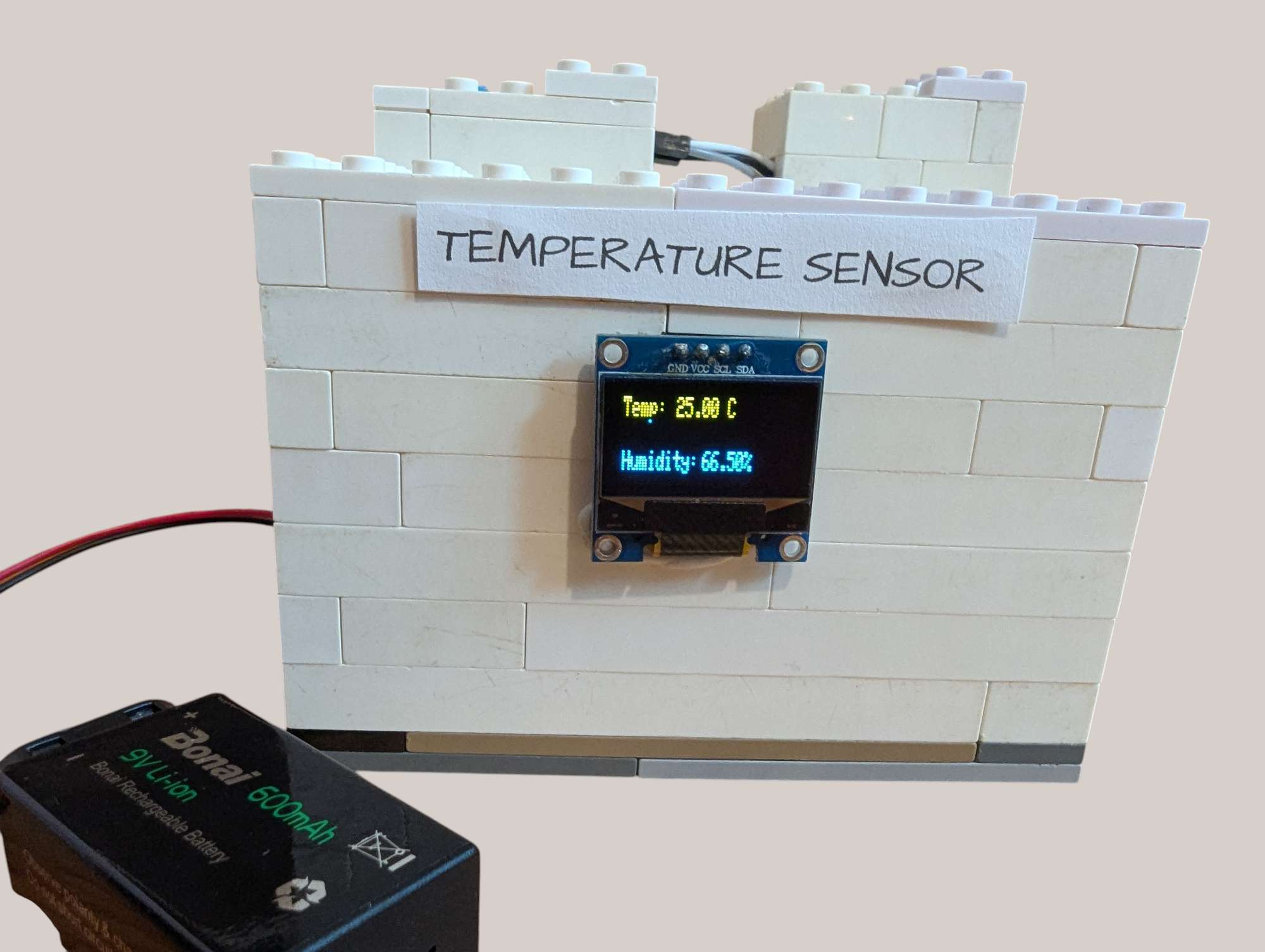
This temperature sensor uses a DHT11 Humidity Sensor and a DS18B20 Temperature Sensor to collect data from the environment, displaying the results on an OLED screen.
Supplies
- Arduino Uno (or Nano or Mega)
- 128x64 OLED screen
- DHT11 Humidity/Temperature Sensor
- DS18B20 Temperature Sensor pluggable terminal with probe
- Wires
- Mini Breadboard/large breadboard
Create Circuit
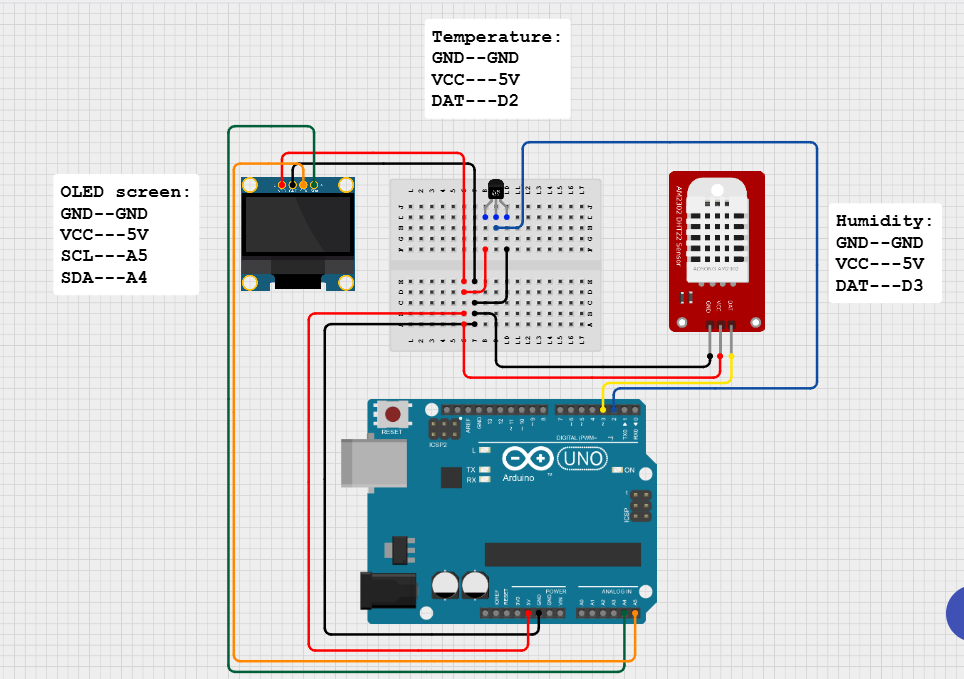
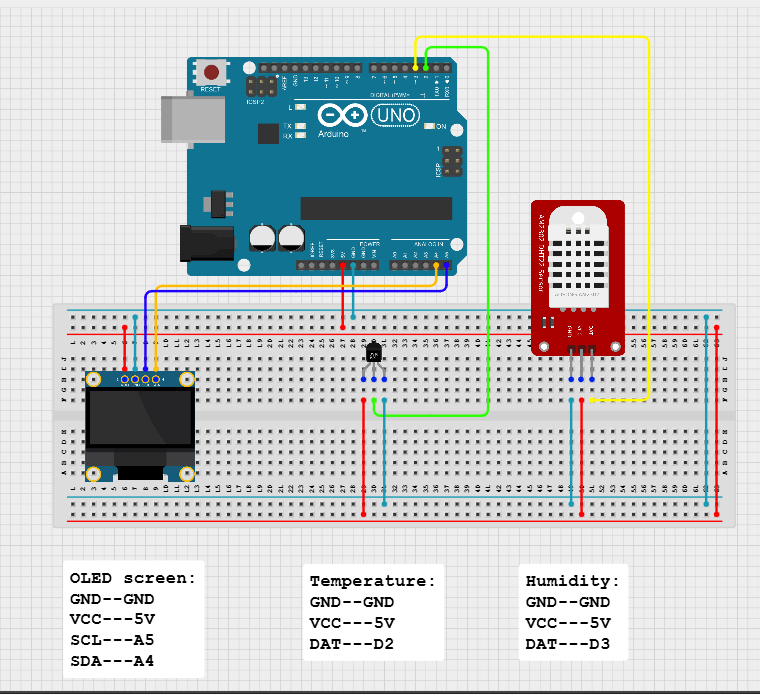
In the schematic, the DS18B20 sensor plugs right into the breadboard. When you use a pluggable terminal, it connects just the same to the Arduino, but one end of it is attached to the probe.
Both schematics are wired the same, the only difference is one uses a mini breadboard so it can fit in a case (like the Lego case on the cover), and the other schematic is more laid out and easier to use if you don't want to put the system inside some sort of case. If you are using a Nano or a Mega board, wire to the same pins as in the schematic.
Write Code
Download the attached file and open it into the Arduino IDE. You may need to install several libraries. Run the code to the Arduino Uno.