Arduino VR Glove
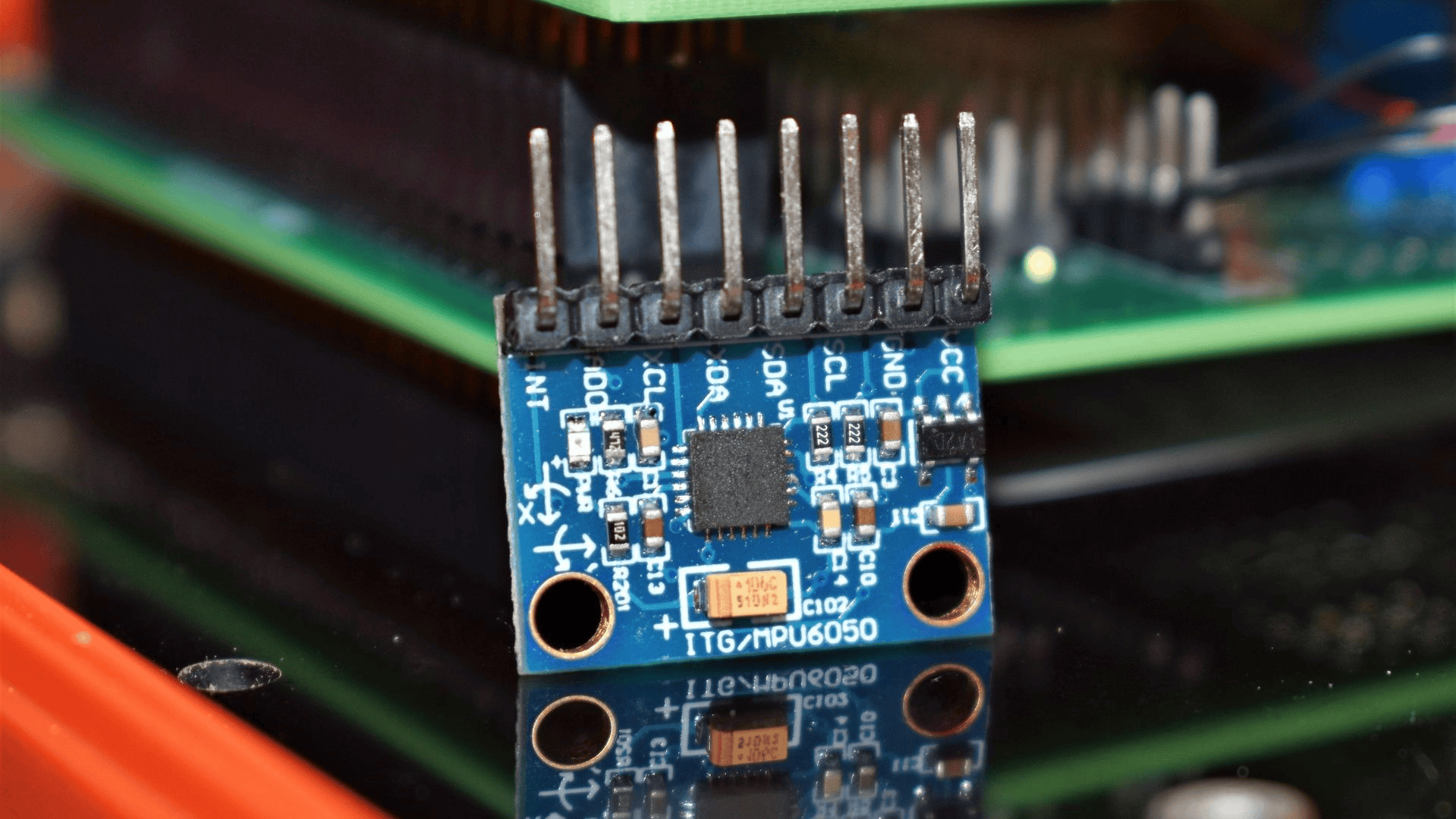
This is an Arduino VR Glove that uses a MPU-6050 Gyro/Accelerometer to control a simple cube made in python code.
Supplies
Arduino Uno R3
MPU-6050 Gyro/Accelerometer
Male-Female Wires
Breadboard (Optional)
Glove of any kind
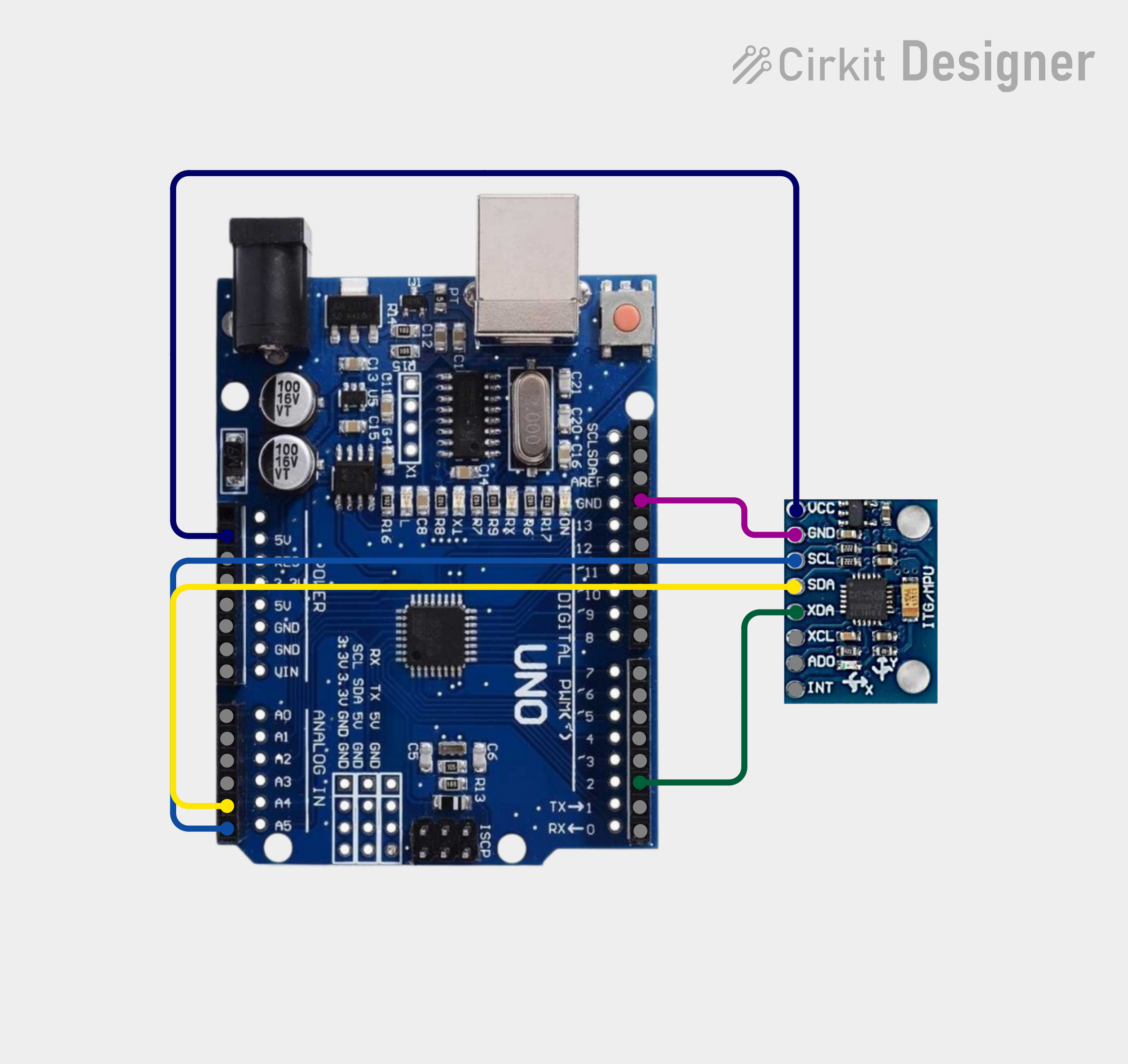
Wiring
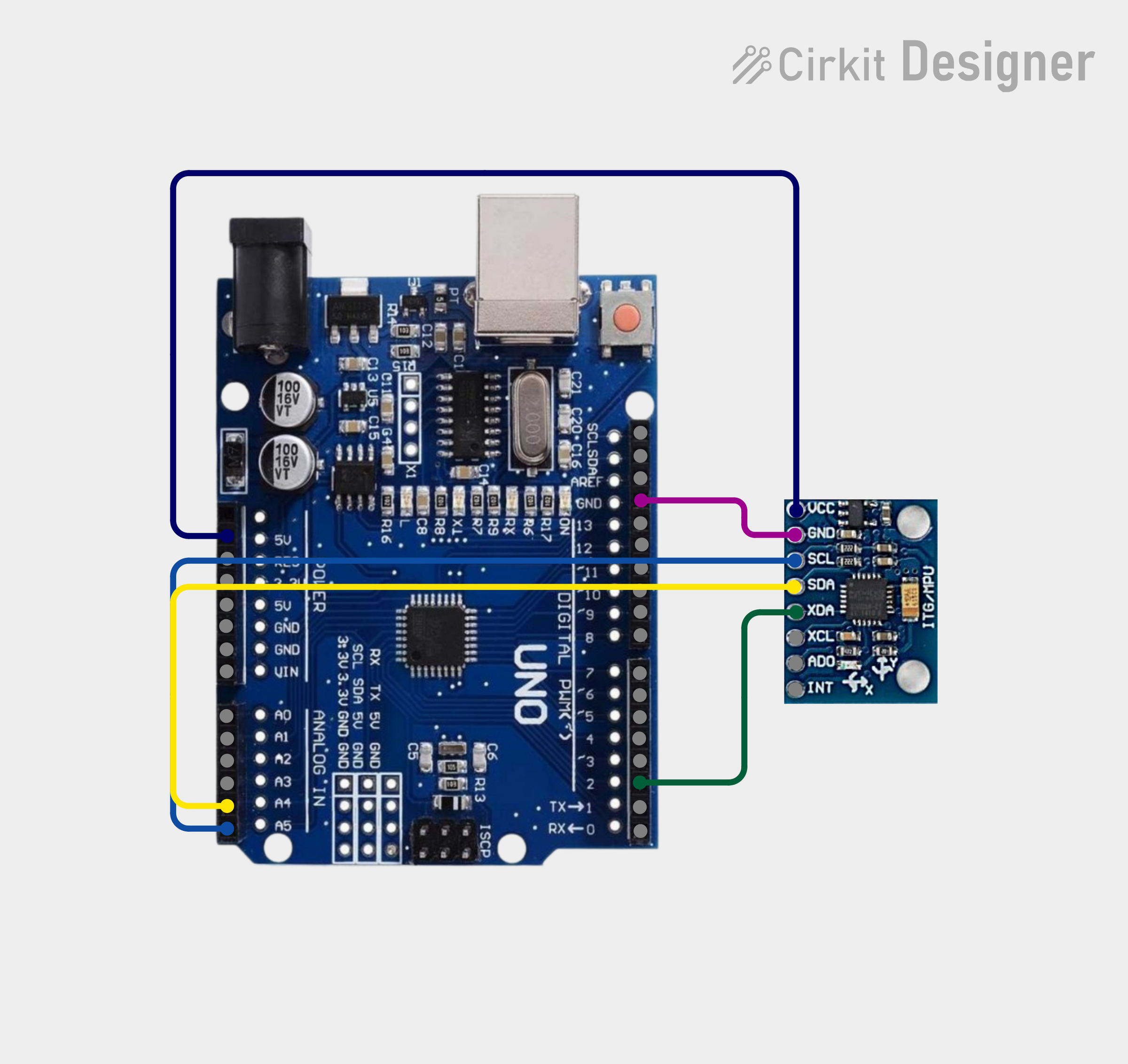
Wire the Arduino Uno to the MPU-6050
Arduino Coding
# Copy and Paste this into Arduino IDE
#include <Wire.h>
#include <MPU6050.h>
MPU6050 mpu;
void setup() {
Serial.begin(115200);
Wire.begin();
mpu.initialize();
}
void loop() {
int16_t gx, gy, gz;
mpu.getRotation(&gx, &gy, &gz);
// Convert raw gyro to degrees/sec
float roll = gx / 131.0;
float pitch = gy / 131.0;
float yaw = gz / 131.0;
Serial.print(roll);
Serial.print(",");
Serial.print(pitch);
Serial.print(",");
Serial.println(yaw);
delay(10);
}
Python Coding
# This is was harder to do, but worth it, once you have uploaded the code to the arduino, CLOSE ARDUINO IDE FULLLY
# Copy and paste this code into VScode or your preffered Python Coding Application and run it, this should give you a cube that you can rotate with your gyroscope.
from ursina import *
import serial
import statistics
ser = serial.Serial("COM3", 115200)
# Smoothing buffers
roll_buf = []
pitch_buf = []
yaw_buf = []
def read_gyro():
line = ser.readline().decode().strip()
try:
roll, pitch, yaw = map(float, line.split(","))
return roll, pitch, yaw
except:
return None
app = Ursina()
# -------------------------
# BLACK BACKGROUND
# -------------------------
window.color = color.black
camera.position = (0, 0, -10)
# -------------------------
# SMALLER BLUE OUTLINE CUBE
# -------------------------
cube = Entity(
model=Mesh(
vertices=[
Vec3(-0.5,-0.5,-0.5), Vec3(0.5,-0.5,-0.5),
Vec3(0.5,0.5,-0.5), Vec3(-0.5,0.5,-0.5),
Vec3(-0.5,-0.5,0.5), Vec3(0.5,-0.5,0.5),
Vec3(0.5,0.5,0.5), Vec3(-0.5,0.5,0.5)
],
triangles=[
[0,1], [1,2], [2,3], [3,0], # back
[4,5], [5,6], [6,7], [7,4], # front
[0,4], [1,5], [2,6], [3,7] # edges
],
mode='line'
),
color=color.azure,
scale=2
)
def update():
data = read_gyro()
if not data:
return
roll, pitch, yaw = data
# Fix IMU forward/backward issue
yaw += 180
# -------------------------
# SMOOTHING
# -------------------------
roll_buf.append(roll)
pitch_buf.append(pitch)
yaw_buf.append(yaw)
if len(roll_buf) > 10: roll_buf.pop(0)
if len(pitch_buf) > 10: pitch_buf.pop(0)
if len(yaw_buf) > 10: yaw_buf.pop(0)
roll_s = statistics.mean(roll_buf)
pitch_s = statistics.mean(pitch_buf)
yaw_s = statistics.mean(yaw_buf)
# -------------------------
# LOWER SENSITIVITY
# -------------------------
roll_s *= 0.3
pitch_s *= 0.3
yaw_s *= 0.3
# -------------------------
# APPLY ROTATION
# -------------------------
cube.rotation_x = pitch_s
cube.rotation_y = yaw_s
cube.rotation_z = roll_s
app.run()
Glove
Attach the Arduino Uno R3 or the board you are using to the glove.
Your Finished!
Now you have a fully functional VR glove!