Assistive Tech Project - Merry-go-round With Adaptive Switch
by hyunjinkim1112 in Circuits > Assistive Tech
79 Views, 2 Favorites, 0 Comments
Assistive Tech Project - Merry-go-round With Adaptive Switch

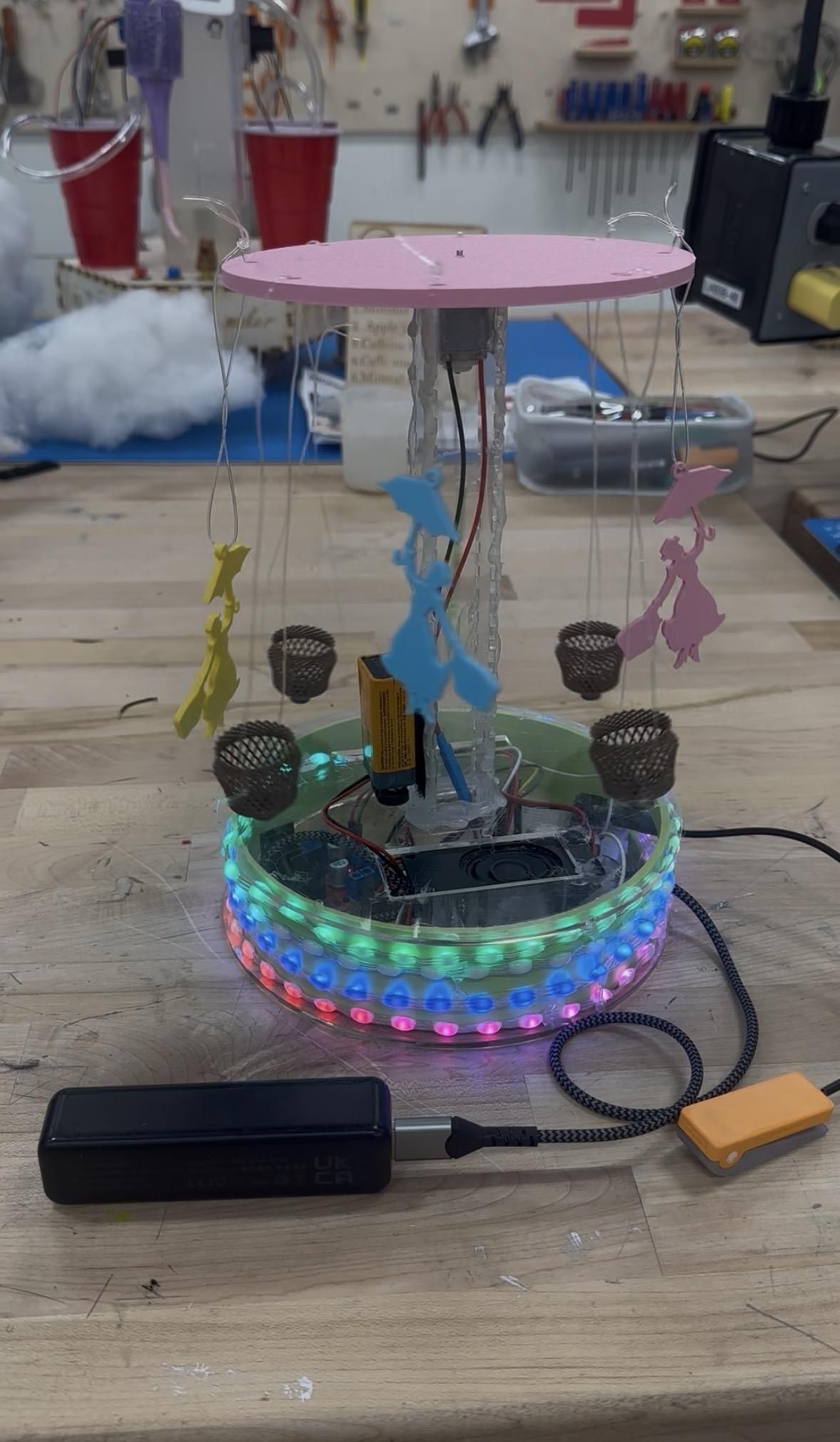
A Raspberry Pi Pico project designed with accessibility at its core: any student can trigger a magical multi-sensory show inspired by the song "Defying Gravity" — music, lights, and motion — using whatever adaptive switch works best for them.
Supplies


- Raspberry Pi Pico 2
- raspberrypi.com
- Breadboard-Friendly 3.5mm Stereo Headphone Jack
- https://www.adafruit.com/product/1699
- Any adaptive switch that can be connected to the stereo headphone jack
- NeoPixel Strip (120 LEDs)
- adafruit.com
- DC Motor (5V hobby motor)
- adafruit.com
- L298N Motor Driver Module
- amazon.com
- PAM8302 Audio Amplifier
- adafruit.com
- Mono Enclosed Speaker (3W 4Ω)
- adafruit.com
- 5V Power Supply (4A or higher)
- adafruit.com
- Half-size Breadboard
- adafruit.com
- Jumper Wires
- amazon.com
- Battery Pack for Motor (4×AA holder)
- adafruit.com
- 3D printed Parts (You need 3D printer!)
- (optional) Laser cut parts
- (optional) beads string (can be any other string)
Wiring
Button
- One leg → Pico GP14
- Other leg → Pico GND
The code uses an internal pull-up resistor, so no extra resistor is needed.
NeoPixel Strip (3 wires)
- 🔴 Red → 5V external supply (+)
- ⚪ Middle (data) → Pico GP15
- ⚫ Black → 5V supply (−) AND Pico GND
PAM8302 Audio Amplifier
- Vin → Pico VBUS (5V)
- GND → Pico GND
- A+ → Pico GP10
- A− → Pico GND
- + and − outputs → Speaker terminals
L298N Motor Driver
- IN1 → Pico GP16
- IN2 → Pico GP17
- OUT1, OUT2 → Motor terminals
- 12V (motor power) → Battery pack (+)
- GND → Battery pack (−) AND Pico GND
Software Setup
Install CircuitPython
- Hold the BOOTSEL button while plugging the Pico into your computer.
- Download CircuitPython from circuitpython.org/board/raspberry_pi_pico/.
- Drag the UF2 file onto the RPI-RP2 drive.
- The Pico will reboot as CIRCUITPY.
Install Libraries
Download the CircuitPython Library Bundle and copy these into the lib/ folder on CIRCUITPY:
- neopixel.mpy
- adafruit_debouncer.mpy
Add Your Audio File
Save your MP3 to the root of the CIRCUITPY drive. The filename must match the code exactly (case-sensitive).
Downloads
3D Print / Laser Cut Your Parts

For the 3D printed parts: refer to the webpage below.
I have attached laser cutter files for the top and bottom plate.
Integrate Everything!
After testing each component, integrate everything into one piece!
My advice: move the portable battery and battery for motor outside of the body so that you can easily detach and replace/recharge them! 🪫
Enjoy the music, lights, and the tiny flying baskets on the air!