Automatic HF Antenna Switch for ICOM/Kenwood Transceivers. Part 1
by kuzysk in Circuits > Electronics
103 Views, 2 Favorites, 0 Comments
Automatic HF Antenna Switch for ICOM/Kenwood Transceivers. Part 1
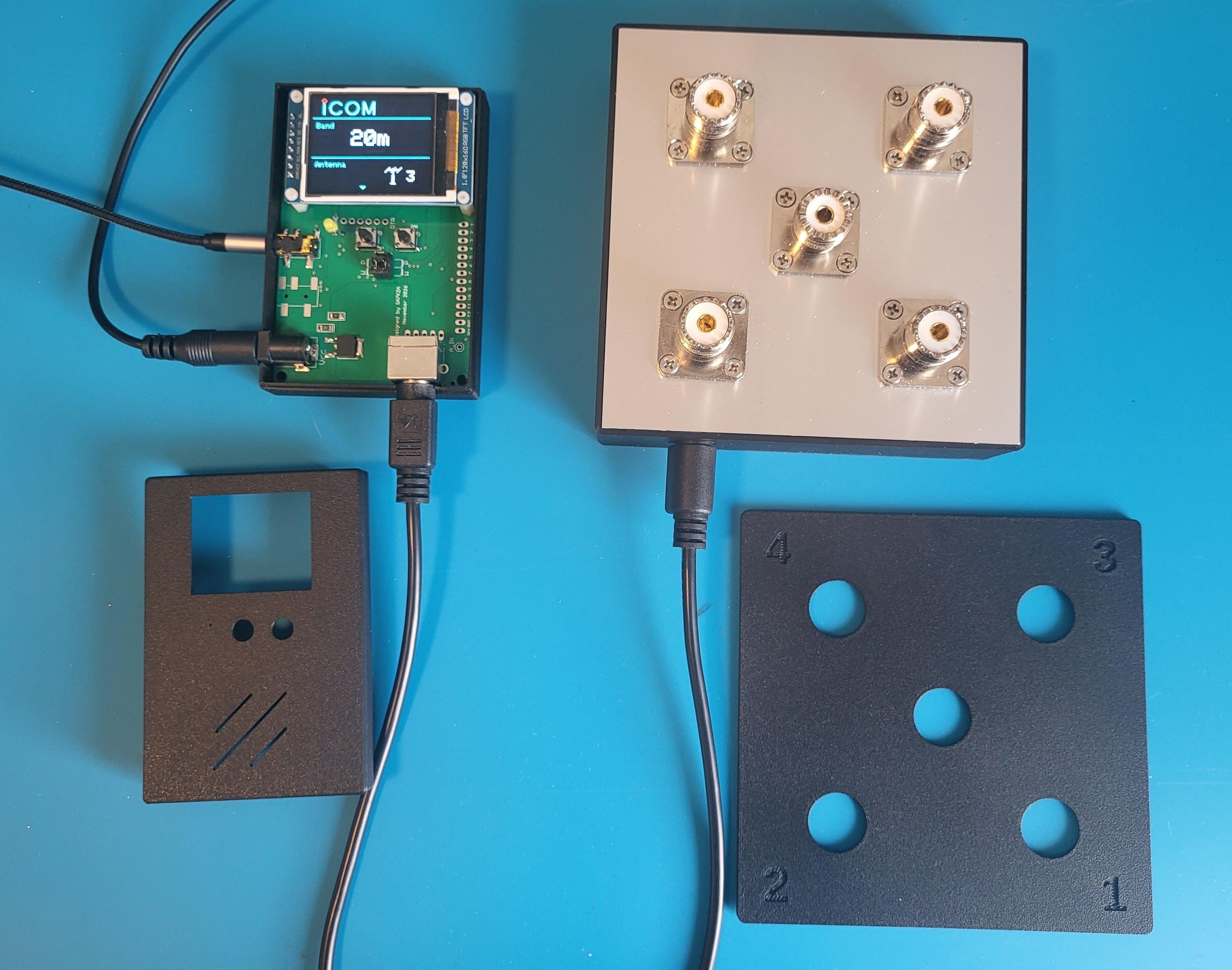
(The project homepage is sa7kza.com.) This article will describe the construction of an automatic antenna switch for Icom and Kenwood HF transceivers. Both the hardware and software can be adapted for Yaesu and other brands, however since I don't have any other equipment available for testing, I will limit this project to Icom and Kenwood for now.
Due to its scope, the article will be divided into several parts. In the first part, I will describe the common part — the Antenna Switch (referred to throughout as AS). In the following parts, I will describe the control unit — the Band Decoder (referred to throughout as BD) — for both Icom and Kenwood.
I have actually already covered the BD build in a previous article here: Kenwood TS-890 Band Decoder – Amateur Radio Project, but since then I have designed a simplified version with a maximum of 8 outputs, which is more than sufficient for a 4-channel AS.
Supplies


You will need:
- 8 relays
- 4 blocking diodes
- 5 UHF connectors
- 6 to 20 standoff spacers 3–4 mm with a 3.2 mm hole
- 2 standoff spacers 14–16 mm with M3 thread
- 22 M3 pan head screws L12–L14 with nuts and washers
- PS/2 connector (Mini-DIN 6)
- signal PCB
- aluminium PCB for enclosure construction
- 3D printed outer shell for the aluminium enclosure
The enclosure is made from aluminium PCB. There is of course a more expensive alternative — either having an aluminium enclosure custom machined or finding a suitable off-the-shelf enclosure from a manufacturer. I spent several hours searching and eventually found that PCB manufacturers offer single-sided aluminium PCB production — which is actually cheaper than having an equivalent piece machined from 1.6 mm aluminium sheet. This solution has the advantage that the copper side of the PCB can be soldered using standard solder, and the rigidity of the enclosure built this way is more than adequate. The bond between the copper and aluminium layers is ensured by the structural design of the enclosure itself.
Note
RF connectors can be quite expensive. Reasonably priced options are available from China, but it is essential that the insulator is made of PTFE (Teflon) and that the connector is gold-plated. There are not many ways to verify the material. My method is to test the insulator with a transformer-type soldering iron. Teflon withstands the temperature of the iron tip without smoking, deforming, or changing colour. A small brownish mark may remain at the point of contact, but there should be no significant deformation. If the insulator starts to smell or deform — simply discard the connector, it is not fit for use regardless.
So far, all connectors I have received from China had a genuine Teflon insulator. The issues are mainly in the metal parts, where small surface imperfections are visible. Clearly these are not first-grade components, but this has no effect on functionality — and for the price of a single connector from a European supplier you can get five from China.
As a side note — I first purchased connectors from a well-known German manufacturer who supposedly makes them in-house. The surface finish was actually worse than the Chinese connectors I bought later. I can provide photos — I never used those connectors at all.
Antenna Switch (AS) Introduction

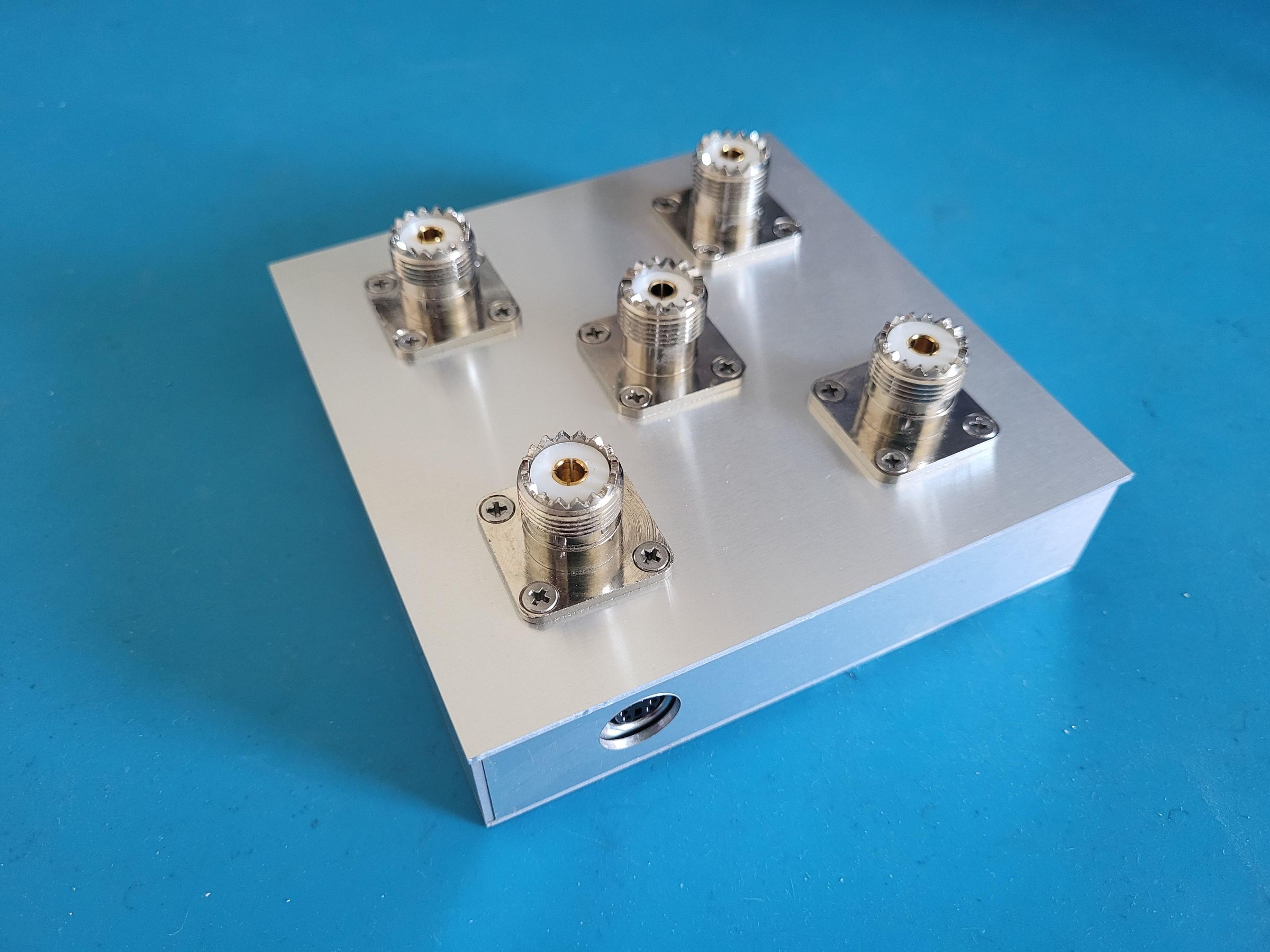

The design and construction of this seemingly simple device proved to be the most challenging part of the entire project, requiring several development iterations before arriving at a version with genuinely solid technical specifications. The target parameters were: PEP power handling around 1 kW (I run an ACOM 1010 amplifier), SWR below 1.1, and port isolation better than 60 dB across the entire HF band. The measured results — depending on the measurement method (more on that later) — are: SWR between 1:1.02 and 1:1.08, port isolation better than 85 dB on the 160m band, and better than 65 dB on the 10m band.
My design can still be improved slightly, but I want to point out that even minor changes affect the final performance — and usually not for the better.
To save you time and money, I will briefly outline what not to do when attempting to improve this design or when working on your own.
- Avoid a one-relay-per-channel design. Assuming you want to use common, relatively inexpensive relays and require unused antenna ports to have a grounded output, you will run into the problem of inter-contact capacitance. With four relays it is very difficult to achieve an SWR below 1:1.1 without complex additional compensation. (Of course, if you use specialised RF relays that cost more than my entire build combined, this won't be an issue.)
- Unless you are an expert PCB designer with extensive experience, or unless you have the means for inexpensive experimentation, avoid double-layer PCBs with a ground-plane copper pour on one side. Yes, this is standard professional practice — but if you want to calculate the impedance of your traces accurately, you need to know all the physical parameters of your PCB precisely, not approximately, unless you can precisely control all PCB parameters needed for accurate impedance calculation. Otherwise you will never achieve a consistent 50 Ω, which will again show up in your SWR. The simplified rule is: keep all RF traces as far apart from each other as possible, and keep the ground as far from RF traces as possible.
- Use proven relays. Manufacturers of general-purpose relays typically do not specify inter-contact capacitance. Discovering that a relay is unsuitable only after soldering eight of them onto a PCB — each costing 3–10 €/USD — is neither the best nor the cheapest way to build an AS.
Schematic and PCB


In the image you can see the schematic of the AS. The circuit itself is straightforward, with the option to select either GND-switched or VCC-switched logic. (Note that when changing the logic, the polarity of the blocking diodes must be reversed accordingly.)
Worth mentioning is the approach used to achieve good port isolation and low SWR. The trick lies in the fact that relay contacts 1, 3, 5 and 7 have their second set of contacts left floating — not connected anywhere — and ideally they would not exist at all. If you were to ground them (which would effectively save you 4 relays), you would achieve a grounded centre contact on all unused antenna ports, but at the same time you would have 6 contacts (3 paired contacts) in close proximity to the active RF path. Physically, the gap between contacts is 0.5 to 1.5 mm depending on the relay type, with the width, length and spacing of the moving contact springs also playing a role. As a whole, you can think of this as 6 small-capacitance capacitors connected in parallel. For a two-antenna AS this is acceptable, and with a suitable relay choice the parasitic capacitance will not have a significant impact. This is in fact the standard way antennas are switched in transceivers and in power amplifiers up to 1 kW. The problem starts to become noticeable with three antennas, and in a four-antenna AS it is already a clearly measurable degradation. This is why in practice an additional dedicated relay is often used to ground the antenna input of each unused port. When an antenna is not in use, it is grounded by the relay at its input (for example relays 2, 4, 6 or 8), and the RF signal path between the two relays in the unused channel is left floating. The gap between the active RF path and ground is effectively doubled, since the path passes through 2 × 2 open relay contacts.
A simplified AS design using only 4 relays with unused antennas left floating achieves nearly the same SWR figures and may be worth considering. The suitability of such an AS depends on the type of antennas used. Keep in mind that particularly before a thunderstorm, some antenna types can develop voltages of hundreds of volts at the connector, and using your transceiver as a discharge path is not the wisest choice. (This of course does not apply to all antennas, and depends not only on the antenna itself but also on its feed point.)
PCB
On the left is the functional double-sided PCB used in this project. On the right is the ground plane PCB that I had calculated during the design phase, but which after production turned out to be far from perfect. I then decided to test the validity of the old amateur radio rule mentioned earlier and removed all ground pour areas. The result was a functionally superior PCB.
If you look at the board you may notice — most visibly around the centre/common connector — that not all mounting pads are connected to ground. This is intentional. Bear in mind that the ground connection is achieved through the top aluminium panel, to which each of the five connectors is attached via four M3 screws. The aluminium is 1.6 mm thick with a copper layer on the underside, so the mutual bonding between connectors can hardly be improved upon, and a dedicated ground path on the PCB itself is simply not needed for the RF signal. Ground traces on the PCB are provided only for the control logic and protection components. The design also includes provision for transient suppression diodes, although in practice I did not populate them — for indoor use they are unnecessary.
The connection between the AS and the BD is made via a PS/2 connector or through individual terminals labelled to match the corresponding AS channel.
Assembling:
If you have opted for the more common VCC-switched variant, don't forget to solder a wire jumper between the two outermost pins immediately next to pin 4 on the 7-pin connector. Then solder the diodes, capacitors (not strictly necessary but beneficial for RF), relays, and finally the PS/2 connector (if you intend to use it). Do not solder the UHF connectors yet at this step!
Connector Panel Assembly


As mentioned earlier, the top panel (connector panel) is made from aluminium PCB. On one side of this board is a 1.6 mm aluminium sheet, on the other side is a copper layer, with a dielectric layer between them. These PCBs are typically used where heat dissipation is required — for example in LED panels. For our top panel the dielectric layer is an unwanted complication, however when you consider that each connector has 4 mounting holes through which metal screws pass — connecting the copper and aluminium layers at a total of 20 points, right in the area of the connectors — the two layers can be considered very well bonded, and this holds true across the entire HF spectrum. You can of course use a plain aluminium sheet instead. I chose aluminium PCB primarily for cost and hole accuracy. Anyone who has tried drilling clean, precise 16 mm holes in aluminium knows it is not as straightforward as it sounds — and then there are another 20 holes of 3.2 mm diameter to deal with.
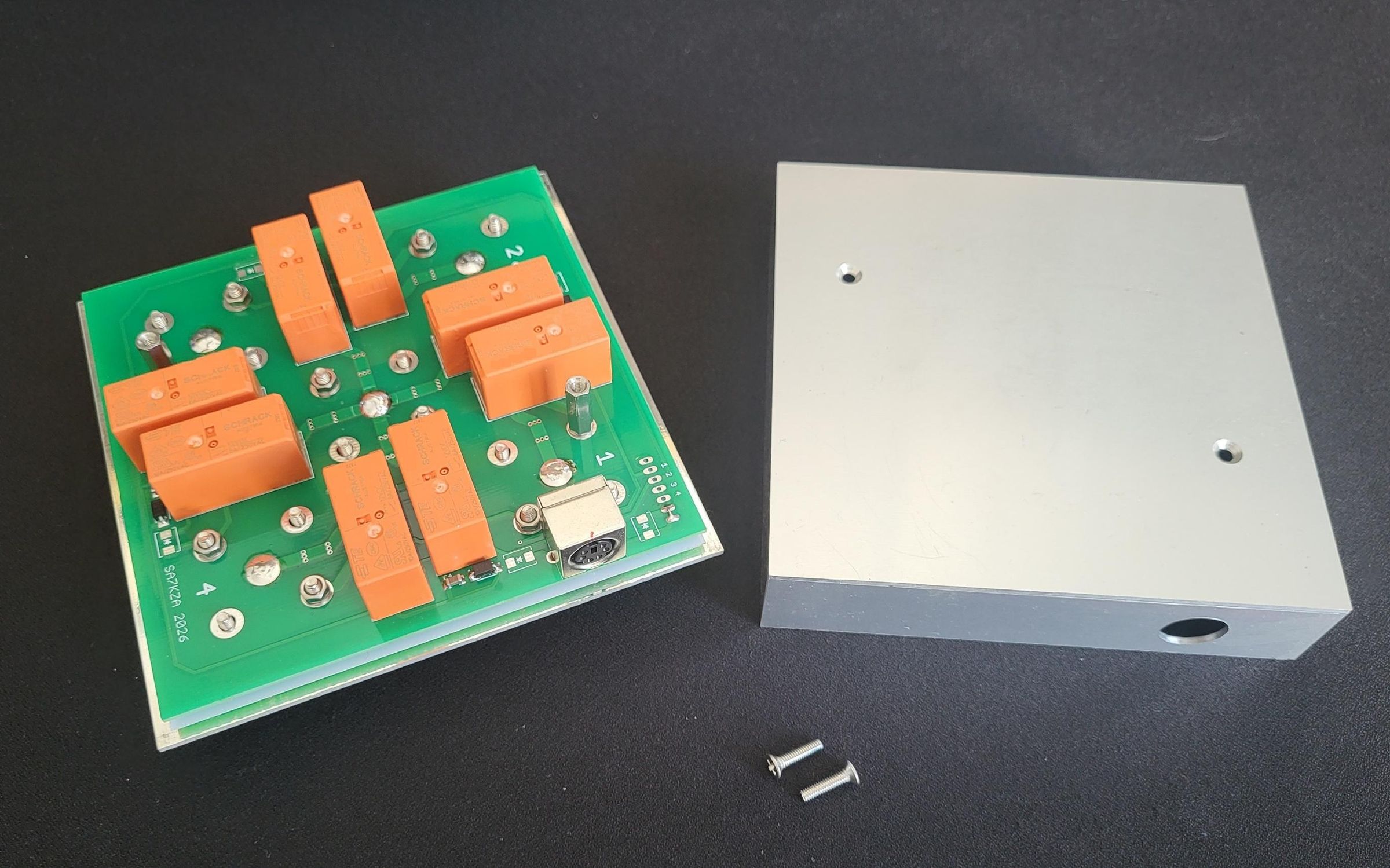
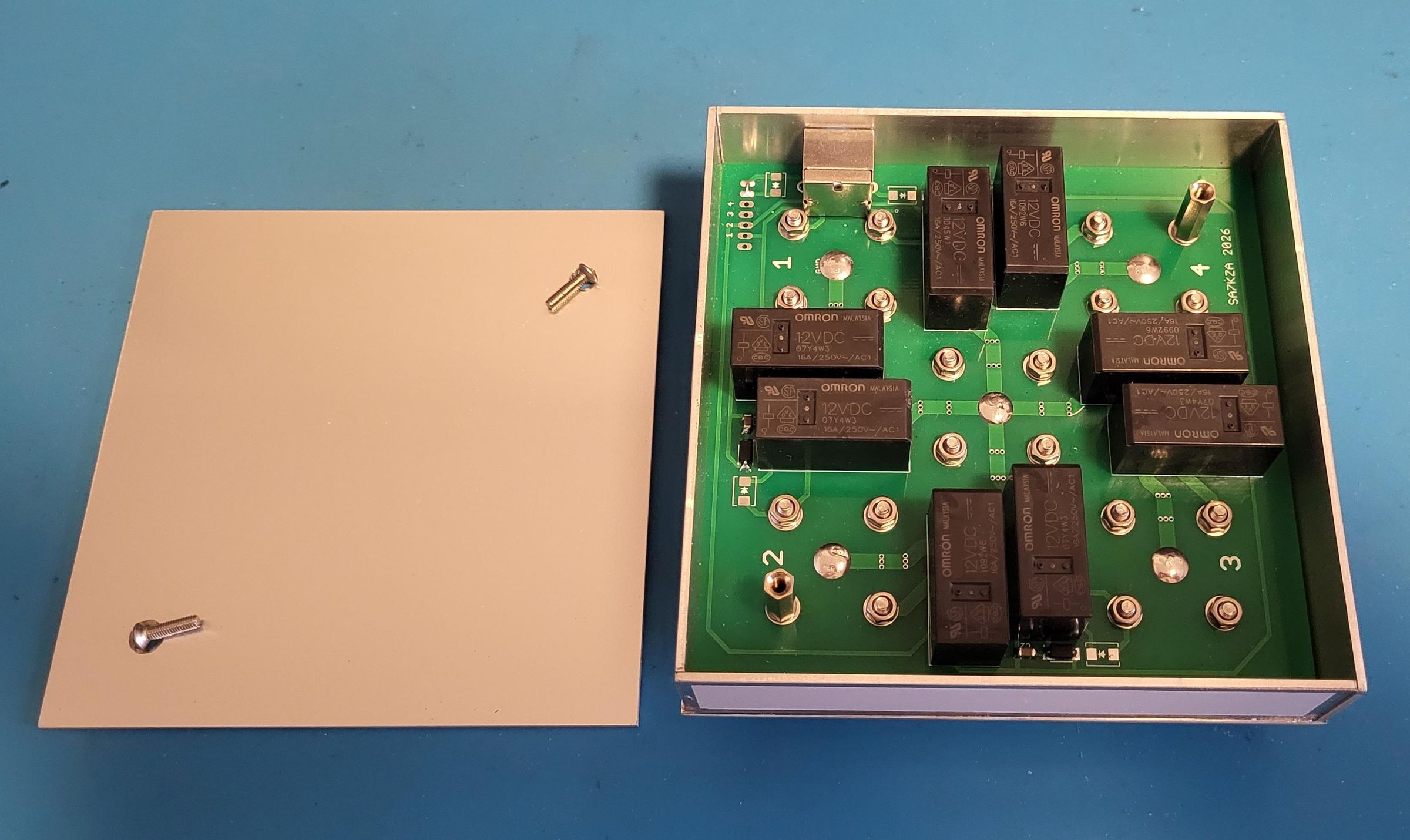
In the image you can see the connector panel from both sides. In the area of each connector the copper layer is exposed and tinned. Also note that the green PCB carrying the relays is slightly narrower — this is because the side walls of the enclosure will also be made from aluminium PCB, requiring at least 1.6 mm to be added on each side. I chose to add a little more so that the connector panel also overlaps part of the 3D printed outer plastic shell of the AS.
Also visible in the image are the metal standoff spacers, 3–4 mm tall, which create a gap between the top panel and the green PCB. 3 mm standoffs are easier to source and will work fine. I used 4 mm standoffs simply because I had them on hand. It is not necessary to use a standoff at every joint — 6 or 10 standoffs is sufficient, with a nut and washer placed on the tinned copper surface at the remaining positions. It is important that standoffs are used at the joints that will later be used to connect the top and bottom parts of the aluminium enclosure — at these positions a 12–14 mm threaded standoff will be used on the green PCB side instead of a nut. (A nut can be used temporarily on the green PCB side during assembly.)
You will find that joining the connector panel to the green PCB is not entirely straightforward — there are 20 holes with 20 screws to manage. It requires a bit of patience and dexterity. I found it helpful to use adhesive tape on the connector side to hold the screws in place so they wouldn't fall out. I then worked them through the holes in the PCB one by one, fitted a washer and secured each with a nut. In the second image you can see the gap between the connector panel and the green PCB.
Now centre the two boards relative to each other and tighten all the nuts. The connector pins are already inserted into the PCB and even though they are not yet soldered, contact is made — and you can already measure the SWR. It should be below 1:1.1, most likely below 1:1.05. (Remember to calibrate your VNA before measuring, using the actual cables and load you intend to use.)
If the SWR is within spec, you can now solder the connector pins. From this point you have a functional AS — all that remains is to build the enclosure, ideally also from aluminium to provide proper RF shielding. Let's get to it...
Completing the Aluminium Enclosure


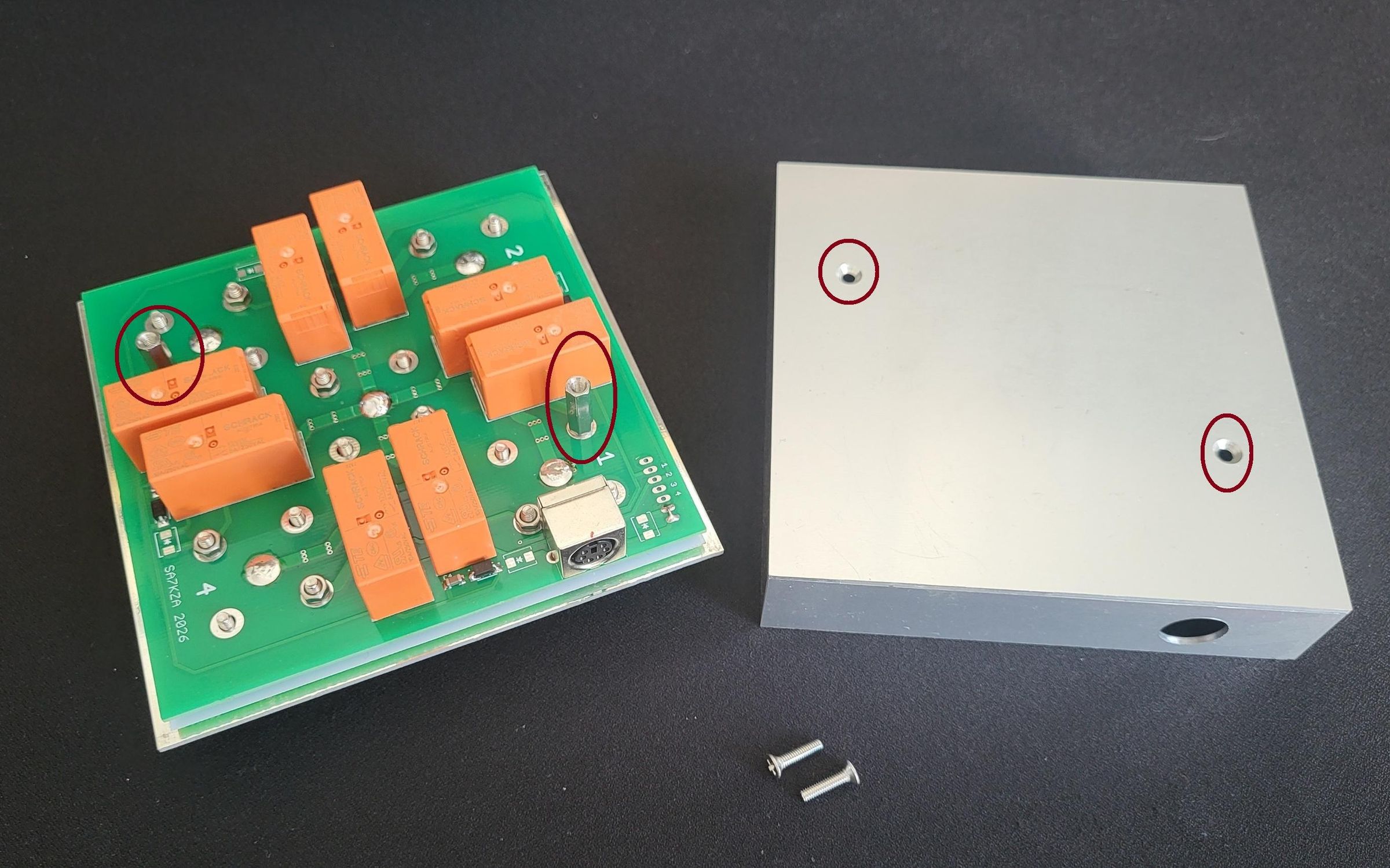
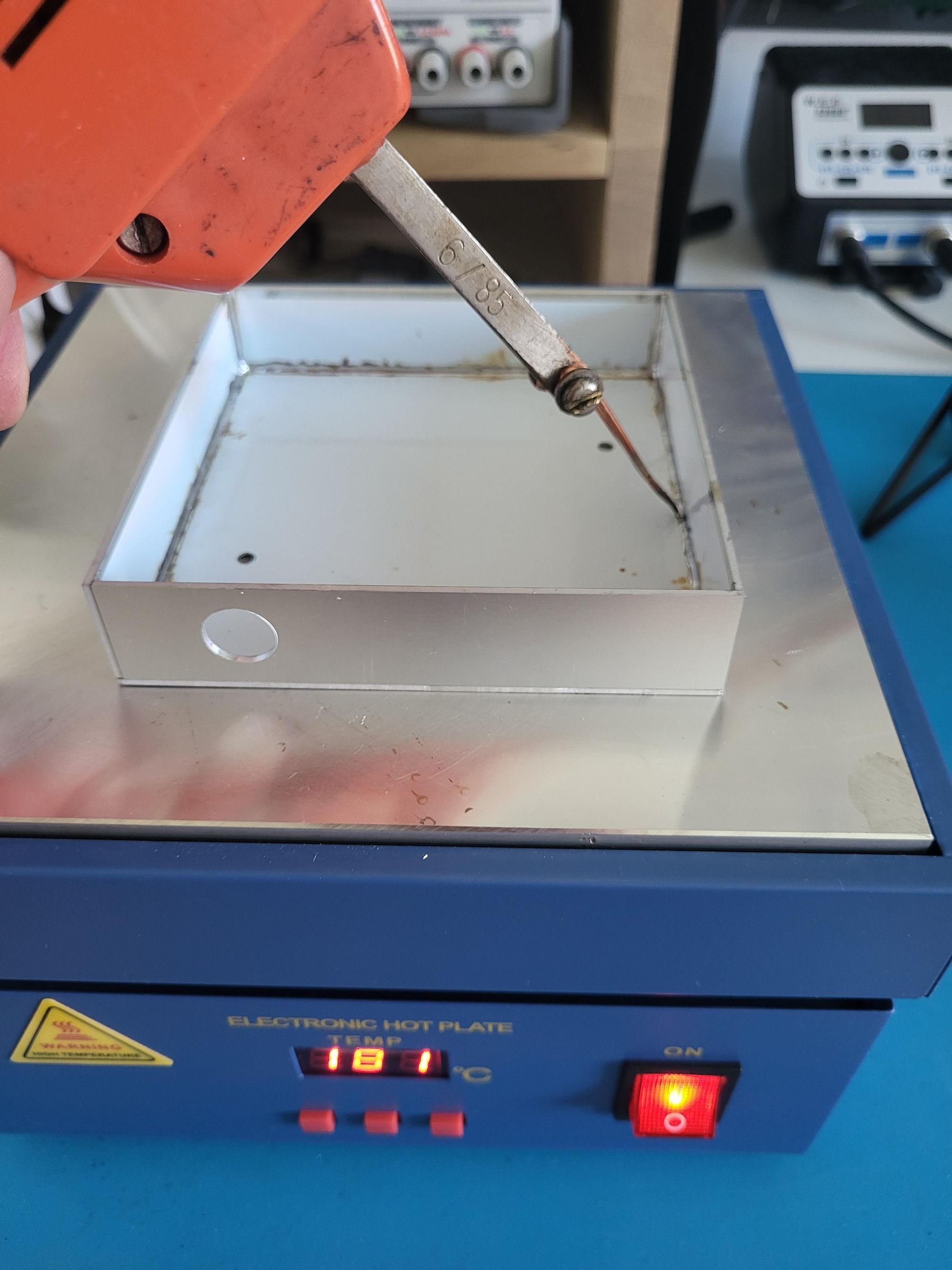
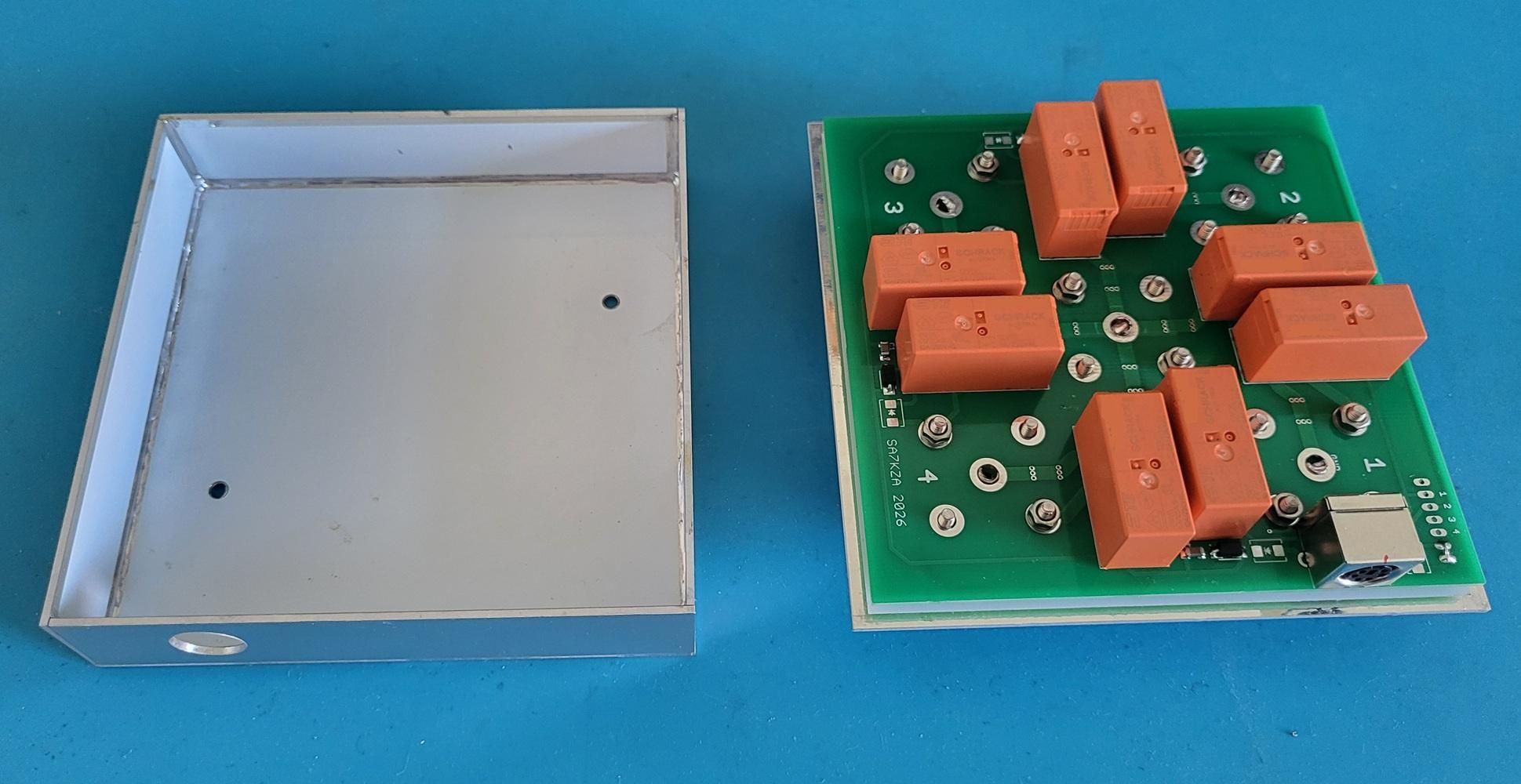
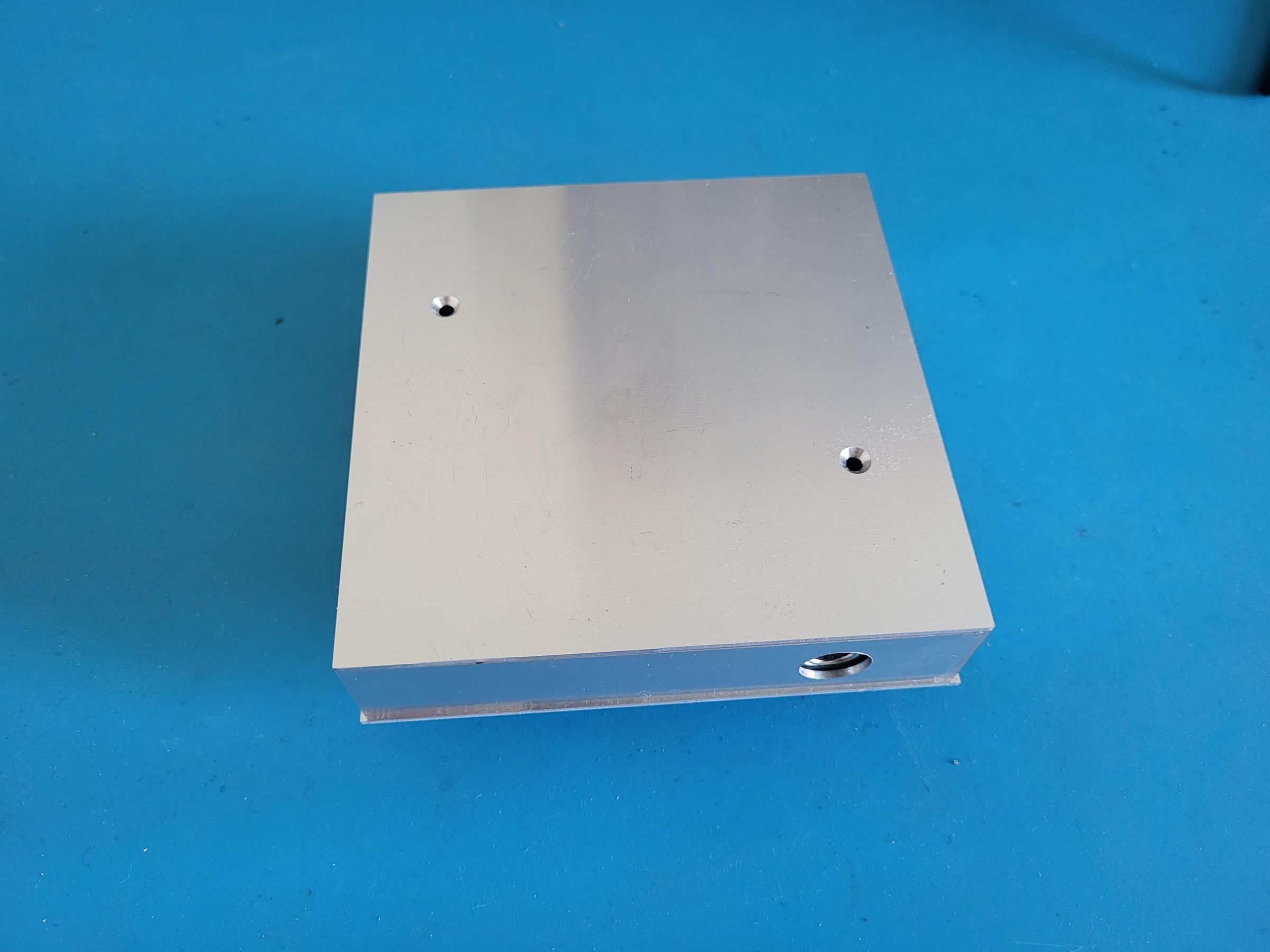
This is technically the most demanding part of the build. The individual parts can be seen in the first image. Prepare everything first before joining any pieces together.
All parts are made from aluminium PCB. The exact outcome will depend on what you ordered from your manufacturer. The minimum order quantity at my supplier is 5 pieces. Since there are 4 side walls, I can use almost all of them with one spare. As I did not plan to build more than one AS, I ordered only the minimum quantity the first time around. This means I had to manually drill the opening for the PS/2 6-pin connector in one of the side walls. The position of this hole depends on the height of the standoff spacers and the dimensions of the side walls — this is individual to your build, so you will need to measure and calculate the position yourself. The hole diameter is 13 mm. As already mentioned, drilling a clean and accurate 13 mm hole in aluminium is not entirely straightforward. I used a bench drill press and a carbide hole saw, which you can see in the image. I did not use the centre pilot drill.
I then drilled two 3.2 mm holes in the rear panel for the screws that join the connector panel to the rest of the enclosure. Their position must match the position of two of the connector mounting holes — as discussed earlier. You can choose any connector holes you like, but they must be the ones fitted with standoff spacers so the PCB does not flex when tightening. It is convenient to plan for these holes already when designing the enclosure PCB. Finally, these two holes are countersunk on the aluminium side to accept flat-head screws. At this point everything is ready.
Now we join the individual parts together. We will use the exposed copper layer along the edges of the panels, which we had pre-tinned during production. I should warn you that this will not be easy — you need to balance precision, speed, the thermal conductivity of aluminium, and the power of your soldering equipment. I do own a 250W soldering iron which I use occasionally, but it is large and heavy. For this job I chose to use a heated plate, which costs around €50 and is excellent for de soldering PCBs — and with a little skill also for soldering SMD components (but that is a topic for a separate article).
I first allowed the plate together with the parts to heat up to 180°C, then used a transformer-type soldering gun to solder the remaining parts together. It sounds straightforward but it took at least half an hour before I was satisfied with the result. Finally I cleaned up the excess flux residue and the result is visible in the image.
Outer Enclosure
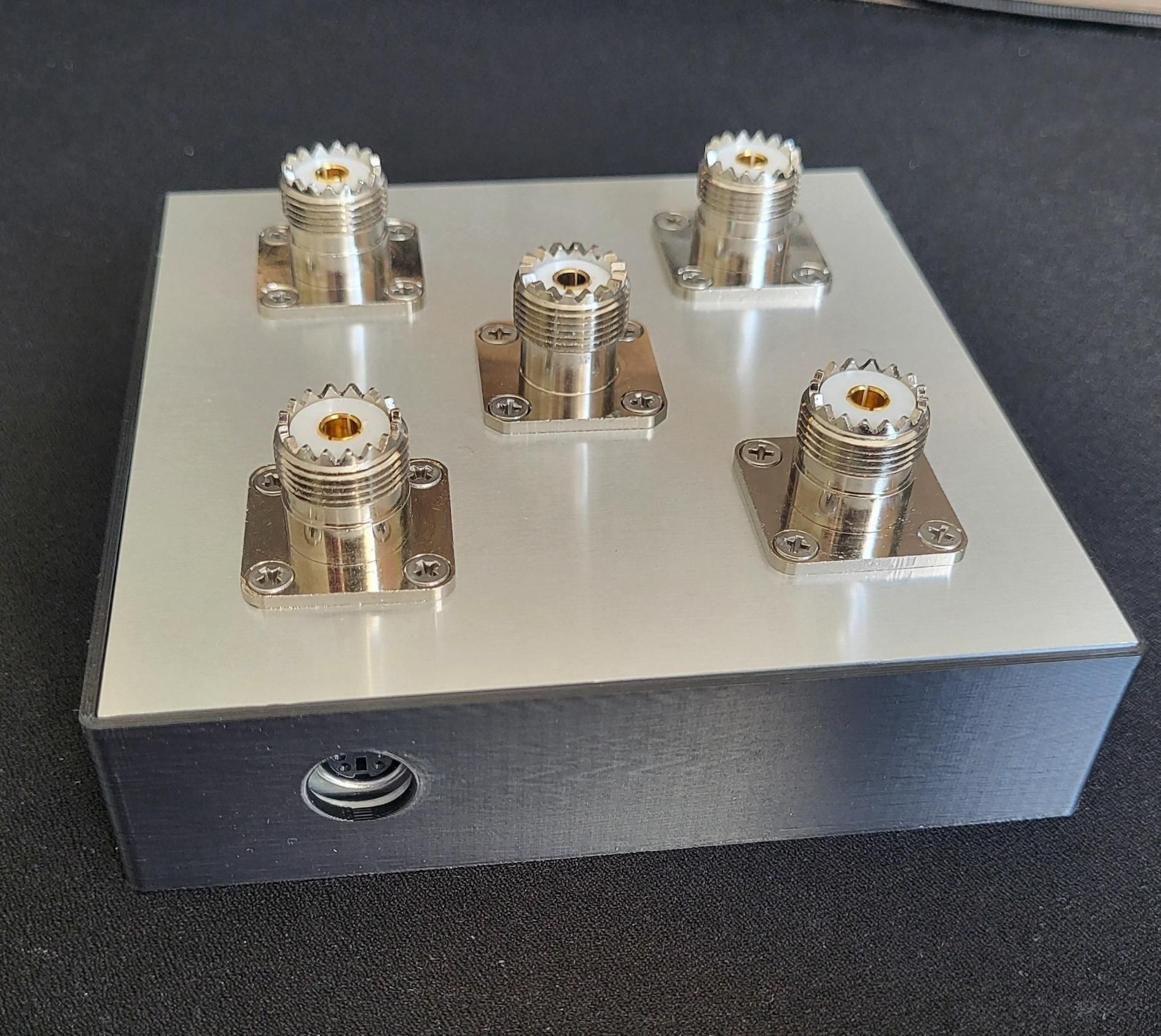

The soldered aluminium enclosure, while fully functional and sufficiently rigid, requires some surface finishing. If we are going to build something, it might as well look good too. I decided to place the enclosure inside an additional outer shell. Nowadays it is easy and affordable to design and 3D print almost anything, with very good results. I use ASA material almost exclusively — it is durable and sufficiently UV resistant, and has proven itself well even in outdoor applications. The outer shell consists of two parts: a bottom and a lid. The 3D model can be downloaded from the attached files. The AS slides into the bottom part up to its edge. You can leave it like this as it already looks good, or add the top lid with channel numbers. I haven't decided yet which I prefer 🙂. The bottom and lid can be bonded together using acetone, creating a permanent enclosure. Permanent enclosures are now standard practice, and there is really nothing to repair inside an AS anyway — either it works or it doesn't. Relay replacement is possible, but it is a genuinely demanding operation that requires proper equipment.
Note — For some reason I am unable to attach the .stl files at this time. I will try again later — this may be an internal Instructables issue.
Measurements

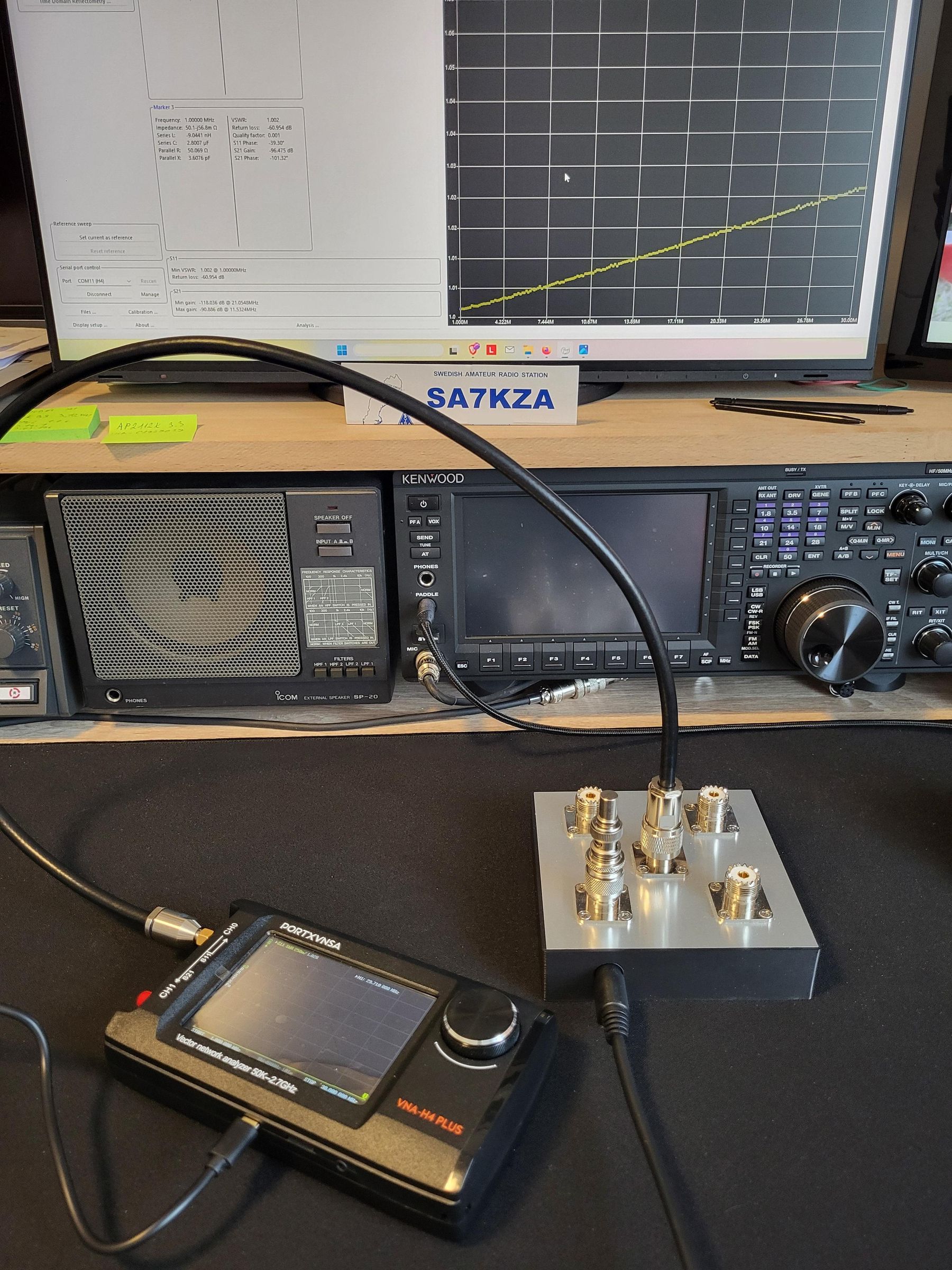


During the design and production process I carried out measurements at various stages, often with varying results on the same device.
As an example, three SWR measurements are shown in the image. In the first case a 100W dummy load was connected via a cable, resulting in the highest SWR reading. I then recalibrated the VNA using a different cable and a different load plugged directly into the AS port via an adapter, achieving a result of 1:1.02. I then added one additional adapter to see what effect it would have on the SWR — the result was 1:1.04.
Measurements consistently showed SWR values in the range of 1:1.02 to 1:1.08. As demonstrated above, this variation of 0.06 represents the system uncertainty of the measurement setup — adding a single connector or adapter to the measurement chain is sufficient to shift the reading by 0.02 — rather than an actual variation in the AS performance itself. All measurements were performed using a NanoVNA, calibrated before each session using the actual cables and load in use at the time.
June 2026, Changed Schematic and PCB
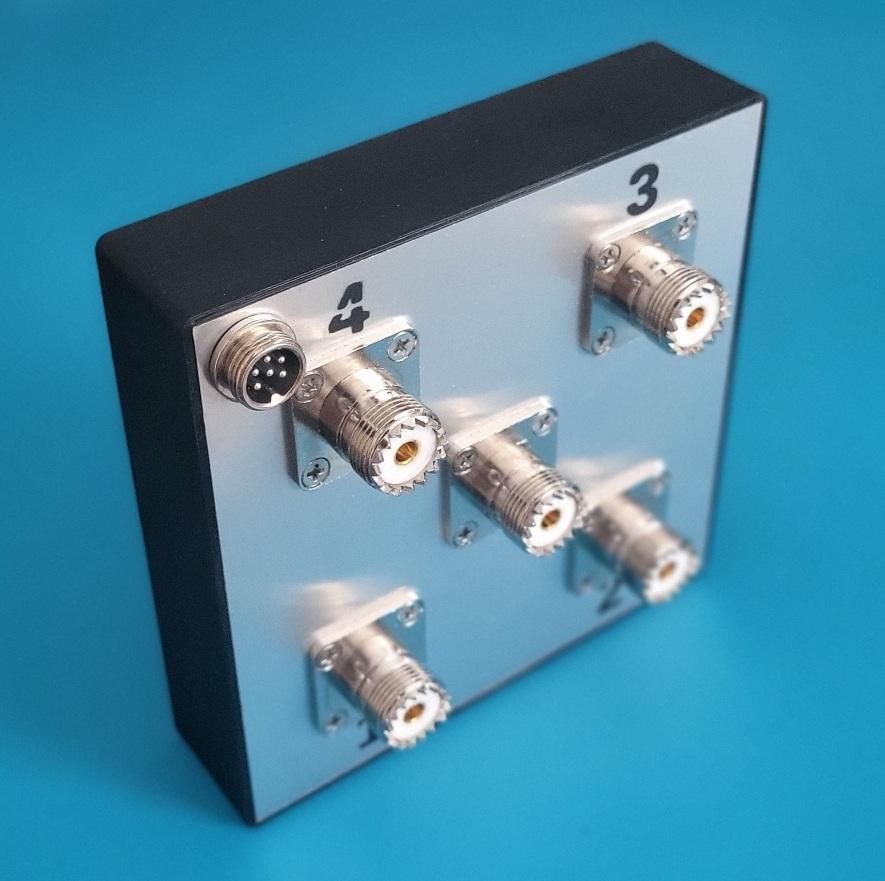
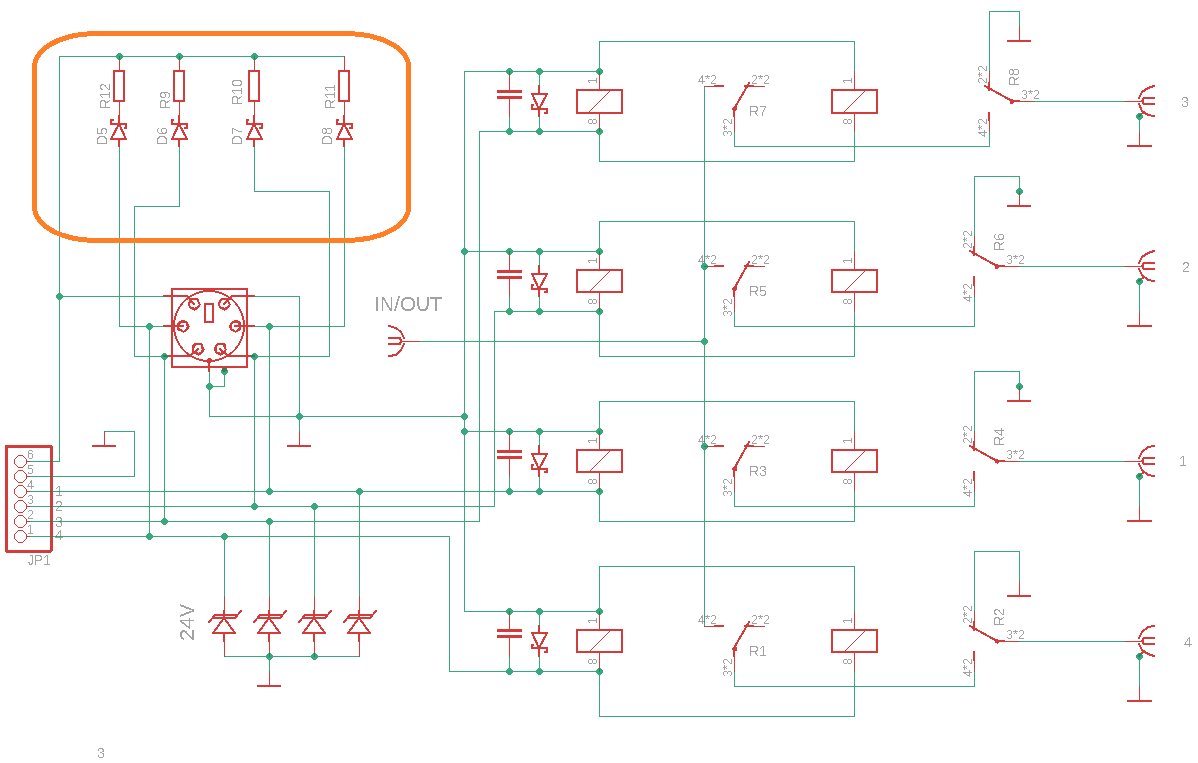
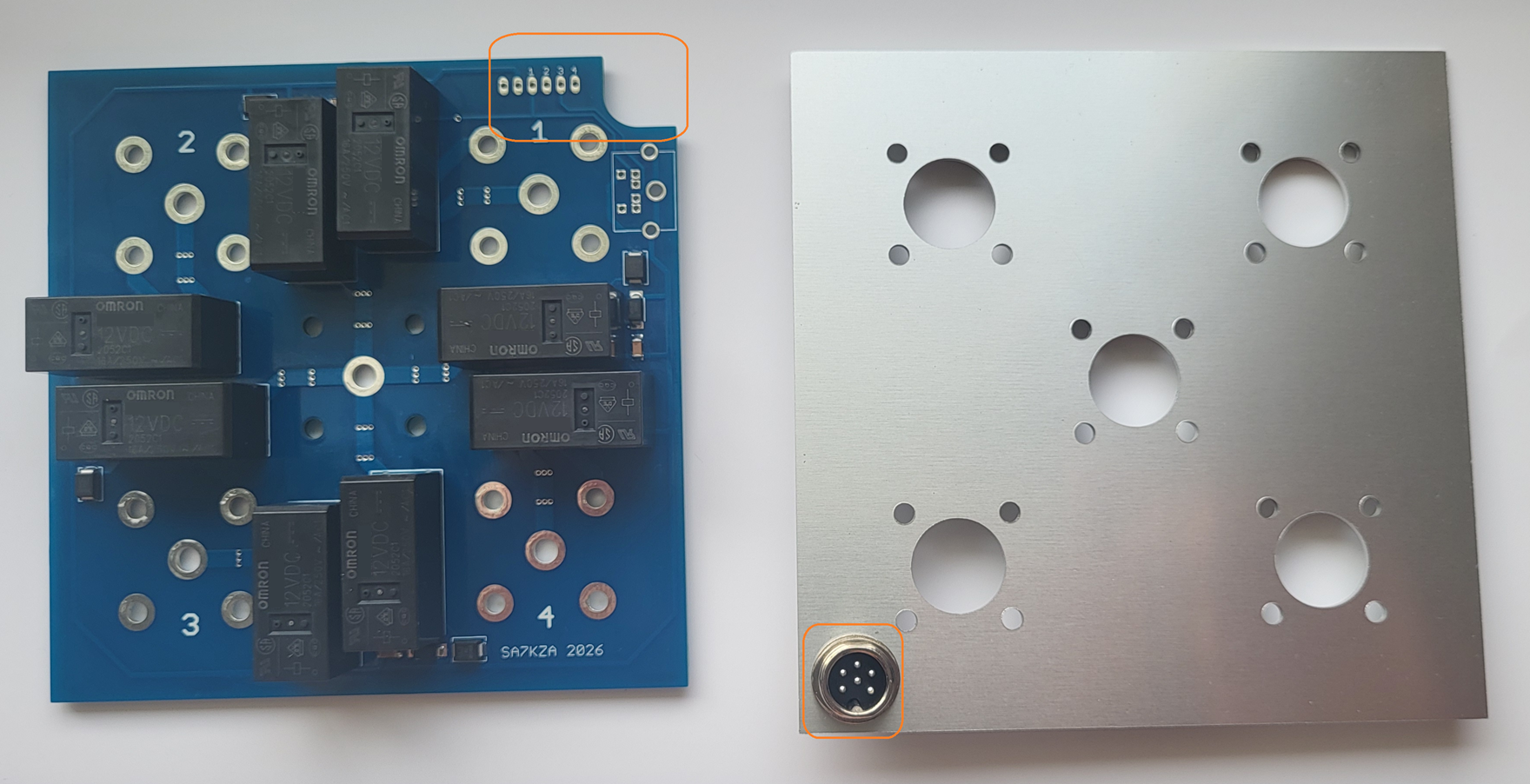
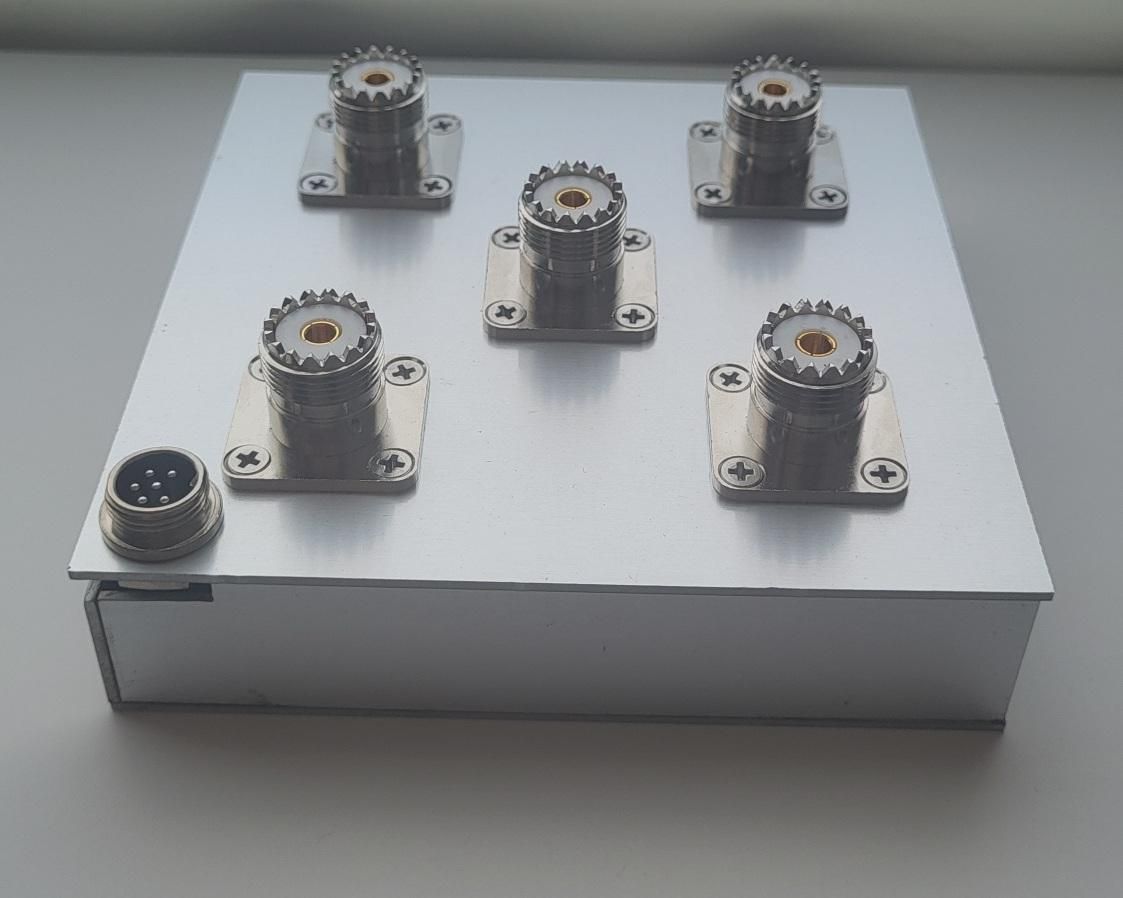
In order to use the unconnected sixth pin, I decided to control the voltage on the relay. The voltage from the relay is connected via a voltage divider to the ESP32 analog board. Each branch has a different resistor value and thus a voltage code is actually created that informs the control electronics about which relay the voltage is applied to. This voltage is compared with the voltage in the table. In this way, it can be evaluated whether the voltage is applied to the correct relay and whether the cable between the Band Decoder and the Antenna Switch is in order. The level of this control voltage for individual antennas depends on the values of the resistors used, the length and diameter of the connecting cable. It is calibrated automatically in the BD menu "AS feedback"
Another change is the possibility of connecting the connector to the front wall. This will allow for easier connection in the future for external AS mounting. This will require solving the method of attaching and sealing the AS, but moving the connector to the front panel will certainly make it easier.