Big Freenove Big Hexapod Robot for Raspberry Pi
by LMacquarrie in Circuits > Raspberry Pi
96 Views, 1 Favorites, 0 Comments
Big Freenove Big Hexapod Robot for Raspberry Pi


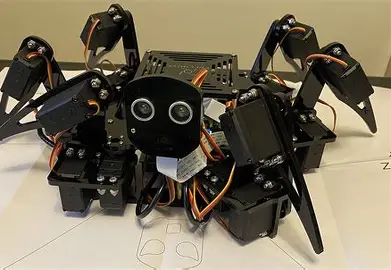
I fixed the Hexapod Robot that we had laying around.
Downloads
Supplies
You will need the kit for the robot itself, four batteries, cables to connect the Raspberry Pi to your monitor and a keyboard and mouse.
Set-up Code Software

Set up your desired coding language.
Make Sure Everything Is Enabled

Make sure everything that needs to be enabled is enabled
Restart

Restart so everything is ready.
Make Sure to Find the Right Firmware Section

This is an older system which may cause things to be moved or completely removed.
Set-up Firmware for the Spider

This is to make sure the spider is connected and reacting
Install Needed Libraries

Some libraries may be missing that will need to be installed.
Set-up Server

Set up the server so the spider can be controlled without line commands.
Finally Set-up Client

Set up the client so you can open the config and controls.