Bluettobot: an ESP32-S3 Camping Control Hub With PWA, Telegram and BLE Air-Conditioner Control
by PanosE in Circuits > Microcontrollers
35 Views, 1 Favorites, 0 Comments
Bluettobot: an ESP32-S3 Camping Control Hub With PWA, Telegram and BLE Air-Conditioner Control
Bluettobot is a portable control, monitoring and automation system that I built around a Waveshare ESP32-S3 Touch LCD 1.9-inch board.
The original purpose of the project was to create a single control center for my camping equipment. Instead of using separate applications, remote controls and switches, I wanted one device that could:
Monitor my Bluetti AC70P power station.
Monitor the temperature of a portable refrigerator.
Control a camping lamp and a USB power output.
Automatically cool its own electronics and battery pack.
Detect movement and operate as a basic anti-theft alarm.
Store schedules, settings, logs and telemetry.
Be controlled locally from a touchscreen.
Be controlled from a mobile Progressive Web App.
Accept remote commands through Telegram.
Control a VEVOR portable air conditioner by reproducing its original Bluetooth remote-control packets.
The finished system uses the ESP32-S3’s Wi-Fi, Bluetooth Low Energy, display, touch controller, SD card interface and sensors. It can work as its own Wi-Fi access point, connect to an existing Wi-Fi network, and continue operating locally even when an external internet connection is unavailable.
The current firmware version described here is:
BLUETTOBOT 1.1 RC10 – VEVOR Rolling Counter Fix10
This version completed a full runtime test on the real hardware.
Introduction
Bluettobot is a portable control, monitoring and automation system that I built around a Waveshare ESP32-S3 Touch LCD 1.9-inch board.
The original purpose of the project was to create a single control center for my camping equipment. Instead of using separate applications, remote controls and switches, I wanted one device that could:
Monitor my Bluetti AC70P power station.
Monitor the temperature of a portable refrigerator.
Control a camping lamp and a USB power output.
Automatically cool its own electronics and battery pack.
Detect movement and operate as a basic anti-theft alarm.
Store schedules, settings, logs and telemetry.
Be controlled locally from a touchscreen.
Be controlled from a mobile Progressive Web App.
Accept remote commands through Telegram.
Control a VEVOR portable air conditioner by reproducing its original Bluetooth remote-control packets.
The finished system uses the ESP32-S3’s Wi-Fi, Bluetooth Low Energy, display, touch controller, SD card interface and sensors. It can work as its own Wi-Fi access point, connect to an existing Wi-Fi network, and continue operating locally even when an external internet connection is unavailable.
The current firmware version described here is:
BLUETTOBOT 1.1 RC10 – VEVOR Rolling Counter Fix10
This version completed a full runtime test on the real hardware.
What the System Can Do
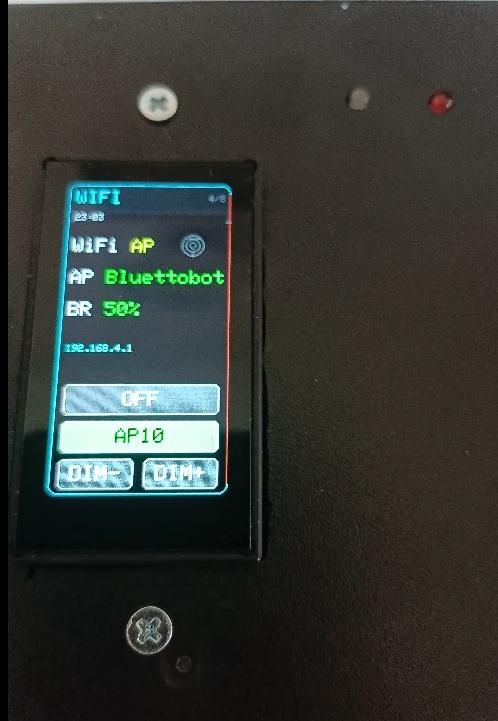
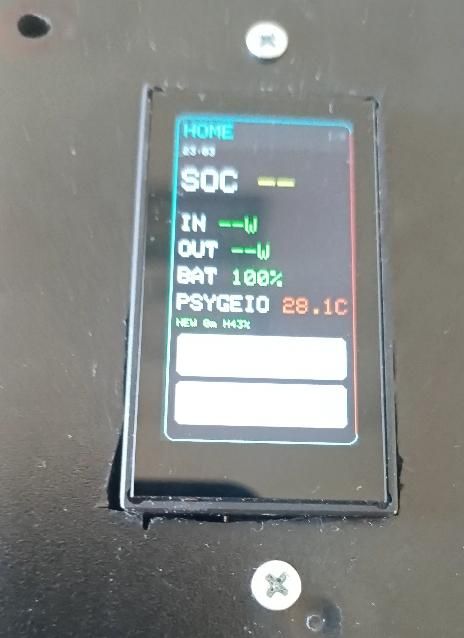
Bluettobot combines several different camping and automation functions in one enclosure.
Local touchscreen control
The Waveshare board provides a 170 × 320 pixel color display and a CST816 touch controller.
The screen is used for:
System status.
Lamp and USB control.
Fan control.
Daily schedules.
Battery information.
Temperature information.
Wi-Fi control.
Alarm status.
Bluetti AC70P information.
Basic diagnostics.
The VEVOR controls were intentionally not added to the small LCD interface. They are available through the larger mobile PWA and through Telegram, while the existing touchscreen navigation remains unchanged.
Mobile PWA
The ESP32-S3 serves a mobile web application directly from the SD card.
The PWA includes:
Main system dashboard.
Lamp and USB controls.
Bluetti AC70P AC and DC output controls.
Refrigerator temperature.
Internal temperature and cooling information.
Fan OFF, ON and AUTO modes.
Daily schedules.
Wi-Fi settings.
Alarm and IMU controls.
Battery calibration.
Hardware tests.
Diagnostics and settings backup.
Complete VEVOR air-conditioner controls.
Because it is a Progressive Web App, it can be installed on the phone’s home screen and opened in a standalone application-style window.
The local interface does not require a cloud server. When Bluettobot’s access point is active, the interface can be reached locally at:
192.168.4.1
Telegram control does require an internet connection.
Telegram control
A deterministic command parser runs inside the ESP32 firmware. It does not use an external AI service.
It supports standard commands and natural Greek phrases for functions such as:
Turning the lamp or USB output on and off.
Creating temporary timers.
Arming the anti-theft alarm.
Reading temperatures and system status.
Checking the Bluetti power station.
Changing settings.
Controlling the VEVOR air conditioner.
For example, a phrase equivalent to:
“Turn on the air conditioner at 25 degrees, fan speed 3”
is converted into a complete command plan:
Send explicit Power ON.
Select COOL mode.
Change the temperature to 25°C.
Move the fan through the necessary steps until speed 3 is reached.
The complete plan is checked before it is added to the command queue, preventing partially executed plans when the queue is full.
Main Materials
Controller and storage
Waveshare ESP32-S3 Touch LCD 1.9-inch board.
MicroSD card.
Plastic project enclosure.
Wires, connectors, terminal blocks and insulation materials.
The Waveshare board already contains:
ESP32-S3 processor.
ST7789 LCD.
CST816 touch controller.
QMI8658 IMU.
SD/MMC interface.
Wi-Fi and Bluetooth Low Energy radio.
Battery and power system
Two Samsung INR18650-35E lithium-ion cells.
Cells configured as a 1S2P parallel battery pack.
TP4056 single-cell lithium charger module.
3.7 V to 5 V boost converter.
Resistor voltage divider for battery measurement.
Suitable 5 V power supply.
Short, good-quality USB charging cable.
The TP4056 remains part of the current design. In my setup, it uses approximately a 1.2 kΩ programming resistor for a charging current close to 1 A.
The charger should be powered from a stable 5 V supply capable of at least 2 A. The charging module needs ventilation, and I normally keep Bluettobot switched off while charging.
Do not connect two TP4056 modules independently to cells that are permanently connected in parallel.
Lithium-ion cells can cause fire if they are shorted, overcharged, physically damaged or wired incorrectly. Use matched cells, proper insulation and suitable protection. Do not build the battery section unless you are familiar with lithium-ion safety.
Sensors
DS18B20 digital temperature sensor.
4.7 kΩ pull-up resistor for the DS18B20.
SD2405 real-time clock module.
Xiaomi Bluetooth temperature and humidity sensor.
The DS18B20 is attached to the 18650 battery pack and provides an independent battery-temperature measurement.
The built-in QMI8658 IMU is used for:
Board temperature monitoring.
Movement detection.
Anti-theft alarm operation.
Outputs
Two active-low relay modules.
Lamp or lighting output.
USB or auxiliary power output.
Cooling fan.
Gravity MOSFET Power Controller for the fan.
Active buzzer.
FR120N MOSFET module for the buzzer.
Red, green and urgent-status LEDs.
External devices integrated into the system
Bluetti AC70P portable power station.
VEVOR portable air conditioner.
Xiaomi BLE refrigerator thermometer.
No additional Bluetooth module is required. The ESP32-S3’s internal 2.4 GHz radio handles the Bluetti, Xiaomi and VEVOR functions.
Hardware Connections
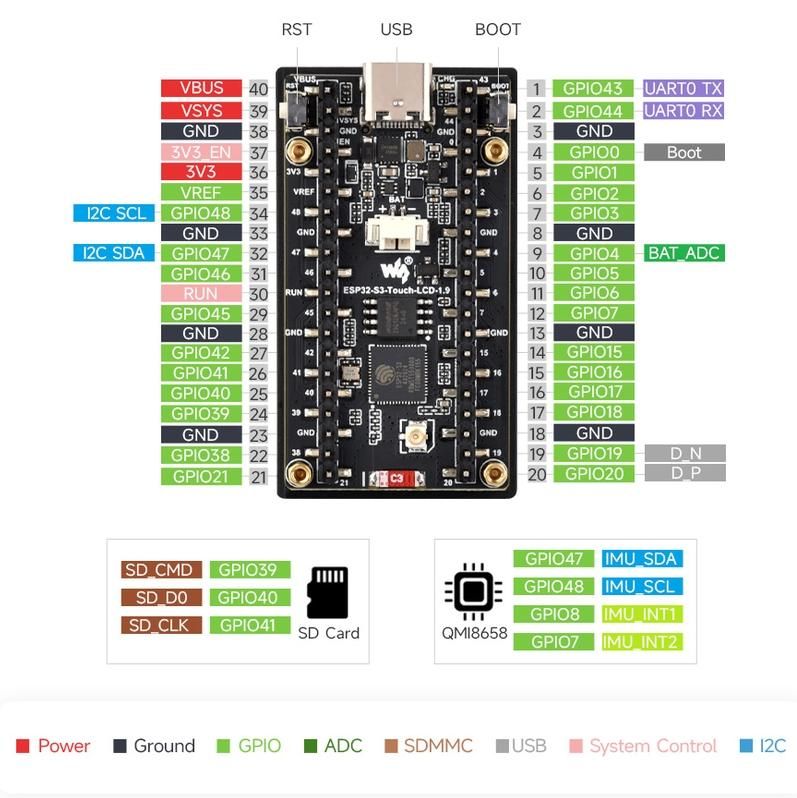
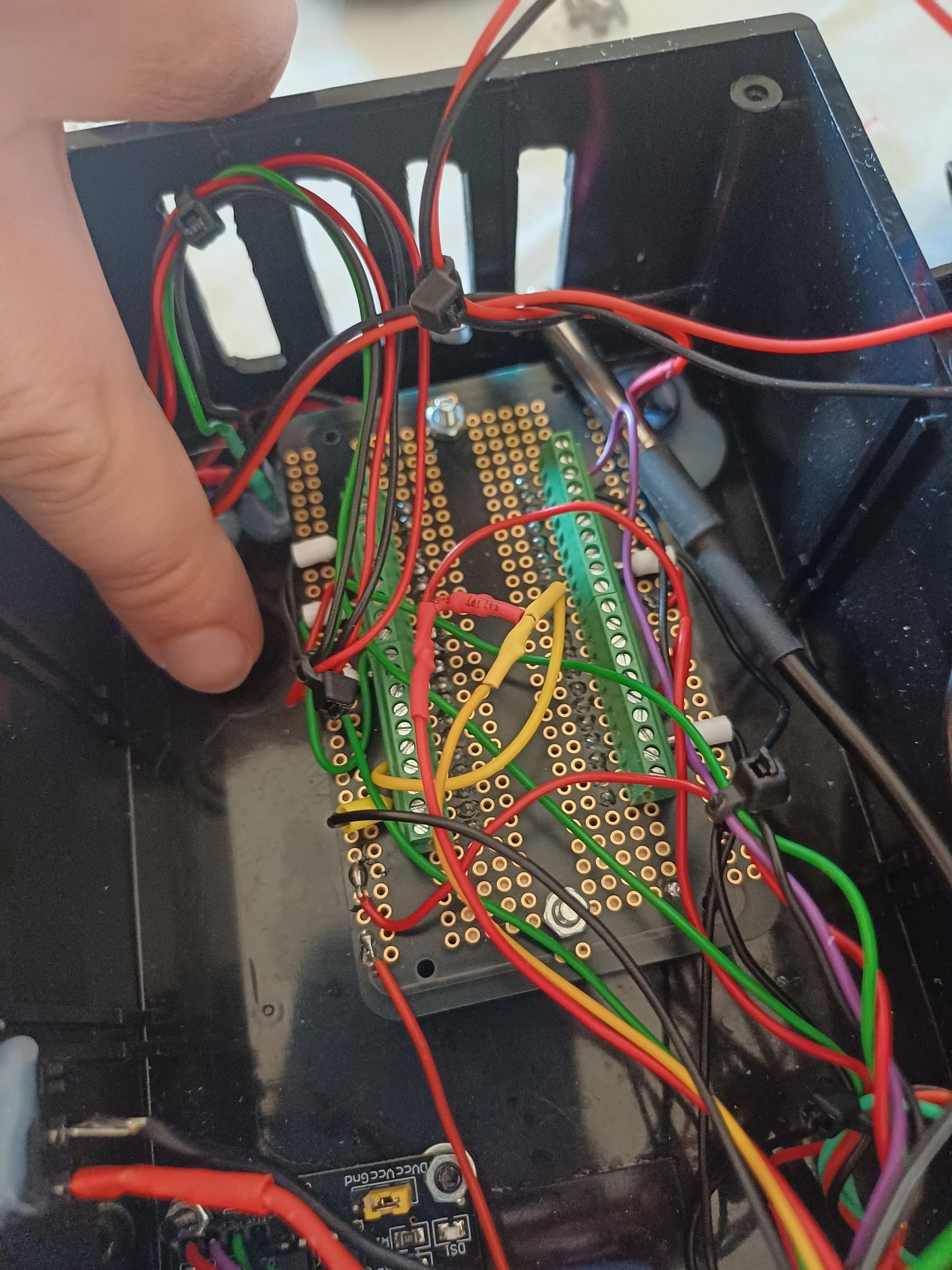
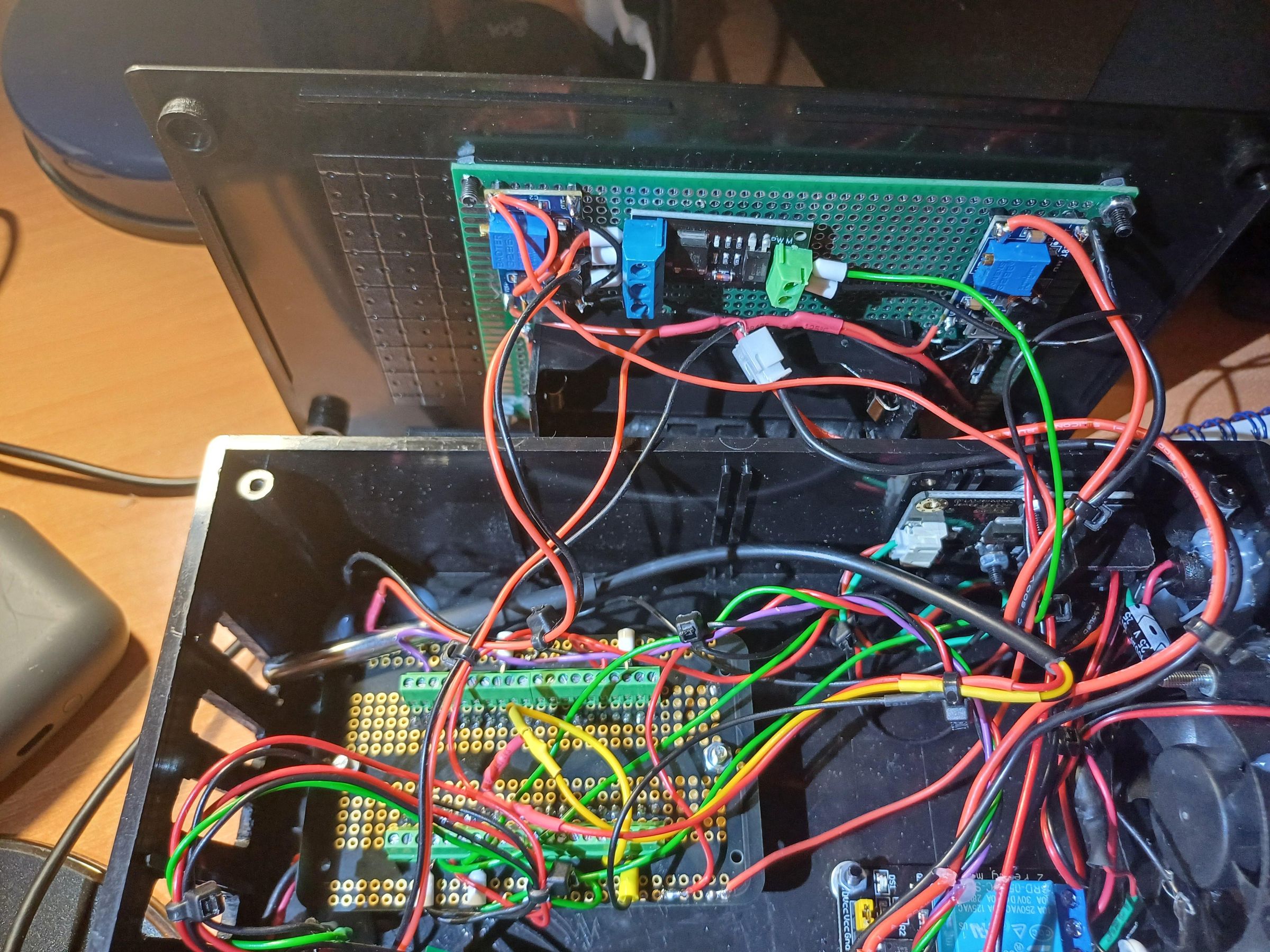
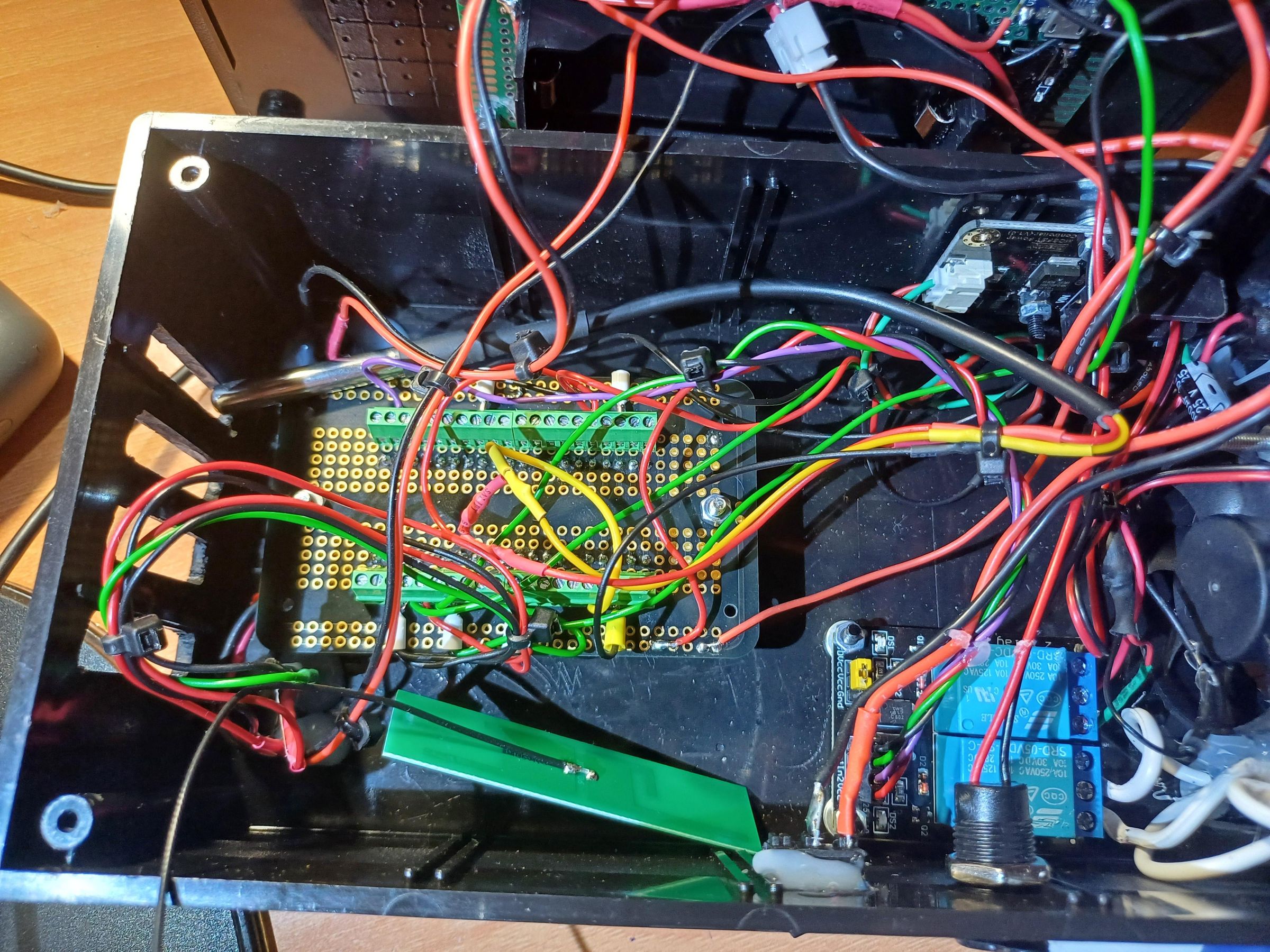
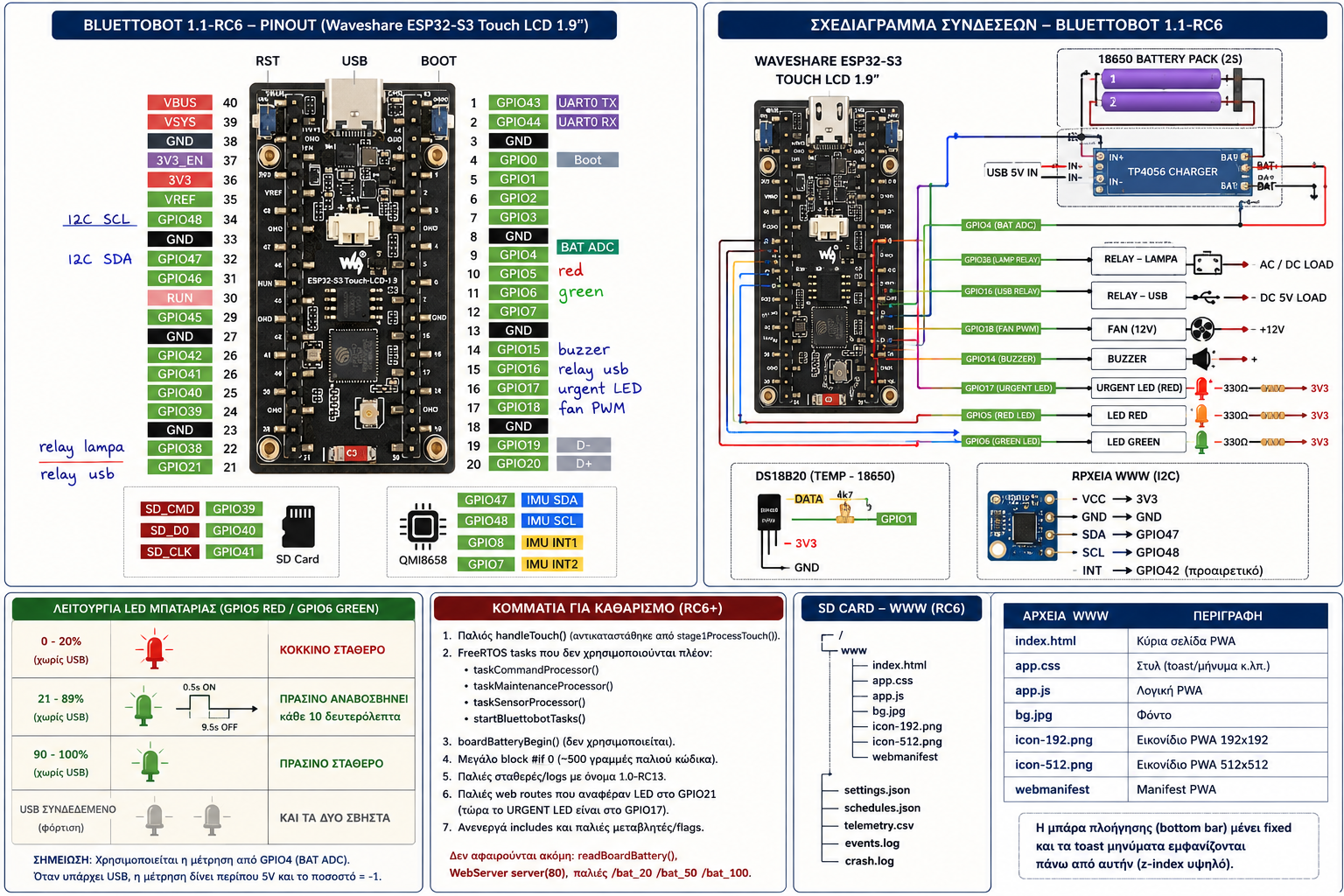
The final locked GPIO map is:
Display
LCD reset: GPIO9
LCD clock: GPIO10
LCD data/command: GPIO11
LCD chip select: GPIO12
LCD MOSI: GPIO13
LCD backlight: GPIO14, active-low
Touch controller
I²C SDA: GPIO47
I²C SCL: GPIO48
Touch interrupt: GPIO21
GPIO21 must not be reused for an external relay. An earlier hardware configuration used it for the USB relay, but this conflicted with the onboard touch interrupt. The USB relay was therefore moved permanently to GPIO16.
SD card
The SD card uses 1-bit SD/MMC mode:
CLK: GPIO41
CMD: GPIO39
D0: GPIO40
Relays and outputs
Lamp relay: GPIO38
USB relay: GPIO16
Cooling fan PWM: GPIO18
Buzzer: GPIO15
Urgent LED: GPIO17
Battery red LED: GPIO5
Battery green LED: GPIO6
Battery monitoring
Battery voltage ADC: GPIO4
The battery voltage reaches GPIO4 through a resistor divider. The raw battery or 5 V supply must never be connected directly to the ESP32 ADC pin.
The final base divider ratio is:
2.3835
A software calibration multiplier is also stored in non-volatile memory. In my tested setup, the multiplier was:
1.40559
The configured empty-voltage point is approximately 3.2 V for the 1S battery pack.
DS18B20
Data: GPIO1
Power: 3.3 V
Ground: common ground
4.7 kΩ resistor between Data and 3.3 V
The detected sensor address in my build is:
28:39:00:87:00:94:36:A1
RTC SD2405
I²C address: 0x32
SDA: GPIO47
SCL: GPIO48
Power: 3.3 V
Ground: common ground
The RTC shares the existing I²C bus with the touchscreen hardware.
All external modules use a common ground.
Battery-Powered Operation
The two Samsung 35E cells form a single-cell parallel pack.
The power path is:
The TP4056 charges the 1S2P battery pack.
The battery output feeds a boost converter.
The boost converter raises the voltage to 5 V.
The 5 V output powers the Waveshare board and the required peripherals.
A separate voltage-divider connection allows the ESP32 to measure the raw battery voltage.
The firmware calculates an estimated battery percentage and drives the red and green LEDs according to battery and external-power status.
Battery calibration can be performed from the PWA using a real multimeter measurement. Calibration should be done while the charger and external USB supply are disconnected.
Automatic Cooling
Bluettobot has its own PWM-controlled cooling fan on GPIO18.
The fan supports:
OFF mode.
Manual ON mode.
AUTO mode.
Manual PWM testing.
In AUTO mode, two temperature sources are used.
The QMI8658 temperature is the main control sensor. The DS18B20 attached to the 18650 pack acts as an independent battery-protection sensor.
The final fan speed is based on the higher cooling demand from the two sensors. This means the battery sensor can force a higher fan speed even when the board temperature is still relatively low.
The firmware also supports quiet hours, but thermal protection has priority. If the board or battery reaches a protection threshold, the fan is allowed to exceed the quiet-hours limit.
Fail-safe fan speeds are used if one of the temperature sensors stops responding.
Refrigerator Monitoring
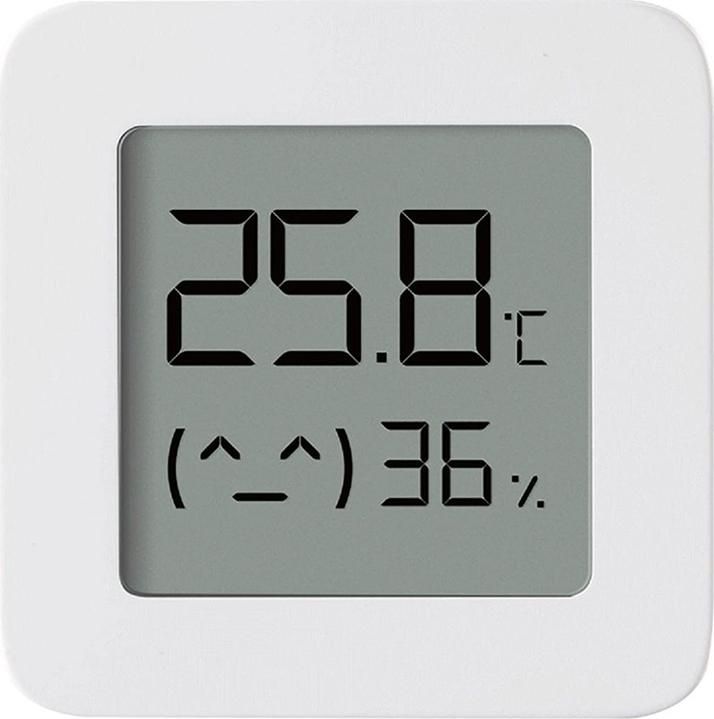
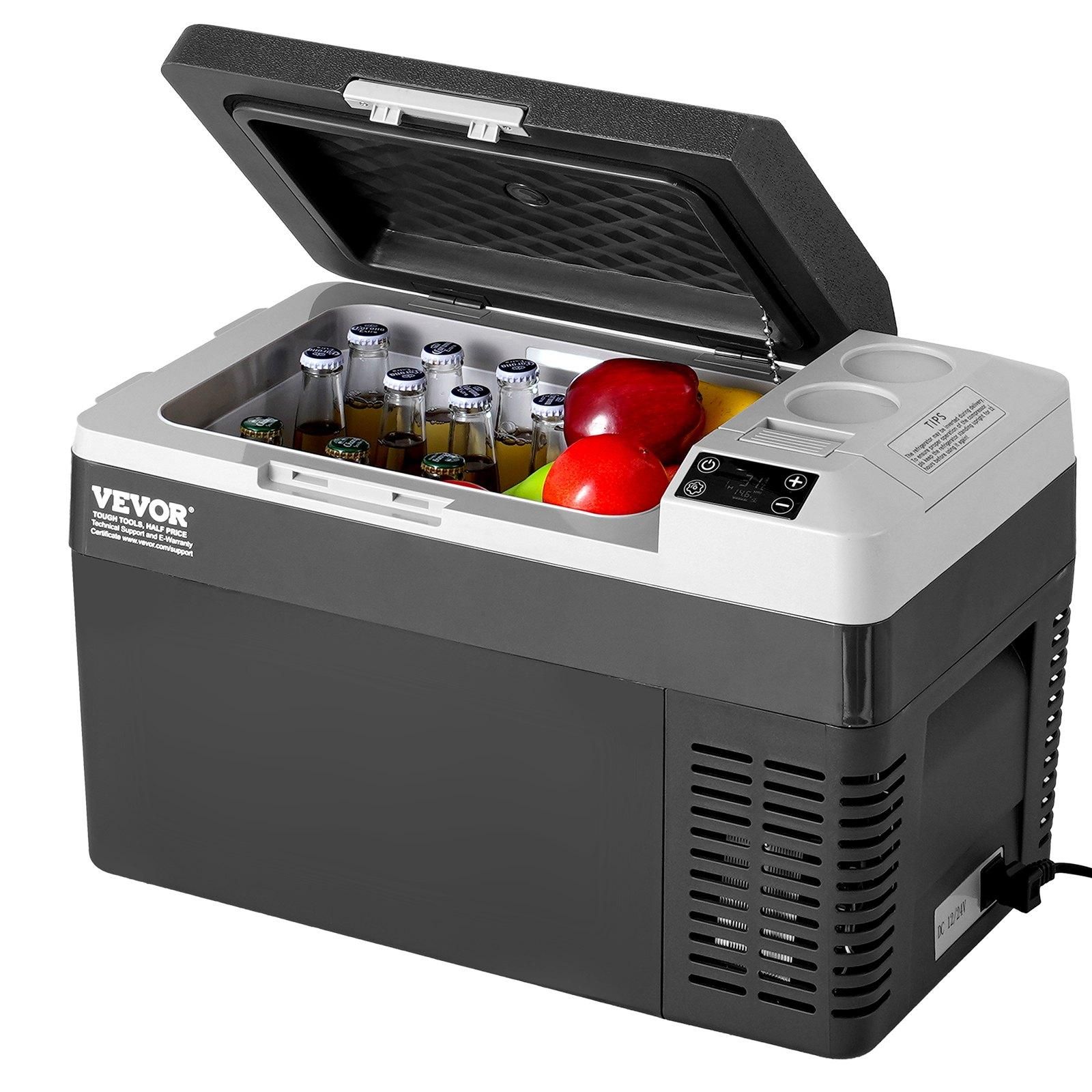
A Xiaomi BLE thermometer is placed inside the camping refrigerator.
Bluettobot periodically receives the Xiaomi measurements and displays:
Temperature.
Humidity.
Data age.
Sensor status.
The refrigerator alarm logic used in this version is:
High-temperature condition above 10°C.
Temperature must remain high for 10 minutes before triggering.
The alarm clears below 8°C.
Periods when the Xiaomi sensor is missing do not count toward the 10-minute high-temperature timer.
This avoids false alarms caused by one unusual packet or a temporary BLE interruption.
Bluetti AC70P Integration
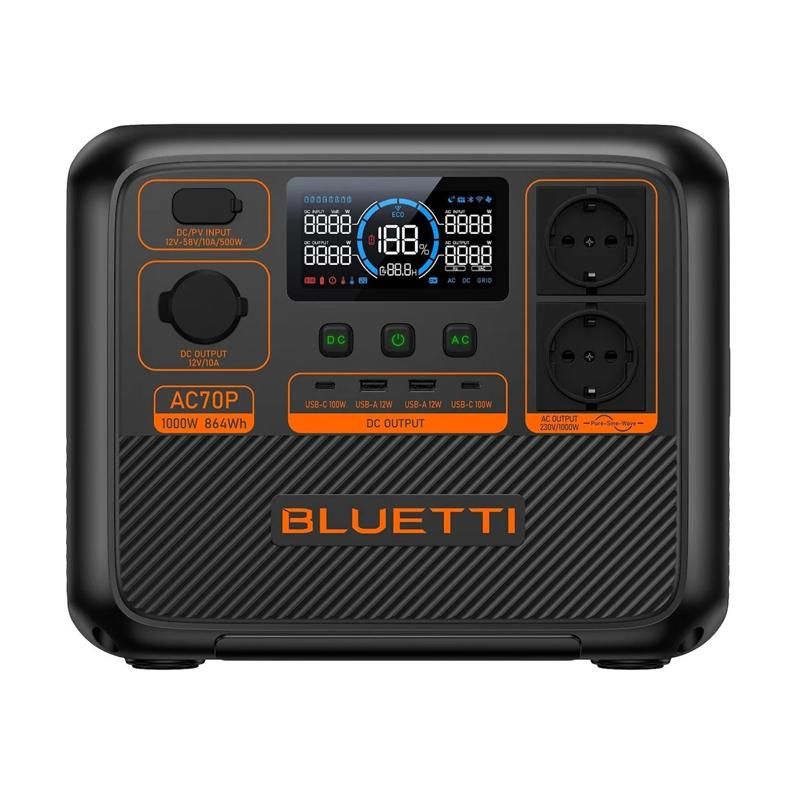
The same ESP32-S3 communicates with the Bluetti AC70P over Bluetooth Low Energy.
Unlike the VEVOR, the AC70P uses a real BLE connection and GATT communication.
Bluettobot can read information such as:
State of charge.
Input power.
Output power.
AC and DC output states.
Estimated charging or discharging information.
It can also send confirmed commands to control the AC and DC outputs.
The firmware handles the AC70P authentication process, polling intervals, reconnection delays and output-command confirmation.
Reverse Engineering the VEVOR Bluetooth Remote
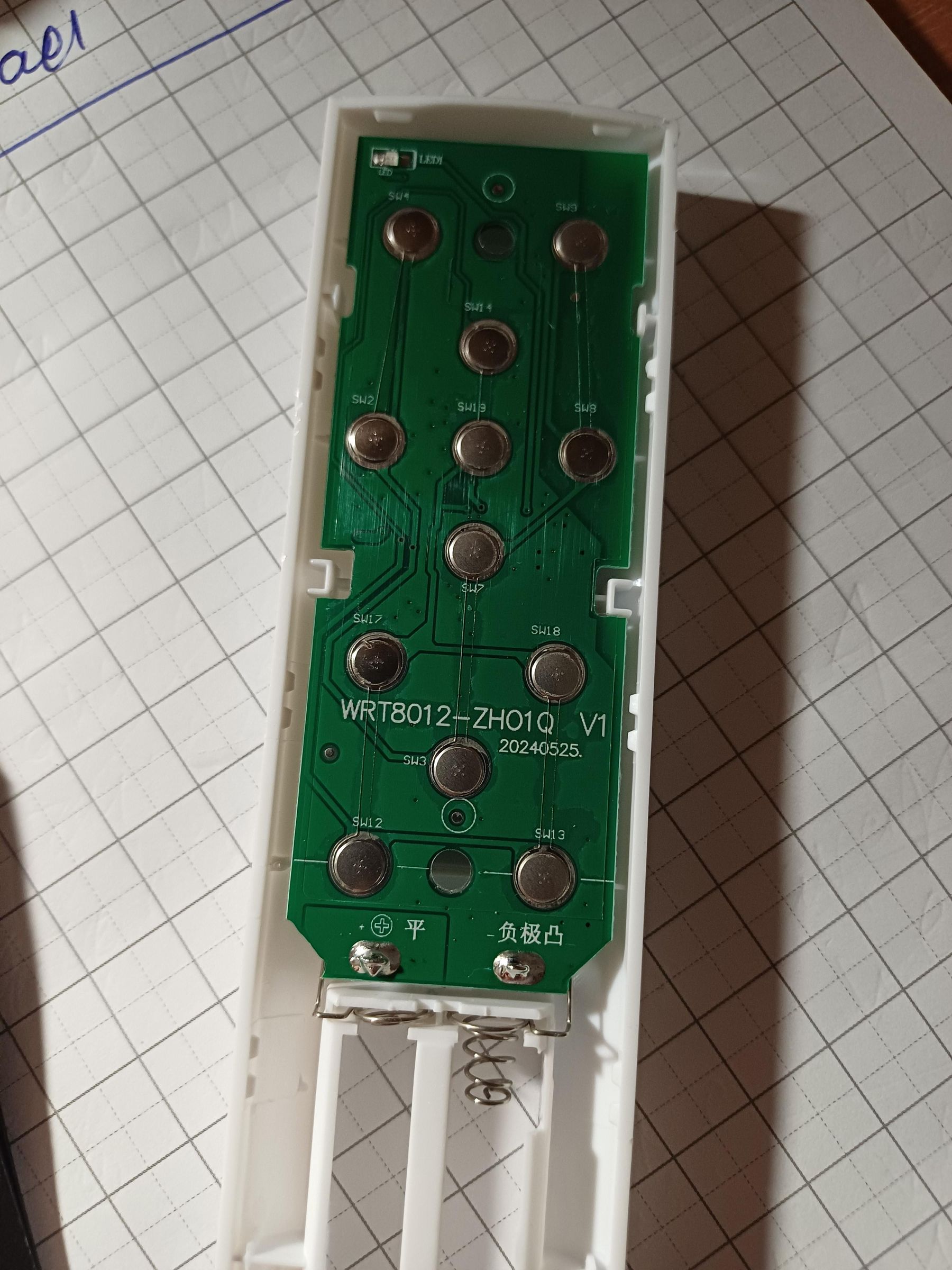
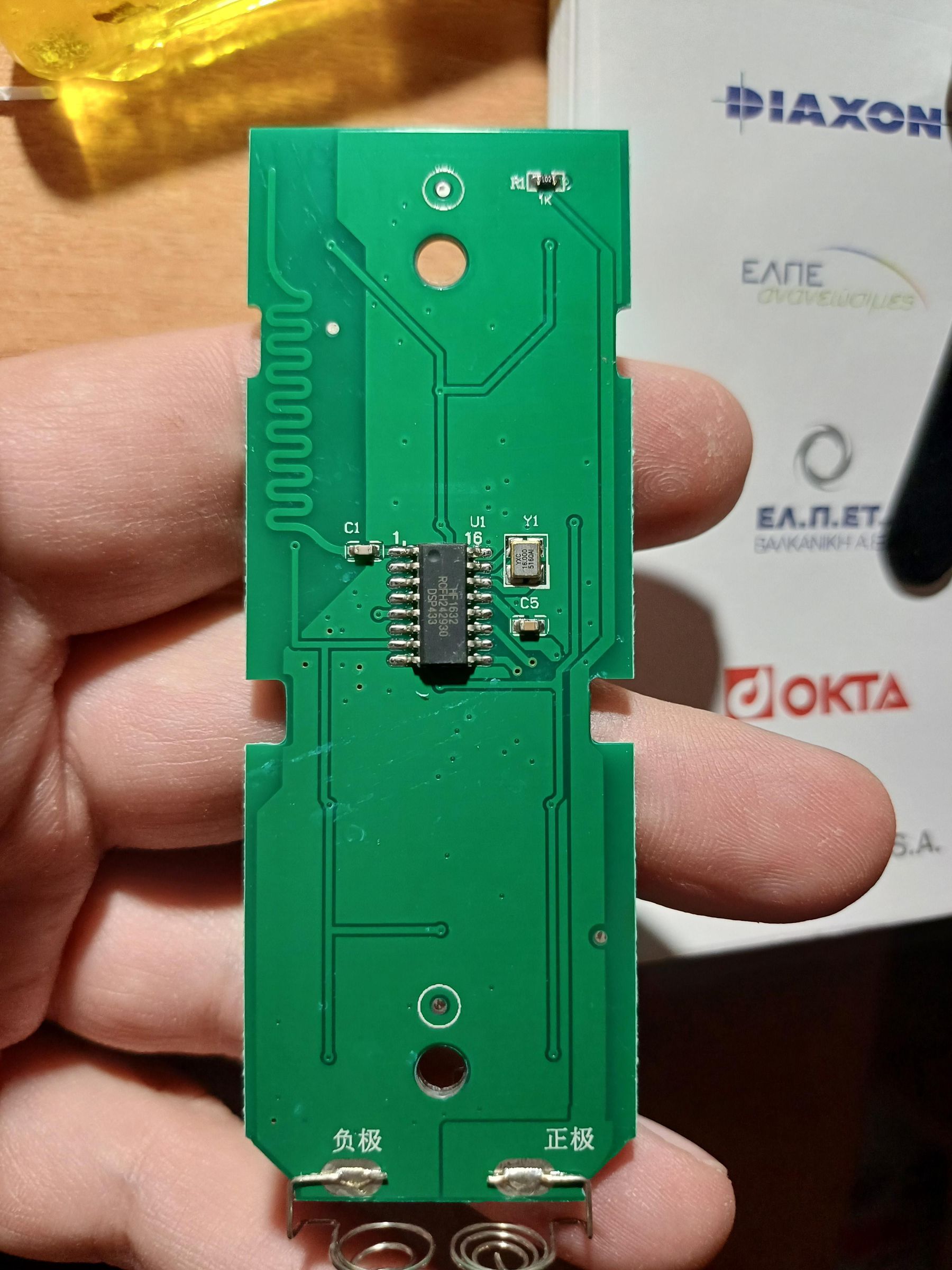
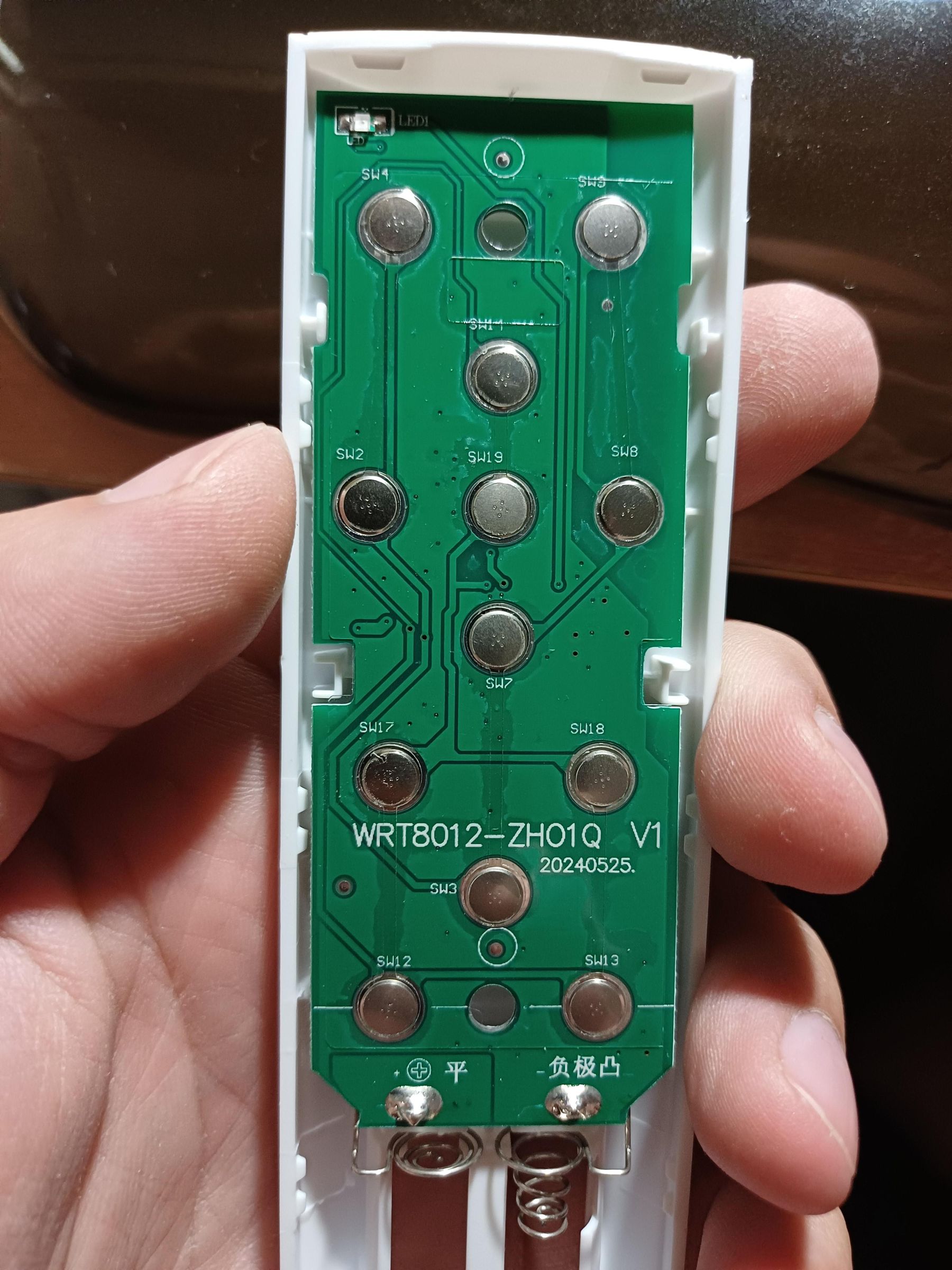
The most unusual part of the project was adding control of the VEVOR portable air conditioner.
Initially, I expected the remote control to use infrared or a common 433 MHz radio signal. Testing showed that this was not the case.
The original remote uses Bluetooth Low Energy advertising at 2.4 GHz.
It does not create a BLE connection and does not write to a GATT characteristic. Instead, it broadcasts short, non-connectable advertising packets.
I captured and compared advertisements from the original remote while pressing different buttons. This allowed me to identify the packet structure, command fields, direction field, checksum and rolling counter.
The confirmed remote Bluetooth address is:
22:22:22:22:22:22
To reproduce this address, the ESP32 base MAC is configured before Wi-Fi and Bluetooth initialization. Because changing the base MAC also affects the generated Wi-Fi STA and AP addresses, Wi-Fi operation had to be tested again after this change.
Packet structure
Each command contains exactly 10 raw bytes:
55 FF [counter] 37 A8 [command] [value] 00 [direction] [checksum]
The checksum is calculated by adding bytes 0 through 8 and keeping the lowest 8 bits:
checksum = sum(bytes 0 to 8) modulo 256
Confirmed command families include:
Power ON and explicit Power OFF.
COOL mode.
DRY mode.
FAN mode.
SLEEP mode.
Temperature increase and decrease.
Fan speeds 1, 2 and 3.
For temperature commands, the packet contains the absolute new temperature, not only a generic plus or minus command.
The confirmed direction bytes are:
Temperature UP: 00
Temperature DOWN: 01
This detail is important. Using 00 for DOWN produces an incorrect packet.
Non-connectable advertising
The ESP32 reproduces the remote by sending:
A 10-byte raw payload.
No scan response.
Non-connectable advertising.
Arduino/NimBLE advertising mode NON(0).
Expected over-air advertising type 3, or ADV_NONCONN_IND.
No wires or new GPIO pins are required for VEVOR control.
Rolling counter
The third packet byte is a rolling counter.
The original remote was observed transmitting sequential values. The VEVOR expects this sequence to continue, so using a fixed counter can cause commands to be rejected.
In Fix10, the next counter is stored in ESP32 Preferences/NVS.
The important logic is:
Build the packet using the current counter.
Request advertising.
Wait until advertising is confirmed as active.
Only after ACTIVE=YES, save the next counter in NVS.
If advertising fails to start, do not consume the counter.
This prevents the counter from advancing when no real packet was transmitted.
During the final restart test:
The stored next counter before restart was 0x14.
After restart, the firmware loaded 0x14.
The first new command used 0x14.
The following commands continued with 0x15, 0x16 and 0x17.
The VEVOR executed the real commands correctly.
Non-blocking command processing
VEVOR commands are handled by a fixed-size queue and a non-blocking millis() state machine.
The main stages include:
Waiting for BLE access.
Preparing the advertising system.
Starting advertising.
Confirming active transmission.
Keeping the packet active for the configured period.
Stopping advertising.
Restoring the previous BLE subsystem.
Applying a cooldown before the next command.
Long blocking delays are avoided so the touchscreen, PWA, Telegram, schedules, alarms and other sensors can continue operating.
Temperature and fan steps use a longer advertising window and command guard than simple power or mode commands because missing one intermediate step would create an incorrect assumed state.
Sharing One Bluetooth Radio
The ESP32-S3 uses the same Bluetooth subsystem for three different devices:
Xiaomi thermometer scanning.
Bluetti AC70P GATT communication.
VEVOR non-connectable advertising.
These operations cannot safely run at the same instant.
Before transmitting a VEVOR command, Bluettobot:
Acquires a BLE lock.
Stops the Xiaomi scanner.
Waits for any critical AC70P transaction to finish.
Temporarily pauses the AC70P connection.
Resets and configures the advertising subsystem.
Sends the VEVOR packet.
Stops advertising.
Clears the BLE scanner state.
Restarts Xiaomi scanning.
Allows the AC70P to reconnect and continue normal operation.
This was tested without reboot, panic, BLE deadlock or permanent loss of the Xiaomi and AC70P functions.
A second Bluetooth module was therefore not required.
Why Manual Sync Is Necessary
The VEVOR air conditioner does not send its current state back to Bluettobot.
There is no real readback for:
Power state.
Mode.
Temperature.
Fan speed.
Bluettobot only knows the last state that it commanded.
After a restart, this information is shown as:
STALE / NO READBACK
Before sending temperature or fan-speed changes, the PWA requires a Manual Sync with the real values shown on the VEVOR display:
ON or OFF.
Current mode.
Current temperature.
Current fan speed.
Manual Sync updates only the local assumed state. It does not transmit a Bluetooth packet.
Manual Sync should also be repeated when:
The original VEVOR remote was used.
A setting was changed from the physical control panel.
A Bluetooth command may have been missed.
Bluettobot was restarted.
I intentionally avoided automatic “homing” by sending repeated temperature-down commands. On this air conditioner, going below the normal 16°C range can activate the H0/HO function, so blind repeated commands would be unsafe.
The PWA clearly labels VEVOR values as estimated or assumed and never presents them as confirmed device status.
Schedules and Timers
Bluettobot stores schedules in non-volatile memory and uses trusted time from:
NTP.
The SD2405 hardware RTC.
Phone-provided time.
A warm-restart time estimate.
Daily schedules are available for:
Lamp.
USB output.
VEVOR Power ON and OFF.
The VEVOR daily schedule sends only explicit power commands. It does not automatically change temperature or fan speed.
Persistent one-shot timers are also supported. For example, the VEVOR can be switched on now and given a future automatic Power OFF time.
Temporary timers and their target times are restored after a restart.
Anti-Theft Alarm
The built-in QMI8658 IMU is also used as a movement detector.
After the alarm is armed, the firmware waits for an arming delay and then records a new movement baseline.
To reduce false alarms from small bumps, it requires multiple movement samples inside a confirmation window rather than triggering from one isolated acceleration spike.
When confirmed movement is detected, Bluettobot can activate:
The buzzer.
The urgent LED.
An on-screen alarm.
A PWA alert.
A Telegram notification.
The alarm can be acknowledged from the screen, PWA or Telegram.
SD Card, Logs and Diagnostics
The SD card stores:
PWA files.
Startup graphics.
Event logs.
Telemetry.
Energy reports.
Settings backups.
Diagnostic bundles.
The firmware includes SD recovery logic and limits unnecessary writes to reduce card wear.
The PWA can create and download a diagnostic ZIP containing useful system information for troubleshooting.
Settings can also be backed up to and restored from the SD card.
Software Setup
I compiled the firmware using the following Arduino IDE configuration:
Board: ESP32S3 Dev Module
Arduino-ESP32 core: 3.3.10
Flash size: 16 MB
PSRAM: OPI PSRAM
Partition scheme: Huge APP / No OTA
USB CDC On Boot: Enabled
Serial Monitor speed: 115200 baud
The project uses Arduino and ESP32 libraries including:
Arduino GFX Library
WiFi
SD_MMC
Preferences
BLE
HTTPClient
OneWire
DallasTemperature
mbedTLS components
After uploading the firmware, the complete contents of the supplied www folder are copied to the SD card.
Because the PWA uses a service worker and browser cache, a hard refresh or removal and reinstallation of the old PWA may be necessary after updating the SD files.
Runtime Testing
The final RC10 build was tested on the real Bluettobot and VEVOR hardware.
The completed runtime tests included:
VEVOR Power ON.
VEVOR Power OFF.
Temperature increase.
Temperature decrease.
Fan speed 1.
Fan speed 2.
Fan speed 3.
Composite Telegram commands.
BLE advertising becoming active.
Rolling-counter progression.
Rolling-counter persistence after restart.
Restoration of Xiaomi scanning.
Restoration of Bluetti AC70P communication.
Wi-Fi station connection.
Bluettobot access point operation.
PWA operation.
LCD and touch.
SD live read/write.
RTC and NTP.
Lamp and USB relays.
Automatic cooling fan.
DS18B20.
IMU.
Battery ADC.
Timers and schedules.
The system completed these tests without a reboot or panic.
Known Limitations
The main limitation is that the VEVOR does not provide readback.
A completed ESP32 advertising transmission only proves that the packet was broadcast. It does not independently prove that the air conditioner received or executed it.
The local assumed state can become incorrect if:
The original remote is used.
The physical panel is used.
A BLE packet is missed.
The appliance is powered independently of Bluettobot.
Manual Sync is therefore an essential part of reliable operation.
The VEVOR protocol may also differ between models or firmware revisions. The packet values described here were confirmed on my own unit and should not automatically be assumed to work on every VEVOR air conditioner.
The PWA Wi-Fi status interface also has one cosmetic limitation in RC10: when connection to a saved external SSID fails, it may show “NOT FOUND” even though the local Bluettobot access point is still active. The Wi-Fi connection logic itself works; the status should simply be separated into independent AP and STA indicators in a future interface update.
Result
Bluettobot started as a small ESP32 control box and gradually became a complete camping automation platform.
It now combines:
Local touchscreen control.
A mobile installable PWA.
Telegram remote commands.
Power-station monitoring.
Refrigerator temperature protection.
Battery monitoring.
Automatic cooling.
Lighting and USB automation.
Movement detection.
Persistent schedules and timers.
SD logging and diagnostics.
Direct BLE control of a VEVOR portable air conditioner.
The most challenging part was making three very different Bluetooth systems coexist on one ESP32-S3 radio while keeping the user interface, sensors, Wi-Fi and automation functions responsive.
The rolling-counter implementation, non-blocking BLE coordinator and honest “no readback” state model made the VEVOR integration reliable without adding another radio module or modifying the air conditioner.