Bouncing Rain Droplets

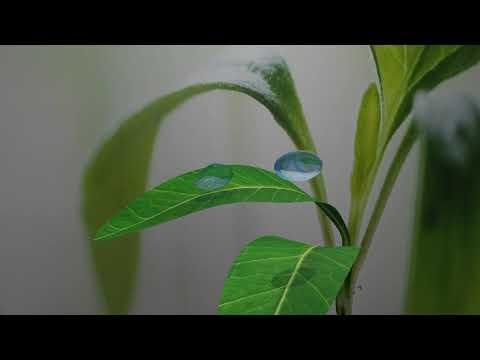
Is there anything more relaxing then watching water droplets bounce off of leaves?
Water droplets bounce due to surface tension, which acts like an elastic skin holding the water together in a spherical shape. When a droplet strikes a water-repellent surface like a leaf, this surface tension stores the kinetic energy of the impact and snaps the droplet back together, causing it to cleanly recoil and rebound into the air.
This Instructable details how to make this animation.
Supplies




Access to Blender
Access to ClipChamp
(1x) Pipette
(1x) Dosing Cup
(1x) Phone
The Plane
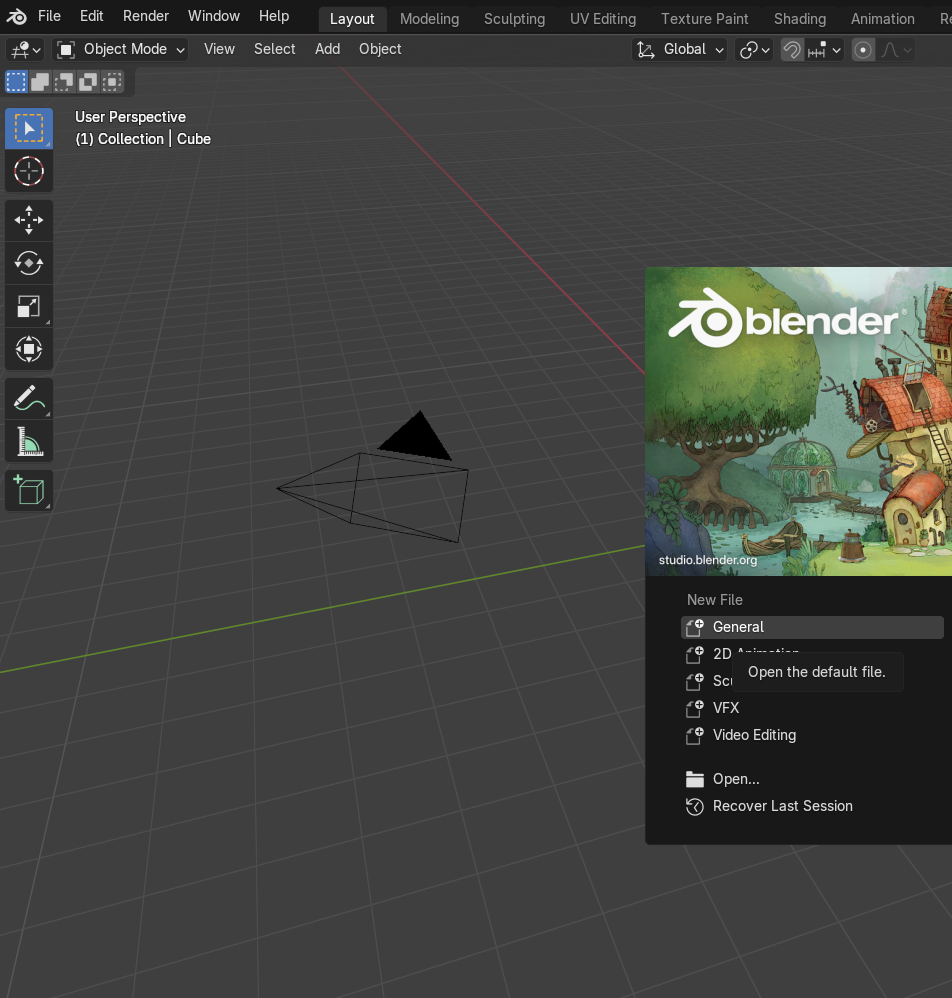
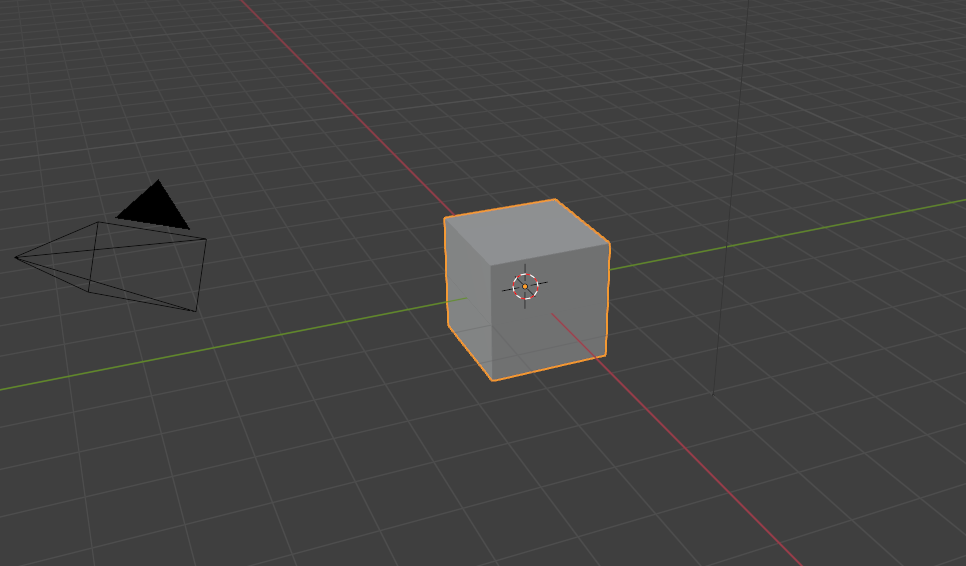
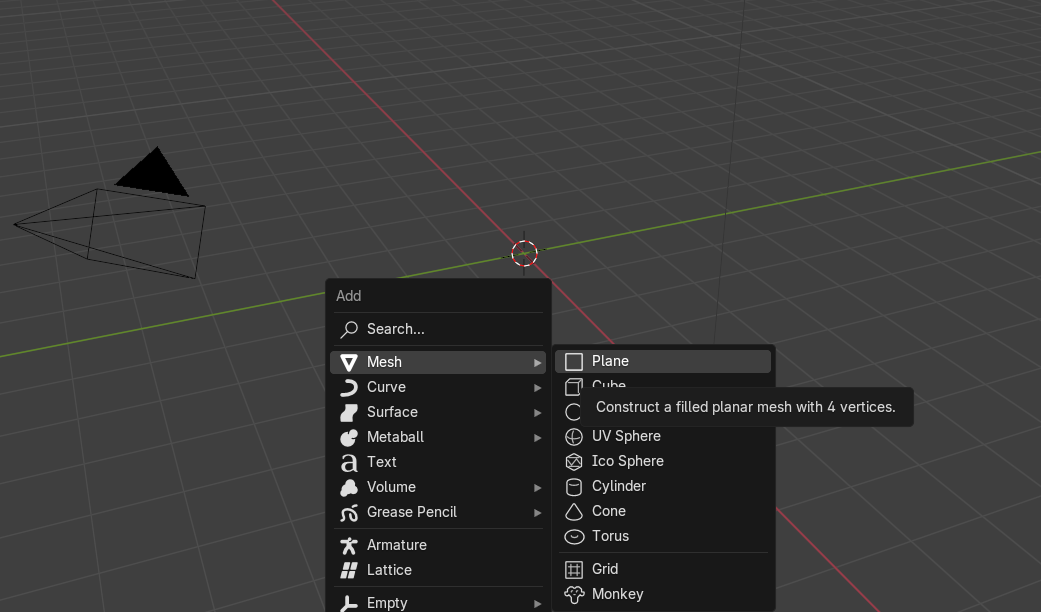
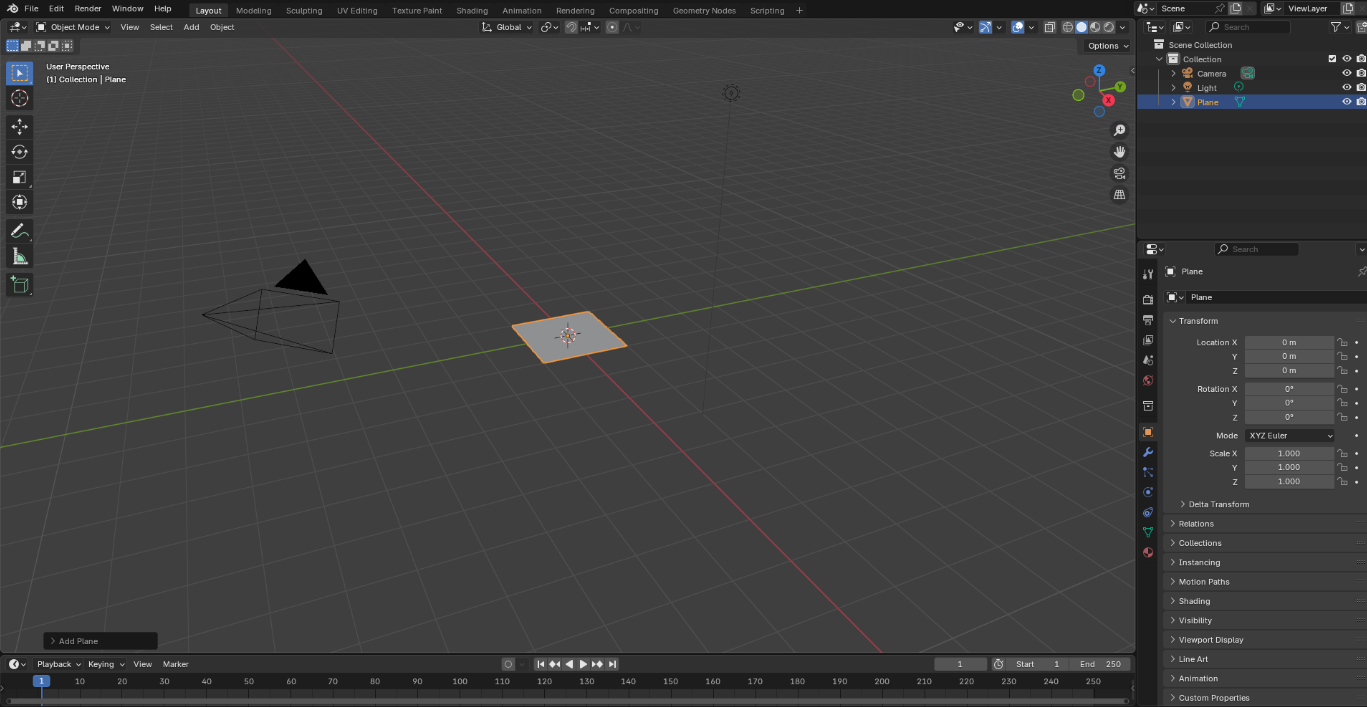
Open the Blender application. Create a new project by clicking General. Delete the starting cube and create a plane. This can be done by pressing shift A, highlighting Mesh and then clicking Plane.
Extruding the Plane
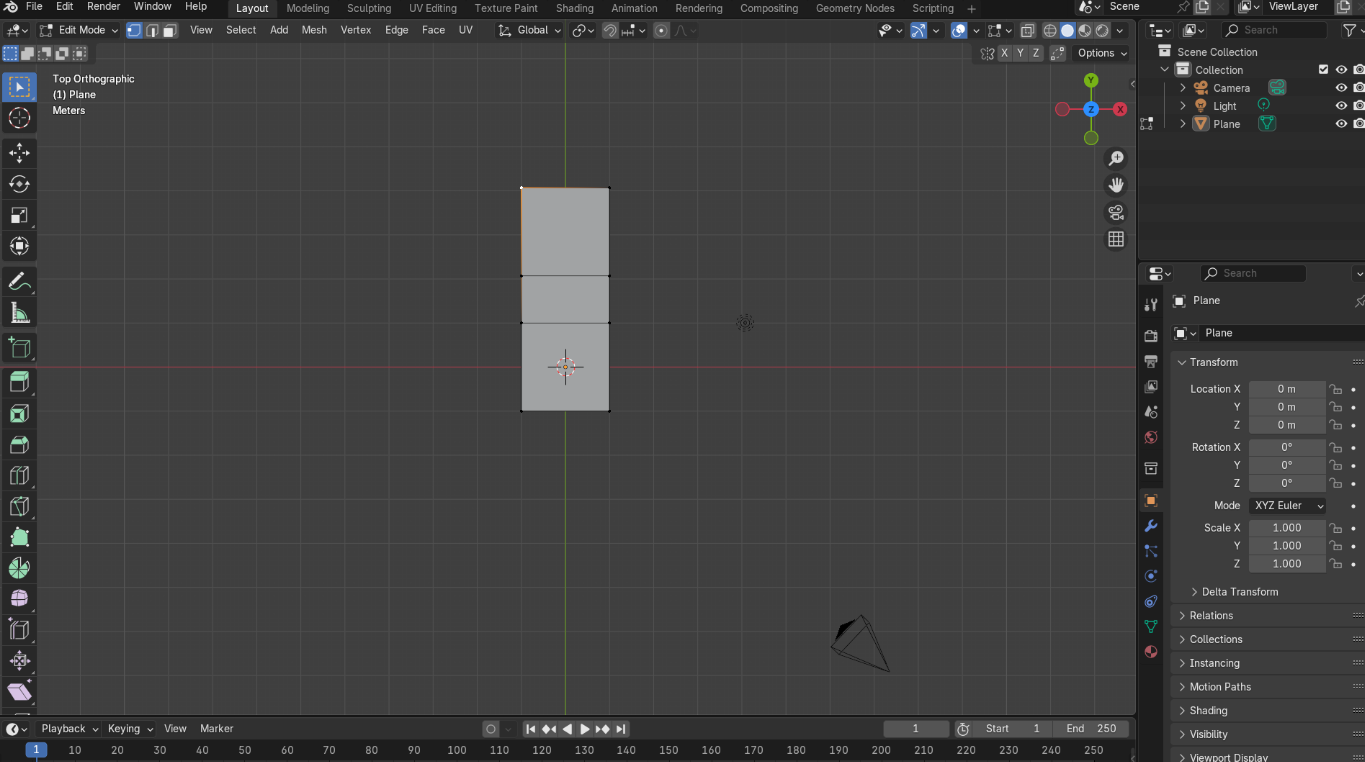
Using the Edit mode (can be turn on by hitting tab) extrude one of the edges in the Y-axis. This can be done by highlighting two adjacent points on the plane, clicking E and holding down the Y button and then dragging the curser to extrude.
Subdividing the Plane
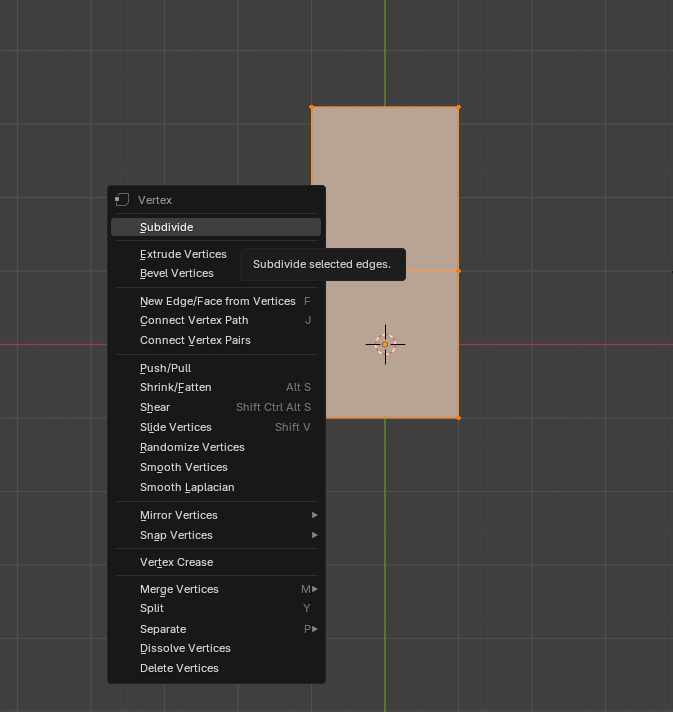
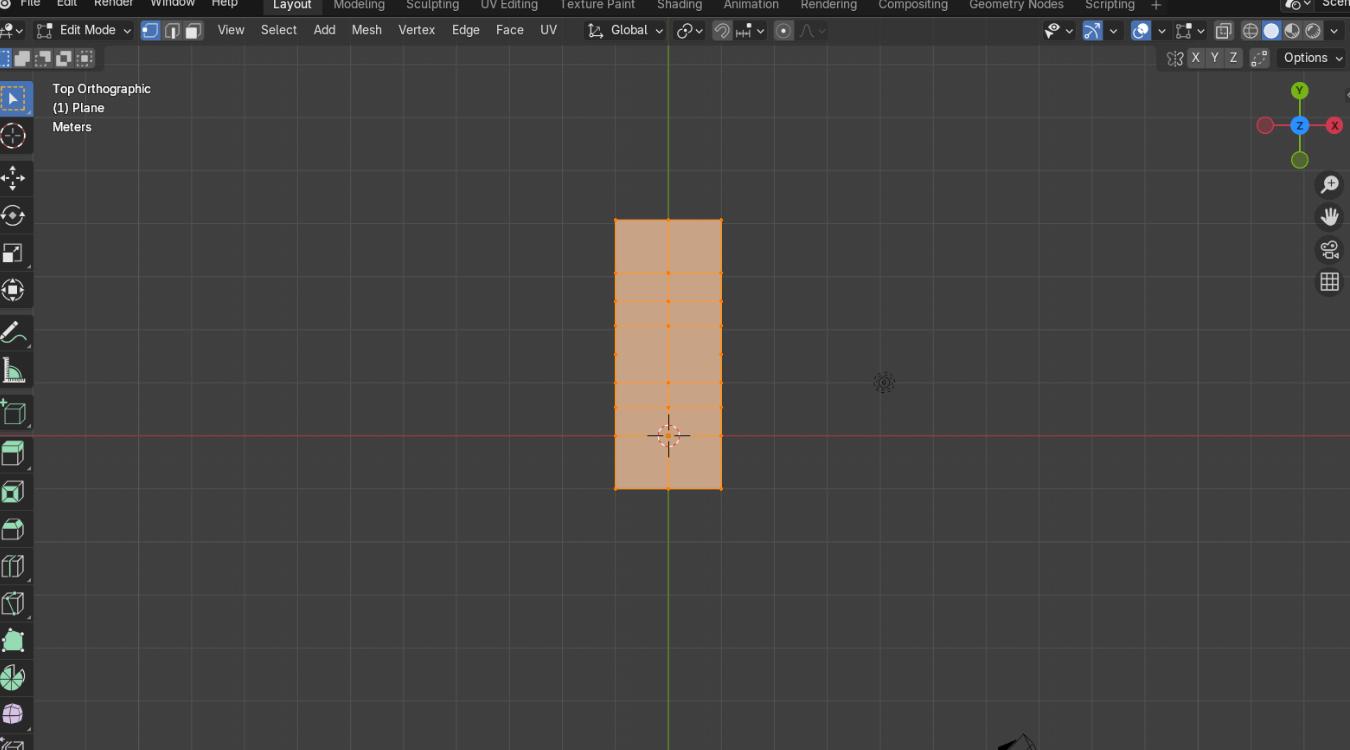
Highlight all of the points on the plane. Right click then click the subdivide button. This partitions the initial plane into smaller parts.
Shaping the Leaf
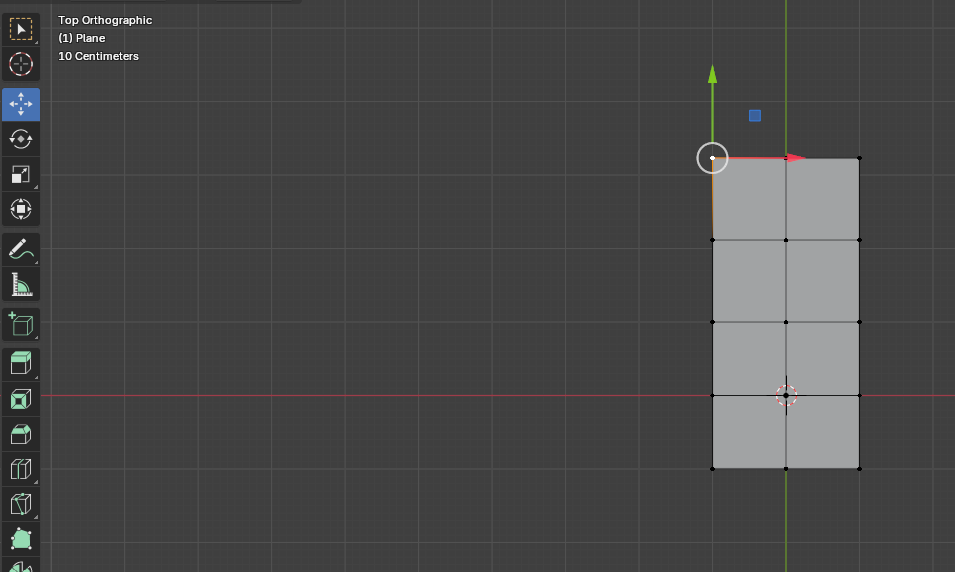
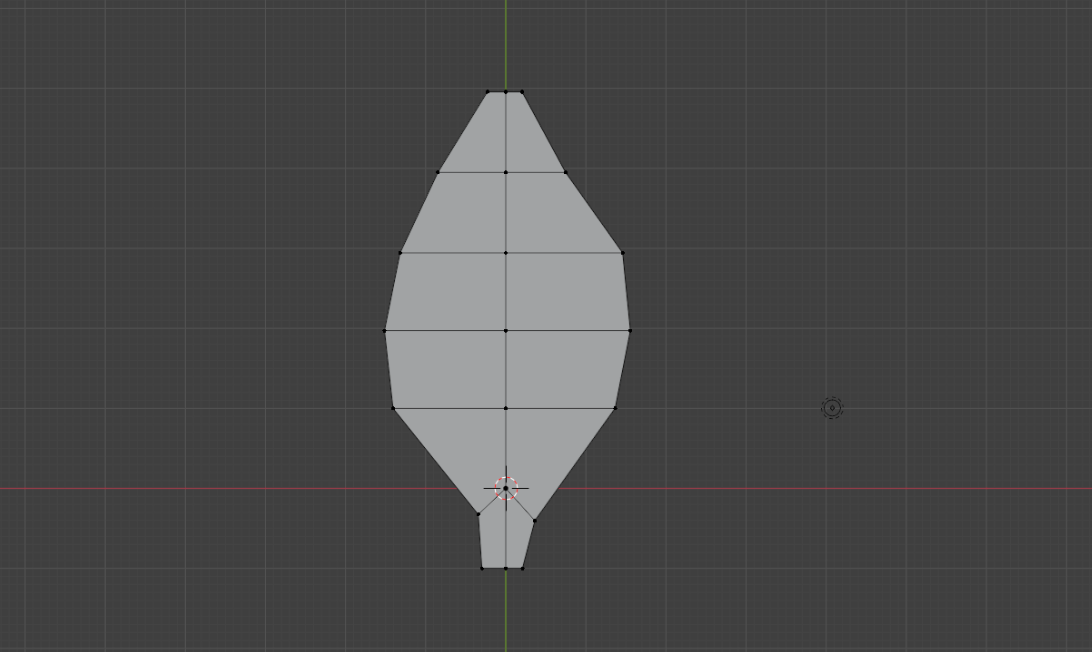
Move the points in the plane to form the shape of a leave. This can be done by clicking the move button and dragging the points to create the leaf shape. It can look something like this but be creative because all leaves are unique.
Bending the Leaf
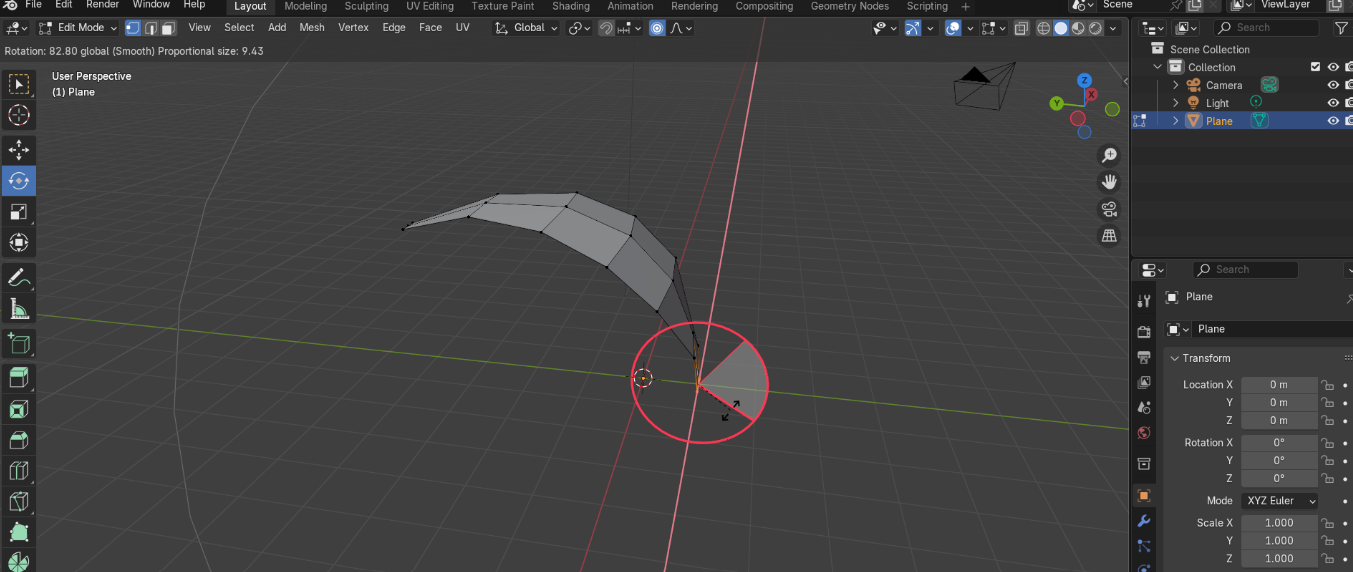
To bend the leaf, enable proportional editing (the small circle button under Animation). Highlight the bottom of the leaf and rotate it around the X-axis approximately 90 degrees. The curvature of the leaf can be changed by changing the proportional editing and the amount of rotation.
Adding Depth to the Leaf
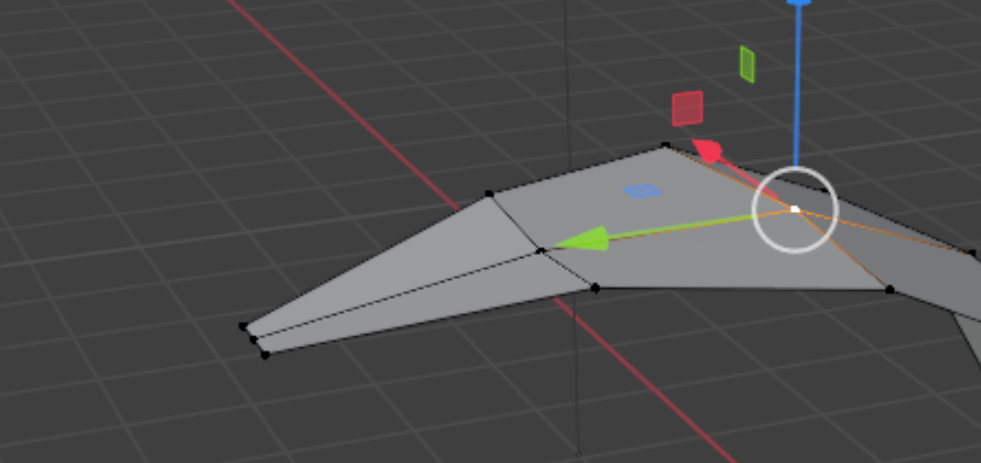
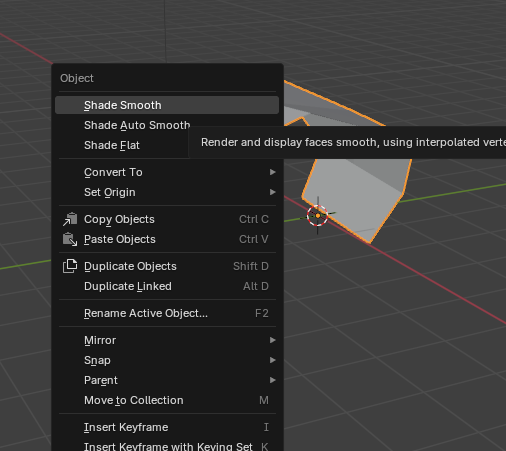
Move the center points of the leaf downwards to better approximate a leaf shape. Then exit Editing mode (by hitting the tab button). Right click on the leaf and press the Shade Smooth button to finish the leaf shape.
Give the Leaf Natural Motion
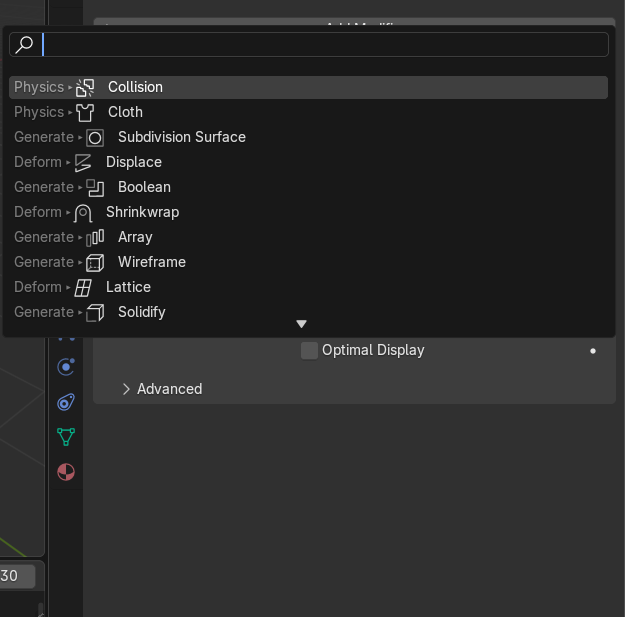
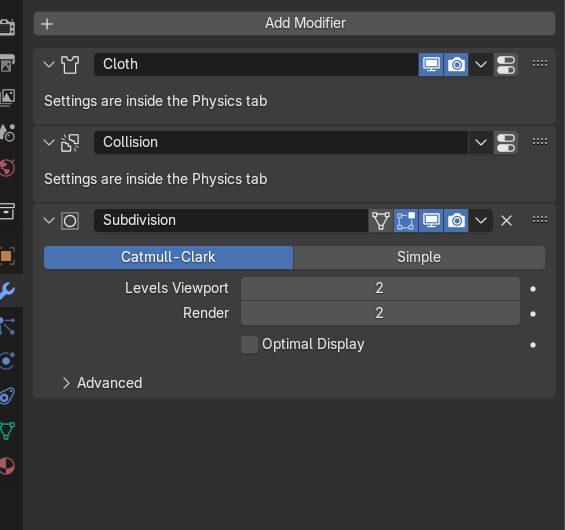
To make the leaf move naturally, add the Cloth and Collision modifiers to the model. This can be done by going to the modifiers section, clicking "Add Modifier" then adding each modifier. With the subdivision modifier we used early, it should like the picture above.
Changing Values Within the Modifiers
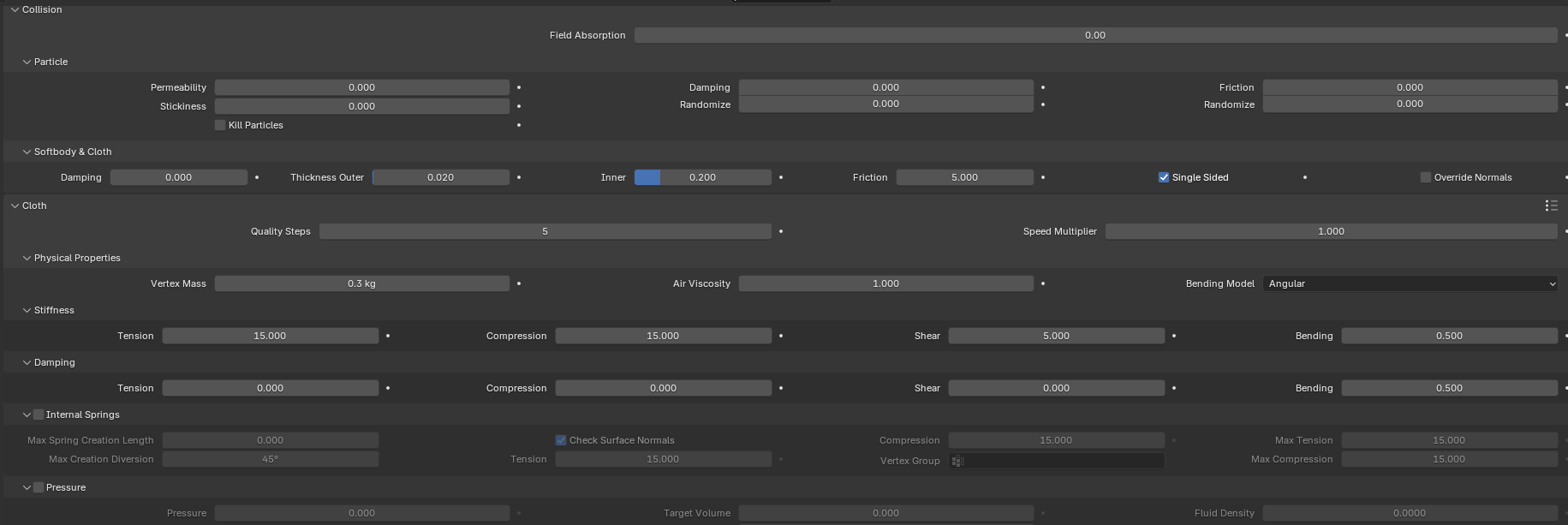

In the Collision modifier, the Damping should set zero. In the Cloth modifier, a vertex group of all of the points should be created and added to the shape section (Click on the images to get a better view). This affects the bounciness and reaction of the leaf.
Making the Water Droplet
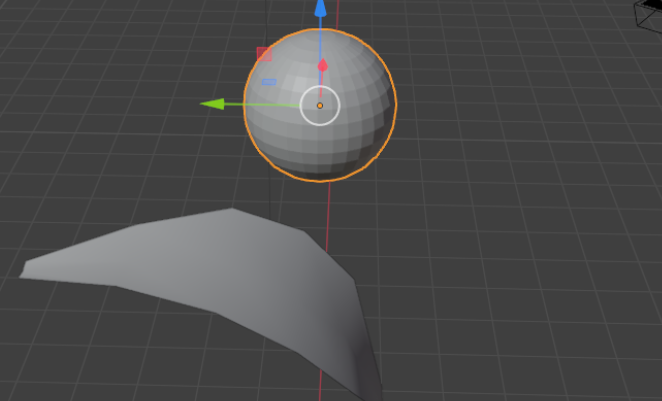
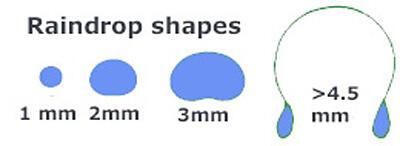
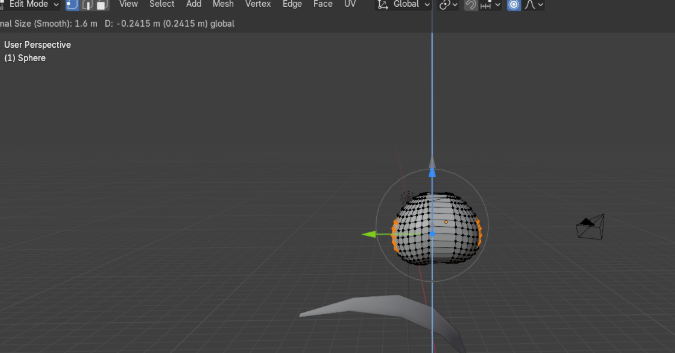
To make the water droplet, start with a sphere by pressing shit and A then selecting UV Sphere. Elongate the side by molding half of the sphere to form an oval. Using proportional editing, highlight the sides and move then down to form the shape of a water droplet. Based United States Geological Survey, this shape most closely approximates that of a droplets that is around 2mm. Shade smooth to finish the water droplet shape (see instructions in Step 6).
Give the Water Droplet Natural Motion
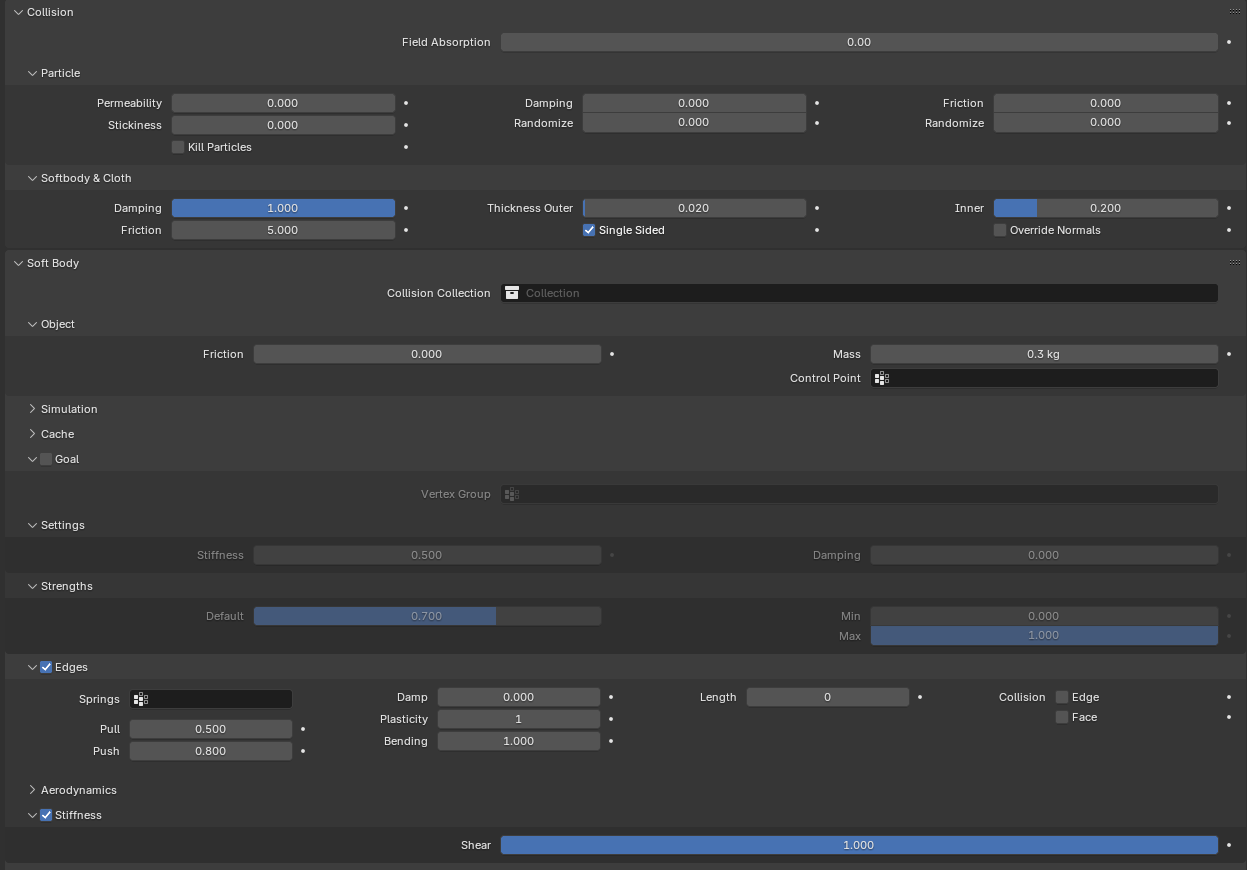
To simulate the water droplet falling and bouncing, we add the Softbody modifier and the Collision Modifier (see Step 7). Apply the settings shown in the image above. Changing the push and pull settings will affect the bouncing of the water droplet and how it interacts with the leaf.
Coloring the Water Droplet
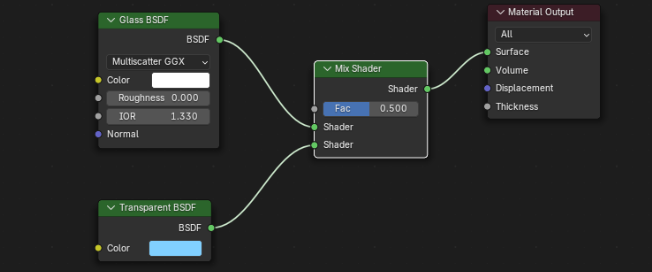
To color the water droplet, make a material that has both a Glass and Transparent BSDF. This can be done by going to the material tab with the water droplet. Press the the plus button to create a new material. Go to the shading tab. The BSDF and the mix node can be added by pressing shift and A then selecting each node. Set the glass BSDF's IOR to 1.33. The Transparent BSDF should have a blue color. Mix the two BSDF nodes with a Mix Shader node.
Color the Leaf
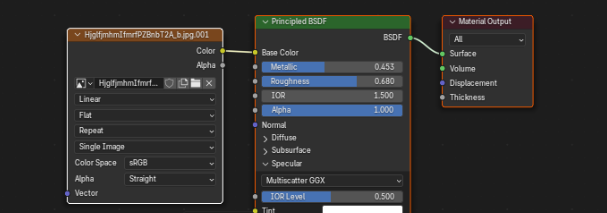
To color the leaf, first find a texture image online. Make a new material with the image plugged into the color. This can be done by adding an image texture node. Plug the color of the image texture into the base color of the Principle BDSF node.
Add Texture to the Leaf
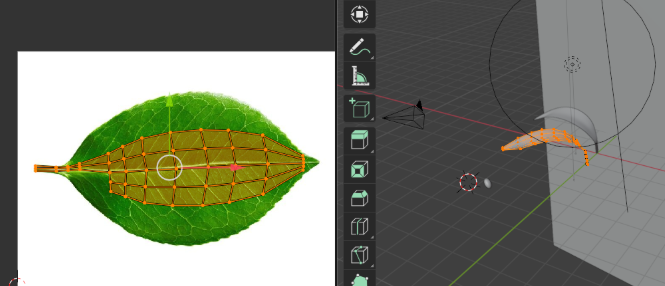
To matched the part of the leaf with the correct texture, go into the edit mode and highlight all of the nodes and then UV unwrap them. To do this right click on the nodes and then select UV unwrap. Go into the UV editing tab and also open the image. Move and scale the nodes to fit the leaf. This can be done by dragging each point to fit within the image of the leaf.
Making the Scene
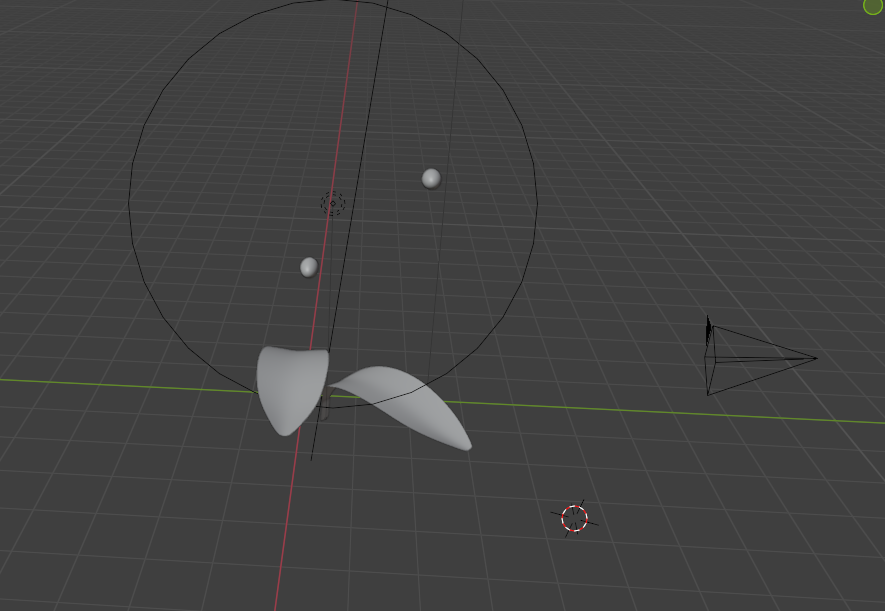
Duplicate the leaf and water droplet and play around with lighting, camera position, and the placement of the water droplet until satisfied with the most realistic shot.
Make the Background
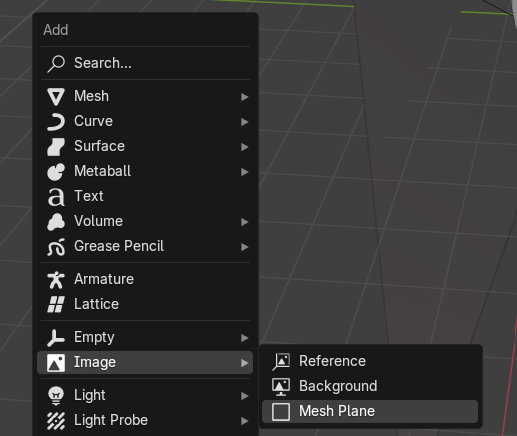
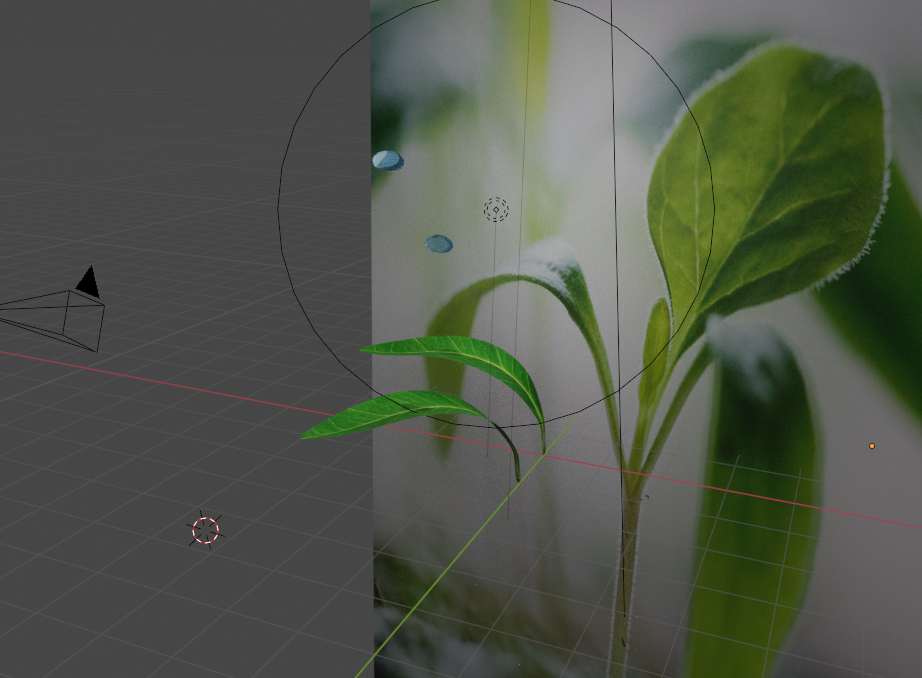
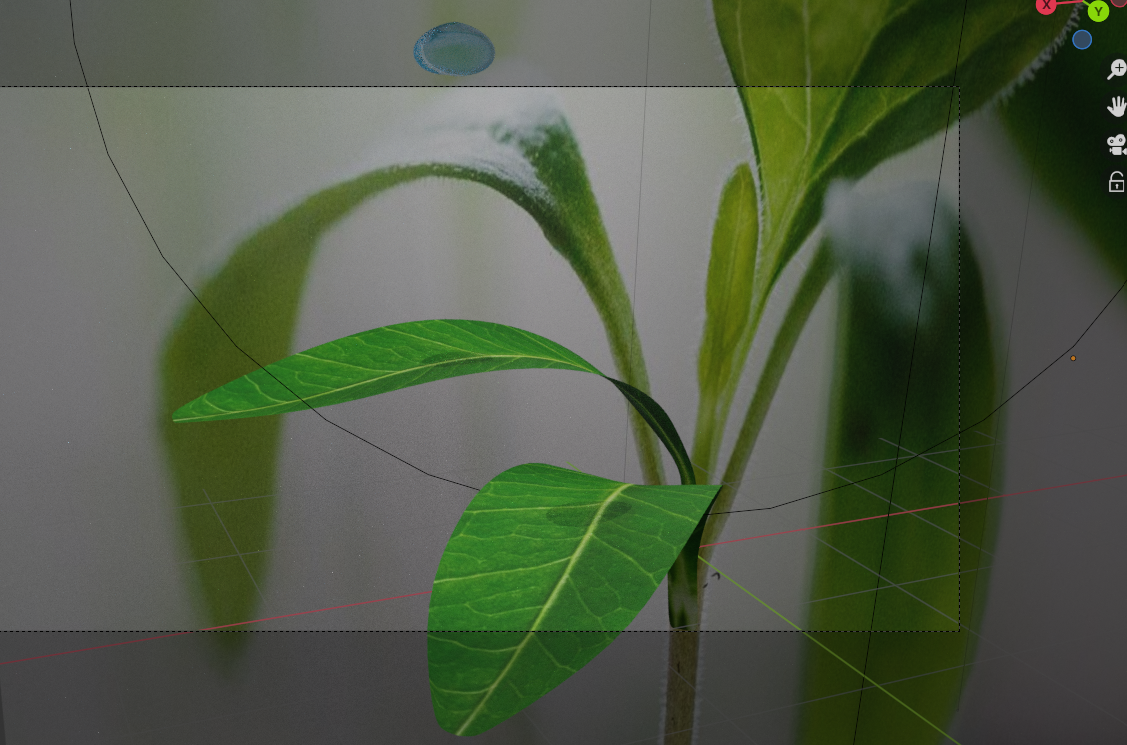
To make the background, find an image of a plant online. Import the image in to the scene as a mesh plane. This can be done by pressing shift and A then highlighting Image and then selecting mesh plane. Scale and align the image to make it seem like the leaf is a part of the plant. (It is an optical illusion)
Render the Animation

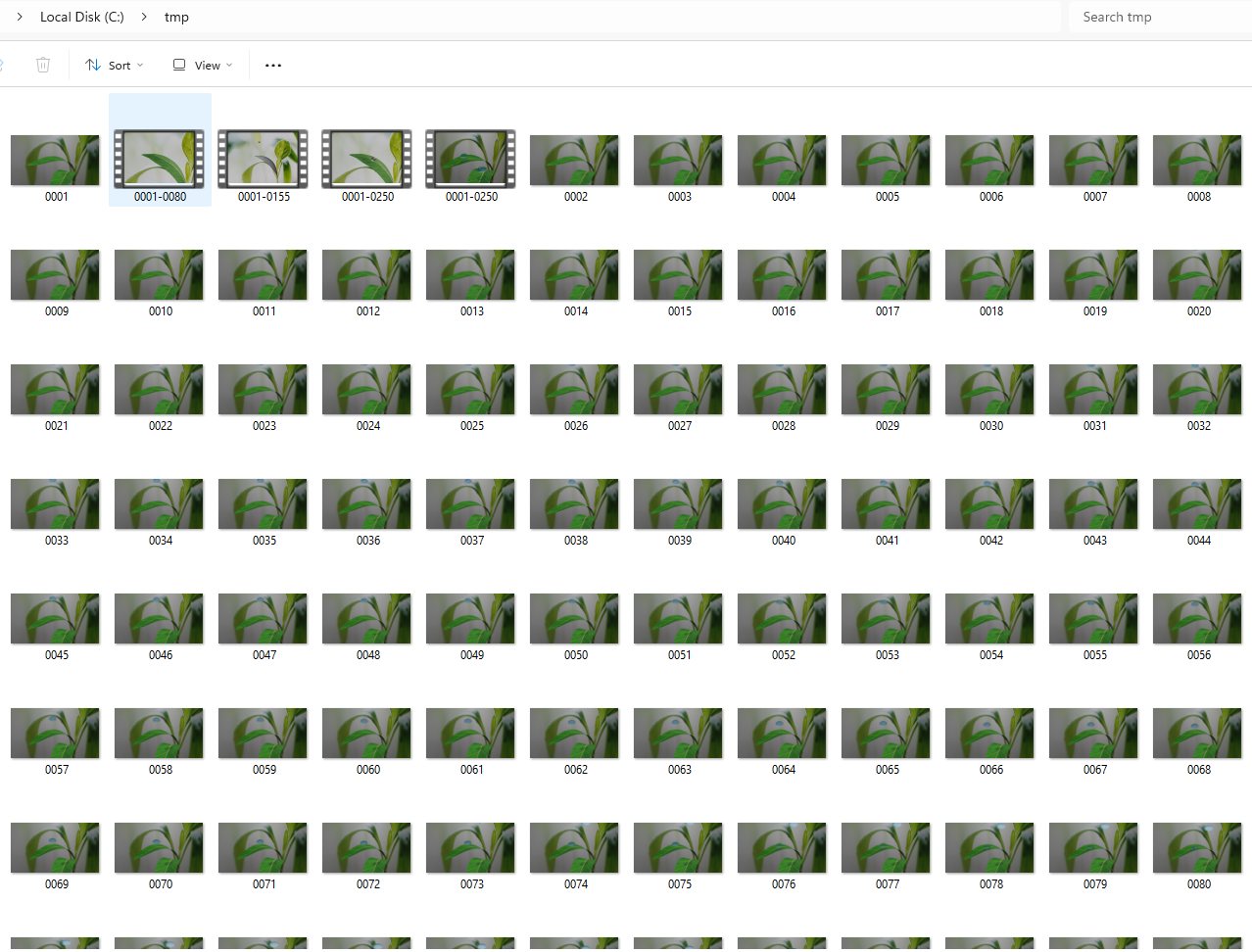
Then render the animation. Change the end to how many frames you prefer. Select Bake. Once that is done you can play the animation to see how the water droplets interact with the leaf. Once you are happy you can delete the bake. See image above for the rendering setting that I used. Open render at the top and select render animation. After rendering, there should be a folder of images.
Make the Video
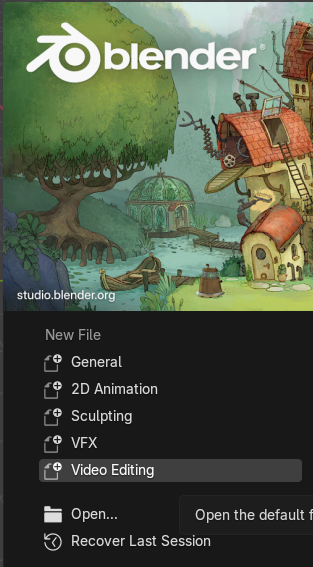
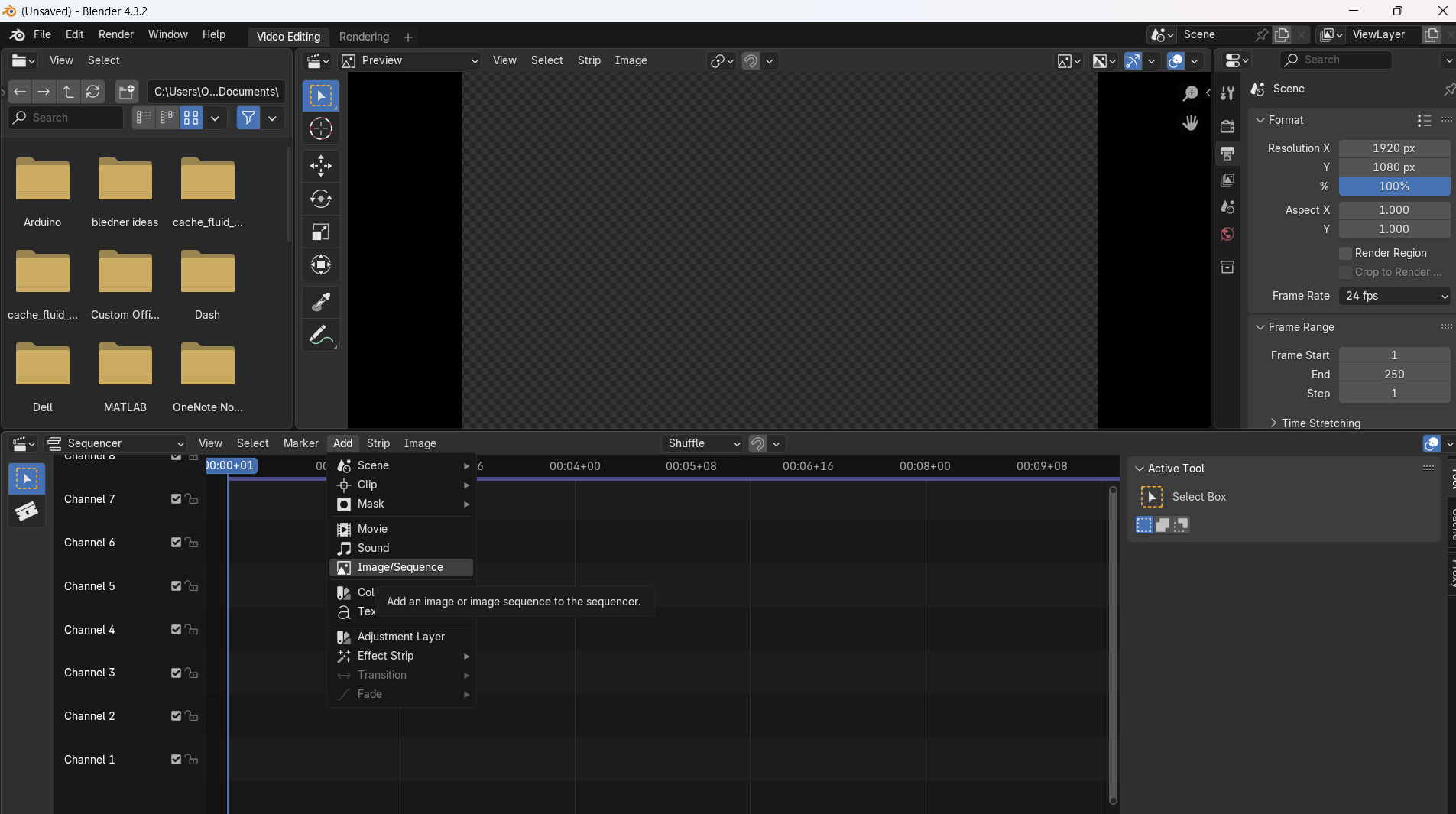
To make the video, open a new Blender tab and create a new project with under the setting as video editing video editing. Add the video sequence of all of the images. This is done by clicking the A button then selecting image sequence. Select where you saved the animation frames. Select the first one, hold shift, then click on the last one to select all of the frames. Then add it. Put the image sequence in the first channel. In the output tab select the folder to put the final video and change the media type to video. In the encoding tab change the container to MPEG-4. Then animate by highlight render (at the top of scene) and clicking animation.
Adding Sound
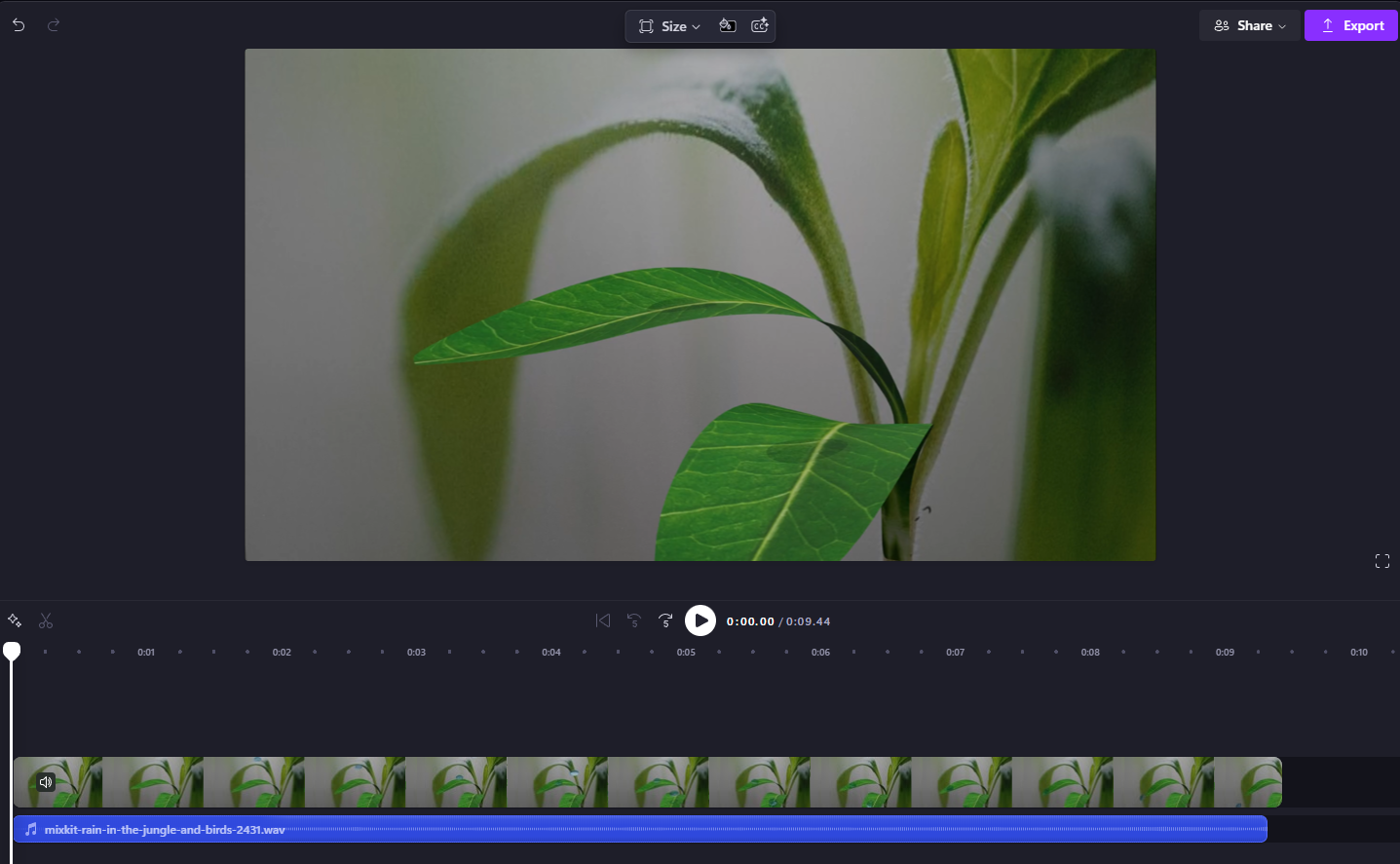
A bouncing water droplet is not just the visual but also has a sound. To include this essential feature, import the video into Clipchamp. Find a free to use rainforest sound track to play over top.
The Sound of the " Bounce "
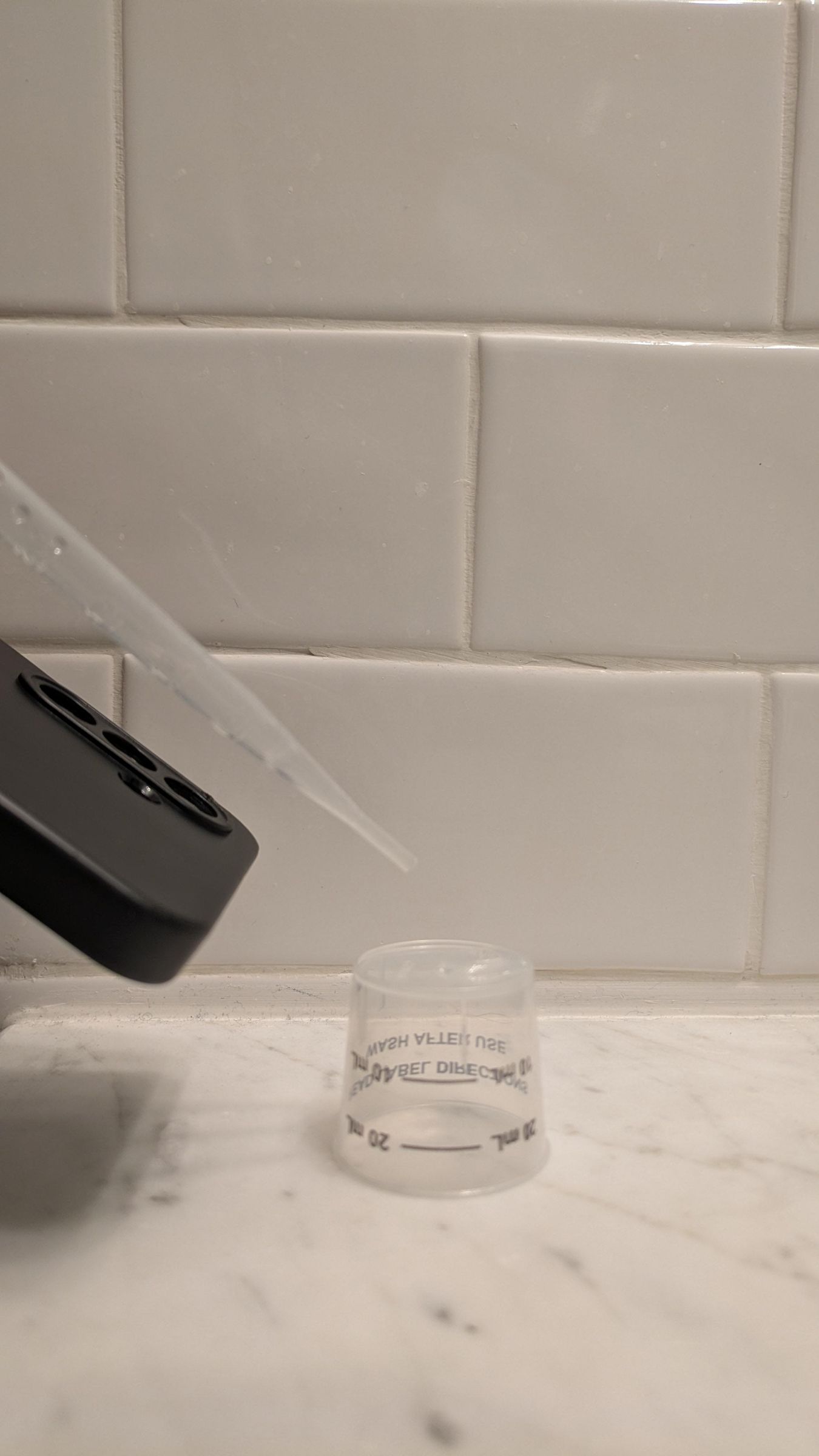
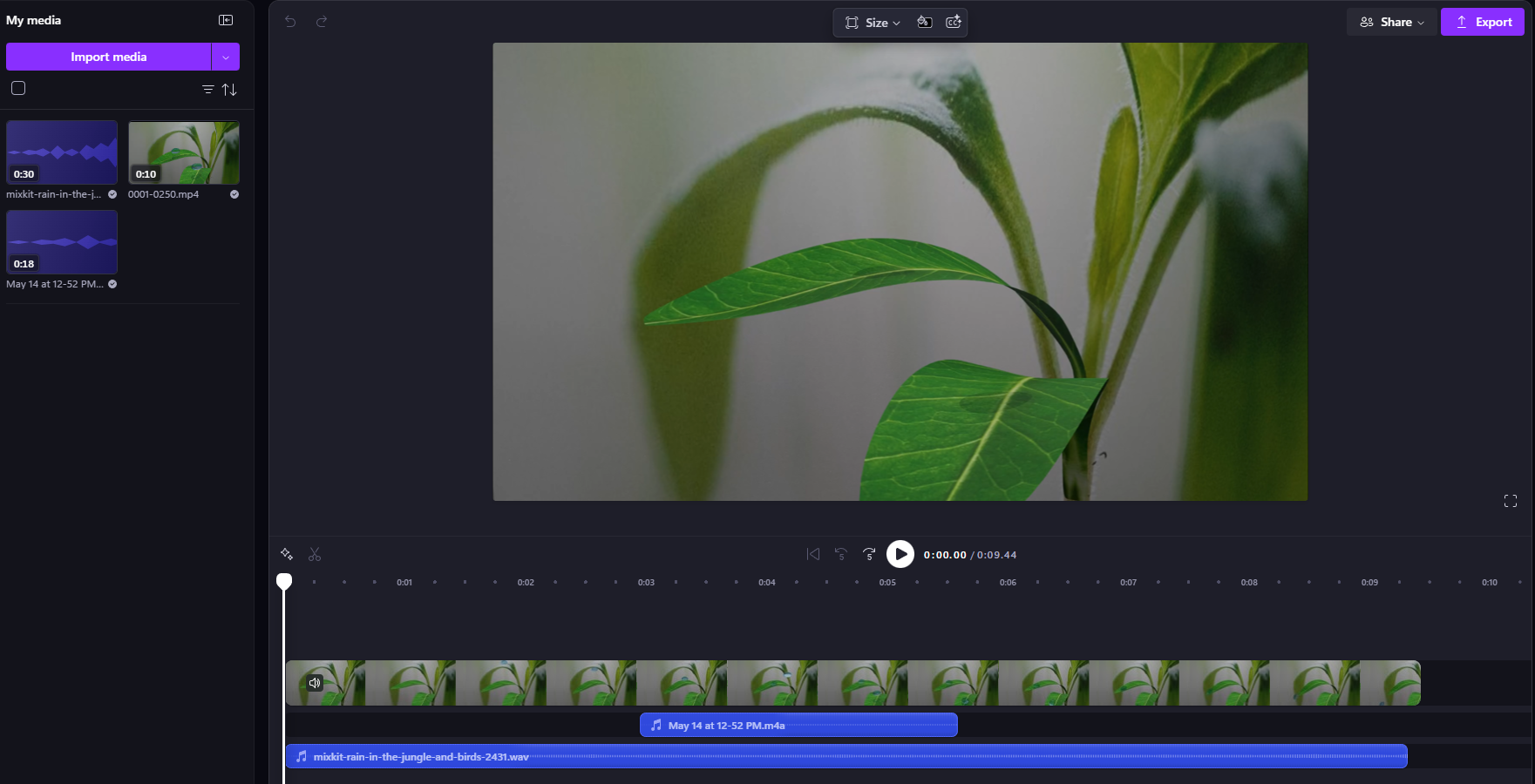
To enhance the sound of the "bounce," use a phone to record the sound of water droplets falling from a pipette onto the bottom of a plastic dosing cup. Add that audio recoding to Clipchamp and sync the sound to when the water droplets hit the leaf. Adjust the volume of the different sound tracks until it sounds realistic.
Relax

Relax and enjoy the sound and video of a water droplet bouncing off of a leaf.