Bring Your Gramophone Into the 21st Century With a DIY Bluetooth Addon!
by JGJMatt in Circuits > Audio
3286 Views, 29 Favorites, 0 Comments
Bring Your Gramophone Into the 21st Century With a DIY Bluetooth Addon!
.png)
Hello fellow makers,
I have an obsession with vintage audio and unfortunately with my newest acquisition, a cabinet style Edison gramophone I've come to a realization that they take up a LOT of space for something that can't get used daily.
That was until I came across an image of a very unusual vintage gadget called the Victor Dulce-Tone Radio Talking Machine... THIS CHANGES EVERYTHING!

Now these little gadgets are as scarce as hens teeth now but I think we can make our own and even add a few modern features.
If you enjoy my Instructables and would like to support my future projects please consider Buying Me A Coffee.
Supplies

- Access to a 3D printer Amazon-Creality Halot-X1 Combo Resin 3D Printer
- MH-M38 Bluetooth module Amazon - M38 Wireless Bluetooth Audio Receiver Board
- USB-C Lithium charging board Amazon - TP4056 Type-C USB Charging Module
- 200mAh Li-Ion battery Amazon - 220mah 402030 Rechargeable Lithium Polymer Battery
- 1.5inch 3W speaker Amazon - Audio Speaker 4Ohm 3W 1.5 Inch
- 10mmX3mm Neodymium magnet Amazon - 10x3 mm Round Magnetic Rare Earth Neodymium Magnet
- UV Glue Amazon - UV Resin Kit with Light
- CA Glue Amazon - 20g Thin CA Glue
- Hot melt glue Amazon - Gorilla Hot Glue Sticks
- 3mmX8mm Screws Amazon - M3 x 8mm 12.9 Grade Alloy Steel Hex
- M3 Heat inserts Amazon - M3 Threaded Inserts for Plastic with Heat Set Tip

*As an Amazon Associate I receive a small percentage from sales made through provided links at no cost to you, this helps fund future projects.
Inspiration:

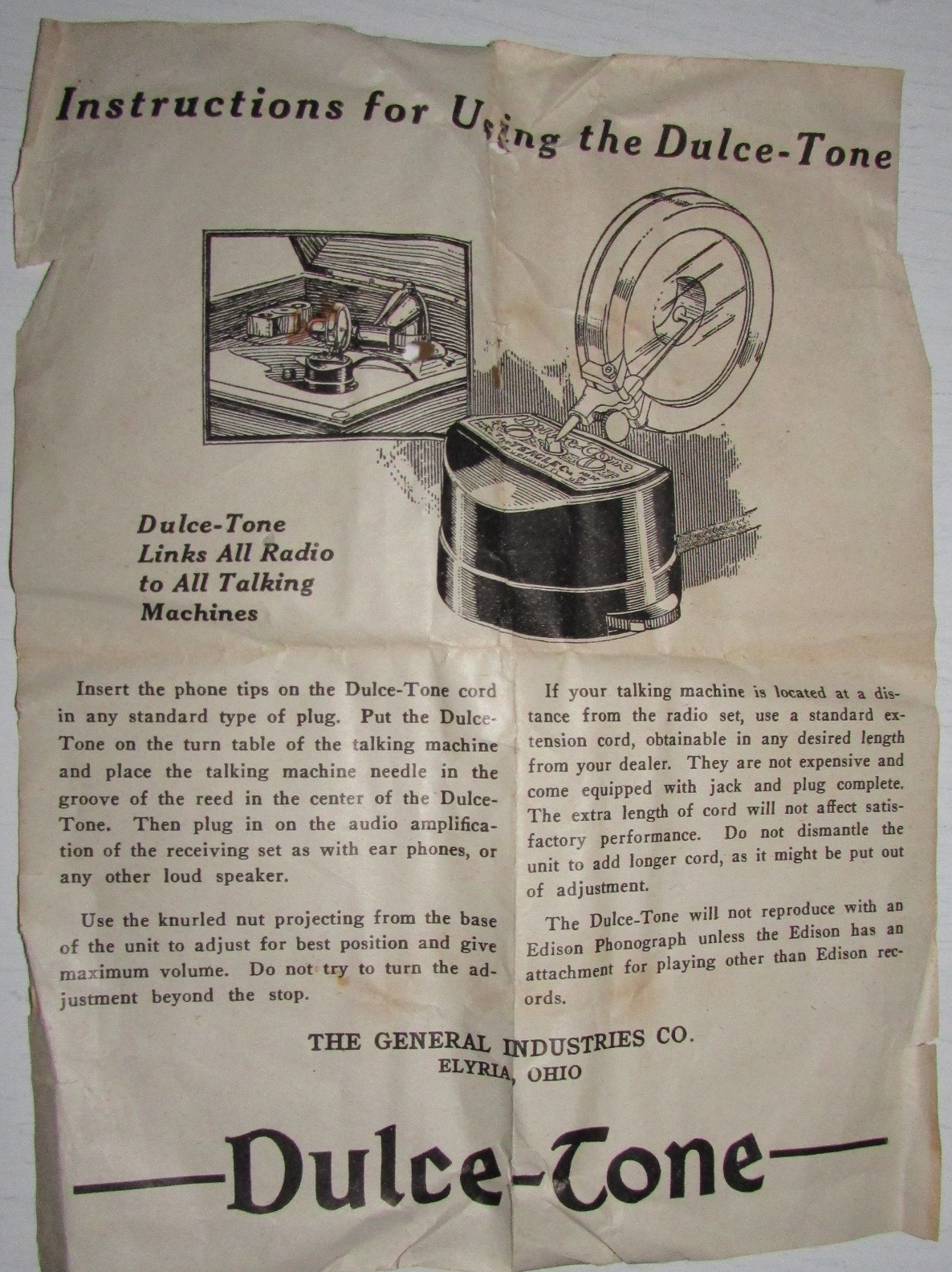

The Victor Dulce-Tone Radio Talking Machine:
This is a device that would allow you to play your radio using the gramophone as the speaker.
This gadget is from the mid 1920's when gramophones were pretty common, they made use of a generally well designed amplifying horn and cost much less than a complete loudspeaker of the time would.
This particular device was designed to simply have the needle of the gramophone placed in the receptacle, and would then use the stylus bar and diaphragm of the gramophone reproducer to produce sound by using the passive amplifying horn in the "talking machine" (like a Victor or Edison gramophone).
Unfortunaly these "direct driver" devices tended to perform rather poorly and were only produced for a few years making them pretty hard to find these days.
The Enclosure:

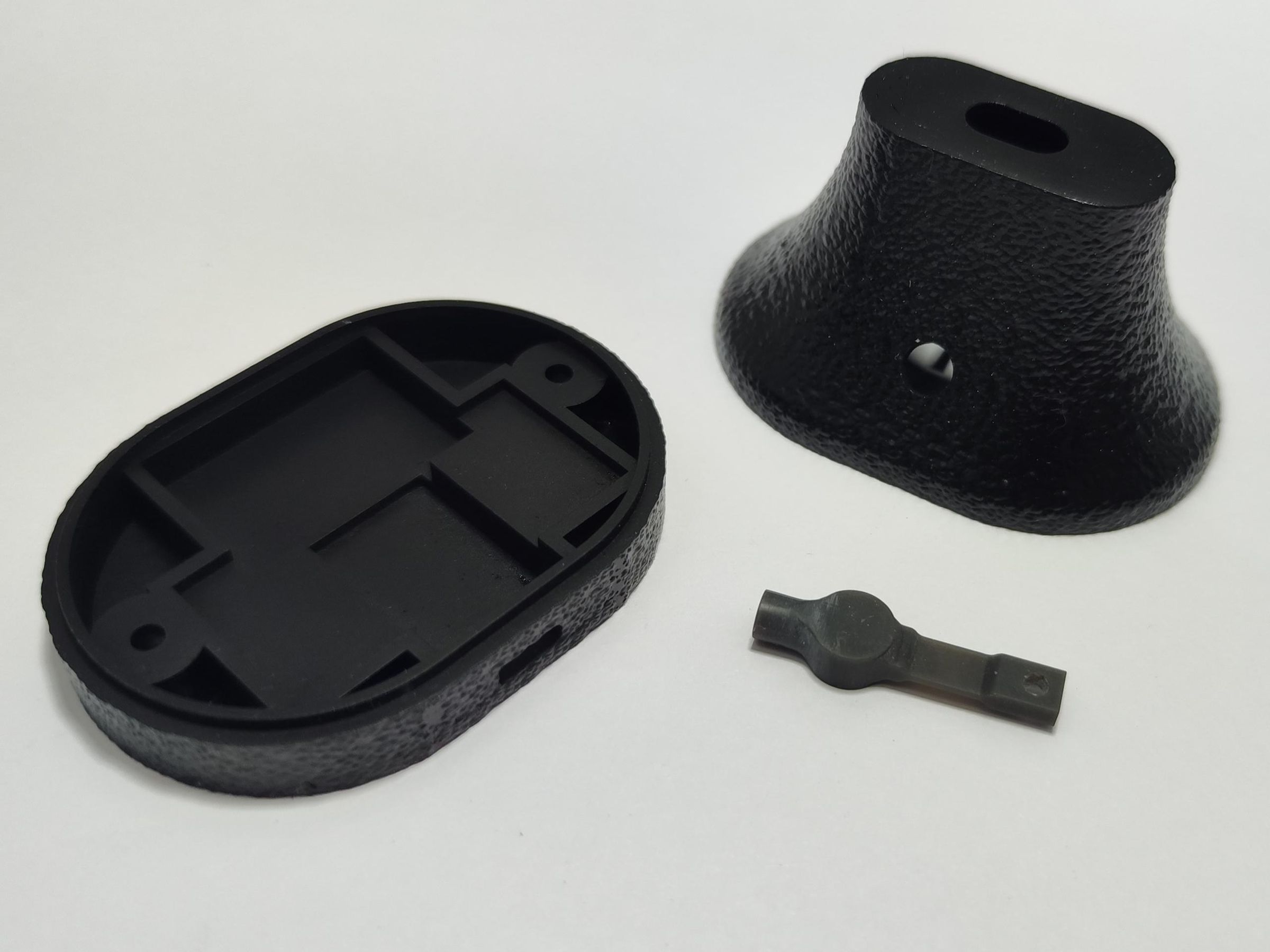
Using Fusion 360 I started designing an enclosure around commonly available parts that I already lying around.
I designed it with the limitations of my resin printer in mind but everything should print just fine a normal FDM printer with a 0.4mm nozzle.
The enclosure is based around two main components. The first is a 12.75mm diameter voice coil, these are very easy to find as they are in just about all the 1.5inch 3W speakers found in cheap Bluetooth speakers, USB PC speakers and even hoverboards.
The second is a 10mmX3mm neodymium magnet that gets glued to the needle bar, now you can use the magnet that is in the speaker but these usually break when you pry to remove them and they are a lot weaker than the 3mm thick one that I use.
Now I have to admit after I finished the enclosure design they did look quite dreary compared to the extravagantly designed gramophones it will be used on. Luckily I remembered a video I recently saw that showcased a brilliant new tool by CNC Kitchen that allows you so add a texture to the surface of your STL without any hassle.
Unfortunately I can't upload the STL's with the leather texture as they exceed the 25mb upload limit but you can just download these and hop onto BUMPMESH - CNC Kitchen and add any texture you like. (not sponsored btw, just really appreciate this awesome tool!)
To print the parts I used normal eSun "PLA Like" resin and everything came out perfect even the needle bar that has a section that needs to be bendy is able to exceed 90 degrees before breaking, so any material you have available should work just fine.
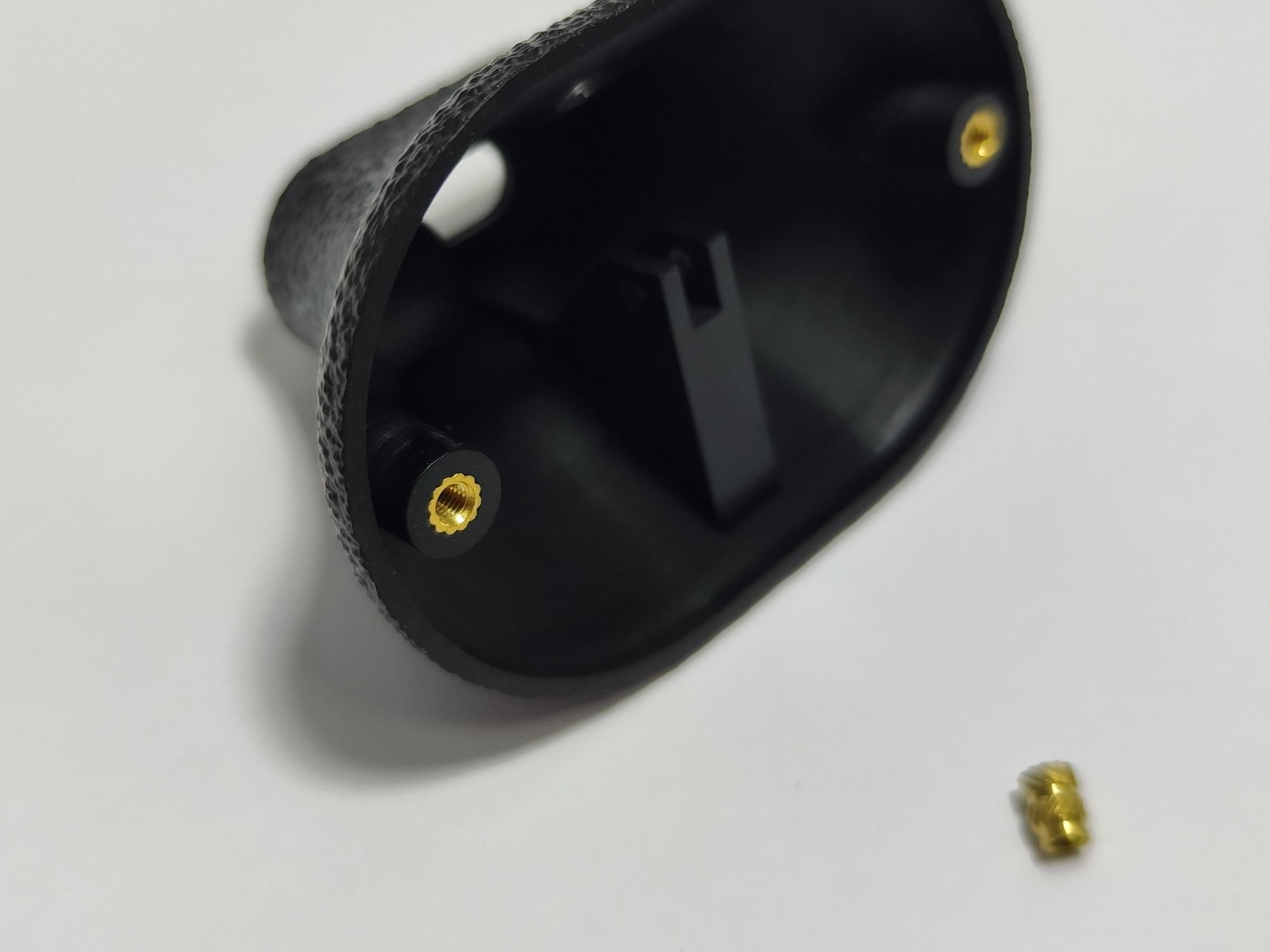
After printing was done I inserted some M3 heat insert nuts in the enclosure for reliably screwing the two halves of the enclosure together. To use heat inserts you will usually take a soldering iron and melt it into your print but then it comes to resin prints I find the best way is to do it in reverse, I undersize the holes for the inserts in the design slightly and then using a heat gun or hair dryer I heat up the print around the insert to around 120degC this allows me to simply push is the insert and when cooled it is very solid.
The Driver:

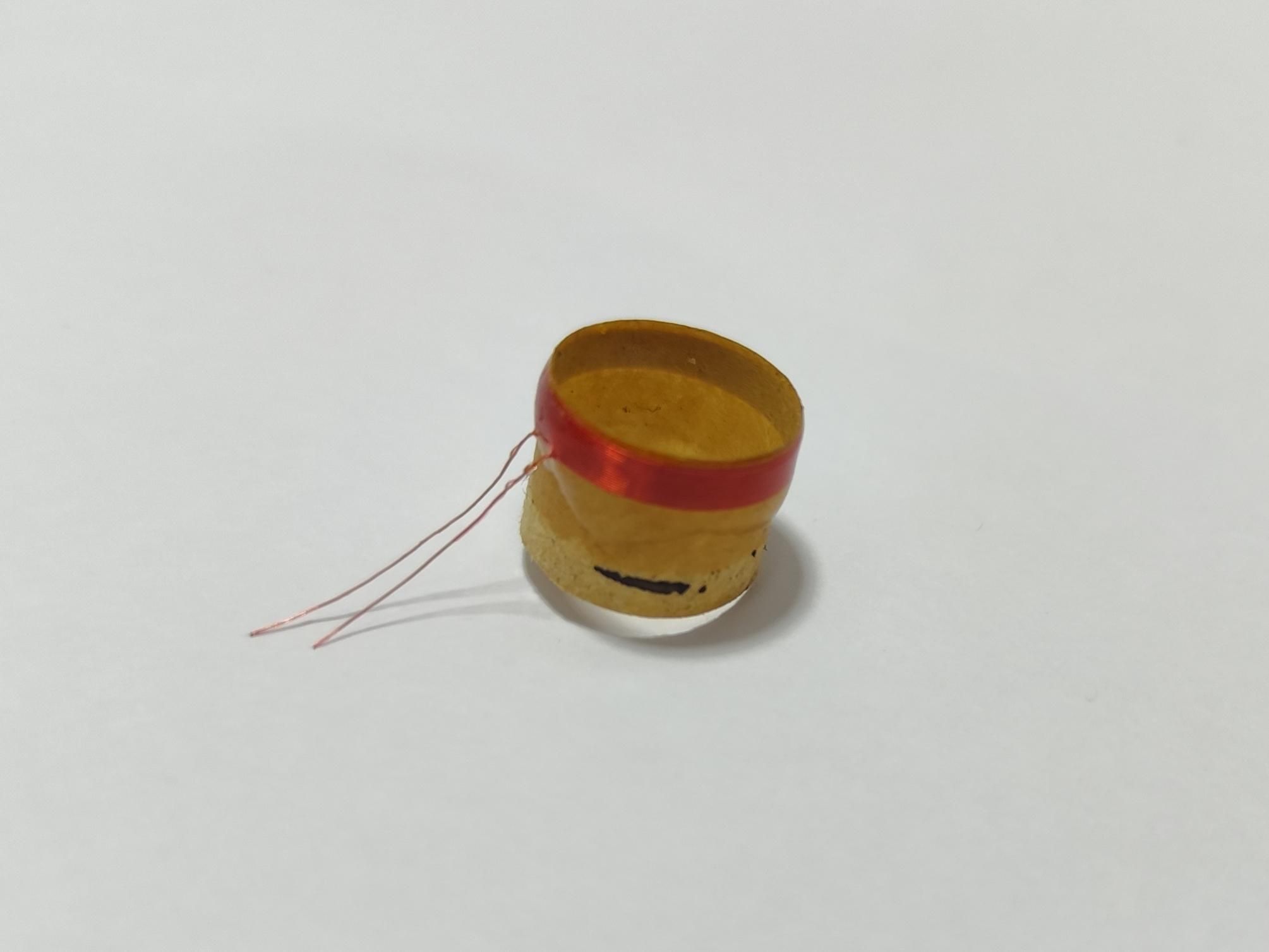
Now in order to create our new driver we first need to destroy...I mean dissect an old driver.
You will need to take a small sharp hobby knife and start cutting through the rubber surround all around the cone of the speaker.
After cutting the surround you will the two woven copper wires the connect the voice coil to the basin of the driver, you can simply cut through these as we won't be using them.
Now as with the surround you can cut through the spider, this is the brown mesh that supports the voice coil and keeps it centered. Your voice coil should now be separated from the speaker basin.
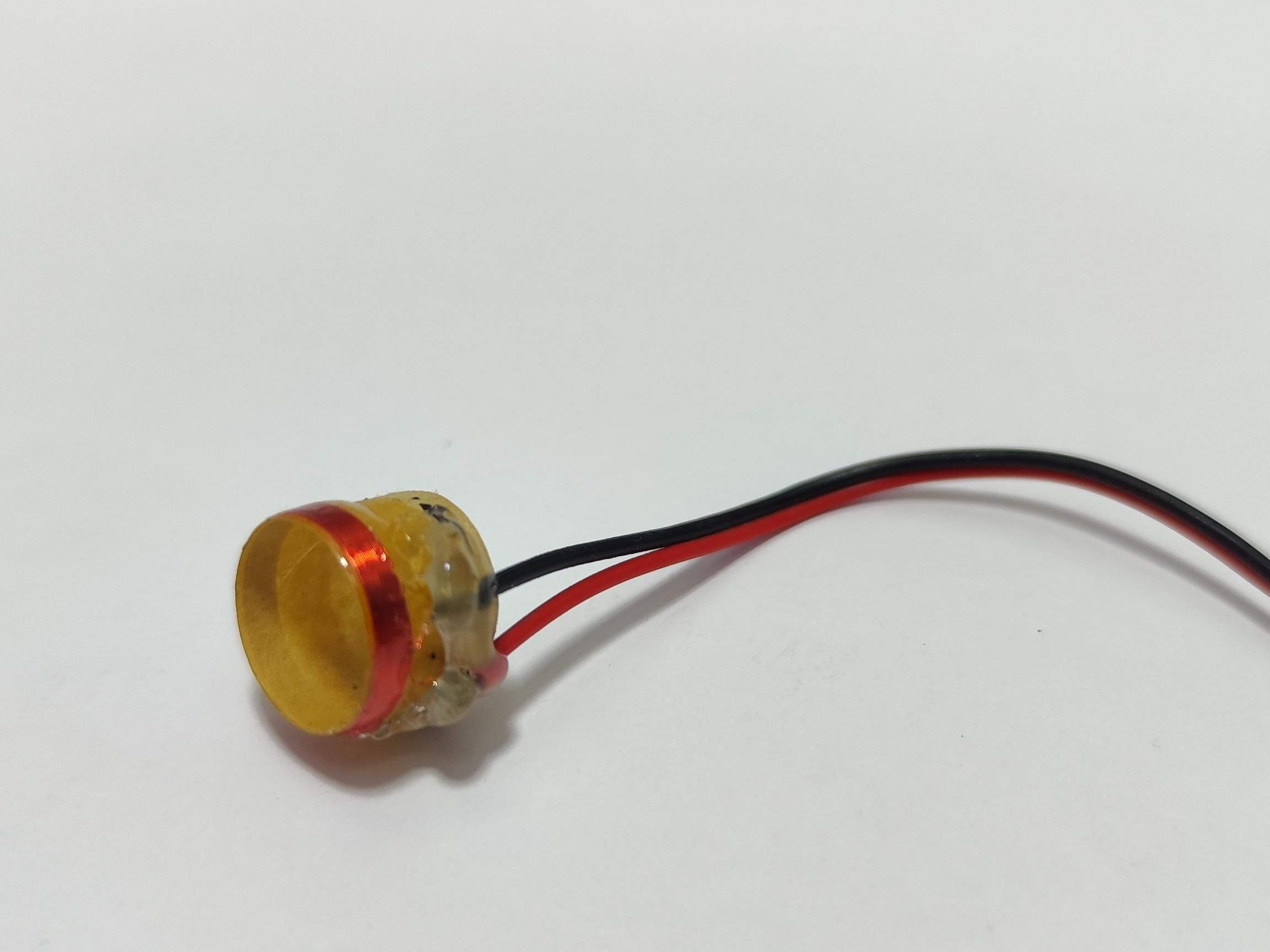
What I like to do now is to take some UV glue and put a bead around the outside of the voice coil (over the copper part), this supports the wire and also keeps it from deforming.
When the glue has cured you can start peeling off the cone and remaining spider mesh from the voice coil until it resembles the coil pictured.
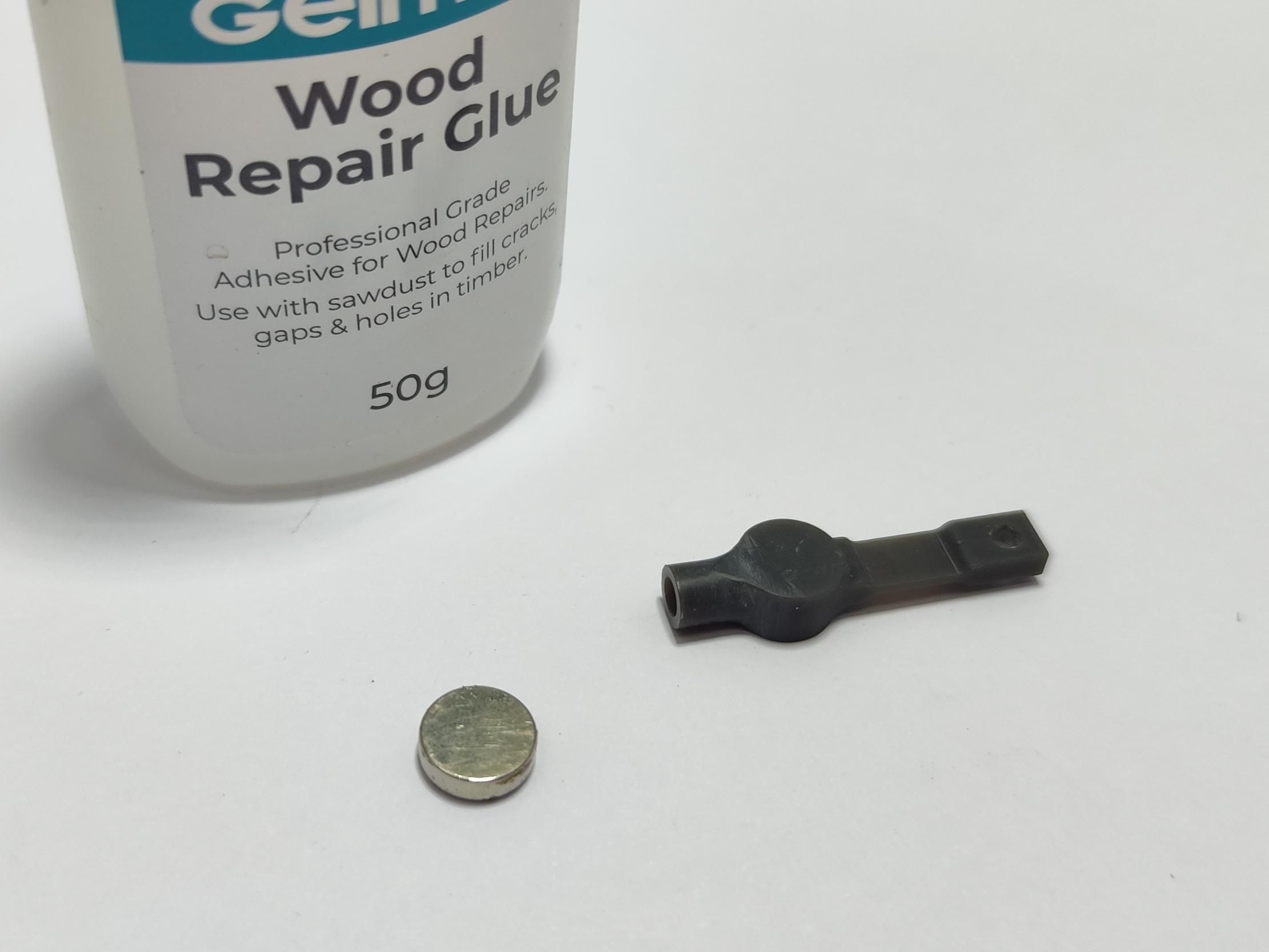
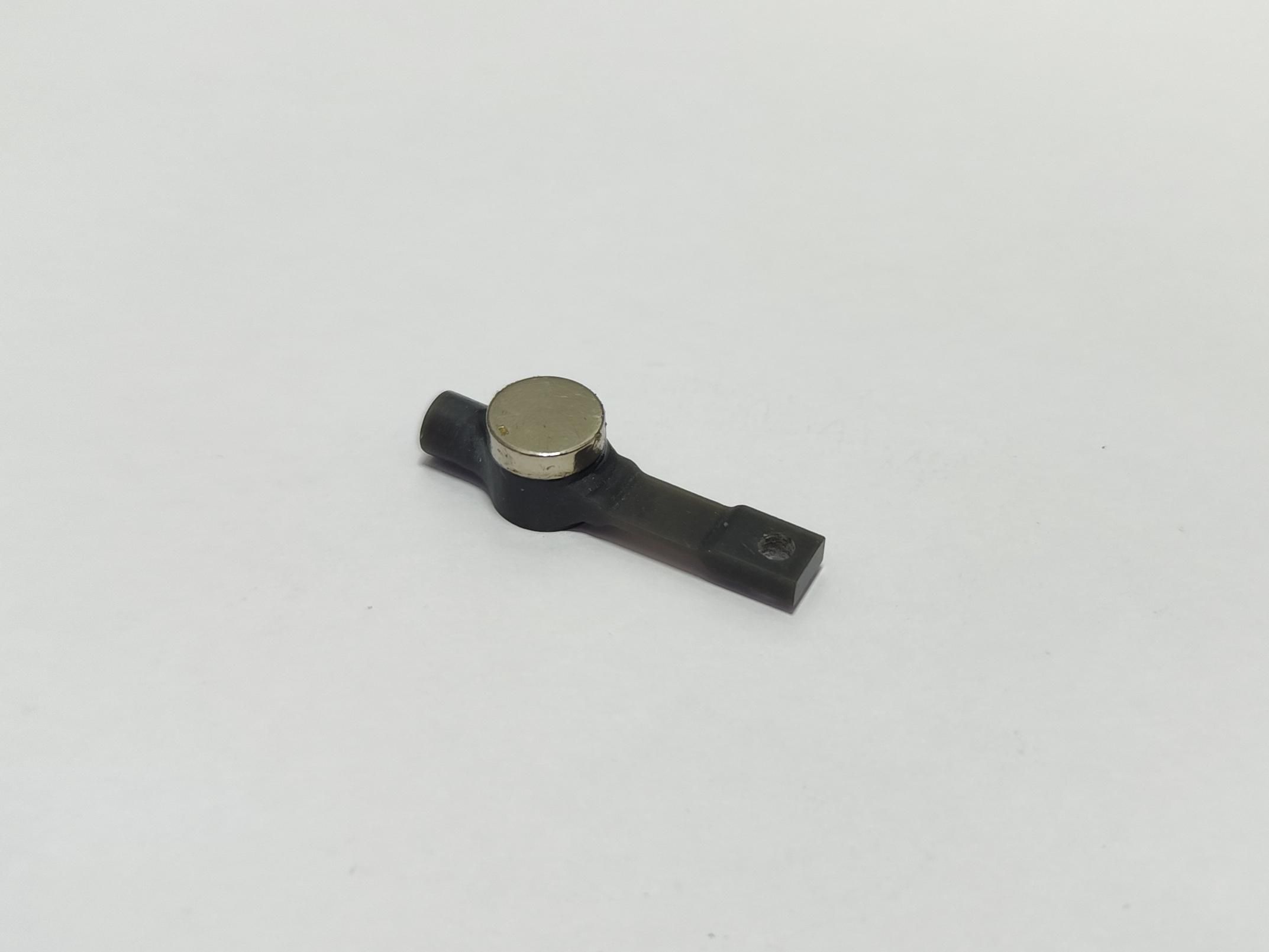
For the needle bar we simply use some CA glue (superglue) to adhere the magnet onto one of the round bases on the needle bar.
And that's it for the driver.
The Electronics:

Onto the brains behind our project.
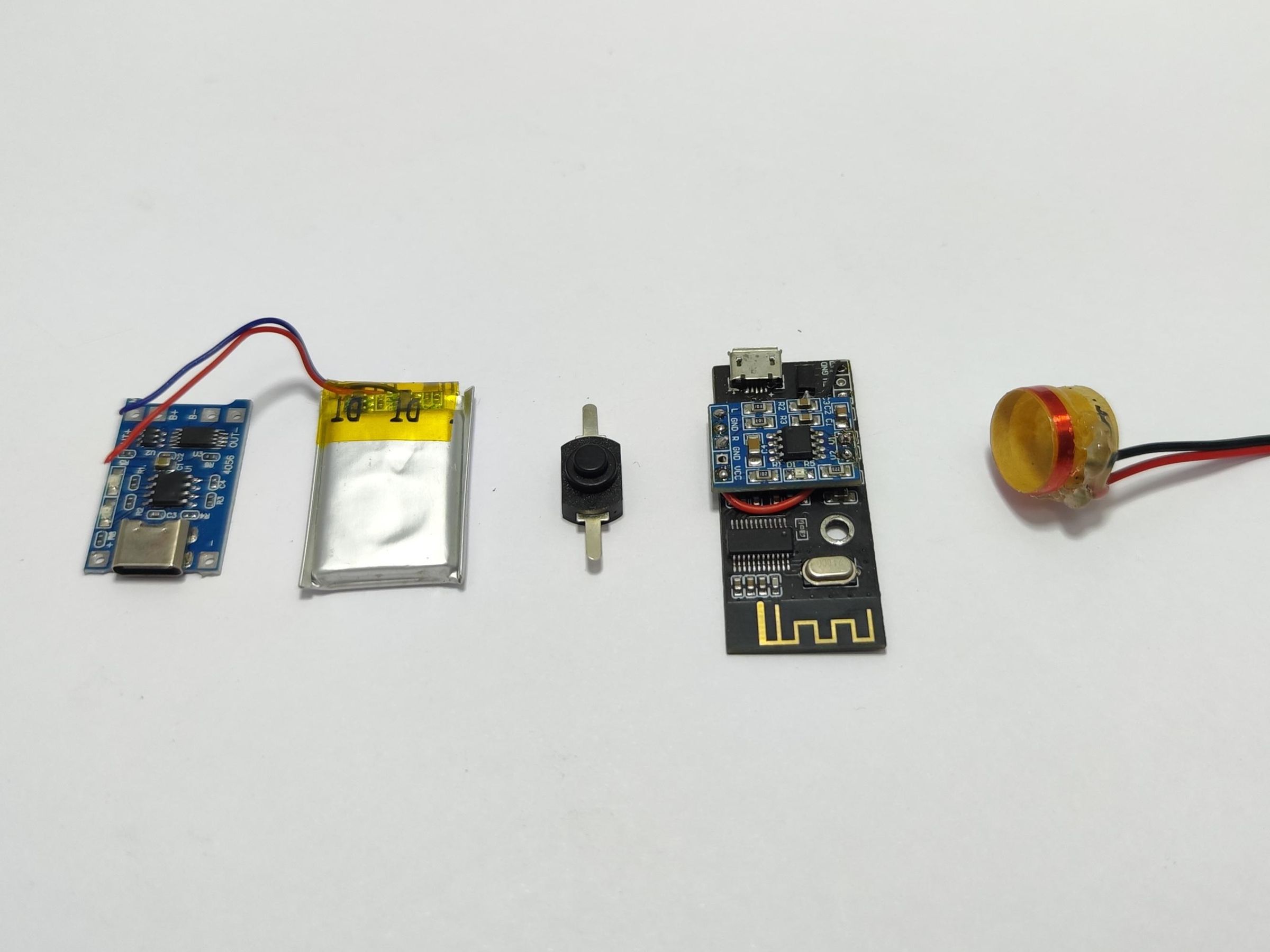
First of all..yes my Bluetooth board does look different than the one I linked but this still is the MH-M38 board that accidentally got damaged, instead of throwing this brilliant module away I simply soldered a new amplifier board that is the same chip as what was on the board onto the top of the module to still be able to use the bluetooth.
The Li-Ion pouch battery gets soldered onto the B+ and B- pads of the USB-C charging board, from here we solder on a wire that goes from the OUT+ pad of the charging board to the B+ pad on the MH-M38 module.
Next we need a switch to turn our module on and off when not in use so we solder a +/- 2inch length wire from the OUT- pad on the charging board to one side of the switch and then again a similar wire from the other side of the switch to the GND pad on the MH-M38 module. I added some heat shrink to the connections of the switch but this isn't critical.
Finally I just soldered two wires to the ends of the tiny wires of the voice coil and secured them in place with some hot melt glue, be careful as these wires are extremely fragile.
Assembly:



Onto assembly of our wireless talking box!
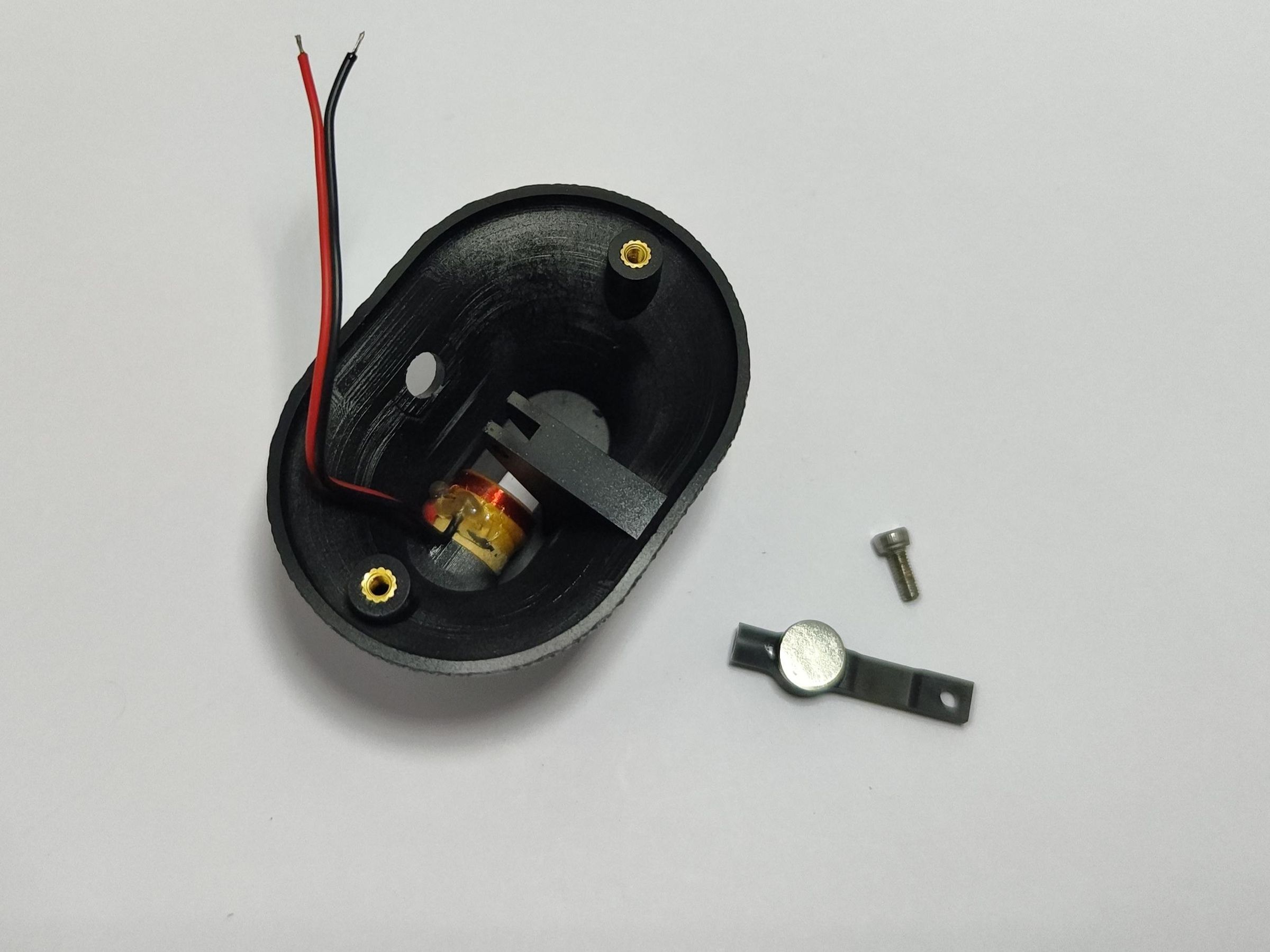
Before we can solder the voice coil to the Bluetooth amplifier we first need to assemble it into the enclosure.
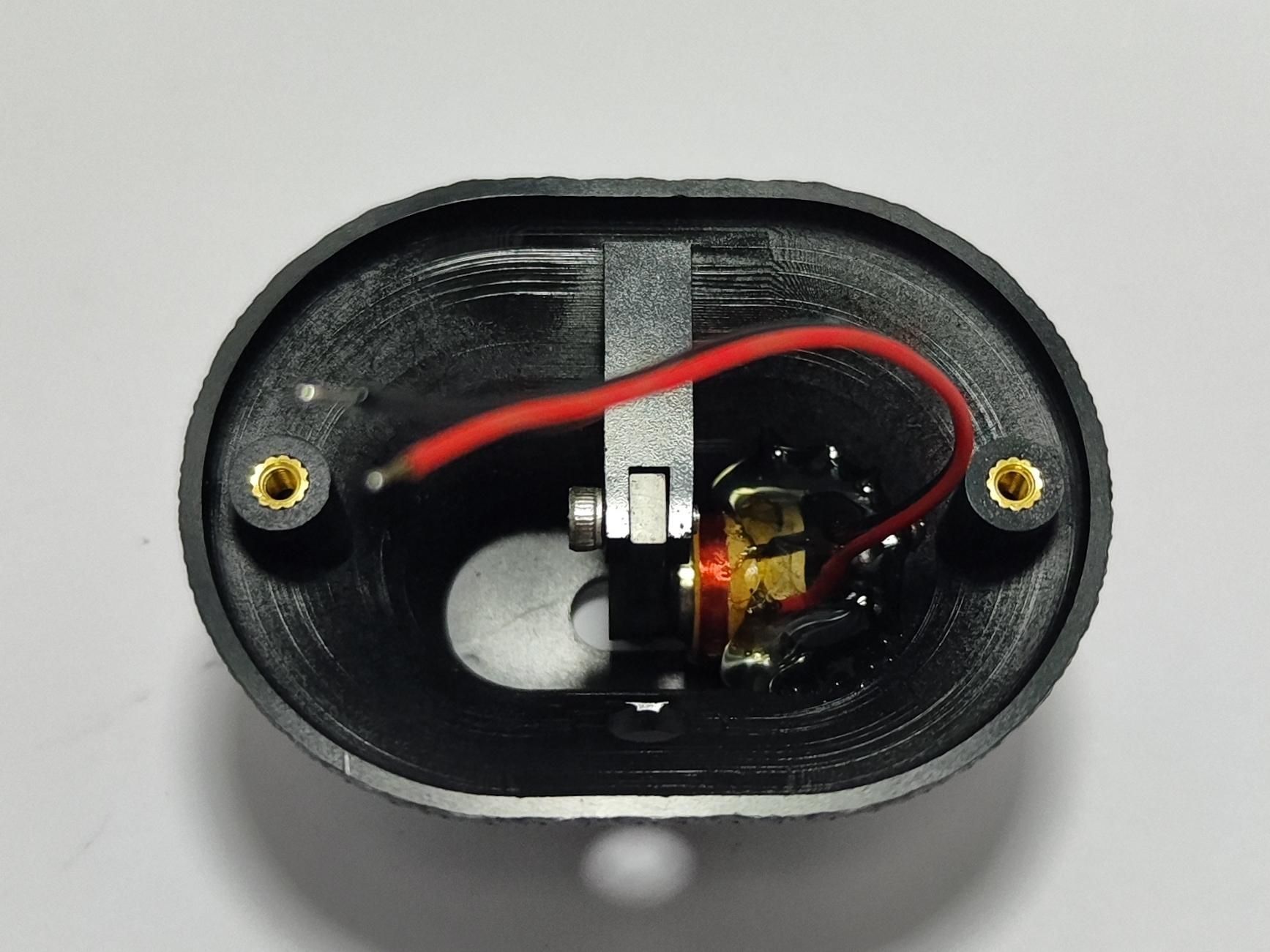
First slip the voice coil onto its dedicated pillar in the enclosure, do not glue it though as we still need to position it. Now place the needle bar into the slot in the enclosure with the magnet facing the voice coil and screw it into place with a M3 screw.
With the magnet in place you need to adjust the voice coil, with the magnet (needle bar) in its resting position with nothing pushing against it move the voice coil towards the magnet so that the edge of the coil is just past the edge of the magnet. While holding it in this position I applied some hot melt glue over the back of the voice coil to keep it in place, I prefer the hot melt glue as you can make some adjustments need be by just heating it up with a hair dryer.
You can test that your voice coil and magnet assembly is working by simply touching an AA/AAA battery to the coils wires, this will cause the magnet to either be attracted or repulsed by the coil depending on the polarity.
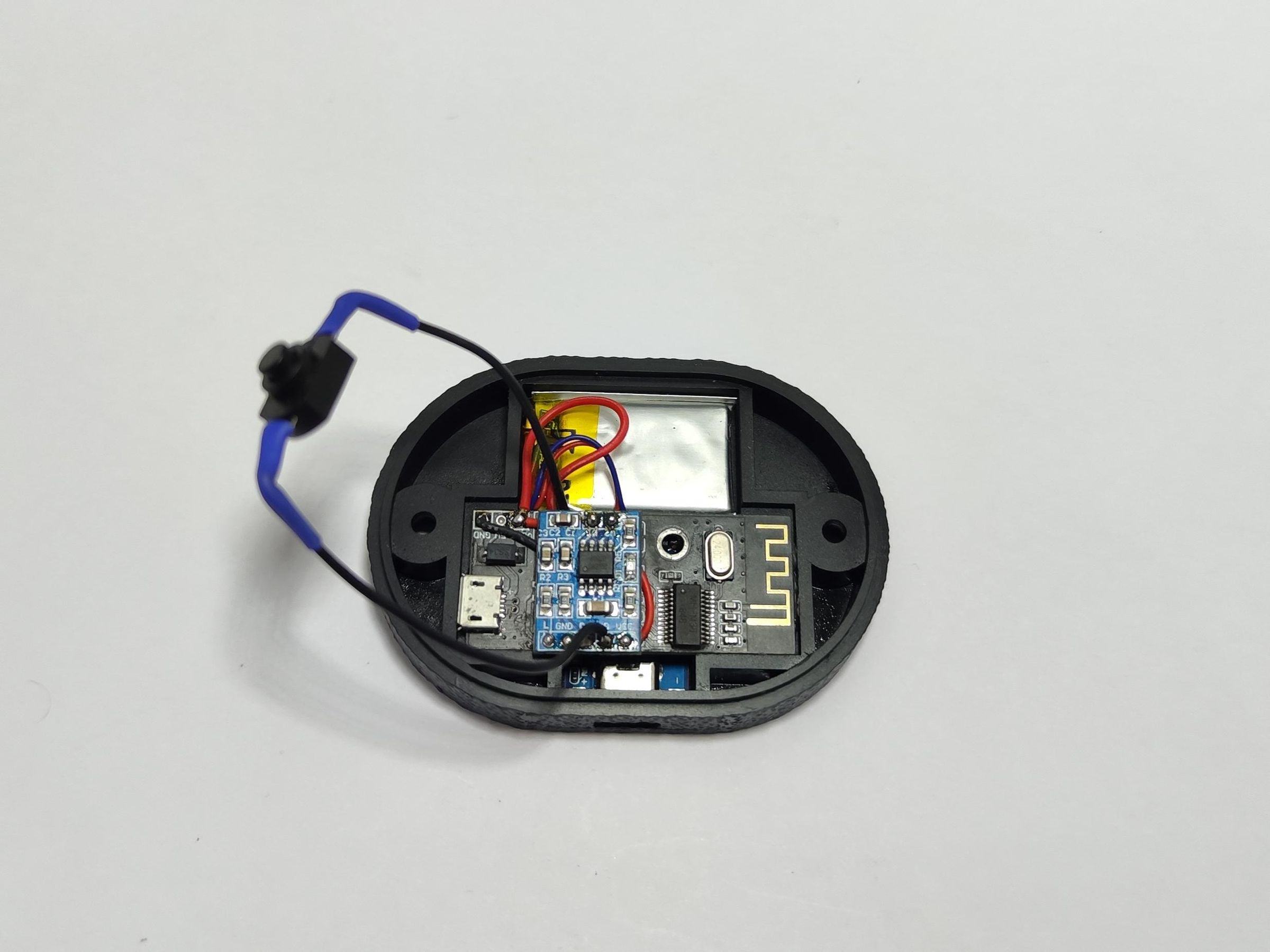
The electronics each have their own stacking slot in the bottom of the enclosure and you simply have to apply a small blob of hot melt glue to the bottom of each component before inserting them into their corresponding slots.
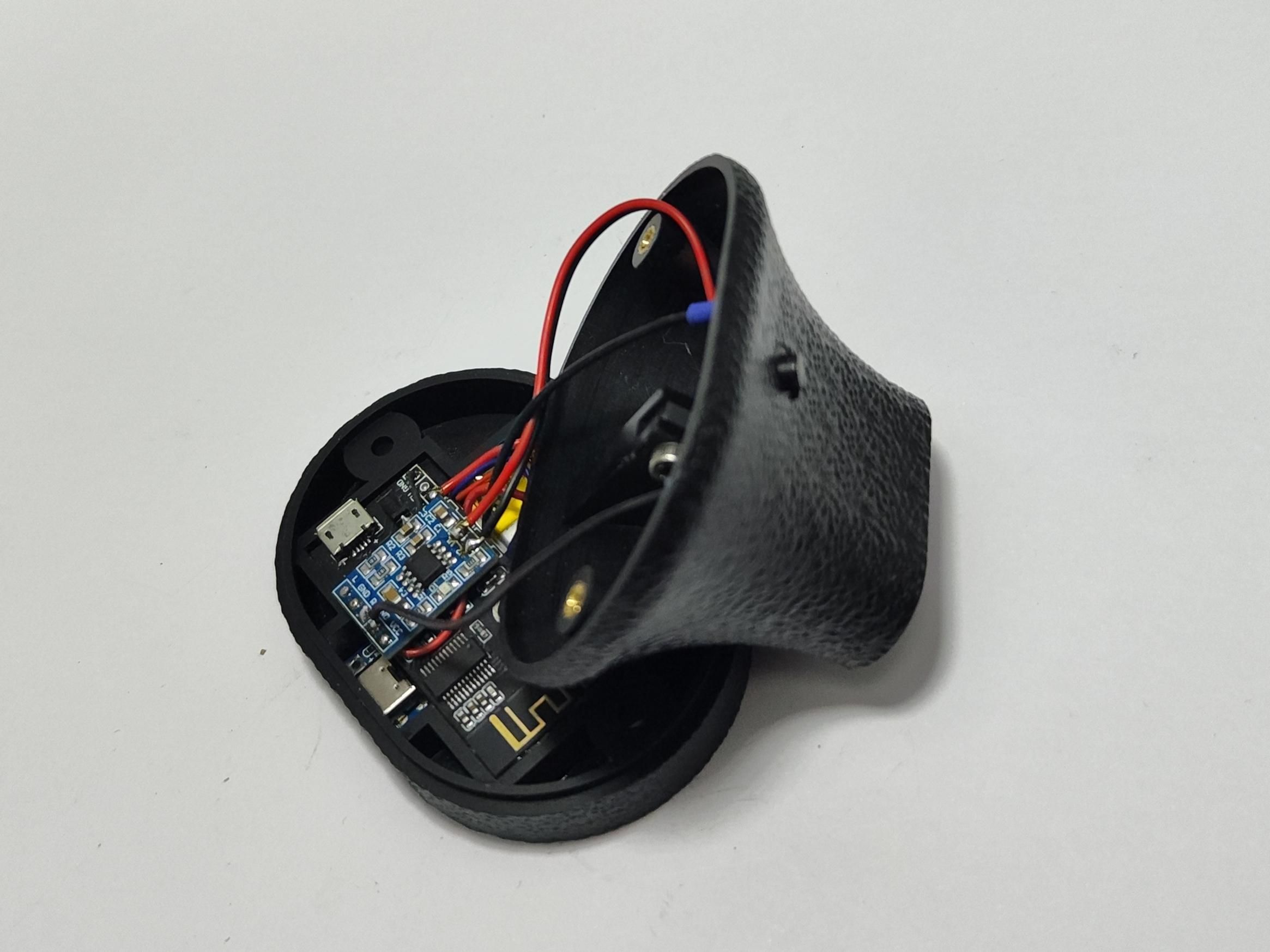
Start with the charging module making sure the USB-C port is aligned with the slot in the enclosure, then move onto the battery and finally the Bluetooth module on top of everything. You can now grab the top of the enclosure and solder on the voice coil wires onto the output of the MH-M38 Bluetooth module, the polarity doesn't matter here as we are dealing with mono audio.
Finally you can adhere the power switch onto its corresponding pad in the top enclosure. Now all you have to do is to press the two halves together and screw in the two M3 8mm screws and the assembly is done.
To stop vibrations I took a sheet of felt and adhered it to the bottom of the enclosure and just cut away the excess.
TIME TO ROCK!
It's not turning on!?..Don't worry, when using a charging board with a built in BMS you will need to plug in the charger first before it will turn on the battery output so charge up and get ready to enjoy your tunes.
The Results:


Unfortunately at the time of writing this I'm still busy restoring my Edison gramophone so I had to get creative in testing it by trying to hold the entire horn assembly all the while positioning the needle onto our newly built Bluetooth addon... and well atleast I got a few seconds preview and I'm super happy with the result. I even did some testing using a little DIY gramophone (folded paper cone and needle!) and it works great.
I can now get to listen to my entire Spotify playlist while still retaining that unique passive horn signature sound.
Bet you never thought you'd see the day Cardi B plays on the gramophone!!
Thank you for taking the time to read through my project and as always..
Happy making!