Build a Lightning Detector With ESP8266 (Up to 40 Km Range!)
by dbmaking in Circuits > Microcontrollers
559 Views, 4 Favorites, 0 Comments
Build a Lightning Detector With ESP8266 (Up to 40 Km Range!)

.png)
.png)
.png)
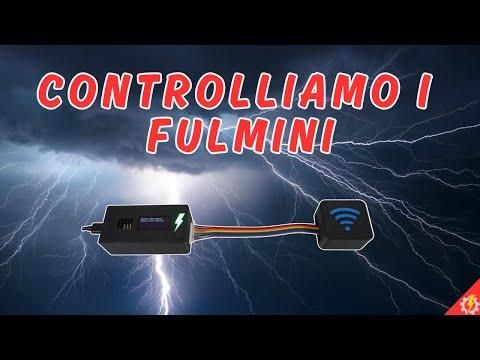
What if you could detect lightning before you even see the storm? In this project, we’ll build a compact lightning detector capable of sensing storms up to 40 km away using an ESP8266 and the powerful AS3935.
This device transforms invisible electromagnetic waves into real-time alerts using sound, light, and a display bringing atmospheric phenomena right to your desk.
However, let’s be clear from the start: this is not a professional instrument. In my build, I used a non original, low quality AS3935 module, like most of those available online. These cheaper versions often struggle with calibration and are highly sensitive to environmental noise.
This means you may experience false positives, where electronic interference is detected as lightning. But that’s also what makes this project so fascinating it’s not just a device, it’s an experiment and a learning experience.
Supplies
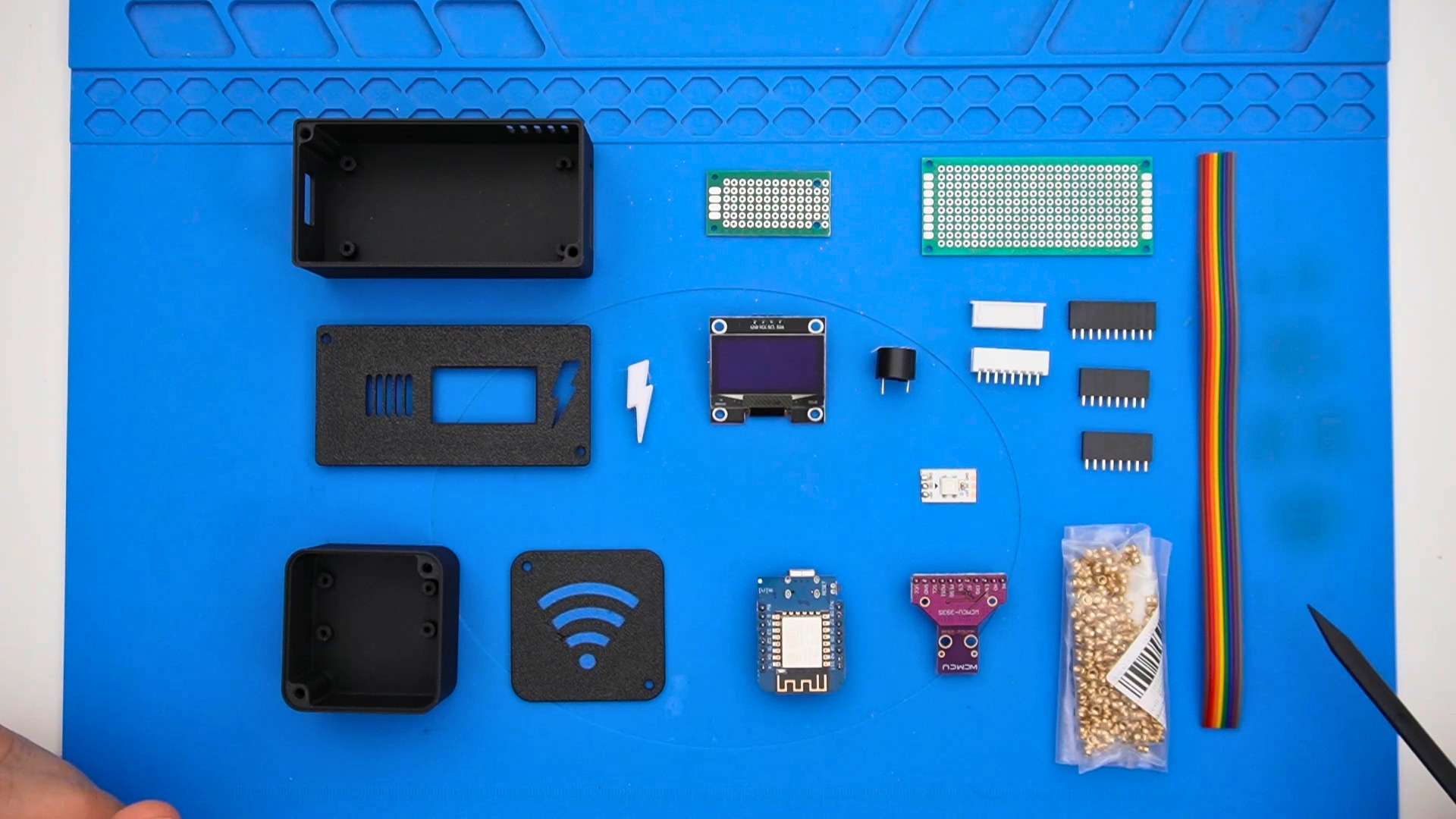
REQUIRED COMPONENTS:
Esp8266 D1 mini Type-C: LINK
AS3935 Sensor: LINK
1.3 inch OLED Display 128*64 4-pin SSH1106: LINK
Buzzer: LINK
WS2812B LED: LINK
Perfboard PCB n.1 3x7 + n.1 2x8: LINK
JST connectors: LINK
M2 screws: LINK
Threaded inserts M2x3x3.2: LINK
JST connectors (kit with crimping tool): LINK
Female pin header strips n.2x10pin + n.2x8pin: LINK
3D printing file: LINK
ESP8266 sketch + wiring diagram: LINK
🔧Building the Main Board
.png)
.png)
.png)
.png)
.png)
.png)

This is where the project really starts to take shape. Begin by positioning the ESP8266 onto the perfboard, using female headers not only as connectors but also as a precise alignment guide. Take your time here: a well-aligned microcontroller will make all the following steps easier and cleaner.
Once aligned, lightly tack one pin, check the positioning, and only then proceed to solder the remaining pins. This avoids misalignment that could compromise the entire build.
Next, move on to the JST connector on the underside of the board. Pay close attention to its orientation the pins are not centered, and placing it incorrectly could create connection issues later. A good technique is to first place a small drop of solder, then reheat it while positioning the connector, locking it in place.
The buzzer comes next. Since it is polarized, double check the positive and negative before soldering. It may seem like a small detail, but reversing it would prevent it from working correctly.
📺Display and LED Integration
.png)
.png)
.png)
The OLED display is connected via a small cable and mounted inside the top part of the enclosure. The RGB LED is positioned behind a lightning-shaped diffuser, creating a clean and intuitive visual indicator.
Each color represents a different system state, making it easy to understand what the detector is doing at a glance.
📡Sensor Module Assembly
.png)
.png)
.png)
.png)
.png)
.png)
The sensor assembly is a critical step because it directly affects the accuracy of the entire system. Mount the AS3935 onto a separate perfboard using female headers. This allows easy replacement and avoids stressing the sensor pins.
When soldering, ensure the headers are perfectly straight. Even a slight tilt can make inserting the sensor difficult or unreliable. If needed, adjust the alignment by reheating the pins before completing all solder joints.
Next, prepare the connection cable between the ESP8266 and the sensor. If you choose to use connectors, they will make the system modular and easier to maintain. Otherwise, direct soldering is also a valid option but less flexible.
An important detail: the sensor has 11 pins, while the connector may have only 10. Carefully align the correct pins especially power and ground to avoid damaging the module.
Finally, secure everything with hot glue to prevent movement and protect the solder joints from mechanical stress.
📦Enclosure Assembly
.png)
.png)
.png)
All components are housed inside a 3D-printed enclosure. The main unit contains the display and electronics, while the sensor is enclosed separately.
This design not only looks great but also improves performance by reducing electromagnetic interference.
⚙️Smart Calibration and Operation
.png)
.png)
.png)
When you power up the system, something interesting happens: the ESP8266 doesn’t just start working it begins analyzing its environment. It checks all connections and then starts calibrating the sensor automatically.
During this phase, the device continuously adjusts internal parameters to find the best balance between sensitivity and noise rejection. If interference is detected, the system reacts immediately, lowering sensitivity and trying again until stability is reached.
You can actually “see” this process:
Red light → interference detected
Green light → stable and ready
Yellow light → lightning detected
When a lightning event is registered, the display shows the estimated distance, while the buzzer emits a sound alert. This transforms invisible electromagnetic activity into something tangible and easy to understand.
🌧️Final Thoughts
.png)
This project is a perfect example of how accessible electronics can interact with natural phenomena. While it may not be 100% accurate due to sensor limitations, it offers a unique and engaging way to explore lightning detection.
And sometimes, the best part isn’t perfection......it’s the experiment itself.
If you enjoyed this project and found it inspiring, please leave a heart 💖and share it with your friends.
See you in the next project!