Build a No-Code AI Plant Care Assistant (ESP-Claw + UNIHIKER K10)
by Jaychouu in Circuits > Sensors
171 Views, 0 Favorites, 0 Comments
Build a No-Code AI Plant Care Assistant (ESP-Claw + UNIHIKER K10)
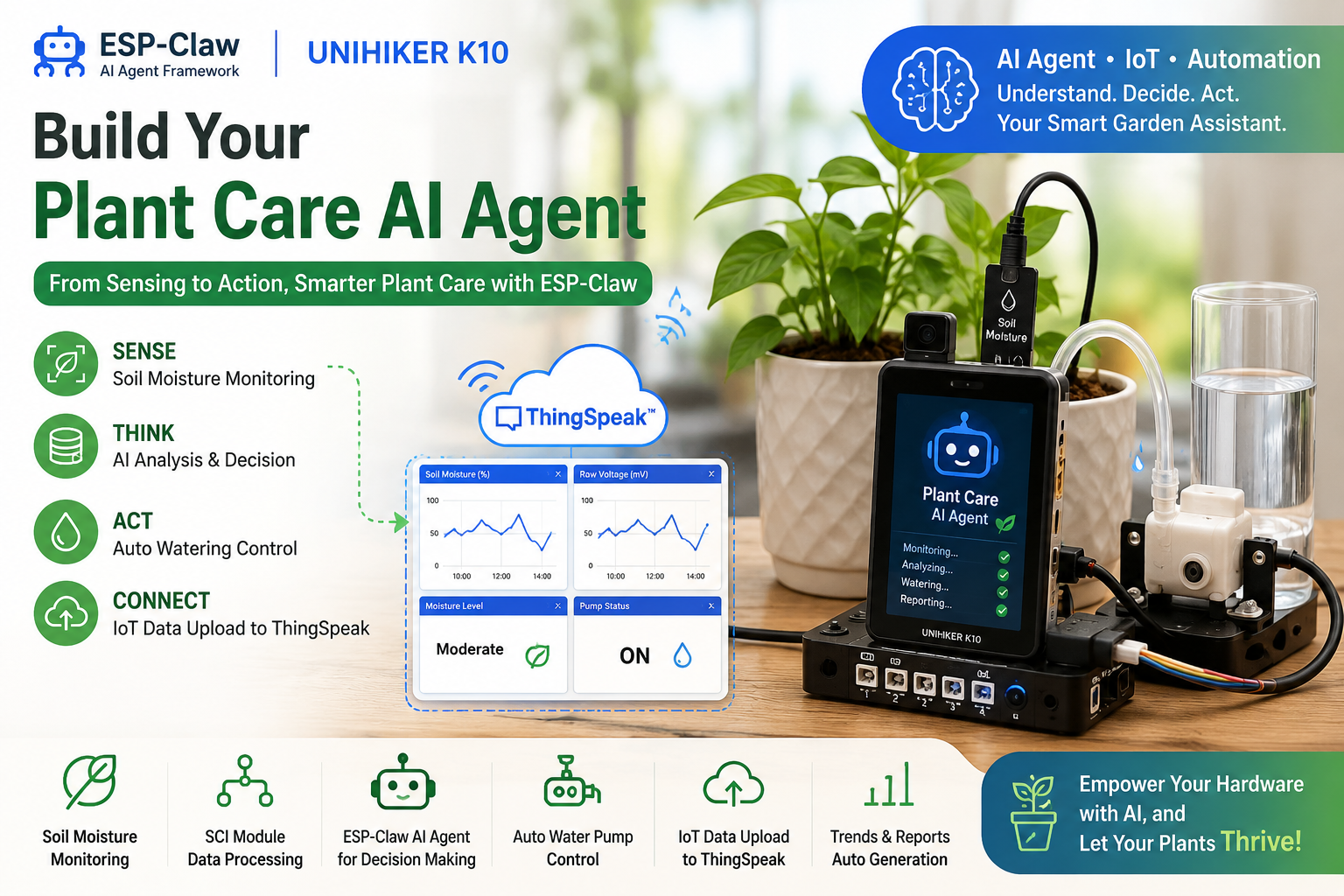

Smart plant-care gadgets like self-watering pots are everywhere, but they're pricey and locked to fixed features. With the ESP-Claw framework on a UNIHIKER K10 and a Gravity SCI data-collection module, you can build your own AI plant-care assistant for very little money and with zero coding.
ESP-Claw uses a soil-moisture sensor to watch your plant in real time and, through plain-language chat, handles watering, environmental analysis, status logging and IoT uploads on its own. Instead of writing rules, you just tell it: "water the plant when the soil gets too dry, and send me a daily report." The sensing, decision-making and control are handled by ESP-Claw and the K10.
Supplies
- UNIHIKER K10 x 1
- Gravity: SCI Data Collection Module x 1
- Soil Moisture Sensor x 1
- Relay Module x 1
- DC water pump x 1
- 4-pin and 3-pin cables, tubing, and a water container
Wire It Up
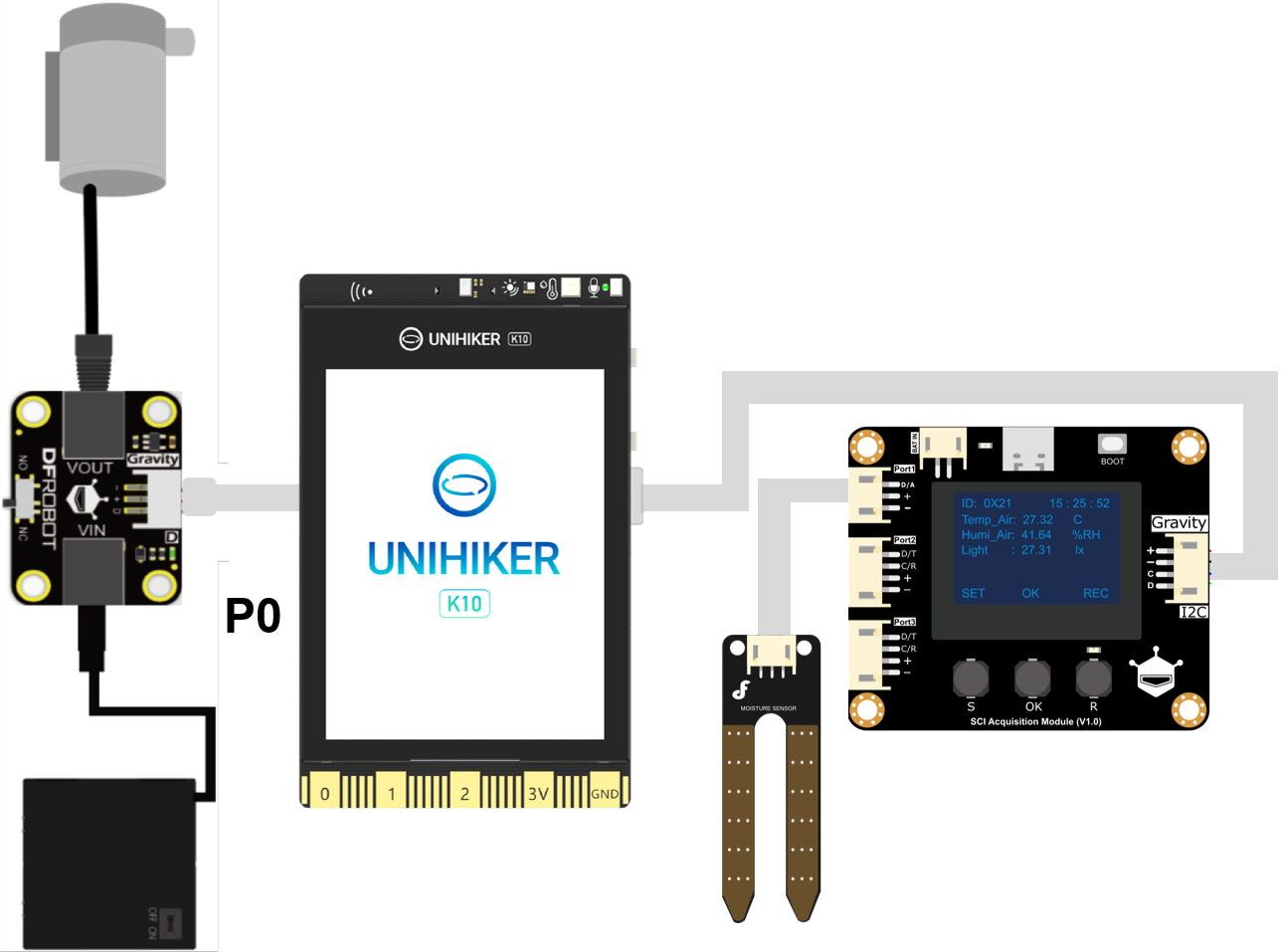
Connect the SCI module to the I2C port of the UNIHIKER K10 with a 4-pin cable, then plug the soil-moisture sensor into Port1 of the SCI module. Use a 3-pin cable to connect the relay module to the P0 port of the K10. Wire the relay's VIN to your power supply and VOUT to the DC water pump. Finally, set the relay switch mode to NO (Normally Open).
Flash the Firmware & Set Up the SCI Module
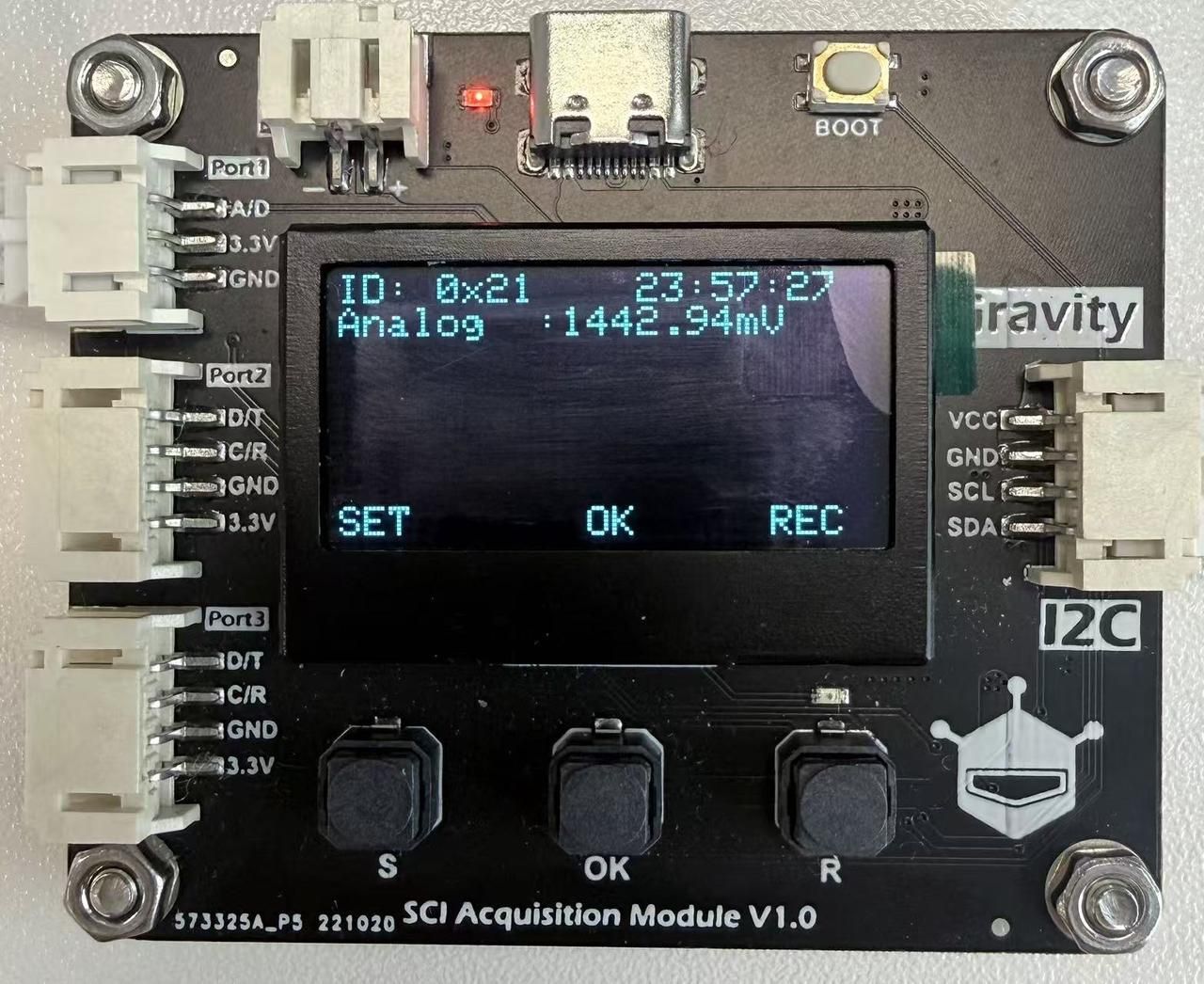
Flash the ESP-Claw firmware onto the K10 following the companion guide, How boring the sensor-free ESP-Claw is, then finish the Wi-Fi and LLM setup. Following the official SCI module wiki, configure the soil-moisture sensor as an analog-input sensor. The SCI module standardizes the raw readings, timestamps them, and turns them into structured environmental data the AI agent can understand.
Teach It to Read Soil Moisture
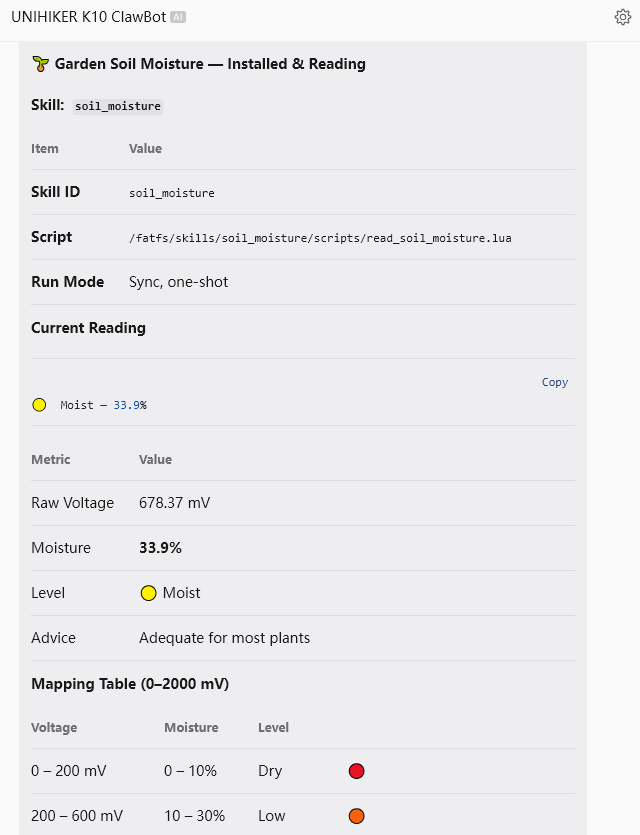
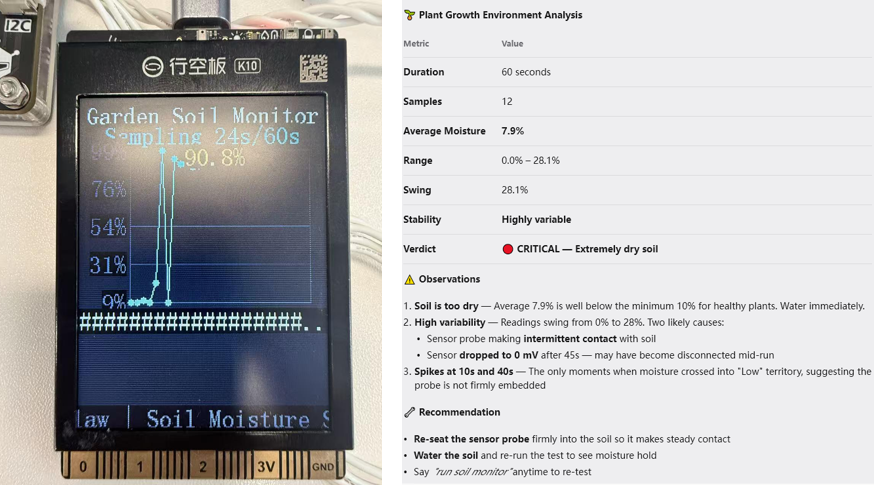
Don't jump straight to automation. First, let the K10 understand the data. Send this in your chat tool:
I have connected a soil-moisture sensor to the SCI module. The raw reading ranges from about 0-2000 mV. Please map it into soil-moisture values so I can read the soil-moisture level in my garden.
It can also analyze the data over time. Send:
Collect one minute of soil-moisture data, show the line graph on the UNIHIKER K10 screen, and generate a plant-growth environment report.
Automate the Watering
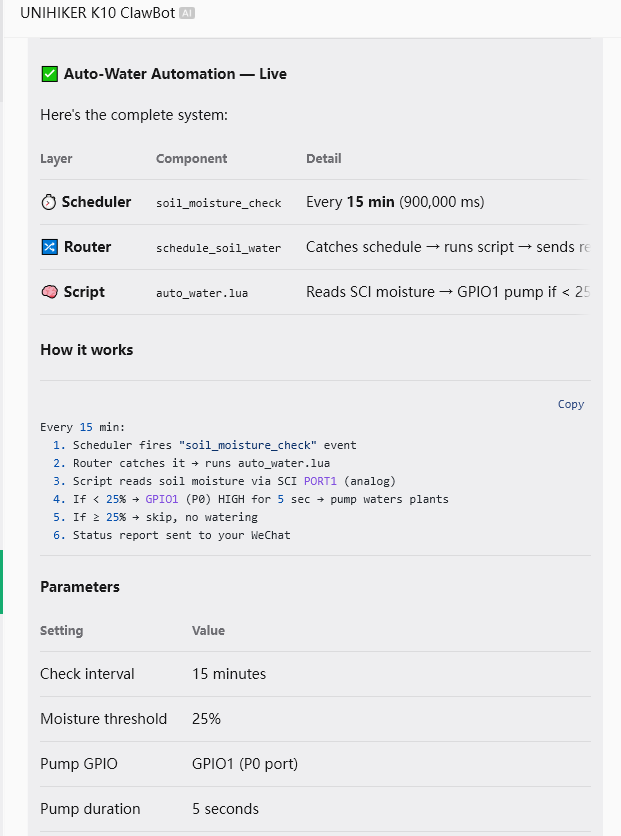
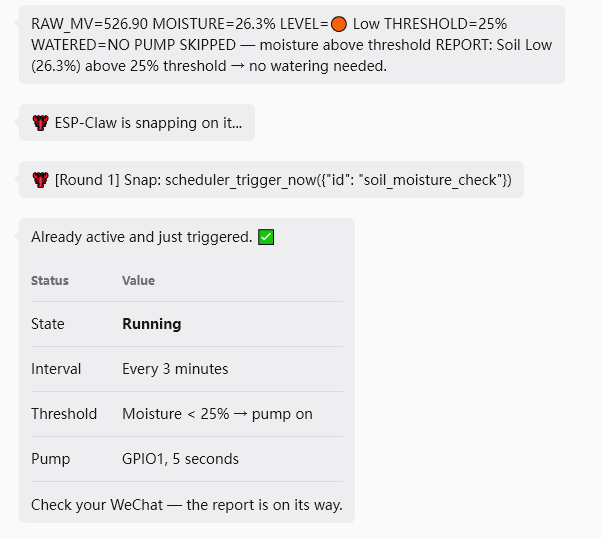
Now connect the actuator so the agent can act on what it senses. Send:
The water pump is connected to the P0 port (GPIO1) of the UNIHIKER K10. Please create an automation rule: check the soil moisture every 15 minutes; when it drops below 25%, turn on the pump to water the plant; and send the monitoring info and result after each run.
Log Data to ThingSpeak
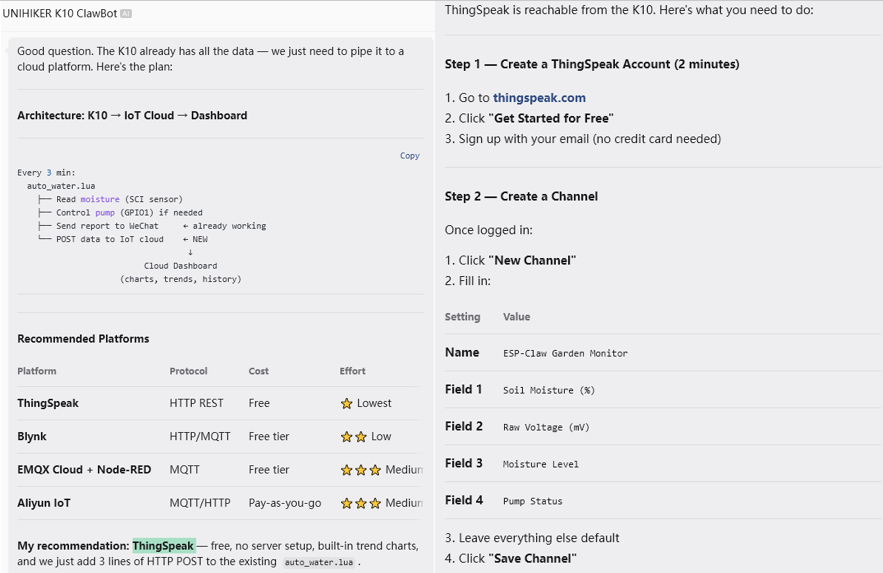
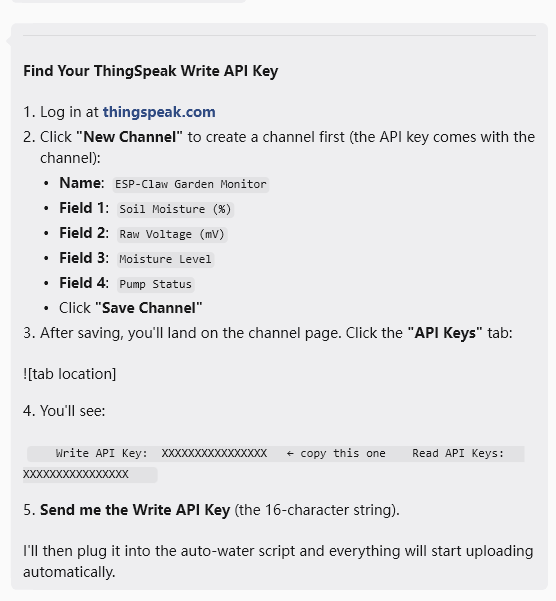
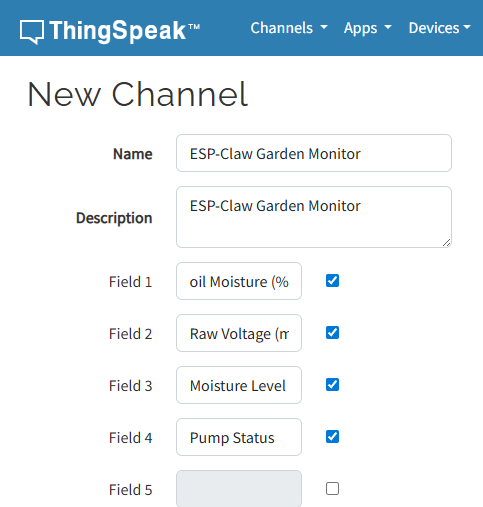
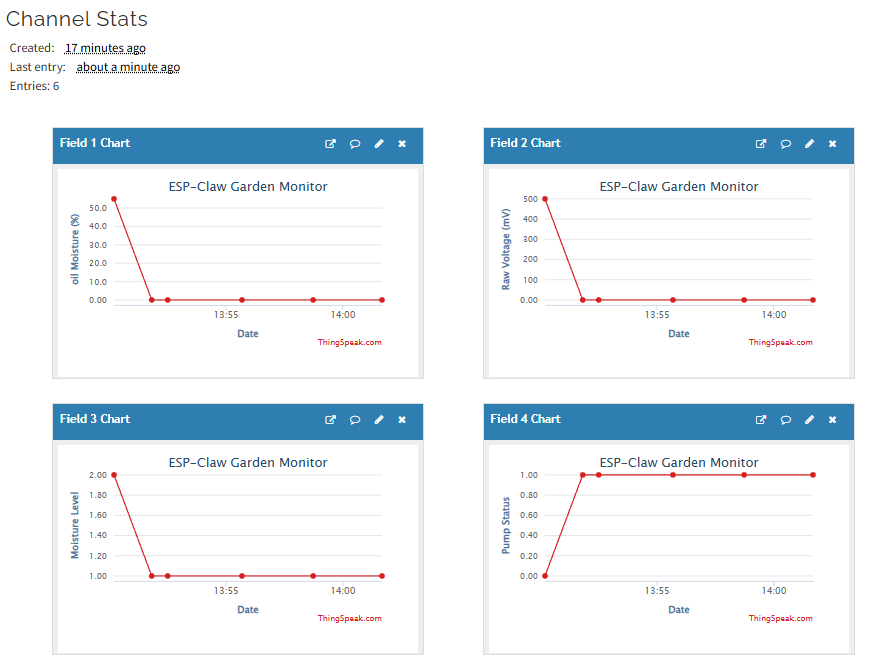
Uploading to an IoT platform lets you check the plant remotely and gives the agent long-term history for trend analysis. I asked the agent for suggestions and went with ThingSpeak. Create an account, then a new channel configured like this:
- Channel Name: ESP-Claw Garden Monitor
- Field 1: Soil Moisture (%)
- Field 2: Raw Voltage (mV)
- Field 3: Moisture Level
- Field 4: Pump Status
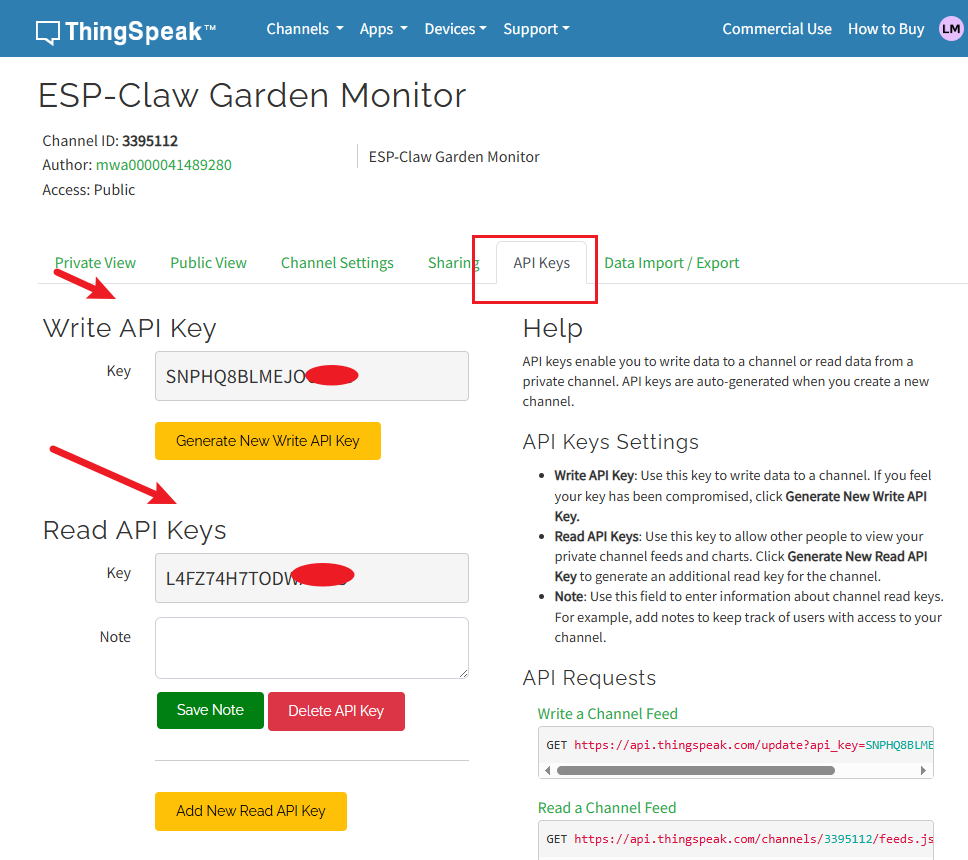
Save the channel, copy the Write API Key, and send it to ESP-Claw so the K10 uploads soil-moisture data and watering records automatically.
Install the Plant Care Skill
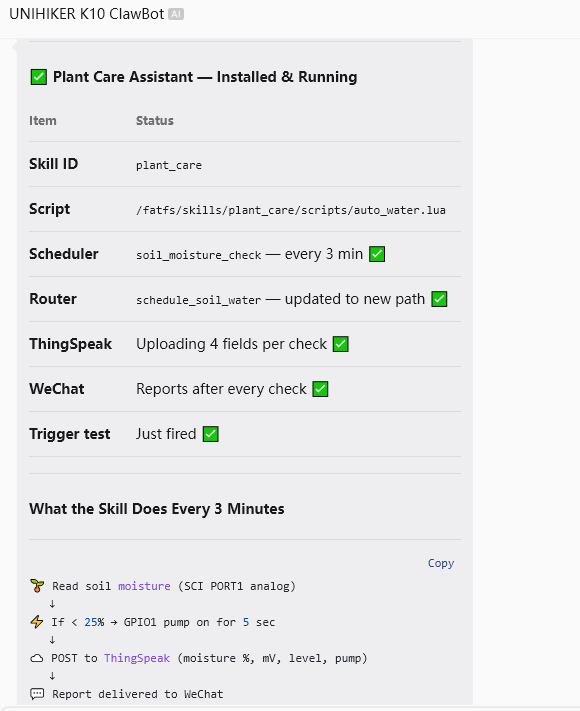
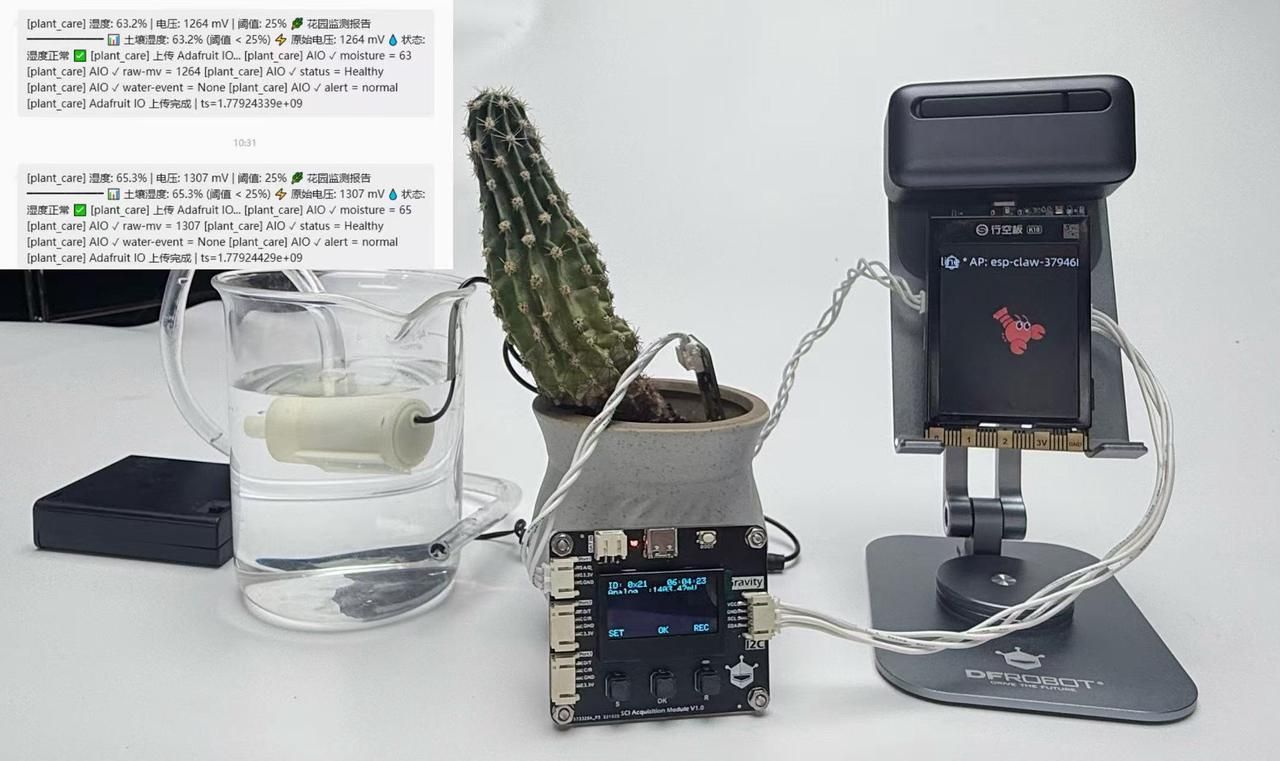
Bundle everything into one automated system. Send:
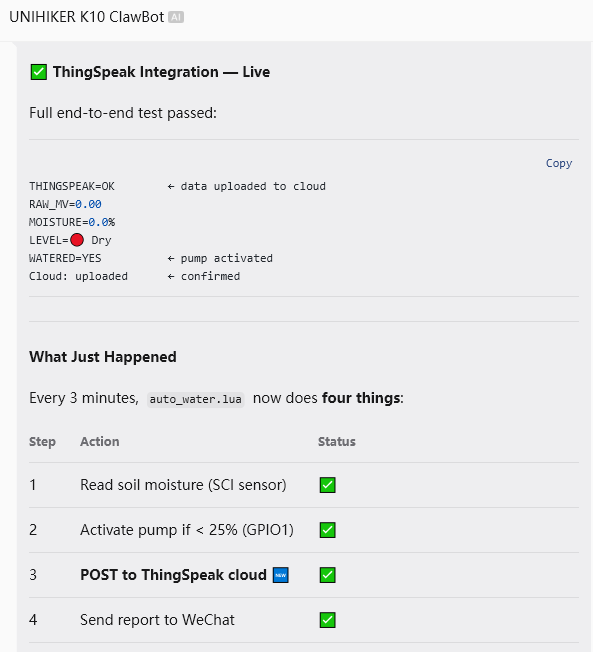
Please compile all the above functions into a complete Plant Care Assistant Skill and install it automatically. It should monitor soil moisture every 15 minutes, control the pump automatically, upload data to the IoT platform, and generate plant-monitoring reports.
After installation, the K10 monitors the plant continuously, waters on its own, uploads data to the cloud, and writes long-term care reports.
How It Works
The soil sensor watches the real environment, the SCI module standardizes the data, and ESP-Claw handles understanding, decisions and action. Once it can "understand" the physical world, the UNIHIKER K10 stops being a device that just runs commands and becomes a real AI agent that takes care of your plant on its own.
Want to build more? Check out the adaptive AI ambient light and the sensors and SCI module guide.