DIY Cityscape Map Board Game
.jpeg)

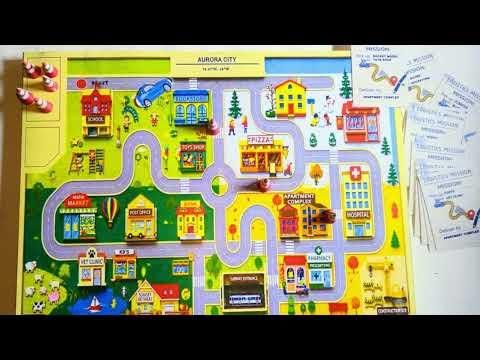
Maps are usually static references, but they become much more interesting when they serve as the foundation for an interactive game.
This project is a fully physical, tabletop logistics game built almost entirely from cardstock and wooden craft sticks. The core of the game is a stylized cityscape map divided into four distinct quadrants, each representing a different season. Players take on the role of a delivery driver navigating a 2D vehicle through an evolving network of streets to fulfill specific delivery objectives while dodging unpredictable road hazards.
By combining low-poly paper crafting, a magnetic drive mechanism, and modular game rules, this project transforms flat cartography into a tactile, mechanical puzzle. It requires no complex or expensive tools, just clever structural design, patience, and precise cuts.
Supplies

.jpeg)
.jpeg)

- Heavyweight Cardstock
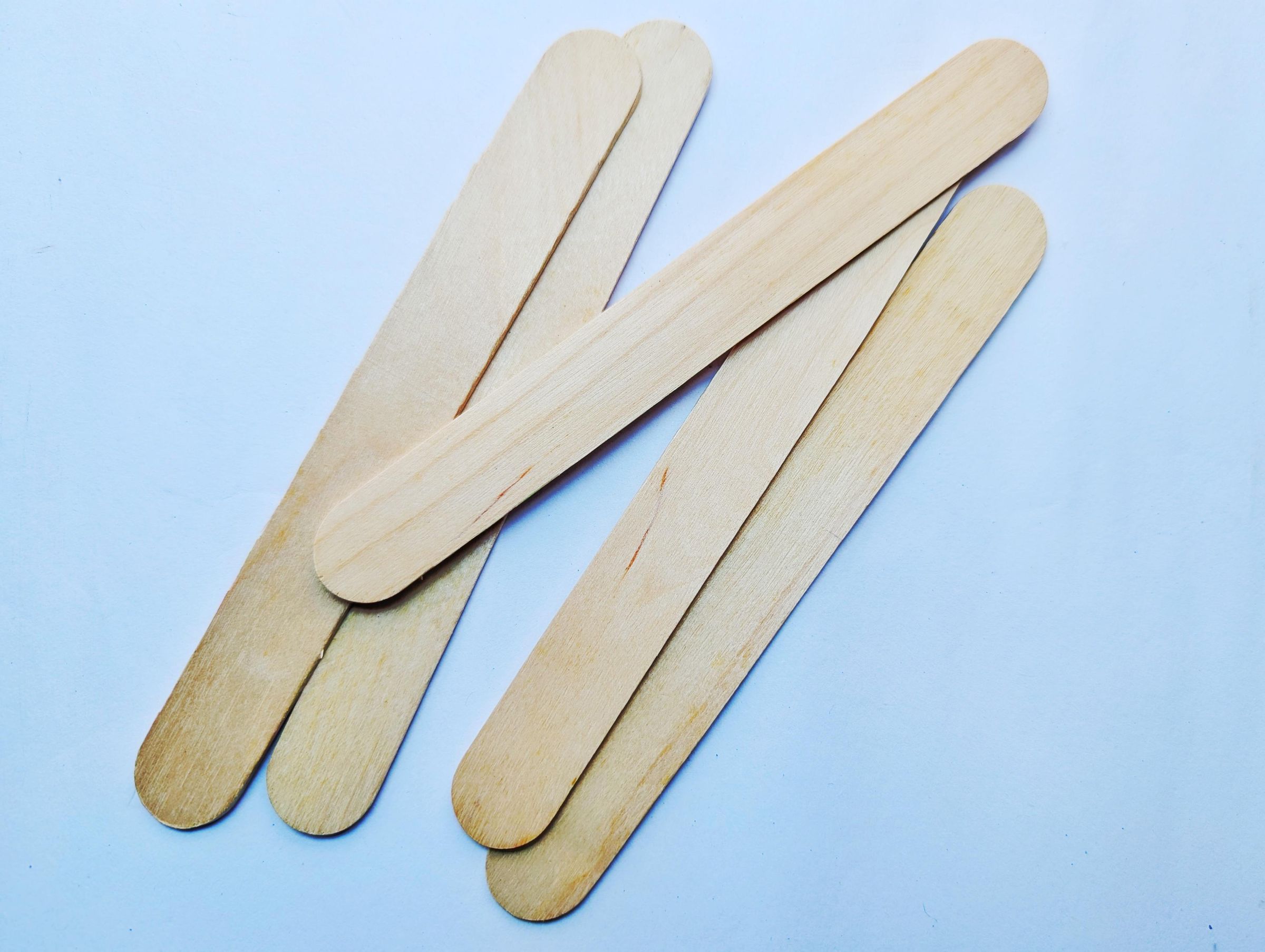
- Popsicle Sticks
- Neodymium Magnets
- Paperclips
- Glue
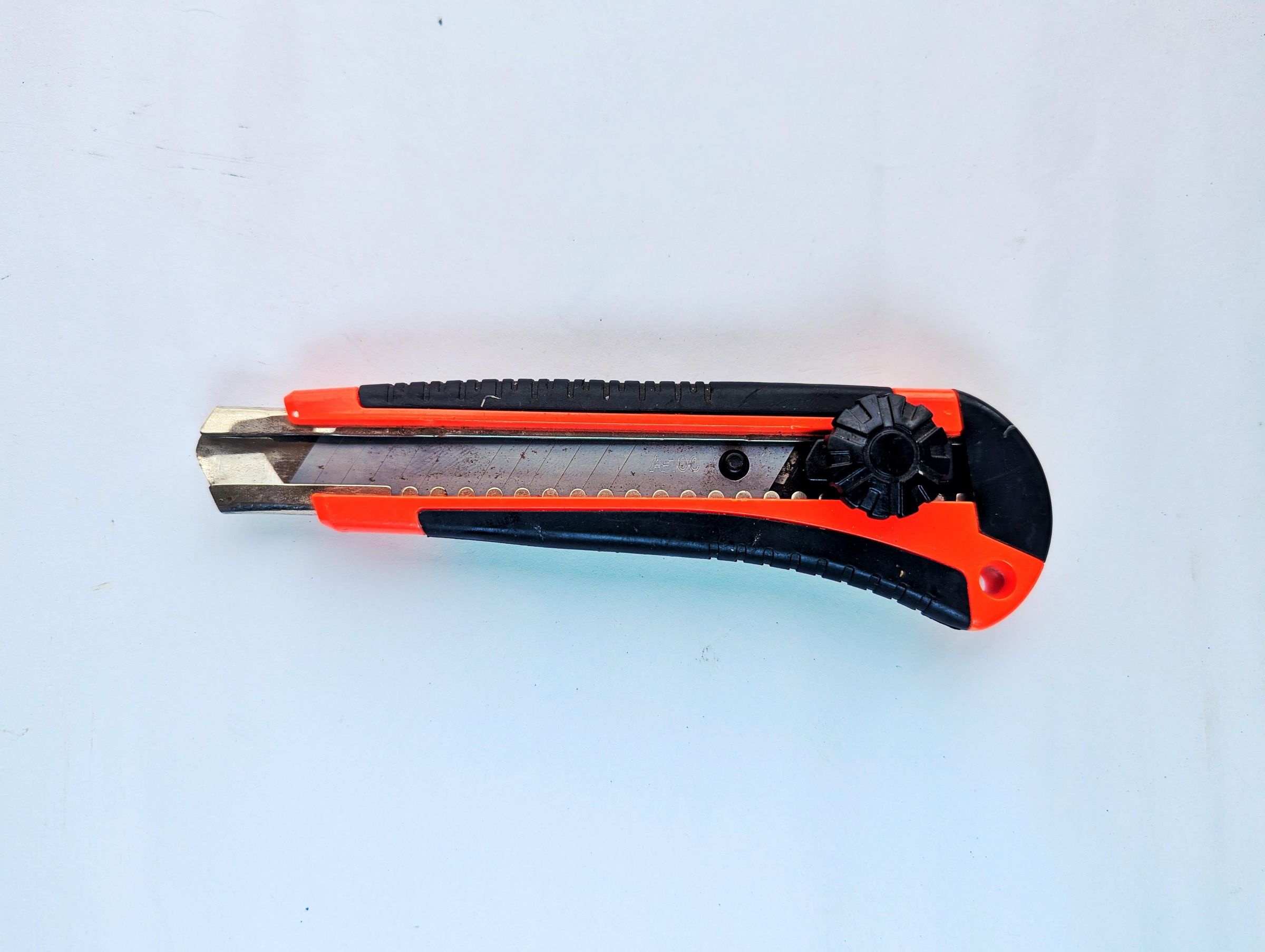
- Box Cutter / Hobby Knife
- Metal Ruler
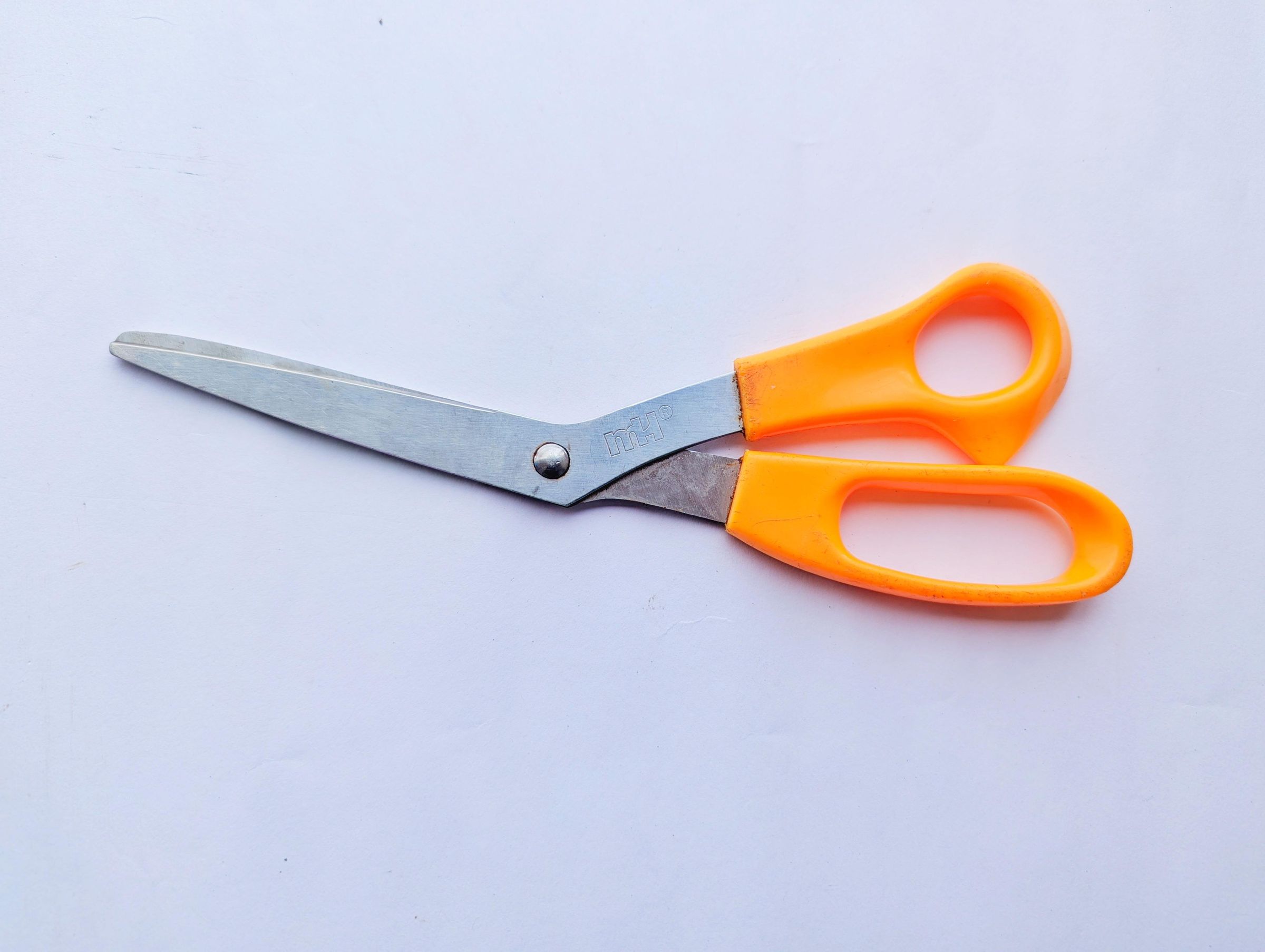
- Scissors
Designing and Printing Out the City Map
.jpeg)
.jpeg)
The heart of this game is the map itself. The goal was to design a stylized urban road network that strikes a balance between a functional city layout and a challenging puzzle maze.
Balancing Layout with Gameplay Mechanics
If a city layout has too many long, straight avenues, the navigation is too easy and lacks game progression. On the other hand, if it looks completely like a traditional hedge maze, it loses the charm of feeling like a real city.
To bridge this gap, the road network was designed around a dense grid system with varied street configurations:
Dead Ends & Cul-de-Sacs: Hidden throughout the sectors to create navigation traps that require players to backtrack.
The Staging Area: Located in the upper-left corner of the design, this dedicated, outlined rectangle serves a clean, functional purpose—keeping your vehicle and the 7 traffic cones organized and off the main road network when setting up a game.
The Logistics Hub: A clearly marked starting point from which every delivery run must begin, forcing players to calculate their route from a fixed origin point.
(The attached document consist all the templates to be printed for this project)
Downloads
Constructing and Reinforcing the Cardstock Frame
.jpeg)
.jpeg)
.jpeg)
.jpeg)
.jpeg)
.jpeg)
The frame elevates the map and creates the essential underground clearance for your magnetic steering wand. Rather than using wood or plastic, this entire support structure is engineered out of heavy cardstock, relying on precise geometry and folding to achieve high structural rigidity.
Preparing and Cutting the Frame Components
The frame consists of five distinct modular bars that border the perimeter of your map layout. Using your printed templates, align your metal ruler carefully along the cutting lines.
Using your box cutter or hobby knife, cut out the following five structural components:
One Long Rear Bar: Spans the entire back length of the map board.
Two Side Bars: Run along the left and right edges, locking into the rear bar.
Two Front Corner Bars: Much shorter pieces that cap the front corners, leaving a wide, intentional gap—the drive window—right in the center of the front face.
Pro Tip: Always use a fresh, sharp blade in your box cutter. Dull blades will drag against heavy cardstock, creating jagged edges and tearing the fibers instead of parting them cleanly.
Scoring and Folding for Structural Strength
Flat paper easily bends under load, but folding it into closed geometric shapes drastically increases its resistance to bending.
Before making any folds, lay your metal ruler along the indicated crease lines. Using a light touch with the back side of your box cutter blade (or a dedicated scoring tool), lightly score the paper. This creates a neat crease line without slicing through the material. Fold the pieces along the scored lines to form rigid, hollow structural columns.
Assembling the Perimeter
Apply a thin, even layer of craft glue or PVA to the connection tabs of your folded bars. Assemble the perimeter by joining the two side pieces to the long rear bar at perfect 90-degree angles. Next, attach the two short front corner bars to the ends of the side pieces.
At this point, you will have a sturdy U-shaped perimeter with a wide opening in the front center.
Reinforcing the Front Window
Because the front center is left open to allow the popsicle steering wand to slip inside, the structural support is naturally discontinuous across the front. To prevent the map from sagging over time in this zone, we must span and reinforce that gap from below.
Take two wooden popsicle sticks and glue them flat against one another. Glue this reinforced wooden bridge directly to the undersides of the two front corner cardstock bars. This hidden cross-brace perfectly stabilizes the front opening while keeping the clearance window completely clear for your magnetic steering controls.
The Delivery Car and Traffic Cones
.jpeg)

.jpeg)
The next step is crafting the physical game pieces from heavy cardstock.
Building the 2D Delivery Vehicle
The delivery car is kept entirely two-dimensional so it can glide smoothly across the street grid without snagging.
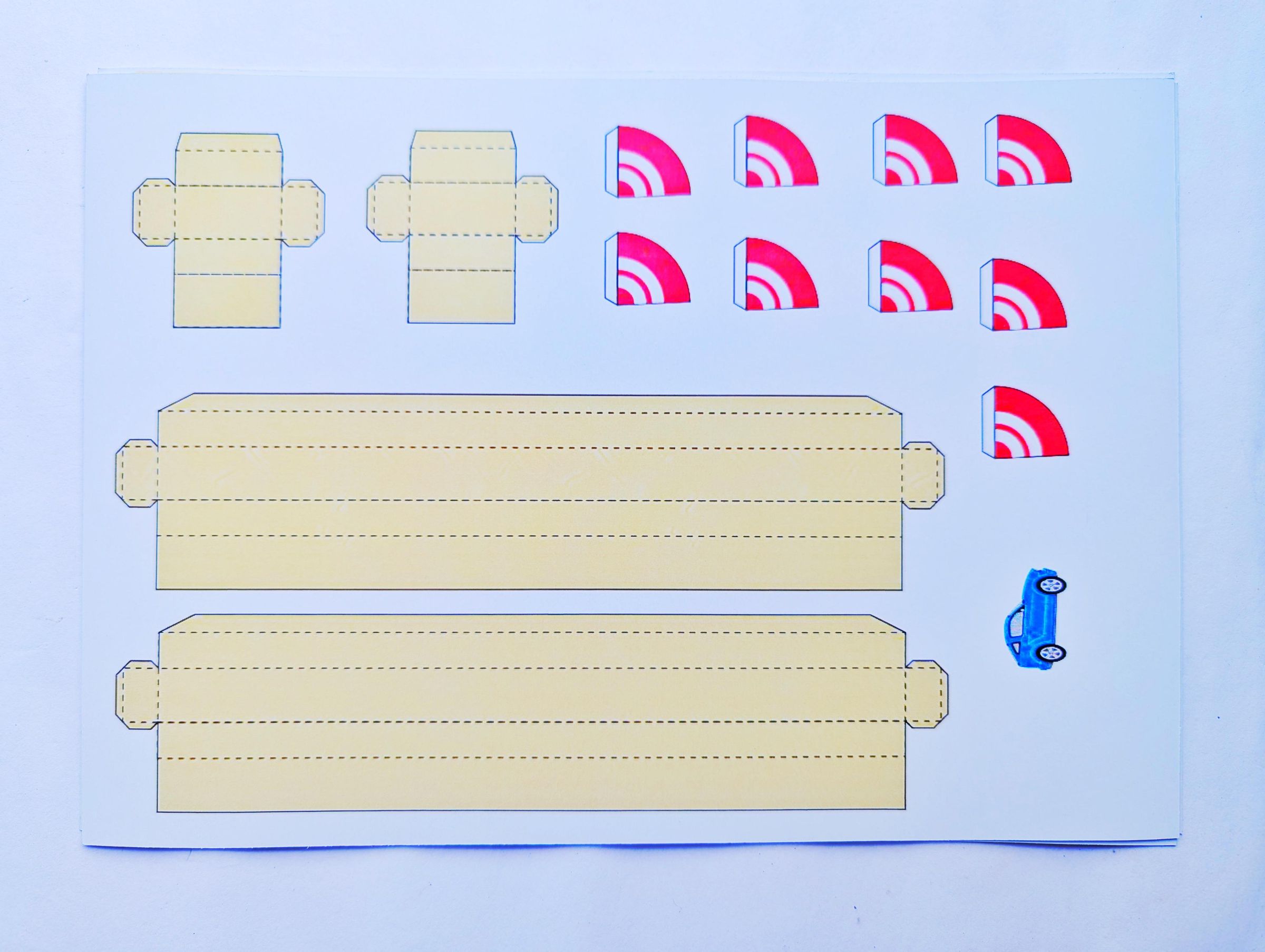
Cutting: Carefully cut out the blue delivery car template using scissors or a hobby knife, following the outer contour lines closely.
Adding the Metal Core: Flip the car over to its blank underside. Apply a small dot of craft glue to the center and press a standard, flat metal paperclip firmly into the adhesive. This paperclip serves as the magnetic anchor for the steering wand below.
Crafting the Modular Traffic Cones
The game uses 7 miniature, three-dimensional traffic cones to act as movable road obstructions.
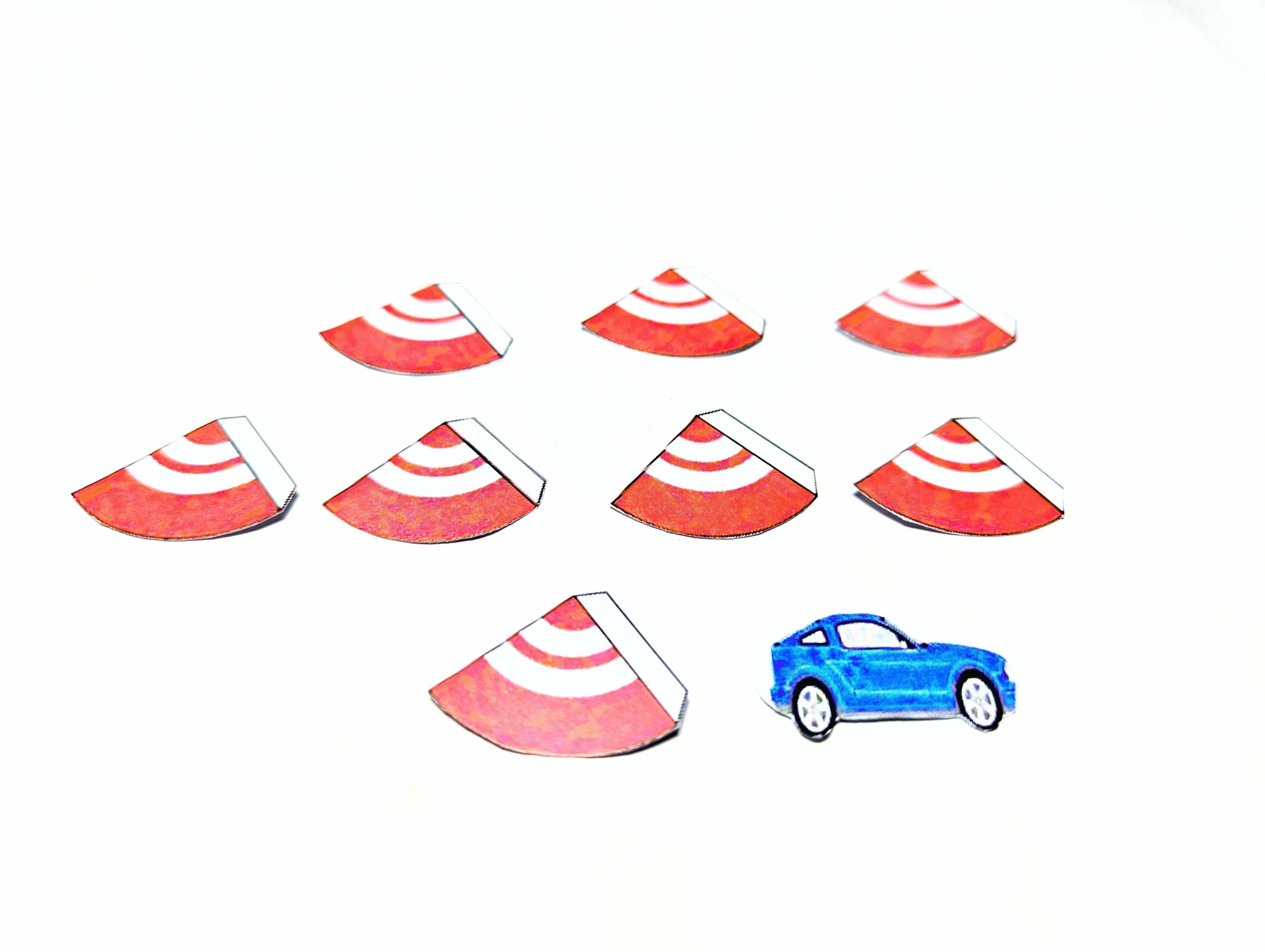
Cutting the Sectors: Cut out the 7 printed cone templates. Each template is shaped like a small circle sector (a pie slice) with an attached side tab.
Rolling & Assembly: Gently draw the blank side of the cardstock over a straight edge to curl the paper fibers. Roll the sector tightly into a cone shape, overlapping the straight edges so the glue tab sits on the inside. Apply a tiny dab of glue along the seam and hold it pinched for a few seconds until secure.
Once dry, store your car and the 7 traffic cones inside the designated staging area on the upper-left corner of the map until you are ready to set up your maze routes.
The Magnetic Steering Wand
.jpeg)
The steering wand is the mechanical driver of the game, translating your hand movements from beneath the board to the delivery car on the surface. It is designed using popsicle sticks for leverage and a powerful magnet for a strong, reliable connection through the cardstock map.
Extending the Wand Handle
A single popsicle stick is too short to comfortably reach the deeper, inner streets of the city grid from the front window frame.
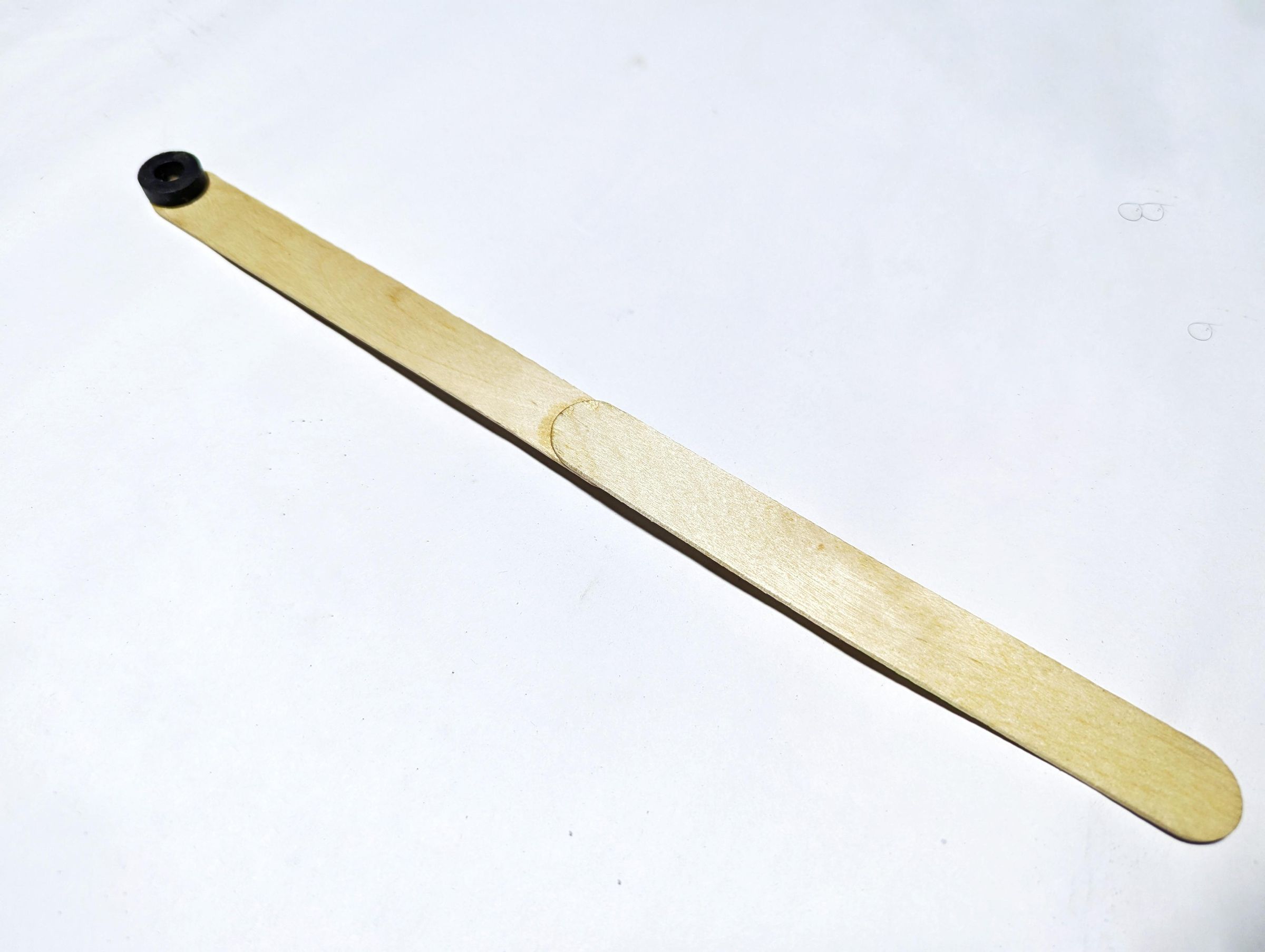
Assembly: Take two wooden popsicle sticks. Overlap their ends by roughly 1 to 1.5 inches (2.5 to 3.8 cm) to ensure a straight, rigid extension.
Gluing: Apply a generous layer of craft glue between the overlapping sections and press them firmly together. Clamp the joint with a binder clip or place a heavy book on top until the glue cures fully. This creates a single, elongated wooden handle that gives you full coverage across the entire map layout.
Mounting the Magnet
The tip of the wand requires a focused magnetic field to lock onto the car’s paperclip without dragging against the underside of the paper frame.
Placement: Apply a small bead of glue to the flat face of the wand's far tip.
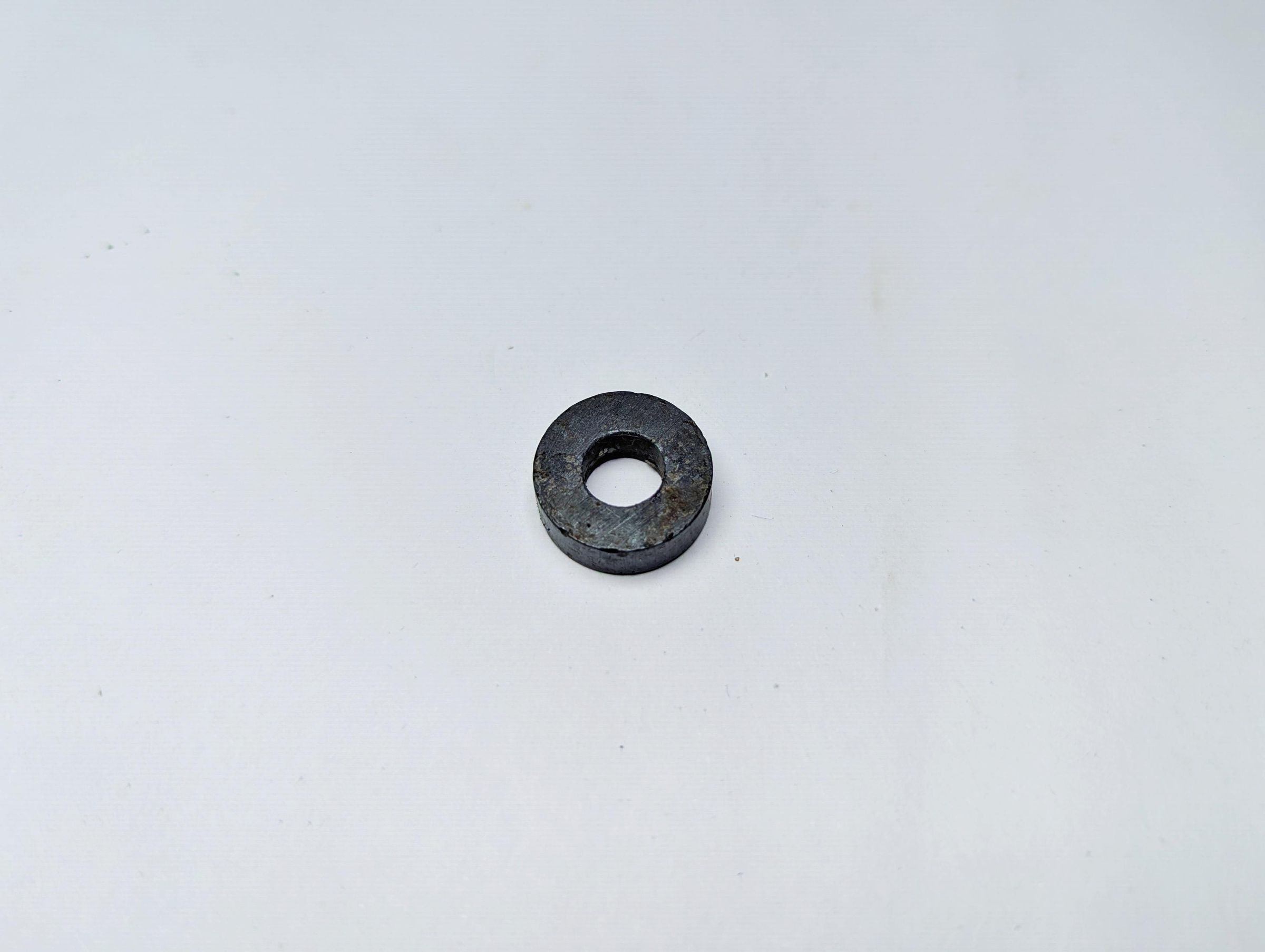
Securing the Magnet: Press your small neodymium donut magnet firmly into the glue. Ensure the magnet sits completely flat on the stick so that it glides smoothly parallel to the underside of the map surface during gameplay.
Once the glue dries completely, test the wand by sliding it through the front window frame. The extended length should allow the magnet to reach the furthest corners of the four seasonal quadrants easily.
Assembly
.jpeg)
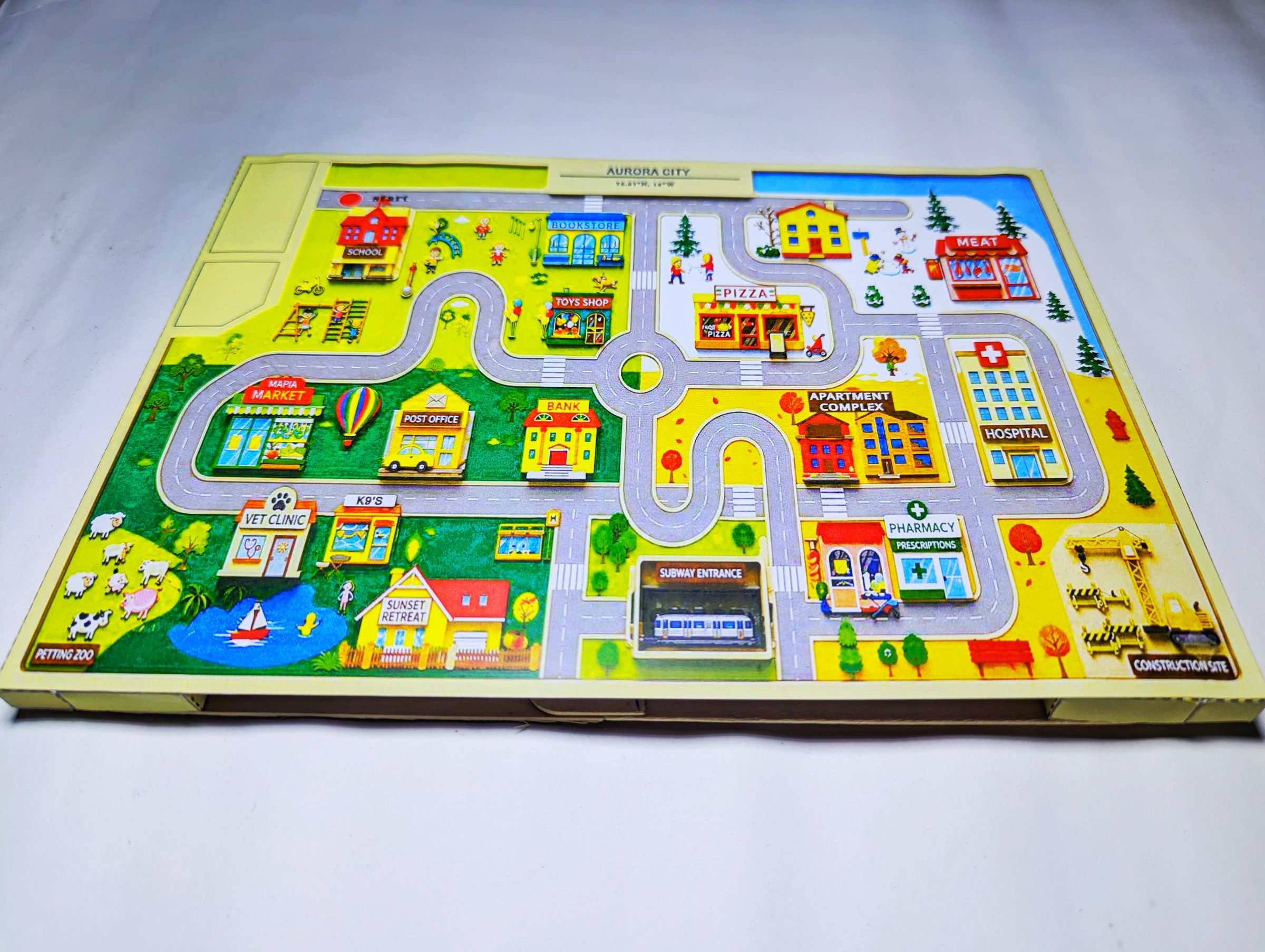
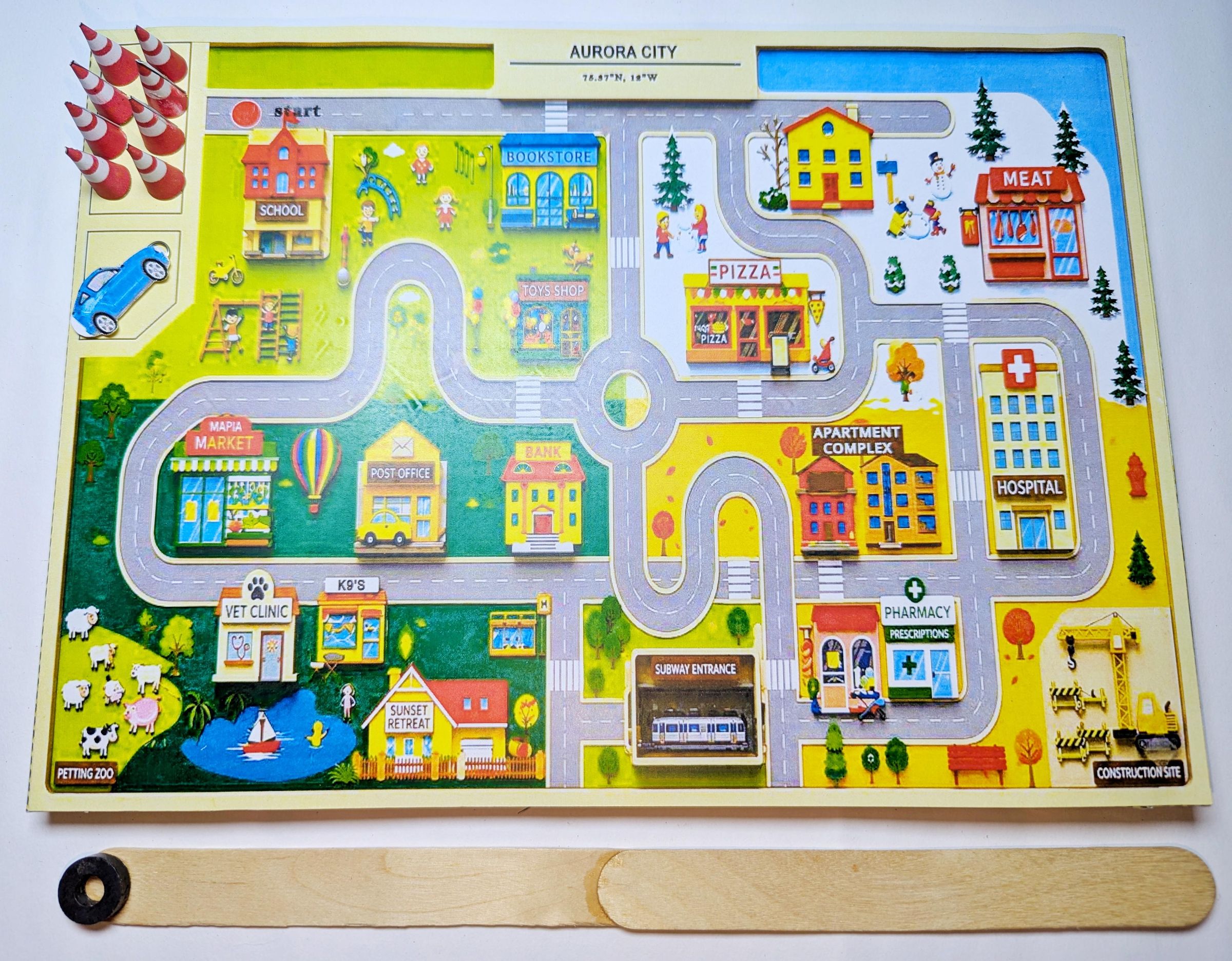
With all the individual components prepared, it is time to assemble the game board.
Mounting the Map to the Frame
Adhesive Application: Apply a thin, even bead of craft glue along the top edges of all five cardstock frame bars.
Alignment: Carefully lower the printed seasonal map onto the frame. Align the outer borders precisely with the edges of the frame to ensure a flush, professional finish.
Securing the Bond: Gently press down along the perimeter of the map. Place a few light books around the edges for a few minutes while the glue dries to prevent any warping or air gaps.
Setting Up the Game Pieces
Place your blue 2D delivery car and the 7 miniature traffic cones inside the outlined staging area located in the upper-left corner of the map grid. This keeps your components organized and off the main road network between delivery runs.
Cutting and Preparing the Logistics Cards
.jpeg)
.jpeg)
.jpeg)
The logistics cards drive the gameplay loop by providing randomized pickup and delivery challenges. Preparing them cleanly ensures they are easy to handle and shuffle during gameplay.
Cutting: Using your box cutter or hobby knife, make clean, continuous passes along the horizontal and vertical dividing lines. Avoid using scissors for the main grids to ensure the cards remain perfectly uniform in size.
Edge Cleanup: Use your scissors to quickly trim away any minor paper frayed edges or rough corners.
Gameplay and Proper Wand Technique
.jpeg)


Now that the board is assembled and the assets are ready, you can begin executing your delivery routes. Understanding the nuance of the magnetic mechanism is the key to a smooth, friction-free game session.
Draw a Card: Shuffle the logistics deck and draw a card to determine your current objective (e.g., picking up an item from the Pharmacy and delivering it to the Hospital).
Deploy Obstructions: Check the difficulty level you want to play. Strategically place some of your traffic cones on the road grid to block key intersections, creating a complex maze path between your pickup and delivery points.
Position the Vehicle: Place the blue delivery car at the designated starting hub on the map layout.
Because the map is engineered from cardstock, allowing the strong neodymium magnet to snap tight against the underside of the paper will create friction, causing the car to stutter, drag, or scrape the print.
The Technique: Slide the steering wand through the front window frame. Instead of letting the wand press up against the ceiling of the frame, gently press the wand handle down toward the table surface as you approach the car.
Air-Gap Navigation: You only need the invisible magnetic field to interact with the paperclip, not physical contact. Maintaining an air-gap between the magnet and the underside of the map allows the 2D car to glide effortlessly across the seasonal quadrants with minimal friction.
Steer the car smoothly along the open streets from the starting hub, park briefly at the pickup destination, and navigate through the remaining open grid to the delivery address while completely avoiding any roads blocked by traffic cones. Once the item is successfully delivered, return the vehicle to the staging area or draw a new card to plan your next logistics run!
I hope it was a fun read, thanks for reading through!