DIY Haptic Compass for the Visually Impaired
by CrazyScience in Circuits > Assistive Tech
6219 Views, 27 Favorites, 0 Comments
DIY Haptic Compass for the Visually Impaired
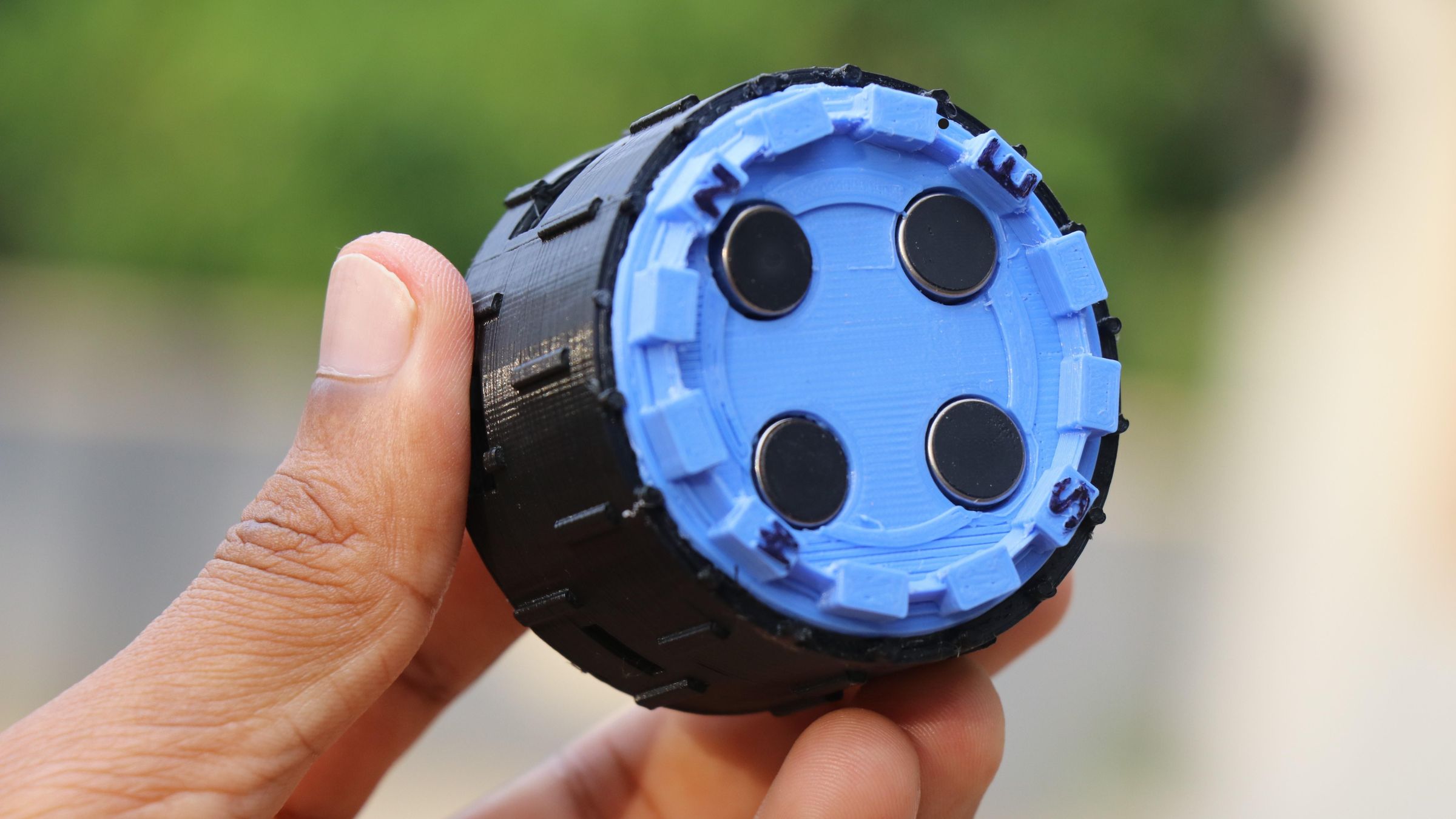


Hi people in this Instructables i made a navigation device designed to help visually impaired.
It helps them understand direction through vibration feedback instead of visual maps or screens.
This device uses digital compass sensor and four vibration motors, it allows users physically feel where North, South, East, and West are located.
This can be held in the hand or even can be worn on the hand with simple Velcro bands.
We know that everyone uses the maps on the mobile phone when they go hiking or want to explore places or for some other tasks.
But has anyone took a moment and thought about the visually impaired?
They have the desires too and sadly they have challenges in seeing the maps made for common individual, and you may ask they can enable sound on the phone and use some application!
But imagine being visually impaired with hard to ear?
This device will solve this gap! and no matter what there is no condition for a human where his skin cant sense the vibration or the haptic feedback
Here i will be using the vibrations from a motor(placed in 4 directions) to recreate a physical tactile experience for the users.
Even a normal person can use this too, But if you are blessed with good health consider building this for the one whom you think is necessary, There is no other best feeling in the world to see your creations helping the people in need.
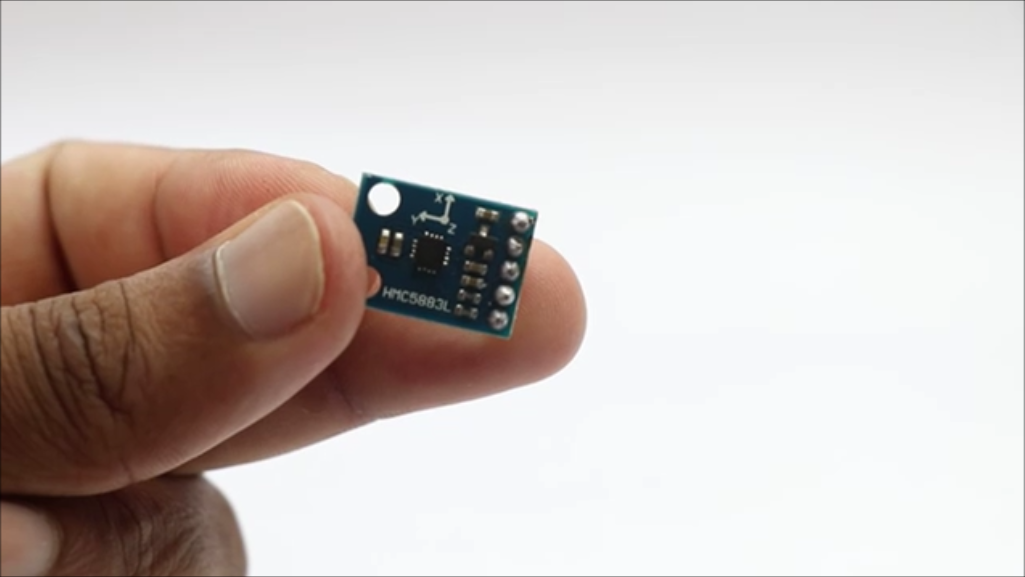
Powered by esp32 c3 super mini board and the 4 vibration motors this device gets the direction from HMC5883L sensor module.
To those who doesn't know what HMC5883L is, It detects the Earth's magnetic field along the X, Y, and Z axes to determine directional heading.
With this being said lets now head to build this device.
Supplies


Here is the Complete list of materials that you need to build this project
ESP32 C3 Super Mini from amazon
Vibration Motors x 4
BC 547 x 4
LED x 4
TP4056 Charging Board
Lithium Polymer Battery (1100mah recommended)
3D Printer
PLA Filament
Arduino IDE
Slicing Software
Type C cable
Marker
Soldering Iron
Super glue and Hot Glue
Note that these are affiliate links and upon qualifying sales i will receive a small percent of commission at no extra cost to you
Tinkercad Design
.png)
.png)


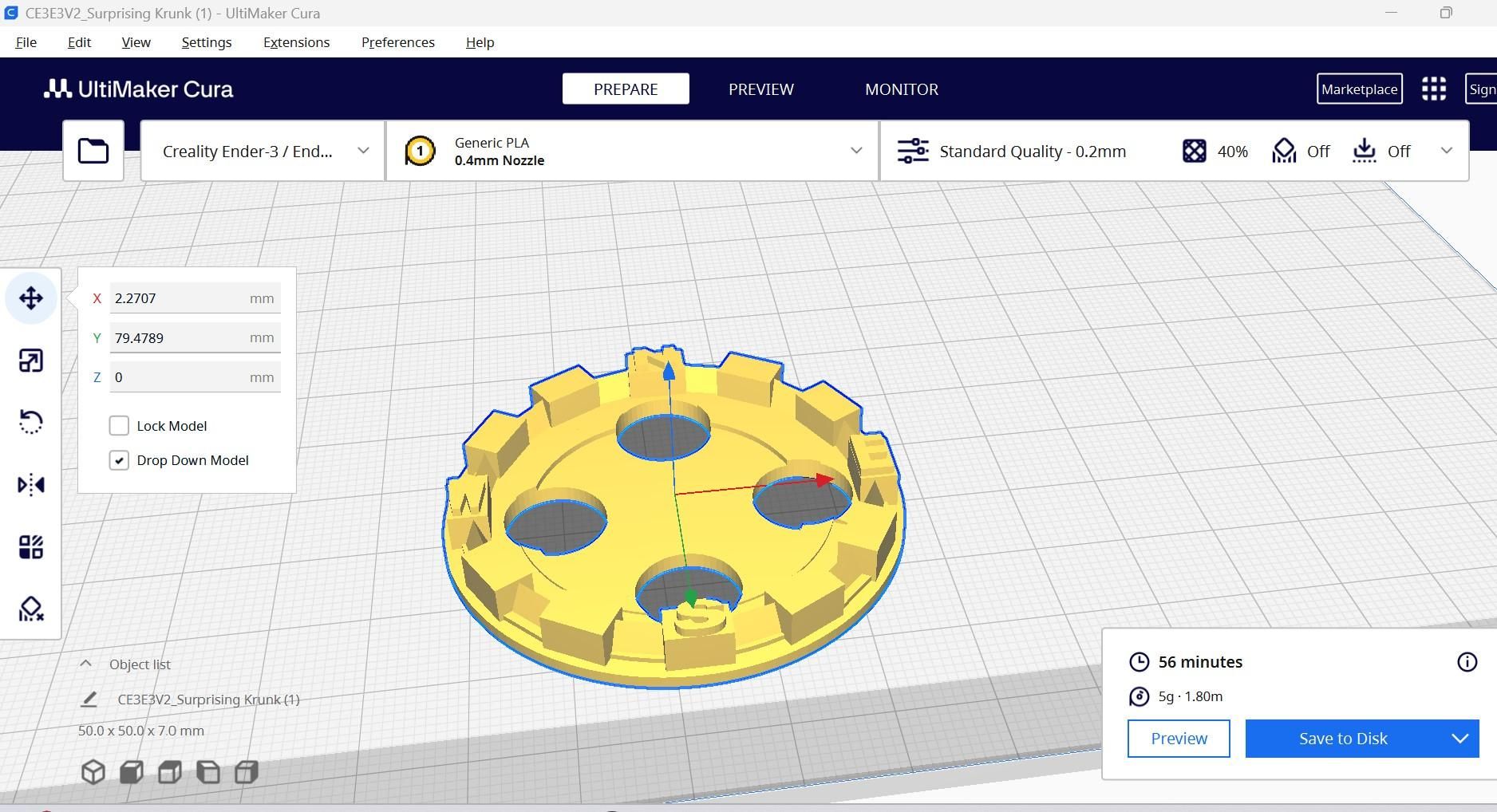
I will use Tinkercad to make the rugged body for this project, It took me many trials and errors to come up with this final design.
To be frank this is my 4th design after printing i found many issues that caused problem in fitting the components inside.
Now on the final design i had some allowance also so that if you use jumper cables(few extra) also then this will fit all the components well.
This device has two 3d printed parts and the base is the part that holds most of the electronics for this project.
Top part holds the vibration motors and to reduce the vibration noise i made a small walls on the side of the base top part!
I didn't test if this was effective let me hear it from you guys whether this will really make any difference.
There are 4 holes on the top of the lid part and this will fit the vibration motors of 10mm and i believe this comes in standard sizes.
If you want to make any modifications to my 3d design you are welcome, Let me see how good are you in designing!
You can use my STL files given below for the body of this project. After you download the file slice them using the slicer.
I have given the slicer settings so that you can use the same and get error free prints.
3d Printing


There are 2 parts that needs to be printed once you are done with slicing, Instead of slicing 2 parts at once i would recommend slicing one after the other.
My printer can print only one color at once so i will print the base part first using the black PLA filament and it took me around 2 hours to get the print done.
Lid or the top part is printed with blue filament, Here you can also use red or white also well that color choice is left to you.
No rafts or supports are needed at the time of printing and by this there is one of the great advantages.
It saves time since you can use your parts in your project directly and no need to wander around cleaning the printed parts.
These parts are joined one above the other and glue is used to combine them, i have made design in such a way that the joined parts are not visible(if you seal very well with superglue)
The base parts comes with the 3 holes on different areas.
One is for the switch and the remaining ones are for esp32 board and for the TP4056 charging board.
If you are using moisture filled PLA filament then you can expect webbing like structures inside these slots after the printing.
Check for this and if you find any remove it before you use these parts later for the components assembly.
Arduino Codes and Circuit


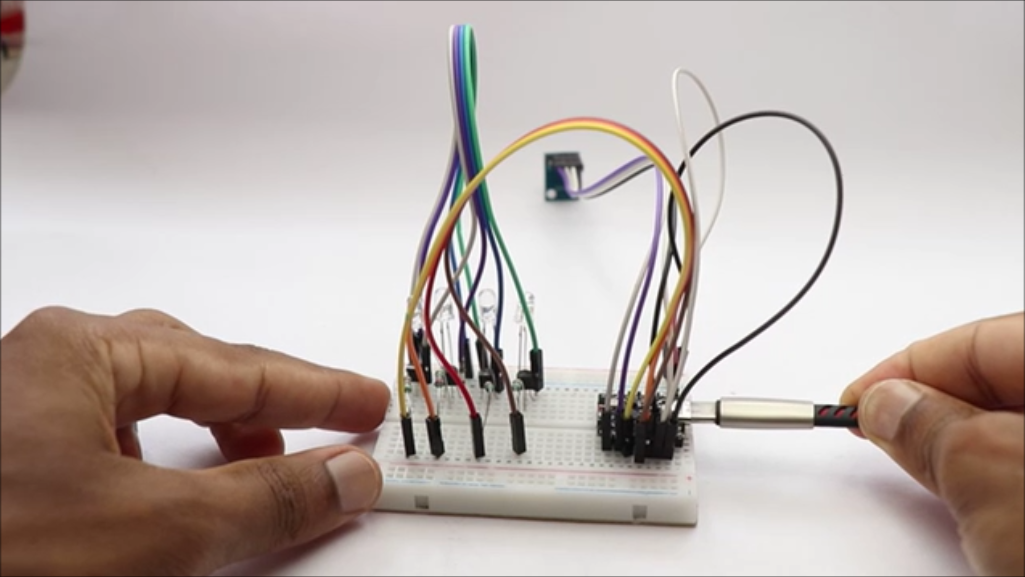
Since i wanted to show you guys the working of this circuit i used led at first and after verifying for the working i replaced these with the vibration motors.
Started on a breadboard with jumper cables follow the circuit diagram above and i will break the circuit down so that you cna understand this circuit with much more details.
TP4056 or the charging module is connected to the lipo battery
There are marks on the board so that you will easily know where to solder the components
B+ and B- means the positive and negative side of the battery
Output(o+ and o-)pins are connected to 5v and gnd of the esp32 mini board and in between add the switch(i added in the positive side) these pins provide power from the battery
When your battery is low on power just connect the cable to this board and the battery will charge automatically and even this board has indicator to show charging and fully charge in the battery.
HMC5883L connections
This sensor has 5 pins and we are using 4 and the last one is not necessary here
VCC to 3.3V
GND to GND
SDA to GPIO1 on esp32
SCL to GPIO0
BC 547 pin connections
Hold the transistor so that you are facing the flat side
Now you can name the pin as collector, base and emitter starting from left to right
The middle is the base part and the right side pin is the collector and the left is the emitter, Make a note of this.
Collector to the Motor -
Base to 220Ω resistor and then to GPIO2
Emitter to the GND of board
Vibration motor connections
Negative leg from each motors is connected to esp32 via 220ohms resistor and from the end of the resistor to 2,3,4 and 5th pin on esp32 c3.
Now for the direction of each motor these are the circuit connection
North motor to pin 2 of the esp32 c3 super mini
East motor to 3 same as follows
South motor to 4
West motor to 5
Positive of all the motor is connected to the 3.3 pin of the esp32 board directly.
Downloads
Shrinking the Circuit


Well the above circuit seems to be pretty big and using the same would make the project look bulky and practically it is not usable.
I will shrink the circuit, here i will minimize the circuit as much as possible while also balancing the challenges in the circuit making.
Zero PCB will be used to build the connections between the components.
I will mark the Zero pcb size first(circle less than the size of the 3d printed base), Later if you have extra space you can trim the excess parts from here too.
There are 2 parts in the circuit that we will be making the first is the one we already spoke and the second is the bc547 and resistor part and for here we need a strip of around 35mm.
Start by soldering the holder pins to pcb and then place the esp32 board and make the necessary connections.
The BC547 part is little challenging if you are new to electronics, with the right focus you can make it too.
Tip- Start by soldering the transistor first, then after soldering them solder the resistors, then the wires.
Trim off the excess pins after you complete the soldering, In one go solder all the components.
Be patient since this part of the project is the most time consuming, Cross check for the circuit so that you will not miss any connections.
Use good quality soldering lead to have a strong joint on the connections.
Assembling Inside the 3d Printed Case


These connections seems to be super messy right! Dont worry we have shrinked the project to a great extent by cutting of extra cables.
Soldered joints are strong so you don't need to worry about the breakage of circuit when the motors are vibrating.
Seal the wire join parts with hot glue, These will insulate the wires and prevent from any issues that may occur otherwise.
Now you can trim the zero PCB if you think there is too much extra space on them, Check once if the pcb is fitting well inside the case first.
Start by placing ṭhe TP4056 board and then the battery, If you want you can glue the battery with double sided adhesive to the inside walls of base part.
Use tiny drop of superglue and place the switch near the slot given.
Now in the end the esp32 board can be placed, make sure that the connector pins are aligned well to the slots in the frame.
Now you can place the sensor on the vacant space on the zero PCB, Use tiny glue on the sides make sure the sensor is not inverted.
This completes most of the circuit assembly, Now the final is the BC547 PCB part, Before keeping this on the previous circuit we need proper insulation.
I used 4 layered plastic to insulate these 2 parts that also helps in directly causing vibration from motor to inside parts.
After you place the plastic keep the remaining circuit and then in the end place the lid.
Use small drops of superglue on the lid part to connect the vibration motors, I have marked the direction of motor previously and now i can glue them to respective places.
In the end using super glue place the top lid on above the base lid and hold it firmly so that the 2 parts remain glued very well.
This completes the build part of this device now lets head over to using this and giving a final touch.
Finishing and Using


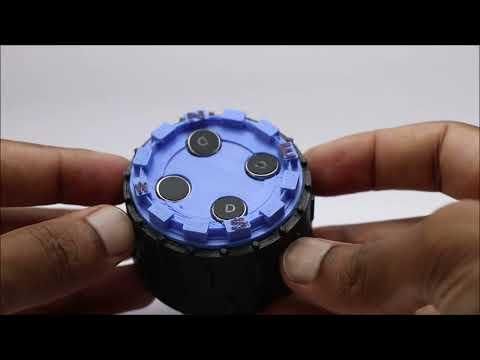
The vibration motor that i bought had some marking on it and to erase it i used a marker, Just apply 2 coats and that marking will vanish.
This does not have any impact on the working of the motor and if you want you can simply keep it as it was.
Now you can use this device, Charge it if the battery you are using didn't have any charge before.
Once the charging is complete turn on the power button and you should be able to see the motor vibrating.
Keep the device in flat place when you power the device and now you can rotate/tilt the device and you can see the motor vibrating.
If it points towards the north side then the north motor vibrates.
Since the vibrations are not visible i poured some grains of rice on the motors so that you can see its working.
The battery runs for a long time and after you use you can recharge with a power bank.
Since the type C cable is used you can charge anywhere, Also if you want to make any changes to the program you can connect to the esp32 board and make the changes also.
There are various types of feedback that you can achieve with the same setup lets say for north it can be single vibration and for south it can be 2 feedback or lets say long vibration the options are many.
I chose this effective setup so that it is easy for any common person who is beginner to electronics to understand.
This was all about making this haptic compass, Hope you will try to make this and if you miss anything just ask in the comments and i will answer them. Thank you :)
Also consider watching the video that shows the working of this project along with full build steps.