EnviroScope: an AI-powered Insights of Your Living Environment
by Mr_Electronaut in Circuits > Sensors
1039 Views, 14 Favorites, 0 Comments
EnviroScope: an AI-powered Insights of Your Living Environment

.jpeg)

.jpeg)
Environmental monitoring devices are everywhere today. From smart weather stations to indoor air quality monitors, many devices can measure temperature, humidity, pollution, and other atmospheric parameters. However, most of them share the same limitation—they simply show numbers. While these values may be accurate, they often leave the user with an important question: What do these numbers actually mean, and what should I do about them?
When I started exploring environmental sensing, I noticed this gap. Many devices could measure the environment, but very few could interpret it in a meaningful way. Seeing a PM2.5 value or a humidity percentage is useful, but for most people it is difficult to immediately translate those values into actions that improve comfort or health.
This observation led to the idea behind EnviroScope.
EnviroScope is a portable personal weather and air-quality assistant that integrates multiple environmental sensors, a custom PCB, and a 2.8-inch touchscreen interface. It runs a machine learning model directly on the device, enabling real-time interpretation of environmental data.
The system monitors indoor parameters such as PM2.5, carbon monoxide, temperature, pressure, humidity, UV, and ambient light, while also retrieving outdoor weather data via Wi-Fi. By comparing indoor and outdoor conditions, it can generate context-aware recommendations to improve comfort and air quality.
All sensing, analysis, and decision-making happen entirely at the edge, transforming environmental data from simple measurements into actionable insights. 🌿📡
Supplies




- Custom Designed PCB
- ESP32-S3 Module
- STM32G474RB
- Wavehare 2.8inch LCD Display Module with Touch panel
- BME688
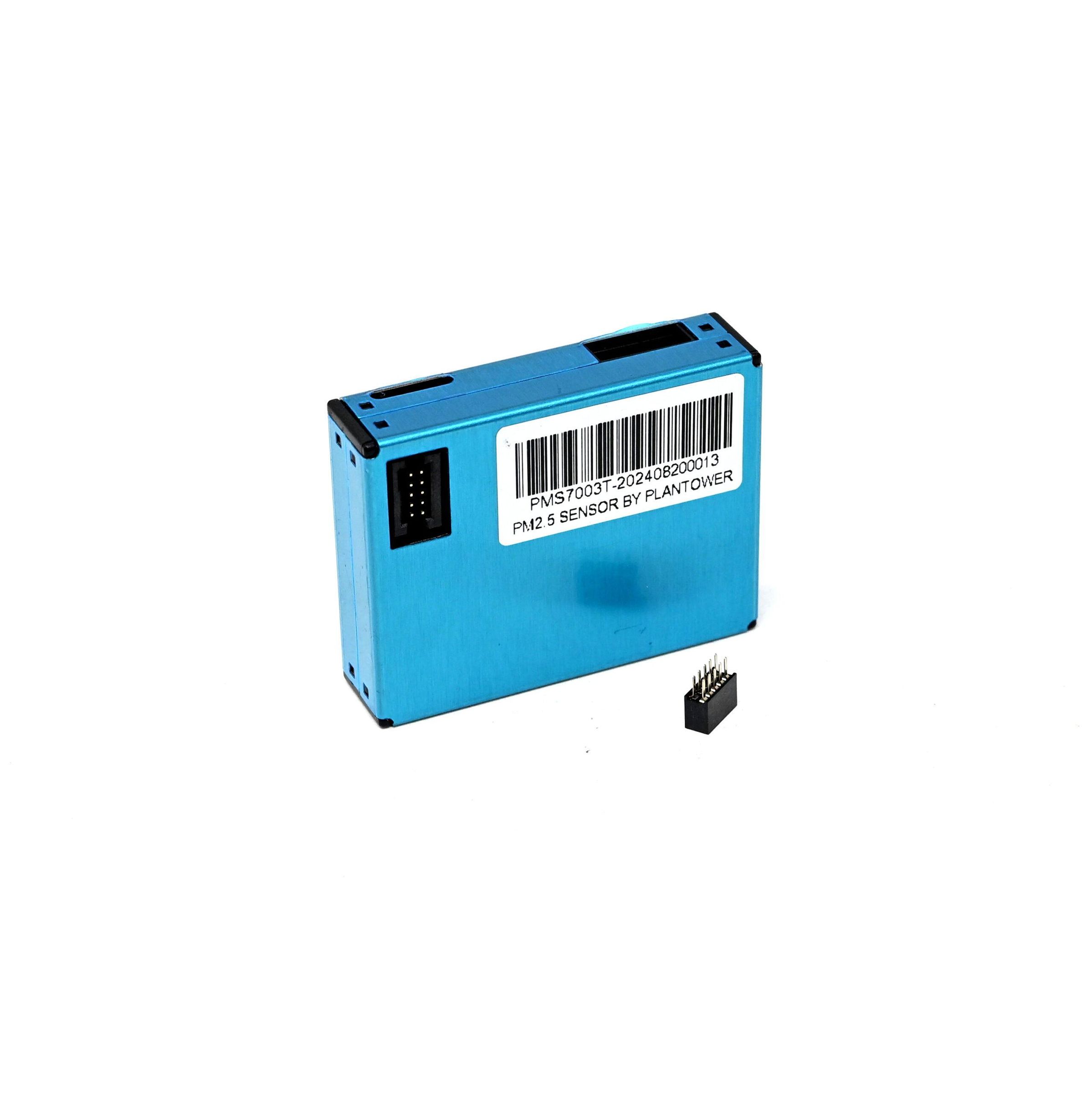
- PMS7003T
- SCD40
- BH1750FVI
- LTR390-UV
- 18650 Li-ion battery
- TP4056
- MAX17048
- TPS61023
- AMS1117-3.3
- SMD Buttons
- SMD Resistors
- SMD Capacitors
- USB-C Connector
- Cell holder
Features
- Comprehensive Indoor Environmental Monitoring: EnviroScope continuously measures important indoor environmental parameters using integrated sensors on the custom PCB. These include PM2.5 particulate matter, carbon monoxide (CO), temperature, atmospheric pressure, humidity, UV radiation, and ambient light. By collecting multiple environmental signals at once, the device provides a complete picture of indoor air quality and comfort conditions.
- On-Device Intelligence (Edge AI): Unlike traditional monitoring devices, EnviroScope does more than display numbers. It runs a machine learning model directly on the device, enabling it to interpret environmental data and provide real-time recommendations. Since all predictions and suggestions run locally on the hardware, the device can generate insights even without an internet connection, ensuring fast response, privacy, and reliability.
- Outdoor Weather Integration: EnviroScope connects to Wi-Fi to retrieve outdoor weather information. This allows the system to compare indoor and outdoor conditions and provide context-aware suggestions, such as recommending ventilation when outdoor air quality is better than indoor conditions.
- Portable Battery Operation: The device is powered by an onboard 18650 lithium-ion battery, making it fully portable. An integrated charging circuit allows the battery to be conveniently recharged via USB, enabling long-term standalone operation without external power. The system also has a fuel gauge IC MAX17048, to display the charging percent.
- Touchscreen User Interface: EnviroScope features a 2.8-inch touchscreen display that provides an intuitive way to view environmental data. The interface presents real-time measurements, historical trends, and system recommendations in a clear and interactive visual format, allowing users to easily understand the state of their environment.
System Architecture

The system follows a dual-MCU architecture where the STM32G4 acts as a dedicated sensor interface controller, acquiring data from multiple sensors using UART and I2C protocols. PM2.5 data is received via UART, while CO2, temperature, humidity, UV, and ambient light sensors communicate over I2C. The STM32G4 processes and transmits structured sensor data to the ESP32-S3 over UART.
The ESP32-S3 serves as the central Control Unit, responsible for edge AI inference, user interface rendering, and WiFi connectivity. It analyzes incoming data, generates recommendations, and displays results on the touchscreen while also fetching outdoor weather data.
A dedicated power management system based on a TP4056 charging circuit, battery protection, LDOs, and a boost converter ensures stable and portable operation using an 18650 battery.
Schematic & PCB Design


As the project evolved from an idea into a working prototype, the initial versions were built using development boards, jumper wires, and external sensor modules. While this approach made testing easier, it quickly became clear that it wasn’t practical for everyday use. The setup was bulky, fragile, and not something that could sit comfortably on a desk as a personal device.
At that point, the goal shifted—from just building a functional prototype to creating something that felt like a real product.
I wanted EnviroScope to be a device that could seamlessly fit into daily life: compact, reliable, and visually clean. This meant eliminating loose connections, reducing size, and integrating all components into a single, well-designed system. The only way to achieve this was by designing a custom schematic and PCB.
The schematic design phase involved carefully selecting and integrating all components—sensors, microcontrollers, power management circuits, and communication interfaces—into a cohesive system.
Once the schematic was finalized, the focus moved to PCB design. I have designed 2-layer PCB with 1.6mm thickness.
Designing the PCB transformed EnviroScope from a prototype into a practical, everyday device—something that could sit on a desk, run reliably, and continuously provide meaningful environmental insights.
Check out the PCB Schematic attached.
Downloads
PCB Manufacturing & Assembly
.jpeg)
.jpeg)
.jpeg)
.jpeg)

Once the PCB design was finalized, the next step was to bring the board into reality through fabrication and assembly. For this, the project was supported by NextPCB, who handled both PCB manufacturing and full PCBA (assembly).
I would like to give a special thanks to NextPCB for supporting this project from the initial fabrication stage all the way to fully assembled boards. Their service made it possible to transform the design into a reliable and production-quality hardware implementation.
The PCB quality delivered was excellent, with precise fabrication, clean finishing, and accurate adherence to design specifications. The assembly process was equally impressive, with well-soldered components and careful handling of both fine-pitch ICs and sensitive components.
By leveraging NextPCB’s manufacturing and assembly capabilities, the project moved efficiently from a design concept to a fully functional hardware device, significantly reducing development time and improving overall reliability.
Software & Firmware Architecture

The software architecture of EnviroScope is designed to efficiently split responsibilities between sensing, data processing, and user interaction, ensuring smooth real-time performance on embedded hardware.
Firmware on STM32G4 (Sensor Layer): The STM32G4 firmware is responsible for low-level sensor interfacing and data acquisition. It continuously reads data from all connected sensors using appropriate protocols such as UART and I2C. Once the raw values are collected, the firmware performs basic formatting and packages the data into a structured string.
This formatted data string is then transmitted to the ESP32-S3 over a UART communication link, ensuring a simple and reliable data pipeline between the two microcontrollers.
Data Collection & Model Training: To build the intelligence of the system, sensor data received from the STM32G4 was logged and collected over time. This dataset was then used to train a machine learning model using Edge Impulse Studio. By analyzing real environmental conditions, the model learns to classify scenarios and generate meaningful suggestions based on sensor inputs. This step transforms raw environmental data into actionable insights.
Edge AI on ESP32-S3 (Control Unit): The ESP32-S3 acts as the central control unit, handling,
- Data parsing from UART
- Running the trained ML model (inference)
- Decision-making and recommendation generation
All inference runs locally on the device, enabling real-time responses without requiring cloud connectivity.
User Interface with LVGL: The user interface is implemented using the LVGL (Light and Versatile Graphics Library), allowing smooth and responsive graphics on the touchscreen display. The interface is designed to be clean and intuitive, helping users quickly understand environmental conditions.
Wi-Fi & Outdoor Data Integration: The ESP32-S3 connects to a Wi-Fi network to fetch outdoor weather data using online APIs. This data is periodically updated and displayed on the outdoor screen.
By combining indoor sensor readings with outdoor conditions, the system provides context-aware insights, enhancing the usefulness of recommendations.
Sensor Data Acquisition (STM32G4)

- The first step in the firmware implementation focuses on acquiring raw environmental data using the STM32G4 microcontroller. The firmware is developed in STM32CubeIDE, where all necessary peripherals such as I2C and UART are configured using the HAL libraries.
- Each sensor is interfaced according to its communication protocol, with the PM2.5 sensor connected over UART, while CO₂, temperature, humidity, UV, and ambient light sensors communicate via I2C.
- The STM32 continuously reads data from these sensors, performs basic validation, and organizes the values into a structured format.
- This formatted data is then transmitted as a string over UART to the ESP32-S3 for further processing. This step establishes a reliable data acquisition pipeline, ensuring that all environmental parameters are consistently captured and ready for higher-level analysis.
- Get the sensor data using this custom function:
Checkout the full code on Github.
Data Collection for Edge Impulse

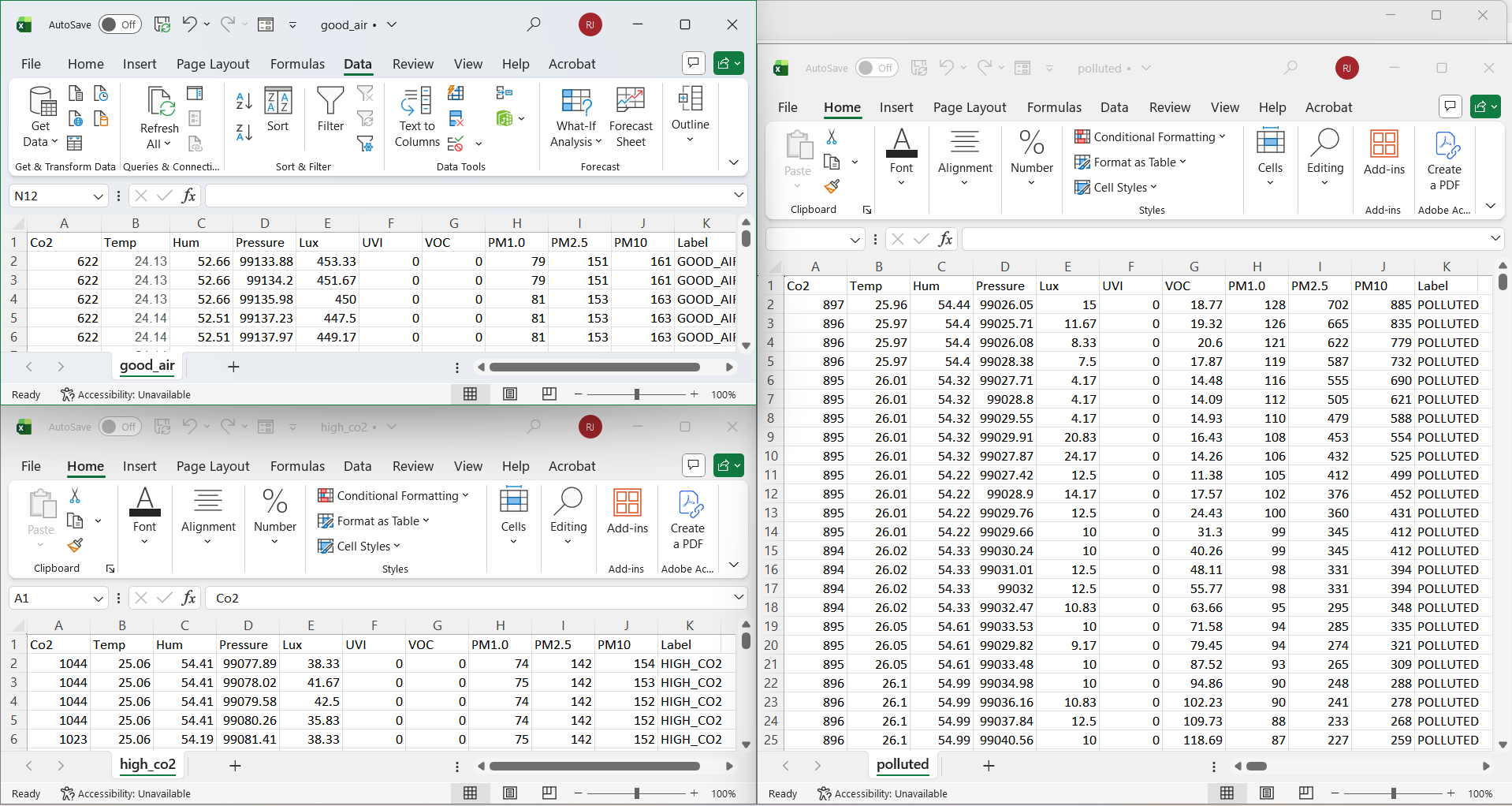

- Now, the ESP32-S3 is used to receive and process sensor data transmitted from the STM32G4 over UART. The incoming data is structured as a formatted string, which is parsed on the ESP32 to extract individual environmental parameters such as PM2.5, CO₂, temperature, humidity, UV, and ambient light. These values are then printed to the serial terminal in a CSV/Excel-friendly format, enabling easy logging and dataset creation for further analysis.
- This data collection phase is crucial for building a reliable machine learning model. Different environmental scenarios are intentionally recorded, including clean air conditions, high CO₂ levels, and polluted air environments, to ensure the dataset captures a wide range of real-world situations. This helps the model learn meaningful patterns and generate accurate recommendations later.
Downloads
Edge AI Model Training (Edge Impulse)


- The most crucial part of EnviroScope is transforming collected environmental data into an intelligent system capable of making meaningful recommendations. After gathering sufficient sensor data using the ESP32 and logging it in an Excel-compatible format, the next step is to train a machine learning model using Edge Impulse.
- The recorded dataset, which includes various environmental conditions such as clean air, high CO₂ levels, and polluted air scenarios, is first uploaded to Edge Impulse Studio. During this stage, the data is labeled into meaningful categories (for example: Good Air, Poor Ventilation, High Pollution), which allows the model to learn patterns and classify environmental conditions effectively.
- It is important to ensure that the dataset is sufficiently large and diverse, as the accuracy of predictions and recommendations depends heavily on the quality of training data.
- After training, the model is validated within Edge Impulse Studio to evaluate its performance. Once satisfactory results are achieved, the trained model is exported as an Arduino-compatible library, which can be directly integrated into the ESP32-S3 firmware.
- This exported model is then deployed on the ESP32-S3, enabling real-time on-device inference. The device can now classify environmental conditions and generate intelligent recommendations without relying on cloud processing.
Follow the attached images for the parameters used on studio.
User Interface Design – SquareLine Studio & LVGL Integration


The user interface plays a critical role in making EnviroScope intuitive and easy to use. To achieve a clean and professional design, the UI was developed using SquareLine Studio, a beginner-friendly drag-and-drop tool for building embedded graphical interfaces. This approach significantly simplifies UI development while still producing polished, production-ready designs.
The entire interface is built around the idea that UI is the primary interaction layer between the user and the device. Instead of overwhelming users with raw data, the UI presents environmental insights in a clear, structured, and visually appealing manner.
Screen Design: Three main screens were designed
- Welcome / Loading Screen: Displays system initialization status and provides a smooth startup experience.
- Indoor Environment Screen: Shows real-time sensor data such as air quality, temperature, humidity, and AI-based recommendations.
- Outdoor Weather Screen: Displays weather data fetched via Wi-Fi, allowing comparison with indoor conditions.
Integration with LVGL: SquareLine Studio automatically generates LVGL-compatible code, which can be directly integrated into the ESP32-S3 firmware using the Arduino framework. This makes it easy to connect UI elements with real-time data and system logic.
The UI is rendered using the LVGL, which provides efficient graphics handling for embedded systems.
Display & Touch Hardware: The system uses a 2.8-inch TFT LCD display (240×320 resolution) with the following components:
- ST7789T3 display driver for rendering graphics
- CST328 capacitive touch controller for user input
To ensure proper operation, the ST7789 driver must be enabled and configured in the TFT_eSPI Arduino library configuration file (User_Setup.h), along with correct SPI and display parameters.
You can export your arduino files and copy the files to arduino project that we will create in next step.
Setup ESP32-S3 (Arduino IDE & Libraries)

To begin development on the ESP32-S3, the first step is setting up the Arduino IDE environment along with all required board configurations and libraries. This forms the foundation for integrating UI, communication, and edge AI into the system.
- Install ESP32 Board Support
- Open Arduino IDE
- Go to: File → Preferences
- Add the following URL in Additional Board Manager URLs:
- Go to: Tools → Board → Boards Manager
- Search for ESP32 and install the package by Espressif Systems
- Select your board: Tools → Board → ESP32S3 Dev Module
2. Install Required Libraries: Use the Library Manager in Arduino IDE to install:
- LVGL v8.3.10: for UI rendering
- TFT_eSPI : for ST7789 display Communication
3. Configure TFT_eSPI for ST7789: The display requires proper configuration inside the TFT_eSPI library.
- Open:
- Enable ST7789 driver:
- Set display resolution:
- Configure SPI pins:
(Adjust pins based on your PCB design)
4. Configure LVGL: Inside lv_conf.h, make sure:
- Display resolution is set correctly
- Color depth is configured
You can check LVGL documentation for further support.
Final Firmware Implementation

At this stage, all system components are integrated into a single firmware running on the ESP32-S3. This includes UART data acquisition, Edge AI inference, UI rendering using LVGL, and Wi-Fi connectivity.
- UART Packet Reception
- Used binary packet protocol (0xAA 0x55 sync)
- Fixed-size struct (SensorPacket)
- CRC8 validation ensures data integrity
2. Edge AI Inference: Copy run_inference() function from the Edge impulse studio library that you downloaded and Map sensor data.
Connect AI → UI → decision system
Update indoor screen:
Add Recommendation Logic
Connects to popup system:
Now the system becomes truly intelligent.
Wi-Fi + Weather Integration: On startup, the ESP32-S3 connects to a Wi-Fi network. This enables internet-based features such as fetching outdoor weather data and time synchronization. A status popup informs the user whether the device successfully connected to Wi-Fi.
Outdoor Weather Integration: When the user navigates to the outdoor screen (via swipe gesture), the system fetches location data using an IP-based API and retrieves weather information using an online weather service. This includes temperature, humidity, wind speed, and weather conditions. The data is displayed on the outdoor screen, providing context for indoor environmental conditions.
Now, Based on the model output and rule-based logic, the device generates suggestions such as:
“Ventilate the room”
“Avoid direct sunlight”
“Reduce heater usage”
“Humidity high—use dehumidifier”
This turns data into insight.
Check out the full code for ESp32-s3 and STM32G4 MCU here on Github.
Demonstration

The video highlights the full workflow of the device—from sensor data acquisition to AI-based decision-making and user interaction.
EnviroScope successfully demonstrates the development of a portable, intelligent environmental monitoring system that combines embedded hardware, edge AI, and a user-friendly interface. Unlike traditional monitoring devices that only display raw data, this system interprets environmental conditions and provides actionable recommendations to improve comfort and health.
By integrating a dual-microcontroller architecture, on-device machine learning, and a touchscreen interface, the project evolves beyond a prototype into a practical, real-world solution. The ability to perform all sensing, processing, and decision-making locally ensures fast response, privacy, and independence from cloud services.
While the current implementation validates the core functionality, several enhancements can further transform EnviroScope into a polished consumer-ready product:
- Mechanical Enclosure Design: Developing a compact and aesthetically pleasing enclosure will make the device more robust and suitable for daily use.
- Mobile Application Integration: A dedicated mobile app can enable, Remote monitoring, Data visualization and history, Notifications and alerts.
- Power Optimization: Improving battery life for extended portable usage.
With these improvements, EnviroScope can evolve into a fully deployable personal environmental assistant, bridging the gap between sensing and intelligent decision-making in everyday environments. 🌿📡
Happy Building!!