Fast and Repeatable Stitching Irons Case Using a 3D Printing Template Workflow
by BaileyS4466 in Craft > Leather
1294 Views, 19 Favorites, 0 Comments
Fast and Repeatable Stitching Irons Case Using a 3D Printing Template Workflow
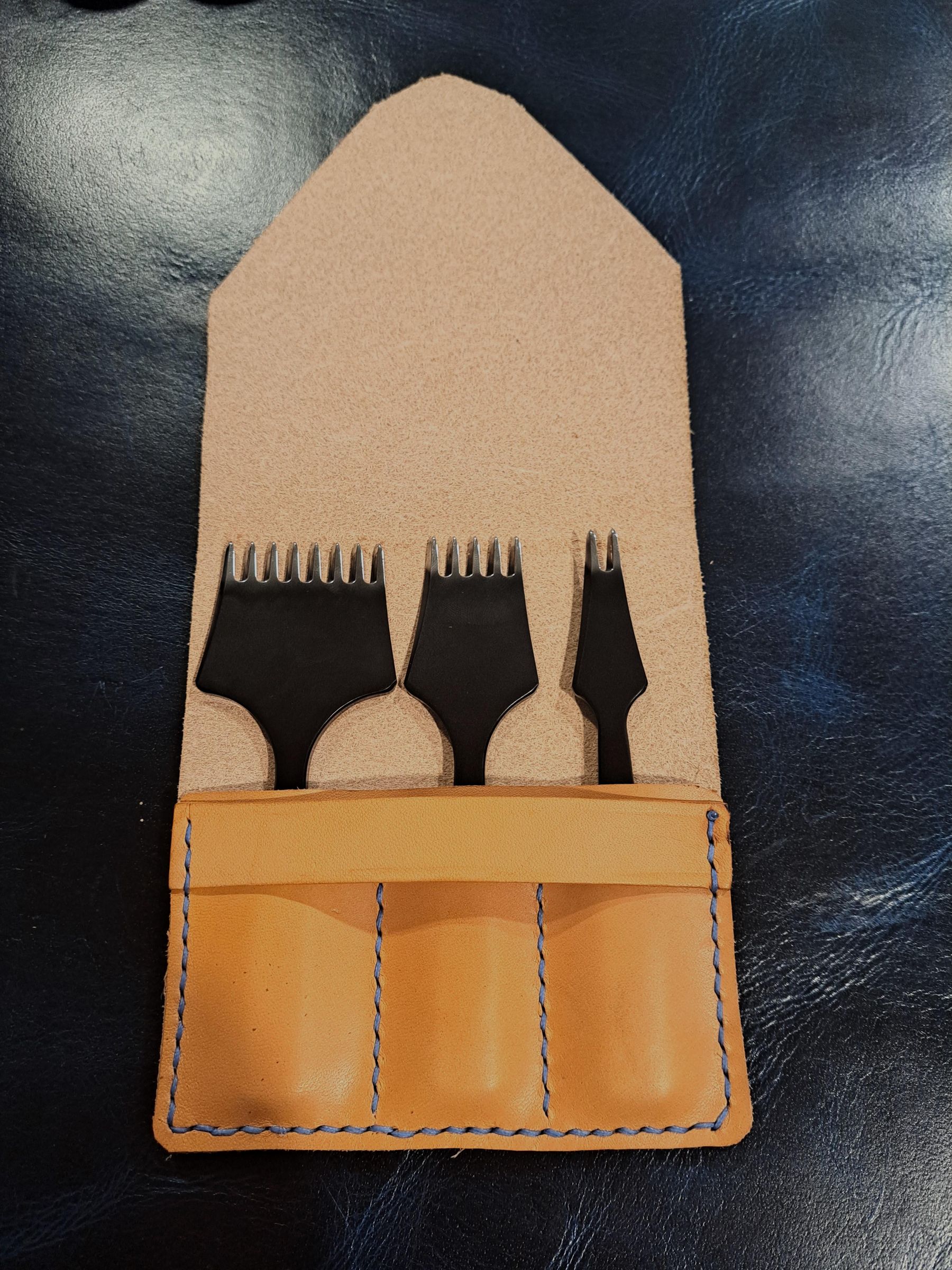
When I bought four new sets of stitching irons for my leatherworking projects, I realized they didn’t come with a case. Rather than risk damaging them in a drawer, I decided to quickly make some using some scrap leather I had lying around.
This project is designed to be fast, simple, and repeatable. By combining basic leatherworking with 3D-printed templates, you can create a clean, professional tool case in a short amount of time. This project is more than a leather case. it is meant to be a workflow that can be adapted to even large scale projects.
In this tutorial, you’ll learn how to:
- Quickly make a protective leather stitching iron case
- Use a 3D printer to create accurate, reusable templates
- Complete a beginner-friendly leatherworking project that’s perfect for learning the basics
Supplies

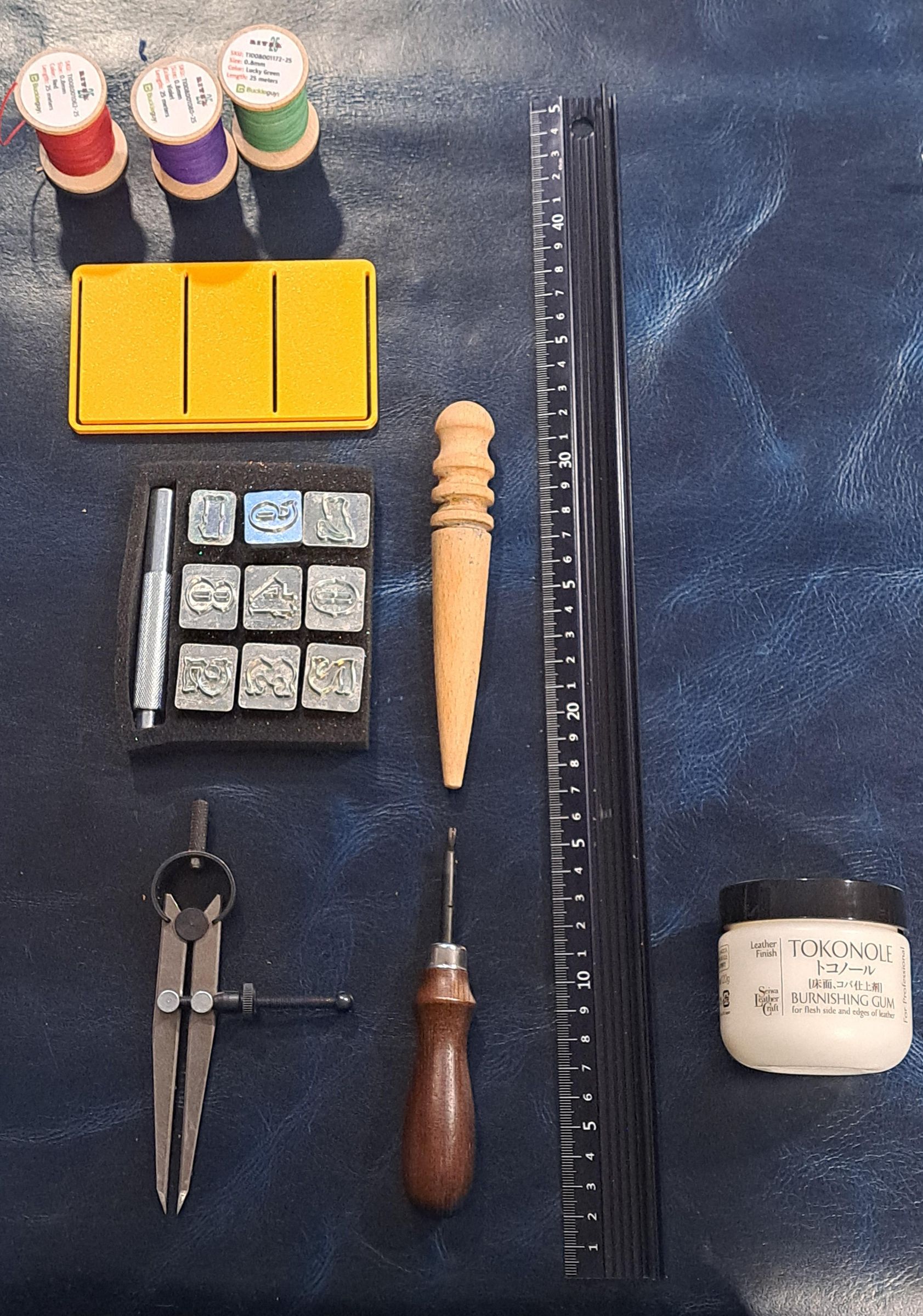
Materials
- leather (I recommend veg tanned)
- Pattern (3D-printed template)
- Thread
- Double-sided tape
- Tokonole (for edge finishing)
Cutting & Marking Tools
- Sharp knife or utility knife
- Scratch awl
- Wing divider / compass
- Ruler
Stitching Tools
- Stitching chisels / stitching irons
- Sewing needles
- Mallet (for punching stitching wholes)
- Lighter (Optional)
Finishing Tools (Optional)
- Edge beveler
- Burnishing stick / Canvas Cloth
Designing the Case
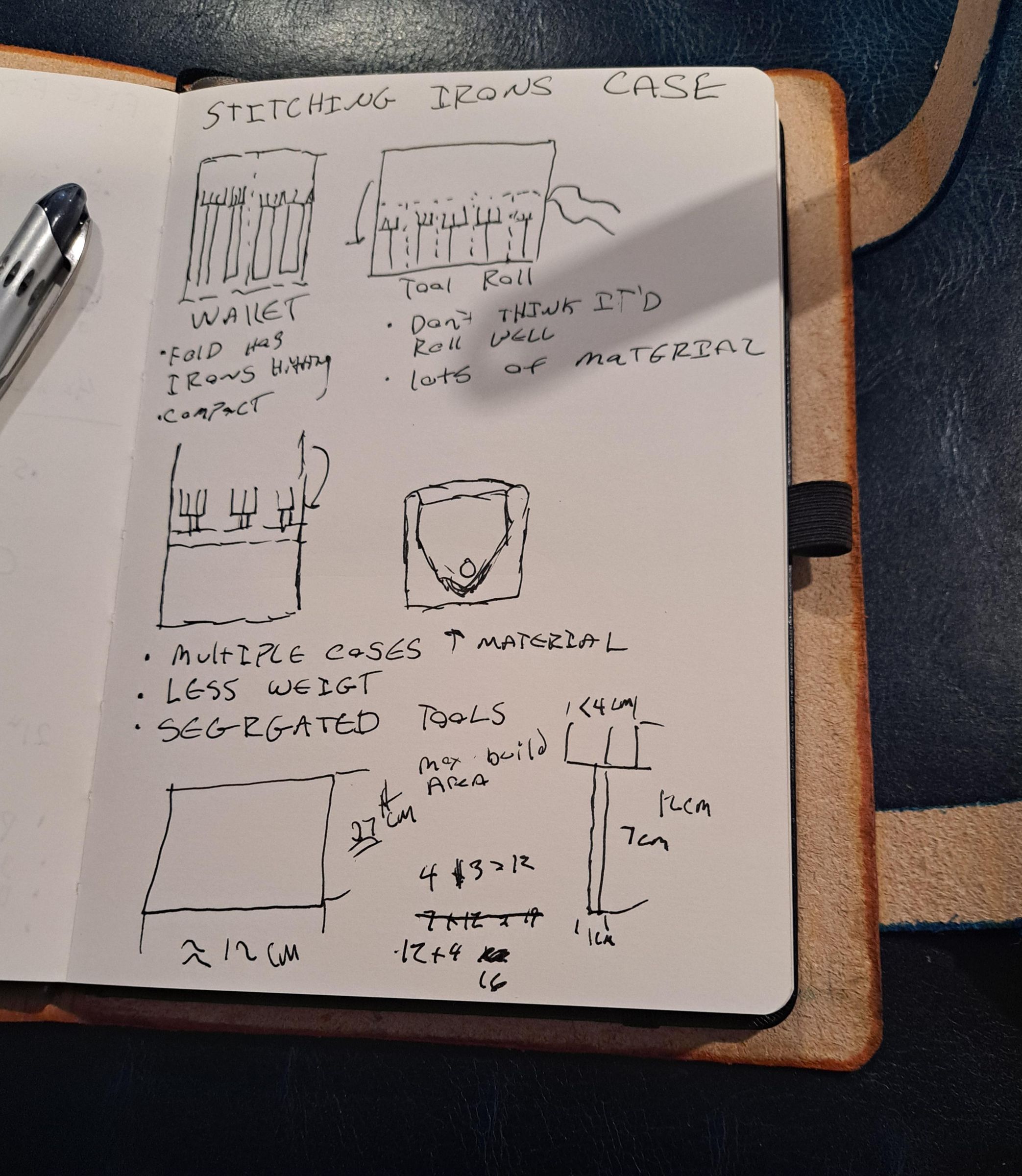

Start by deciding how you want your stitching irons to be stored. Lay your tools out on a table and determine the spacing needed so each tool fits comfortably without touching the others.
Consider:
- The number of irons you want the case to hold
- The spacing between each tool
- How much leather you need for folding or seams
Sketch a simple layout on paper to determine the size and shape of the case.
CAD Modeling the Template
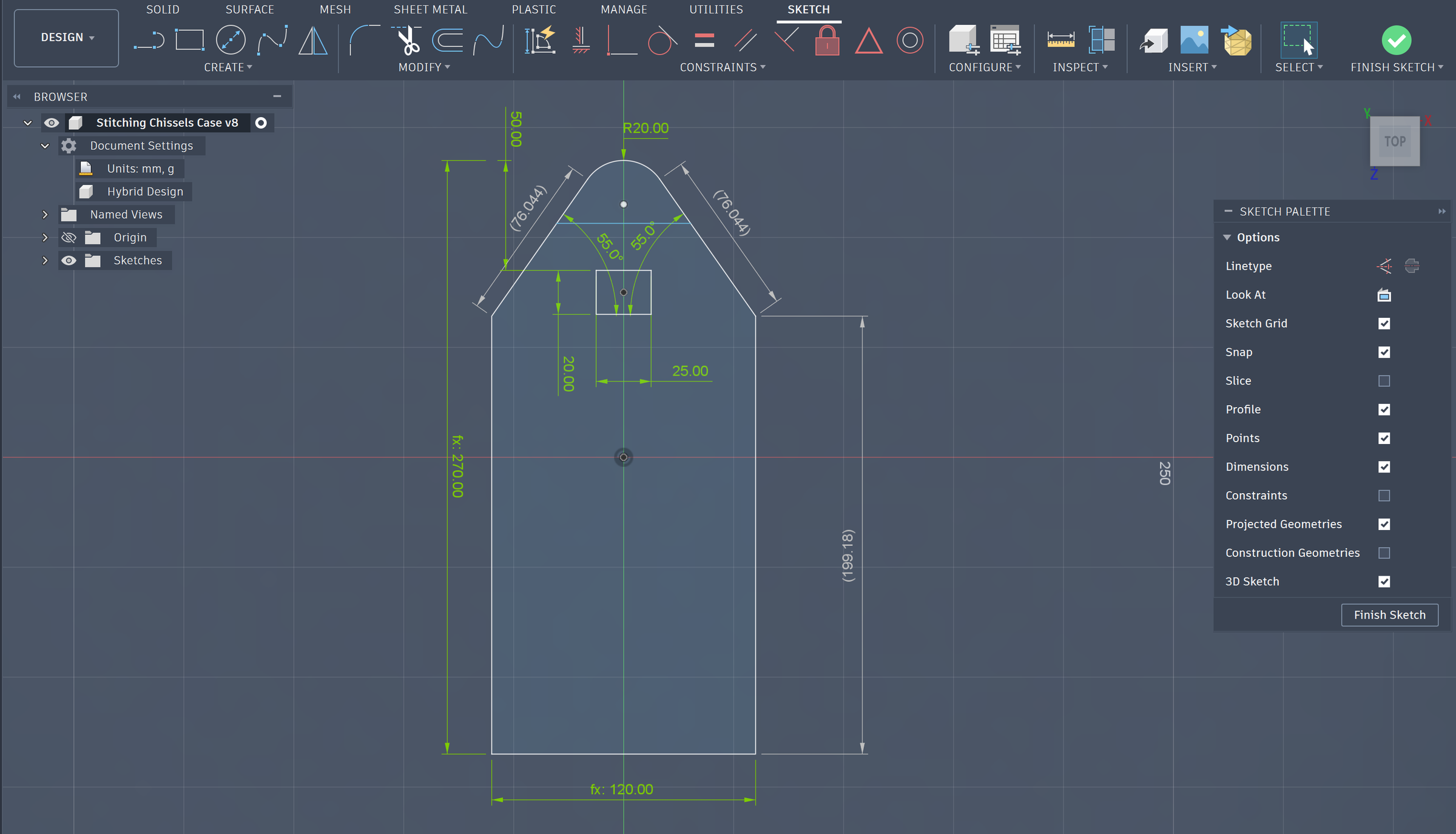

Once your design is sketched, it’s time to bring it into CAD software. I use Fusion 360, but any parametric CAD program will work.
Tips for an efficient and repeatable CAD workflow:
- Use constraints wherever possible – this keeps parts aligned and ensures consistent geometry.
- Take advantage of symmetry – model one side and mirror it to save time and avoid errors.
- Work with parametric dimensions – set dimensions as parameters so you can easily adjust sizes for future projects or make tweaks without redoing the entire model.
- Plan for thickness and cutouts – account for how the template will hold the stitching irons and any cutouts for folding.
By building the template with these techniques, you’ll create a precise, reusable design that can be quickly adjusted for different tools or future projects.
Create a template that includes:
- Parameters! This makes adjustment significantly faster and easier
- Each section of the pattern
- Scratch lines and guides for stitching and stamping
- landmarks for Cutlines, tapelines, wholes, and more
Export the file and 3D print the template. Using a printed template makes it easy to reproduce the case consistently in the future.
Additionally, paper templates can be easily generated by creating drawings in fusion if a 3d printer is unavailable.
Downloads
3D Printing the Template
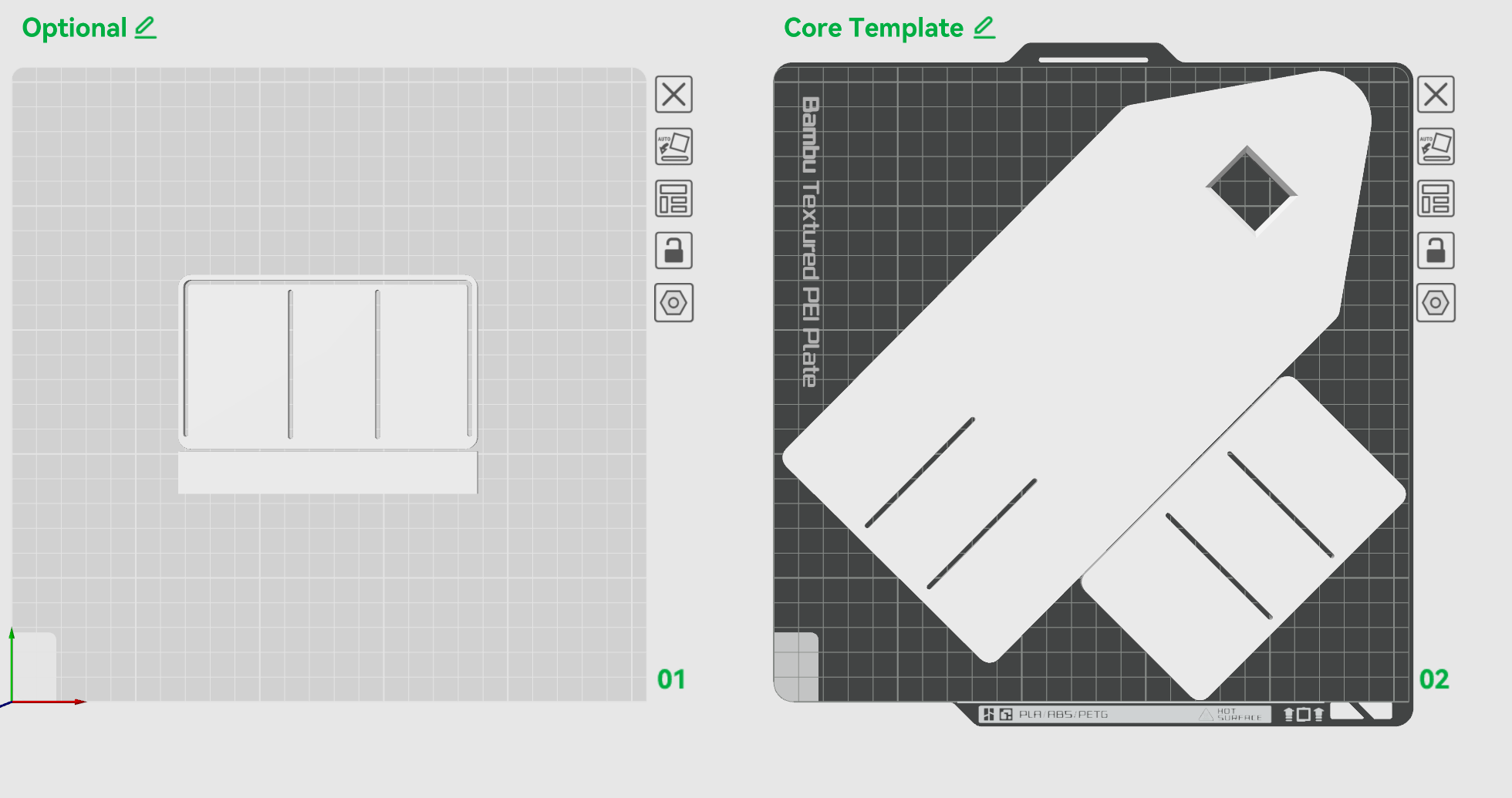
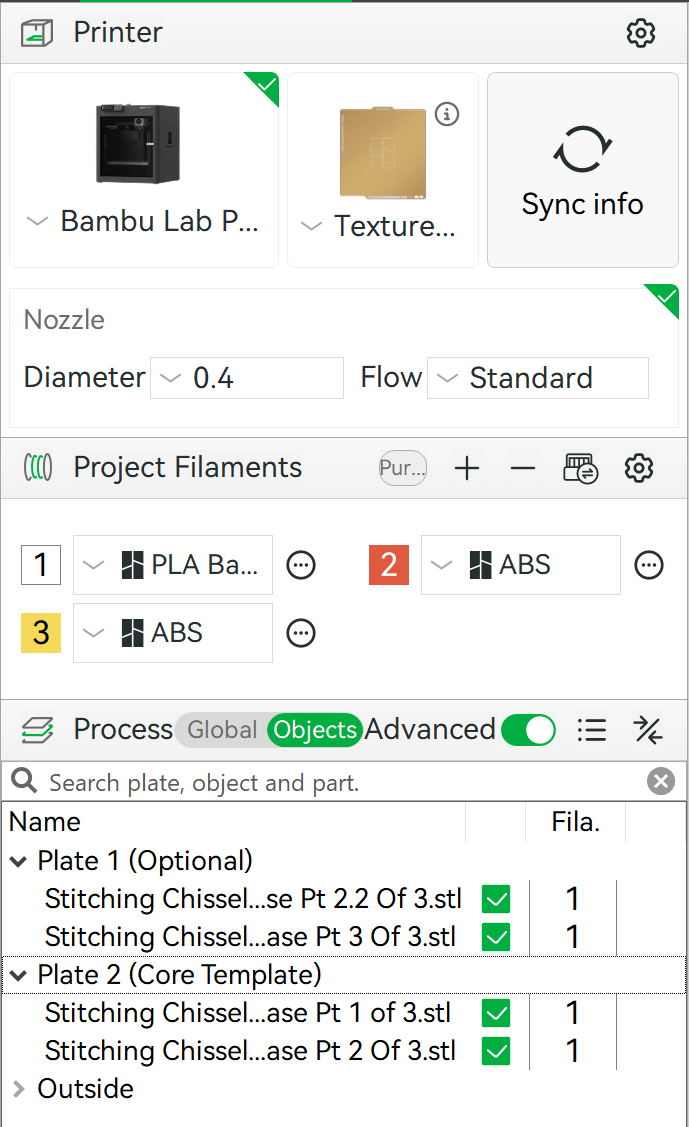
With the CAD design complete, the next step is printing the template. I use a printer from Bambu Lab, but any reasonably accurate 3D printer will work for this project.
A few tips to make the process faster and more reliable:
- Rotate or break up the model if needed: If the template is larger than your printer’s build plate, rotate it at an angle in your slicer so it fits.
- Test the fit first: Print a quick test version of the template at about 0.5 mm thickness. This prints very quickly and lets you verify the size and spacing with your tools. it often times allows soft bending, making finding the right stitch line easier.
- Iterate if necessary
Print the final template thicker: Once everything fits correctly, print the final version of the template at 3mm thick to create a rigid, reusable template.
- Use a fast but accurate profile: I used the 0.12 mm standard print profile, which provides a good balance of speed and accuracy. In my experience, this can reduce print time by up to 50% while still staying within the tolerances needed for leatherworking.
- The STL files, m3f, and slicer settings I used are included below so you can easily recreate the template.
Pt 2.2 and 3 are optional. Pt 2.2 has a grove for stitching lines, but can be more easily done with a compass or wing dividers set to 3mm. Pt 3 is for the strap, which can be easily cut to any size you want.
Cutting the Leather
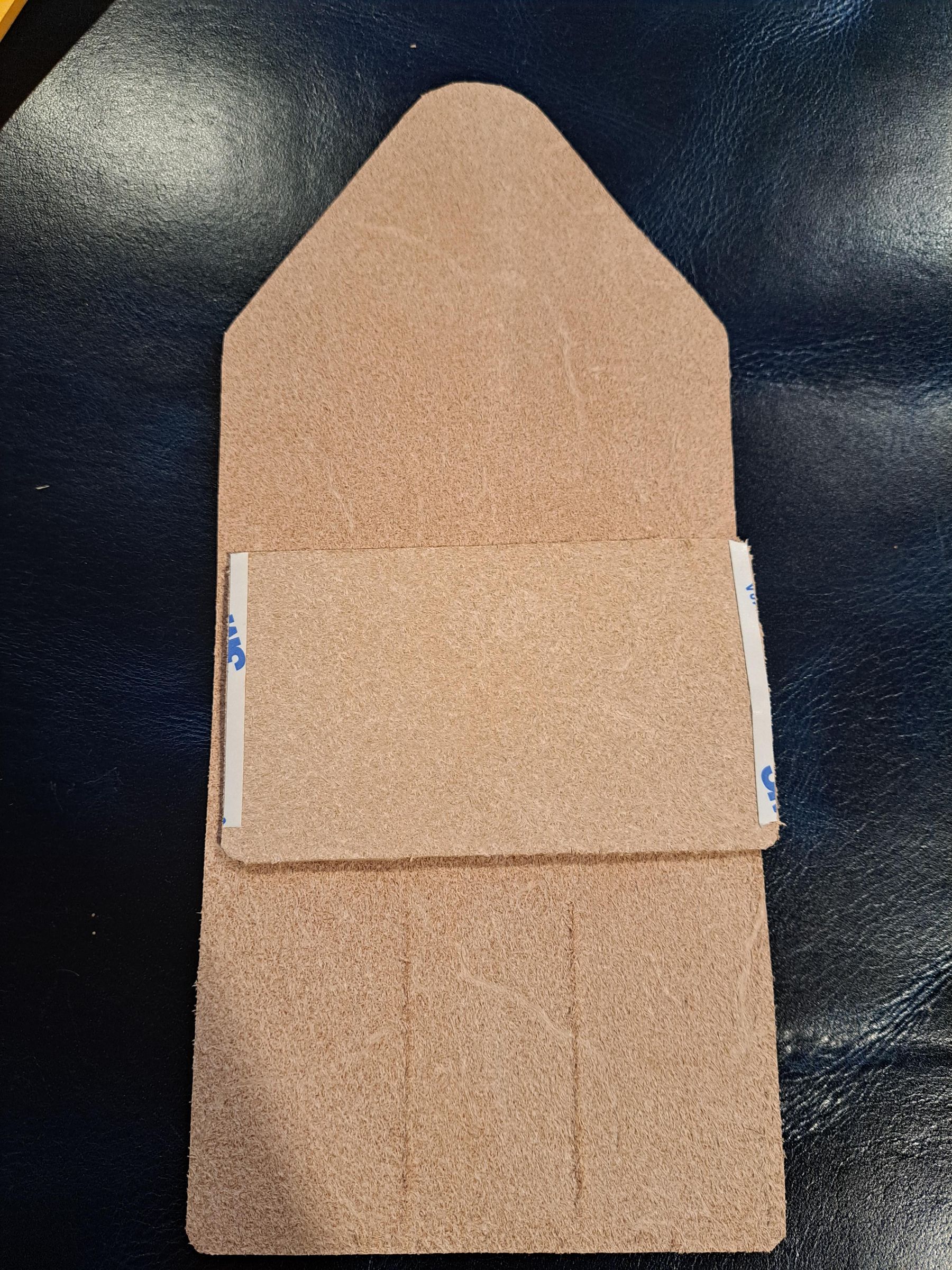

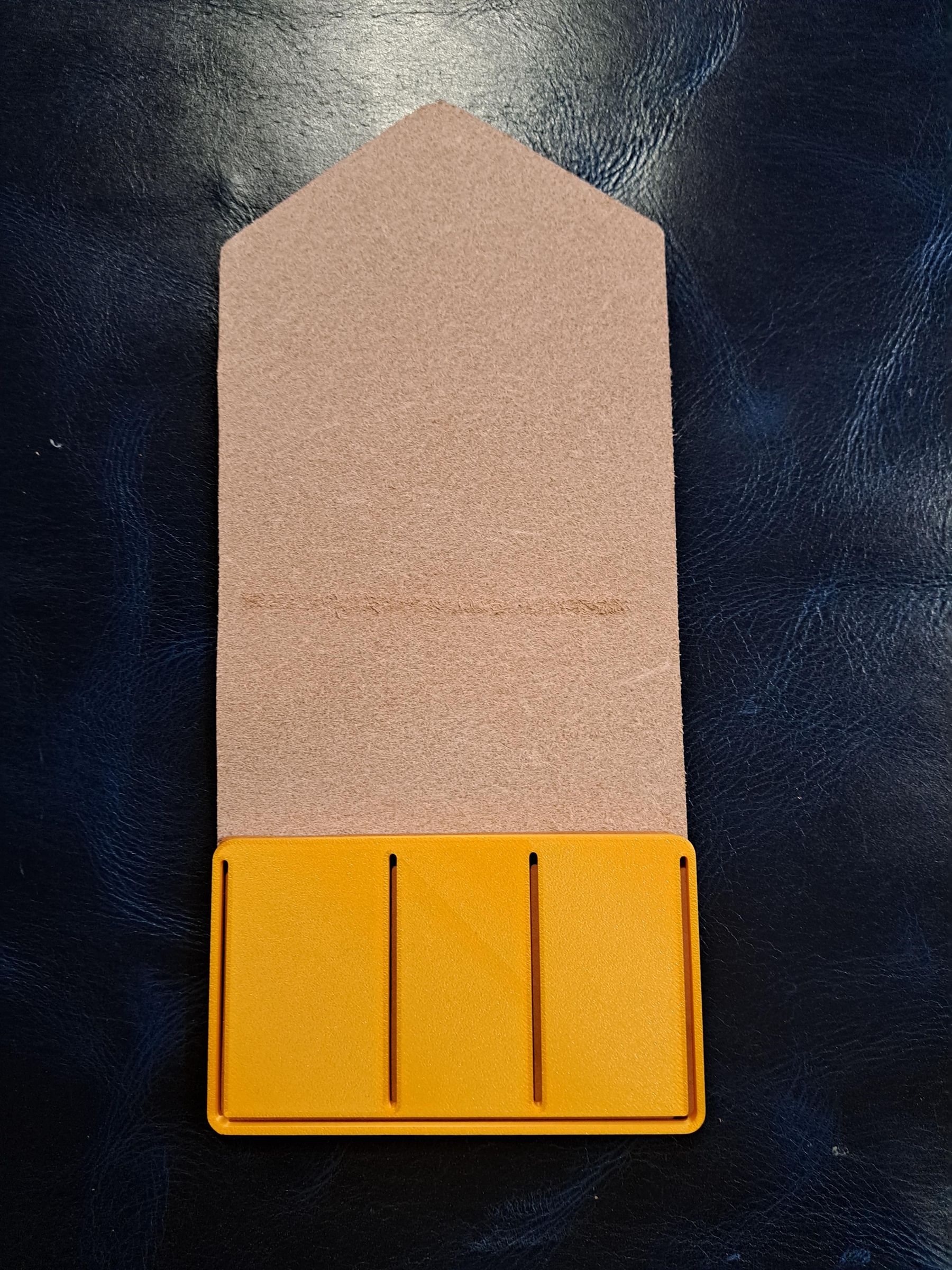

Like most of this project, this step is mainly preparation. Taking a little extra care here will make the rest of the build much easier and result in a cleaner finished case.
Start by using your stitching guides to mark stitch lines on the leather. I mark the center stitch lines on both the body and cover so that I can make sure stitching lines line up. The spacing isn't symmetrical, so decide if you want your widest iron on the left or right side of your case. adjust the template accordingly.
To secure the template to the leather, I use double-sided tape. This keeps the template from shifting while cutting and helps maintain accuracy.
Pros of using double-sided tape:
- Prevents the leather from moving while cutting
- Helps maintain accurate cuts
- Can reduce wasted material
Cons to be aware of:
- Adds a little extra setup time
- Some tapes can damage leather if applied incorrectly
- Tape can sometimes pull fibers from the flesh side of the leather or lift dye / stain the finished face.
⚠️ Important: Always attach the tape to the flesh side of the leather, never the finished face.⚠️
- Place tape alongside your stitching seams, so that when you remove the template to connect two pieces, tape is already there, making stitching faster and easier. less is more in this situation.
- Ensure there are no unwanted blemishes on the face side of the leather, after your template is attached to the flesh side.
Once the template is secured:
- Use a sharp knife to cut directly along the edge of the template
- Keep the blade vertical for the cleanest edge
- After cutting the piece, touch up corners or edges before removing the template
One of the biggest advantages of the rigid template is that you can cut directly against it instead of tracing with an awl first. This saves time and usually results in a cleaner, more precise cut.
Preparing and Finishing the Hard to Get Edges


Before moving on to stitching, it’s a good idea to finish any edges that will become difficult or impossible to reach later. In this design, the strap that holds the flap closed will be hard to access with a burnishing tool once it is stitched in place, so it’s best to finish that edge now.
To burnish the edge:
- Lightly bevel the edge if you haven’t already.
- Apply a small amount of edge finishing compound to the edge. I use Tokonole, but beeswax or other edge burnishing compounds can also work well.
- Use a burnishing stick to rub the edge quickly and firmly. The friction helps compress and smooth the leather fibers.
- Continue until the edge becomes smooth, darkened, and slightly glossy.
Taking a moment to burnish these hard-to-reach areas now will save time later and ensure the finished case looks clean and professional.
Stitching the Case


Once your leather pieces are cut and the edges are prepped, it’s time to stitch everything together. For this project, I use the saddle stitch, which is strong, durable, and perfect for tool cases.
Before you start stitching, there are a few tips to make the process smoother:
- Punch wholes carefully: Use your stitching chisels or irons to create evenly spaced wholes. Mallet gently to avoid stretching or damaging the leather. a slight angle can mess up the look of your stitches, so take a little extra time to make this right.
- Keep thread tension consistent: Pull each stitch snugly but not so tight that the leather puckers. Saddle stitching uses two needles working from opposite sides, so practice keeping both sides balanced.
- Use quality thread: Waxed thread is ideal—it’s durable and helps the needle slide smoothly.
If you’re new to the saddle stitch, this YouTube tutorial is a great reference or this instructable Saddle Stitch Tutorial.
Stitching workflow for this case:
- Start at the center Stitching the body together to create pockets for the irons
- Stitch the strap onto the body, following the perimeter. Don't forget to include the strap those first few stitches.
- Make sure each stitch is even, and adjust as needed while working.
- Tie off your thread securely when finished and trim any excess.
Taking your time during stitching is worth it—even stitches make a huge difference in the final appearance and durability of your case.
Final Finishing
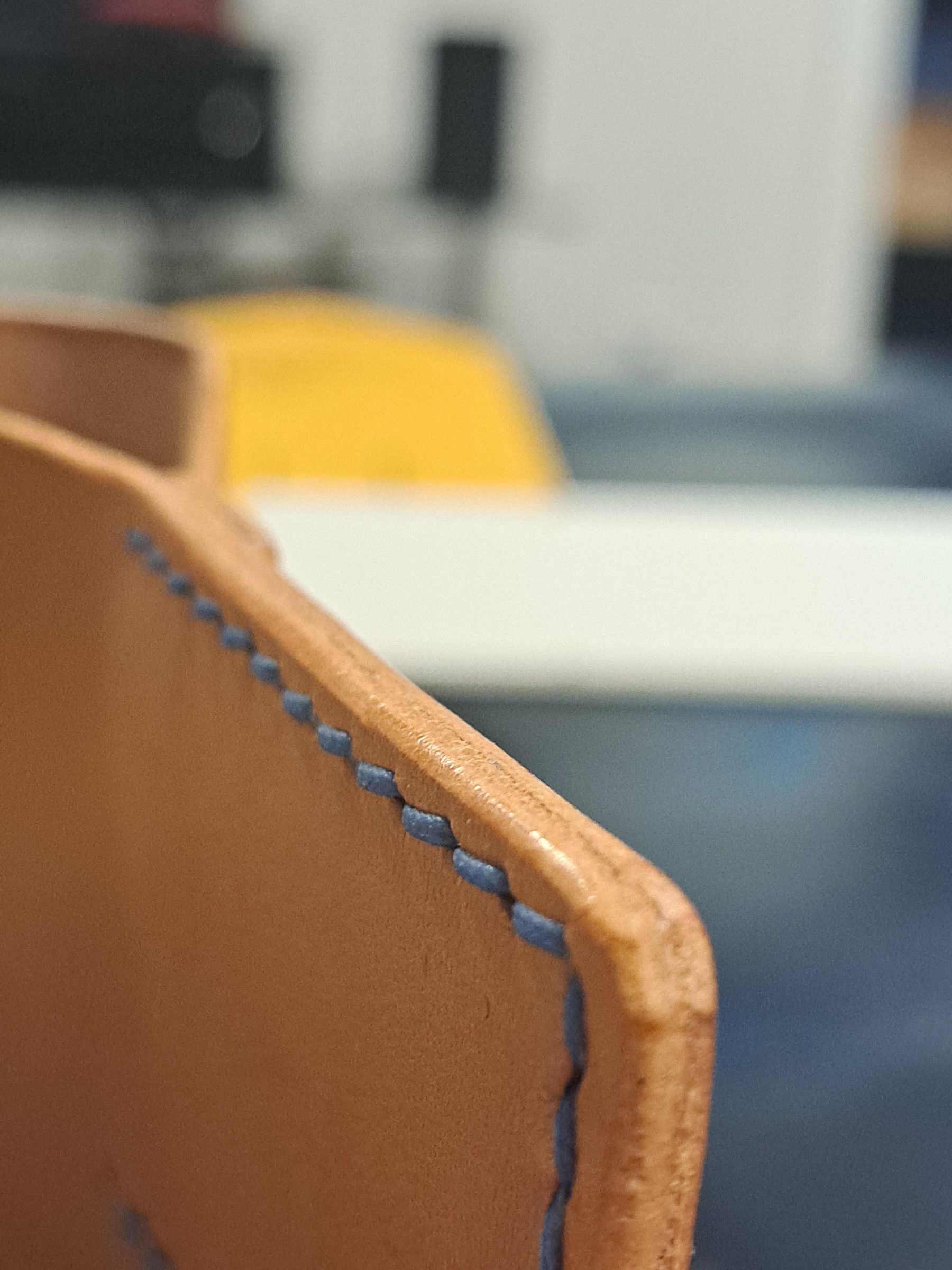


Before doing any final touches, test the fit to make sure everything works as intended:
- Insert your stitching irons into the case and check that each tool fits comfortably.
Once you’re satisfied with the fit, move on to the finishing steps:
1. Trim and Hammer Thread
- Carefully trim any loose or uneven thread ends.
- Optionally, use a mallet to tap the thread ends into the leather for a cleaner, more secure finish.
2. Edge Burnishing (Optional)
- Smooth all accessible edges with a burnishing stick or canvas cloth.
- Apply Tokonole, beeswax, or gum tragacanth for a polished finish that protects the leather from wear.
3. Leather Conditioning (Optional)
- Apply a small amount of leather conditioner to enhance flexibility and protect the surface.
- Buff lightly with a soft cloth to remove excess and bring out a subtle shine.
4. Stamping or Decoration (Optional)
- If desired, add a stamp, logo, or decorative mark to personalize your case before using it.
- I typically add the size stitching irons to make it easy to grab later.
5.Optional: Test Stitch Rows
- Consider doing test stitch rows across the top flap using different thread sizes.
- This gives a quick visual and tactile comparison to help decide which thread size and tension will look best on future projects.
These finishing steps ensure your leather stitching iron case is functional, durable, and professional-looking, ready to store and protect your tools.
Notes / Final Thoughts
I hope you learned something from this project. I certainly learned a lot by breaking the process down and explaining it step by step!
Many of the practices here can be applied far beyond a quick tool case. One of the most important lessons is how getting lost in details can slow us down, and how a thoughtful workflow like this allows rapid iteration with minimal cost.
My hope is that this approach helps you overcome analysis paralysis and makes experimenting with leatherwork—or any hands-on project—faster, easier, and more enjoyable.
If you try this project, please let me know! Whether it’s questions, feedback, or just a note to say you made it, I’d love to hear how it worked for you.