From PIR to MmWave: My Smart Lighting Automation in Home Assistant
by Jaychouu in Circuits > Electronics
101 Views, 1 Favorites, 0 Comments
From PIR to MmWave: My Smart Lighting Automation in Home Assistant

I’m an avid reader and wanted a smart light automation setup for my desk that turns on automatically whenever I’m present.Initially, I tried using a standard PIR motion sensor. However, I quickly ran into a common problem: the lights would often turn off while I was sitting still. This is a frequent frustration in many setups using Home Assistant.
To solve this, I switched to a C4002 mmWave radar sensor, which can detect subtle human presence and micro-movements, keeping the lights on even when I’m completely still.Using ESPHome, I integrated the sensor with Home Assistant to create a seamless and responsive auto-lighting experience.
In this article, I’ll share my journey of building this smart lighting system, including:
- Why I switched from PIR to mmWave
- How automation logic works
- Tips for optimizing desk lighting automation in Home Assistant
Supplies
C4002 mmWave Radar:https://www.dfrobot.com/product-3081.html
See It in Action
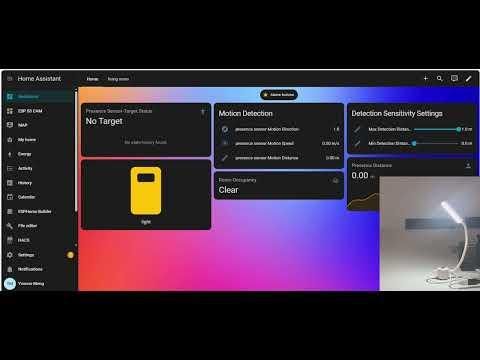
Here’s a short demonstration of how the system responds in real-time in Home Assistant.
Why I Chose the C4002 MmWave Radar
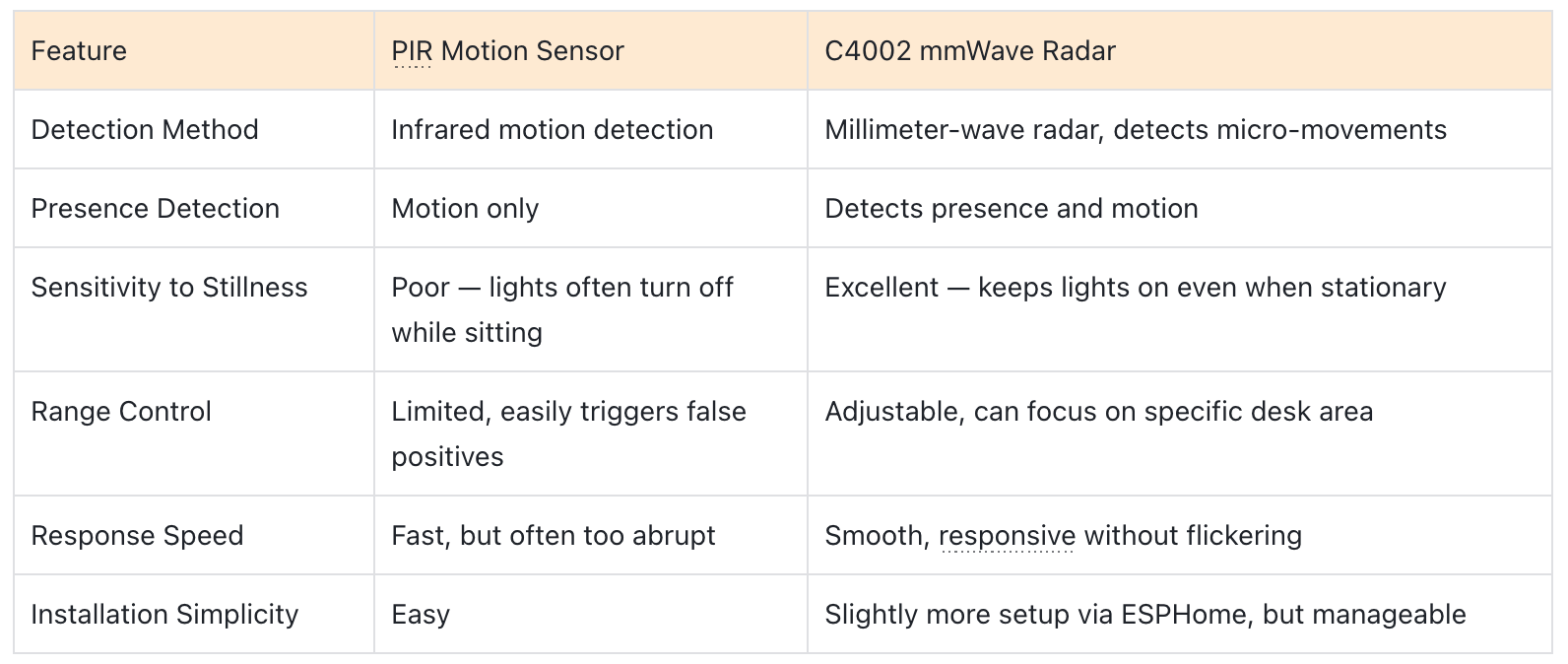
PIR sensors work well when someone walks into a room, but they often turn the lights off when a person sits still. This happened frequently while I was reading or working at my desk.
The C4002 mmWave radar sensor solves this problem.Instead of detecting infrared motion, it uses millimeter-wave radar to sense both human presence and movement, including very small micro-movements such as:breathing、slight hand motions、small posture changes.
Another useful feature is environmental noise calibration. The sensor can learn background signals and filter them out, which helps reduce interference from objects such as:curtains、airflow、indoor plants.This makes detection more stable in a real home environment.
Below is a comparison between the PIR sensor and the C4002 mmWave radar sensor.
See the image above for details.
From a user’s perspective, the C4002 just “gets me”. I no longer have to wave my hands to keep the light on while reading. For anyone frustrated with PIR sensors in small or quiet spaces, the C4002 is a game-changer.
Automation Logic and Future Improvements
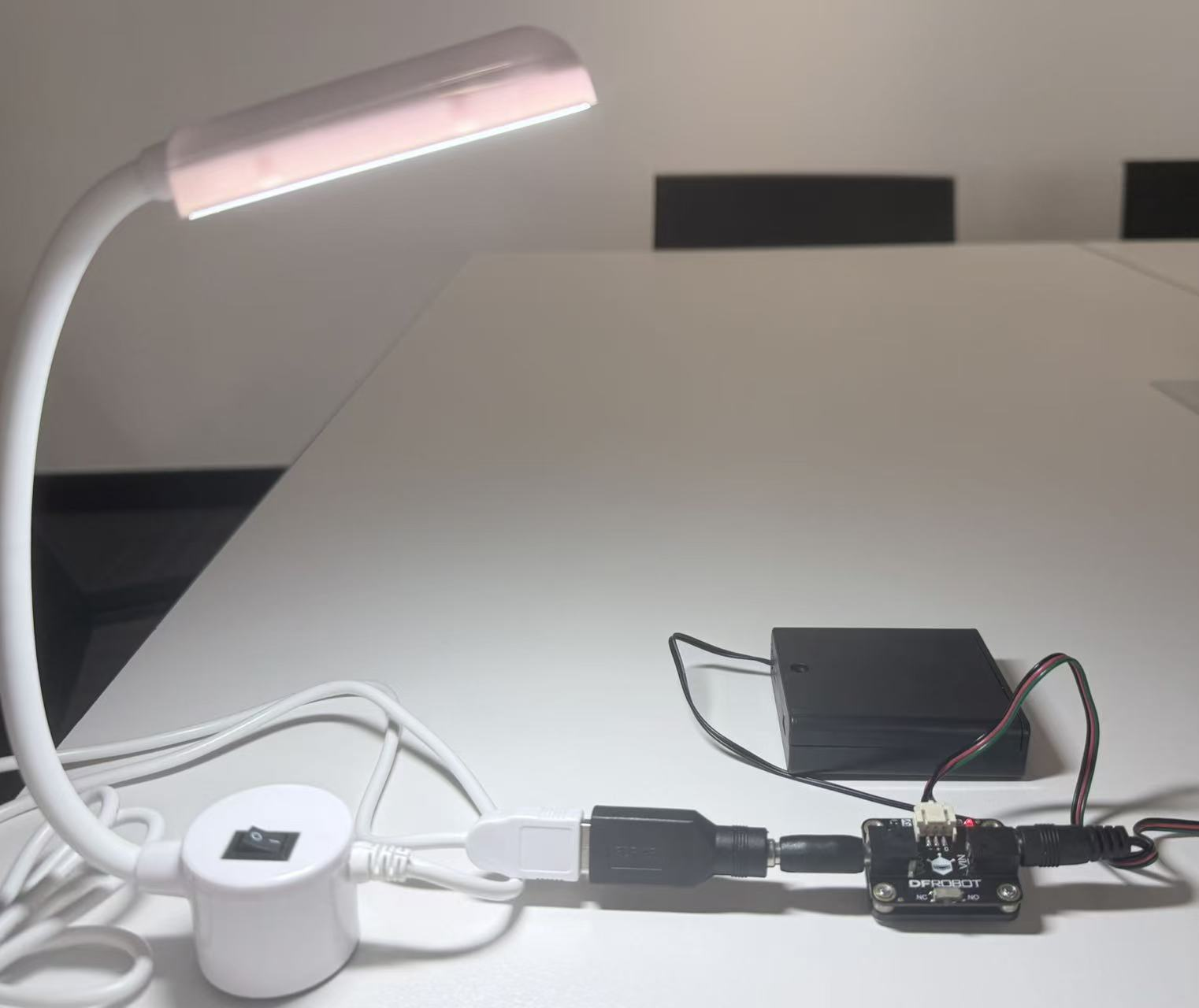
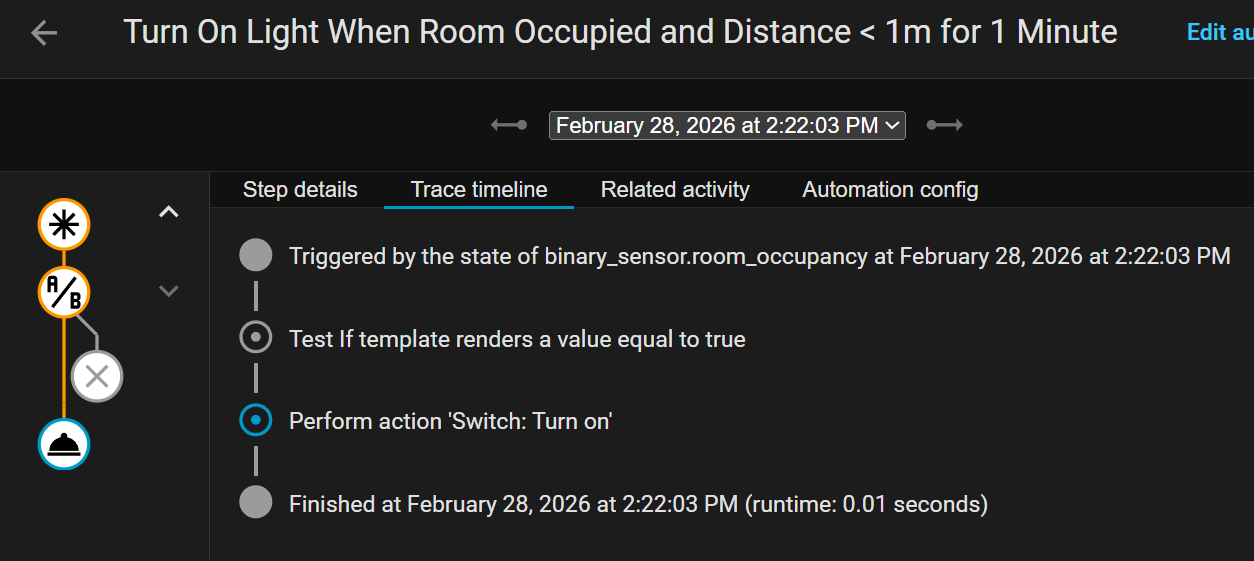
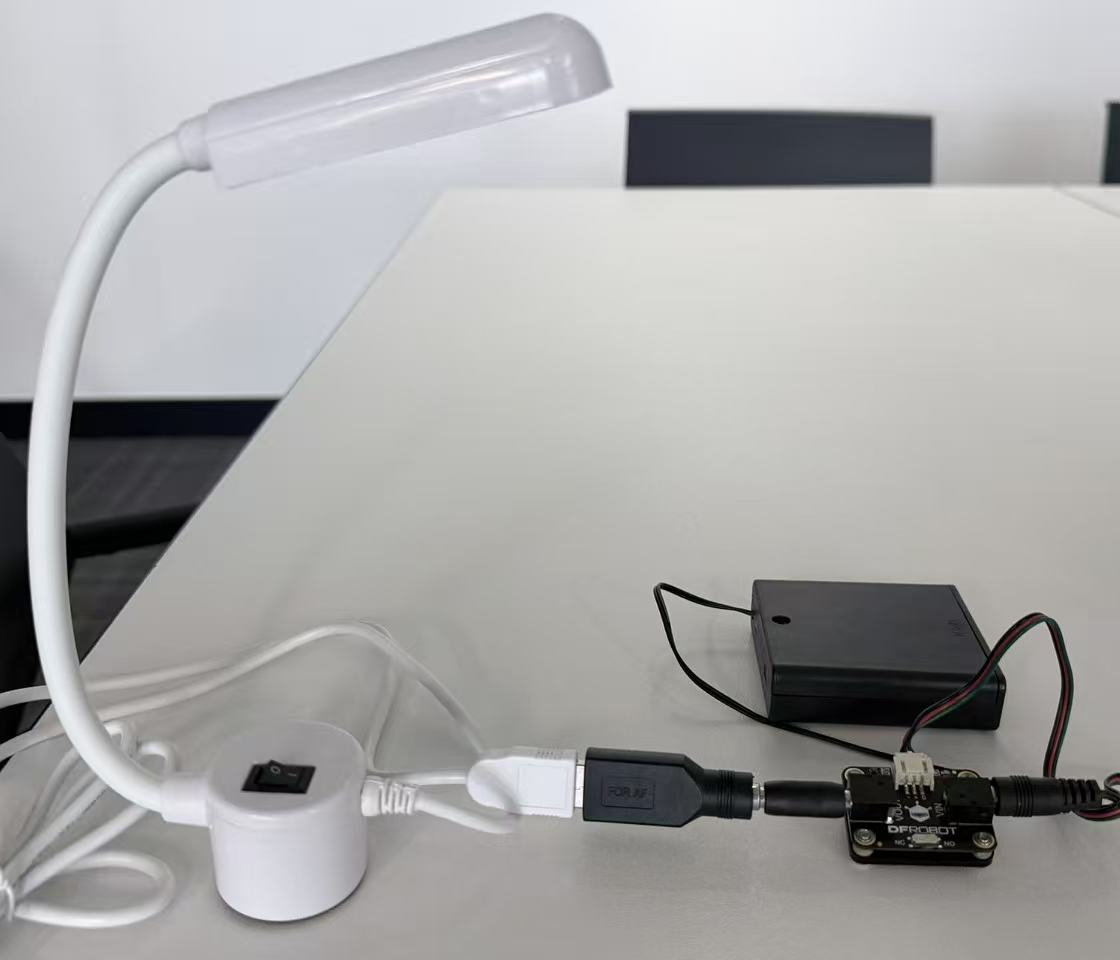
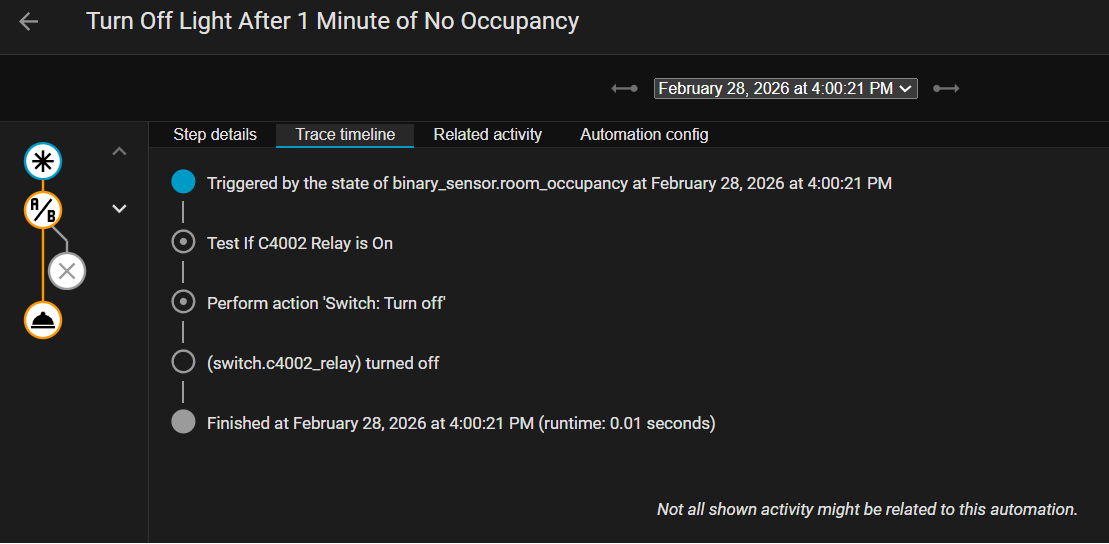
Right now, my automation logic is relatively simple:
The desk light turns on automatically when the following conditions are met:
- The sensor detects human presence
- The detected distance is less than 2 meters
- The presence lasts for more than 1 minute
Action: Turn on the desk light.
The desk light turns off automatically when:
- No presence is detected for 1 minute
- The desk light is currently ON
Action: Turn off the desk light.
After running this setup for a while, I realized that my current automation rules work well for the basic scenario—keeping the light on while I’m present—but there are still many ways the system could become smarter.
For example, future improvements could include:
- Adjusting brightness based on time of day The desk light could use brighter lighting during the daytime and switch to a softer, warmer light at night to create a more comfortable reading environment.
- Using ambient light to decide whether to turn on the light By adding an illuminance sensor, the system could check if the room is already bright enough and avoid turning on the light unnecessarily.
- Switching lighting behavior based on activity modes Different lighting profiles could be used for reading, working, or relaxing, allowing the system to adapt to different scenarios.