From Wine Corks to World Map: a Maker's Travel Board
by Lina Maria in Design > Art
116 Views, 1 Favorites, 0 Comments
From Wine Corks to World Map: a Maker's Travel Board

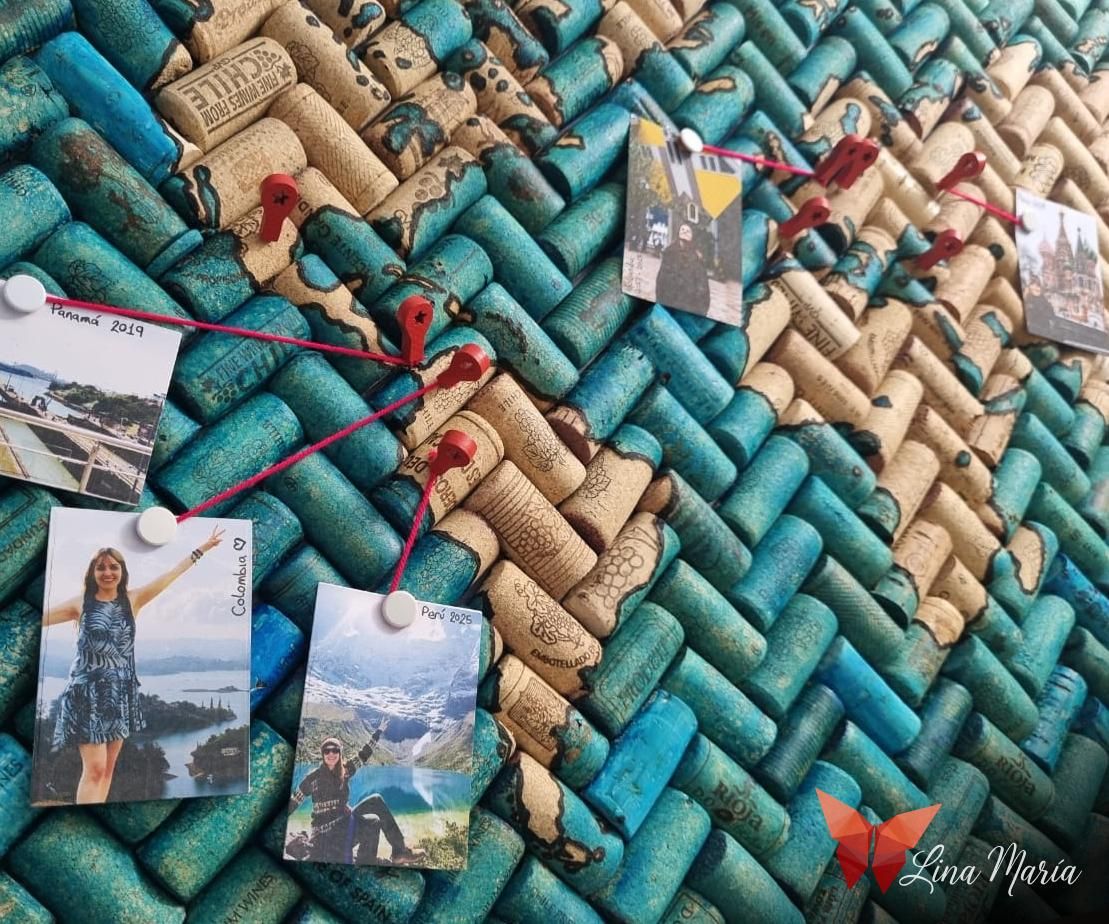


I love traveling, taking photos, and—let's be honest—I completely adore maps! Combining all three felt like the perfect excuse to create a custom cork world map. It serves as a visual journal to pin all the incredible places I've visited and display some of my favorite snapshot memories.
While I love wine, I don't actually drink very much of it. To make this project happen, I rallied my family to save every cork they had, and I even asked local restaurants during recent visits. Luckily, everyone was happy to pitch in, and I ended up with a massive collection!
Engineering a Precision Cutting Jig


I started by doing a few test runs slicing the wine corks by hand, but keeping them perfectly centered was incredibly tough. To fix this, I decided to engineer a custom cutting guide.
Using Autodesk Inventor, I modeled a 3D cylinder slightly wider than the average cork diameter. I then used a vacuum extrusion to create a 1mm slot running down both sides. Finally, I added a circular viewing window so I could keep an eye on the cork inside, placed a built-in stopper at the base so it wouldn't slide out, and sent it to my 3D printer.
Slicing the Corks With Ease


With the 3D-printed jig ready, the process became incredibly efficient. I simply slid each cork into the guide, passed my utility knife smoothly down the printed slots, and successfully split them all perfectly in half, one by one.
Laying the Herringbone Pattern Foundation


Next up was the layout. One by one, I began adhering the cork halves in a herringbone pattern onto my backing board using hot glue. For the base, I chose a large foam-core board—it provides great rigidity while remaining exceptionally lightweight.
Trimming the Borders
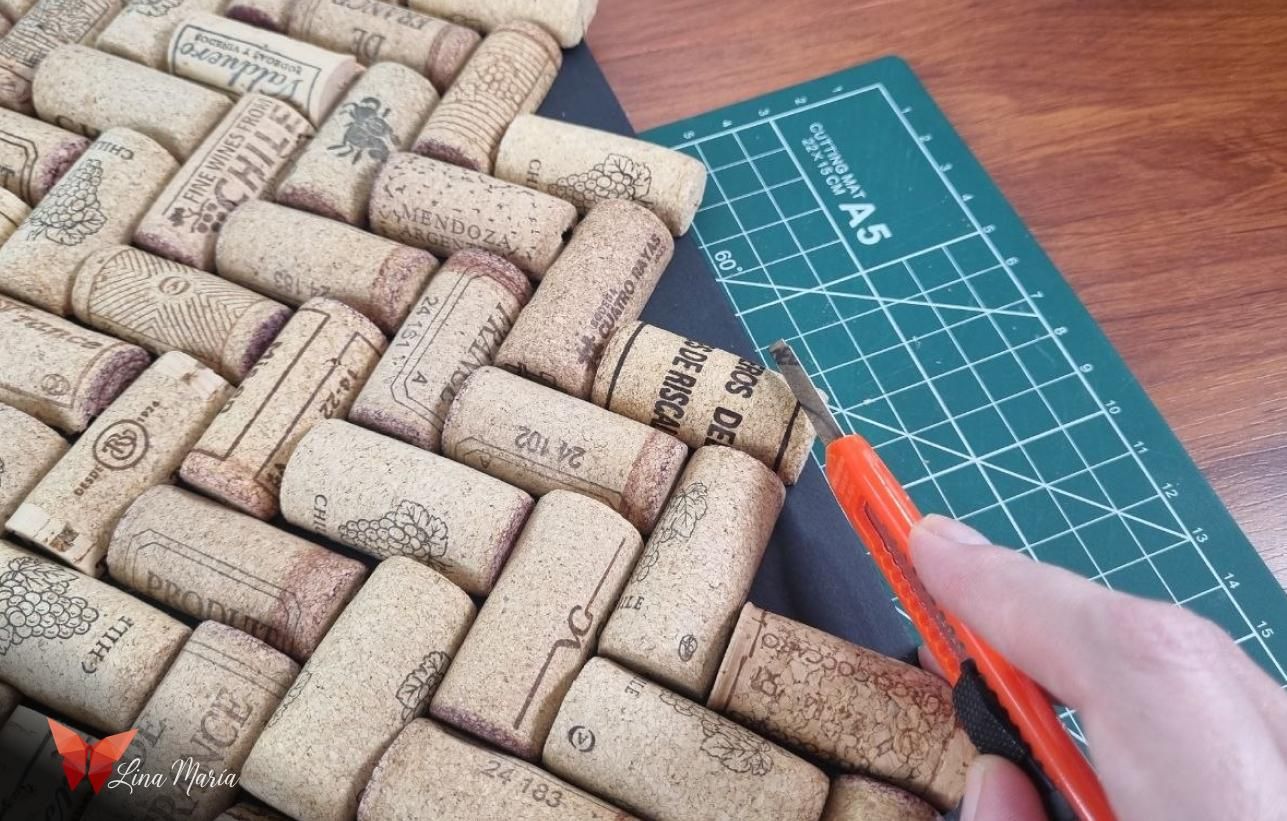
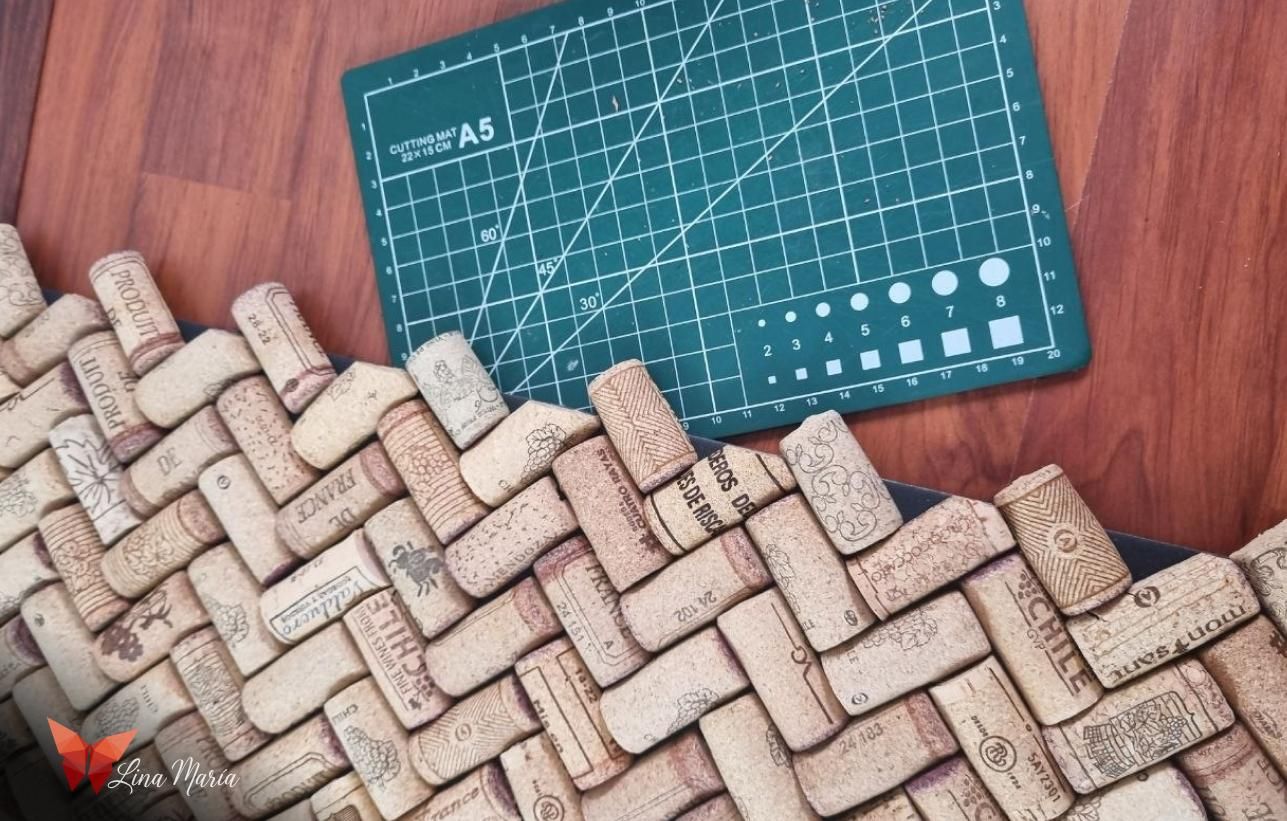


To get clean edges, I worked in sections. I left a few outer corks so I could clearly see the exact edge of the backing board underneath. I trimmed away the overhanging pieces with my utility knife, glued down the next set of edge corks, and repeated the process until the entire perimeter was perfectly flush.
Preparing the Giant Stencil


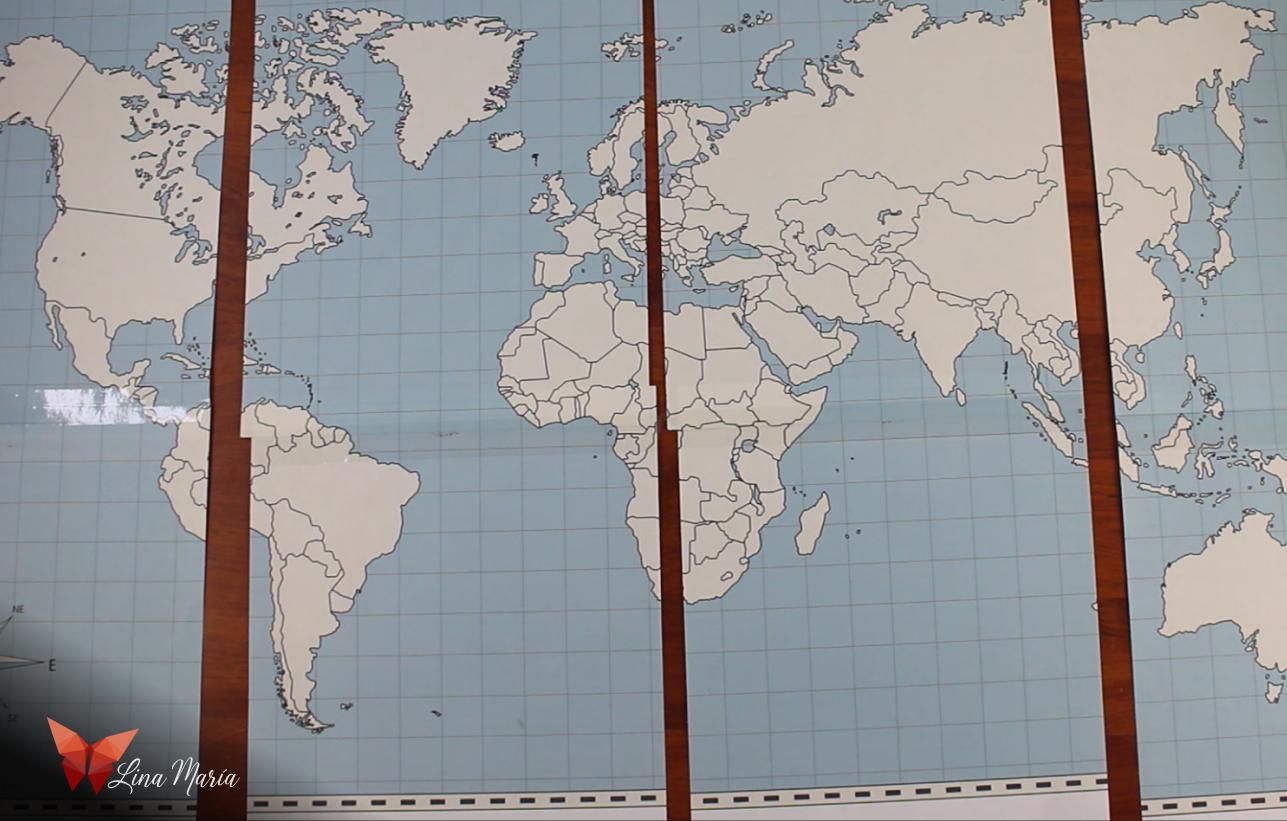

Since I have a standard paper printer at home, I decided to tile the world map. I brought a high-quality map into Adobe Illustrator, split it across multiple sheets, printed them out, carefully trimmed away the margins, and taped them all together into one seamless stencil.
Cutting Out the Continents


Using a precision craft knife, I carefully cut out the larger landmasses and continents. I deliberately skipped the micro-islands at this stage because cutting them out of paper would cause them to lose their shape completely, so I decided to tackle those details later.
Pyrography and Transferring the World Outline


I positioned the paper stencil directly onto the cork surface and pinned it down securely using sewing pins in multiple areas.
Initially, I tried tracing the borders using various markers, but the cork texture dried out the tips after just a few lines. Instead, I switched to a woodburning tool (pyrographer). This worked brilliantly, especially for the tiny islands and intricate coastlines; by burning straight through the paper template, it easily transferred a crisp, permanent charred outline directly onto the cork.
Washing the Oceans in Blue


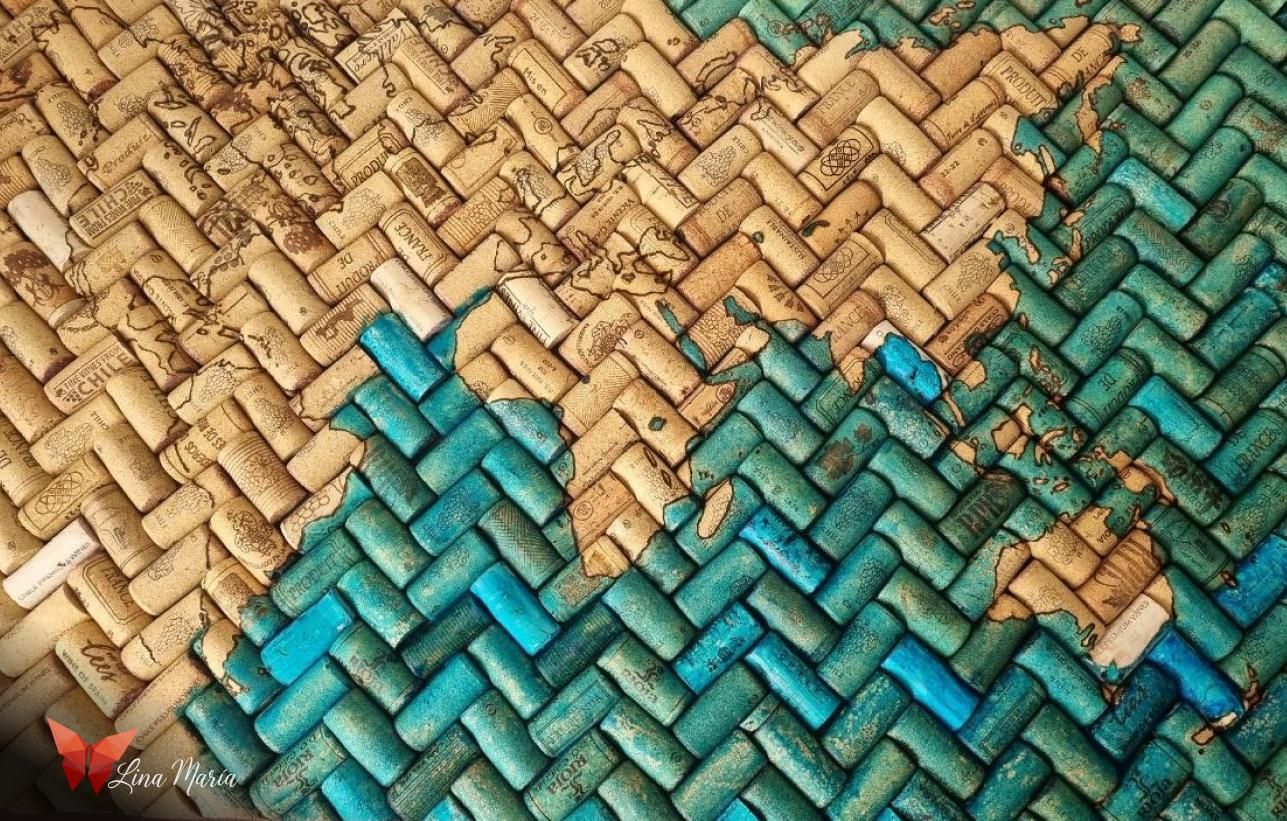

To bring the oceans to life, I used blue Ecoline liquid watercolor diluted heavily with water—specifically using a ratio of 3 parts water to 1 part pigment. I painted all the water regions carefully around the continents and let the ink dry completely.
High-Contrast Definition


After the watercolor dried, I noticed that the woodburned lines lacked the stark contrast I was visualizing. To make the continents truly pop against the blue background, I went over every single border with a black acrylic paint marker.
Building a Secure Hanging System


For the mounting hardware on the back, I decided to use anchor screws. To ensure they wouldn't pull out, I lined them up to bite directly into the centers of some corks on the opposite side. I pre-drilled small pilot holes, injected hot glue, and drove the screws into place. I set up 4 strategic anchor points across the back and tied a durable hanging cord securely between them.
Crafting a 45-Degree Cutting Guide


I bought a long length of plastic corner to serve as my frame. To ensure the 45-degree cuts were flawless, I hopped back into autodesk inventor and modeled a custom miter box guide. I printed the first version, then mirrored the design and printed a second one to cut the opposite angles. I measured the outer dimensions of the cork board and added an extra 3mm buffer to the final frame measurements.
Assembling the Frame Corner Joins
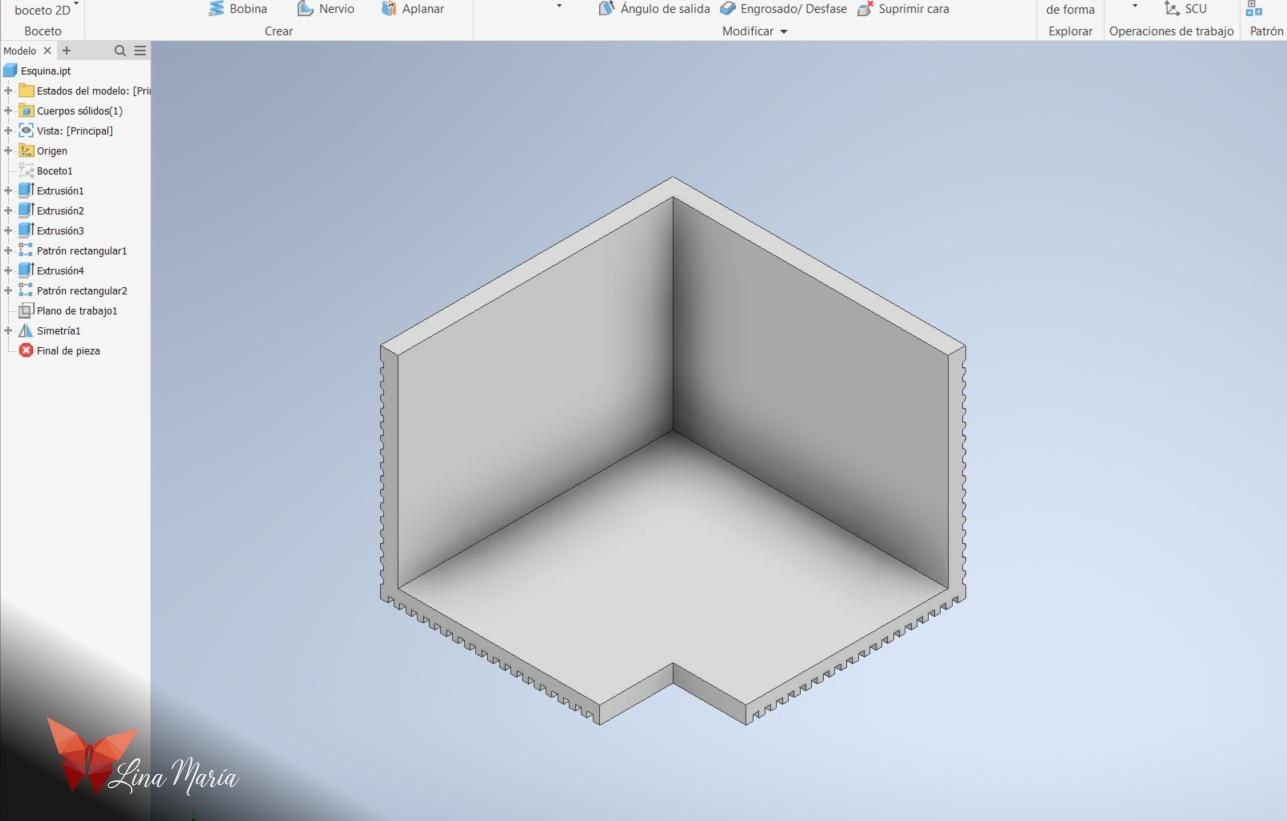


To join the frame corners flawlessly, I utilized 3D modeling and printing once more to create custom internal corner braces. I designed a small, low-profile right-angle piece, applied cyanoacrylate (super glue or nail glue) to the miter joints, and clamped them securely with C-clamps while they cured.
Fitting and Mounting the Frame


Once the frame was completely cured, I applied a generous layer of heavy-duty adhesive along all the inner channels. I pressed it firmly onto the cork edges, aligned everything, and let it dry before proudly hanging the completed piece on the wall.
Mapping My Travels


With the map finally mounted, I grabbed some beautiful red pushpins I sourced online and began marking the locations I've explored, attaching tiny photos to some to accompany them. Bit by bit, I'll continue adding more memories, and I can't wait to travel more to fill it with little red pins!
I hope you enjoyed this project and that it sparks plenty of creative ideas for your own space.
Happy making!