GestureMotion Car. AI-powered Car Controlled Using Real-time Hand Gesture Recognition Technology.
by karishmathakur in Circuits > Microcontrollers
85 Views, 1 Favorites, 0 Comments
GestureMotion Car. AI-powered Car Controlled Using Real-time Hand Gesture Recognition Technology.
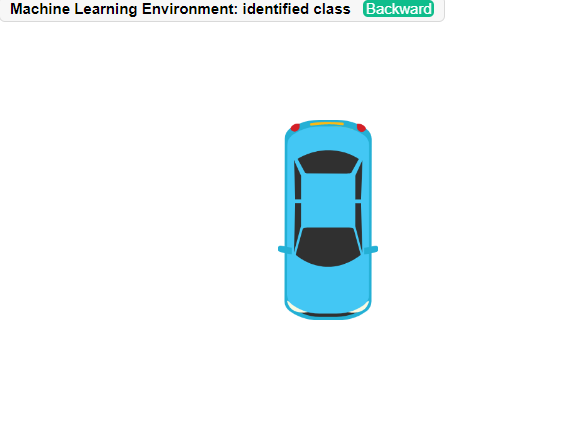
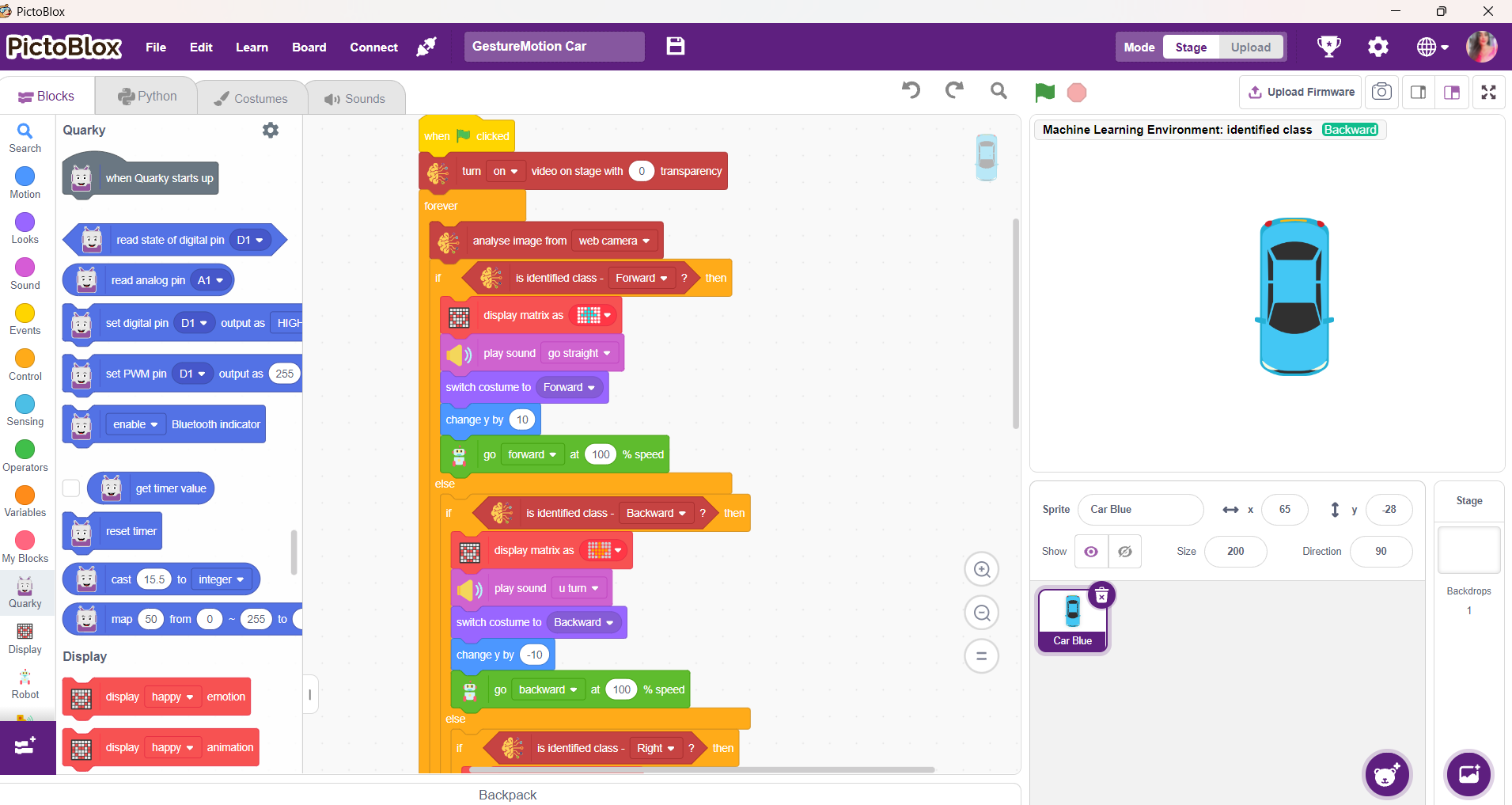
GestureMotion Car
Overview
GestureMotion Car is a smart robotics project that allows a car to move using hand gestures instead of a traditional remote controller. The system uses a camera and hand gesture detection to recognize different hand signs and convert them into movement commands such as forward, backward, left, right, and stop.
This project combines robotics, artificial intelligence, and computer vision to create an interactive touchless control system. It demonstrates how machines can respond to human gestures in real time, making human–machine interaction more intuitive and engaging.
Features
- Touchless car control using hand gestures
- Real-time gesture recognition with camera input
- Smooth movement in multiple directions
- Interactive and beginner-friendly robotics project
- Combines Machine Learning with robotics hardware
- Demonstrates real-world AI applications
Supplies

Hardware
- STEMpedia Quarky Board
- DC Motor and wheels
- Camera module / webcam
- USB cable
- Battery pack
Software
- PictoBlox
- Machine Learning Environment (Hand Detection)
Setup PictoBlox
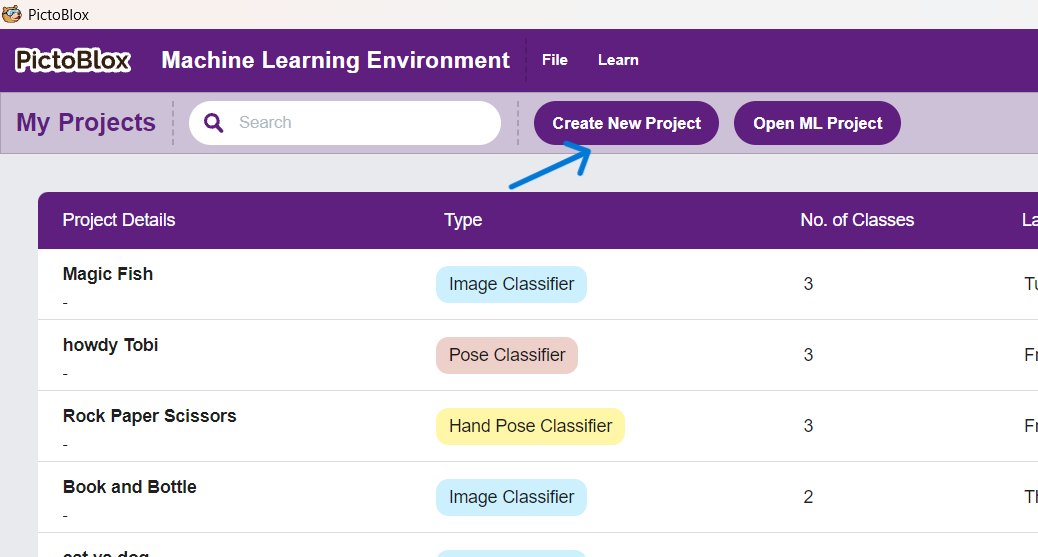
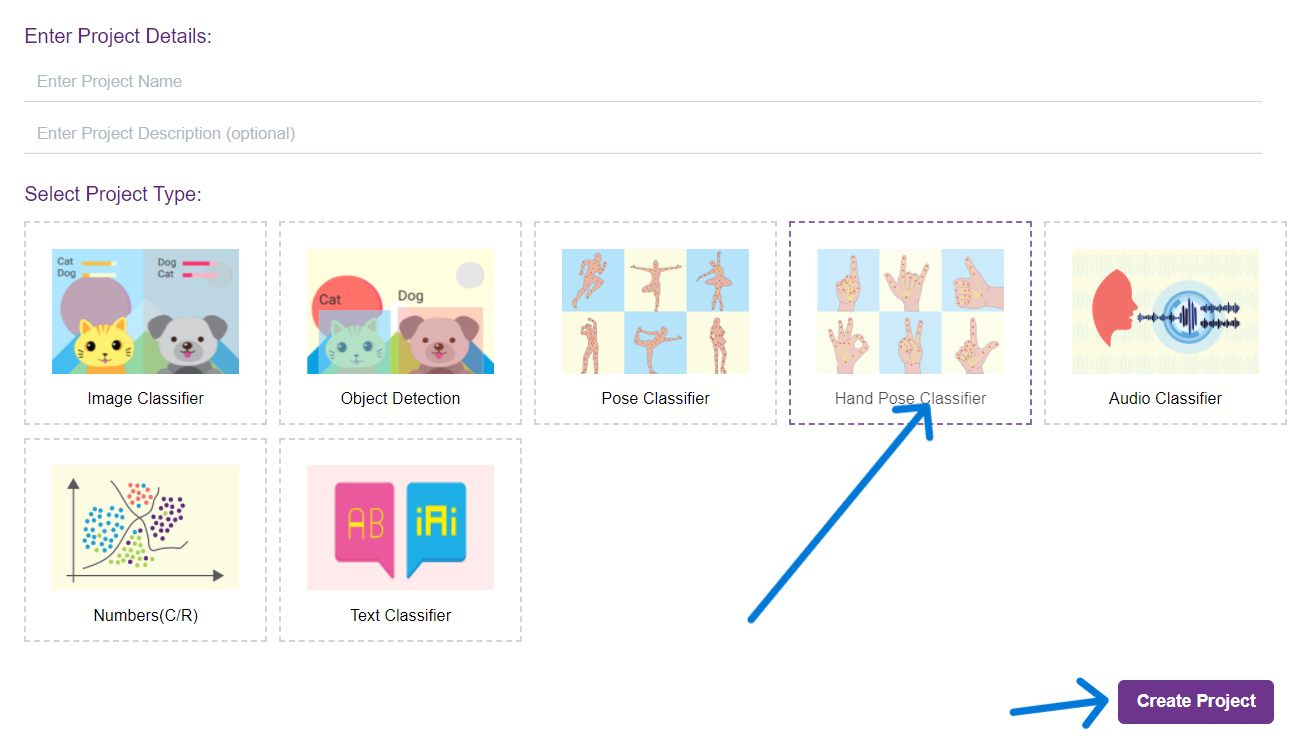
Open PictoBlox and select Machine Learning Mode. Choose the Hand Detection extension to enable gesture recognition.
Connect the Camera
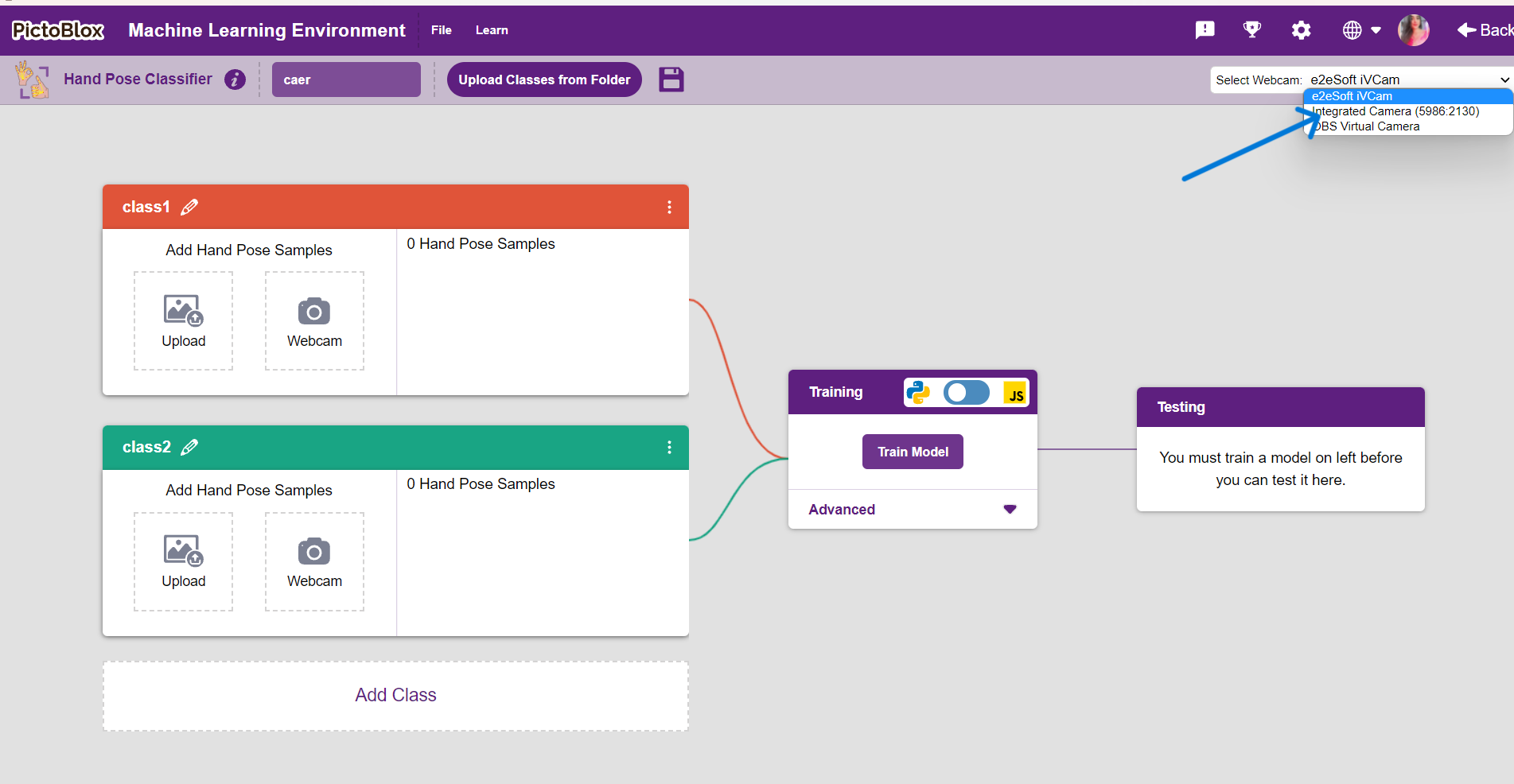
Attach the webcam or camera module to the computer so the system can capture hand movements.
Building the Machine Learning Model
Building the Machine Learning Model
To make the GestureMotion Car work, I first created a Machine Learning model for hand gesture recognition using PictoBlox. The model was trained to identify different hand directions and convert them into movement commands for the car.
Step 1: Create Gesture Classes
I created separate gesture classes for each car movement command:
- Left
- Right
- Up (Forward)
- Down (Backward)
- Stop
Each class represents a unique hand gesture that the camera can recognize.
Collecting Training Data
After creating the classes, I collected training samples for every gesture using the camera in PictoBlox.
Data Collection Process
- Opened PictoBlox in Machine Learning Environment.
- Selected the Hand Detection extension.
- Created gesture classes for Left, Right, Up, Down, and Stop.
- Captured multiple hand gesture samples for each class from different angles and positions.
- Ensured proper lighting and clear hand visibility for better accuracy.
Collecting more samples helped improve the model’s prediction accuracy and performance.
Training the Model
Once the dataset was ready, I trained the Machine Learning model inside PictoBlox.
Training Process
- The system analyzed all captured hand gesture samples.
- The model learned the visual patterns of each gesture class.
- After training, the model was tested using live camera input to verify gesture recognition accuracy.
The trained model was able to detect hand gestures in real time and classify them correctly.
Exporting the Model to PictoBlox Blocks
After successful training, the trained ML model was exported directly into PictoBlox blocks.
Integration with Robotics
The exported model was connected with the Quarky robotic car program:
- If gesture = Left → Turn Left
- If gesture = Right → Turn Right
- If gesture = Up → Move Forward
- If gesture = Down → Move Backward
- If gesture = Stop → Stop the Car
This allowed the robotic car to respond instantly to hand movements detected by the camera.
Assemble the Car
Connect the motors and wheels to the Quarky board to build the robotic car chassis.
Steps to Assemble - Four Wheeled Robot
Program the Gestures
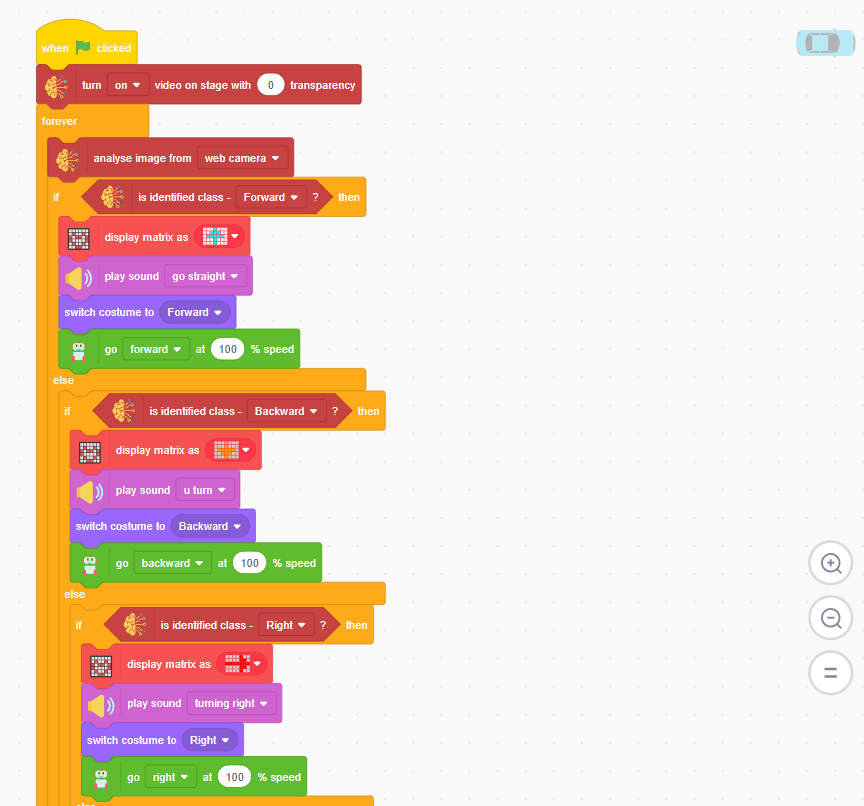
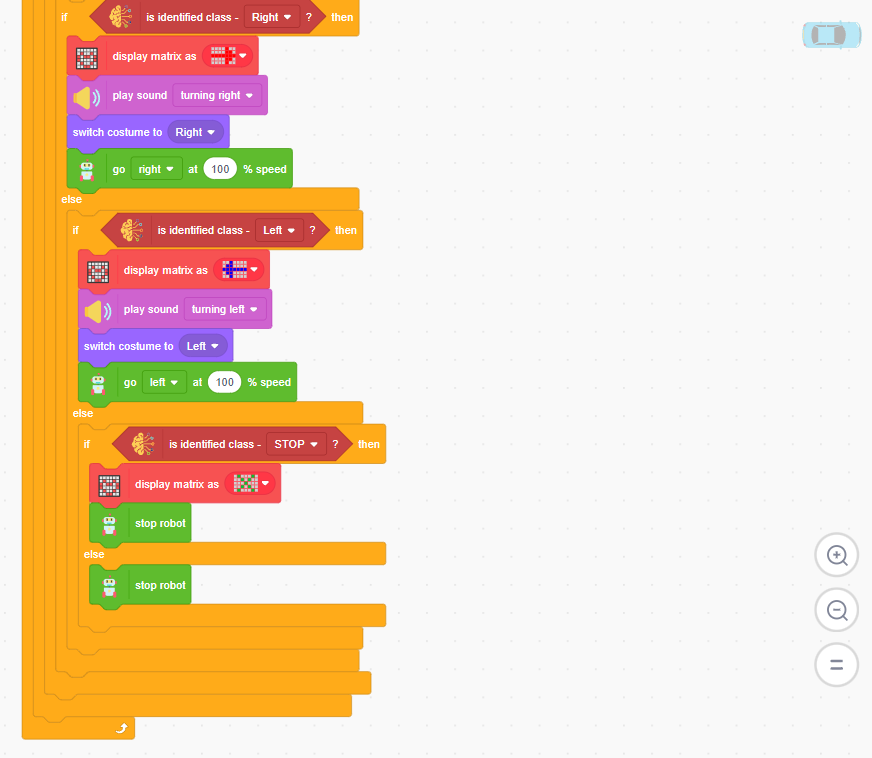
Create the logic in PictoBlox to detect gestures and assign movement commands for:
- Forward
- Backward
- Left
- Right
- Stop