Guide to OTA System Upgrade for Forlinx OKMX8MP-C Development Board on Linux 5.4.70
by yir65681 in Circuits > Linux
31 Views, 0 Favorites, 0 Comments
Guide to OTA System Upgrade for Forlinx OKMX8MP-C Development Board on Linux 5.4.70
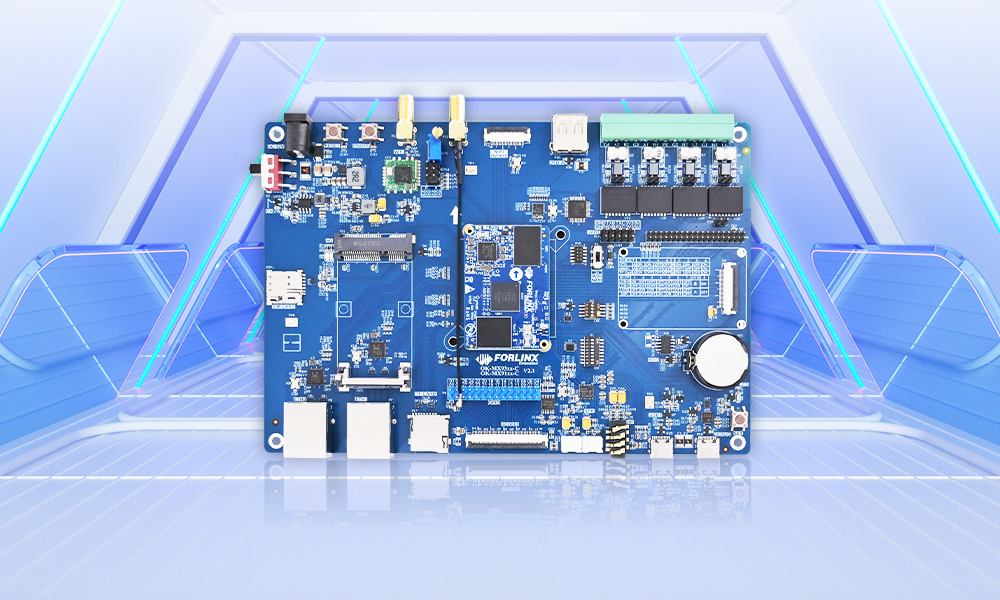
OTA is a method that enables lossless system upgrades for devices, allowing new features to be remotely deployed on products. The OTA upgrade package can not only be downloaded via the network but also used to upgrade the device after being downloaded to an SD card or a USB flash drive.
This article will introduce the specific implementation method of using OTA to upgrade the system on the Linux 5.4.70 system through the Forlinx Embedded OKMX8MP-C development board.
Environment Setup
1.1 Download the 22.04 Image of the Compilation Environment
Since RAUC version 1.6 is required, the 22.04 ISO image needs to be downloaded.
Download URL: https://mirrors.tuna.tsinghua.edu.cn/ubuntu-releases/22.04/
1.2 Modify the GCC Version of the Development Environment
1.2.1 Modify the apt Source
1.2.2 Add the Source at the End of the File
1.2.3 Update the source
1.2.4 Install GCC
1.2.5 Back up the original GCC and G + +
1.2.6 Link to gcc-7
1.2.7 Install and test
GCC test run results:
G + + test run results:
1.3 Install the rauc tool
Source Code Configuration
2.1 EMMC partition
Need to modify the source code OK8MP-linux-fs/rootfs/etc/init.d/Init.sh
2.2 Decompression of rauc and dependent tools
(1)Decompress under liblz4.tar.bz2在/OK8MP-linux-sdk/OK8MP-linux-fs/rootfs/usr/lib
(2)Decompress fw_setenv.tar.b z2 under /OK8MP-linux-sdk/OK8MP-linux-fs/rootfs
(3)Decompress unsquashfs.tar.bz2 under /OK8MP-linux-sdk/OK8MP-linux-fs/rootfs
(4)Decompress yocto-rauc-1.5.1.tar.bz2 under /OK8MP-linux-sdk/OK8MP-linux-fs/rootfs
2.3 Modifying the tool configuration
2.3.1 Modify the fw_env.config to specify the env base addr
/OK8MP-linux-sdk/OK8MP-linux-fs/rootfs/etc/fw_env.config
Delete the original content and only add:
2.3.2 Modify the rauc configuration file
/OK8MP-linux-sdk/OK8MP-linux-fs/rootfs/etc/rauc/system.conf
Note: It is necessary to ensure that the compatibility is consistent with that in the upgrade package and that the partition contents are correct.
2.3.3 Modify the compilation script
This part of the script needs to be commented out:
2.3.4 Modify the mount configuration file
Modify OK8MP-linux-fs/rootfs/etc/fstab as follows:
Note: The main purpose here is to prevent the service from automatically mounting the partition and causing the upgrade time partition to be already mounted.
Generate an Upgrade Package
3.1 Full compilation to obtain the required image
3.2 Copy the image and key file
Create the rauc folder
Create the build and bundle folders under the rauc folder
Copy the boot. img generated by compiling under images and rootfs.ext4 to the folder of bundleExtract the key file that provides the test to the rauc folder
3.3 Create upgrade package configuration file
Create manifest. raucm upgrade package configuration files in the bundle folder
The contents are:
3.4 Make upgrade package
Create the script package
The contents are:
Give the scripts executable permissions:
Generate an upgrade package
The bundle. raucb upgrade package is generated under the build folder.
Note: Pass the bundle. raucb upgrade package to the ext4 partition of the development board, in case of permission problems.
System Upgrade
4.1 View system status and upgrade
(1) View compressed package information
(2) View system status
(3) System upgrade
4.2 Switch the boot partition
View uboot environment variable
Configure to start from systme _ 1
View system status after reboot
Rollback Version
5.1 Reconfigure to system _ 0 boot
The rauc is upgraded to the alternate replacement of two systems. When upgrading, be sure to pay attention to the partition currently booted by uboot.