HTVRONT A100 Multi-Function Heat Press — Honest Review + DTF & Sublimation Projects
by cre8tivmindsllc in Craft > Fashion
406 Views, 1 Favorites, 0 Comments
HTVRONT A100 Multi-Function Heat Press — Honest Review + DTF & Sublimation Projects

I’ve been using heat presses for years, and the biggest problem most crafters run into is space. Between separate machines for shirts, mugs, and hats, crafting setups can quickly take over an entire room. So when HTVRONT released their A100 Automatic Multi-Function Heat Press, I wanted to see if one machine could actually handle multiple types of projects without sacrificing quality.
For this review, I tested the HTVRONT A100 on several different surfaces and materials using both DTF (Direct to Film) transfers and sublimation. I created a custom apron, kitchen towel, hat and a sublimation mug while switching between the machine’s different attachments throughout the process.
One feature that immediately stood out was how easy it was to swap attachments. The swapping process is incredibly simple. Pressing the orange release button instantly unlocks the current attachment so the next one can snap into place within seconds. It made moving between projects feel fast and seamless instead of complicated or time-consuming.
One thing to note is that the flat press area measures 12” x 10”, which is slightly smaller than the more common 15” x 15” heat presses many crafters are used to. However, the compact size also helps the machine fit comfortably into smaller crafting spaces.
In this Instructable, I’ll walk through each project step-by-step, share the exact heat settings I used, and give my honest thoughts on how the machine performed during real crafting use.
Video Tutorial: If you'd like to see each step in real time, you can follow along with my full Youtube tutorial while completing this project: https://youtu.be/5Ga4yeirRCo
Supplies
Machines & Attachments
- HTVRONT A100 Multi-Function Heat Press
- Flat press attachment
- Mug press attachment
- Hat press attachment
Materials Used
- Blank fabric apron
- Cotton kitchen towel
- Oven Mitt
- Pot holder
- Sublimation mug
- Trucker hat
- DTF transfers
- Sublimation paper
Tools & Accessories
- Heat-resistant tape
- Butcher paper
- Lint roller
- Heat-resistant gloves
- Teflon sheet (optional)
- Scissors
- Measuring tape
Software & Design
- Custom artwork/design files
- Printer for sublimation prints
What Comes in the Box

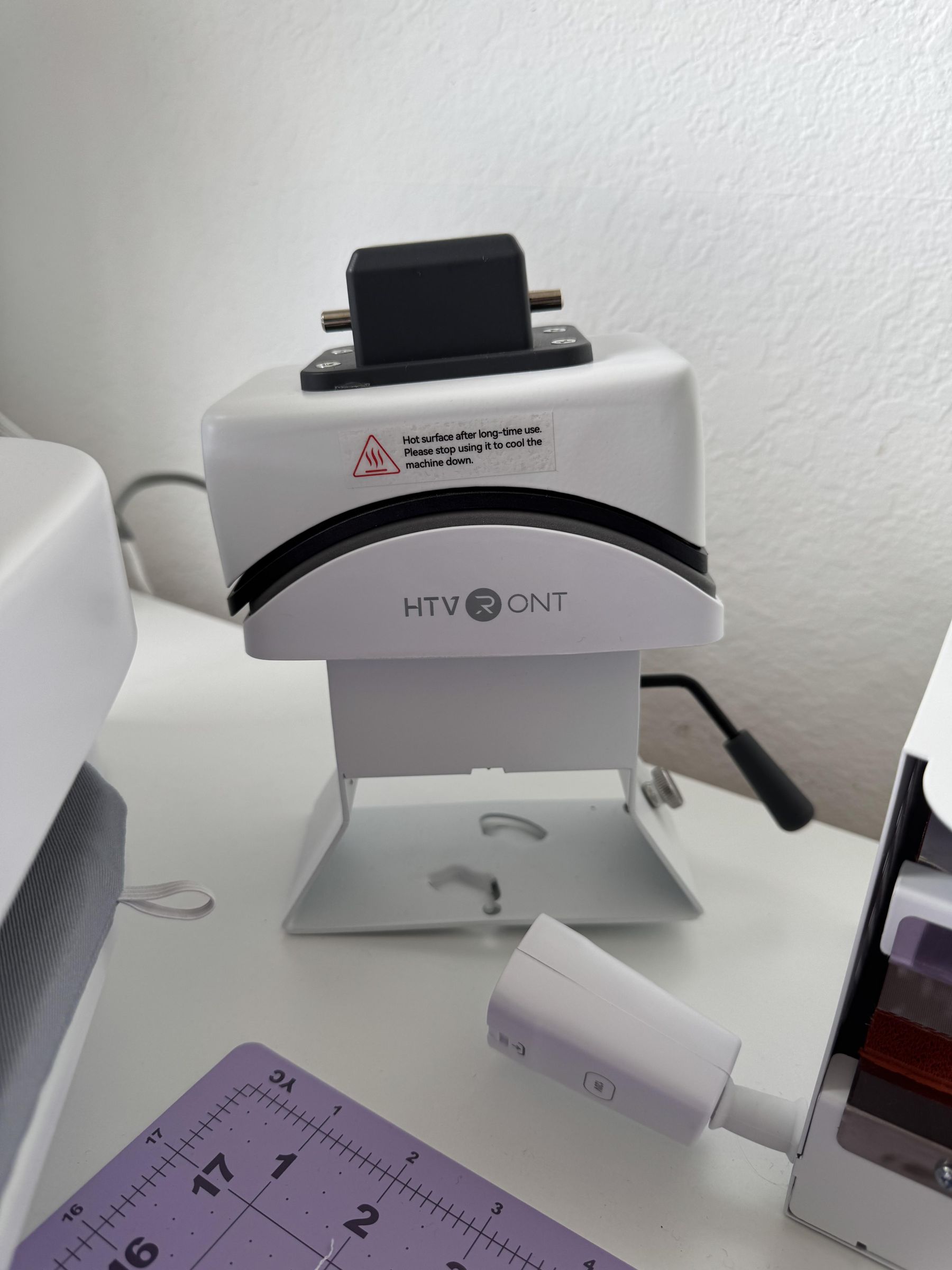
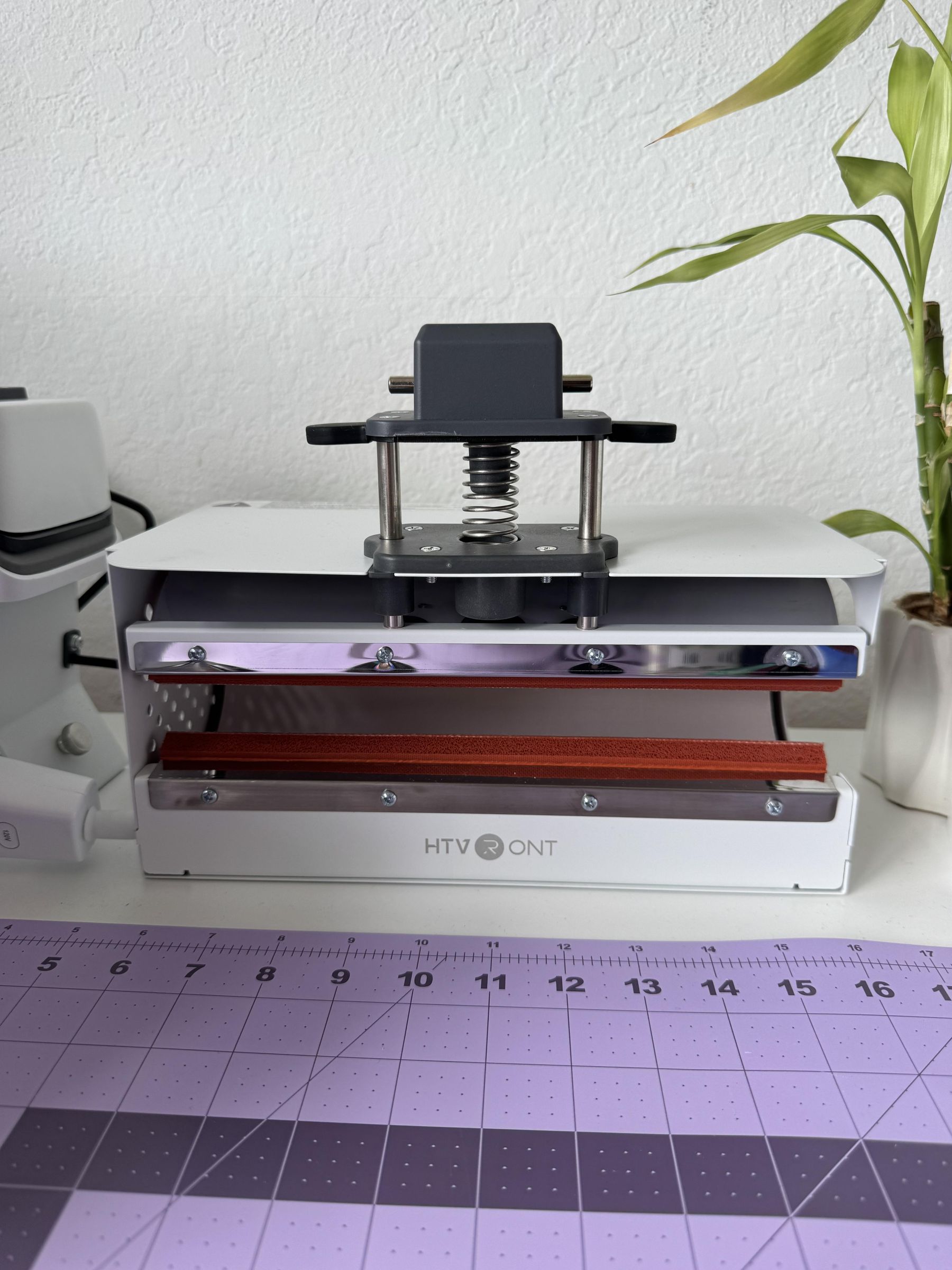


The HTVRONT A100 is designed as an all-in-one heat press system, so the box includes multiple attachments for different types of projects.
Inside the box I found:
- Main automatic heat press machine
- Flat heat press attachment
- The pressing pillow
- Mug/tumbler attachment
- Hat press attachment
- Instruction manual
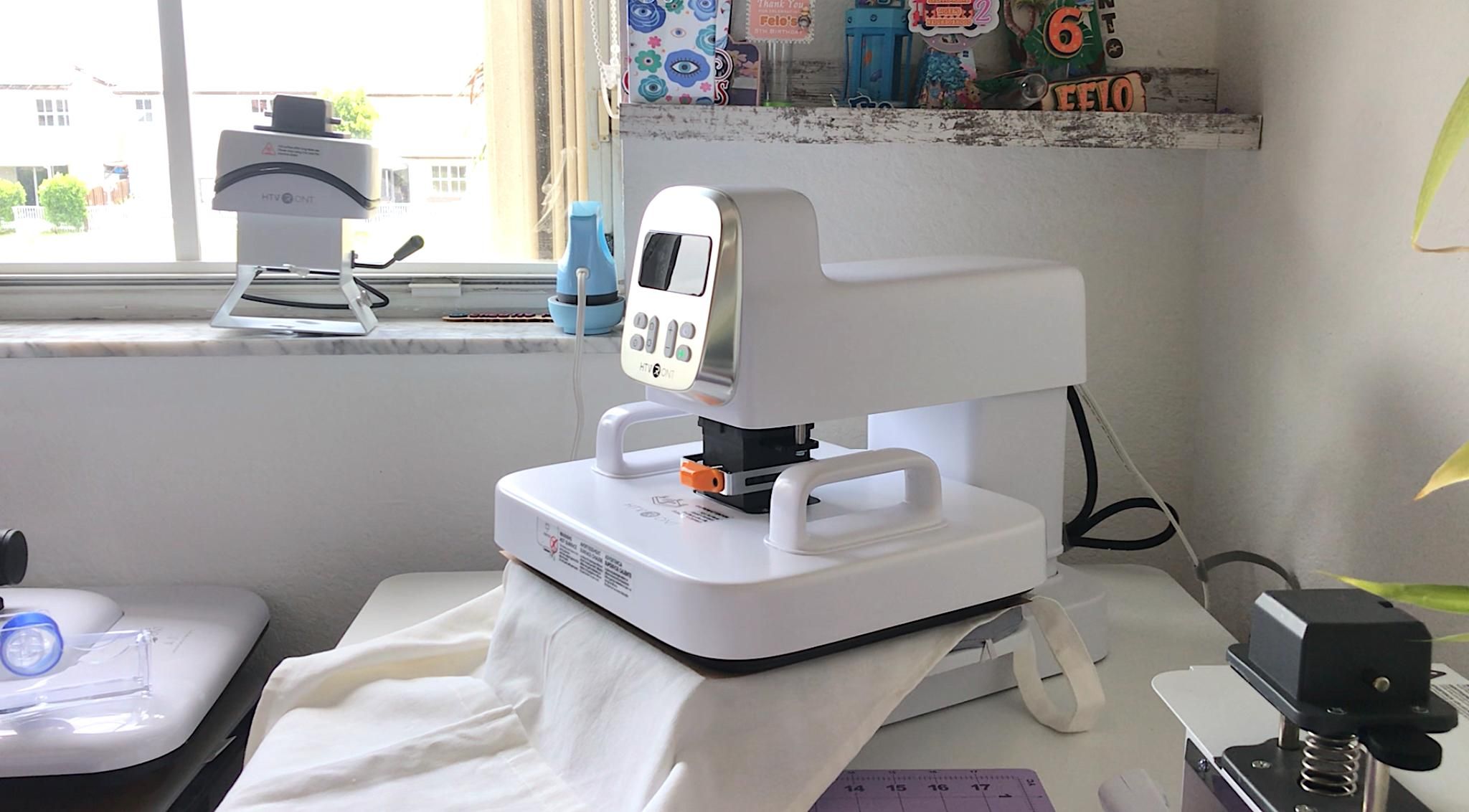
The first thing I noticed was how sturdy the machine felt right out of the box. It definitely has some weight to it, which actually made it feel more stable while pressing projects. The button control also gave it a more modern feel compared to traditional manual heat presses.
🎥 Watch the full uboxing:
🎥 Watch the full process:
Setting Up the A100


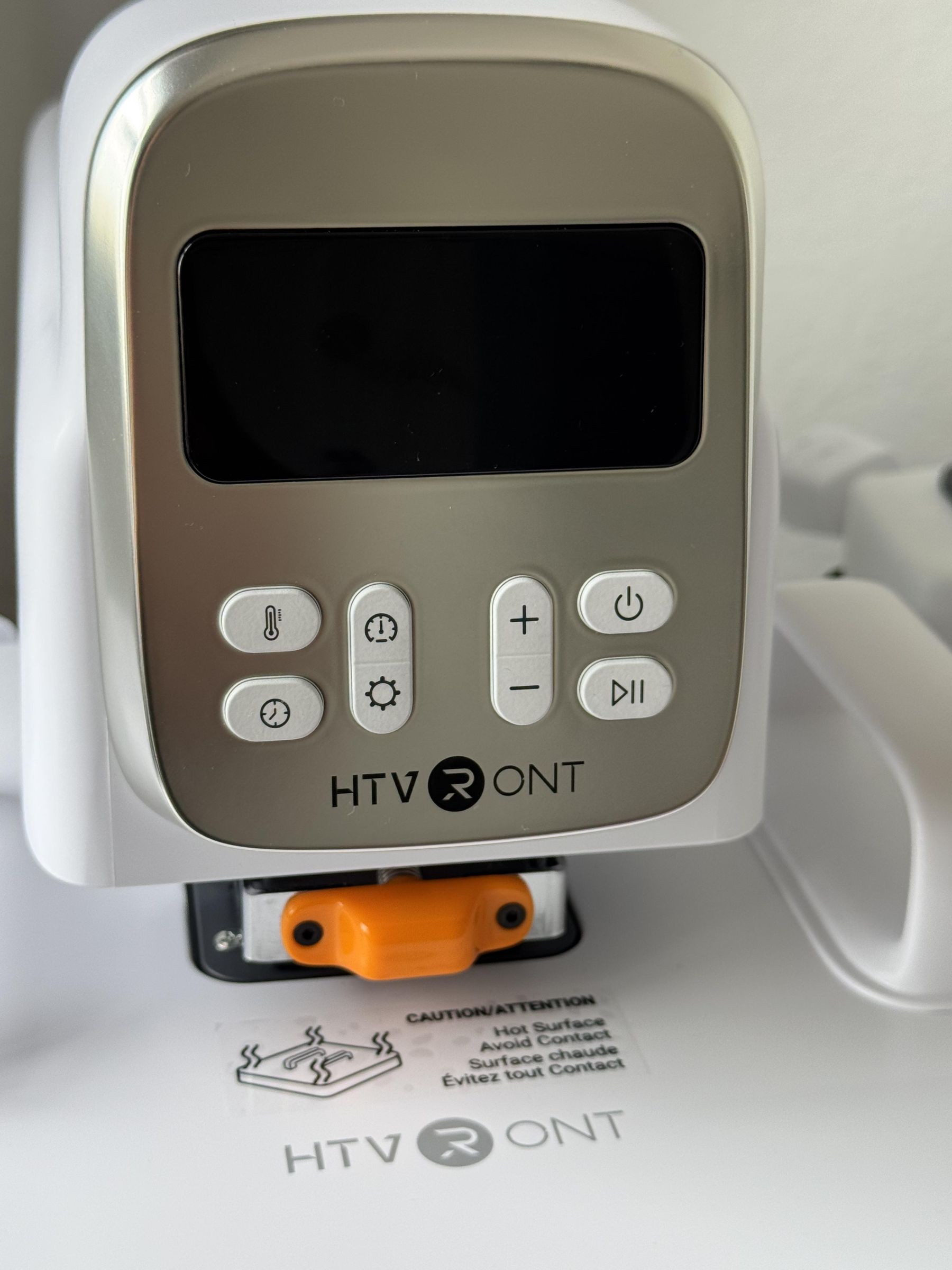

Setup was surprisingly straightforward. The attachment system uses a quick-swap design, so changing between the flat press, mug press, and hat press only took a few seconds.
The machine first needs you to select the corresponding mode, then it automatically adjusts the height to match the corresponding attachment.
The digital interface was easy to navigate, and I liked being able to adjust:
- Temperature
- Time
- Pressure settings
- Attachment selection
The machine has a custom selection which allows you to manually adjust the height of the press. This is especially useful when pressing thicker items like wood signs, wood boxes, and other dimensional blanks.
One thing I especially appreciated was the automatic opening feature. Once the timer finished, the press opened on its own, which helped prevent overheating and made multitasking easier.
DTF Apron Project
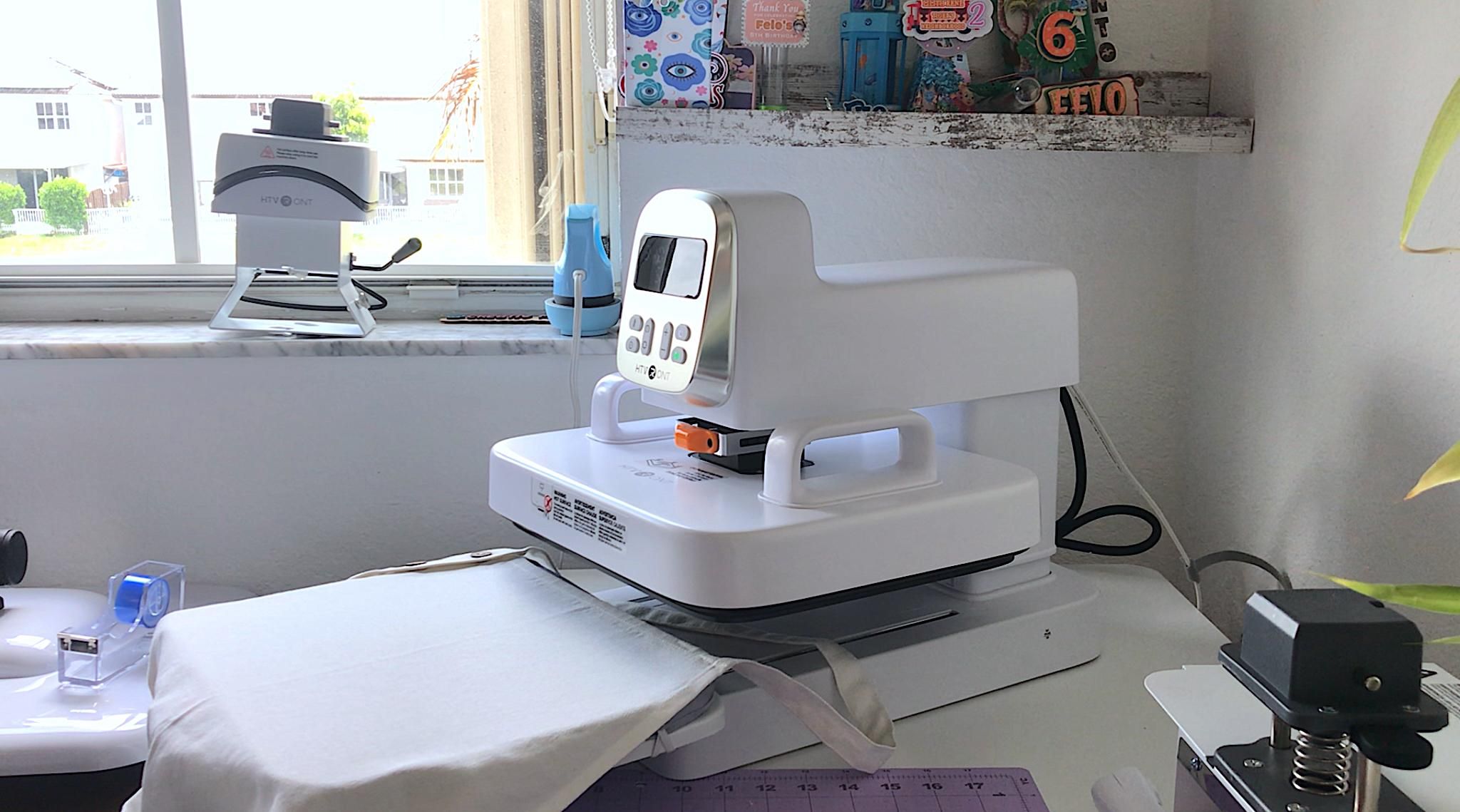


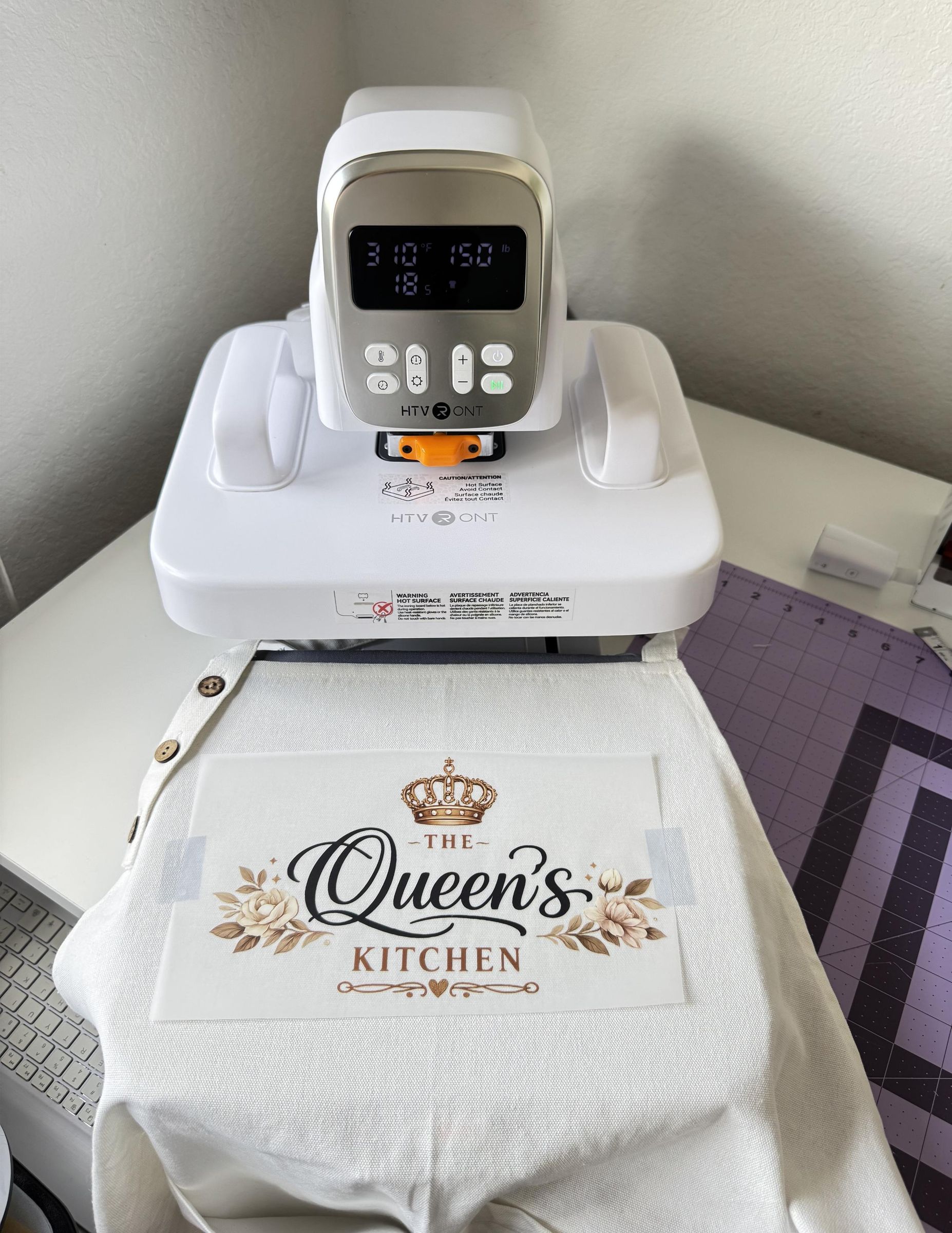
For my first project, I wanted to test the flat press attachment using a DTF transfer on a fabric apron.
I positioned the transfer onto the apron and secured it before pressing.
Settings Used:
- Temperature: 310°F
- Time: 18 seconds
- Pressure: 150lbs
The press closed automatically and applied even pressure across the design. One thing I immediately noticed was how smooth the pressing process felt compared to manually adjusting pressure on traditional heat presses.
After pressing, I peeled the transfer while cold and the design released cleanly without lifting. I then press the design again with a teflon sheet on top for another 8 seconds to seal it all.
The final result came out vibrant with crisp details and smooth adhesion to the fabric.
Would I Use This Attachment Again?
Definitely. The flat press attachment felt reliable and beginner-friendly, especially for fabric projects. The automatic pressure system made the process feel much less stressful compared to manual presses.
DTF Kitchen Towel Test


Next, I tested another DTF transfer on a cotton kitchen towel to see how the machine handled thinner fabric.
Because towels have more texture than aprons, I slightly adjusted the pressure and made sure the fabric was completely flat before pressing.
Settings Used:
- Temperature: 310°F
- Time: 15 seconds
- Pressure: 150lbs
First I pre-pressed the towel for 10 seconds to remove any moisture and to smooth it out before placing the DTF. Then I centered the DTF on the lower part of the towel and secured it with heat resistant tape. The transfer adhered evenly, and I was impressed by how well the machine maintained consistent heat across the entire design area.
After peeling of the film, I pressed the design again for another 5 seconds with a teflon sheet on top to protect it.
What I Noticed
The automatic opening feature was especially helpful here because thinner fabrics can scorch easily if over-pressed. Having the machine release automatically gave me more confidence during testing.
Sublimation Mug Test


One of the projects I was most excited to test was the mug attachment.
I wrapped my sublimation print tightly around the mug using heat-resistant tape and inserted it into the mug press attachment.
Settings Used:
- Temperature: 390°F
- Time: 250 seconds
- Pressure: pressure is automatic on this attachment and cannot be adjusted
The mug attachment heated evenly and held the mug securely during pressing.
The reveal moment was honestly one of my favorite parts of the entire testing process. Once I removed the paper, the colors came out vibrant and sharp with no major fading or patchiness.
What Worked Well
I liked how evenly the attachment heated around the mug surface. The attachment also felt secure without requiring excessive pressure adjustments. It is very important to use heat resistant gloves and to let the mug cool down before handling with your bare hands.
Sublimation Hat Test


For the final project, I tested the hat press attachment using a trucker styled cap and DTF.
Curved surfaces are usually one of the trickiest things to press, so I wanted to see how evenly the A100 handled the shape of the hat.
I secured the design with heat-resistant tape and carefully positioned the pressing area over the curved surface.
Settings Used:
- Temperature: 310°F
- Time: 15 seconds
- Pressure: 170lbs
The attachment heated evenly and gave solid contact across the front panel of the hat.
My Thoughts on the Hat Attachment
Hats can definitely take a little more practice because of the curved shape, but overall the attachment performed well. It is important that you size your design properly so that it fits in its entirety under the hat plate press.
What I Liked About the HTVRONT A100
After testing multiple types of projects, here are the features that stood out the most to me:
What I Liked
- Automatic opening feature
- Easy attachment swapping
- Compact all-in-one design
- Beginner-friendly controls
- Consistent heat distribution
- Digital interface
- Space-saving compared to owning multiple presses
What Could Improve
- The machine does take up a decent amount of table space
- Hat pressing still requires some positioning practice
- Storing multiple attachments may require extra organization space
Final Verdict


Overall, I was genuinely impressed with how versatile the HTVRONT A100 turned out to be.
Instead of needing separate presses for fabric, mugs, and hats, this machine handled all of those projects within one setup while still producing professional-looking results.
I think this machine would work especially well for:
- Small business owners
- Etsy sellers
- Beginner crafters
- People with limited workspace
- Anyone wanting to combine DTF and sublimation projects into one machine
The biggest advantage for me was the convenience. Being able to switch between attachments quickly made the workflow feel smoother and less overwhelming compared to using multiple separate machines.
After testing several different projects, the A100 honestly felt like a practical solution for crafters who want versatility without filling an entire craft room with equipment.
🎥 Watch the full uboxing:
🎥 Watch the full process: