HeatDebt: a Cumulative Heat Exposure Tracker
by siliconwafer in Circuits > Electronics
33 Views, 0 Favorites, 0 Comments
HeatDebt: a Cumulative Heat Exposure Tracker
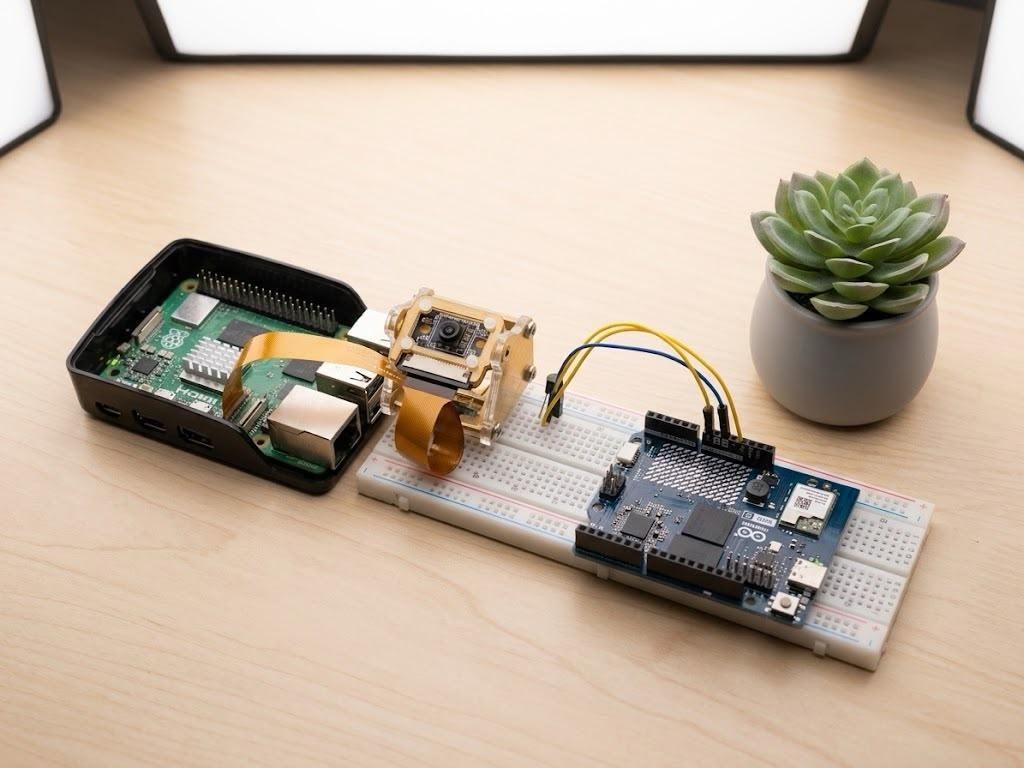
Summer heat doesn't just hit you all at once—heat exhaustion creeps up on you. Most environmental gadgets only tell you "it's hot right now," which isn't enough to prevent heat stress during a long day of working, gardening, or studying in an un-air-conditioned room.
HeatDebt tracks cumulative heat exposure. Think of it like a fitness tracker's activity ring, but for heat load. The longer and hotter you're exposed, the higher your "debt" score climbs. Step away and cool down, and the score slowly drains. Cross a safety threshold, and it sounds a local alarm. Cross a critical threshold, and it texts your phone.
I built the project for the "Beat the Heat" contest, and this project combines computer vision, edge-computing, and thermal tracking to ensure you stay safe when the weather gets intense. It works for your pets as well :)
Supplies
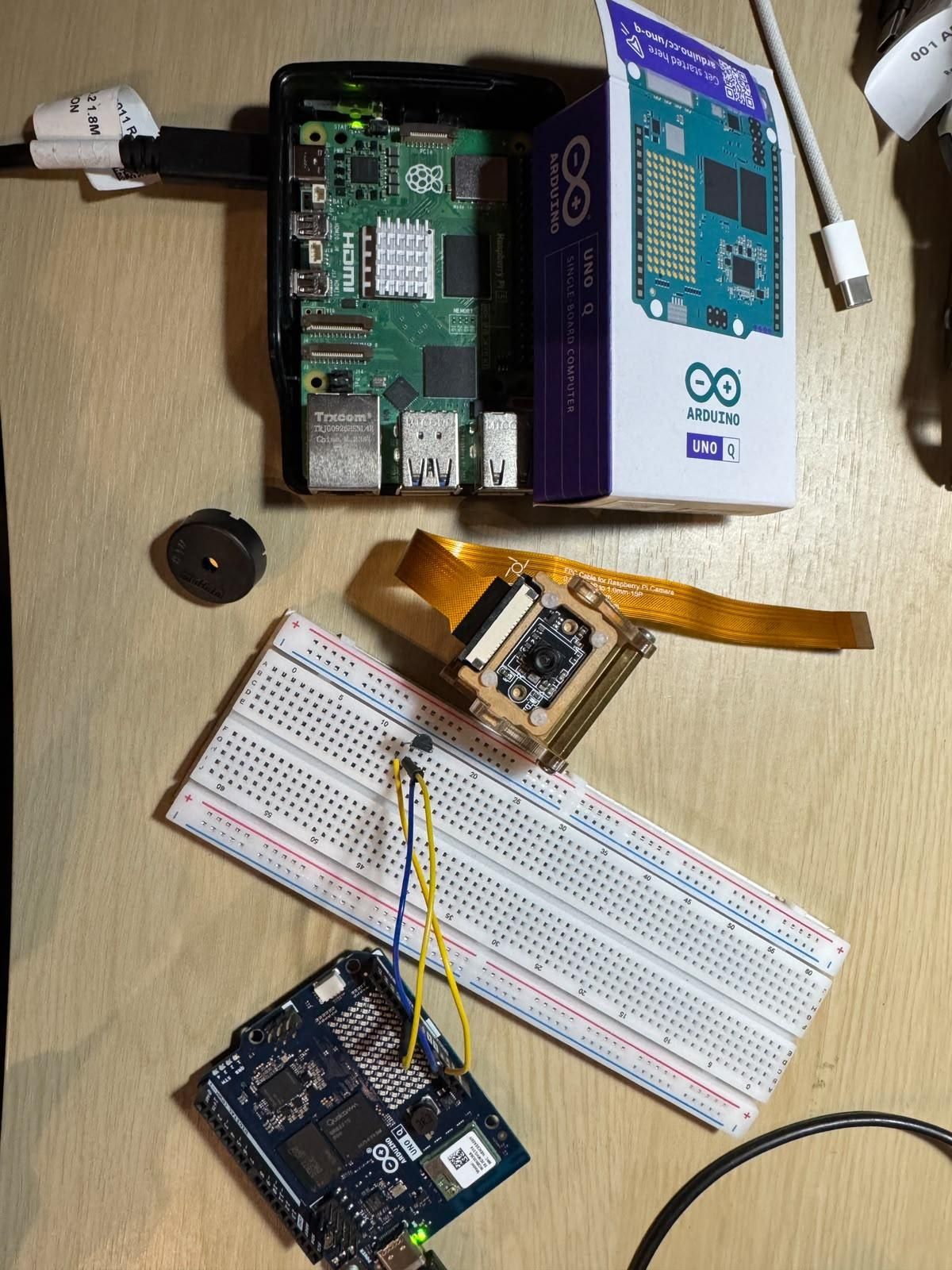
Raspberry Pi 5 + official Camera Module (The analytics and vision brain)
Arduino UNO Q (The edge-telemetry sensor node)
TMP36 Analog Temperature Sensor
Piezo buzzer (For local audio alerts)
Breadboard & jumper wires
Software: Arduino App Lab, Python 3, OpenCV, Autodesk Fusion 360
(Optional) Free Twilio trial account for SMS alerts - My Preference
Note: No USB data cables are needed between the Pi and the UNO Q! They communicate entirely over WiFi.
The Design Logic
Summer heat doesn't just hit you all at once—heat exhaustion creeps up on you. Most environmental gadgets only tell you "it's hot right now," which isn't enough to prevent heat stress during a long day of working, gardening, or studying in an un-air-conditioned room.
HeatDebt tracks cumulative heat exposure. Think of it like a fitness tracker's activity ring, but for heat load. The longer and hotter you're exposed, the higher your "debt" score climbs. Step away and cool down, and the score slowly drains, modeling physical recovery. Cross a safety threshold, and it sounds a local alarm. Cross a critical threshold, and it texts your phone.
I built for this project for the "Beat the Heat" contest, and this project utilizes a wireless edge-computing architecture. An Arduino UNO Q continuously measures ambient heat and serves the data over a local network, while a Raspberry Pi 5 runs a computer vision exposure model to track your presence and calculate your physiological heat debt in real-time. This project works for your pets too :)
Designing a Thermally Optimized Case in Autodesk Fusion 360
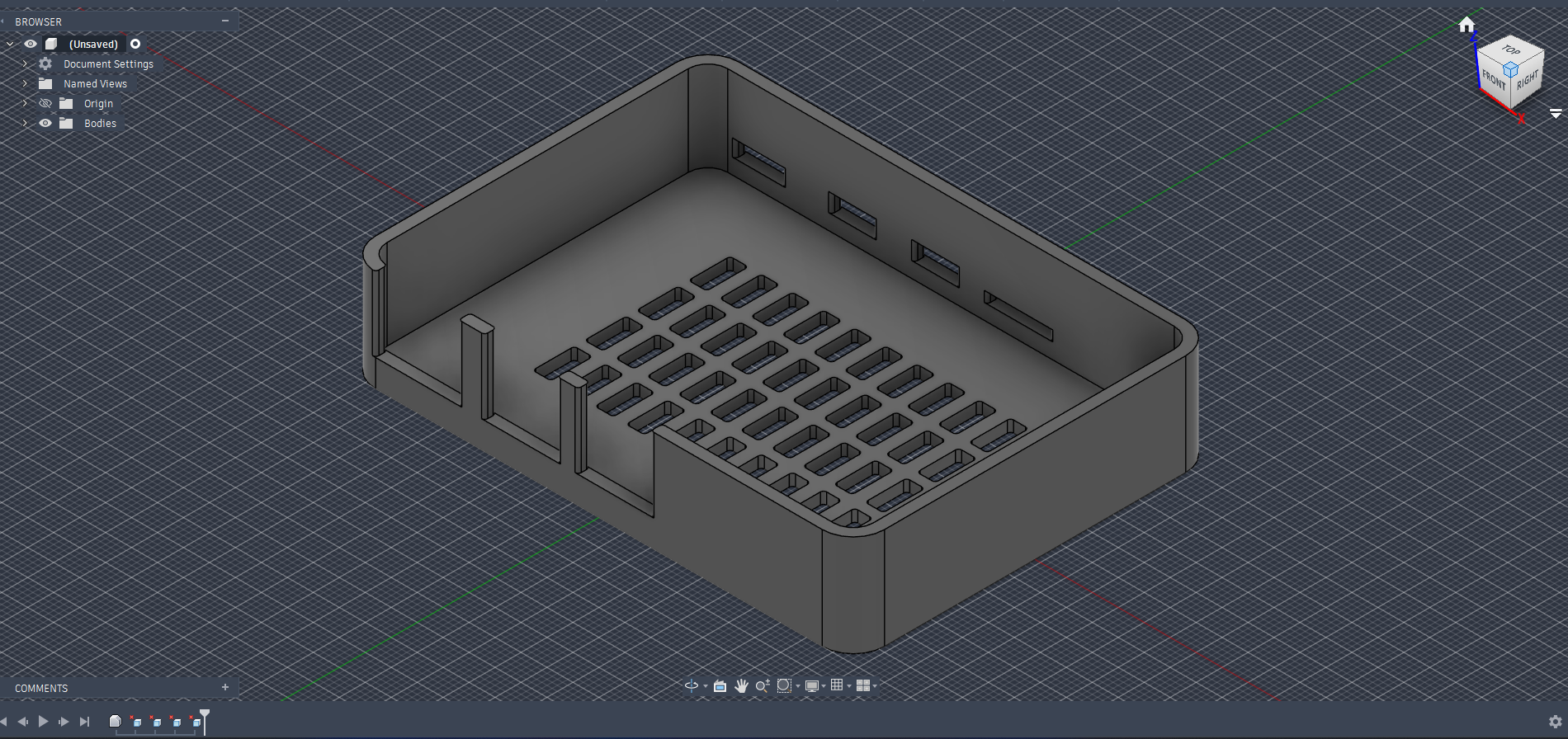
ok lets be honest - if you are building a device to measure environmental heat, your own hardware cannot skew the data. The Raspberry Pi 5 runs notoriously warm. Trapping it in a solid plastic box would create a micro-oven, completely throwing off ambient temperature readings.
To solve this, I designed a custom, thermally optimized enclosure base using Autodesk Fusion 360:
- Passive Airflow Grid: I modeled a wide grid pattern across the bottom plane. This allows maximum passive airflow around the underside of the board.
- Precision Clearances: Using Fusion 360's measurement tools, I extruded exact clearances for the USB, Ethernet, and display ports to ensure the boards sit flush without obstructing I/O.
This ensures our heat-stress algorithms react to the room's actual temperature, not the CPU's!
Hardware Architecture and Wiring
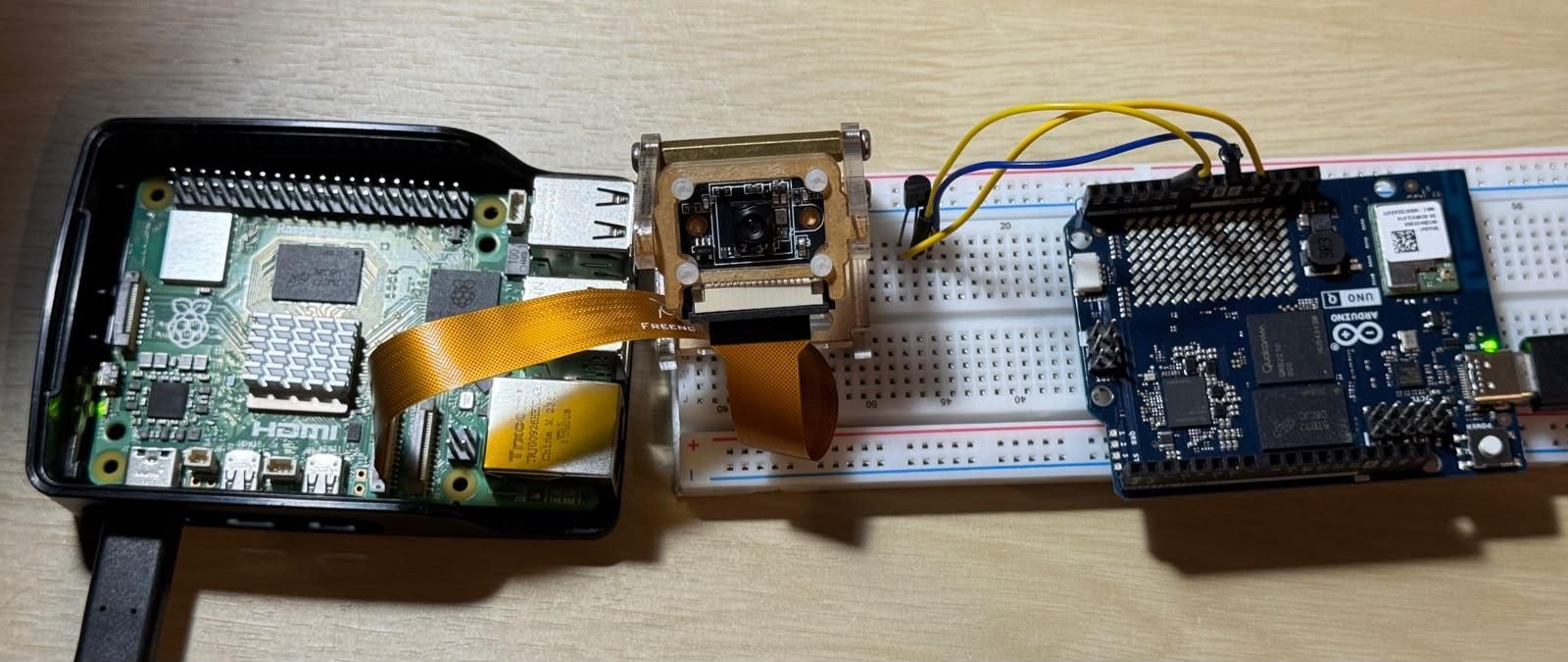
HeatDebt uses a decoupled, wireless architecture. The UNO Q acts as a localized sensor node, while the Pi 5 handles the heavy processing.
1. Wiring the UNO Q (Sensor Node): Place the TMP36 on your breadboard. Looking at the flat side:
- Left Pin (VCC): Connect to 3.3V. (Crucial detail: The UNO Q's ADC reference is 3.3V, not 5V! Wiring this to 5V will ruin your readings.)
- Center Pin (OUT): Connect to analog pin A0.
- Right Pin (GND): Connect to GND.
2. Wiring the Raspberry Pi 5 (Analytics Node):
- Camera: Attach the Camera Module to the CSI port.
- Buzzer: Connect the positive leg to GPIO 17 and the negative leg to GND. (optional)
Deploying the Edge Telemetry (UNO Q Setup)
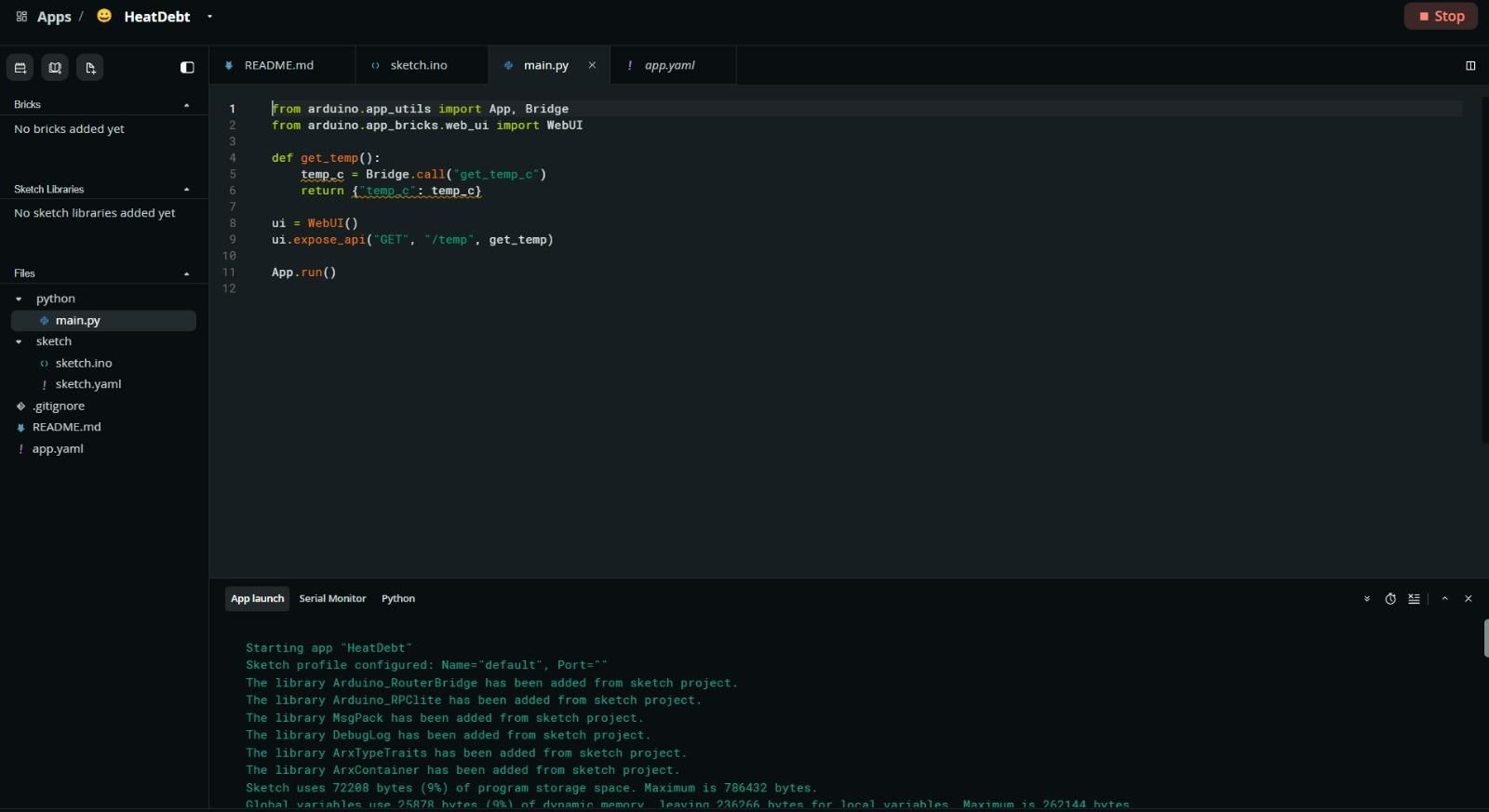
The UNO Q's STM32 MCU reads the analog sensor and exposes it via Bridge.provide(). The onboard Linux environment then serves it over HTTP!
- Open Arduino App Lab and create a new project.
- Add your MCU logic to uno_q_app/sketch/sketch.ino.
- Add your web server logic to uno_q_app/python/main.py.
- App.yaml : Open your app.yaml file. You must define the port as ports: [7000]. If you leave it as ports: [], the container will never publish the port, and the Pi won't be able to reach the WebUI. This bit me during testing—don't skip it!
Deploy the app from App Lab. Find the board's IP address (via App Lab's terminal using hostname -I), and run a quick test from the board itself: curl http://localhost:7000/temp
You should get a JSON response like {"temp_c":25.5}. Make sure to NOT use 5V here!
Setting Up the Analytics Brain (Pi 5 Setup)
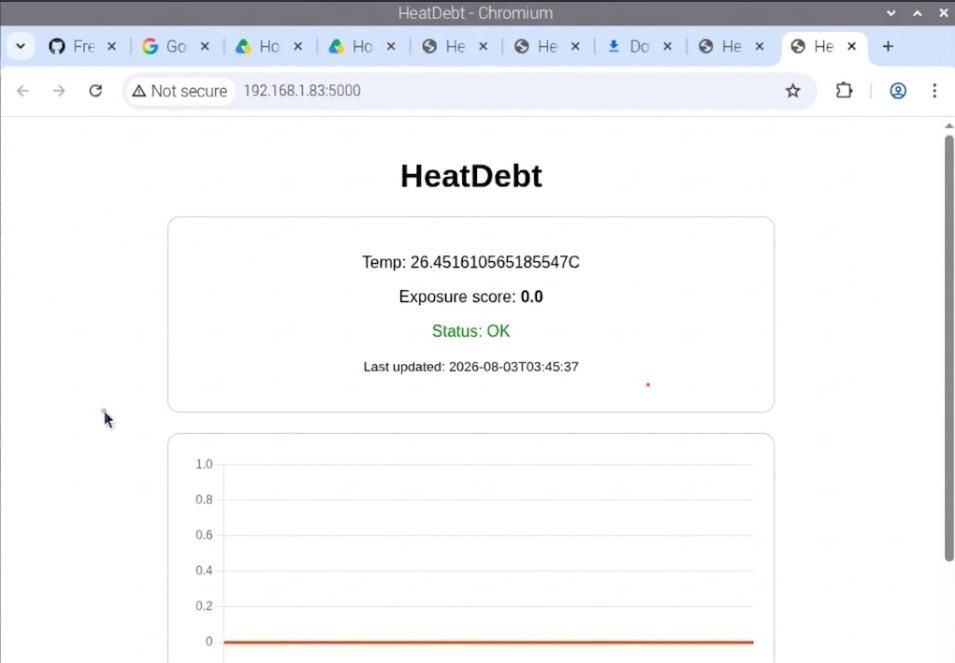
The Pi 5 constantly polls the UNO Q over WiFi, tracking the temperature against your physical presence to calculate the heat debt score.
- SSH into your Pi 5 and set up your Python environment:
- Edit config.py and set UNO_Q_HOST to your Arduino's IP address.
- (Optional but my recommendation) Export your Twilio credentials in the terminal for SMS alerts:
- Fire up the tracker and the web dashboard in two separate terminals:
Finally - visit http://<pi-ip>:5000 from your phone to view your live HeatDebt score and chart!
How the Exposure Model Works
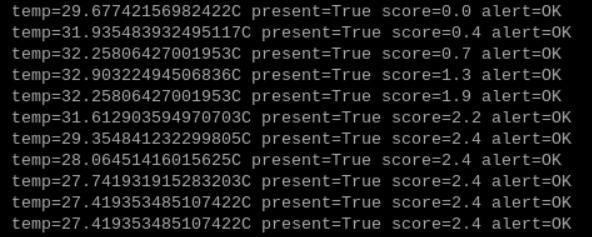
HeatDebt isn't just a thermometer; it's a physiological model. All of these variables are tunable in config.py:
- Baseline Tracking: Below BASELINE_TEMP_C (~29°C/85°F), no exposure accrues - as per the image above, as soon as the temperature >~30°C, the score starts to climb.
- Accrual: Above the baseline, your HeatDebt score climbs proportionally to how far above the baseline you are, multiplied by how long the camera confirms you are present.
- Danger Multiplier: Cross DANGER_TEMP_C (~35°C/95°F), and the accrual multiplies faster.
- Recovery: Once the camera stops seeing motion for PRESENCE_TIMEOUT_SECONDS, the score safely drains back down.
- Alert Escalation:
- WARNING: A quick buzzer chirp.
- BREAK: Buzzer chirp + SMS alert.
- DANGER: Continuous buzzer + Urgent SMS alert.
Known Limitations as a student:
- This prototype tracks plain air temperature, not a true heat index (no humidity sensor).
- Because presence relies entirely on camera motion detection (no PIR sensor), the system can potentially lose track of you if you stay completely still for an extended time.
By tracking heat as a cumulative debt rather than a static temperature, HeatDebt provides a much smarter, proactive approach to summer safety. Happy building + sunny summers!