I Built My Own Arduino Snake Game Console, Instead of Buying One
by telugu_mad_thinker in Circuits > Arduino
138 Views, 1 Favorites, 0 Comments
I Built My Own Arduino Snake Game Console, Instead of Buying One

DIY Handheld Snake Game Using Arduino Nano & Nokia 5110 LCD
Remember the classic Snake game from old mobile phones?
A few weeks ago, I randomly started thinking about those old retro handheld gaming consoles and classic mobile Snake games.
At first, I wanted to buy one.
But then another thought hit me:
“Why buy it… if I can build it myself?”
That simple question started this project. After many prototypes, wiring mistakes, debugging sessions, and game improvements, I finally built my own handheld Snake console using an Arduino Nano and a Nokia 5110 LCD.
The most fun part was creating a custom startup animation. Before the game starts, the screen shows a loading sequence, a snake animation, Telugu text reveal, and finally the Retro Snake Game title screen.
In this Instructable, I'll show you how I built it from scratch.
What You'll Learn
- Arduino game development fundamentals
- Graphics on monochrome LCD displays
- Reading button inputs with INPUT_PULLUP
- Generating sound effects with a buzzer
- Memory optimization on the ATmega328P
- Perfboard prototyping and soldering techniques
Let's build it.
Supplies


Required Components
- Arduino Nano (ATmega328P compatible)
- Nokia 5110 LCD Display
- 10kΩ resistors - 4
- 1kΩ resistor-1
- 4x Tactile Push Buttons
- Passive Buzzer
- Perfboard / Zero PCB
- Jumper Wires
- USB Cable for Arduino Nano
- Soldering Iron & Solder
Optional Components
- 10kΩ potentiometer for LCD contrast
- Li-ion battery + TP4056 charging module
- Power switch
- 3D printed enclosure
Tools
- Arduino IDE 2.x
- Adafruit GFX Library
- Adafruit PCD8544 Nokia 5110 Library
- Soldering iron
- Solder wire
- Wire cutter
- USB cable
Watch the Final Console in Action
Before building, let's see what the final device can do.
Features:
- Classic Snake gameplay
- 4-button controls
- Sound effects
- Startup animation
- Multiple firmware versions
- Fully built on perfboard
Understanding the Nokia 5110 LCD

Nokia 5110 LCD
I selected the Nokia 5110 LCD because it is:
- Cheap
- Easy to find
- Low power
- Perfect for retro graphics
The display has a resolution of 84 × 48 pixels, which is enough for simple games like Snake.
Wiring the Components

Connections
Connect the Nokia 5110 LCD:
RST → D11
CE → D10
DC → D9
DIN → D8
CLK → D7
VCC → 3.3V
GND → GND
Connect the buzzer:
Buzzer (+) → D6 through 1kΩ resistor
Buzzer (-) → GND
Connect the buttons:
UP → D2
DOWN → D3
LEFT → D4
RIGHT → D5
All buttons connect to GND when pressed.
The firmware uses INPUT_PULLUP, so no external pull-up resistors are required.
Planning the Perfboard Layout

Planning is Important
Before soldering, place all components on the perfboard and plan the layout. and draw circuit on paper.
Things to consider:
- LCD position
- Button spacing
- Arduino placement
- Wire routing
- Future repairs
Planning first helps reduce wiring mistakes later.
Installing the Required Libraries

Installation Arduino Libraries
Open Arduino IDE.
Install these libraries:
- Adafruit GFX Library
- Adafruit PCD8544 Nokia 5110 LCD Library
After installation, restart the IDE if necessary.
Uploading the Firmware

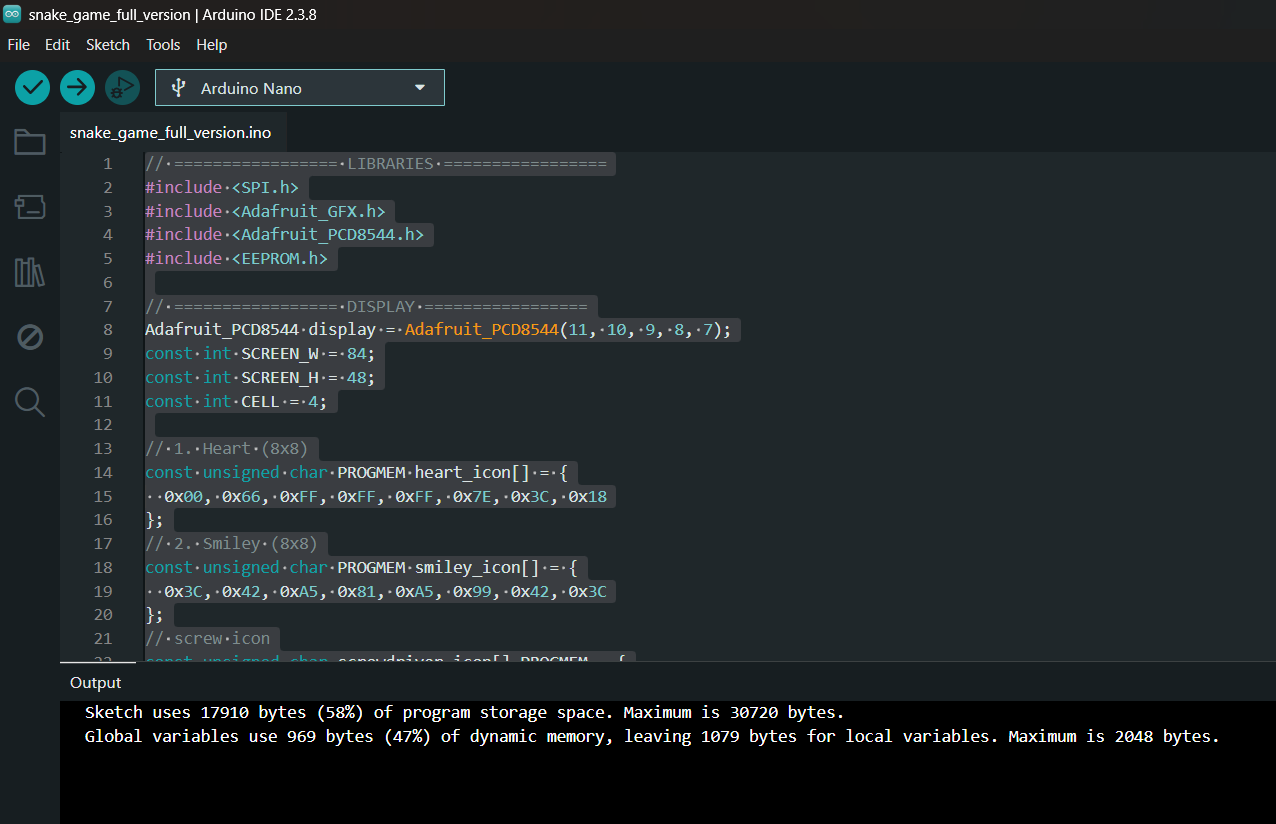
Open your preferred firmware version.
Select:
Board: Arduino Nano
Processor:
ATmega328P
If uploading fails:
ATmega328P (Old Bootloader)
Click Upload.
The game should start after flashing.
Firmware Versions Explained

Several firmware versions are included.
snakegamelighterversion
- Core gameplay
- No sound
- Best for learning
snakegame-simplerversion
- Ultra-light version
- Lower memory usage
sankegamev1
- Sound effects
- Startup animation
- Speed progression
snake_game_full_version
- Score system
- Sound effects
- Startup animation
- Complete experience
startup_animation
- Startup animation only
- LCD testing and branding
I personally use snake_game_full_version.ino
Here We Go! Let's Play Snake
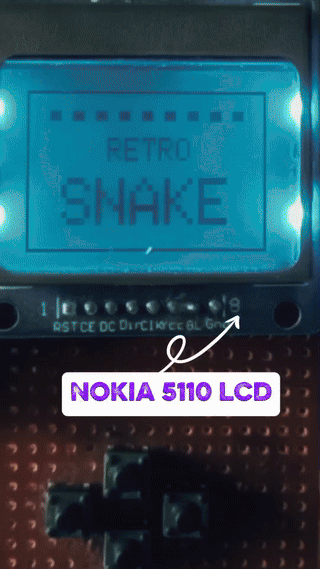
Congratulations!
If everything is connected correctly and the firmware uploaded successfully, your retro handheld Snake console should now come to life.
Power it up and enjoy the moment.
The display will show the startup sequence, followed by the game screen. Use the four directional buttons to control the snake, collect food, and try to beat your high score.
This is my favorite part of the entire project.
After hours of planning, soldering, debugging, and testing, seeing the game finally running on a device built from scratch feels incredibly rewarding.
Watching a game you programmed run on hardware you assembled yourself is a special feeling that never gets old.
Custom Startup Animation

This is my favorite part of the project.
Instead of showing a plain boot screen, I created a custom startup sequence.
The animation includes:
- Ready screen
- Loading sequence
- Animated snake
- Mad Thinker branding
- Retro Snake title screen
This small detail makes the console feel like a real product.
Common Problems and Fixes
LCD stays blank:
- Check wiring
- Verify LCD contrast
Upload fails:
- Try Old Bootloader option
Buttons not responding:
- Verify INPUT_PULLUP wiring
- Check GND connections
No sound:
- Verify buzzer polarity
- Check D6 connection
Customization Ideas
You can easily modify the project.
Ideas:
- Increase game speed
- Change sound effects
- Add new animations
- Create new game modes
- Add a battery pack
- Design a 3D printed case
The code is modular and easy to customize. Detail code instruction you can find in github
Final Thoughts

This project started with a simple question:
"Why buy one when I can build one?"
What began as nostalgia became a fun journey through electronics, game programming, prototyping, and problem solving.
The best part isn't playing Snake.
The best part is knowing that every pixel, every sound, and every button press comes from something you built yourself.
If you build your own version, I'd love to see it.
Thanks for Reading
More Builds on the way stay tuned!