Internet_archive_command_line_1
by rosborn1 in Workshop > Science
415 Views, 2 Favorites, 0 Comments
Internet_archive_command_line_1

The power of the internet archive is to archive pretty much everything that can be stored digitally. You can go to your web browser and find movies, books, magazines, audio files, software, anything that can be stored as bits on digital media. The archive is also famous for storing web pages from times of yore, or at least a few decades.
https://archive.org/about/
The power of linux is the command line. Pointing and clicking is all good fun. This is called the graphical user interface or gui but the linux command line interface, cli is where the real work gets done.
You can combine the two and get some excellent results.
If you are familiar with the linux command line and the internet archive or if you are really clever you can have a shortcut. Go here:
Supplies
If you have a desktop computer running linux you should have access to a web browser and the command line. If you don’t have a computer running linux don’t go out and buy a new one. I paid $15 for a 15 year old mac mini, $1 each for mouse and keyboard at a surplus computer store, the monitor was given to me for helping someone load their car full of monitors and he was out of room for the last one. Downloading ubuntu linux costs nothing. The really good thing about linux is that it will run fairly well on any old computer, at least well enough for our needs. Please note that very old macs and very new macs will not run linux well. We need intel x86 processors to run linux. most other machines should work well. Check these out:
https://www.instructables.com/Breathe-New-Life-into-an-Old-Computer/
https://www.instructables.com/Things-to-do-with-a-old-computer/
If you aren't familiar with linux commands you should check out a linux command line for beginners tutorial. Here is one I just pulled out of the air::
https://www.youtube.com/watch?v=YHFzr-akOas&list=PLS1QulWo1RIb9WVQGJ_vh-RQusbZgO_As
And this one looks very good:
Verify the OS Version

The command line interface is accessed by opening a terminal window. My 15 year old mac-mini runs ubuntu 22.04.5 LTS desktop. I can see the version of the operating system by running this command:
It is important to note the revision number as newer revisions have more features and old features have been removed. If you see the term deprecated it means something better has come along. My $15 computer is not the fastest machine but it works well enough for this job.
The cat command, short for concatenate, outputs the contents of a file, in this case the file named /etc/os-release. It tells me i am running ubuntu. Jammy Jellyfish is pretty clever too.
You don't have to verify the version. You don't have to use ubuntu linux. You should realize that should you use a different version or use say redhat or suse linux the procedures will probably be different .
Download Ia With Curl


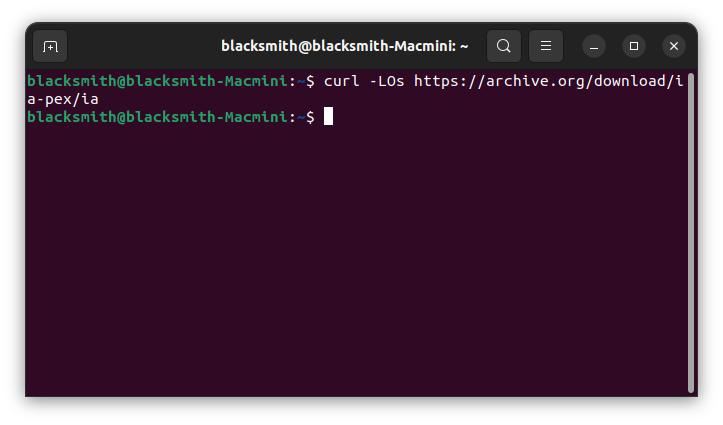
There are a few different methods of looking at the internet archive with the command line, let’s try one I like as described here:
https://archive.org/developers/internetarchive/cli.html
We want to run the curl command but sometimes curl is not installed on ubuntu.
I can test with this command
It may say something like “command 'curl' not found”. I am mentioning this because i am fairly sure you will not have the curl package in ubuntu 22.04.5. In this case we have to get the curl command which leads us to package managers. In the case of ubuntu the package manager is apt or apt-get. Here is a quick tutorial:
https://www.youtube.com/watch?v=yxc2ntmH9xY
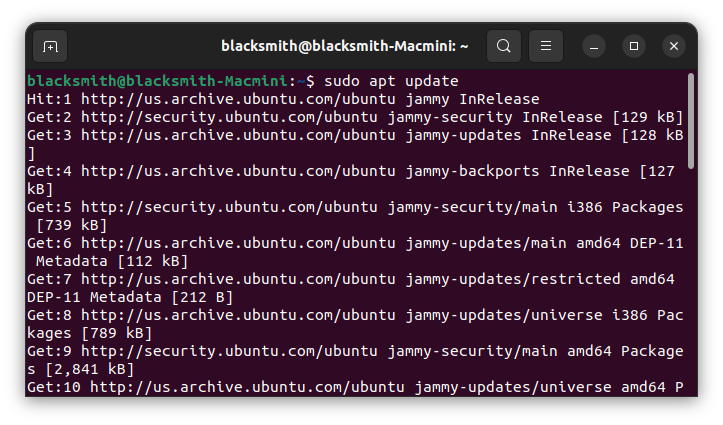
This command updates the list of software packages. You should do this first.
It will ask you for your password.
Now the apt program knows the latest packages. Run this command:
It may want an affirmation. Say yes. You should then be able to run your curl command.
curl means client for url and we are downloading a file named ia. curl has lots of functions which you can see here:
https://curl.se/docs/manpage.html.
This downloads the ia program, ia for internet archive.
To Run Ia


Running the ls -l command lists your files and directories in a table and you should see ia on the far right of one line.
Those lines with d at the far left are directories. ia is a program that needs to be executed so you need to give it permissions to execute. The left side shows columns of r's, w's, and x's for read, write, and execute.
Run ls -l again and you should see three x’s on the line with the file ia which indicates it can run as a program.
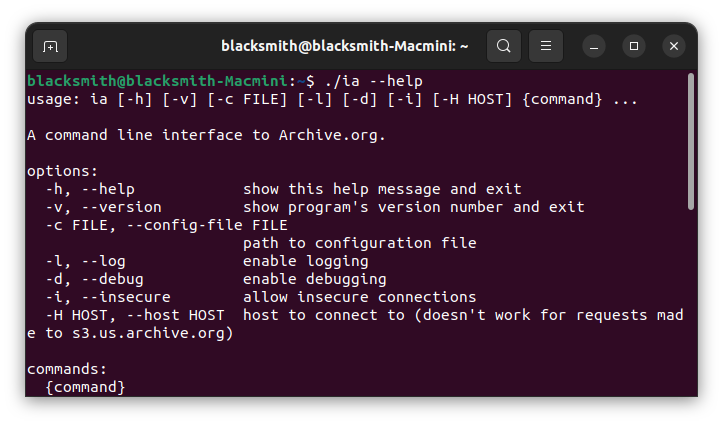
Now you can run the program. This will get the help page. You noticed the ./ before the ia. Yes, it has to be there.
If you get the help page it was installed correctly.
Search, List, and Download Files



There is plenty we can do according to the help page but we are only going to do some searching and finally download something. First we should learn some definitions.
https://archive.org/developers/#definitions
If it seems complex suffice it to say there is some structure involved. Not to worry. Lets start with a search and go from there. How about we search for a raspberry pi tutorial. In the command line spaces have meaning so use quotes around your search criteria.
You may notice a stream of lines go by. “How many lines was that” you say.
The vertical line is called a pipe which takes the output of one command and pipes it into another command, in this case wc which is word count. The leftmost number being the number of lines in the output. I have 576 items in my list.
But let's just look at the items a page at a time. Try this command:
You can use the space bar to scroll by page or the return key to scroll by line. This is a list of unique identifiers. Each identifier has multiple files. There are magpi’s, github’s, youtubes, etc. let’s take a closer look at MagPi87. Copy and paste the identifier, capitalization counts, keeping the quotes in place is a good idea. if there are spaces between words in your search criteria and quotes are not used there will be failure.
You can see a list of files associated with the identifier “MagPi87”. I can download the unique identifier and get all the files by entering this:
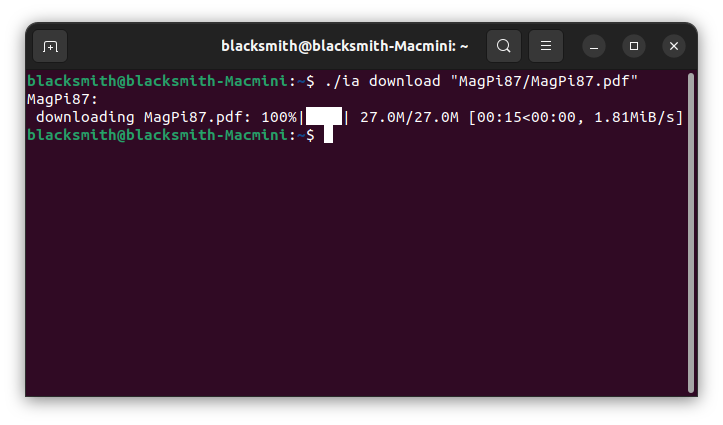
But a pdf will suffice for my needs. i see a pdf named MagPi87.pdf. Notice the format to download a single file: identifier/filename, MagPi87/MagPi87.pdf.
You have just used the internet archive command line tool to search and download a file. where is the file?
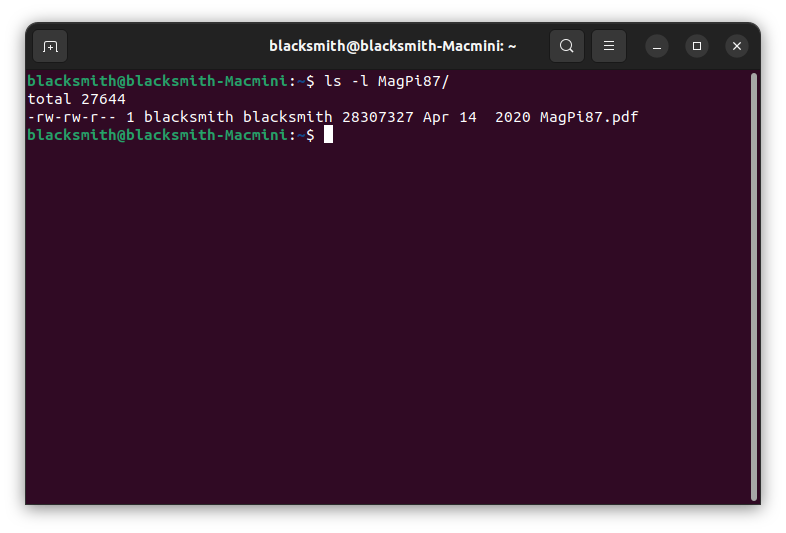
You should see a new directory called MagPi, capitalization counts.
There is your file inside the directory.
Conclusion
We have only begun exploring the command line tool for the internet archive. There is a lot more to learn about the archive and the linux command line.
The internet archive is vast. It is like walking through the biggest library you can imagine.
You will remember we had to install the curl command. There are tens of thousands of linux commands available. You can even make your own commands.
It may not seem like we did anything spectacular but we can use the linux command line to automate searches and downloads in the archive, next time.
i am a big fan of reusing things. Estate sales and thrift stores are great hunting grounds for wherever you can find, useful things no longer wanted. Microsoft Windows and Macos are no longer supported on older machines but linux will work quite well if somewhat slower.
An interesting thing happened while I was finishing this. i went to my web browser to bring up archive.org and could not get in due to a routing error. I could access files using the command line tool. It is often good to have a backup plan.
the links:
https://archive.org/about/
https://archive.org/developers/internetarchive/cli.html
https://www.instructables.com/Breathe-New-Life-into-an-Old-Computer/
https://www.instructables.com/Things-to-do-with-a-old-computer/
https://www.youtube.com/watch?v=YHFzr-akOas&list=PLS1QulWo1RIb9WVQGJ_vh-RQusbZgO_As
https://archive.org/developers/internetarchive/cli.html
https://www.youtube.com/watch?v=yxc2ntmH9xY
https://archive.org/developers/#definitions
https://geekscandyshop.com/
https://tldp.org/
https://tldr.sh/
As i was saying there is a large number of linux commands. Here are some:
https://www.linux.org/docs/man1/index.html
specs:
mac mini a1347 family late 2014
ubuntu 22.04.5 LTS
thanks for the review, Diana
2025-12-04