Kerala Flood Safe Interactive Map for Disaster Preparedness
by visalvijay83 in Design > Websites
58 Views, 2 Favorites, 0 Comments
Kerala Flood Safe Interactive Map for Disaster Preparedness
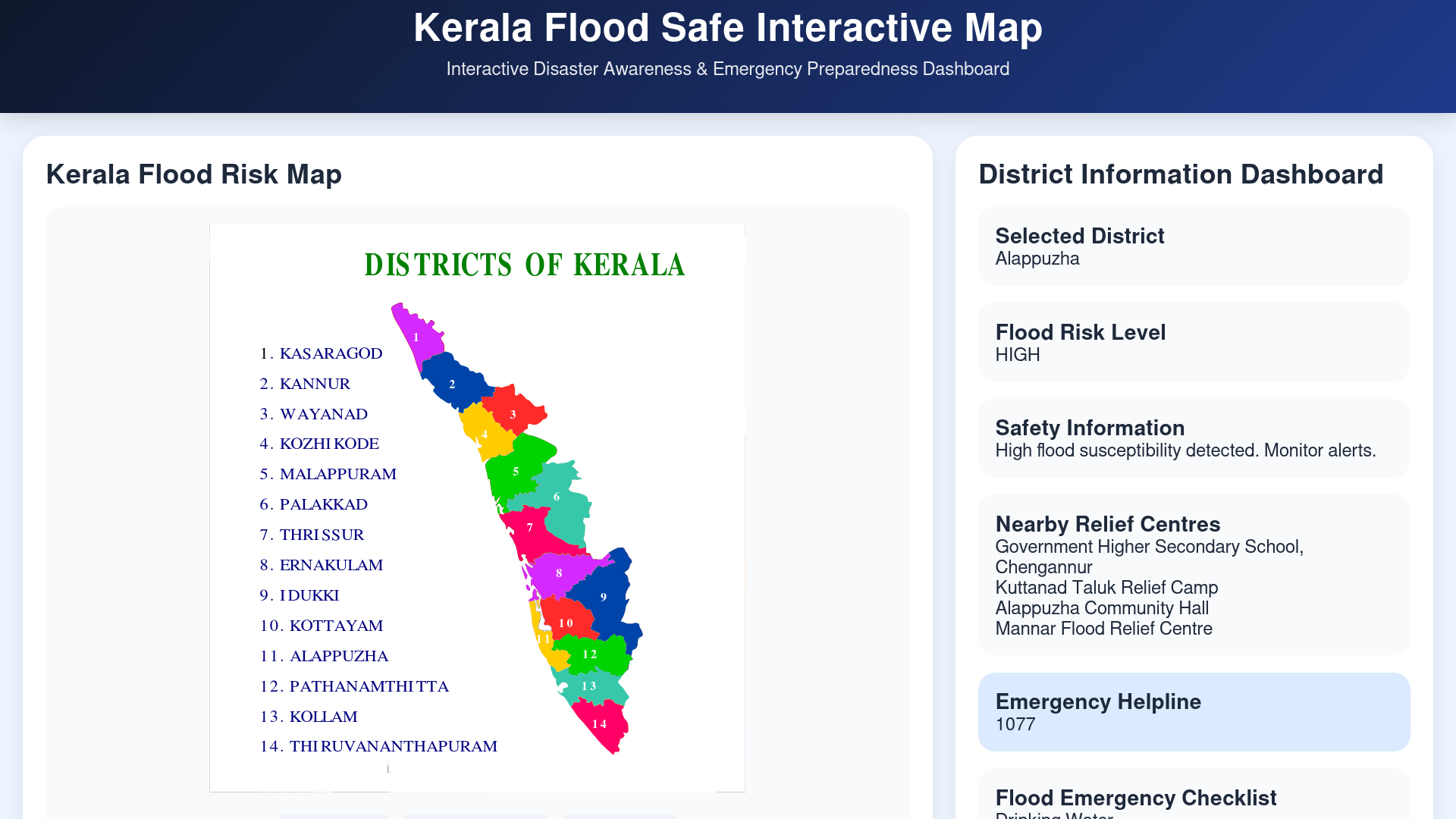
Kerala experiences severe seasonal flooding during the southwest monsoon, affecting communities, transportation systems, homes, and public safety across multiple districts every year. During major flood events, access to clear and reliable emergency information becomes extremely important for both citizens and emergency responders.
To address this challenge, I created Kerala Flood Safe Interactive Map a district-level flood preparedness and emergency awareness platform designed to help people quickly access flood-risk information, relief centres, emergency contacts, and safety guidance during flood situations.
This project explores how interactive mapping can improve disaster preparedness by presenting important emergency information in a simple, accessible, and user-friendly format. Users can select districts, check flood-risk classifications, view nearby relief centres, access emergency response numbers, and review flood preparedness guidance.
The goal of this project is not to replace official disaster management systems, but to demonstrate how a digital, map-based emergency dashboard could help improve public awareness and response during Kerala's monsoon season.
This project was built as an educational disaster preparedness prototype, combining web technologies, district-level information, and interactive design principles to explore how smarter access to emergency information can help communities stay safer.
Supplies


Software & Tools
- GitHub Pages (for website hosting)
- HTML (website structure)
- CSS (website styling)
- JavaScript (interactive features)
- Visual Studio Code / Text Editor
- Web Browser (Firefox/Chrome)
Design Resources
- Kerala District Map (SVG format)
- District flood-risk information
- Relief centre references
- Emergency helpline information
Hardware
- Laptop / Computer
- Internet Connection
Why I Started This Project

Growing up in Kerala, I have seen how floods can affect normal life and create confusion during emergency situations. I have also seen people struggle because they did not always know what precautions to take, where to find help, or what to do during flood situations.
This made me realise that during emergencies, access to clear and simple information can be just as important as emergency response itself.
That made me think about a simple question: what if important flood-related information such as risk levels, relief centres, emergency contacts, and preparedness guidance could be organised in one place through an interactive map?
I wanted to explore whether a simple digital platform could make emergency information easier to access and understand, especially for people who may not know what precautions to take during stressful situations.
This idea became the starting point of the Kerala Flood Safe Interactive Map project. My goal was not to replace official disaster management systems, but to create an educational prototype that explores how interactive mapping and web technologies can improve disaster preparedness and awareness.
Researching the Flood Problem in Kerala

After deciding to work on this idea, I spent some time researching the flood situation in Kerala and understanding why better access to emergency information matters.
Kerala experiences heavy rainfall during the southwest monsoon season, and several districts face flooding almost every year. To better understand the problem, I looked into previous flood events, especially the major Kerala floods of 2018, which affected many districts and caused major disruption to transportation, homes, and daily life.
During my research, I noticed something important. Emergency information is often spread across different places. People may need to separately search for weather warnings, district alerts, relief centres, emergency contacts, and preparedness instructions. During a real emergency, this can become confusing and stressful, especially for people who may not know what precautions to take.
This made me think more seriously about how emergency information could be made easier to understand and access.
To better understand the problem, I explored information related to Kerala flooding, disaster preparedness, and district-level emergency systems. I also looked at how flood alerts and emergency guidance are shared with the public.
Some useful sources that helped me during research were:
Kerala State Disaster Management Authority (KSDMA):
India Meteorological Department (IMD):
Government of Kerala Portal:
I also referred to district-level disaster management pages and information related to previous flood events in Kerala to better understand the challenges faced during emergencies.
After completing this research, I decided to create a simple interactive dashboard where users can quickly check flood risk, relief centres, emergency contacts, and preparedness information in one place.
Planning the Interactive Flood Dashboard

After understanding the flood challenges in Kerala, I started thinking about how emergency information could be made easier to access.
I wanted the project to feel simple, quick to use, and useful during stressful situations. Instead of showing information across multiple websites or sources, my idea was to bring important details together in one place through an interactive district-based dashboard.
At this stage, I planned the main features I wanted to include in the platform. I decided that users should be able to select a district and quickly see important information such as flood risk level, nearby relief centres, emergency contacts, and basic preparedness guidance.
I also wanted the platform to feel visually simple and easy to understand. Since emergency systems need to be clear during stressful situations, I decided to use colour-based flood-risk categories:
Red for high-risk districts, yellow for medium-risk districts, and green for lower-risk areas.
The goal during planning was not to build a fully real-time emergency system, but to create a working prototype that demonstrates how interactive mapping can improve disaster awareness and preparedness.
Designing the Dashboard Style Using CSS (style.css)

Before building the complete website structure, I wanted to improve how the platform would look and feel for users. Since this project focuses on emergency preparedness, I felt the interface should be simple, readable, and easy to understand during stressful situations.
To design the visual appearance of the platform, I created a separate file called style.css and used the CSS (Cascading Style Sheets) language to control the overall look of the website.
CSS helped me improve the appearance of the dashboard by controlling things such as colours, spacing, layout, button styles, text visibility, alignment, and section organisation.
One of the main things I focused on was creating a clear flood-risk system using colours. I used:
Red for high-risk districts
Yellow/Orange for medium-risk districts
Green for lower-risk districts
This made flood information easier to understand at a quick glance.
I also designed different dashboard sections for emergency information, relief centre details, flood preparedness guidance, and district-level information. To make the interface feel cleaner and more organised, I adjusted spacing, padding, font sizes, and layout positioning.
For the emergency features, I added blue action buttons to make important actions easier to notice, such as viewing preparedness guidance and emergency contact information.
I also used CSS properties such as:
background-color to improve colours
padding and margin to improve spacing
display:flex to organise dashboard sections
border-radius to make panels and buttons look cleaner
box-shadow to improve visual appearance
If you would like to recreate this project, start by creating a style.css file and experiment with colour-coded district buttons, dashboard cards, spacing, and emergency action buttons.
At this stage, the platform slowly started looking less like a basic webpage and more like an actual emergency dashboard.
Small CSS Styling Example
To improve the appearance of the dashboard, I used CSS styling rules to control colours, spacing, layout, and visual organisation.
A simplified example of the styling logic looks like this:
In simple terms, this styling helps make information sections look cleaner and easier to read.
Here is what each part does:
background-color
→ changes the background colour
padding
→ adds spacing inside the section
border-radius
→ makes corners smoother and cleaner
box-shadow
→ adds a soft shadow effect to improve visibility
I also used CSS to create colour-based flood-risk categories, helping users quickly understand emergency information at a glance.
This helped the platform slowly start looking less like a basic webpage and more like an organised emergency dashboard.
Building the Website Structure Using HTML (index.html)


After working on the visual design of the platform, I started building the main structure of the website using HTML (HyperText Markup Language).
I created a file called index.html, which became the main foundation of the project. This file helped me organise all the important sections of the website and structure the dashboard in a way that would be simple to understand during emergency situations.
Using HTML, I created the overall page structure and divided the website into multiple sections so that information would remain organised and easy to access.
I first added a header section that introduces the project and explains the purpose of the platform.
After that, I added a Kerala district flood-risk map section so users could visually understand district-level flood classifications.
To make the website interactive and easier to use, I created district buttons for all 14 districts of Kerala. These buttons were added so users could select a district and view specific information related to that location.
I also added an information dashboard section, which includes:
Flood-risk level
District information
Relief and evacuation centres
Emergency helpline information
Flood preparedness checklist
Emergency action buttons
To improve usability, I added buttons for Emergency Preparedness Guidance and Emergency Numbers so users could quickly access important safety information.
Finally, I added an About This Project section to explain the purpose of the platform and how interactive mapping could improve flood preparedness and disaster awareness.
If you want to recreate this project, begin by creating an index.html file and divide the page into sections such as a map area, district buttons, emergency dashboard, and shelter information panels.
By the end of this stage, the website structure was complete and ready for interactivity using JavaScript.
Small HTML Structure Example
To organise the website properly, I used HTML sections to divide the platform into different parts.
A simplified example of the page structure looks like this:
In simple terms:
<div>
→ creates a section on the webpage
<h2>
→ adds a heading
<button>
→ creates clickable district buttons
This structure helped me organise:
- district buttons
- flood-risk information
- emergency contacts
- relief centre details
- preparedness guidance
By dividing the platform into sections, the website became easier to understand and navigate during emergency situations.
Adding Interactive Features Using JavaScript (script.js)

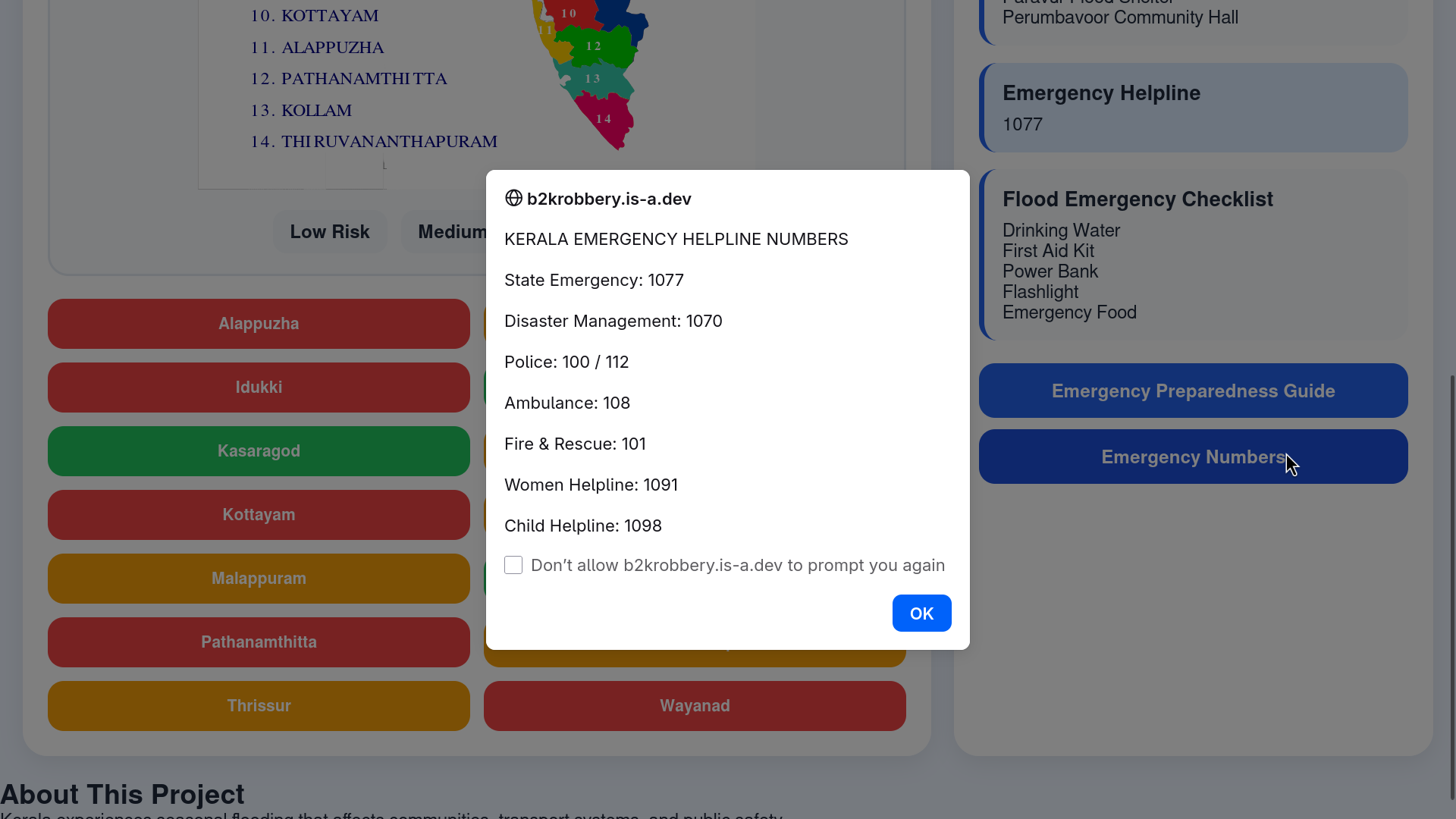

After building the website structure and design, the next step was making the platform interactive. For this, I created a file called script.js and used JavaScript.
Before adding JavaScript, the website could only display fixed information like a normal webpage. I wanted users to click a district and instantly see flood-related information for that location.
To make this possible, I used JavaScript to detect when a district button is clicked and automatically update the dashboard.
Whenever a district is selected, the platform updates information such as:
- district name
- flood risk level
- emergency contact numbers
- nearby relief centres
- safety guidance
Instead of refreshing the webpage every time, the information changes instantly, which makes the platform feel faster and easier to use.
I also added emergency buttons for Preparedness Guidance and Emergency Numbers so users could quickly access important safety information during emergency situations.
A simplified example of the interaction logic looks like this:
In simple terms, this code helps the website understand: “Which district did the user click?”
After detecting the selected district, the dashboard updates the related information automatically.
To keep the website organised, I used reusable JavaScript functions inside script.js so the information could update dynamically without refreshing the page.
At this stage, the project started feeling more like an interactive emergency dashboard rather than a simple informational website.
Hosting the Website Using GitHub Pages


After completing the main features of the platform, I wanted to make the project accessible online so it could be used directly from a web browser without requiring any installation.
To do this, I used GitHub Pages, which is a free website hosting service provided by GitHub.
Since all my project files were already organised inside a GitHub repository, the hosting process became straightforward. I uploaded the final project files, including index.html, style.css, script.js, and the Kerala district map file.
After uploading everything, I enabled GitHub Pages through the repository settings and selected the main branch for deployment.
Once deployment was complete, the website became publicly accessible online.
If you are recreating this project, upload your files to a GitHub repository and enable GitHub Pages to quickly host your own version of the platform.
You can explore the live project here:
Live Website:
https://b2krobbery.is-a.dev/kerala-flood-safe-map/
GitHub Repository:
Testing the Platform and Final Result
After hosting the website, I spent time testing the platform to make sure all the main features were working correctly.
I tested different district selections to confirm that flood-risk information, relief centres, and emergency details updated properly whenever a district was selected.
I also checked whether the emergency features were working as expected. The Emergency Preparedness Guide button and Emergency Numbers button were tested multiple times to make sure users could quickly access important information during emergency situations.
Since this project is intended to be simple and easy to use during stressful situations, I also tested the overall layout and readability of the dashboard to make sure information remained clear and organised.
During testing, I made several small improvements to spacing, button placement, shelter information, and overall dashboard organisation to improve usability.
By the end of the testing stage, the platform had become a working interactive prototype that demonstrates how district-level flood preparedness information can be organised through an easy-to-use map-based dashboard.
Although this project is currently a prototype, future improvements could include:
Real-time rainfall integration
Live flood alerts
GIS-based mapping
Dynamic shelter updates
District-level emergency notifications
Overall, this project helped me explore how interactive mapping and web technologies can be used to improve disaster awareness and preparedness in Kerala.
Creating the Project Presentation
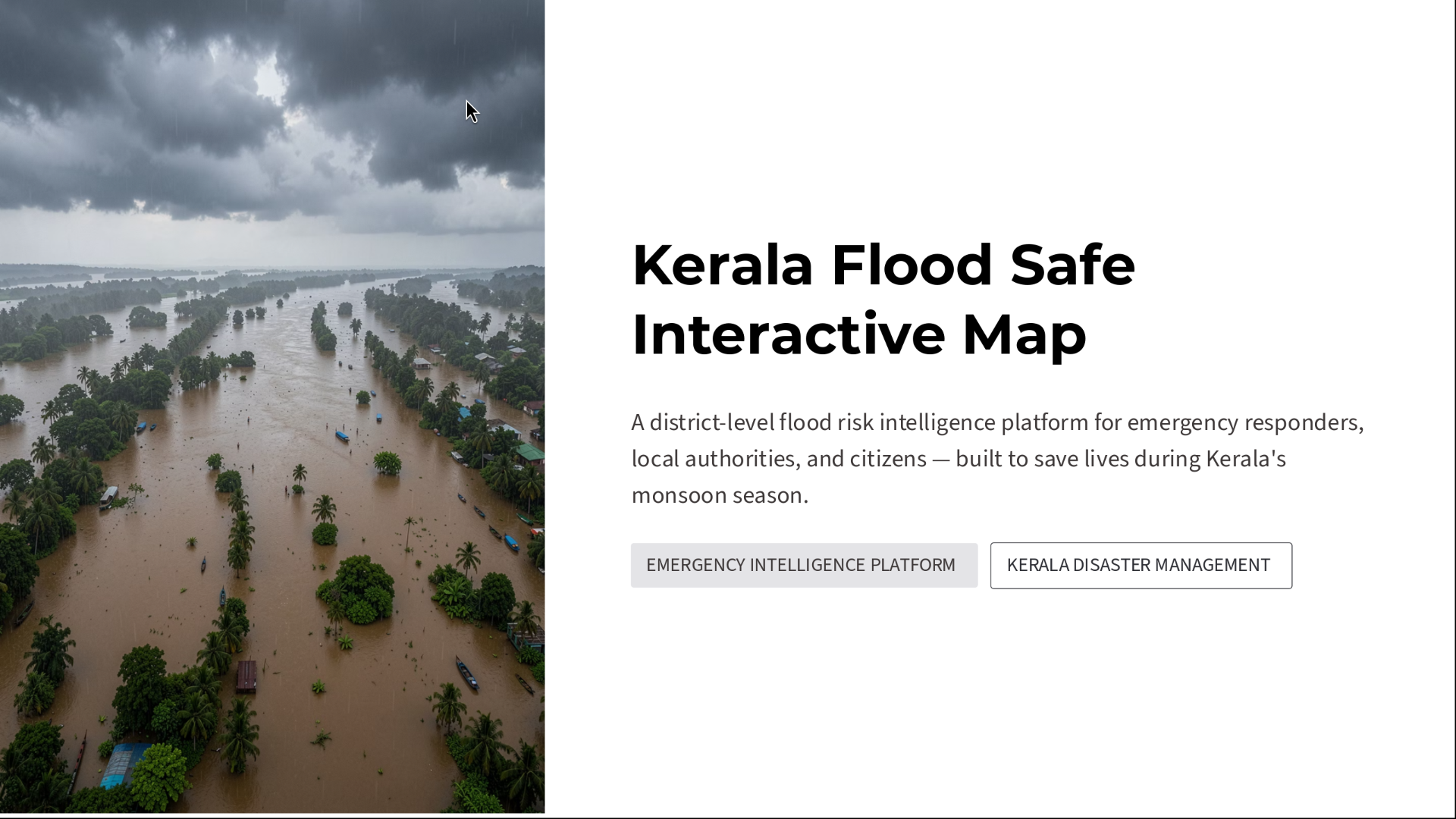


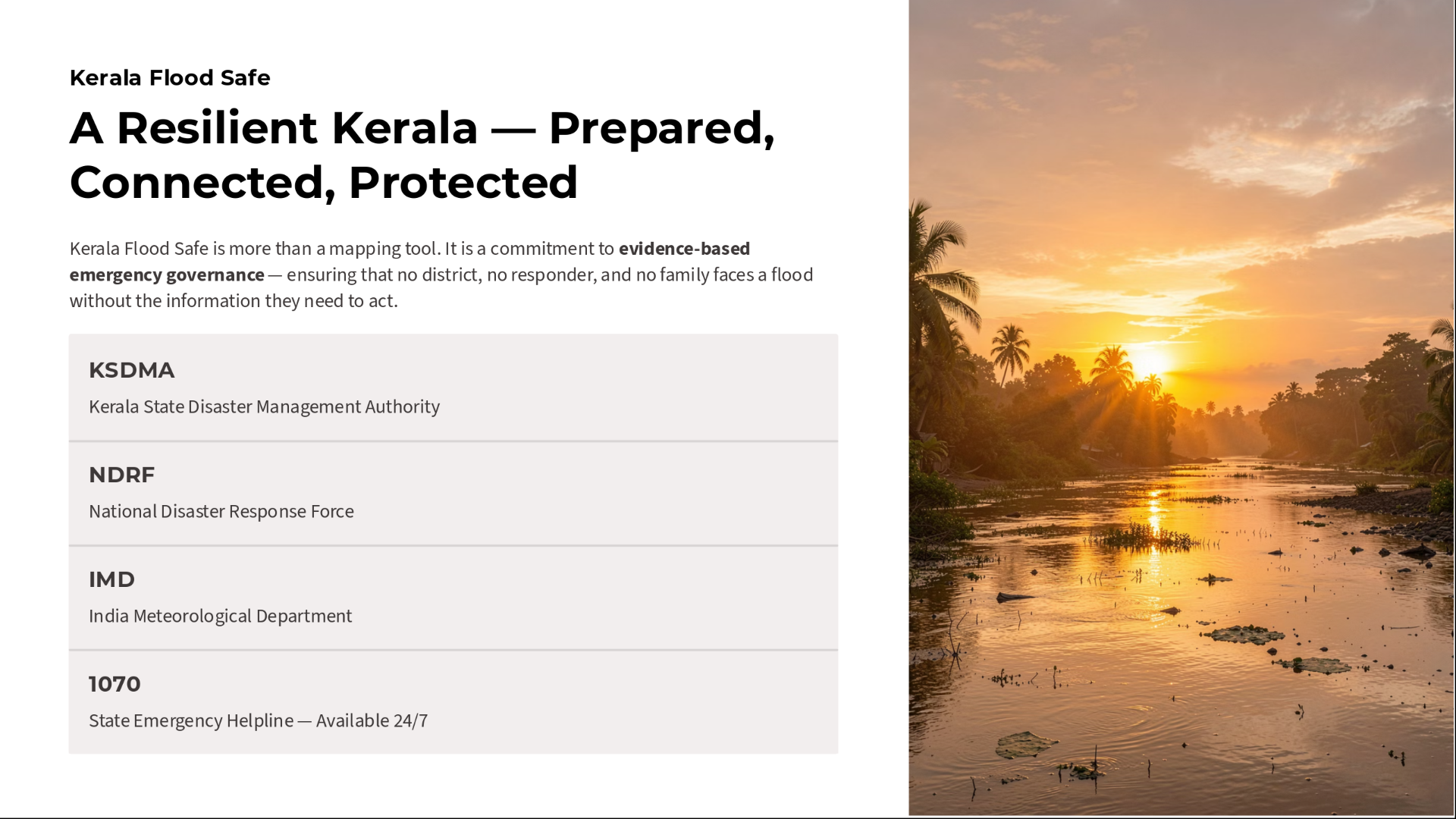
After completing the website and testing the platform, I wanted to present the project in a more organised and professional way. To do this, I created a presentation explaining the purpose of the project, the flood-related challenges in Kerala, and how the platform works.
The presentation helped me organise the project into clear sections, including flood preparedness, district-level flood risk, emergency features, relief centre information, platform design, and future improvements.
I also used the presentation to better explain the idea behind the interactive dashboard and how a map-based emergency system could improve access to important information during flood situations.
To make the project easier to explore, I converted the presentation into a PDF document and attached it below this step so viewers can read the project presentation in more detail.
Creating this presentation helped me better communicate the idea and present the project in a more structured and professional format.
Although the current version is a working prototype, the presentation helped me visualise how a larger and more advanced version of the platform could be developed in the future.
Downloads
Final Demonstration, Reflections, and Future Improvements

After completing the website and testing all the major features, I wanted to demonstrate how the platform works as a complete interactive system.
This project started as an idea to explore how emergency information during floods could be made easier to access through a simple interactive map. Over time, the project gradually developed into a working web-based prototype that combines district-level flood information, relief centres, emergency contacts, and preparedness guidance into one platform.
The demonstration video below shows the main features of the dashboard, including district selection, flood-risk updates, relief centre information, emergency preparedness guidance, and emergency contact features.
Working on this project helped me better understand web development, interactive design, emergency preparedness systems, and how technology can be used to solve real-world challenges.
Although this project is currently a prototype, I believe it has strong potential for future improvements. Some features I would like to explore in future versions include real-time rainfall updates, live flood alerts, GIS-based mapping, smarter district-level information, and mobile-friendly emergency support.
More importantly, this project helped me think about how technology can be used not only for convenience, but also to improve safety, preparedness, and disaster awareness for communities.
Thank you for taking the time to explore my project.
Recreating This Project for Another Region
Although I created this project using Kerala as an example, the same idea can be recreated for any state, district, country, or emergency situation.
If you want to build something similar, you can start by choosing a map for your own region. This can be a district map, city map, state map, or even a country map depending on your idea.
I first created the website structure using HTML, where I added sections for the map, district buttons, emergency information, shelters, and guidance sections.
After that, I used CSS to improve the appearance of the platform by adjusting colours, spacing, button styles, and layout. I used different colours to make flood-risk levels easier to understand.
Then, I used JavaScript to make the platform interactive. This allowed users to click districts and instantly see updated information without refreshing the page.
To make your own version, you only need to replace:
- the map
- district or location names
- shelter information
- emergency contact numbers
- preparedness guidance
Once everything is working, you can upload the files to GitHub Pages and make the website accessible online.
The same idea could also be adapted for:
- flood preparedness
- wildfire monitoring
- earthquake information
- evacuation planning
- weather alerts
- local emergency systems
Credits and References
This project was inspired by the need for better access to emergency information during flood situations in Kerala. While building this project, I referred to official resources, flood-related information, and public emergency preparedness materials to better understand the problem and improve the accuracy of the platform.
I would like to acknowledge the following resources that helped during research and development:
Kerala State Disaster Management Authority (KSDMA)
India Meteorological Department (IMD)
Government of Kerala Portal
GitHub Pages for free website hosting
I also referred to publicly available information about previous flood events in Kerala to better understand emergency preparedness challenges and district-level flood impacts.
Special thanks to the open web development community and publicly available educational resources related to HTML, CSS, JavaScript, and disaster preparedness systems.
Finally, thank you to the Instructables community for providing a platform to share ideas and creative engineering projects.
This project was created as an educational disaster preparedness prototype to explore how interactive mapping can improve emergency awareness and accessibility.