Light-Up Cornhole

This is a light-up cornhole board, and when you throw a bag into the hole, it triggers a ultrasonic Arduino sensor, lighting up the light. I made this for a school project (hence the school theme) but it works great for fun and even better for parties or when its dark out and you can't tell if you made it in the hole or not.
Supplies
***Pictures attached below***
BOARD AND BASE-
Wood Sheet (2) (Can be plywood, balsa wood, or any wood to your liking that will be the main board. I suggest a thin kind with decent-good strength.)
2x4's (8-10)- the length depends on what size you want your board to be. (Mine was smaller because we had limited supplies.) For the base and legs.
Long Screws- I personally used 32 (16 per board) but use as much as you want. Just buy a pack. I suggest using decently long ones, like 2-3 inches or so. These hold the 2x4's together.
Short screws- used to hold the board onto the base. Just buy a pack if you don't have any. Probably need about 16-20. 1-inch long or so.
SENSOR CIRCUIT- (pictures for each)
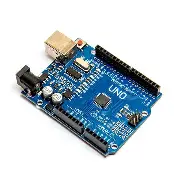
Arduino Uno R3- (2) it powers the whole circuit.
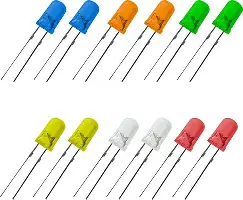
LED- (2) lights up when bag passes through, connects to Arduino. 2 DIFFERENT COLORS
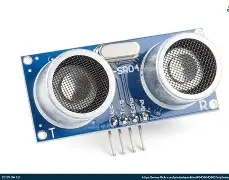
Arduino Ultrasonic sensor (2)- senses the beanbag passing through
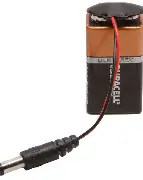
Battery pack (2)- has to be a specific type of chord
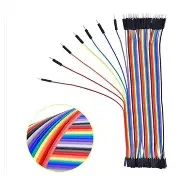
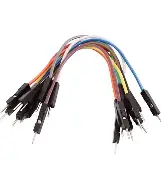
wires- grab a handful, the type that work with Arduinos. the double-sided type and the single sided type.
Arduino USB- (if not provided with Arduino)
OTHER THINGS-
Sensor holder (2)- I 3-d printed mine, but it can be made out of other things, 3d printing works best. I have attached the file below. (The holes are a bit small so you can tweak it in cad or drill into the sides of the holes to make them bigger.)
Beanbags (8)
Hot glue- used to attach Arduino holder to board
3D PRINT FILE- attached
Cut the 2x4's


I will say the dimensions for my small board, but if you want a bigger one feel free to scale the dimensions.
Long pieces- 4x24 in
Short pieces- 4x8 in
I recommend using a miter saw, but anything, even a handsaw, will work. You will need 4 of each for 2 boards.
(The images are a bit zoomed in so feel free to click on them)
Cut the Board

The 2 boards need to be 12x24 in.
The center of the hole is 4.5 inches from the top. Its diameter is 4 in. Feel free to tweak dimensions to your liking. Making it bigger is easier, and smaller=harder.
Put Together Circuit.

This is a surprisingly simple circuit. This is the model in Tinker CAD, you can replicate it in real life. Don't forget to build 2!
Upload Code to Circuit
You are going to need the Arduino IDE app for this. The code is below. Copy it.
#define TRIG_PIN 9
#define ECHO_PIN 10
#define LED_PIN 3
void setup() {
Serial.begin(9600);
pinMode(TRIG_PIN, OUTPUT);
pinMode(ECHO_PIN, INPUT);
pinMode(LED_PIN, OUTPUT);
}
void loop() {
long duration;
int distance;
// Send ultrasonic pulse
digitalWrite(TRIG_PIN, LOW);
delayMicroseconds(2);
digitalWrite(TRIG_PIN, HIGH);
delayMicroseconds(10);
digitalWrite(TRIG_PIN, LOW);
// Measure echo pulse
duration = pulseIn(ECHO_PIN, HIGH);
distance = duration * 0.034 / 2;
Serial.print("Distance: ");
Serial.print(distance);
Serial.println(" cm");
if (distance < 150) {
digitalWrite(LED_PIN, HIGH);
delay(500);
digitalWrite(LED_PIN, LOW);
delay(500);
digitalWrite(LED_PIN, HIGH);
delay(500);
digitalWrite(LED_PIN, LOW);
delay(500);
digitalWrite(LED_PIN, HIGH);
delay(500);
digitalWrite(LED_PIN, LOW);
delay(500);
digitalWrite(LED_PIN, HIGH);
delay(500);
digitalWrite(LED_PIN, LOW);
delay(500);
digitalWrite(LED_PIN, HIGH);
} else {
digitalWrite(LED_PIN, LOW);
}
delay(200);
}
Upload Code (part 2)

Delete what is circled in red and then paste your code in that space.
Upload Code (Part 3)

1- Using an Arduino USB, connect the Arduino to a USB port in your computer.
2- Press the "select board" button.
3- Select your board.
4- Press the arrow button.
5- Wait until complete, then press the check button. After this, you are ok to proceed with unplugging the Arduino and switching to battery.
Begin Putting Together Frame.


I used 2 screws per connection point and used 2 nails per each leg. Once the frame is complete, you can move on to the next step. Remember, you are making 2.
Make Sure You Have the Arduino Holder Ready
Hopefully, you have completed the 3d print. If you can't 3d print, you can look at the file and create something similar out of cardboard, wood, etc. The file is in the material list and below.
Downloads
Put Arduino Circuit Into Holder
As long as the ultrasonic sensor is sticking through the holes in the holder, it doesn't matter how you arrange it. I would tape the big parts to the holder, so they don't fall off. Also, make sure there is plenty of room for the light to reach the top of the board.
Attach the Holder to the Underside of the Board

Pretty self-explanatory, make sure it is close enough to the hole to detect the beanbag, but not too close that it detects the frame. Although the distance is fully adjustable in the code. (right here- if (distance < 150) {)
Drill the Light Hole Into the Board
.jpeg)
basically, right in front of the holder, drill a hole for the LED. Try to find a bit that fits the light. I didn't need glue to make mine stay, but that could depend on what drill bits you have.
Attach the Frame to the Board

The image shows the best place to drill them in my opinion. Also, if you want to use more, feel free. NOTE- USE SMALLER SCREWS. These are very big ones, all I had. Big ones= more difficult. Use smaller ones.
Congratulations!

You have done it. Have fun playing this fun game with a light-up twist with your friends!