Long Range Wireless Water Tank Monitor Using REYAX LoRa and Arduino
by Pro Maker_101 in Circuits > Arduino
2394 Views, 23 Favorites, 0 Comments
Long Range Wireless Water Tank Monitor Using REYAX LoRa and Arduino
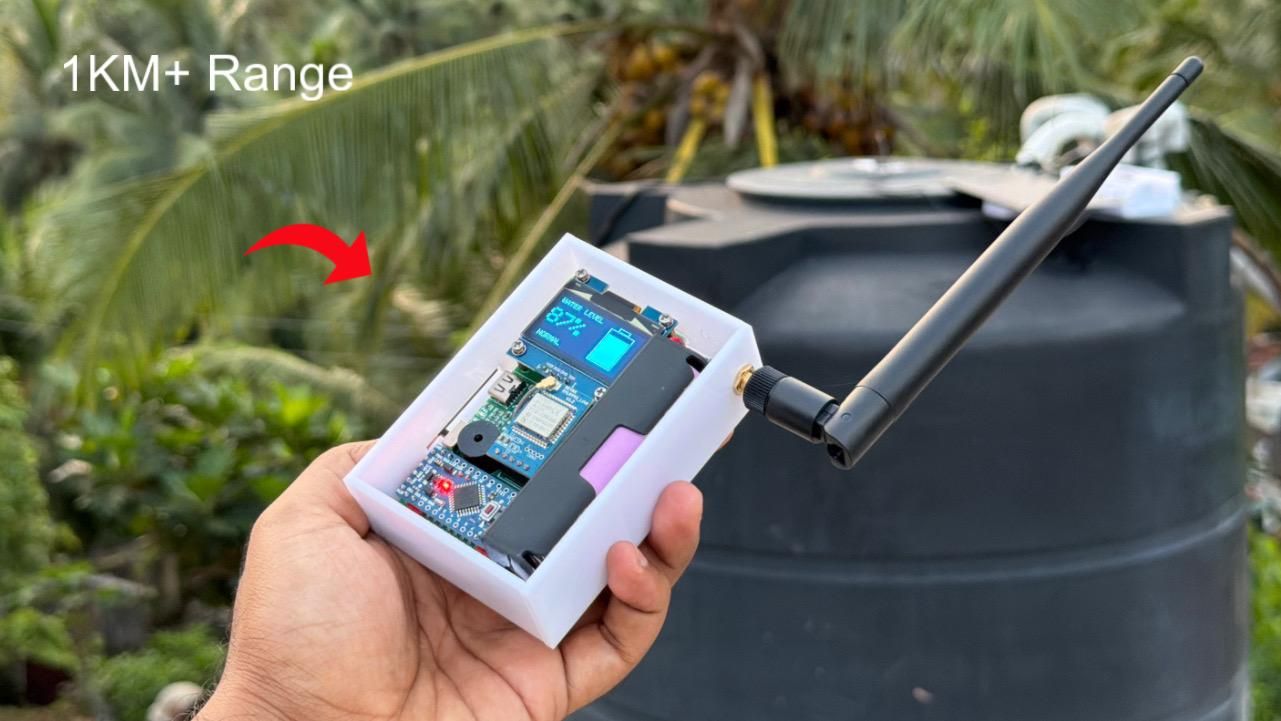
Monitoring the water level in an overhead tank can be inconvenient, especially when the tank is located far from the house. In this project, I built a Long Range Wireless Water Tank Monitoring System using REYAX LoRa modules and Arduino Pro Mini.
The system consists of a solar-powered transmitter unit installed on the water tank and a portable receiver unit with an OLED display. A waterproof ultrasonic sensor continuously measures the water level and transmits the data wirelessly using LoRa technology. The receiver displays the tank level percentage and provides LOW and FULL tank alerts.
Thanks to LoRa communication, the system can achieve long-range wireless monitoring without requiring Wi-Fi or internet connectivity. This makes it ideal for homes, farms, and remote water tanks.
The project is simple to build, power-efficient, and can be customized for different tank sizes and monitoring requirements.
Supplies
1. Arduino Pro Mini (5V/16MHz) × 2
2. REYAX RYLR993-Lite LoRa Module × 2
3. SH1106 OLED Display (I2C) × 1
4. AJ-SR04M Waterproof Ultrasonic Sensor × 1
5. Active Buzzer × 1
6. Solar Panel × 1
7. 18650 Li-ion Battery × 1
8. TP4056 Charging Module × 1
9. Mini Boost Converter 5v × 2
10.ON/OFF Switch × 1
11. Antennas for LoRa Modules × 2
14. Project Enclosure
Circuit Diagram and PCB

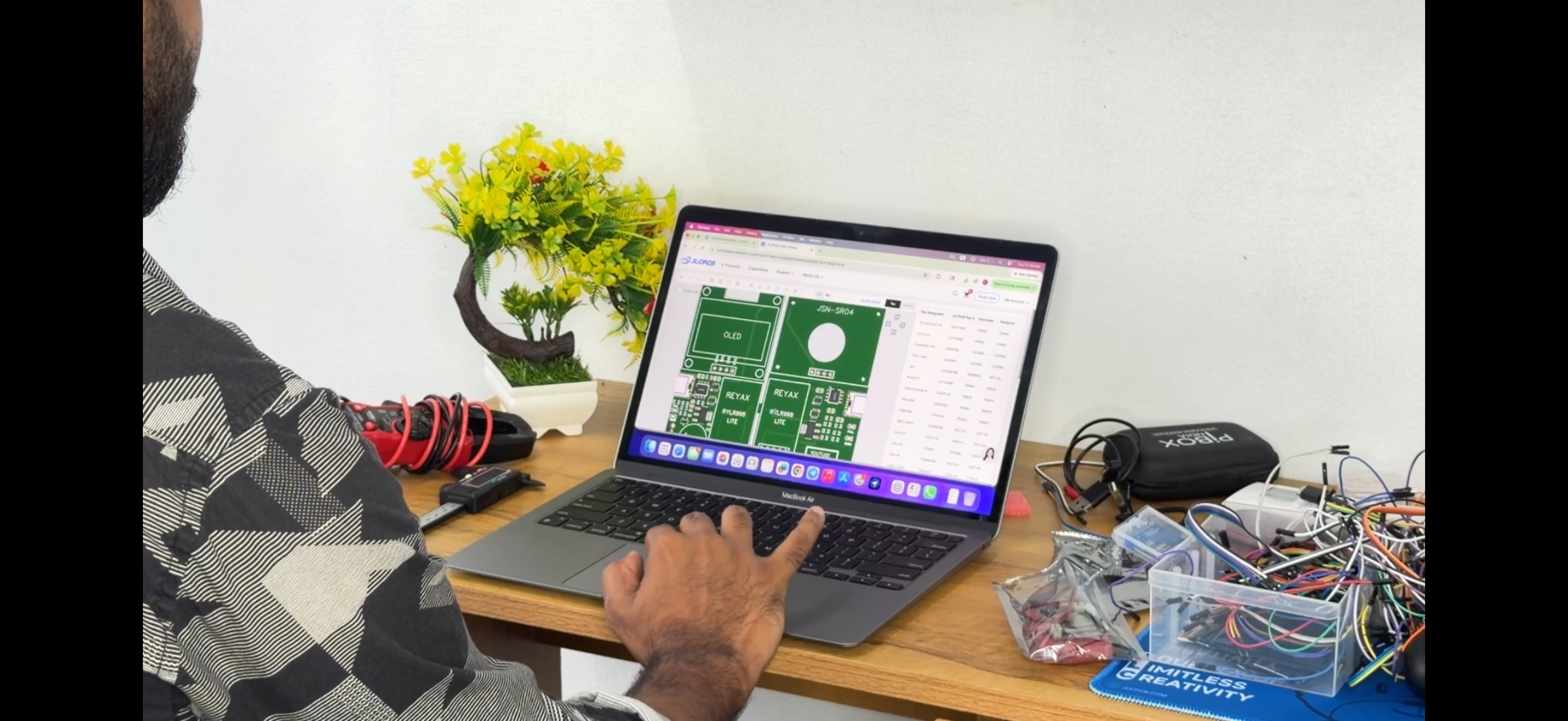


First, I designed the PCB using EasyEDA software. I created the schematic and completed the PCB layout carefully, paying special attention to power routing and component placement.
After finishing the design, I generated the Gerber files required for PCB manufacturing.
Next, I uploaded the Gerber files to JLCPCB and selected the required specifications such as PCB thickness, PCB color, and quantity before placing the order.
One of the best things about JLCPCB is that they provide a complete one-stop solution. Along with PCB manufacturing, they also offer SMT Assembly (PCBA Service), where components can be assembled directly onto the PCB. This includes component sourcing, soldering, and assembly, making it ideal for prototypes and small-scale production.
You can check their PCB Assembly service here:
https://jlcpcb.com/pcb-assembly?from=GJYSD
They offer high-quality PCB fabrication, fast turnaround times, SMT assembly services, component sourcing, and competitive pricing.
After placing the order, I waited for the PCBs to arrive. Once delivered, I unboxed the package and inspected the boards. The PCB quality was excellent, with clean silkscreen printing and a professional finish.
For this project, I designed a 2-in-1 PCB containing both the transmitter (TX) and receiver (RX) circuits on a single board. After receiving the PCB, I cut along the center separation line to create two independent boards: one transmitter board and one receiver board.
Assemble the PCB


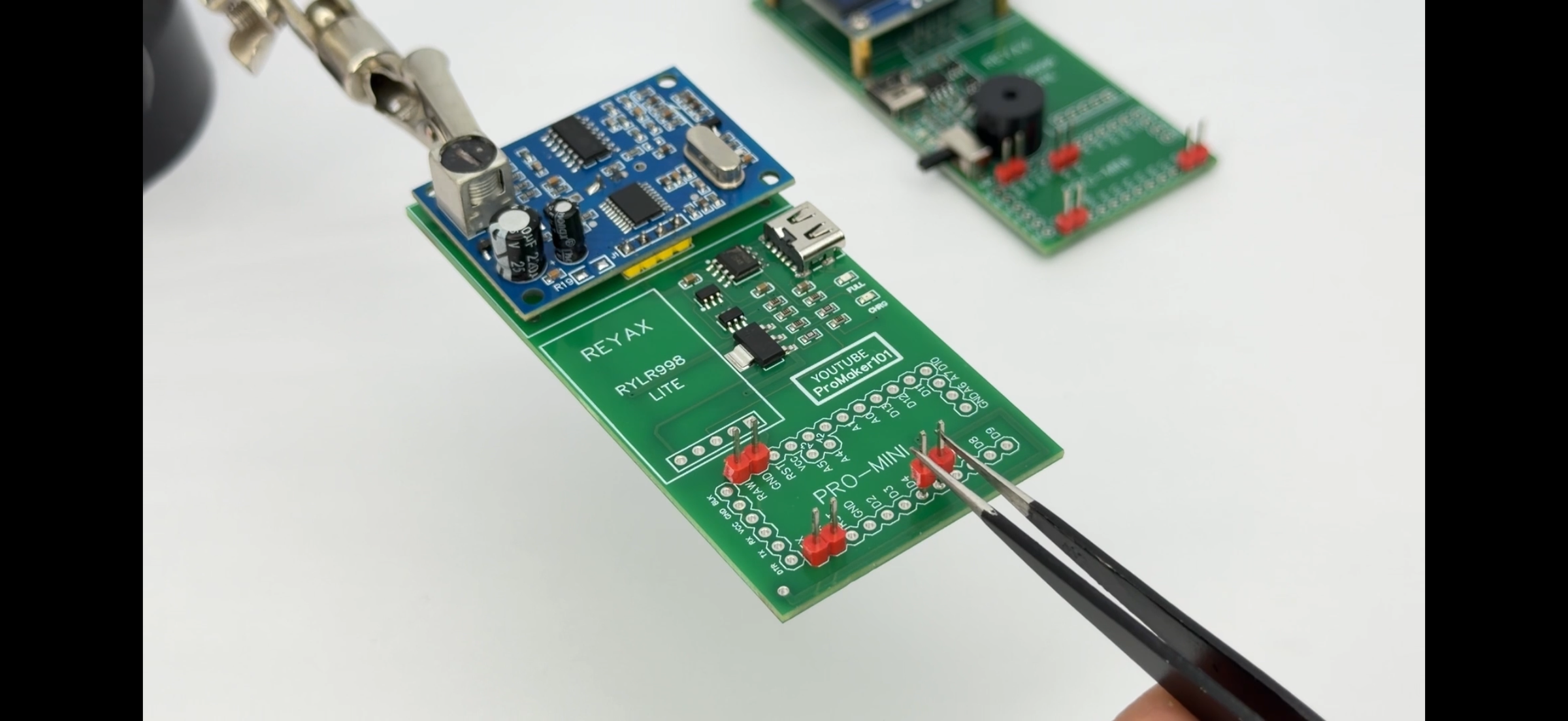


After separating the transmitter and receiver PCBs, the next step is assembling all the components.
Carefully solder all components onto their designated positions on the PCB. Make sure the solder joints are clean and shiny to ensure reliable operation. After soldering, inspect the board for any solder bridges or poor connections, then clean the PCB using isopropyl alcohol or PCB cleaner to remove flux residue.
Next, install the mini boost converter module in the dedicated area on the bottom side of the PCB. This module is factory configured for a 12V output, but our project requires a 5V supply.
To change the output voltage, locate the solder jumpers marked “A” and “B” on the boost module. Desolder both points as shown in the images. After removing these solder bridges, the module output will be configured for 5V operation, making it suitable for powering the Arduino Pro Mini and other circuit components.
Once assembly is complete, double-check all connections before powering up the board.
Configure the Arduino and LoRa Modules


For this project, I used two Arduino Pro Mini boards and two REYAX RYLR993-Lite LoRa modules. Before assembling the system, the LoRa modules must be configured.
Connect each REYAX module to a USB-to-TTL converter and connect it to your computer. Open the Serial Monitor and send the required AT commands to configure the modules.
Receiver (RX) Configuration:
AT
AT+OPMODE=1
AT+BAND=865000000
AT+ADDRESS=1
Transmitter (TX) Configuration:
AT
AT+OPMODE=1
AT+BAND=865000000
AT+ADDRESS=2
Note: The operating frequency may vary depending on your country and local regulations.
After configuring the modules, upload the transmitter and receiver Arduino sketches to the respective Arduino Pro Mini boards.
Before uploading the transmitter code, measure the total height of your water tank and update the tank height values in the code. Also remember that the waterproof ultrasonic sensor has a blind spot of approximately 20cm, so the sensor should be installed with sufficient clearance from the maximum water level for accurate measurements.
For a detailed explanation of the wiring, LoRa configuration, AT commands, and source code, please watch the complete video tutorial on my YouTube channel, Promaker101.
BUY REYAX RYLR993 LITE:-
Final Assembly


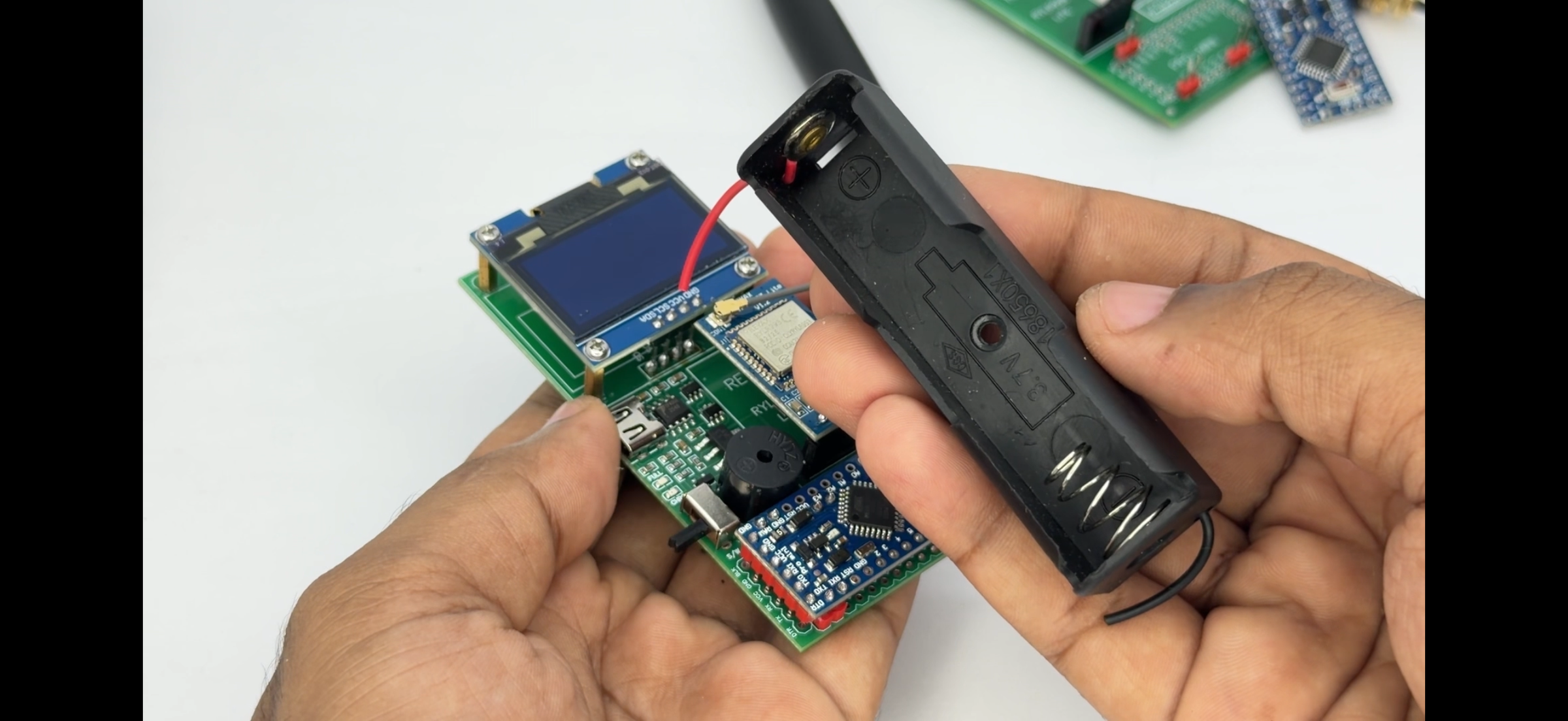



After configuring the Arduino Pro Mini boards and REYAX LoRa modules, solder them onto the PCB.
Make sure not to swap the RX and TX connections between the Arduino Pro Mini and the REYAX module. Double-check all connections before soldering permanently.
Next, install the 18650 battery holders on both the transmitter and receiver boards. Once all components are soldered and tested, the hardware assembly is complete.
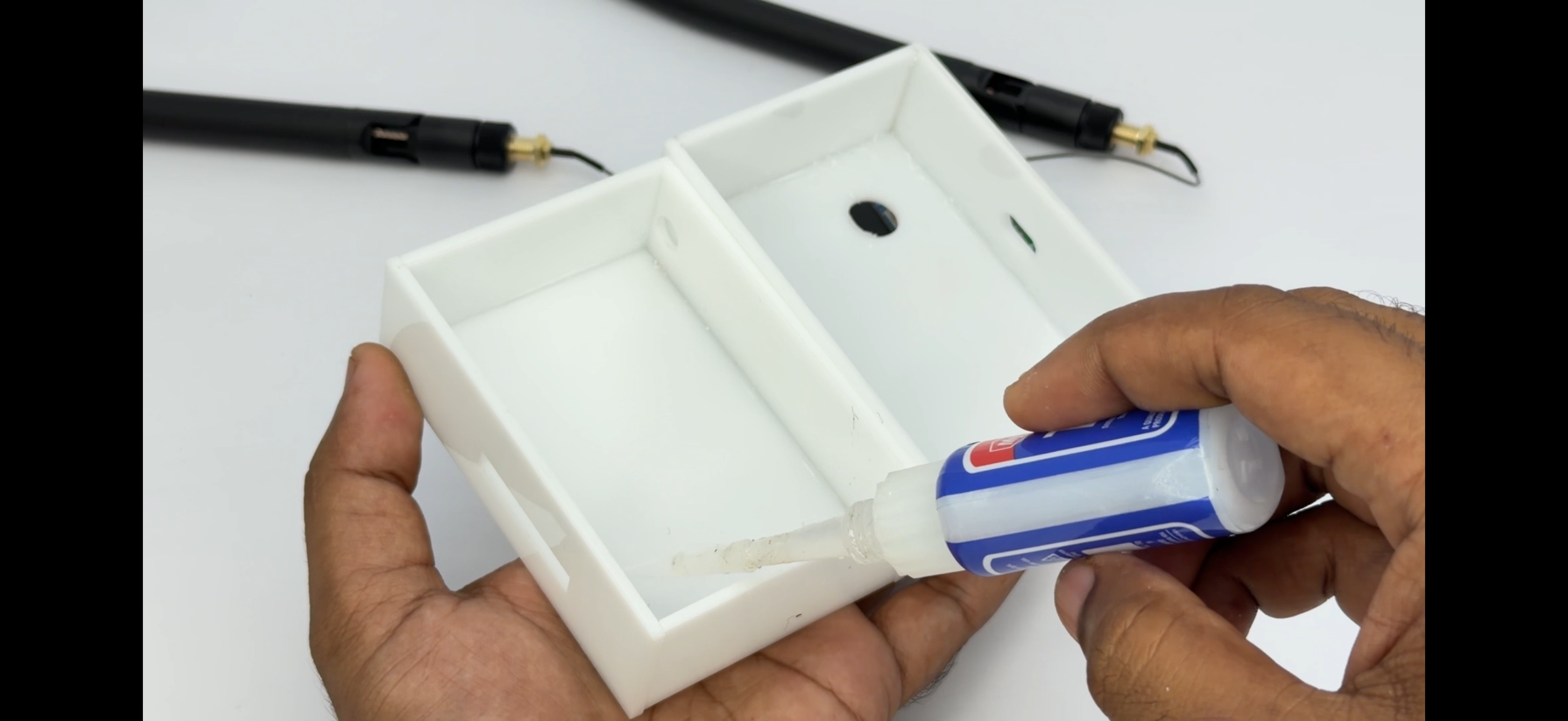
For the enclosure, I designed and fabricated a custom acrylic case. The transmitter and receiver PCBs were mounted inside their respective enclosures using screws and spacers.
The antenna connector was routed to the outside of the enclosure to achieve the best wireless performance. After mounting the antenna externally, the system was ready for final testing and installation.
The transmitter unit can now be installed near the water tank, while the portable receiver unit can be kept anywhere inside the home for convenient wireless monitoring.
Install the Transmitter Unit
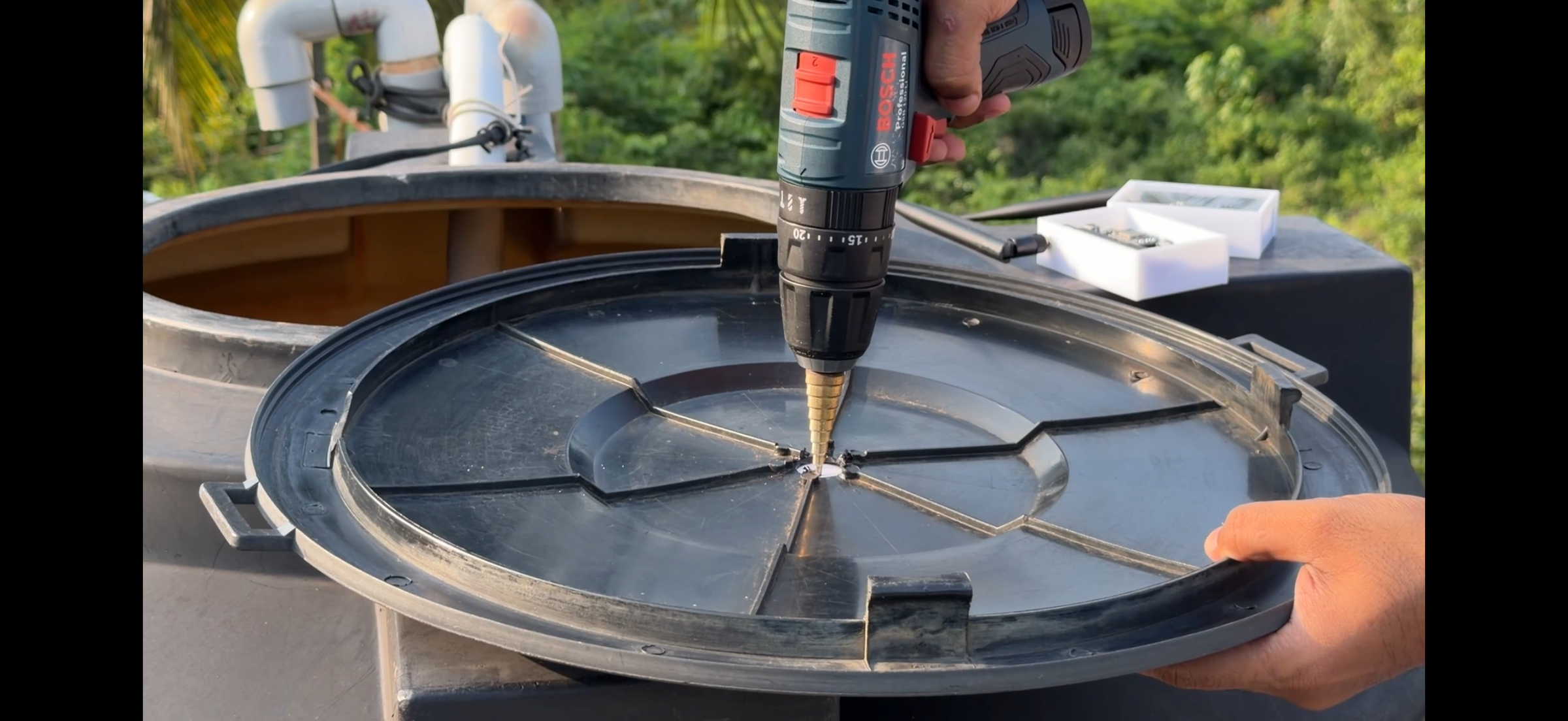
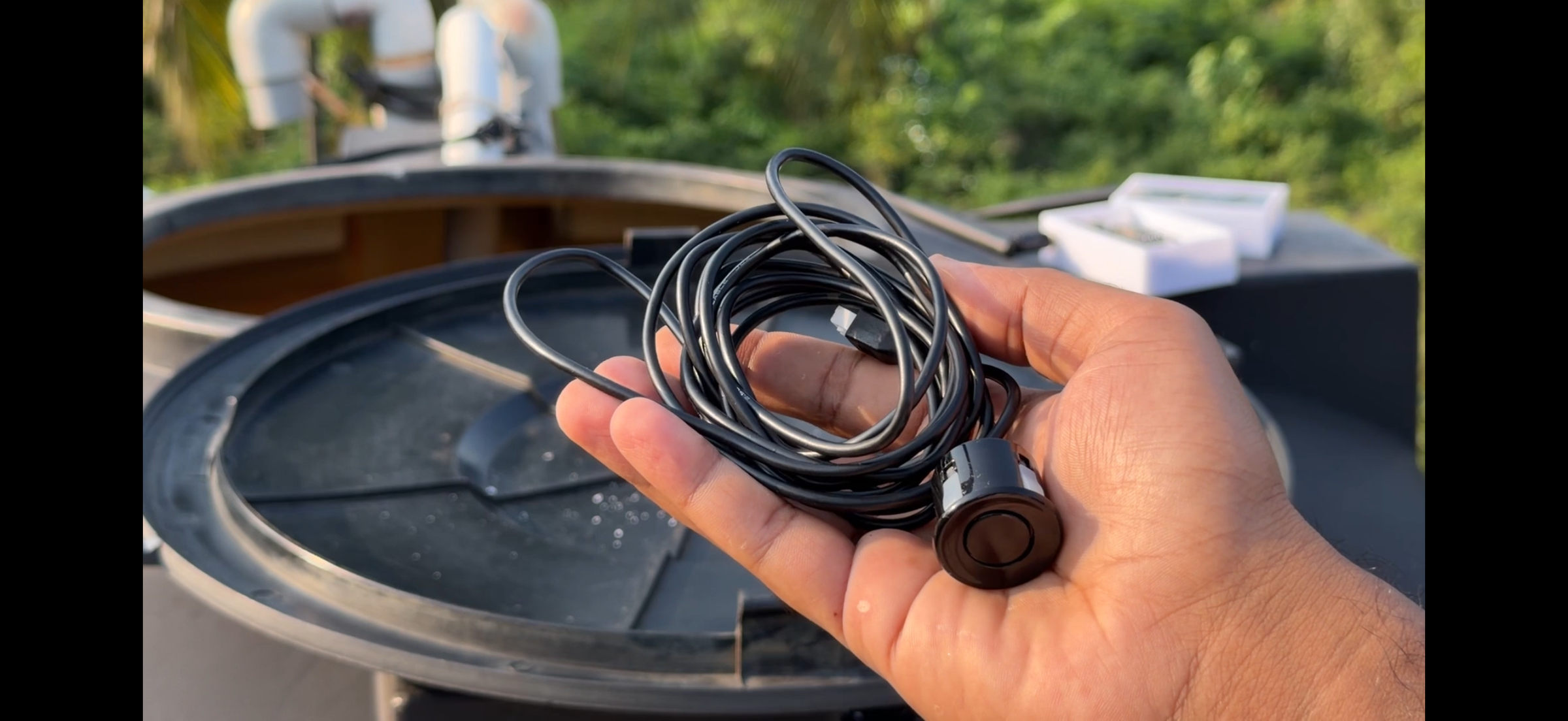


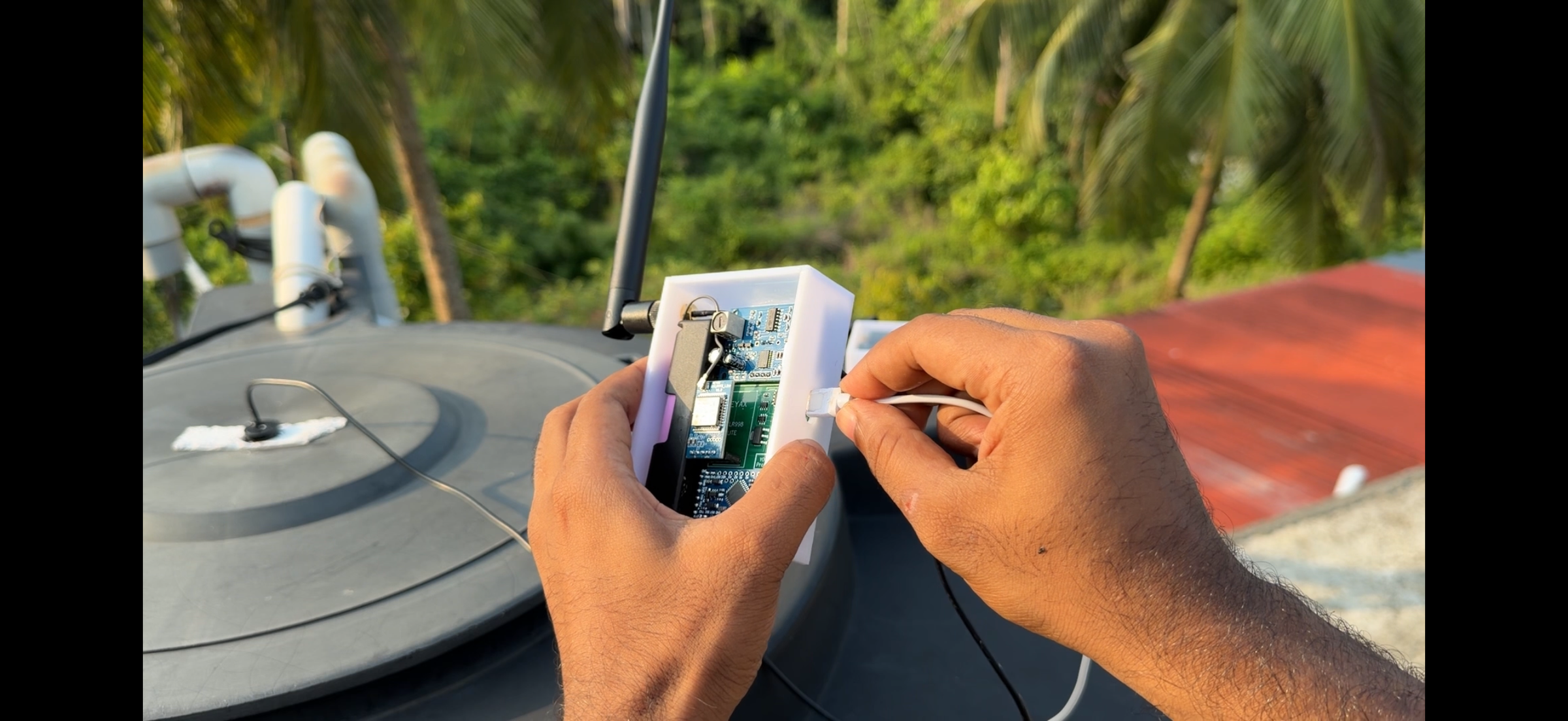
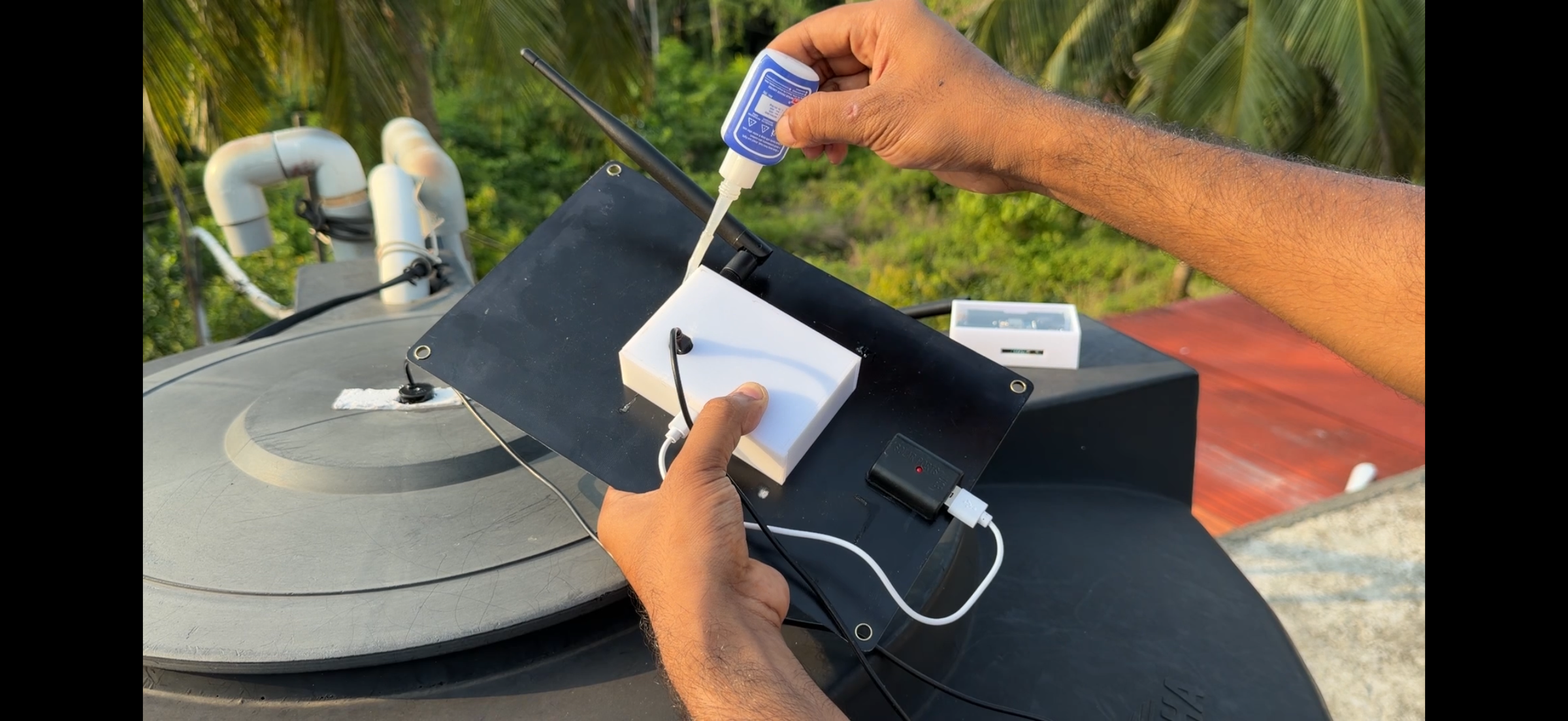
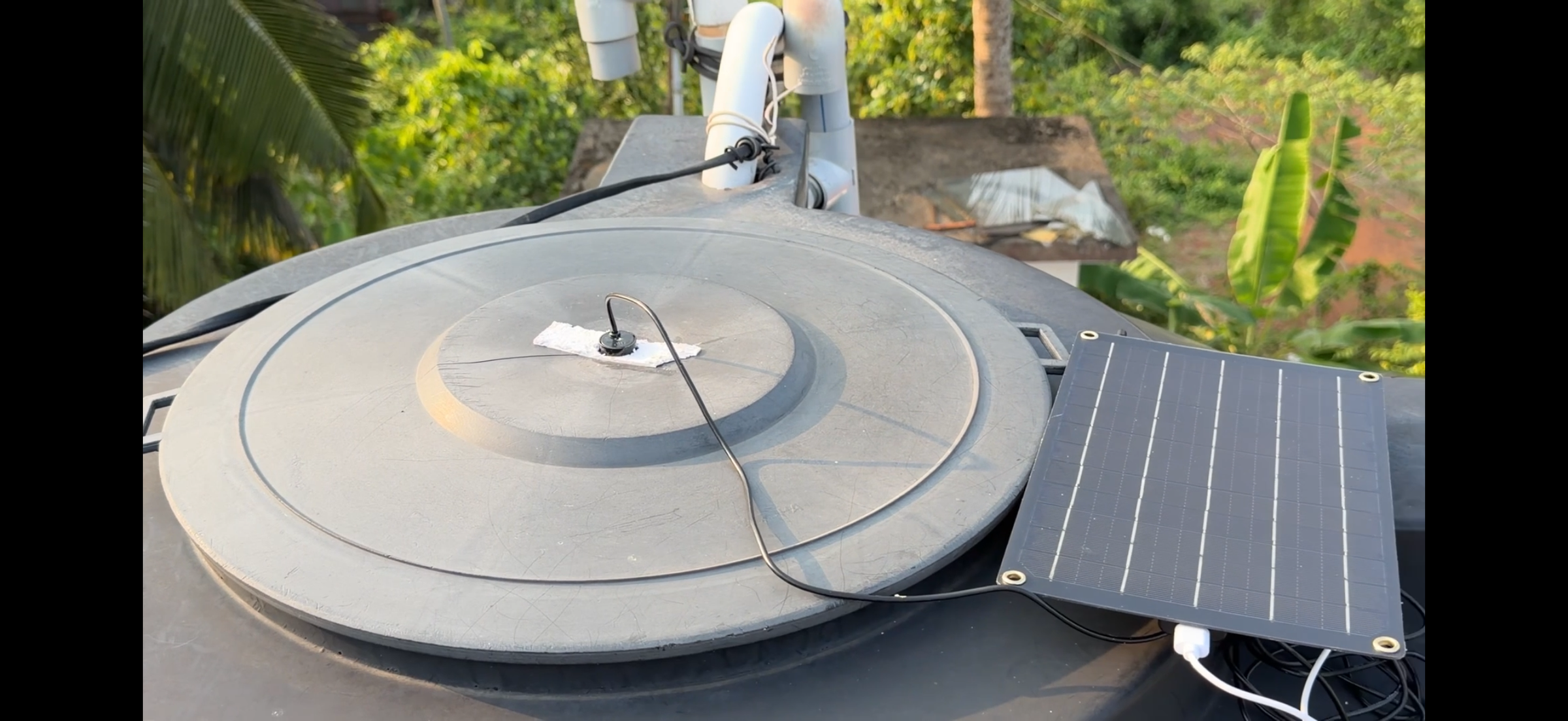
The transmitter unit is designed to be installed directly on top of the water tank.
First, drill a hole at the center of the tank lid and mount the waterproof ultrasonic sensor facing downward toward the water surface. Positioning the sensor at the center helps obtain more accurate water level measurements
After securing the sensor, route its cable through the enclosure and connect it to the AJ-SR04M connector located on the back side of the transmitter PCB.
Next, connect the solar USB panel to the TP4056 charging module. The solar panel continuously charges the 18650 battery, allowing the transmitter unit to operate independently without external power.
Finally, mount and glue the solar panel to the back side of the enclosure. Make sure the panel receives sufficient sunlight during the day for reliable charging.
With the ultrasonic sensor installed, solar panel connected, and battery charging system working properly, the transmitter unit is now complete and ready for operation.
Power Up and Test the System


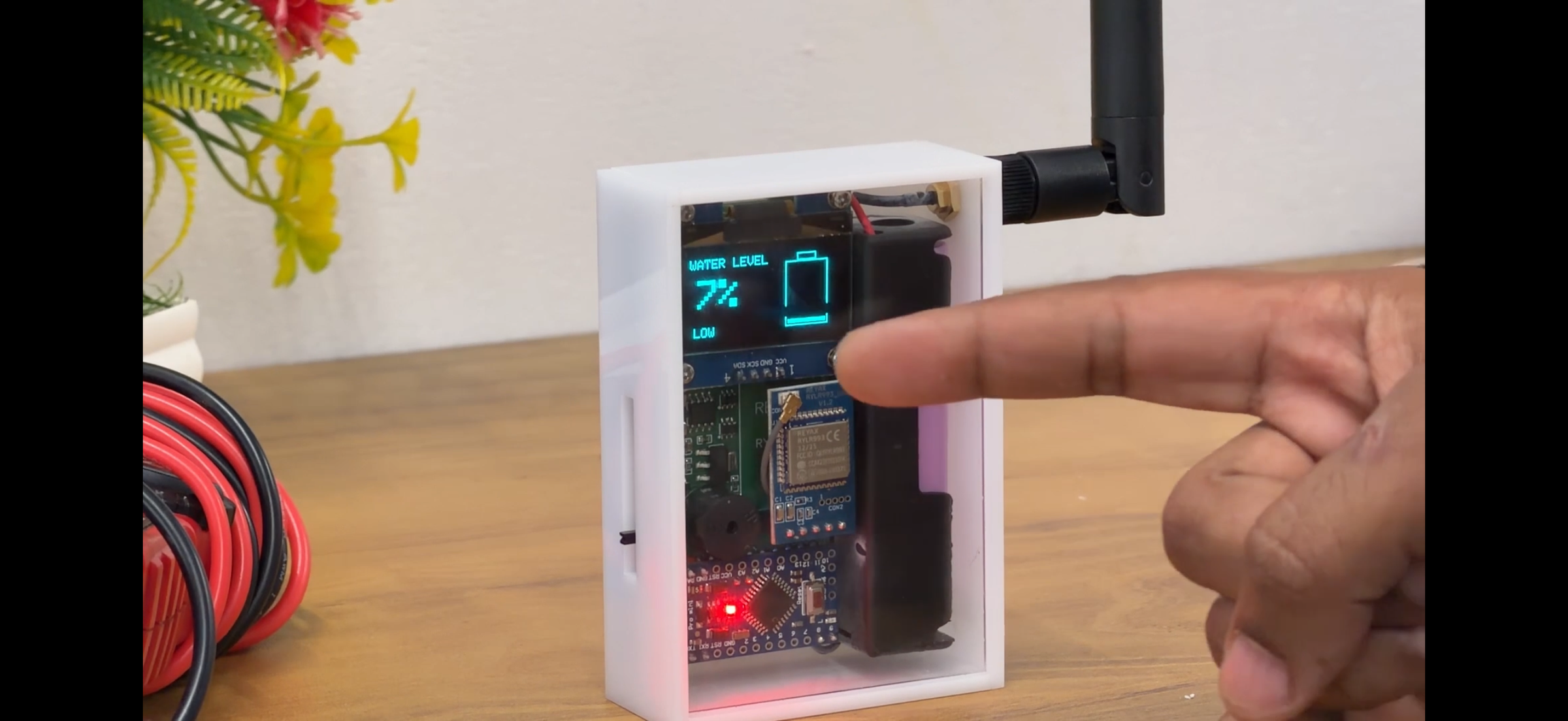

After completing the installation, turn on receiver units.
Within a few seconds, the receiver will start receiving data wirelessly from the transmitter and display the current water level on the OLED screen. The display shows the tank percentage, tank status, and a graphical tank animation for easy monitoring.
Thanks to the REYAX LoRa modules, the system provides reliable long-range wireless communication, allowing you to monitor your water tank from a considerable distance without running any cables.
If the water level becomes too low or reaches full capacity, the receiver can also provide audible alerts through the onboard buzzer.
The project is now ready for everyday use, providing a convenient and efficient way to monitor water levels remotely.
Watch the Complete Video
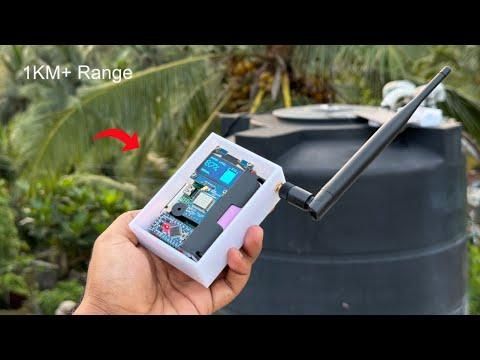
This completes the Long Range Wireless Water Tank Monitoring System project.
For detailed assembly instructions, PCB design, LoRa configuration, source code, calibration, testing, and project demonstration, watch the complete video tutorial on my YouTube channel.
Watch the detailed video here:
Thank you for checking out this project. If you found it useful, please consider supporting my work by following my YouTube channel and sharing this project with others.