MakeShift Trailer - Mobile Makerspace for Disaster Recovery
by EstBuilds in Design > 3D Design
23 Views, 0 Favorites, 0 Comments
MakeShift Trailer - Mobile Makerspace for Disaster Recovery
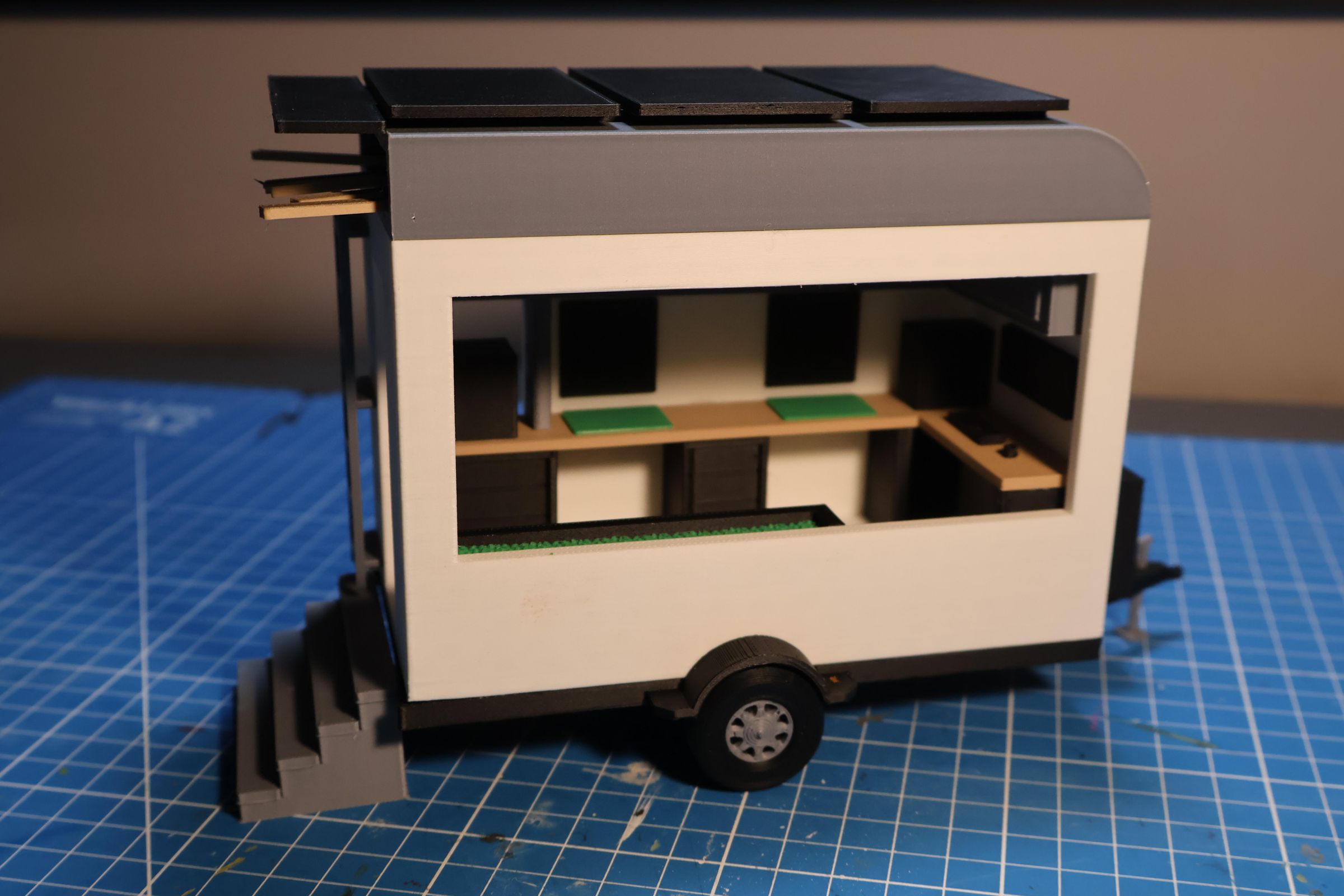
When fires and disasters tear through towns, families lose more than their homes. They lose their tools and their workspaces. Rebuilding takes months, but healing can start the next day, if you give people the right space to do it.
The MakerShift Trailer is a fully self-contained mobile makerspace built on a 6' x 12' flatbed trailer. It drives directly to disaster sites, deploys instantly, and gets to work.
Inside, residents can find 3D printers, workbenches, hand tools, and design stations loaded with Autodesk software. They can print replacement hardware for damaged homes, design custom repair parts, utilize the many tools, or simply sit down and make something with their hands to take a mental break.
The trailer is designed around three principles. First, speed - a community shouldn't wait months for a recovery resource to arrive. Second, reusability - one trailer serves the next disaster after this one, and the one after that. Third, community - the open workshop layout is intentionally communal, because people heal faster when they're working alongside each other.
The structure is built from steel components that can be disassembled and reconfigured. Solar panels on the roof keep it fully energy independent. Nothing about it requires a permanent grid connection or a level surface.
I designed the MakeShift in Tinkercad and 3D printed a physical scale model to bring the concept to life.
Supplies
- Sketchbook
- Computer
- TinkerCad
- 3D Printer
- Filament
- Super Glue
Initial Sketches
Before jumping into Tinkercad, I grabbed a pencil and started sketching. I wanted to get my ideas down fast without worrying about making anything perfect.
My first sketches were just rough boxes trying to figure out the basic shape: how long the trailer should be, how tall the box structure would sit, and where the door and windows would go.
Then I started thinking about the interior. I sketched out different ways to arrange the components and tried a few layouts before landing on the one that made the most sense.
Sketching first saved a lot of time in Tinkercad. By the time I sat down to model, I already knew roughly what I was building and why each part was where it was.
TinkerCad Design
I used Tinkercad to bring my sketches to life as a 3D model. I started with the trailer base. Then the wall and roof structure. Lastly the interior and exterior components.
One of the most useful things about modeling it digitally, was being able try different arrangements with the components to maximize the workflow and organization. I was also able to check the proportions to ensure everything was large enough for easy and accessible use.
Trailer
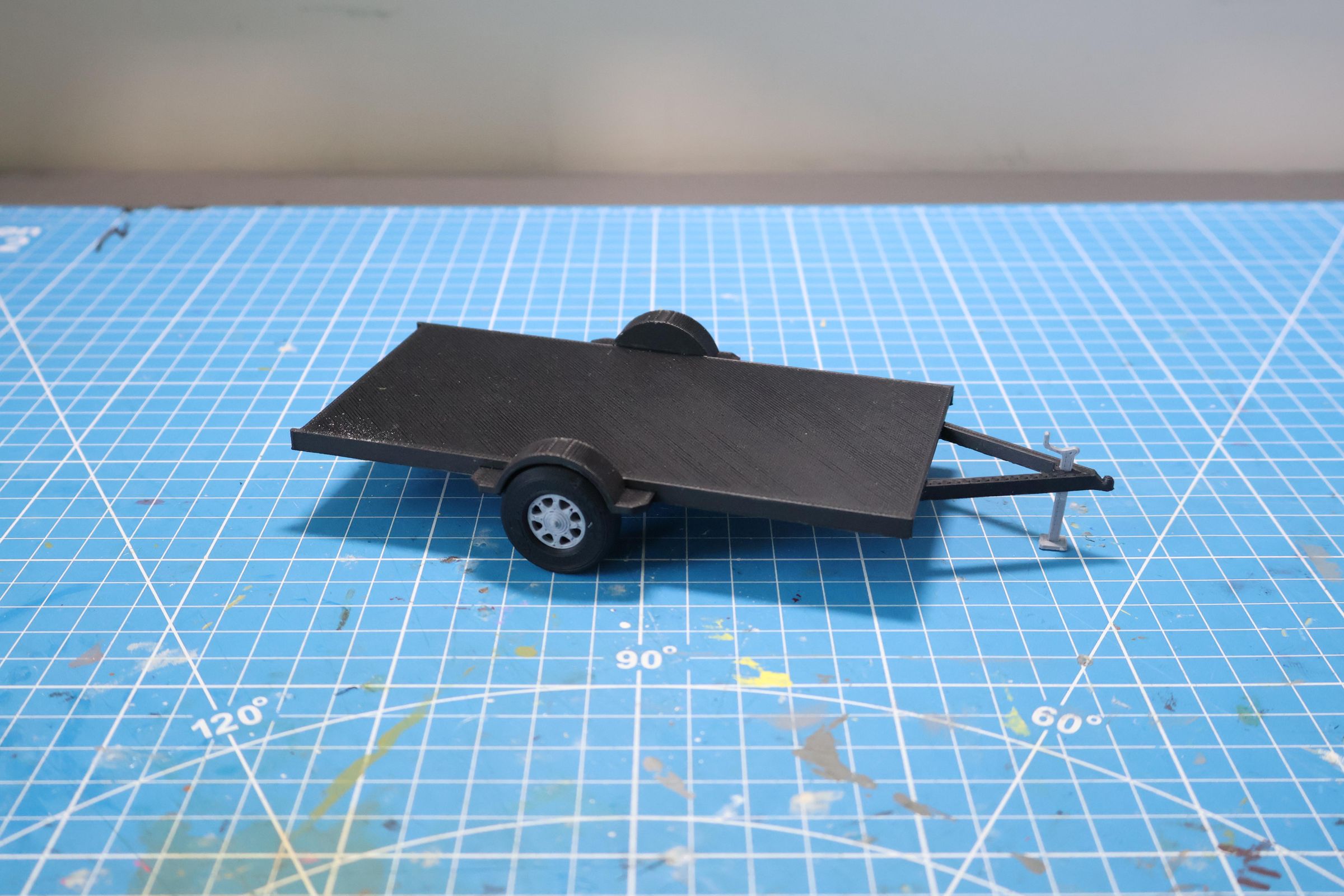
Once I was happy with the Tinkercad model I started printing the actual scale model. I broke it down into separate parts so it was easier to print and assemble.
I printed the flatbed base first, then the two wheels and jack, and glued them into place.
Wall & Roof Structure
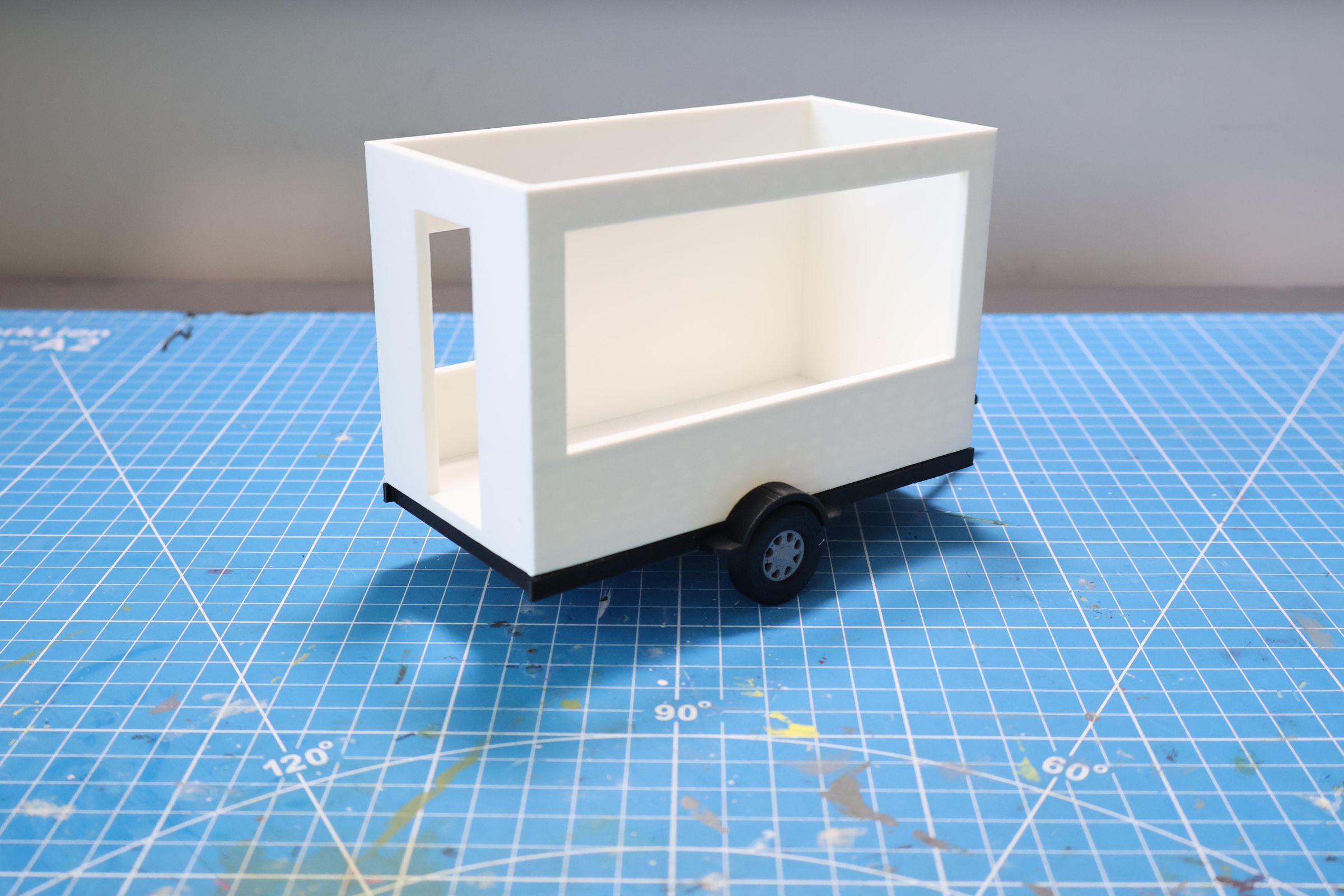
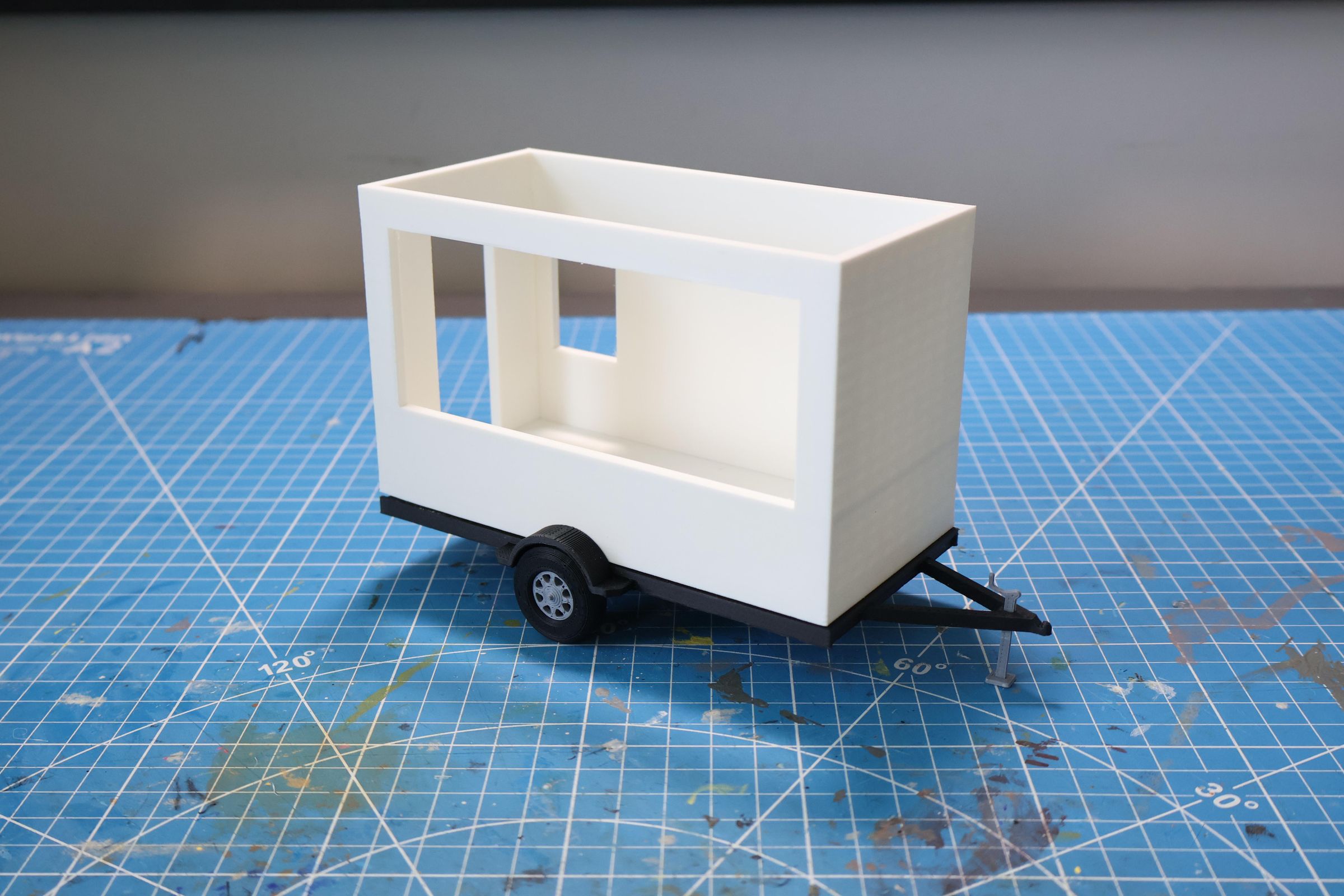

With the interior layout finalized I printed the walls. I kept them simple flat panels that slot around the interior components and snap to the trailer base.
The side wall has a large opening which allows for a lot of natural light. I left it open in the model so you can see straight into the interior. There is also a smaller window for 3D printer exhaust and a door in the back.
The roof was designed to hold lumber. The front is curved to increase the efficiency of the trailer.
The walls and roof are designed to be modular in a real build, meaning they bolt on and can be removed, replaced, or reconfigured. If a wall gets damaged it can be swapped out without rebuilding the whole structure.
Interior & Exterior Components

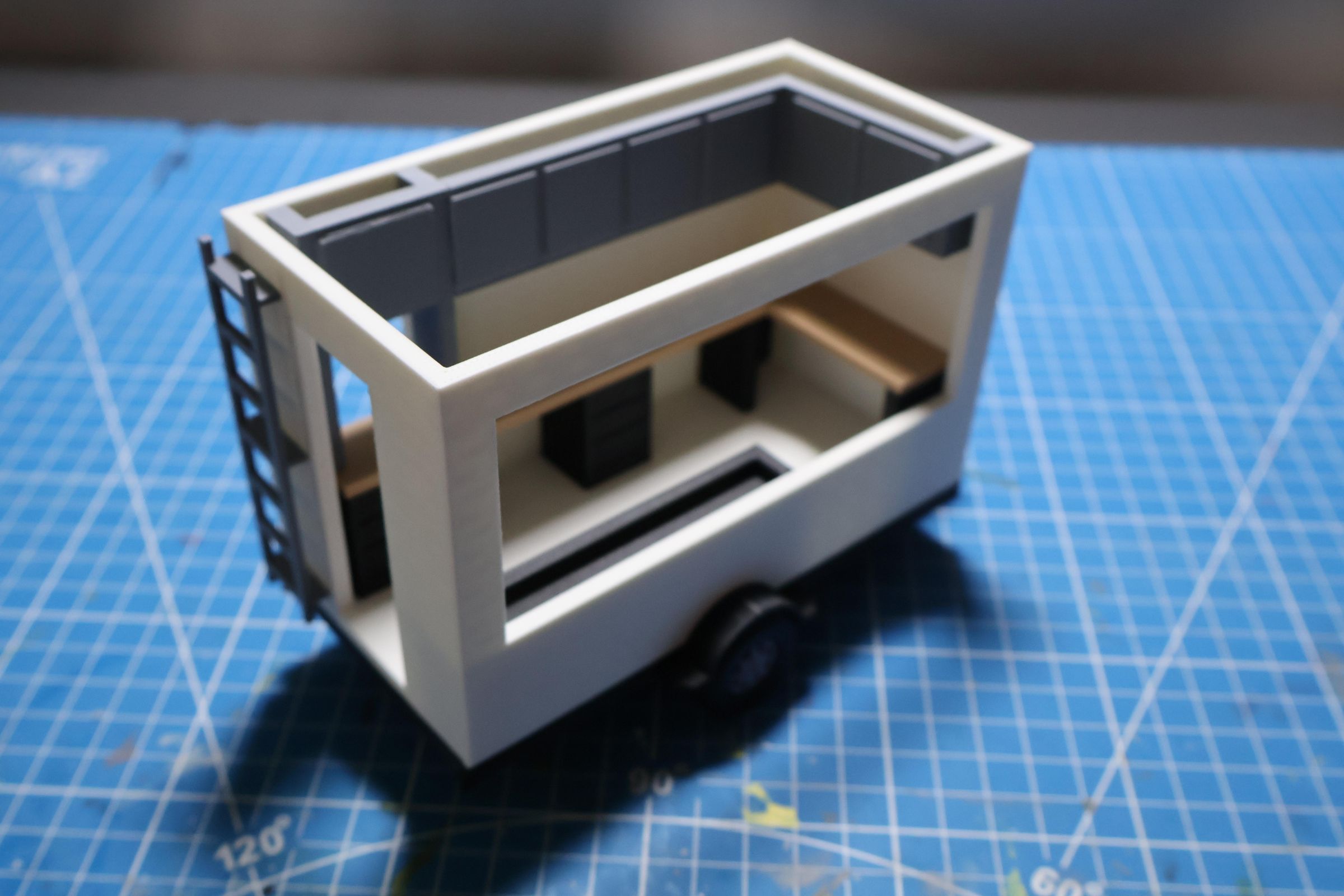
- Exterior
- Solar Panels - to keep the trailer energy independent
- Ladder - to get lumber from roof
- Stairs
- Storage Crate - to store battery and extra Tools
- Interior
- 2 Work Stations - to allow multiple people to work at once
- 1 Computer Station - to design CAD models
- Overhead Storage Cabinets
- Drawers
- Biophilic Garden Bed - to calm the atmosphere
Final Model

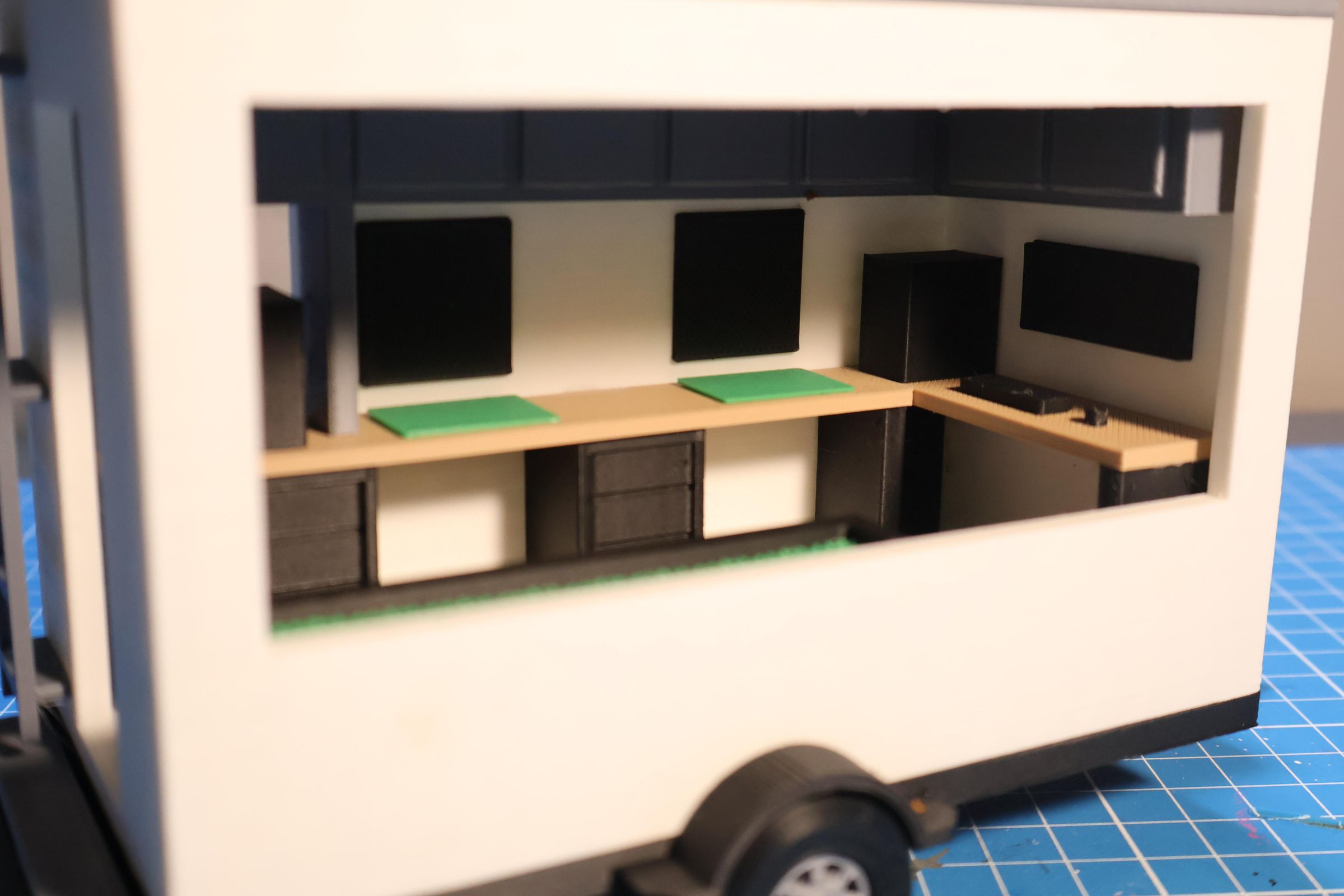
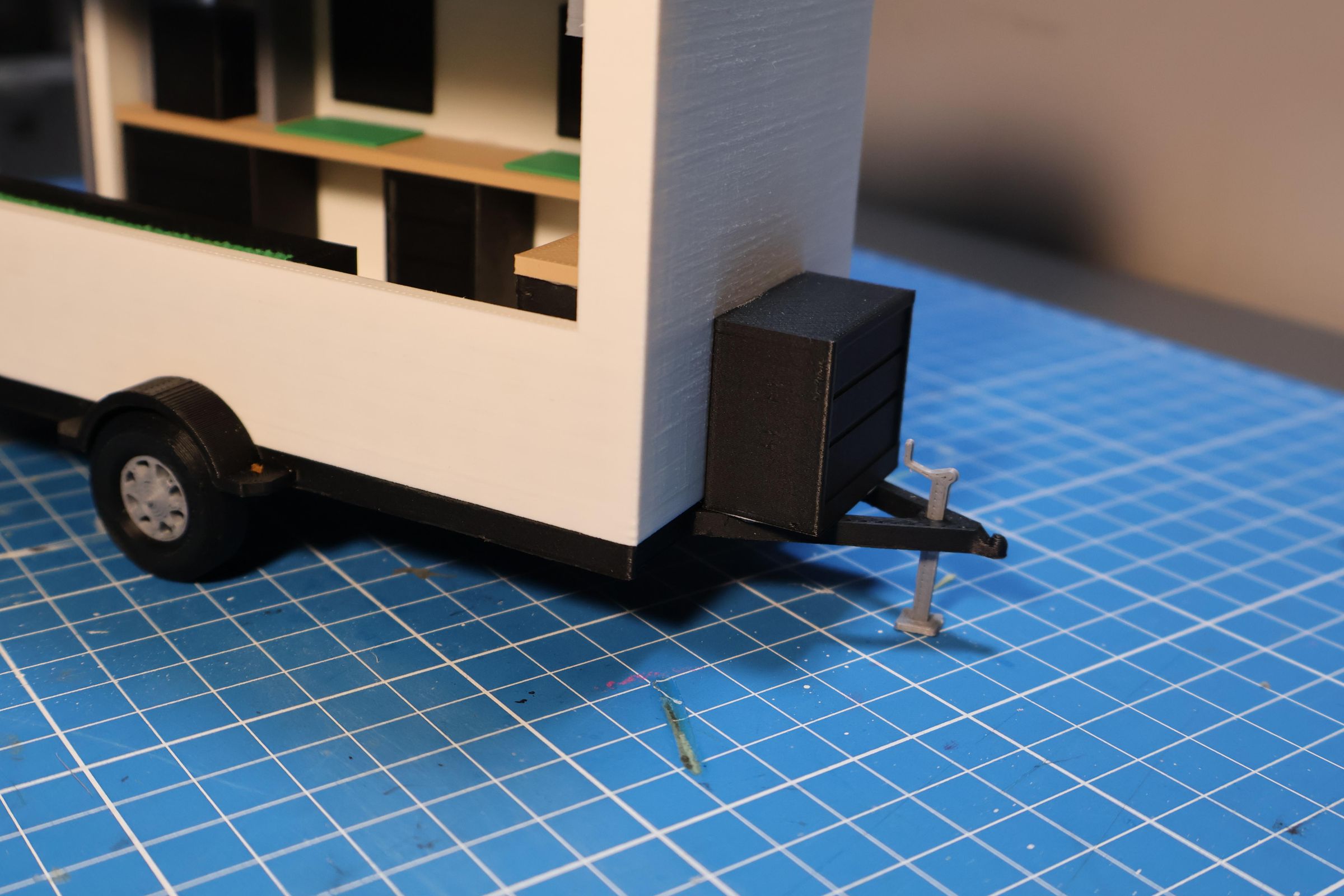
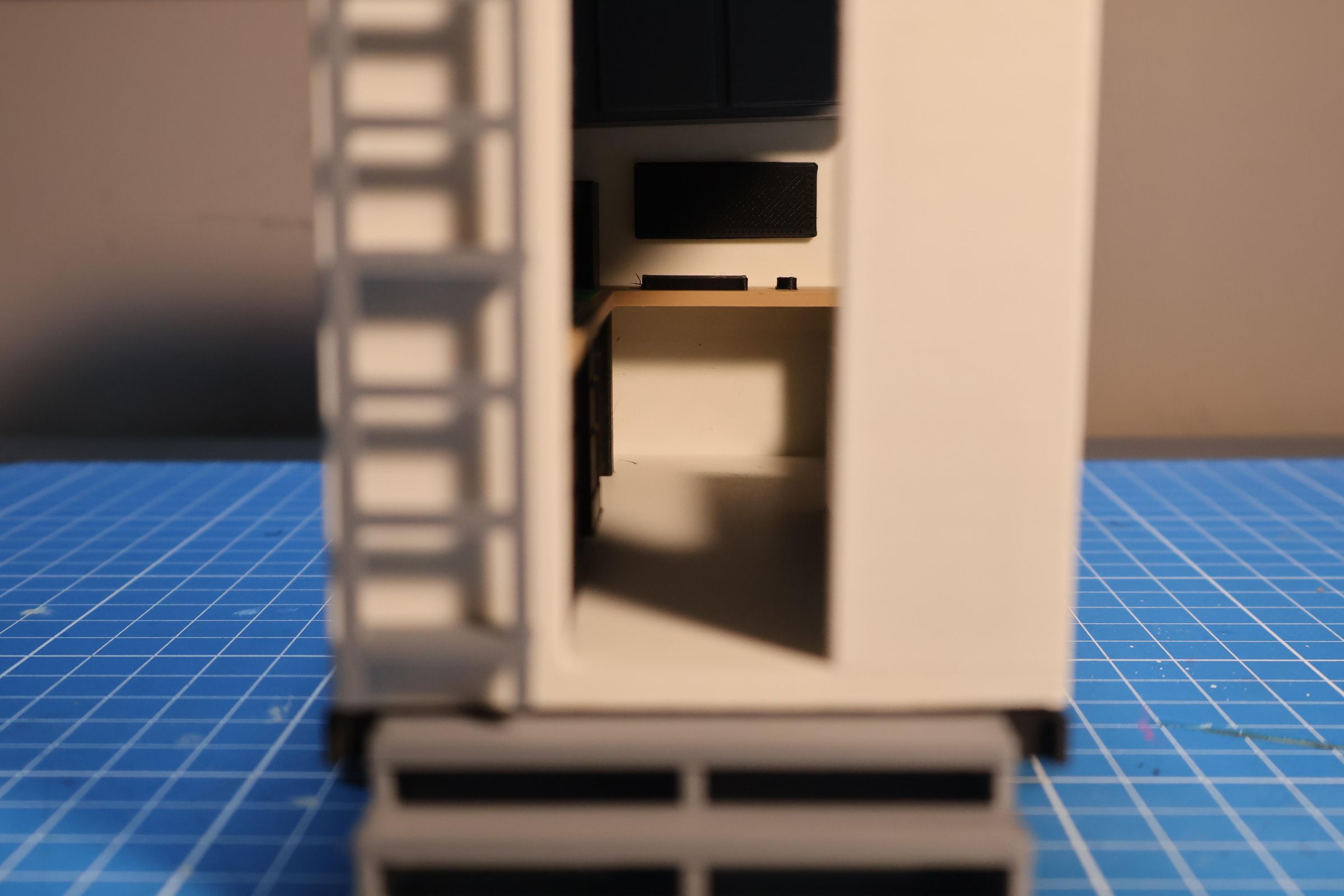
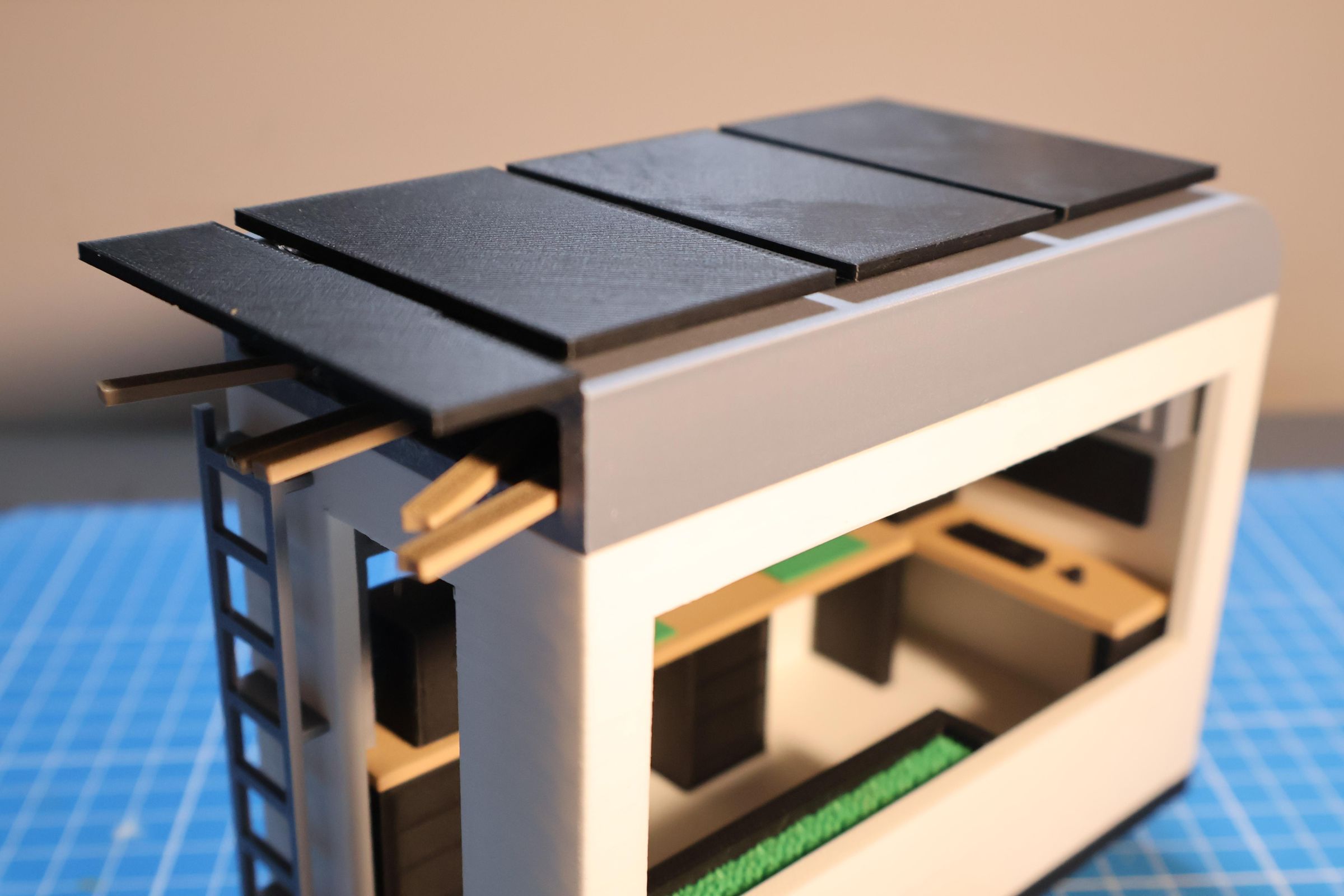
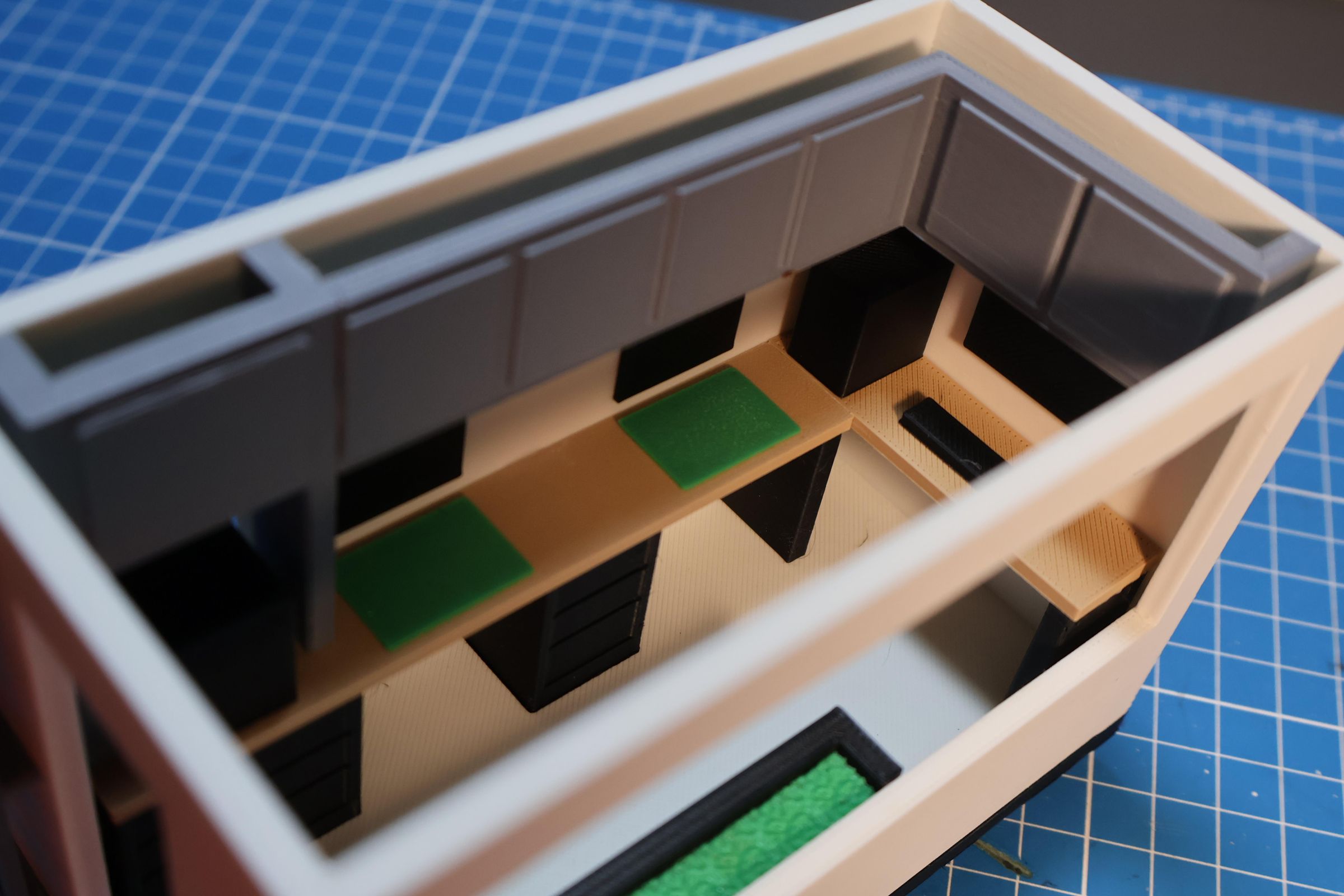
Here is the completed MakeShift Trailer scale model. After printing and assembling all the individual components, this is the finished result.
Having a finished model makes the concept feel much more real and possible than a screen.
This is what the MakeShift Trailer would look like parked at a disaster site, ready to open its doors.
Real World Impact
The MakeShift Trailer solves a problem every disaster community faces, the long time between when disaster strikes and when recovery resources arrive. That gap is usually weeks to months. The MakeShift closes it to hours.
A real version could deploy to wildfire recovery, a flood zone, or a tornado-hit town and be operational the same day. When the community no longer needs it, it drives to the next disaster. One trailer serves many communities over its lifetime.
Practically, residents can print replacement parts and make temporary fixes for damaged homes on the spot.
The more important impact is mental. After a disaster people feel like everything is out of their control. Sitting down and making something, even something small, helps to give that control back. The communal layout means neighbors work side by side, therefore also rebuilding relationships.
Conclusion
The MakeShift Trailer started as a sketch and became a fully designed and 3D printed scale model. What I learned through this process is that good disaster recovery design isn't always about building the biggest or most permanent structure, it's also about showing up fast, meeting people where they are, and giving them the tools they need to start working.
All of the parts for the trailer can be found on the TinkerCad project, so I encourage you to improve the design.
Thank you!