Memory Atlas – Create an Interactive Map That Tells Your Life Story Using React + FastAPI
by anonvanguard in Design > Websites
53 Views, 1 Favorites, 0 Comments
Memory Atlas – Create an Interactive Map That Tells Your Life Story Using React + FastAPI


Ever wished Google Maps could show memories instead of traffic?
In this project, you’ll build a beautiful interactive “memory map” where every location opens a personal story, photo, mood, or moment.
Instead of making a normal website, you’ll create something emotional, cinematic, and actually useful — a digital atlas of memories.
The best part?
You don’t need advanced coding knowledge to build it.
This project combines maps, storytelling, animations, and modern web design into one clean experience that looks futuristic but is beginner-friendly to create.
The final result feels like a digital memory journal mixed with Google Maps
So let’s build your own Memory Atlas
Supplies

You’ll need:
- A laptop or PC
- Internet connection
- VS Code
- Node.js installed
- A free Mapbox account
- A free MongoDB Atlas database
- Basic React knowledge (helpful but not mandatory)
Libraries & Tools:
- React.js
- Tailwind CSS
- Framer Motion
- Mapbox GL JS
- FastAPI
- MongoDB
- Render (deployment)
Create the Frontend
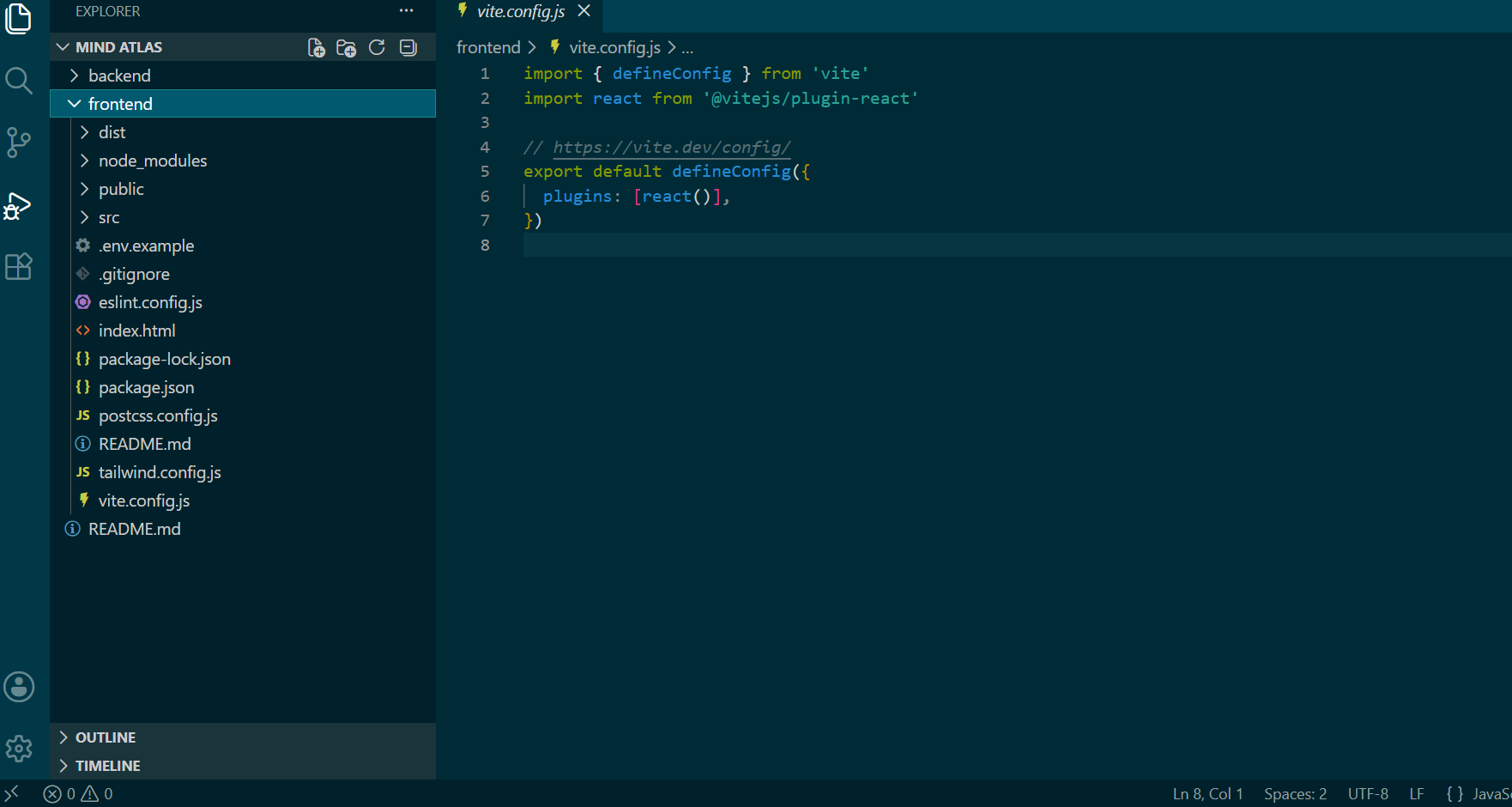

Start by creating a React project.
Open terminal and run:
Choose:
Then install dependencies:
This frontend will handle:
- Interactive map
- Animations
- Timeline
- Memory cards
- Story pages
Configure Tailwind CSS


Initialize Tailwind:
Inside tailwind.config.js, add:
Then add Tailwind directives inside index.css:
Now your UI styling setup is complete.
Add the Interactive Map


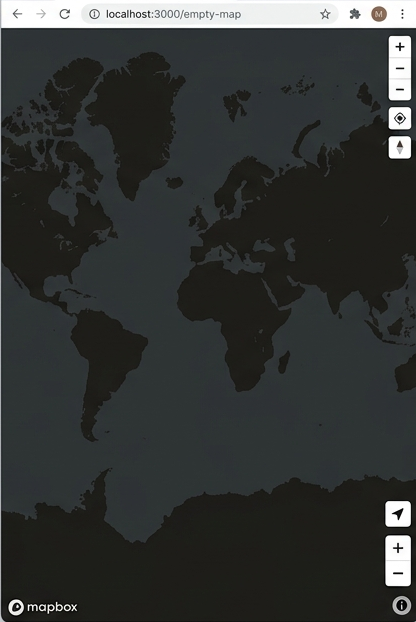

Create a free account on:
Copy your API token.
Now create a map component:
Add a full-screen map and place clickable markers for memories.
After creation your map should look like shown in above screenshots which shows it is active and ready to use.
Each marker should contain:
- Title
- Description
- Photo
- Mood
- Date
When clicked, it opens a memory card.
This is the heart of the entire project.
Build the Memory Card System

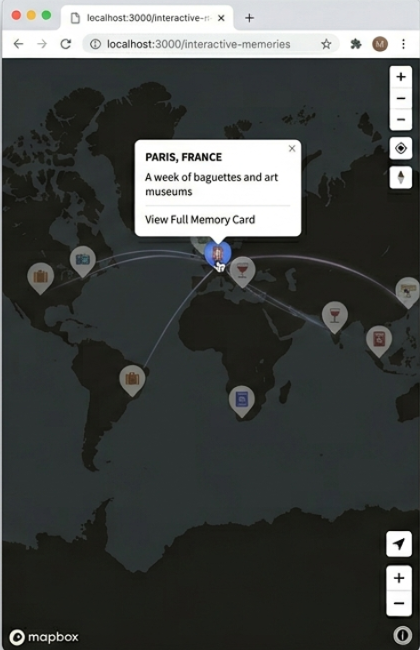

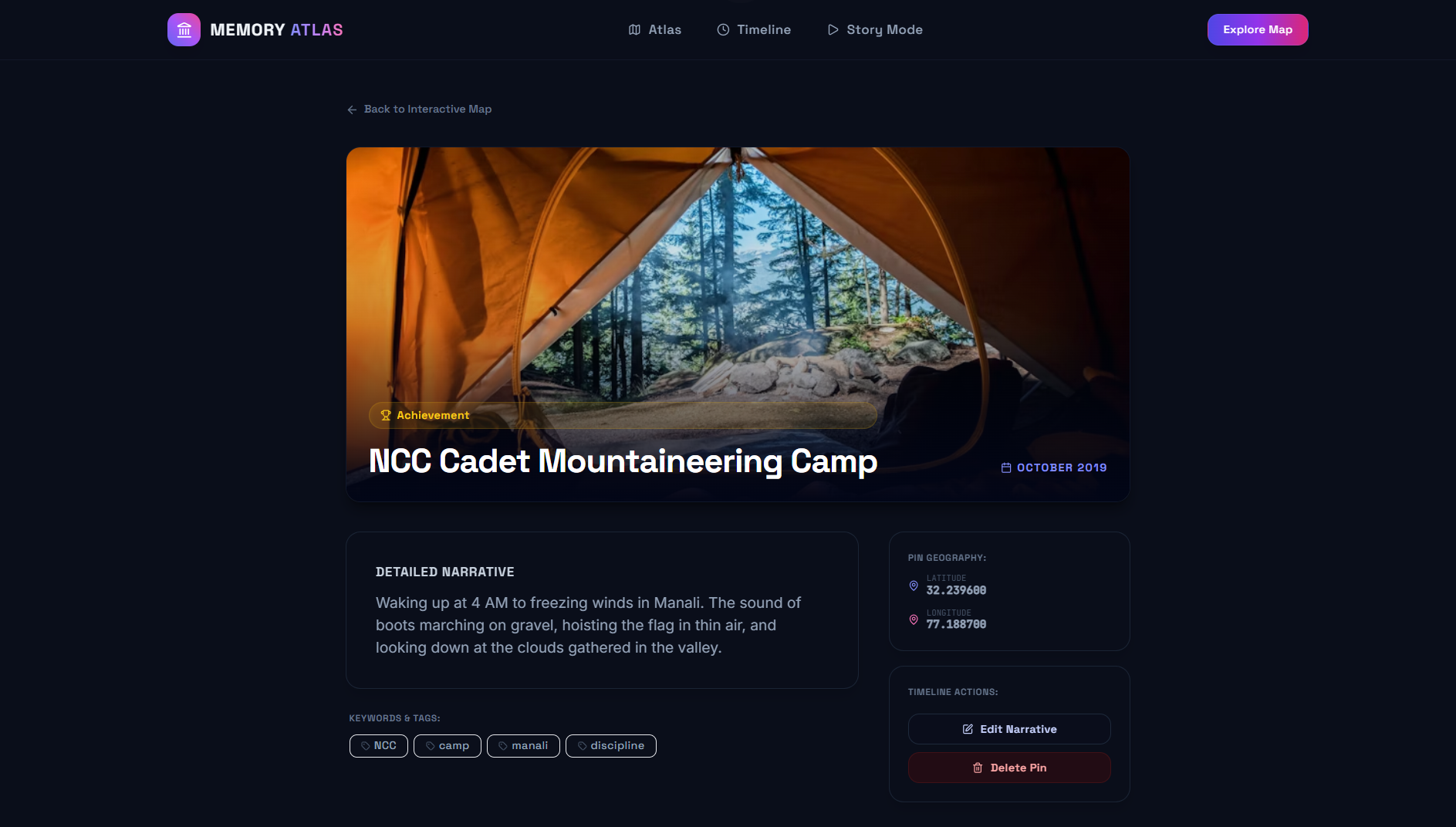
Now create floating memory cards.
Each card should show:
- Image
- Place name
- Story
- Emotion
- Year
Add smooth animations using Framer Motion:
Create markers on the map using coordinates.
Each marker represents a memory location.
Create the Backend With FastAPI


Now build the backend.
Install FastAPI:
Create main.py
Your backend should:
- Store memories
- Fetch memories
- Delete memories
- Edit memories
FastAPI is perfect here because it is:
- Modern
- Very fast
- Clean to write
- Great for portfolio projects
Run server:
Connect MongoDB

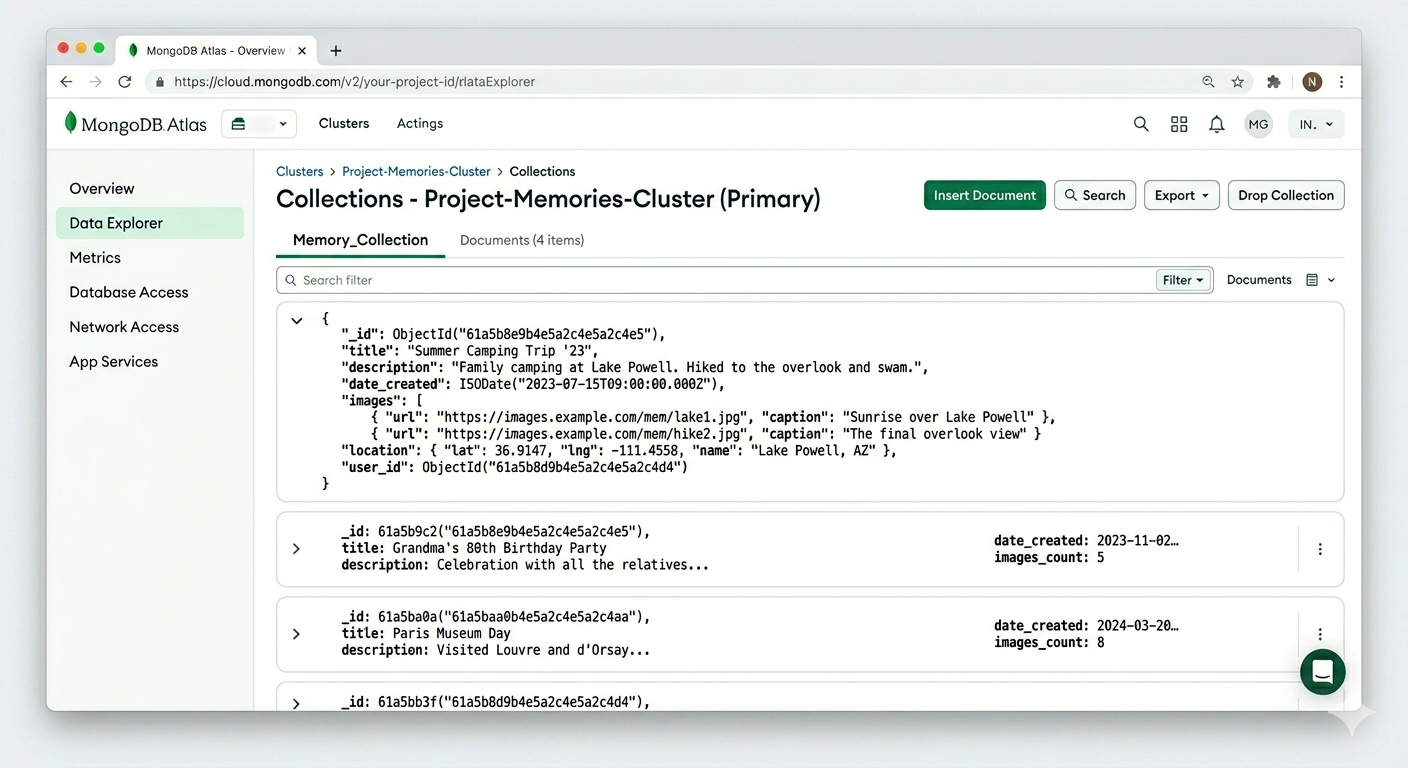
Create a free cluster on:
Create a database called:
Store fields like:
Now every memory becomes a real database entry connected to the map.
Once connected, the map data becomes fully dynamic.
Create the Timeline Feature


This feature makes the project much more interactive.
Add a horizontal timeline slider at the bottom of the screen.
When users move through years:
- Different memories appear
- Map updates dynamically
- Old trips and moments become explorable
As the year changes:
- Map markers animate
- Photos transition
- Story cards update
This transforms the project from a simple map into a visual story experience.
Add Mood-Based Themes


When a user opens a memory, the UI dynamically updates based on the memory mood. This makes every memory feel unique and gives the project a much more artistic look.
You can change:
- Background gradients
- Card colors
- Glow effects
- Button styles
- Timeline colors
Examples:
Sad memories → dark blue theme
Happy memories → warm orange
Dreamy moments → purple glow
Do it by creating separate Tailwind or CSS styles for different moods and switch them dynamically based on the selected memory type.
This tiny detail makes the project artistic instead of just technical.
Make the UI Responsive
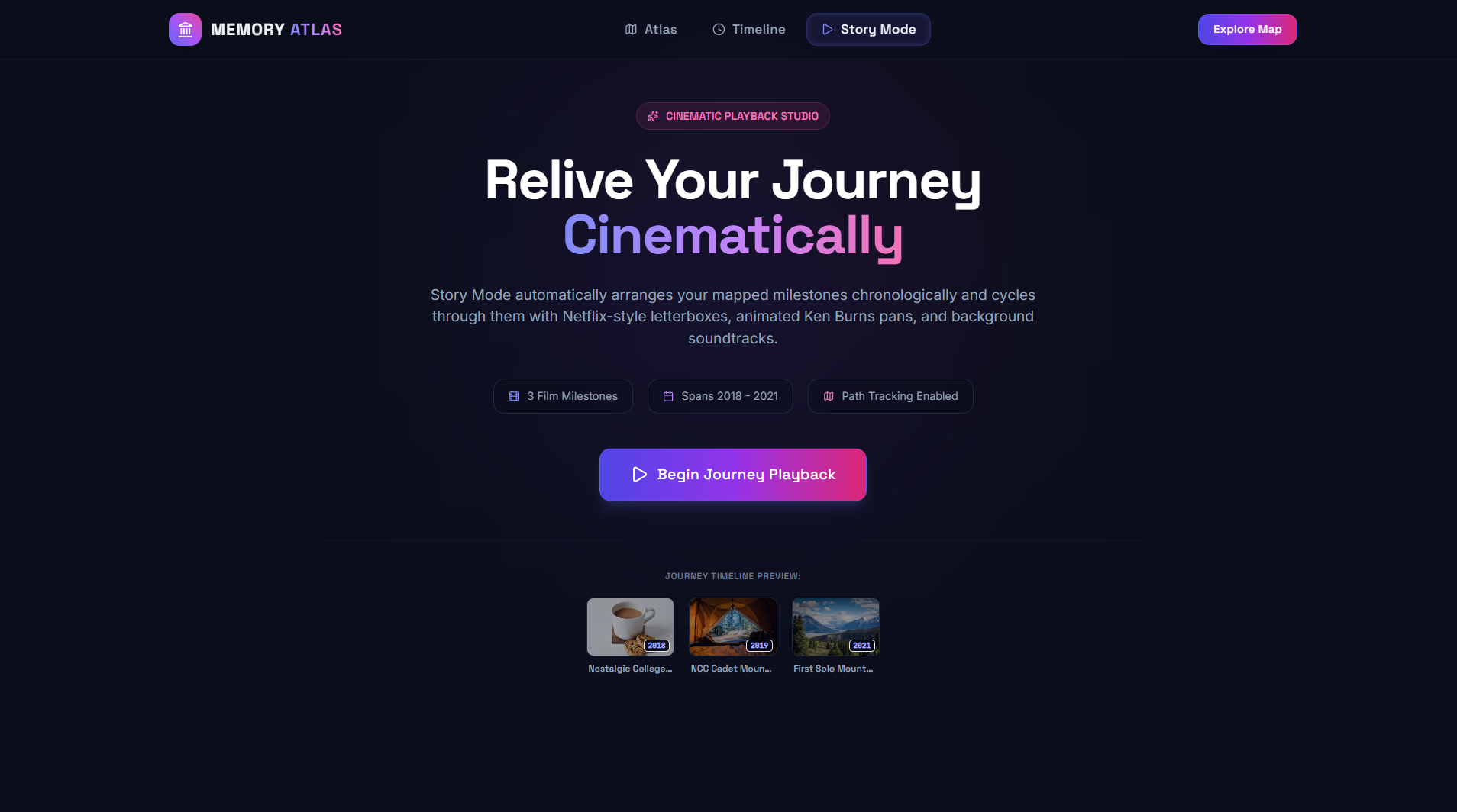

Now optimize the project so it works smoothly on both desktop and mobile devices.
A map-based app can easily feel cluttered on smaller screens, so responsive design is very important here.
Start by adjusting the main UI components:
- Resize marker popups for smaller screens
- Reduce sidebar width and spacing
- Make the timeline scrollable on mobile
- Scale fonts properly for readability
- Stack components vertically on smaller devices
Using Tailwind CSS responsive utilities makes this very easy.
For example:
In this example:
- w-full → full width on mobile
- md:w-1/3 → smaller sidebar on desktop
- text-sm → smaller mobile text
- md:text-base → larger desktop text
You can also use:
- hidden md:block
- flex-col md:flex-row
- overflow-x-scroll
to improve mobile layouts.
After responsiveness is added, the app should feel clean and smooth on phones, tablets, and desktops.
Deploy the Project


Now it’s time to put the project online so anyone can access it from a browser.
Frontend Deployment
Push your React project to GitHub and connect the repository to Render.
While creating the service:
- Select the frontend folder
- Build command:
- Publish directory:
Render will automatically build and host the React app.
Backend Deployment
Push the FastAPI backend to GitHub and create another Render service for it.
Use:
as the start command.
After deployment, Render will generate a public backend URL for your API.
Database
MongoDB Atlas remains cloud-hosted and stores all memory data online.
Simply add the MongoDB connection string inside your backend environment variables.
Connect Everything
Finally, connect the frontend with the deployed backend API URL and test the app.
If everything works correctly, you should now be able to:
- Open the interactive map
- Add memories
- View timeline updates
- Access the app from any device
Your full-stack project is now live.
Final Result

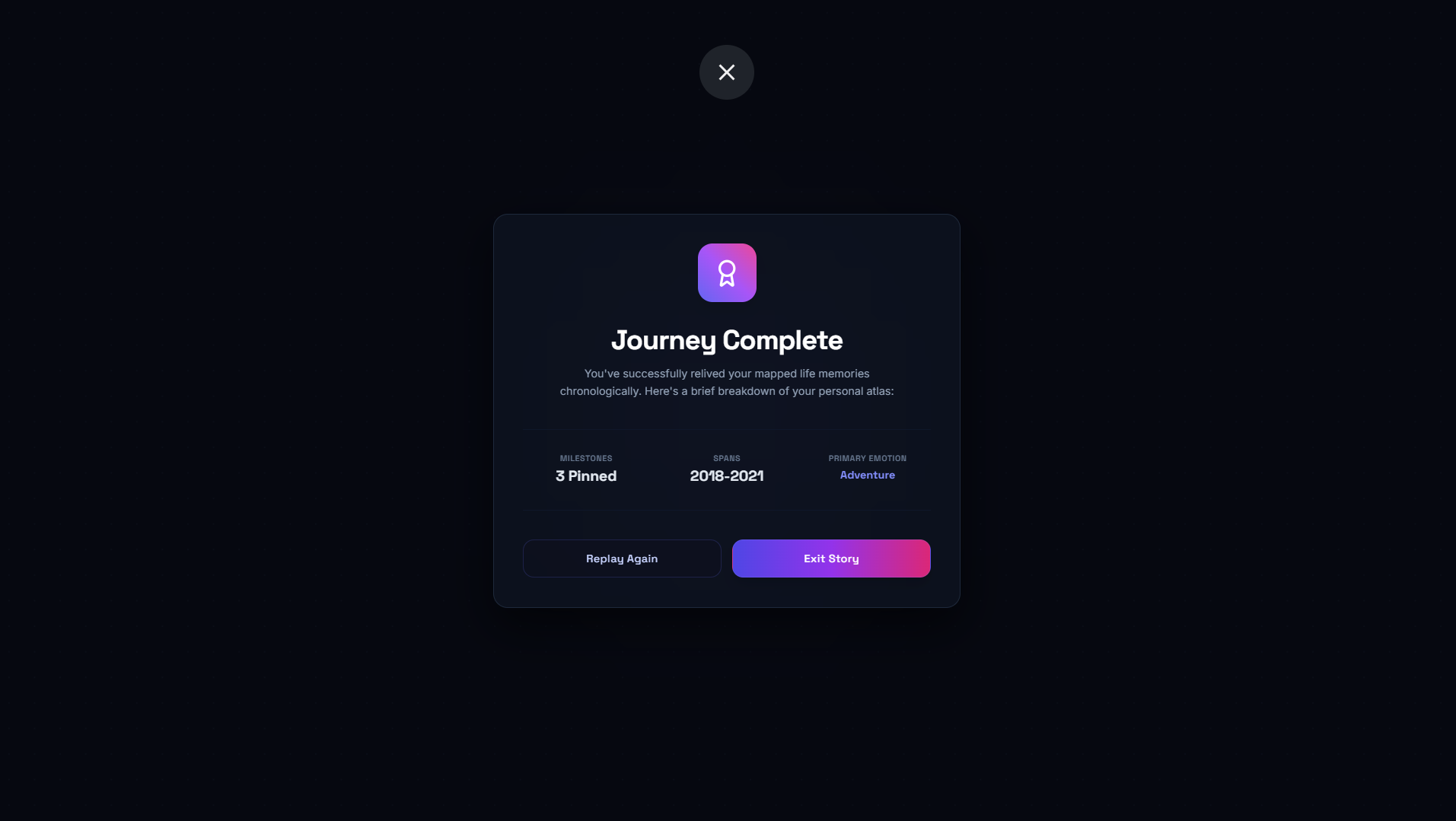


You now have a full-stack interactive memory mapping platform 🌍
Users can:
- Pin memories on maps
- Upload stories and photos
- Explore experiences through time
- View memories interactively
This project is a great introduction to modern full-stack web development while also creating something deeply personal and visual.
You can expand it further by adding:
- Authentication
- AI-generated travel summaries
- Shared collaborative maps
- Animated routes
- Public memory galleries
Thanks for reading — and happy building!