Mini F1 Circuits Made From Google Maps
by danieman in Design > Game Design
337 Views, 3 Favorites, 0 Comments
Mini F1 Circuits Made From Google Maps


For this build, I used Google Maps to find three real F1 race circuits. I took screenshots of the tracks, traced the routes in Autodesk Inventor, and turned them into 3D printable marble maze games. Instead of using a normal maze pattern, each game uses the shape of a real race track.
The three tracks I used are:
- Miami International Autodrome
- Circuit Gilles Villeneuve in Montreal
- Circuit de Monaco
These tracks also follow the order of the 2026 F1 race calendar, so I made them as three different game levels.
The idea is simple: tilt the board and guide a small magnetic ball around the race track. The ball is your F1 car. Each track becomes more difficult as the levels increase.
Miami is Level 1 and is the easiest. It is a basic race track maze where you can challenge friends to see who can complete the fastest lap time using a stopwatch.
Montreal is Level 2. This track includes magnetic crash zones. If the ball misses a turn and moves into the wrong area, it gets stuck to a hidden magnet and can only be rescued using the safety car.
Monaco is Level 3. Since Monaco is famous for racing next to the ocean, I added small yachts to the game. The ball can only pass certain parts of the track when the yachts move away from the shoreline.
These games are designed to be placed on a coffee table, used at racing-themed parties, or simply enjoyed as a fun map-inspired 3D printing project. I would like to continue this and build up to level 24 for the other race tracks.
All the STL files are included so that anyone with a 3D printer can build the games at home.
Supplies
For this project I used:
- A laptop
- Google Maps
- Autodesk Inventor
- 3D printer
- PLA filament in 4 different colours
- 5 mm neodymium magnetic balls
- Small neodymium disc magnets
- Clear Perspex/acrylic sheet
- Dremel cutting tool
- Small springs
- Super glue
I used Google Maps in a browser to find each race circuit and take screenshots of the full track. I then imported the images into Autodesk Inventor and traced the route using connected spline lines.
The real tracks are very long and narrow, so I did not use the exact real-world scale. Instead, I made the track paths wider and easier to play, while still following the real shape of each circuit.
After finishing the 3D CAD designs, I printed the parts using a Creality K2 Pro 3D printer with multicolour printing.
The metal balls I used are 5 mm neodymium magnetic balls from Magnets4U:
https://shop.magnets4u.co.za/products/rare-earth-neodymium-ball-magnets-216-pcs
The other magnets used in the project are small neodymium disc magnets, also from Magnets4U.
To stop the magnetic ball from falling out of the game, I cut clear Perspex covers for the boards. I used a 500 mm x 500 mm, 2 mm thick clear sheet from Leroy Merlin:
https://leroymerlin.co.za/glass-syn-pcb-clr-2mm-500x500mm-81467352
For the Monaco game, I also used small springs from a spring kit. The sizes I used were:
- Two 0.3 x 4 x 15 mm springs
- Two 0.3 x 4 x 20 mm springs
I used super glue to attach magnets and small parts to the sliding bars in the Monaco game.
The next steps explain how the games were designed and built.
From Google Maps to a 3D Model


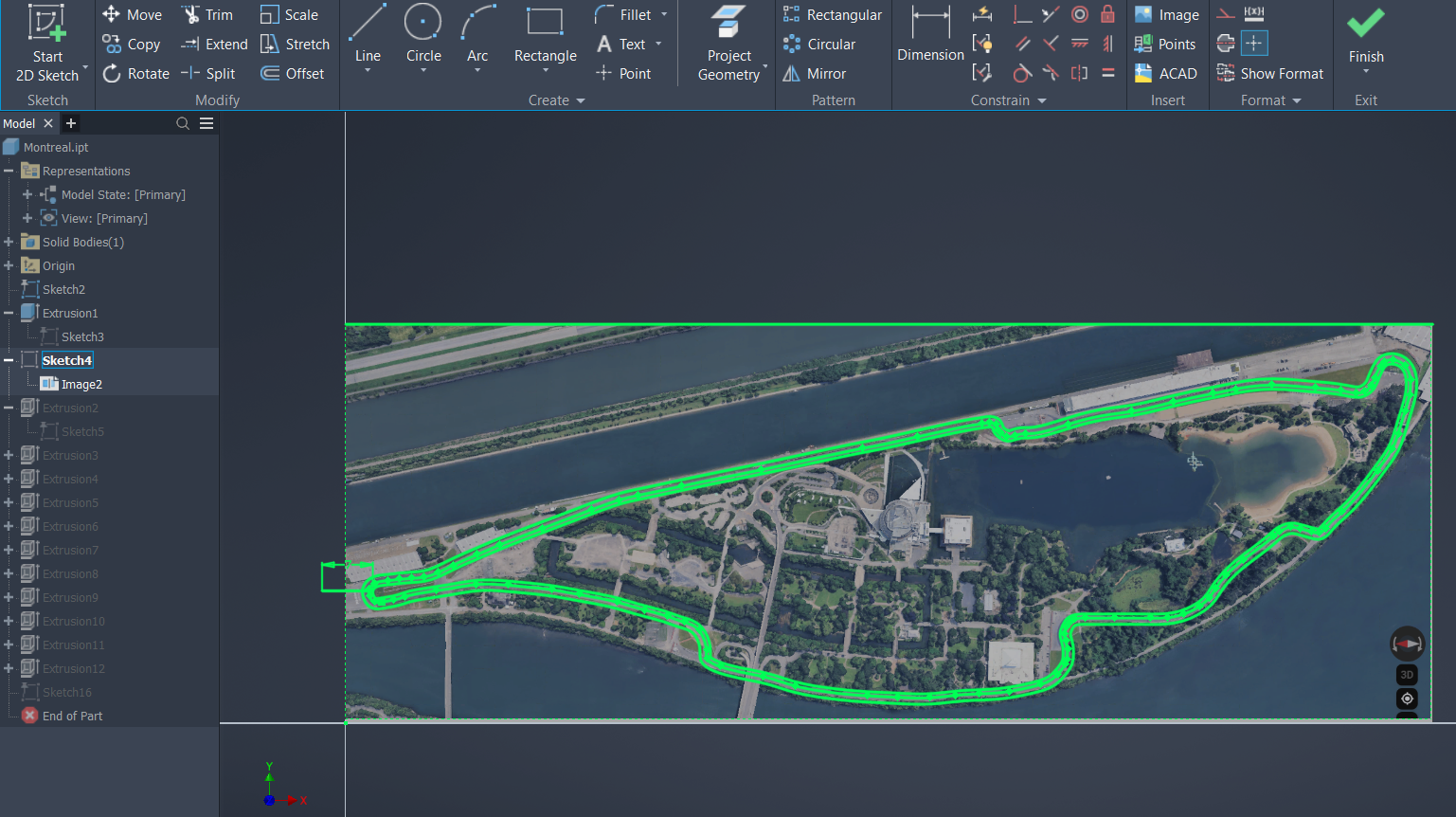


The first step was to choose the race tracks and find them on Google Maps.
The three locations I used were:
- Miami: 25.958685, -80.239654
- Montreal: 45.505453, -73.526658
- Monaco: 43.736967, 7.422893
I took a screenshot of each track and imported the image into Autodesk Inventor. I then traced the centreline of the race track using spline lines.
Once the track shape was traced, I created a wider path around the route to make it playable as a marble maze. I then turned the sketches into 3D models and exported the parts as STL files for 3D printing.
Each track was designed as a different difficulty level.
Miami Race Track — Level 1

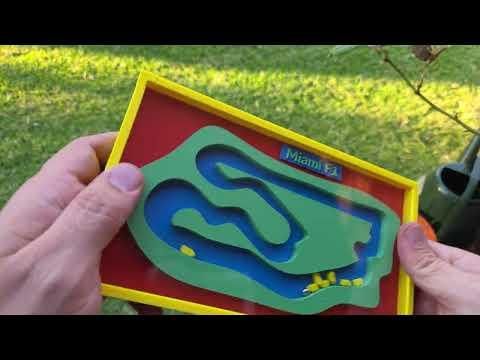


The Miami game is Level 1 because it is the simplest version.
This track has no special obstacles. It is just the race track shape with a wide path, making it easier to move the ball around the course.
To play, place the magnetic ball at the start and tilt the board to guide it around the track. You can also use a stopwatch and race against other people to see who can complete a set number of laps the fastest.
For an extra challenge, small yellow traffic cars can be added to the track as obstacles.
Montreal Race Track — Level 2


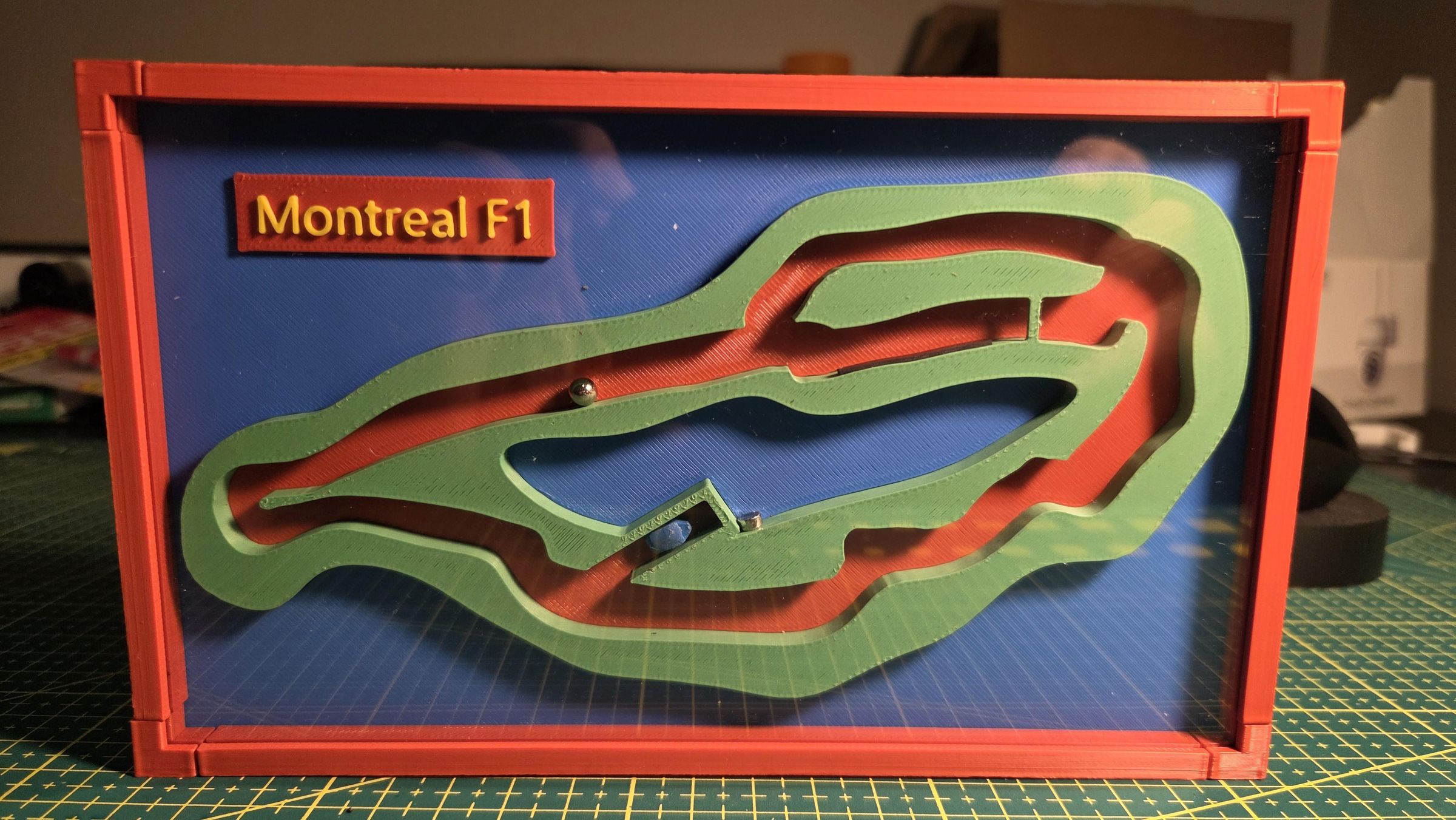
The Montreal game is Level 2 because it includes magnetic crash zones.
If the ball moves too close to one of the hidden magnets, it gets stuck and cannot continue.
To rescue the ball, I added a blue safety car. The safety car also has a magnet, so it can attach to the ball and pull it away from the crash zone.
The safety car then drives back toward the start line. At the start line, the opening is designed so that the safety car can pass through, but the ball is too large to follow. This separates the ball from the safety car and lets the game continue.
I also designed the track so that the player has to travel through the pit lane, which adds another challenge to the game.
Monaco Race Track — Level 3


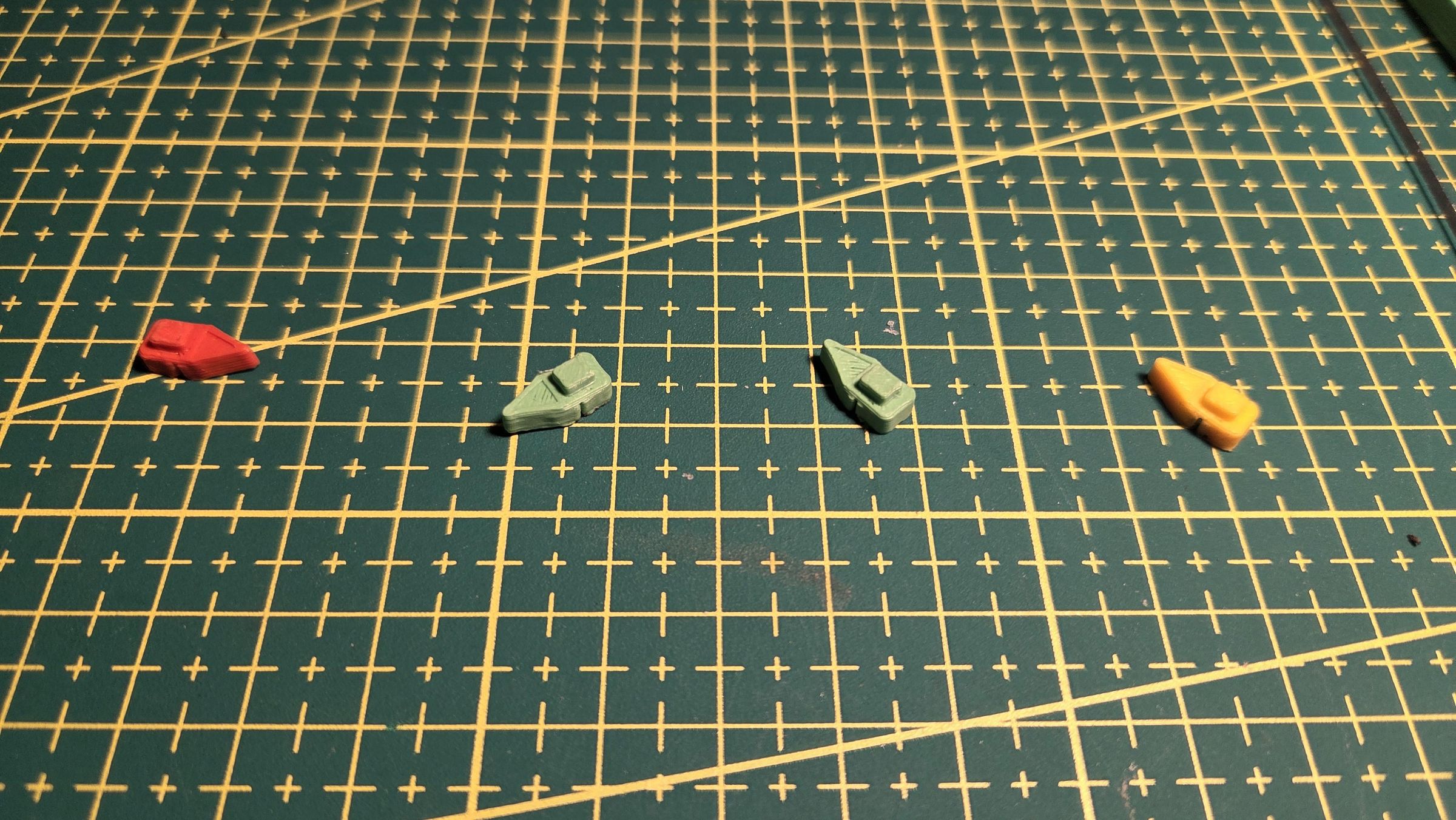


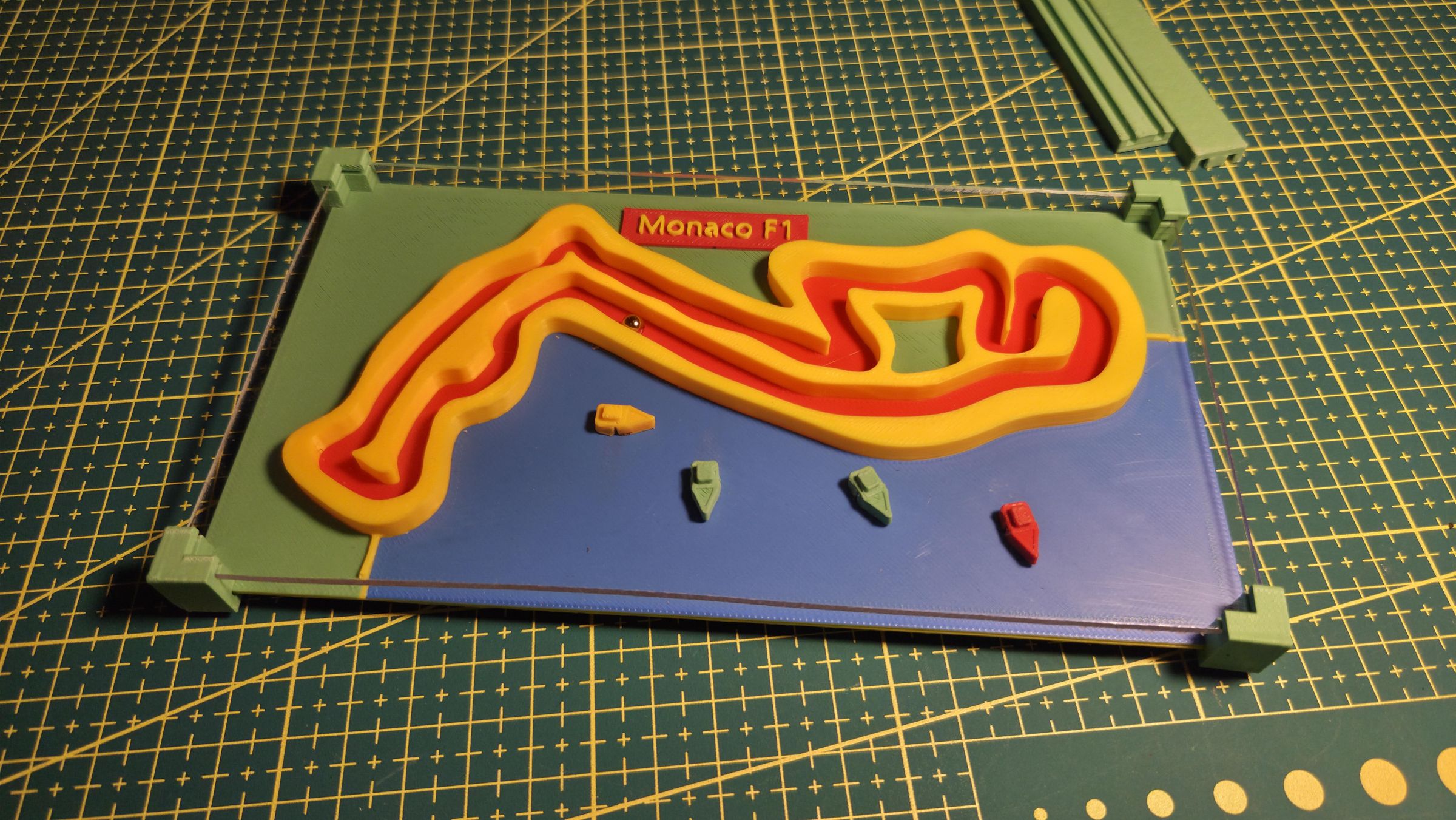


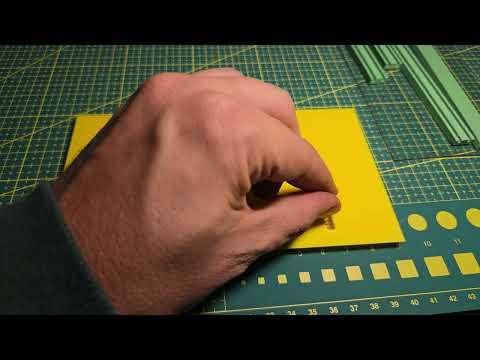
The Monaco game is Level 3 because it has the most interactive mechanism.
Monaco is one of the most famous F1 races because the track runs through the city and along the water. Many spectators watch the race from yachts, so I wanted to include that idea in the game.
In this version, the ball can only pass certain sections of the track when the yachts are moved away from the shoreline.
The base of the game has hidden sliding bars underneath the track. Each sliding bar has a small magnet at the top end, positioned under a section of the race track. The middle of the bar has a stronger magnet, and the lower end of the bar is pushed by a small spring.
The yachts also have magnets hidden in their hulls.
In the normal position, the spring pushes the sliding bar forward. This places the small magnet directly under the race track. When the magnetic ball reaches that point, it gets stuck.
When a yacht moves over the stronger middle magnet, the yacht connects to the sliding bar. As the yacht is moved away from the shoreline, it pulls the sliding bar back. This moves the small magnet away from the track, allowing the ball to pass.
When the yacht moves away from that area, the spring pushes the sliding bar back into position and the track becomes blocked again.
This creates a simple mechanical rule: the yachts must move away from the shore before the F1 car can continue.
Final Thoughts

This was a fun way to turn real maps into physical games. Instead of just printing a race track as a display model, I wanted to make something interactive that people can actually play.
The project can be made with basic 3D printing, simple magnets, clear acrylic, and a few small springs. The design can also be changed easily to create more tracks, new obstacles, or different difficulty levels.
I would like to make more race track maps in the future and continue adding new game mechanics. If you build one or have ideas for other tracks, I would love to hear your suggestions.