Mini Tamagunio Updated Assembly Guide With Troubleshooting 2026
by liu707318 in Circuits > Arduino
516 Views, 5 Favorites, 0 Comments
Mini Tamagunio Updated Assembly Guide With Troubleshooting 2026
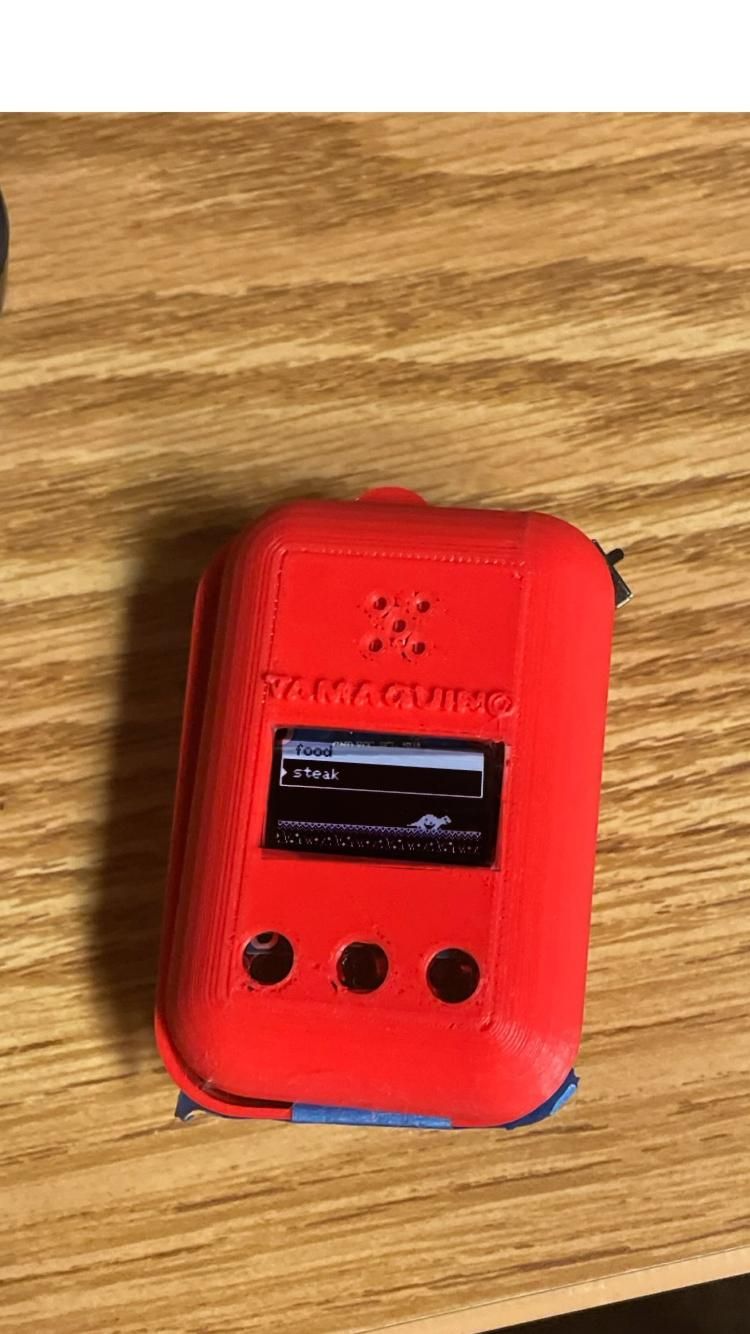
Tamagunio original tutorial designed and created by Alojz Jakob and released for free under the GNU General Public License.: https://alojzjakob.github.io/Tamaguino/
Helpful addition by educ8s in modified case and screen: https://www.instructables.com/Arduino-Tamagotchi-Clone-Digital-Pet/
However due to the original tutorial being created 9 years ago, the arduino pro mini assembly instructions has been rendered unusable. The original code now take up more memory space than it can realistically compile.
In the following instructions are ways to resolve these problems.
Supplies
Arduino pro mini x1
4cm x 6cm prototyping PCB x1
LiPo rechargeable battery 500 mAh x1
Micro USB LiPo charging circuit x1
Passive buzzer or piezo buzzer(12mm) x1
Wires/jumpers
DSD TECH SH-U09C x1
FTDI USB to TTL adapter x1
OLED white SSD1306 128x64 x1
SS12D00 slide switch x1
push buttons x3
resistor 2k x1
Test
.jpg)
modified code : https://github.com/liu707318-crypto/Tamaguino-updated-/blob/main/Tamaguino%20-%20noinputresistor
Upload code to Arduino pro mini using DSD TECH SH-U09C like so:
SH-U09C Pro Mini
TXD → RXI
RXD → TXO
GND → GND
VCC → VCC
RTS → DTR
CTS left alone, unplugged
follow the instruction on creator website to place components on breadboard for testing.
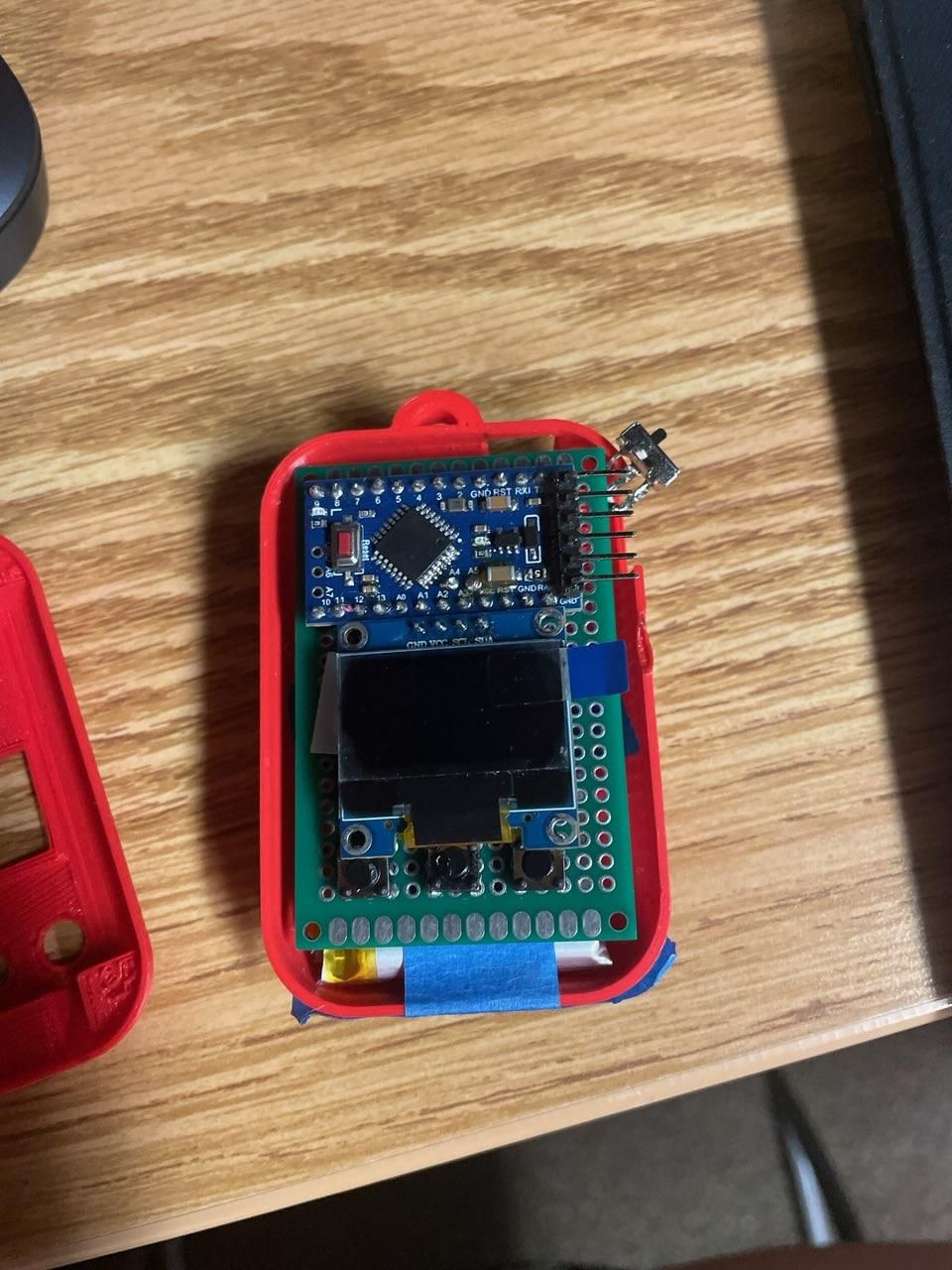
Overall Positions on Board

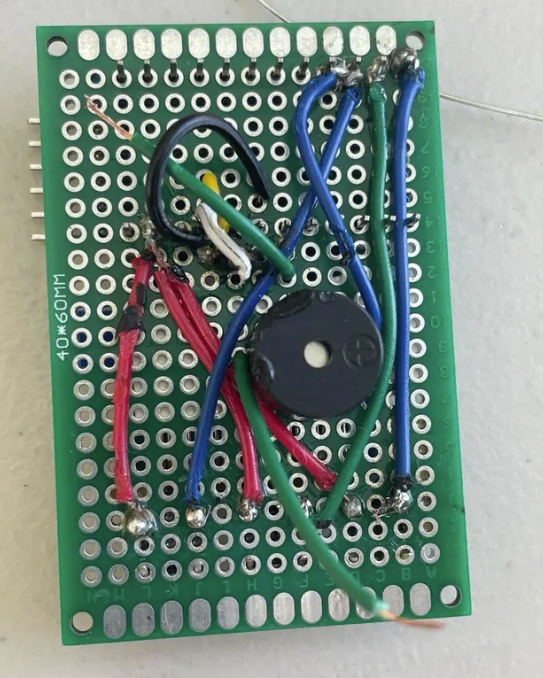
.jpg)
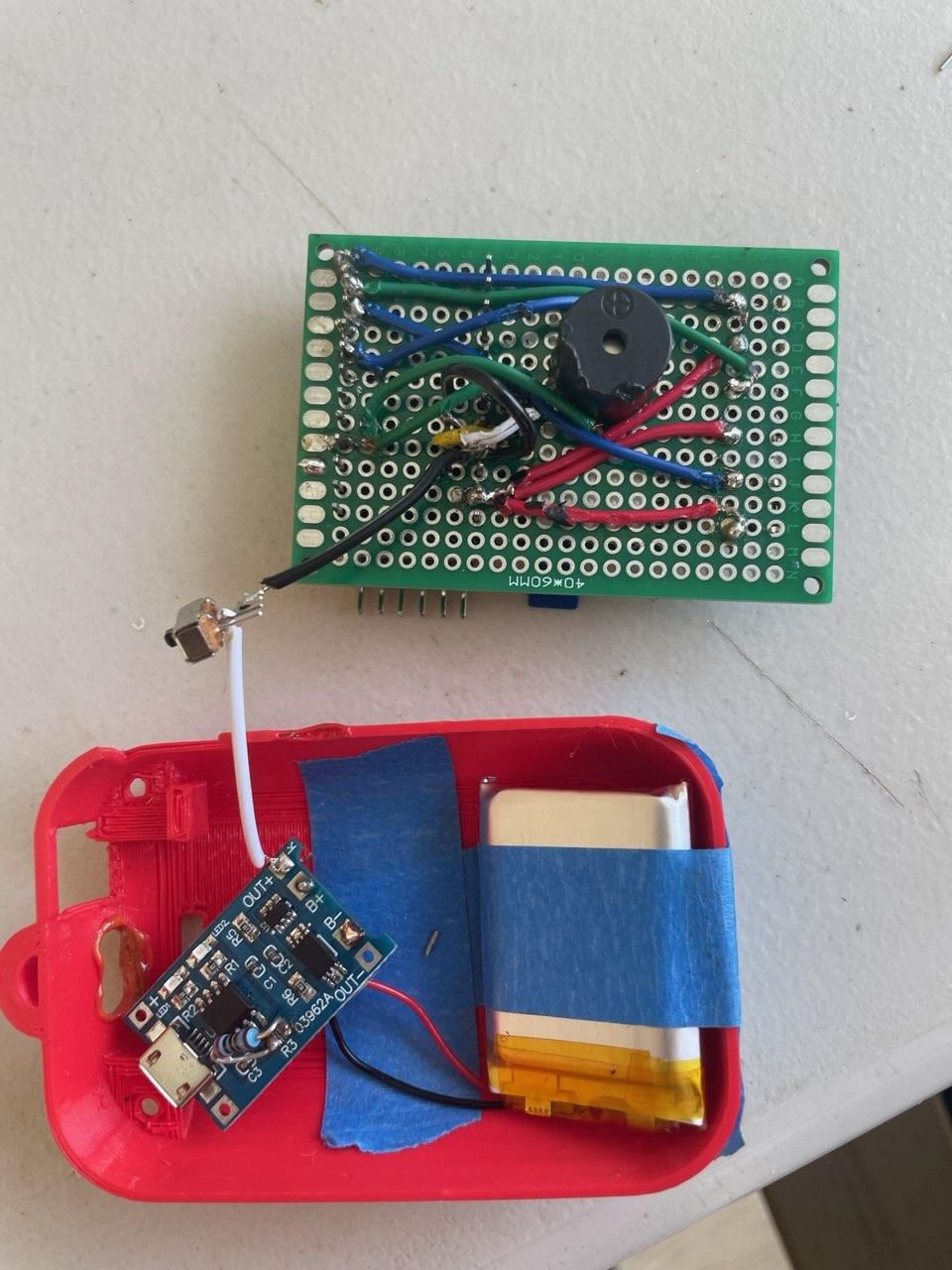
3d print out casing from original creator website and format board like so.
Button Mapping/test

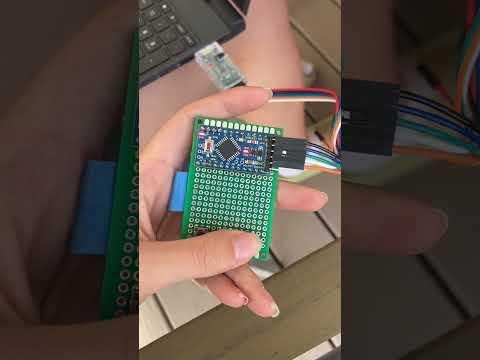
Solder left side of each buttons onto gnd, test button with built in blinker to see blinking when one button is presseed. Repeat and change pin number for 7, 8 and 9.
code: https://github.com/liu707318-crypto/Tamaguino-updated-/tree/main
Battery
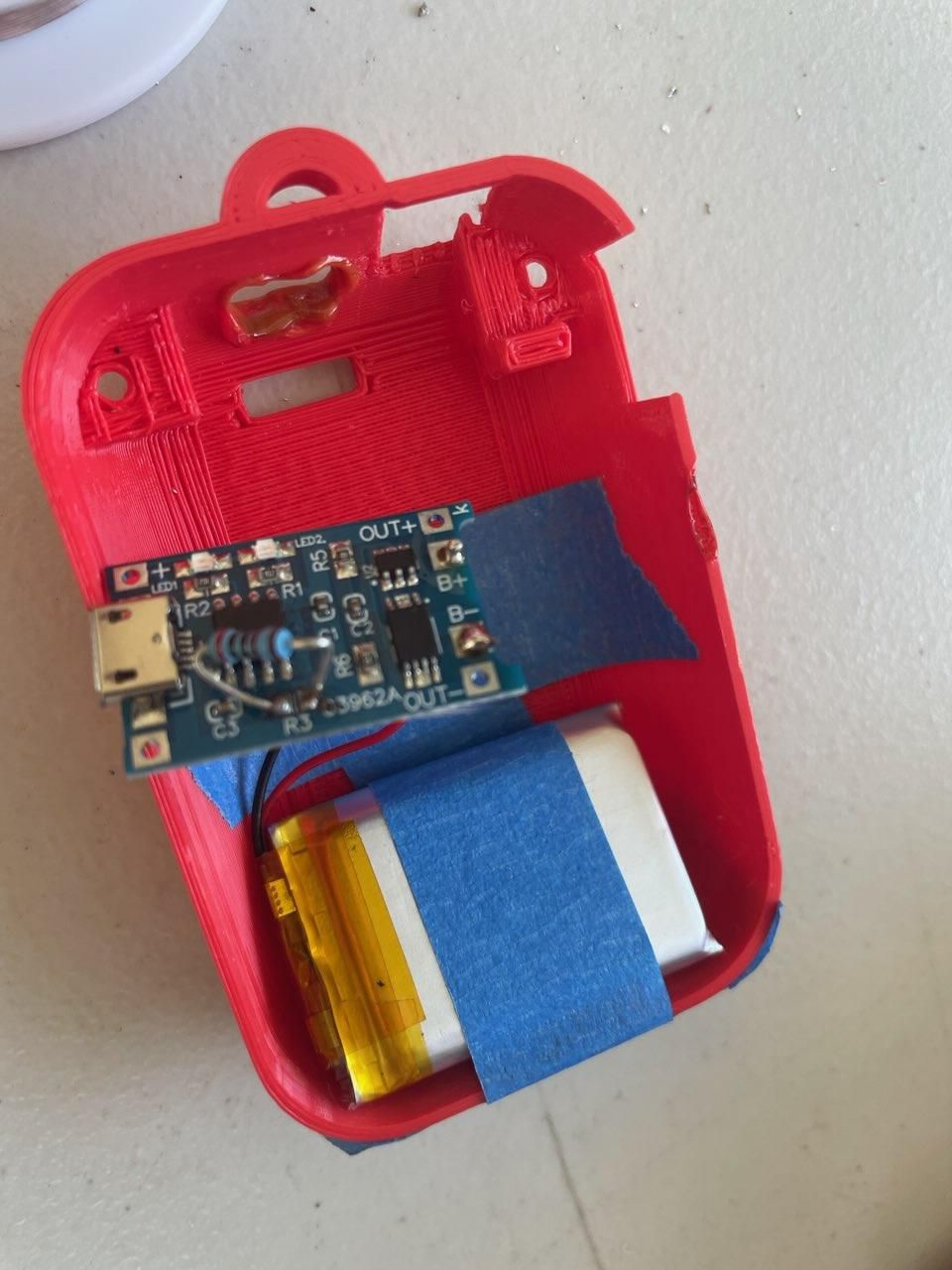
Using 500ma LiPo battery would require the resistor to be replaced and soldered with a 2k resistor on the micro USB LiPo charging circuit. Follow instructions on educ8s, step 3. https://www.instructables.com/Arduino-Tamagotchi-Clone-Digital-Pet
Solder a hole on the top of the case for the charger cord.Epoxy putty can be used to secure all parts laid down by the tape.
Result

completed result..