Mirrors. OSC Via WiFi. Reflective Shields
by fantasiasperifericas in Circuits > Gadgets
90 Views, 1 Favorites, 0 Comments
Mirrors. OSC Via WiFi. Reflective Shields
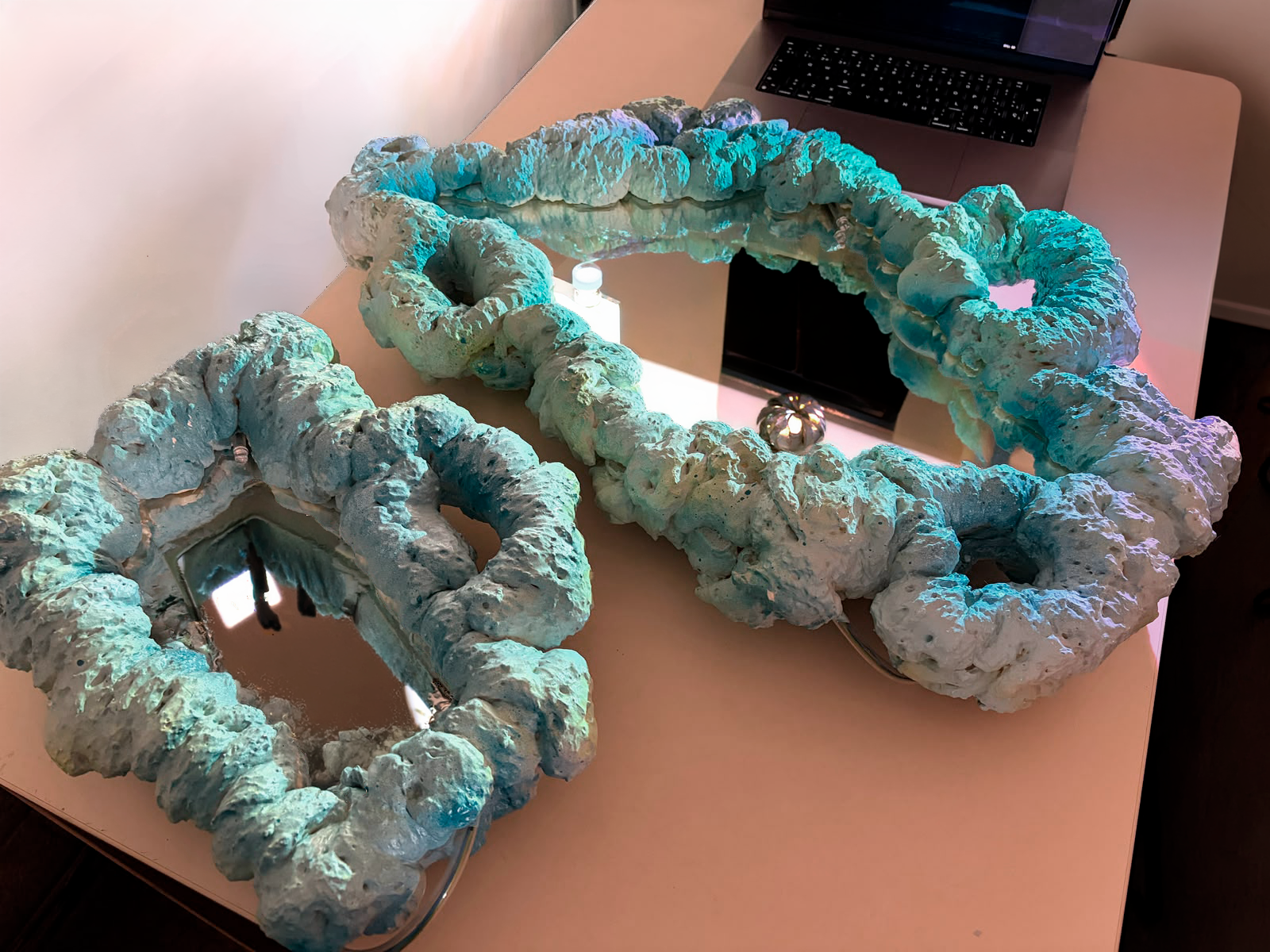


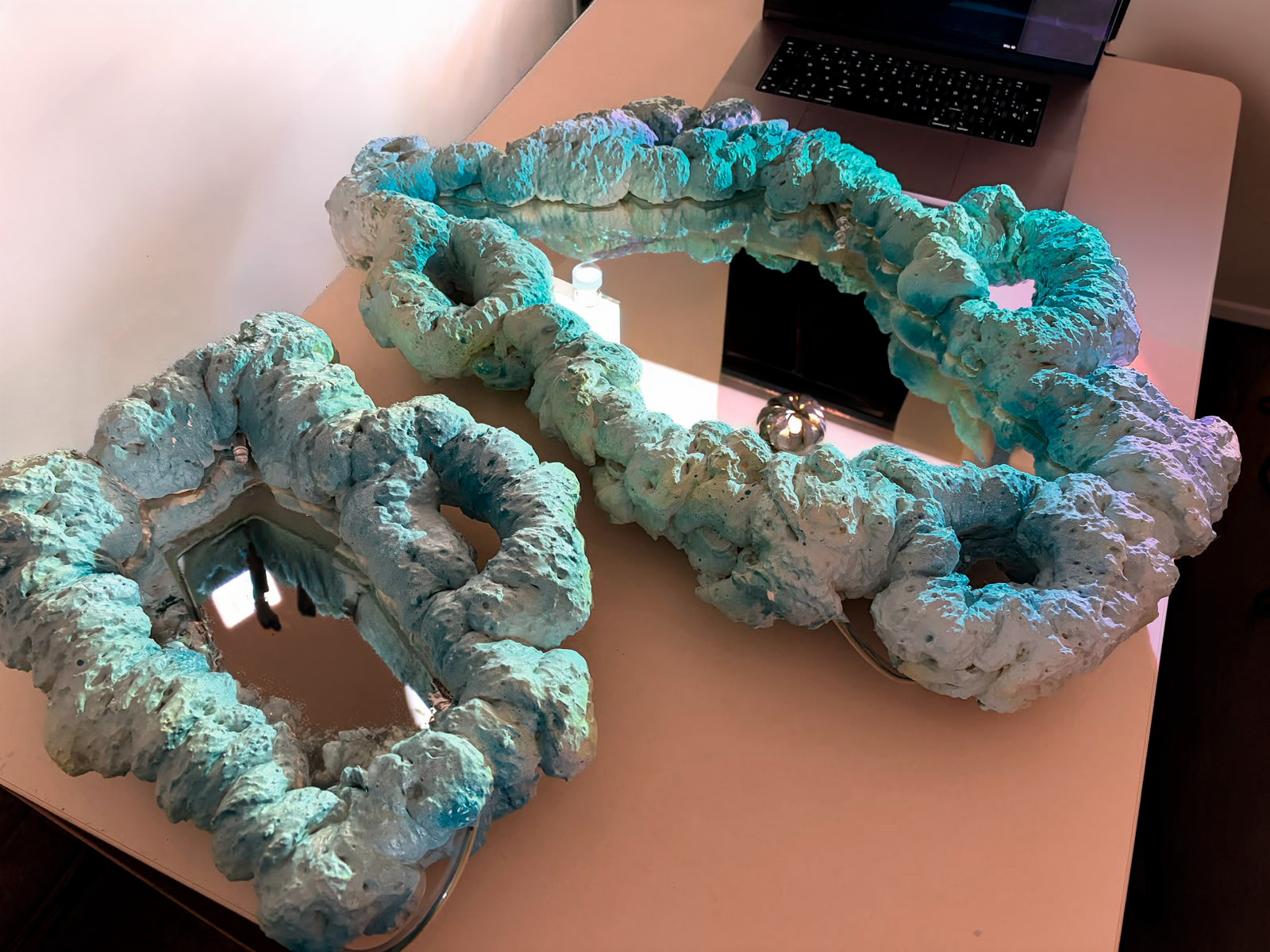
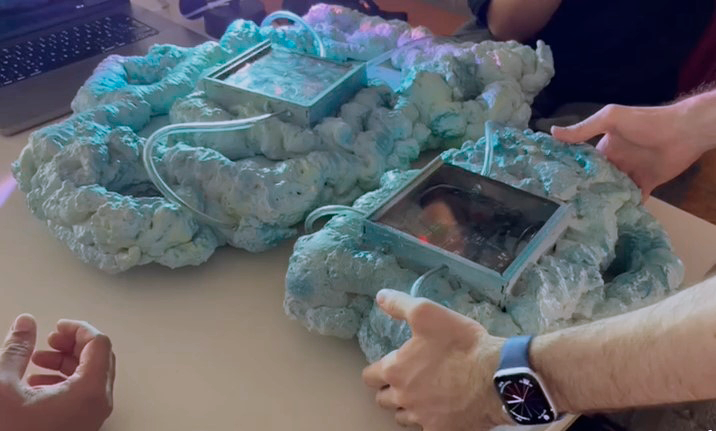
This gadget is part of the artistic research project “Peripheral Fantasies”. It emerges from the desire to play, explore, and experiment with the body by inhabiting a fiction based on the relationship between center and periphery. In this proposal, the center represents hegemonic systems of power, while the periphery embodies the multiple expressions of identity that exist outside those dominant structures.
Here we show how to build a system of interactive mirrors connected via WiFi using the Arduino Uno R4 WiFi, MPU6050 sensors, and the open-source software AudioStellar.
Each mirror incorporates an MPU6050 sensor that detects movement and rotation across the X, Y, and Z axes. These values are smoothed and transmitted in real time through OSC (Open Sound Control) messages to AudioStellar using the Arduino’s built-in WiFi connection.
The system also uses LEDs to physically visualize which axes are active at any given moment, allowing the sensor’s response to be seen as the mirror moves.
The structure is built from expanded polyurethane foam and reused materials, creating lightweight reflective objects that transform the soundscape through physical movement.
A mirror found in the trash:
a weapon, a shield, a talisman.
A fragile mirror, dirty and decorated with thermo-acoustic insulation,
making it both soft and resistant.
Its circuits remain exposed, visibly alive and functioning.
A defense deeply rooted in identity and in the gaze.
We are, somehow, cracks.
And we break common sense.
But we can still see ourselves.
And we are together,
even without knowing each other.
Supplies
Materials
Object Construction
- Mirror
- Expanding foam
- Wire
- Colored spray paint
- Cardboard
- 15 mm MDF wood
- White tape
- Silicone
Electronics
- Solder
- Soldering iron
- Heat-shrink tubing
- 12 m of 0.5 mm cable in one color to identify GND
- 6 m of 0.5 mm cable in another color to identify the LEDs
- Rechargeable battery with USB-C cable
- 1 Arduino Uno R4 WiFi
- 1 MPU6050 gyroscope / accelerometer
- 6 LED diodes
- 6 × 470 Ω resistors
- PCB board
- Pin header strip for Arduino
- Solder wire
- Hot glue gun
Preparing the Mirror
Choose a mirror large enough for a face to be comfortably reflected and light enough to be easily held with both hands.
Before starting:
- Thoroughly clean the mirror surface.
- If the mirror has sharp edges or small cracks, carefully remove or cover any dangerous parts to avoid cuts.
- Make sure the surface is completely dry before continuing.
Building the Wire Structure
We use a flexible but firm wire to create the supporting structure. It is important that the material:
- Can be bent using pliers,
- But still holds its shape once it has been molded.
With patience, start bending the wire to follow the contour of the mirror. The structure should fully embrace the mirror to hold it securely in place.
At the ends, you can form small “ears” or handles. These will later serve as comfortable grips for holding and manipulating the mirror.
Electronics Housing (Laser Cut Box)


On the back of the mirror, we attach a small laser-cut enclosure.
Inside this box we place:
- The battery
- The Arduino board
- The PCB that supports and connects the Arduino
We also create small side openings in the enclosure to allow the LED cables to pass through toward the front side of the mirror.
This ensures that all electronic components remain organized, protected, and easy to access while keeping the front structure clean and functional.
The laser-cut file used to fabricate this enclosure is attached below.
Downloads
Preparing Cable Pathways (before Expanding Foam)

Before applying the expanding foam, insert small tubes into the holes of the enclosure.
These tubes will act as internal channels for the LED cables, allowing them to pass through the body of the mirror without being trapped or obstructed by the foam.
It is essential to place them at this stage, before foaming, so they become firmly integrated into the structure and maintain clear, stable pathways for the wiring.
Preparing the Workspace for Expanding Foam

Expanding foam can be quite messy, so we recommend preparing the workspace carefully before starting.
We used:
- Large cardboard sheets as a protective base
- A well-ventilated or open space
- Clothing that can get stained without concern
Once the foam dries, it is difficult to remove, so taking time to protect the environment from the beginning is essential.
Applying the Expanding Foam

Place the mirror on top of the cardboard base and prepare the expanding foam.
During the process, we noticed that different foam brands produce different textures—some result in softer finishes, others in more porous or rigid surfaces. The exact reason for this variation is unclear, but it is something worth considering if you want to experiment with material behavior.
Start by applying the foam over the wire structure, filling the entire contour on the first side of the mirror.
Do not worry about controlling the shape too precisely: part of the process is allowing the material to create its own irregular forms.
Once finished, let it dry for approximately 8 hours.
After the first side has fully set, apply expanding foam again on the opposite side of the wire structure until the entire desired surface is covered.
Let it dry once more completely before continuing to the next step.
Electronics (while the Foam Dries)


While the expanding foam is drying, you can continue working on the electronics.
We used:
- Arduino Uno R4 WiFi
- MPU6050 (accelerometer + gyroscope)
- 6 LED diodes
These components allow the mirror’s physical movements to be translated into digital data.
How it works
The MPU6050 sensor captures movement and orientation in real time.
This information is used to:
- Activate different LEDs on the mirror depending on the direction of movement
- Transmit motion data via OSC to AudioStellar
- Trigger sound units in AudioStellar linked to specific motion parameters
In AudioStellar, each parameter is mapped to a “unit” that activates different sonic responses, creating a direct relationship between gesture and sound.
We have attached the Arduino and AudioStellar files so you can reproduce, explore, and modify the system freely. We also include an interaction diagram that helps explain the relationship between the different components of the project and how information flows through the system.
This diagram was developed based on the methodology proposed by Marije Baalman in Composing Interactions: An Artist’s Guide to Building Expressive Interactive Systems. The book is linked below for reference.
Protective Layer With Tape
Once the wire structure is complete, cover the edges and nearby areas of the mirror with protective tape.
This step helps to:
- Protect the reflective surface of the mirror,
- Prevent dust, foam, or other materials from entering the edges,
- Avoid damage during the foam application and painting process.
Painting the Mirror


.jpg)
Once the expanding foam is completely dry, the mirror will have a white, sculptural appearance. At this point, it is ready to be painted.
We chose the colors in a very intuitive way, guided more by sensation than by a strict plan. We recommend doing the same and allowing the object to gradually find its own identity through color.
Painting process:
- Place the mirrors back on a cardboard surface to protect the workspace
- Apply an initial base color
- Then begin to improvise, adding layers and additional colors freely
- Let one side dry completely before painting the other
This stage is open and experimental—each layer contributes to shaping the final visual character of the object.
Final Assembly (After the Paint Dries)


Once the paint is completely dry:
- Place the electronic board inside the rear enclosure
- Route the LED cables through the guide tubes
- Carefully organize and secure all internal connections
Take your time at this stage to ensure everything is properly positioned, stable, and safely connected inside the structure.
Uploading the Code and Connecting AudioStellar
Connect the Arduino to your computer and upload the code.
This code connects an MPU6050 motion sensor to a WiFi-enabled Arduino board in order to detect movement on the X, Y, and Z axes. When movement exceeds a certain threshold, LEDs turn on and motion data is sent through OSC over WiFi to Audiostellar or any software capable of receiving OSC messages.
LED Visual Feedback
The system also visualizes movement states using LED diodes. Each axis is represented by an individual LED that turns on when motion is detected:
AudioStellar Setup
After uploading the code:
- Open AudioStellar
- Make sure OSC communication is enabled
- Verify that the OSC input port is correctly configured to receive data
- Check that movements of the mirror correctly trigger the sound units
We include screenshots of the AudioStellar configuration to help guide this step and ensure proper setup of the system.
Power on and Replicating
Finally:
- Connect the battery to the Arduino
- Close the rear enclosure
- Test the mirror by moving it in different directions
If everything is working correctly, you can repeat the same process to build additional mirrors and expand the system.
Results
Here are images of our final setup: three interactive mirrors designed to be played with and explored through movement :)
Installation Recommendations


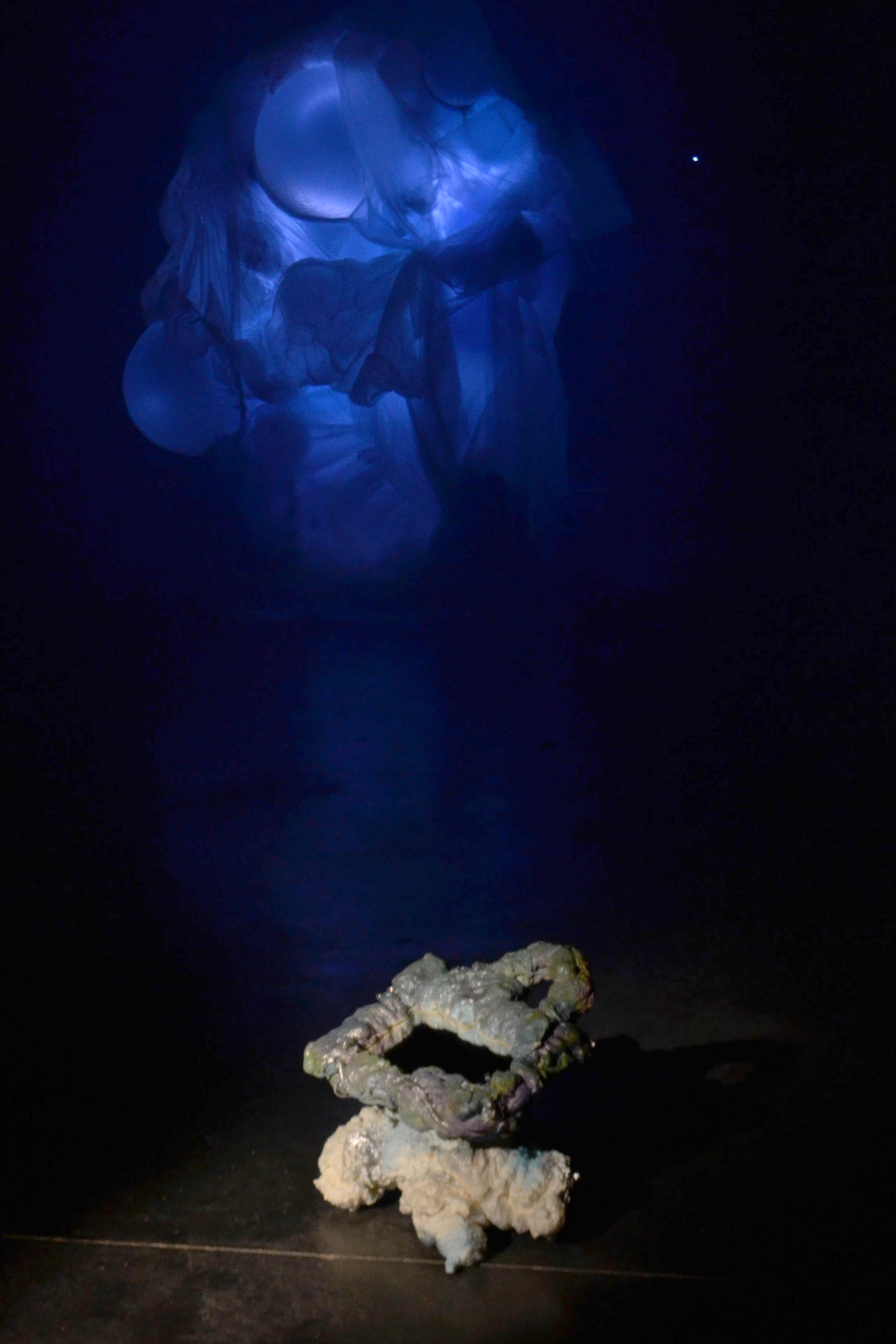

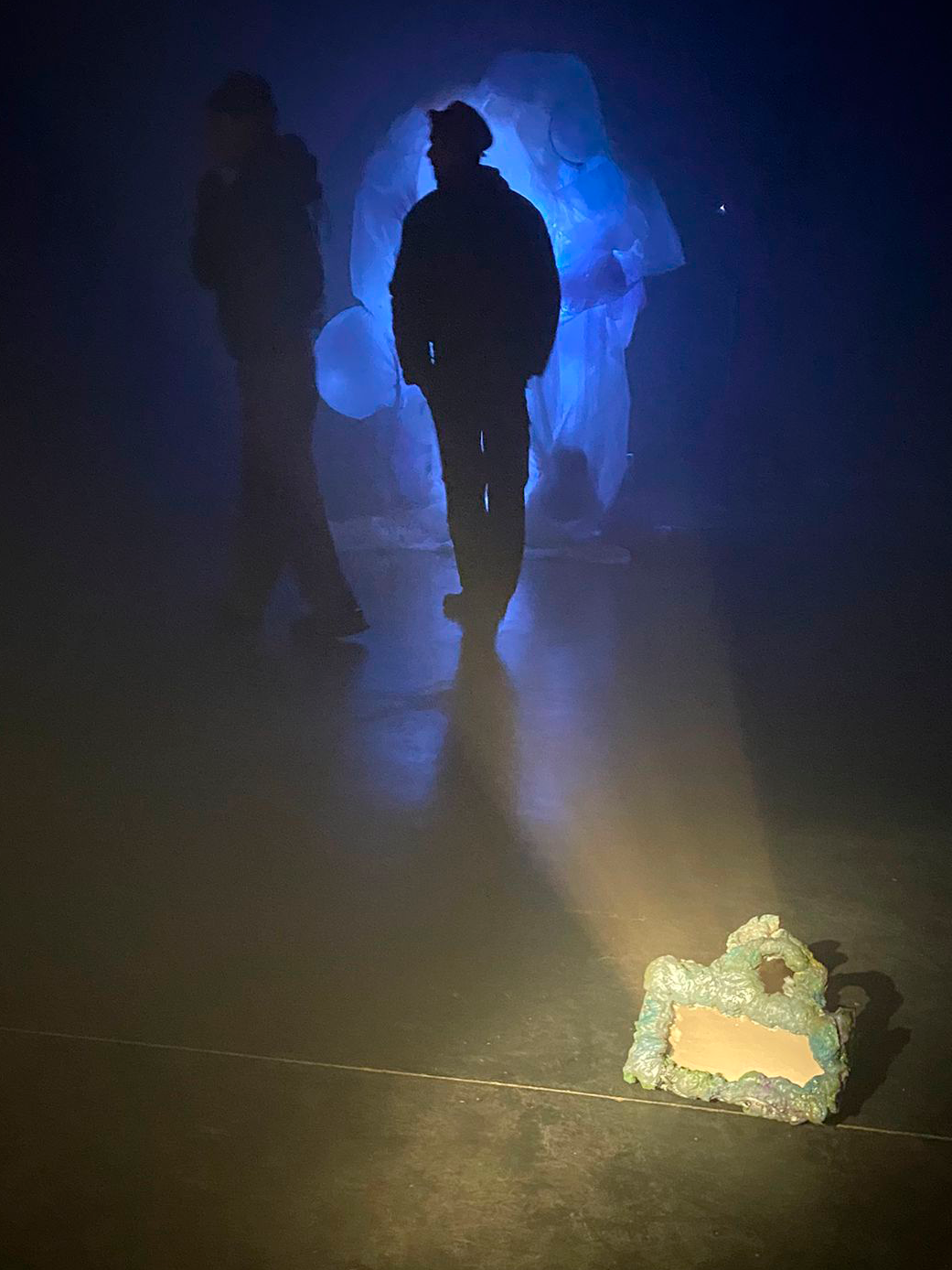
We recommend using the mirrors in a dark or low-light environment. To enhance the visual experience, you can place LED spotlights directed toward the mirrors. This will make the mirror’s LED diodes more visible and will also allow the movement of the mirrors to generate dynamic lighting effects through reflections and motion.