Monitor ECG Anywhere
.gif)
In this project, you'll build a live ECG monitoring system using NPG Lite Cardio and Neuro PlayGround Lite. It's a web-based ECG monitor that lets you visualize your heart's electrical activity and measure your heart rate in real time—without installing any software.
Simply connect your NPG Lite over Bluetooth to view a live ECG waveform along with your heart rate. It works on Windows, Mac, Linux, Android, and basically any device with a Chromium-based browser. If you're using any iOS device, simply use a BLE-enabled browser such as Bluefy to connect with NPG Lite Cardio.
Before we jump into the setup, let's quickly understand what an ECG is.
ECG stands for Electrocardiogram. It records the electrical activity of your heart. The waveform you'll see has three main parts: the P wave, which represents atrial contraction; the QRS complex, which is the large spike produced when the ventricles contract; and the T wave, which represents the heart relaxing before the next beat.
This pattern repeats with every heartbeat, and observing these waveforms helps us better understand how the heart is functioning.
By the end of this project, you'll know how to connect your Neuro PlayGround Lite over Bluetooth, place the electrodes correctly, and start monitoring your ECG and heart rate directly from your browser in just a few minutes.
Watch the complete tutorial for this project on YouTube.
Supplies
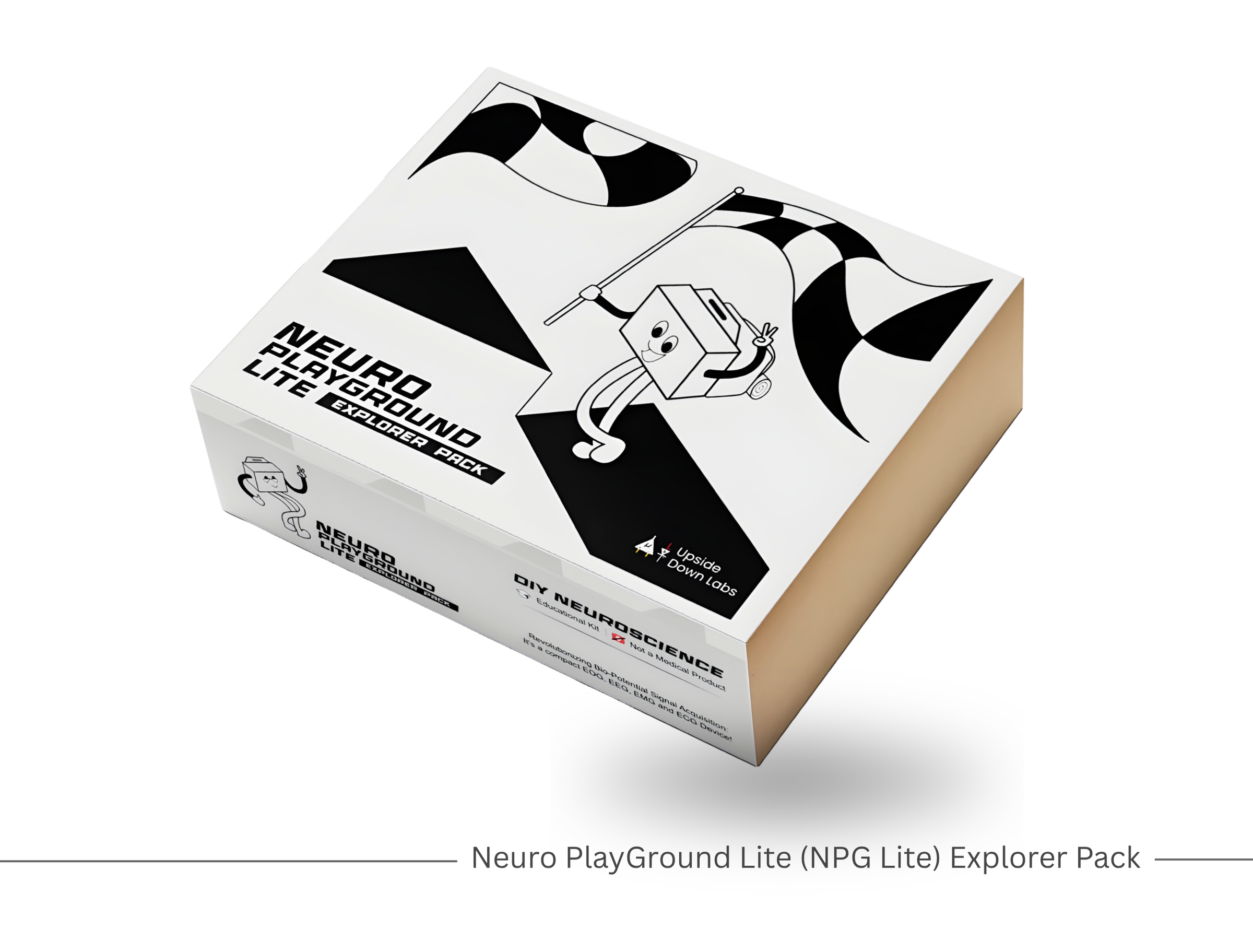
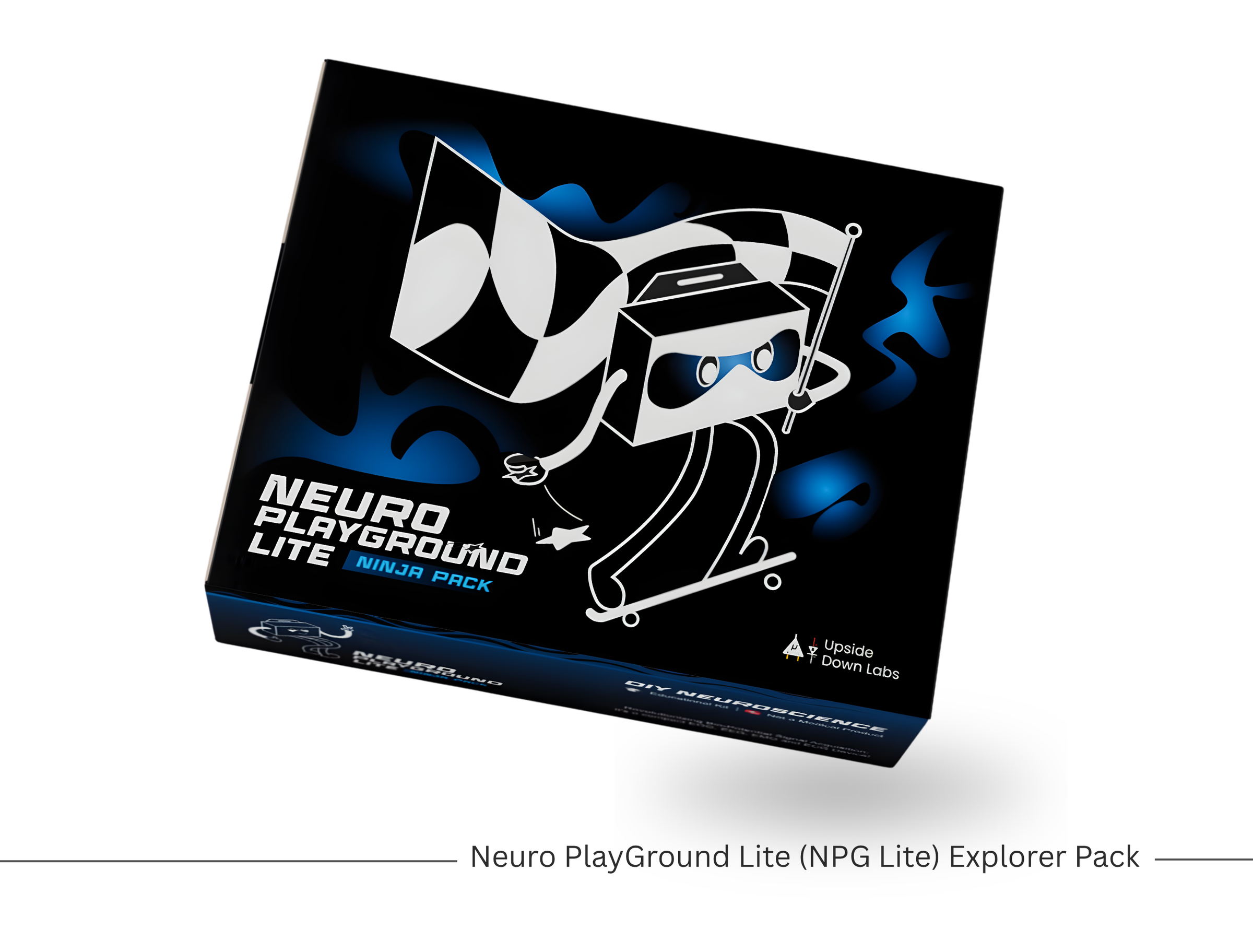
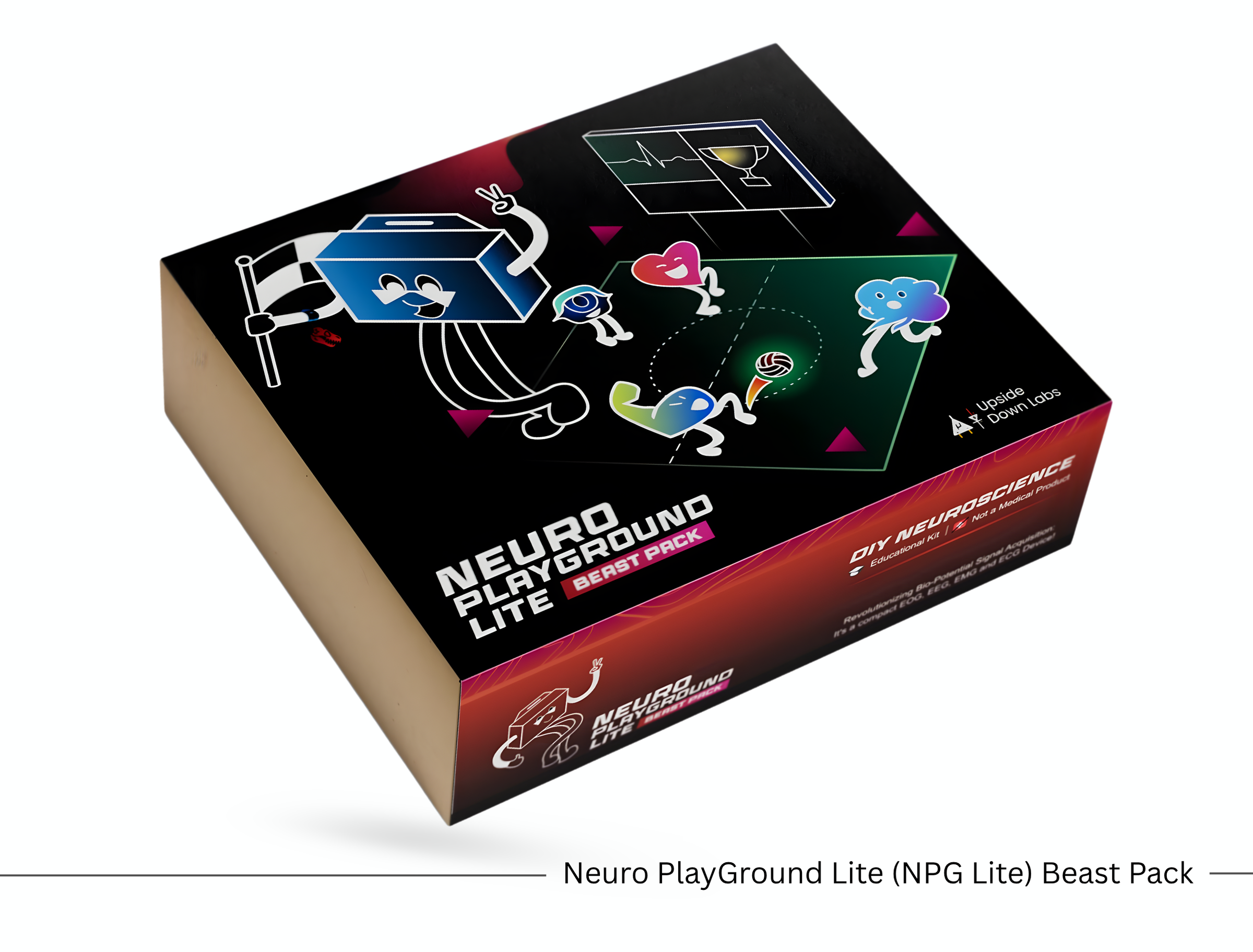
Before getting started, gather the following items:
Hardware
- Neuro PlayGround Lite (Explorer, Ninja, or Beast Pack)
- 3 BioAmp Snap Cables
- Gel Electrodes
- NuPrep Skin Preparation Gel / Alcohol swabs
- USB Type-C cable
- Phone or laptop with Bluetooth
Software
- Chromium-based browser such as Chrome, Edge, Brave, Opera, or Vivaldi. For iOS, use a BLE-enabled browser like Bluefy.
- NPG Lite Flasher Web
- NPG Lite Cardio
What Is an ECG?
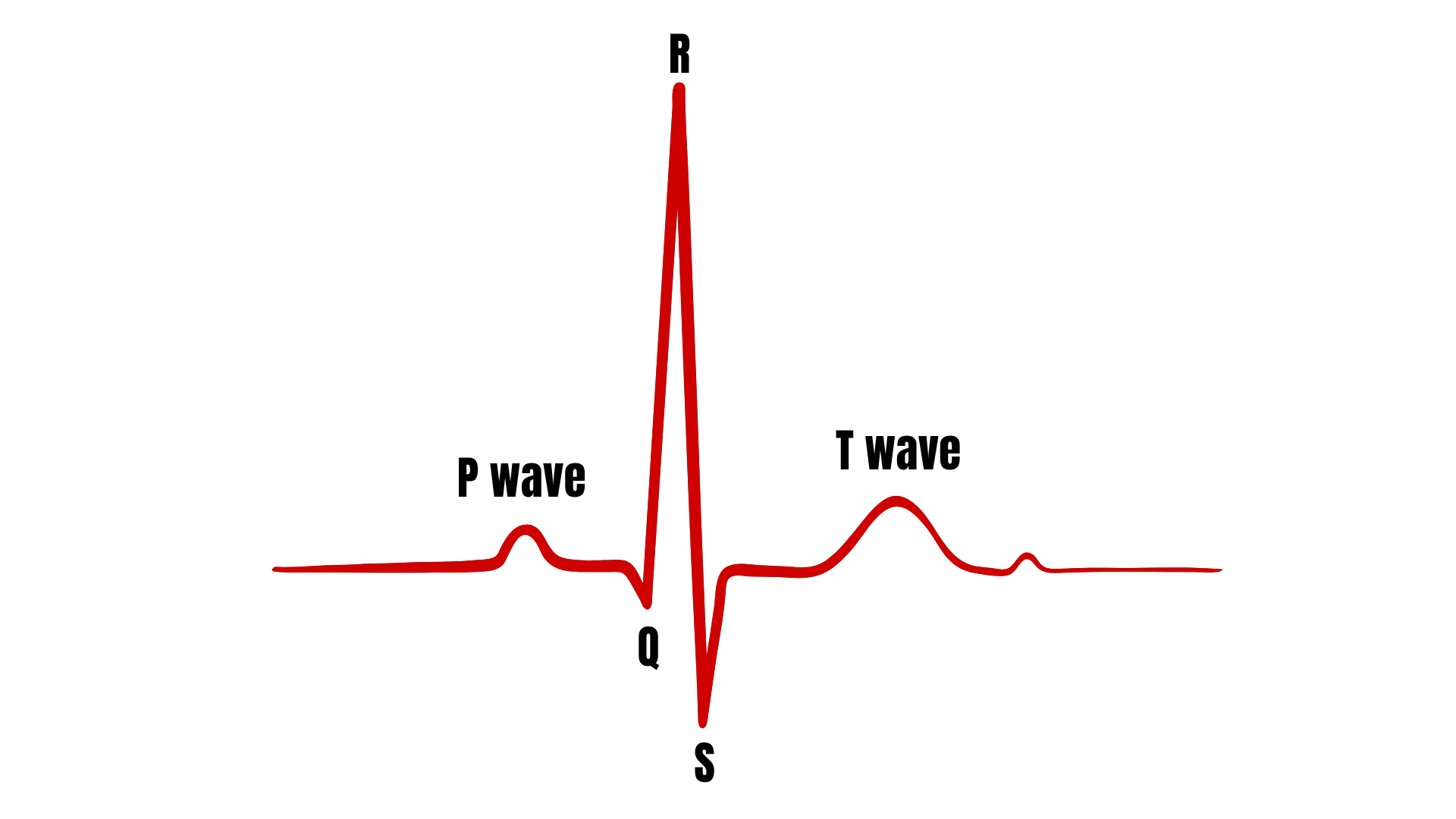
ECG stands for Electrocardiogram.
It records the electrical activity of your heart. Every heartbeat creates an electrical signal, and this signal appears as a waveform on the screen.
A normal ECG contains:
- P Wave – Upper chambers of the heart contract.
- QRS Complex – The large spike showing the main heartbeat.
- T Wave – The heart relaxes before the next beat.
Watching these waves helps you understand how your heart works.
Prepare Your Skin
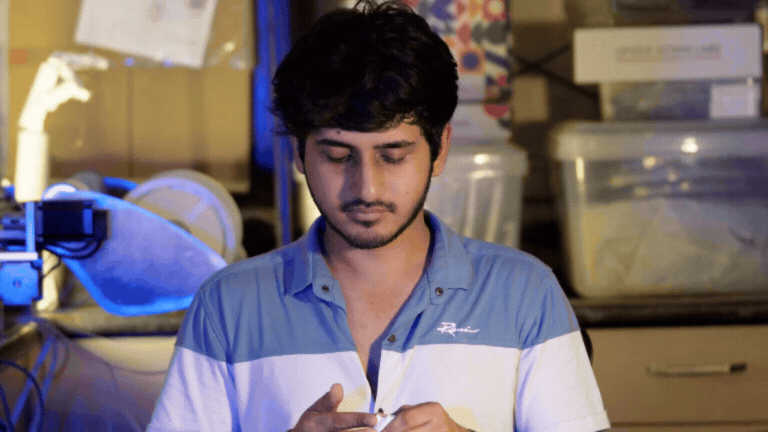
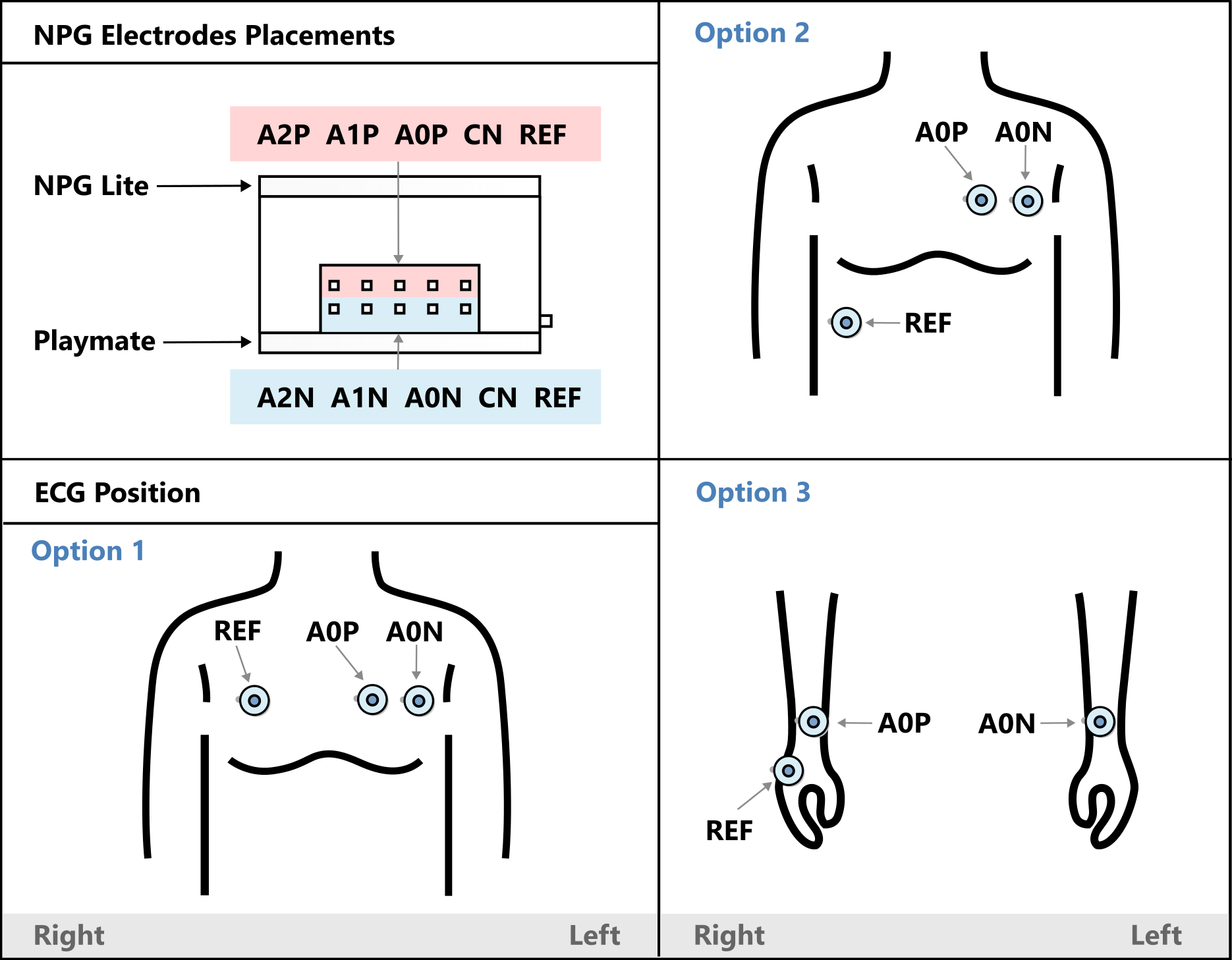
Before applying the electrodes, it's important to prepare your skin properly. Good skin preparation improves electrode contact and helps produce a much cleaner ECG signal.
You can choose either of two electrode placement methods:
- Chest placement, which generally provides cleaner ECG recordings.
- Wrist placement, which is more convenient for quick demonstrations.
Clean the electrode placement areas with an alcohol swab or wet wipe.
For even better signal quality, you can optionally apply a small amount of Nuprep Skin Preparation Gel before cleaning the skin.
Allow the skin to dry before placing the electrodes.
Proper skin preparation removes oils and dead skin cells, improving electrode contact and signal quality.
Place the Electrodes
.gif)
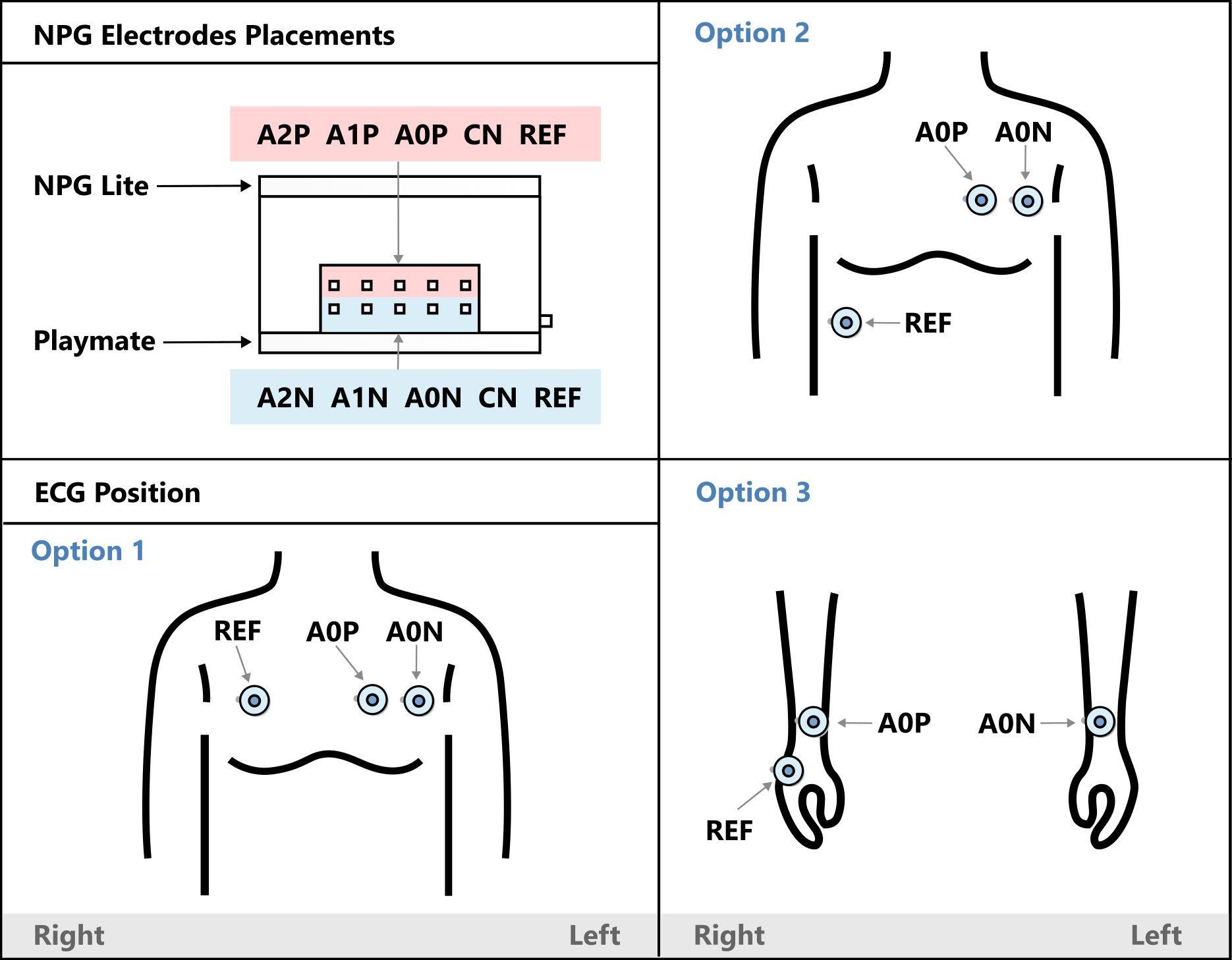
Now, connect the snap cables to the gel electrodes and peel off the plastic backing.
Option 1 – Chest ECG Placement
For a cleaner ECG signal, use the chest placement:
- Place one electrode on the left side of your chest, just below the collarbone.
- Place the second electrode slightly to its right, leaving a small gap between them.
- Place the third electrode on the right side of your chest.
Option 2 – Wrist ECG Placement
For a quick and convenient setup:
- Place one electrode on your left hand.
- Place one electrode on your right hand.
- Place the third electrode on the back of your palm.
Connect the Snap Cables
.gif)
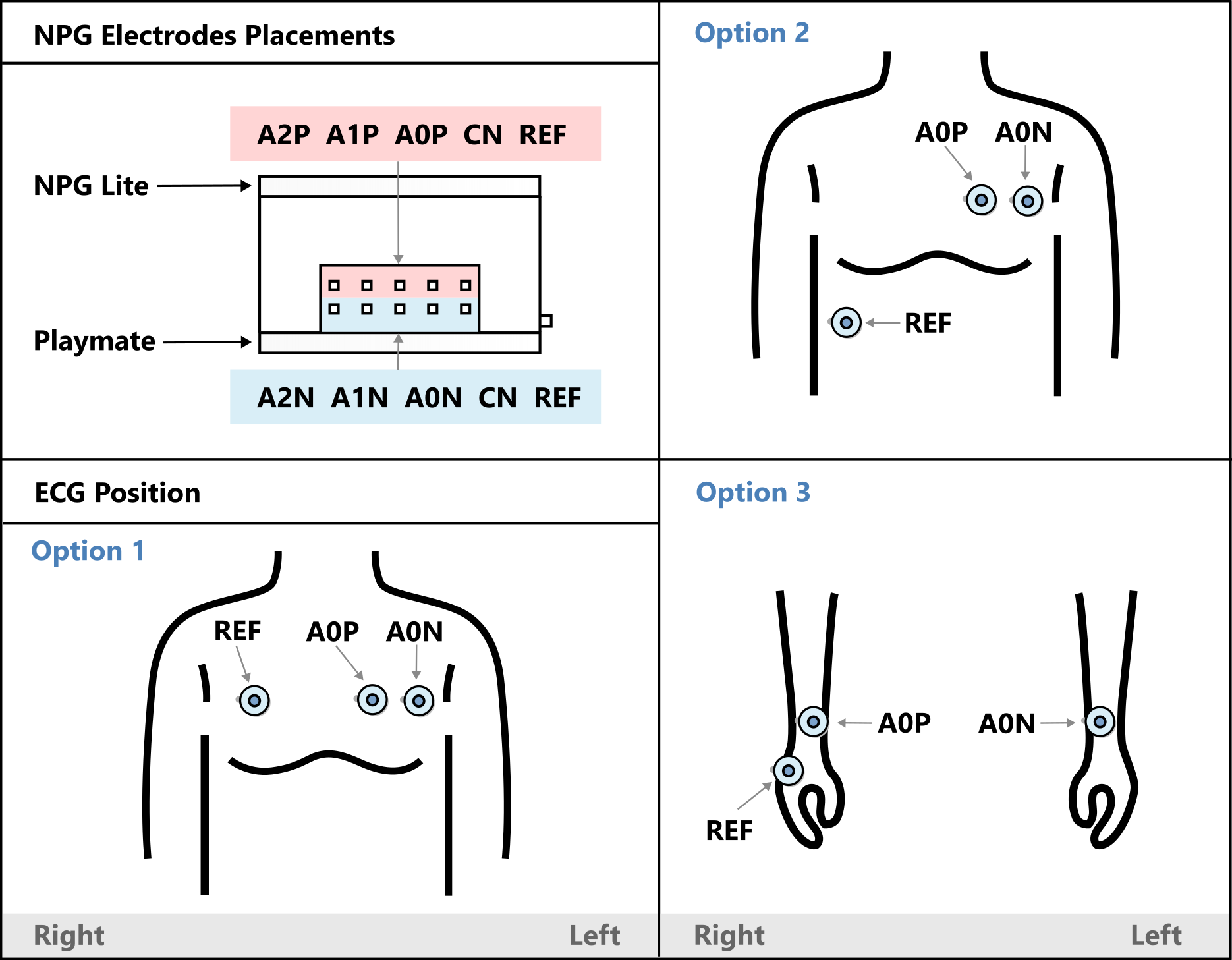
Once the electrodes are in place, connect the other ends of the snap cables to your Neuro PlayGround Lite as follows:
- Connect the negative (−) cable (from the left chest electrode or left hand) to A0N.
- Connect the positive (+) cable (from the middle chest electrode or right hand) to A0P.
- Connect the reference cable (from the right chest electrode or the back of your palm) to REF.
Flash the NPG Lite Firmware
.gif)
.gif)
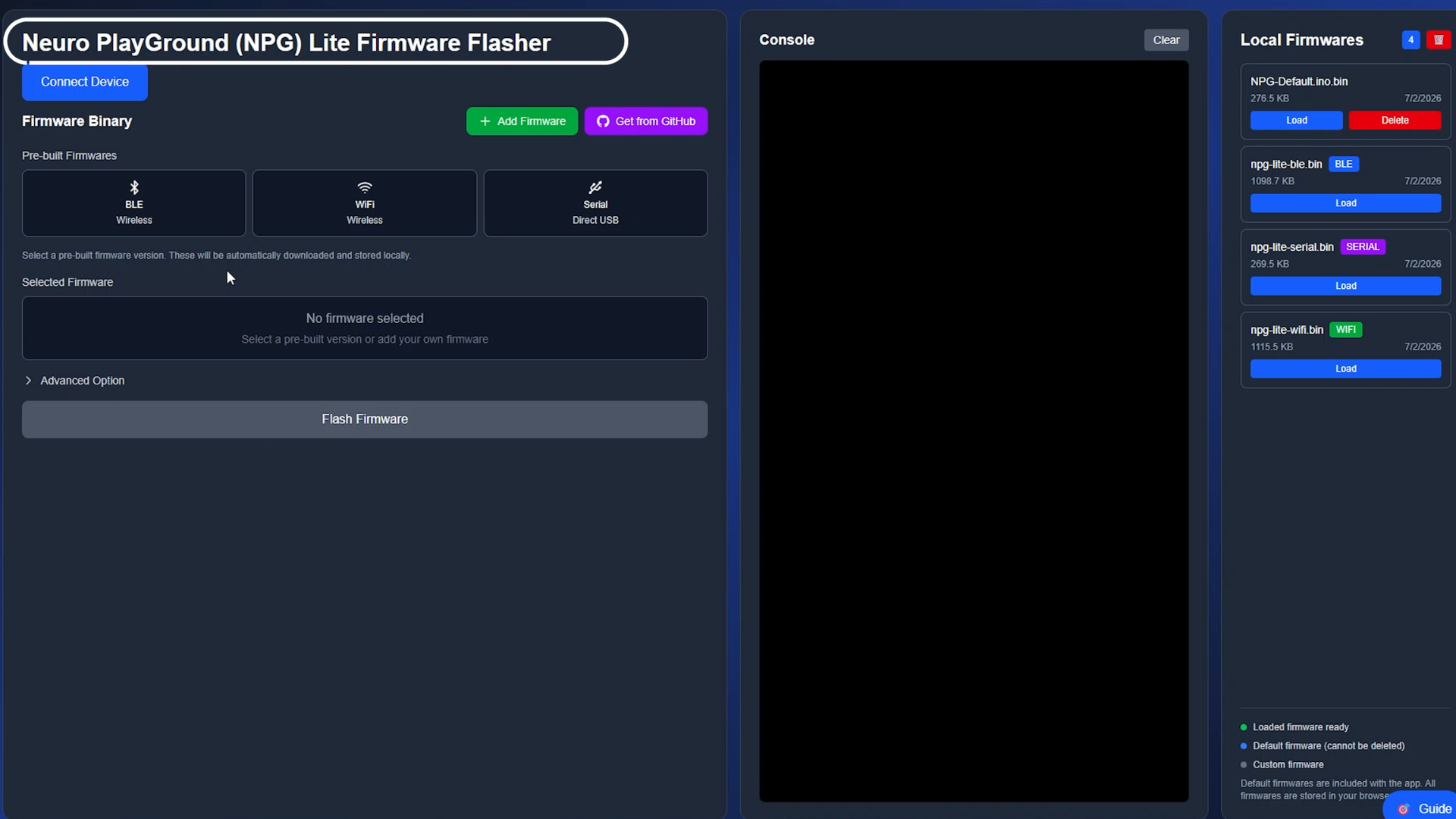
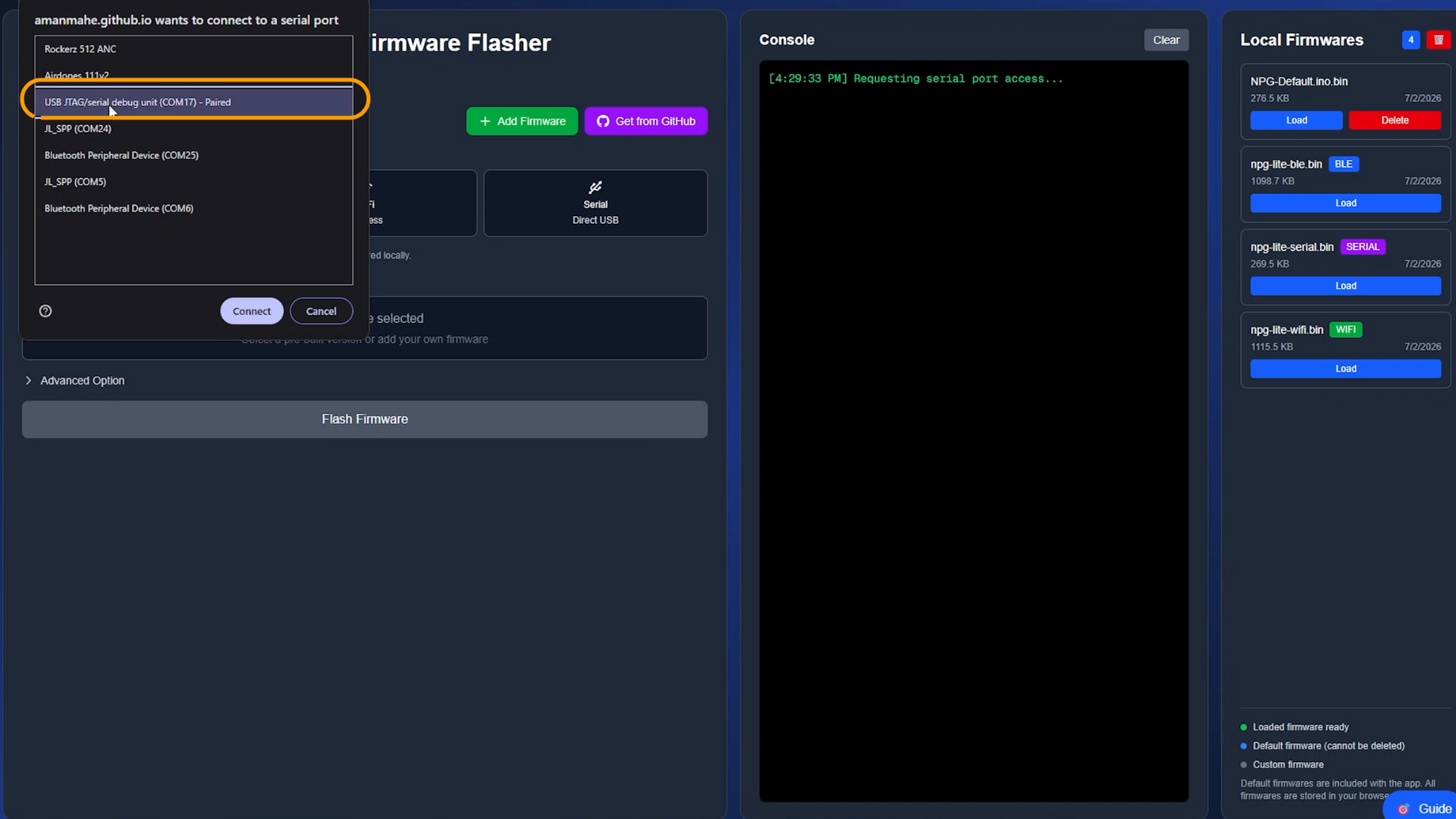
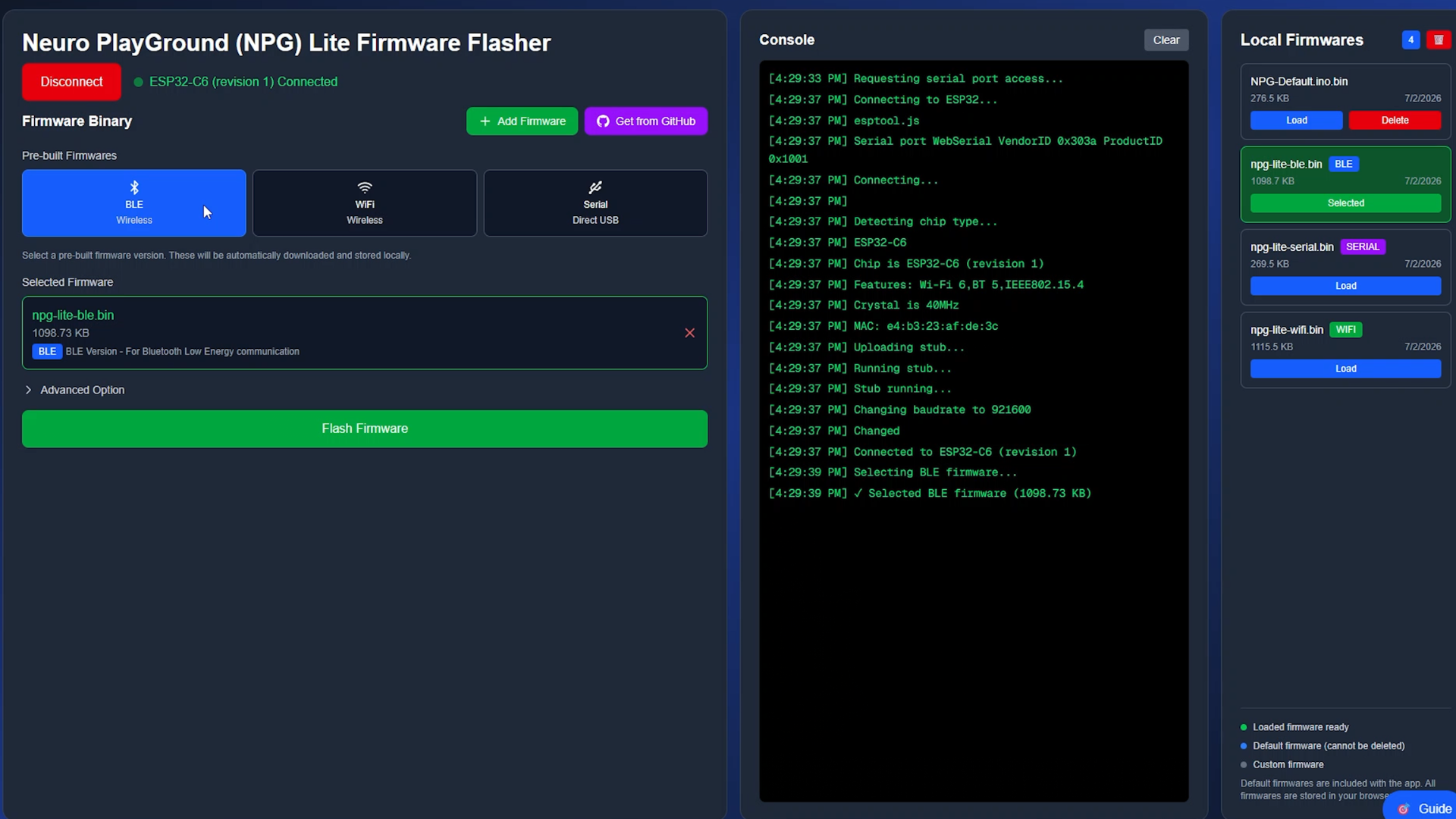
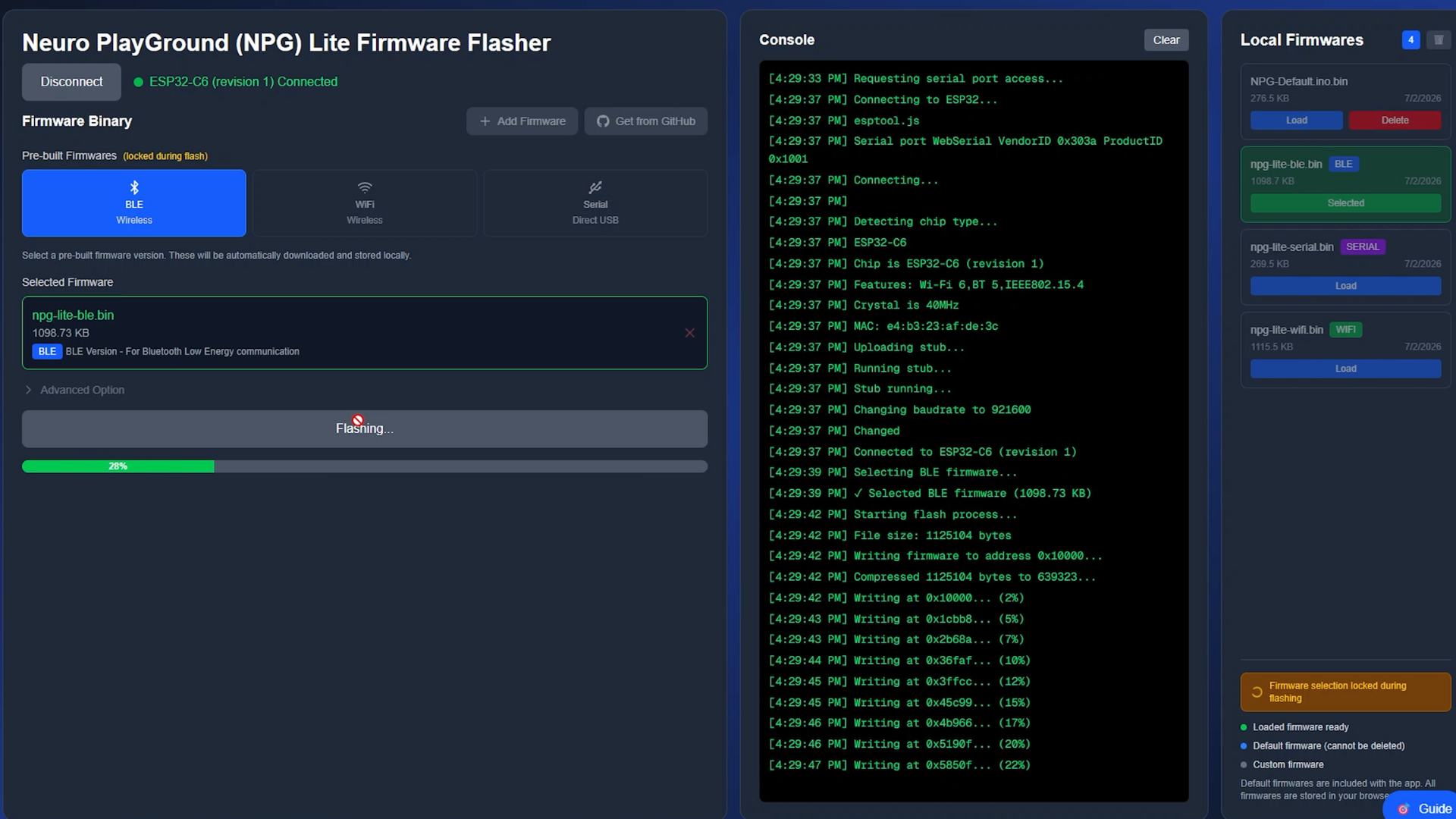
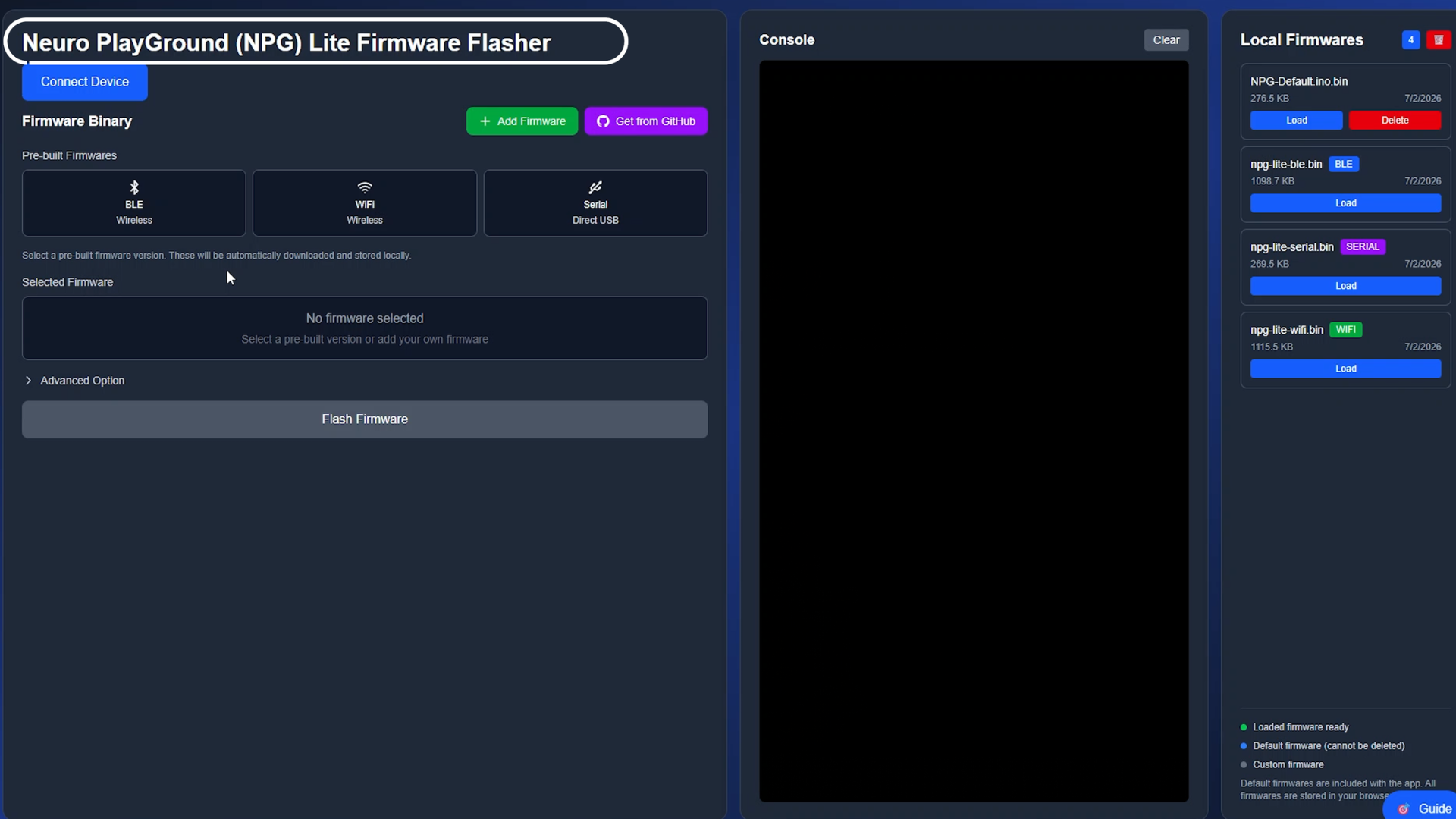
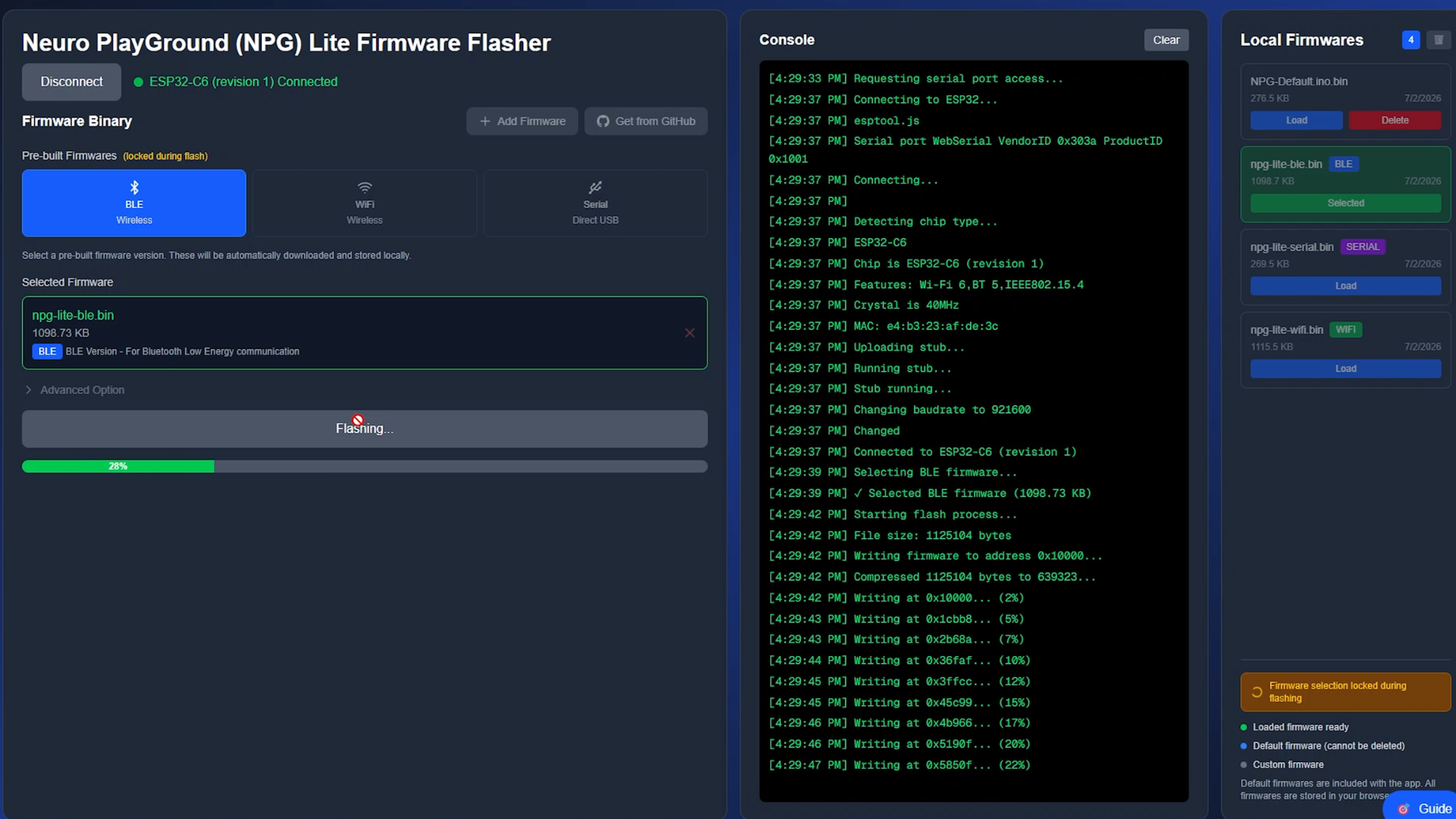
The first step is flashing the correct firmware onto your NPG Lite.
We'll be using the NPG Lite BLE firmware, and the easiest way to install it is with NPG Lite Flasher Web—no Arduino IDE required.
- Turn on your NPG Lite using the power switch and make sure the battery is connected correctly.
- Connect your NPG Lite to your computer using a USB Type-C cable.
- Open NPG Lite Flasher Web in your browser.
- Click Connect and select the USB device named USB JTAG.
- Select the NPG Lite BLE firmware and click Flash.
- Wait a few seconds while the firmware is uploaded.
Once flashing is complete, disconnect the USB cable.
Your NPG Lite is now ready to work completely wirelessly. Just make sure the battery is connected and sufficiently charged before using NPG Lite Cardio.
Connect to NPG Lite Cardio
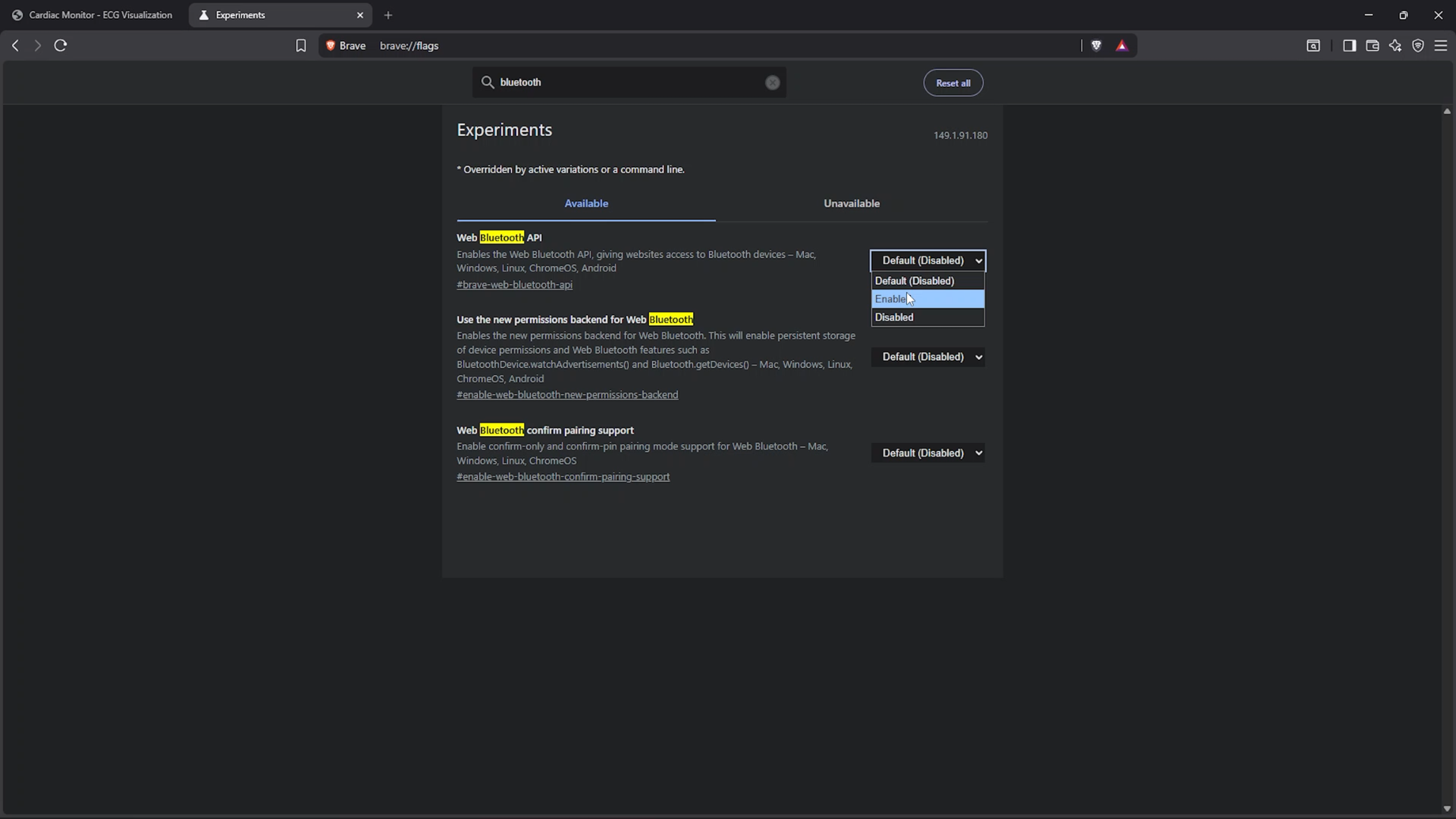
Now it's time to connect your NPG Lite to the ECG monitor.
Before connecting, make sure your NPG Lite is not connected to a charger, and try to sit at least one meter away from AC-powered appliances for the cleanest possible ECG signal.
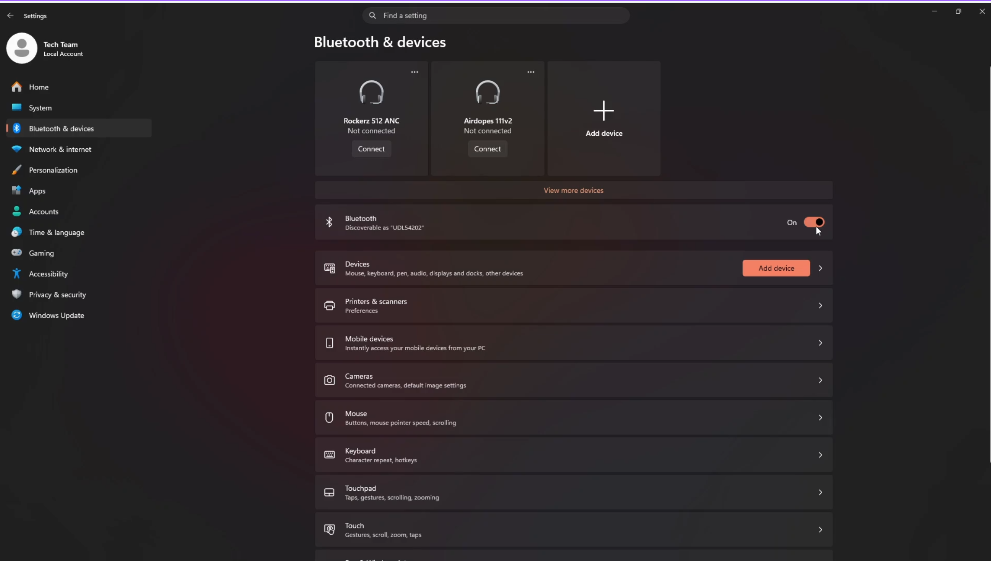
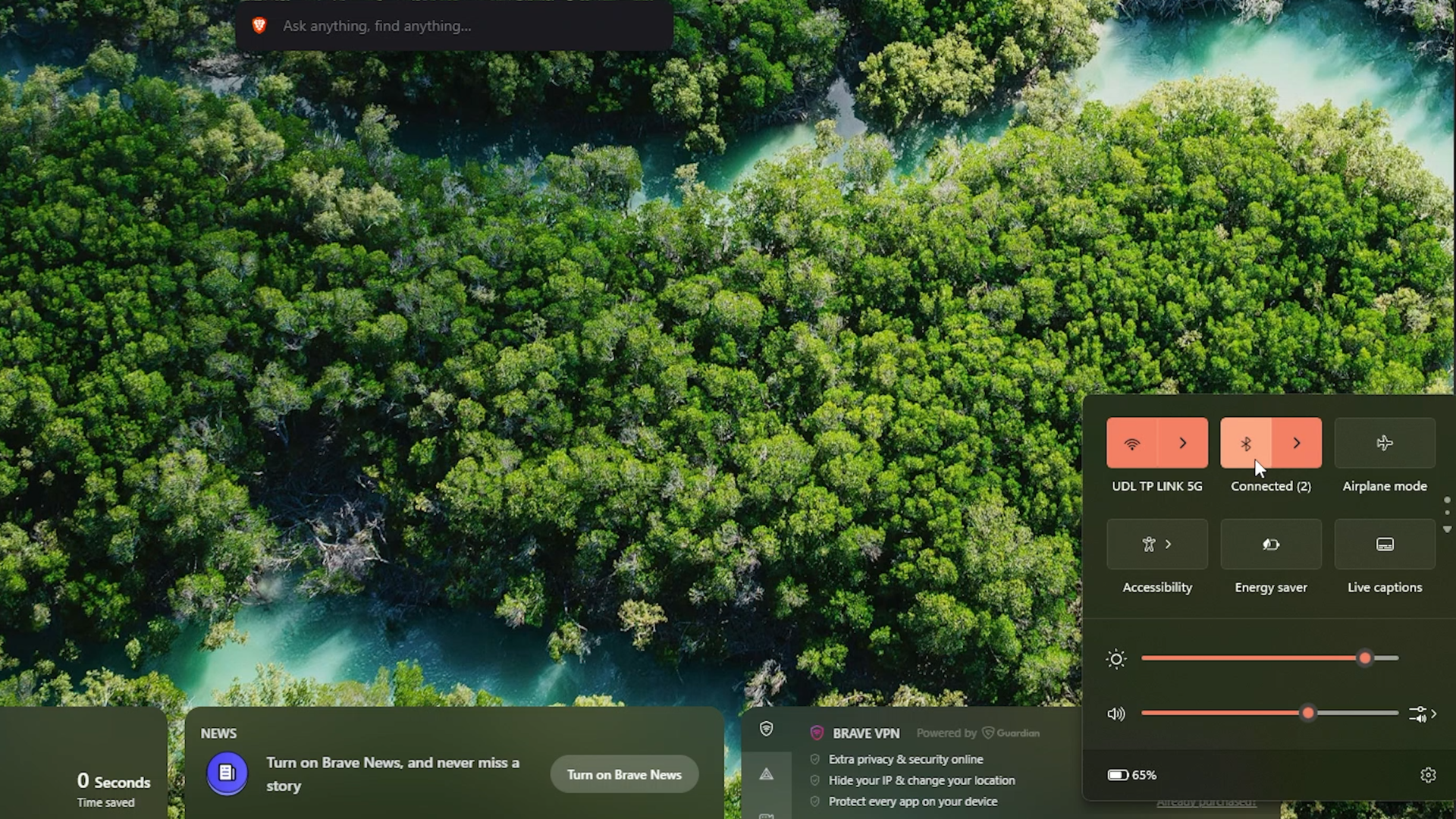
Enable Bluetooth on your phone or laptop.
Important: Do not pair your NPG Lite through your operating system's Bluetooth settings. Always connect directly from within the browser.
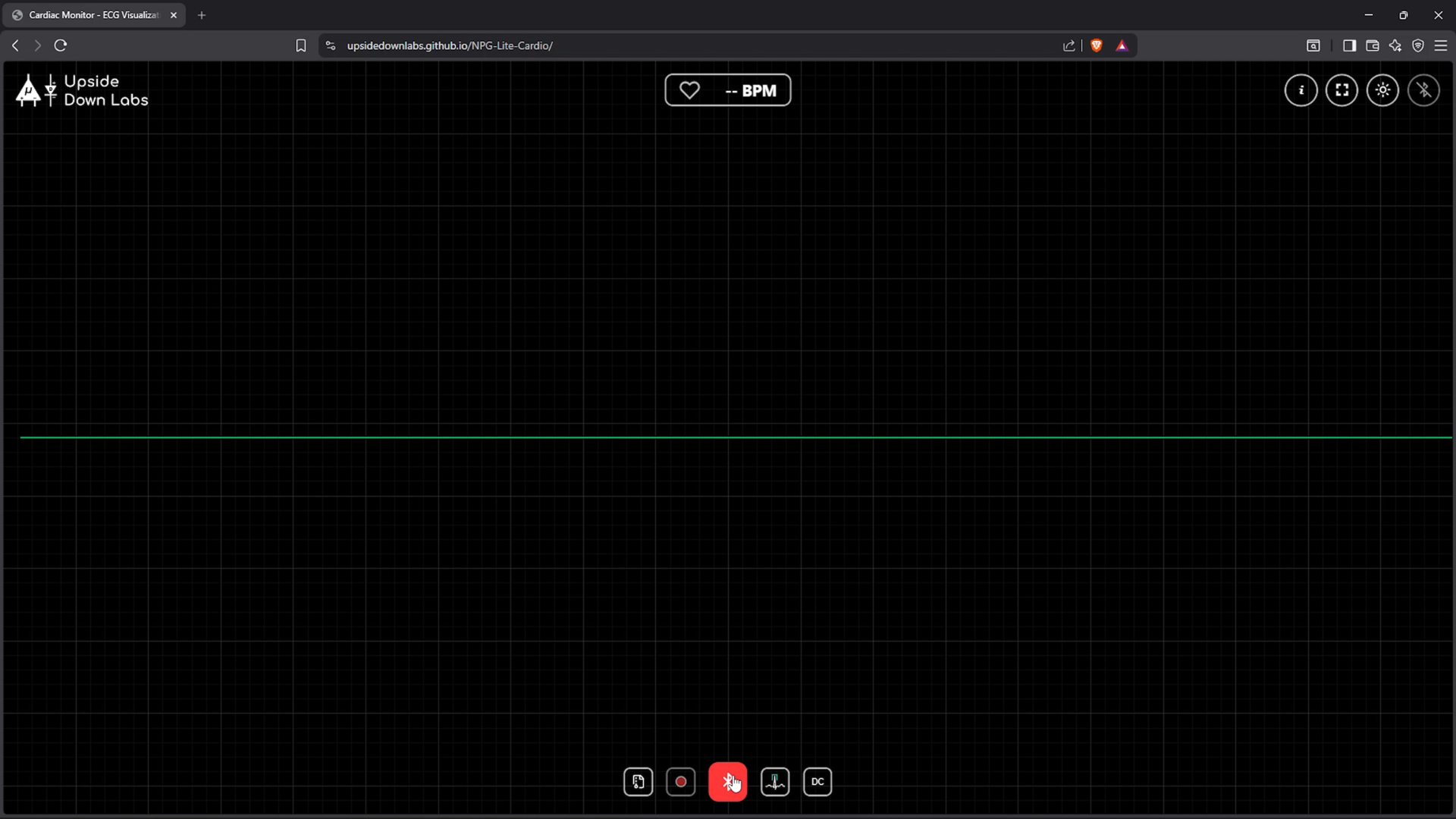
Now open NPG Lite Cardio in your browser.
- Click Connect.
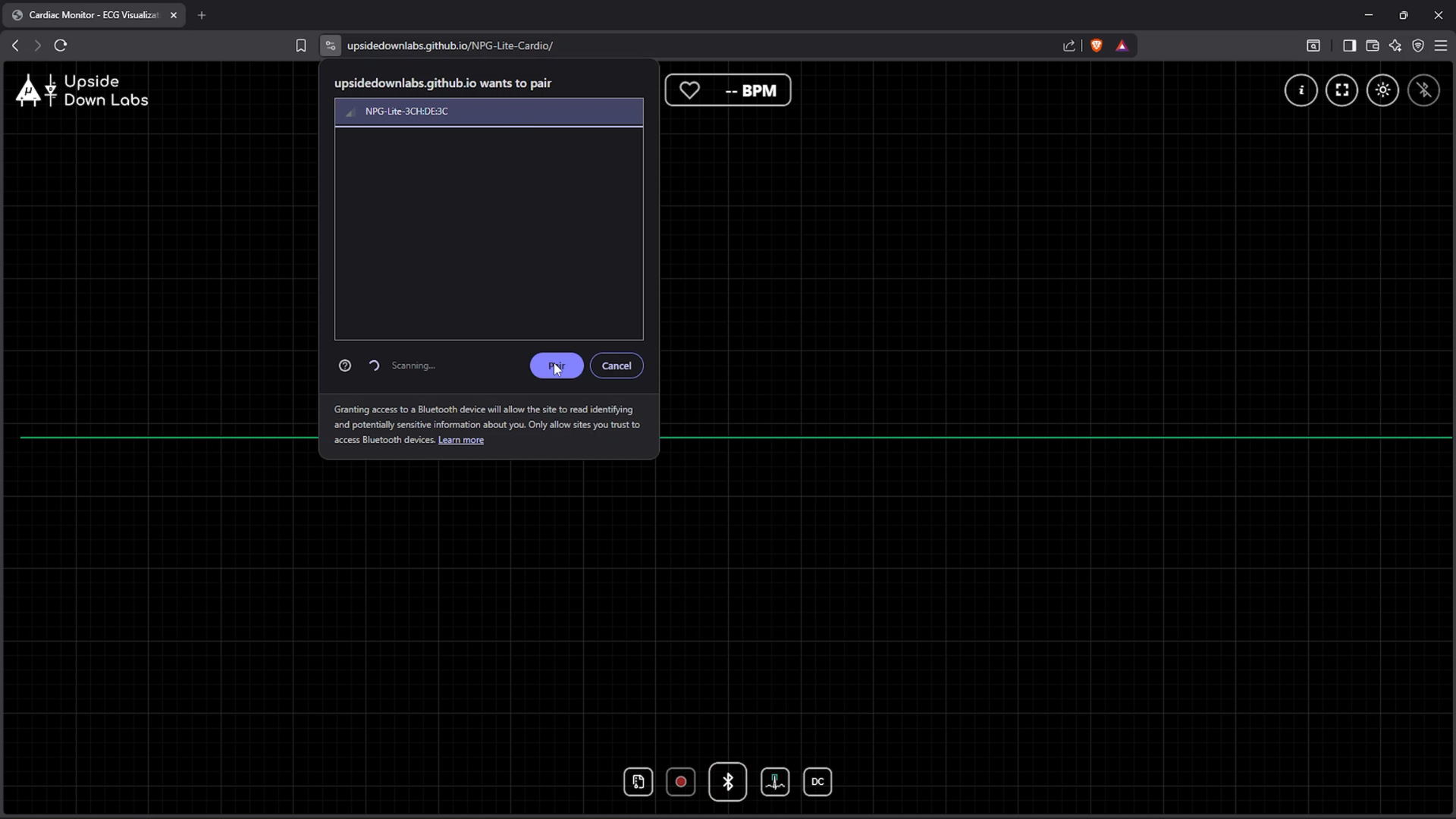
- Select your NPG Lite from the list of available Bluetooth devices.
- Click Pair.
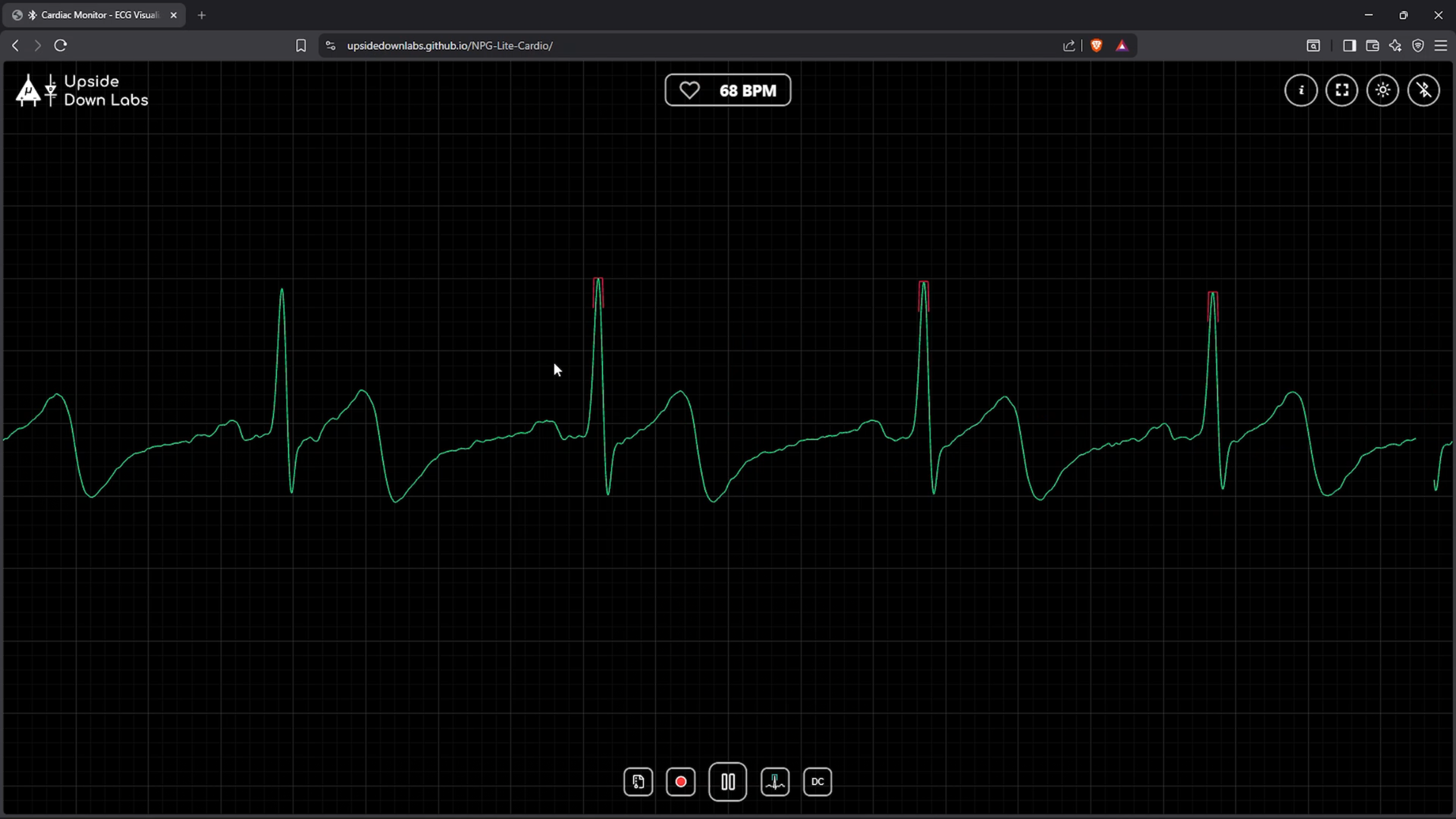
Within a few seconds, your live ECG waveform will begin streaming in real time, along with your heart rate.
Explore the Interface
.gif)
Once connected, you'll see:
- Live ECG waveform
- Heart Rate (BPM)
- Heartbeat animation
The app automatically detects each heartbeat using the Pan-Tompkins algorithm, making the heart rate measurement accurate even when there is a little noise.
Learn the Controls
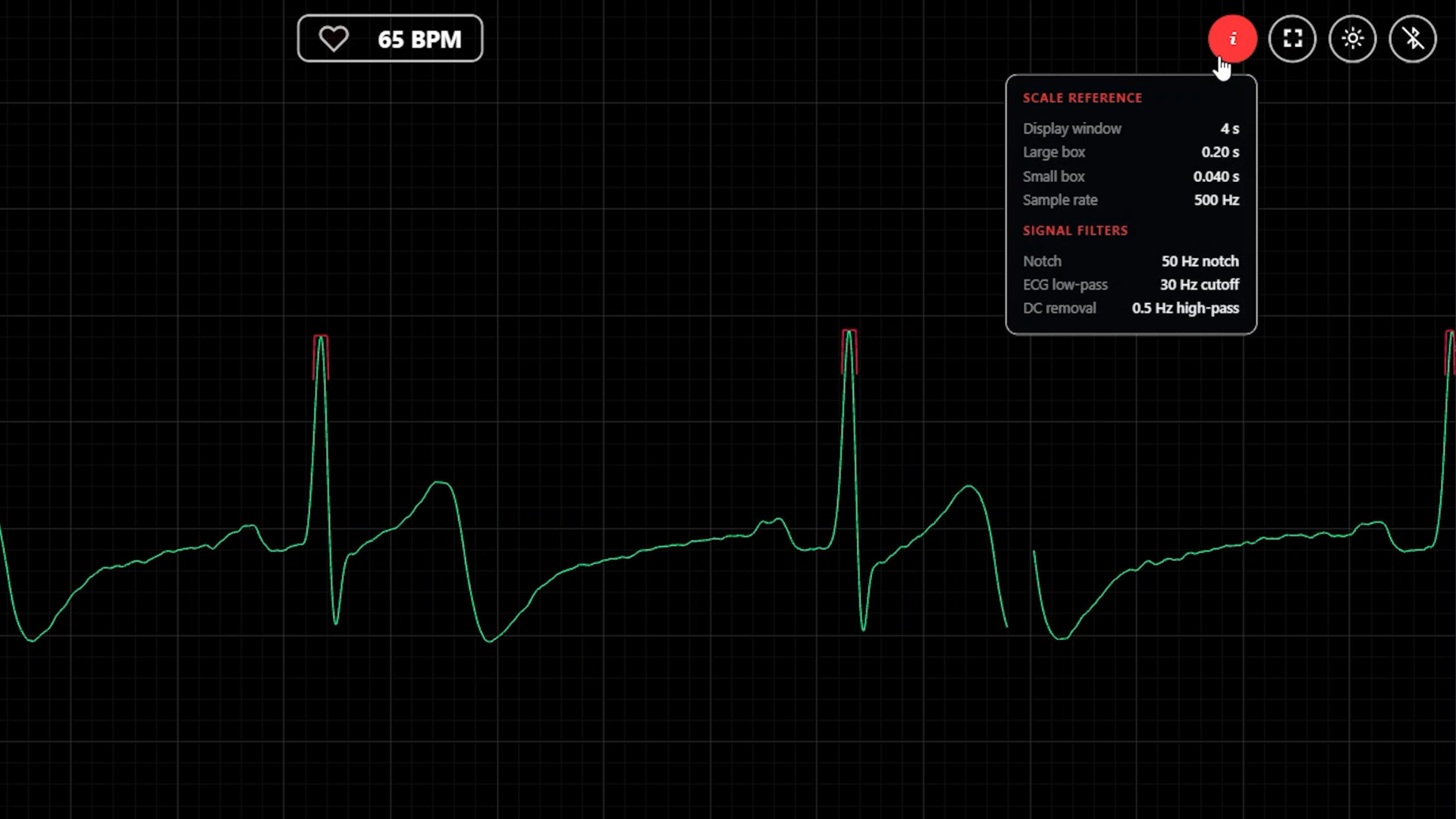
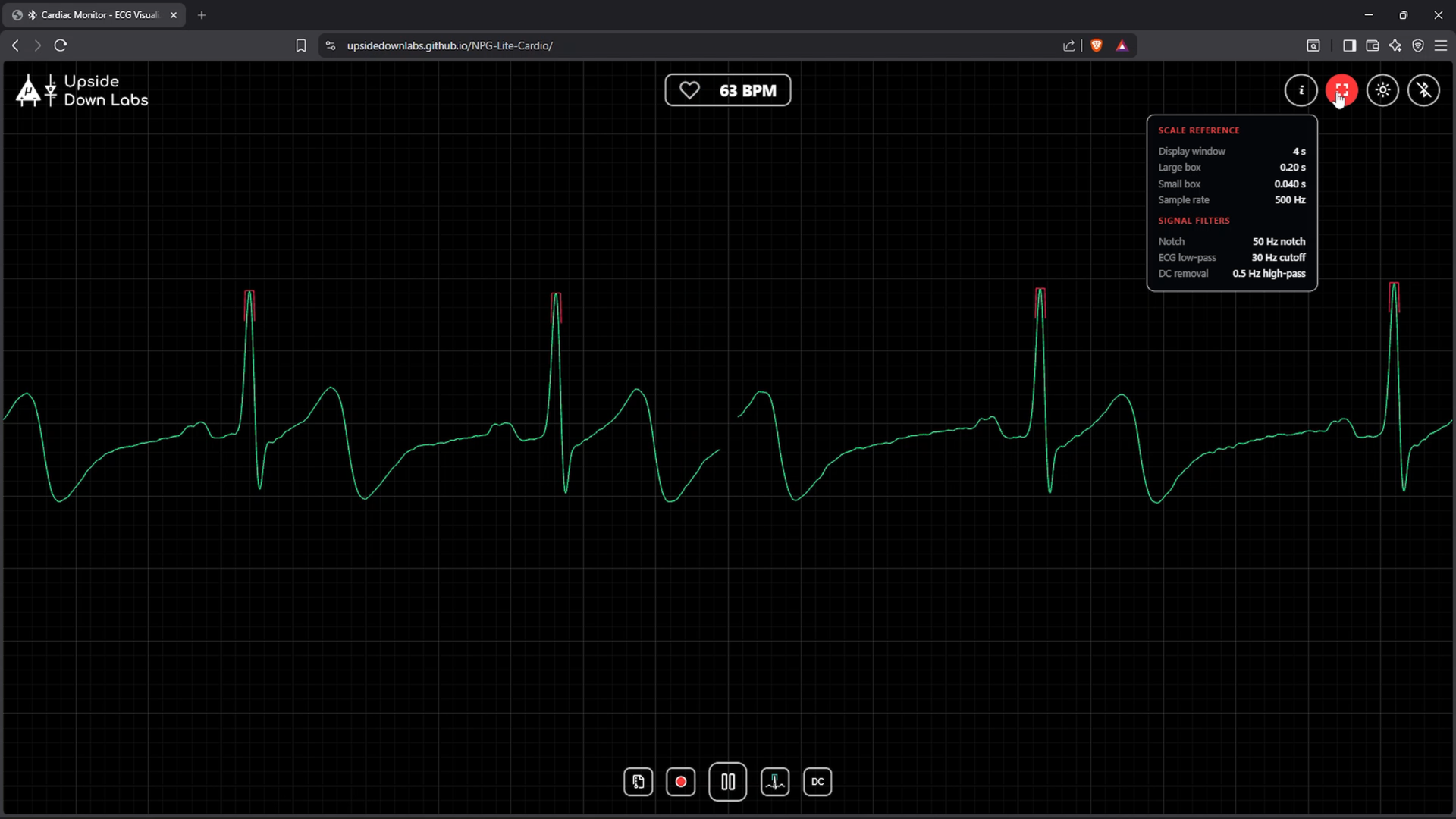
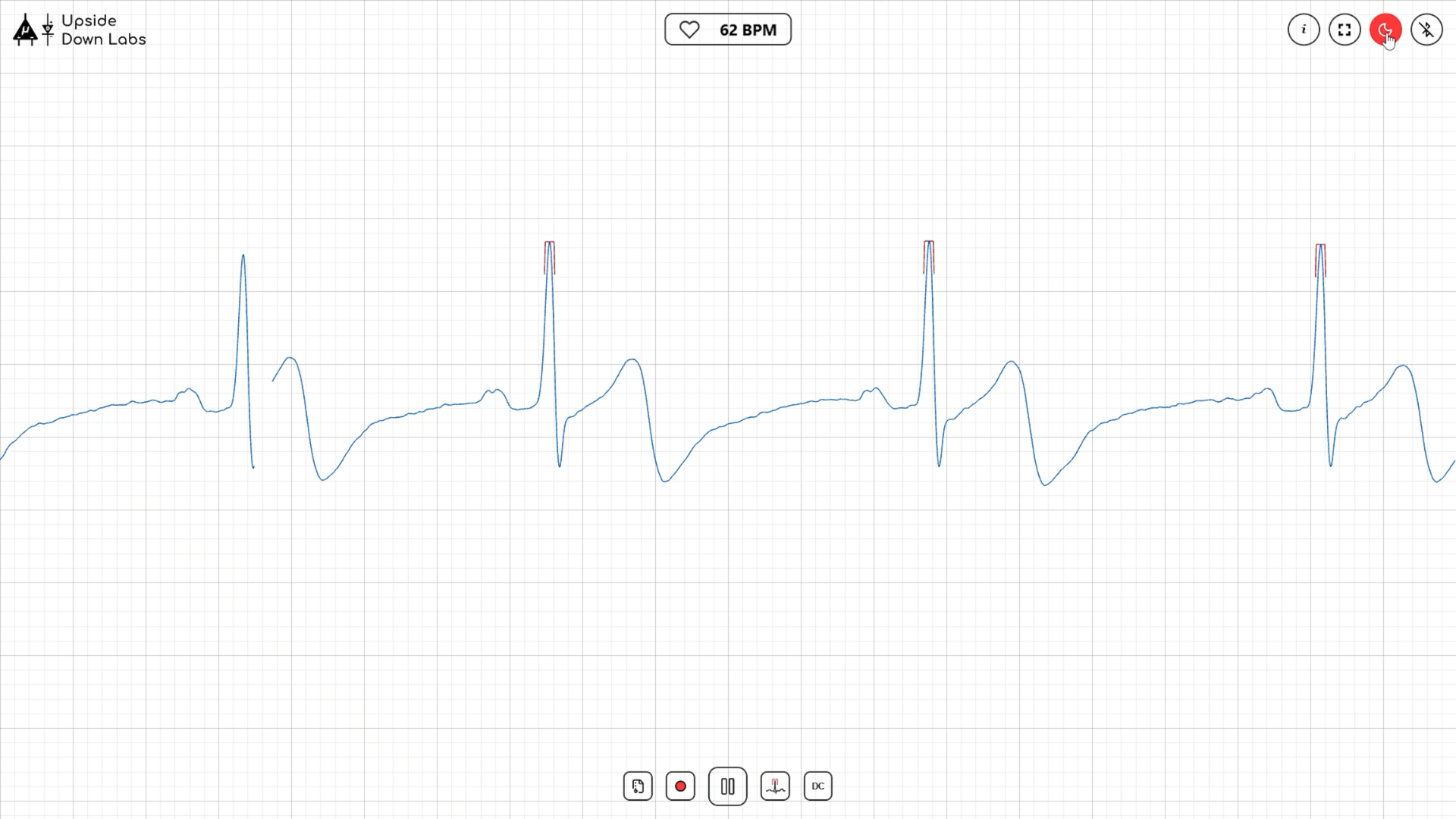
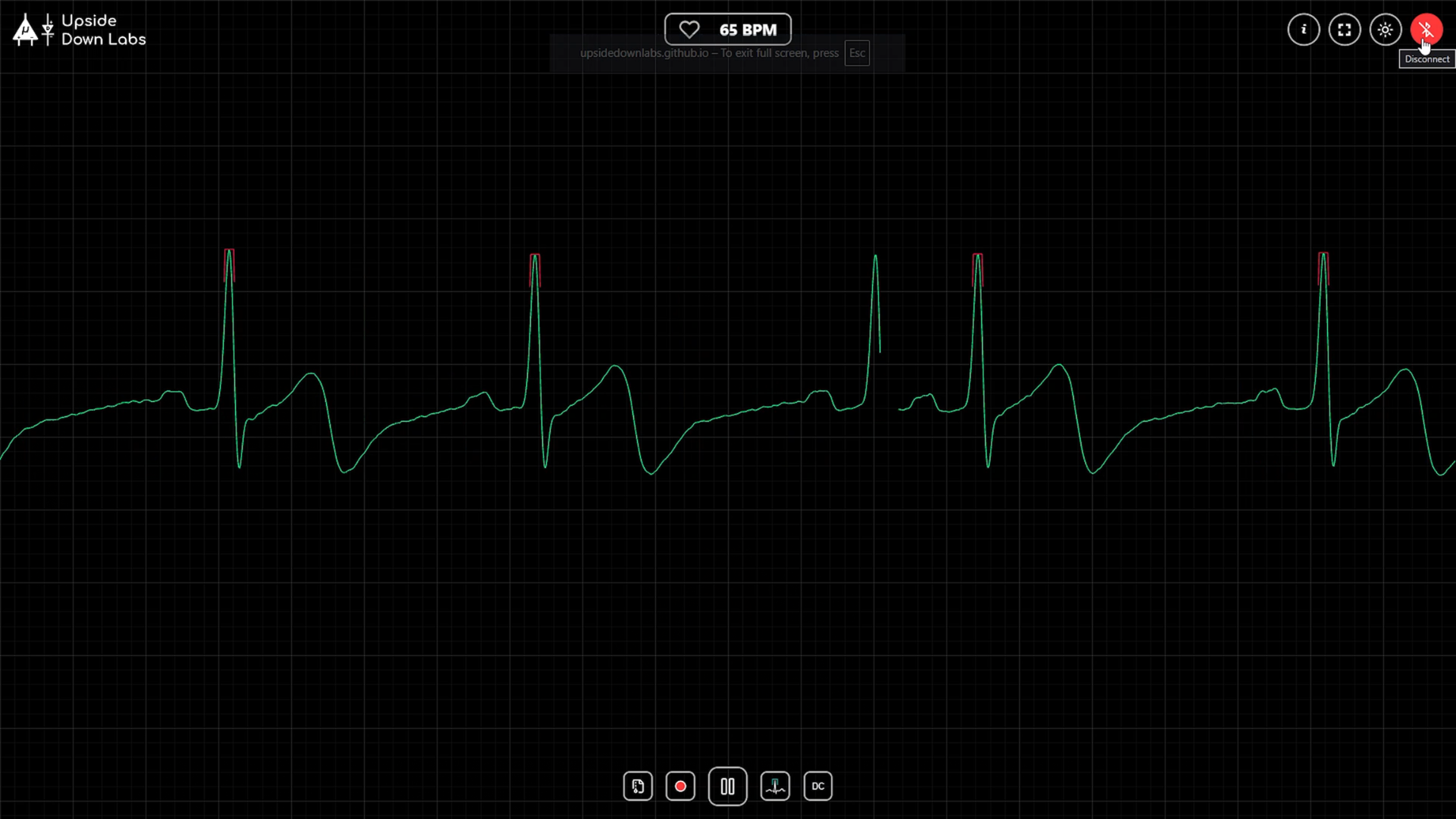
The app includes several useful controls.
Information
Shows details about the ECG display and filters.
Theme
Switch between Light Mode and Dark Mode.
Fullscreen
Toggle full screen mode.
Disconnect
Safely disconnects your NPG Lite.
At the bottom of the screen you'll find:
- Connect
- Record
- Peaks (Show or hide heartbeat markers)
- DC Filter (Removes slow baseline movement)
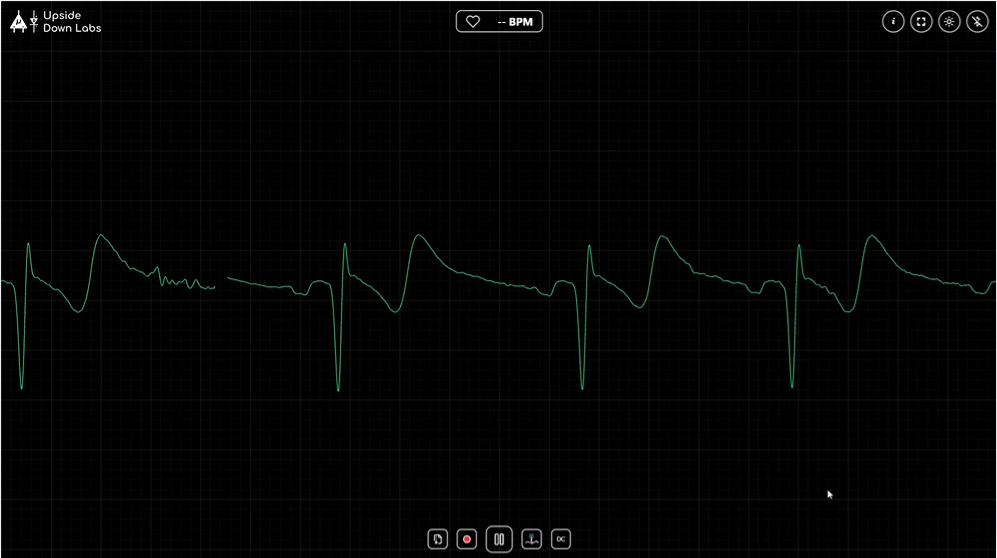
If the ECG Looks Upside Down
.gif)
If your ECG waveform is inverted, don't worry.
Simply swap the positive (+) and negative (−) electrodes.
The waveform will immediately appear in the correct orientation.
Record Your ECG
.gif)
.png)
.png)
Click Record to start recording.
A timer shows how long you've been recording.
Recordings must be at least 12 seconds long.
When you stop recording, it is automatically saved in your browser.
View Your Recordings
.png)
.png)
.gif)
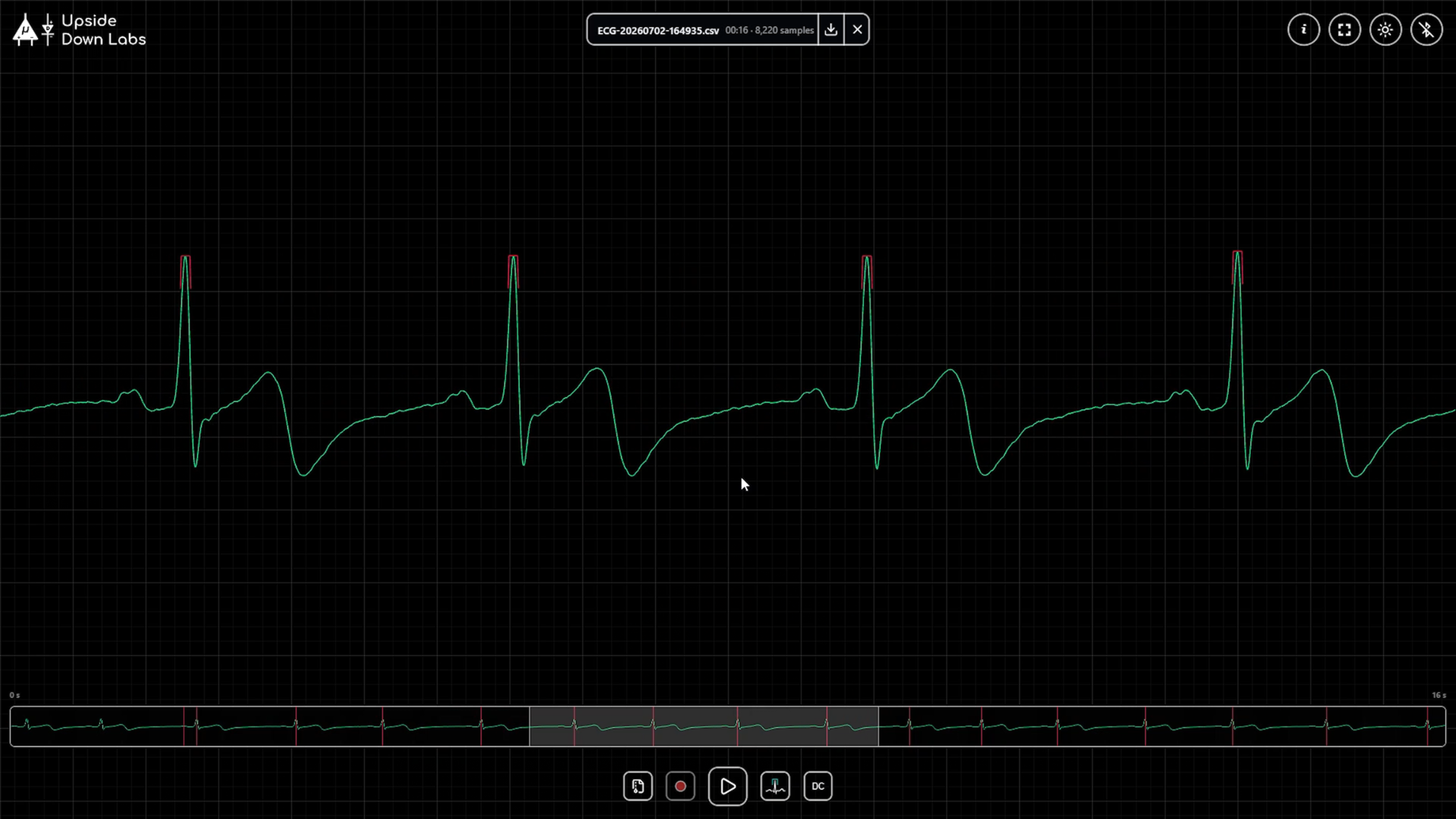
Open the Recordings section to:
- Replay old recordings
- Scroll through the ECG
- Use the minimap to jump to different parts
- Rename recordings
- Download them as CSV files
- Delete recordings you no longer need
Save Your Data
.gif)
.png)
.png)
.png)
Your recordings are stored locally in your browser.
If you clear your browser's site data, your recordings will be deleted.
If you want to keep them, download the CSV files before clearing your browser.
Conclusion
.gif)
You've successfully set up NPG Lite Cardio!
You can now:
- View a live ECG
- Monitor your heart rate
- Record ECG sessions
- Replay recordings
- Export ECG data as CSV
All of this works directly in your browser without installing any software.
If you found this project helpful, leave a comment below and share what you build with NPG Lite. Happy making!
Video Tutorial
The full step-by-step tutorial for this project is available on our YouTube channel, where we explain every step in detail—from hardware setup and wiring to programming and testing.