Motion-Activated Lamp
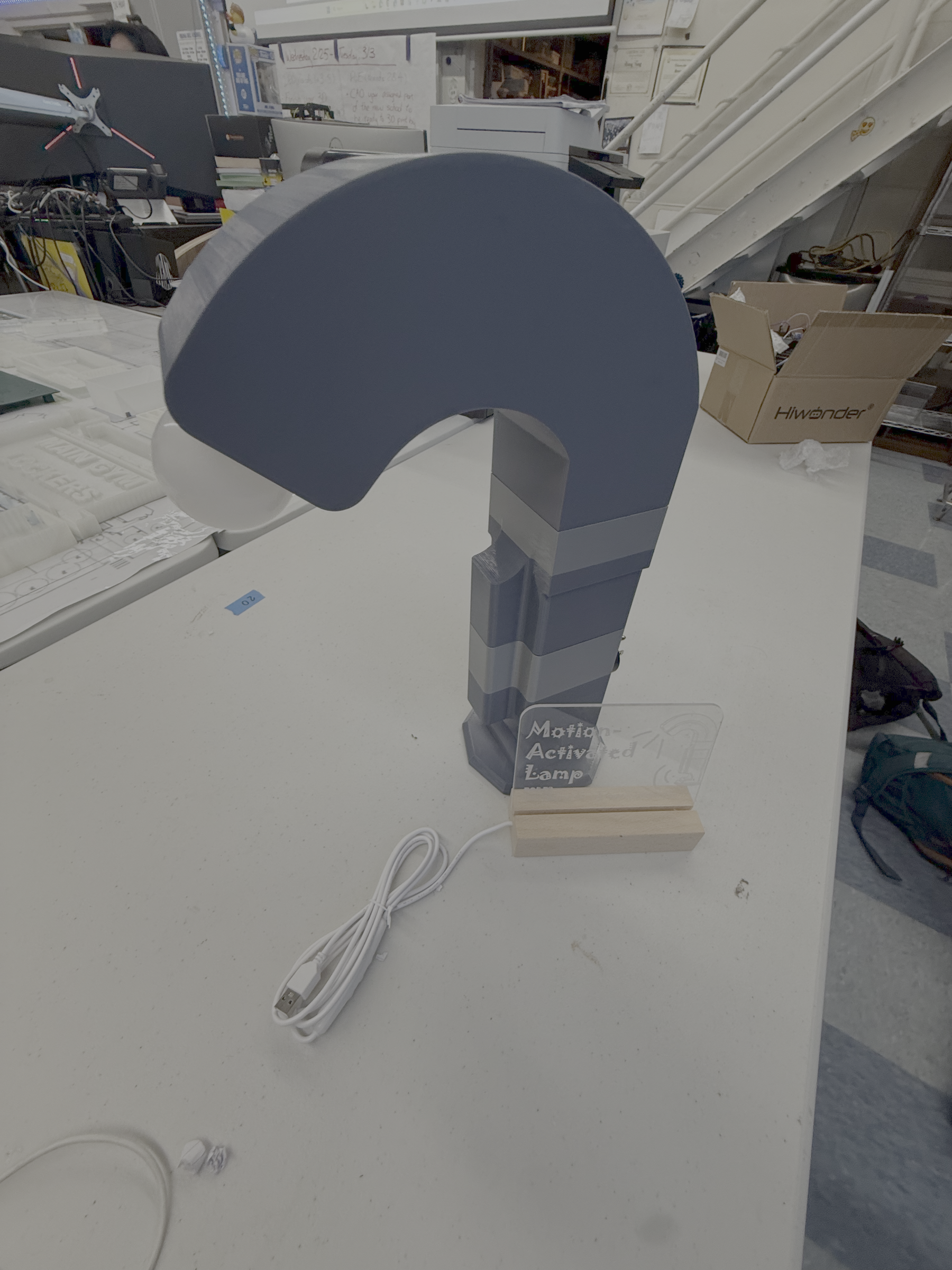
This project walks you through building a custom motion-activated lamp that
turns on automatically when you walk by. It's a practical way to combine 3D
printing with basic electrical work, and the result is a functional lamp you
can actually use in your home. The lamp uses a motion sensor to detect
movement and control a standard light bulb, all housed in a 3D printed
casing you design yourself.
The build is straightforward if you follow electrical safety basics and take
your time with the wiring. You'll be working with household voltage, so
careful attention to connections and insulation is important. Once
assembled, you'll have a lamp that responds to motion, perfect for hallways,
closets, or anywhere you want hands-free lighting.
Supplies
Electrical Components:
Motion sensor (compatible with your voltage) - $17.99
Light bulb socket with attached wire leads - $11.99
Light bulb (check wattage rating on your socket) - $9.99
3D Printed Parts:
Lamp casing (printed to fit your motion sensor)
Base platform (sized to hold socket and wiring)
Tools:
Wire strippers
Screwdriver
Wire nuts or connectors
3D printer and filament
Design and Print Your Housing


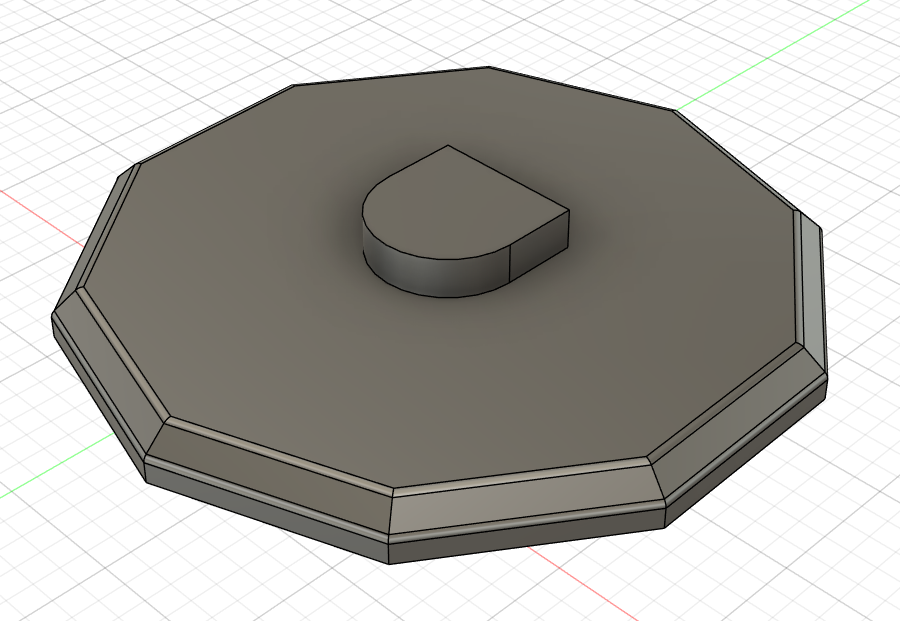

Design a casing that accommodates your specific motion sensor
dimensions and provides openings for the sensor's detection window. The
base should be large enough to hold the light socket securely and have
channels or space for wire routing. Print both pieces in a sturdy filament like
PLA or PETG.
Prepare the Extension Cord
Take the extension cord and connect its wires to the input side of the
manual switch using wire nuts. This switch controls power to the entire
lamp, letting you turn everything on or off. Make sure connections are tight
and secure.
Wire the Manual Switch
Connect the output side of the manual switch to the input terminals of the
motion sensor. Follow the sensor's wiring diagram, making sure hot and
neutral wires go to the correct terminals. The motion sensor will control
when the light actually turns on based on detected movement.
Connect the Motion Sensor to the Light Socket
Wire the output from the motion sensor to the light socket's wire leads.
Match the wires correctly so hot connects to the brass terminal side and
neutral to the silver terminal side. Use wire nuts to secure these
connections.
Insulate All Connections
Wrap each wire connection thoroughly with electrical tape. Cover the wire
nuts completely and make sure no bare wire is exposed anywhere. Check
that all connections are physically stable and well-insulated.
Test Before Assembly
Screw in your light bulb and plug the extension cord into a wall outlet. Flip
the manual switch on. The motion sensor should detect movement and turn
the light on. Test it a few times to confirm everything works properly. Unplug
before continuing.
Install Components in the Base
Arrange all the wiring neatly inside the 3D printed base. Mount the light
socket securely in its designated spot. Organize the wire connections so
they're not tangled or putting stress on any joints. Make sure the extension
cord exits the base cleanly.
Mount the Motion Sensor
Position the motion sensor in the casing so its detection window faces
outward and has a clear view. Secure it according to your design, whether
that's with screws, clips, or friction fit. The sensor needs to stay stable and
properly oriented.
Final Assembly and Testing

Attach the casing to the base, being careful not to pinch any wires. Screw in
the light bulb. Plug the lamp into the wall and test the manual switch and
motion sensor one more time. Adjust the sensor's settings if needed for
your preferred sensitivity and timing.
Your motion-activated lamp is complete and ready to use wherever you
need automatic lighting.