Multi-Functional-Robot "DAMI 3000"
by nizarelidrysy in Circuits > Arduino
144 Views, 3 Favorites, 0 Comments
Multi-Functional-Robot "DAMI 3000"
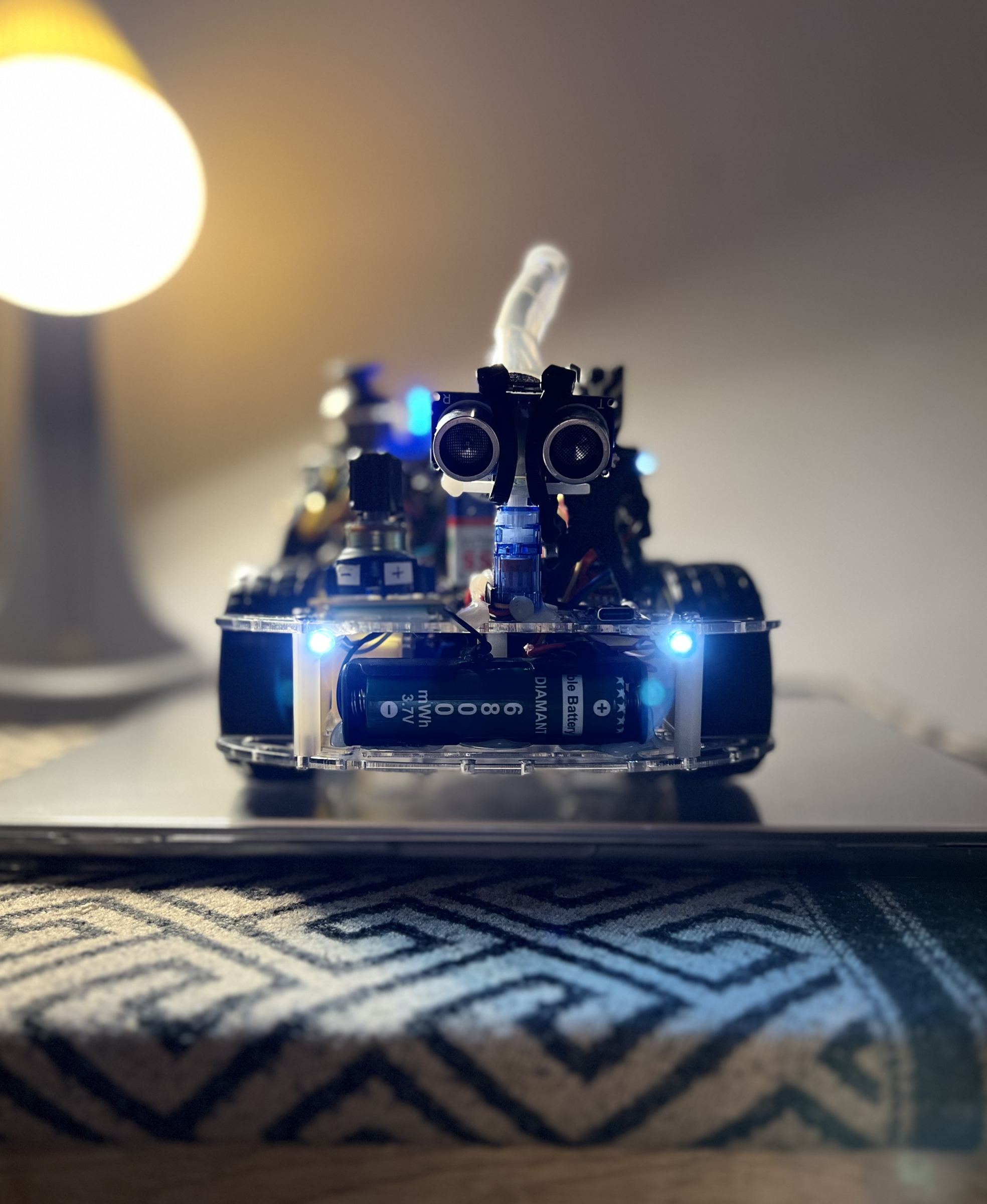
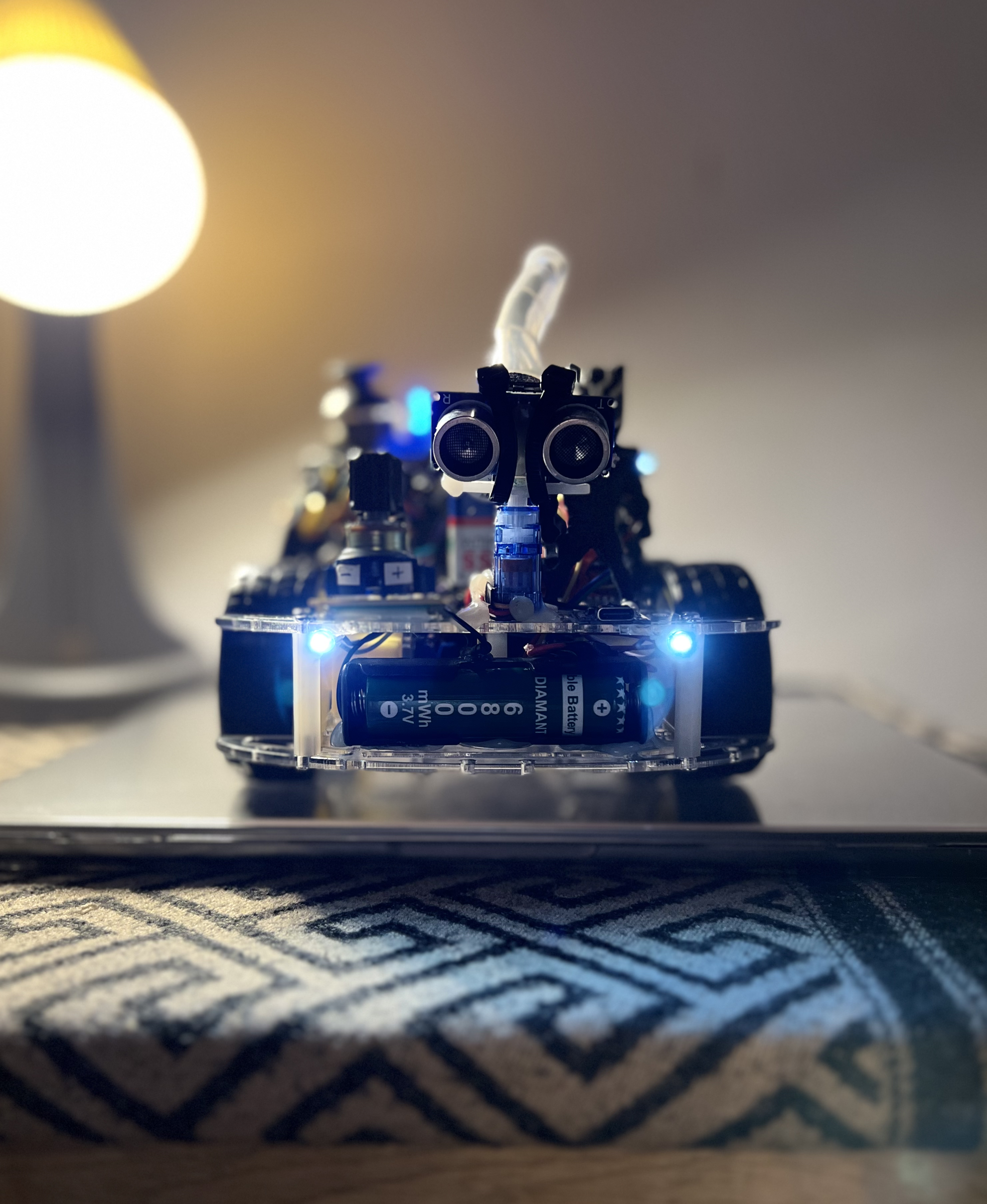
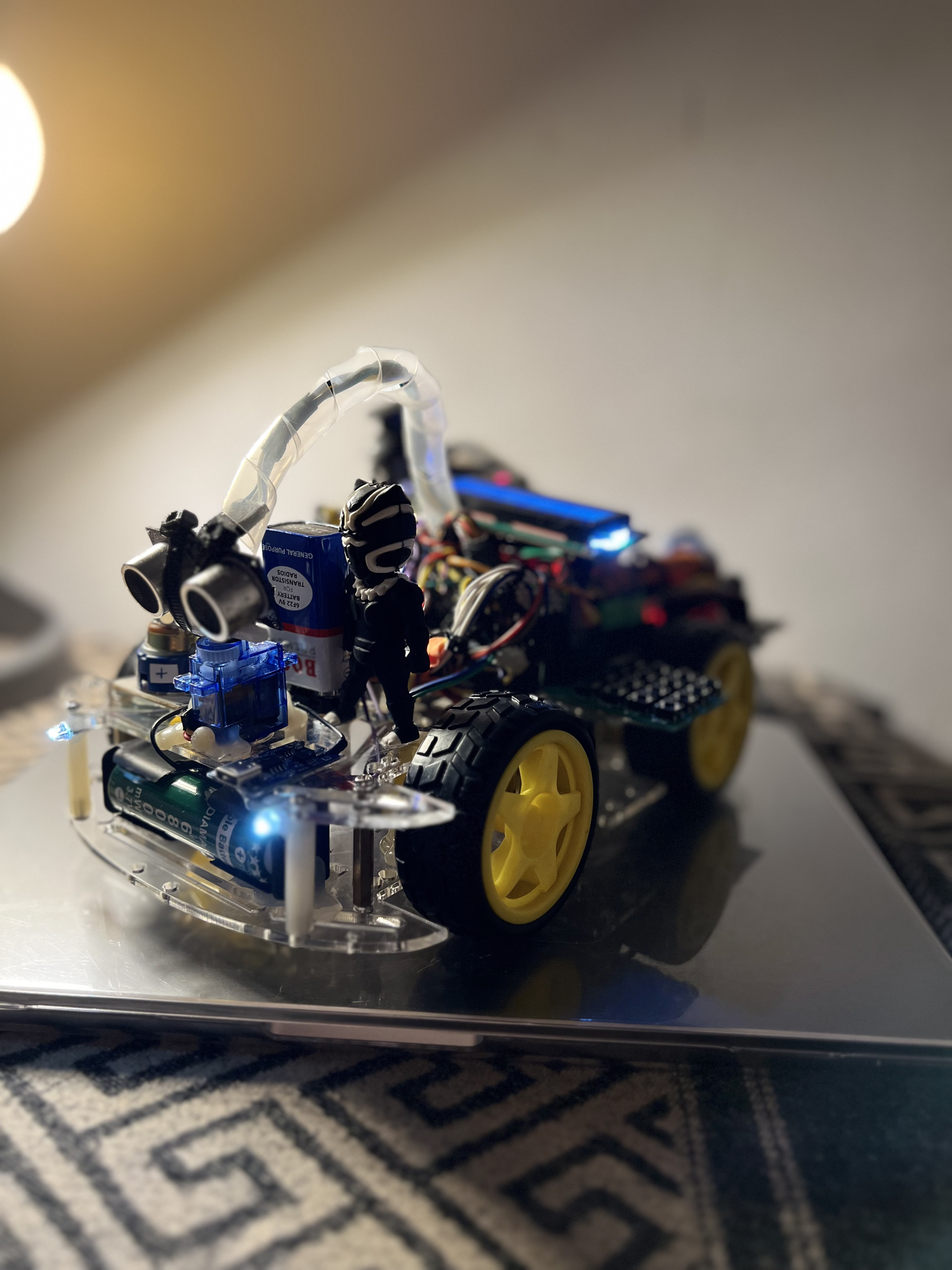
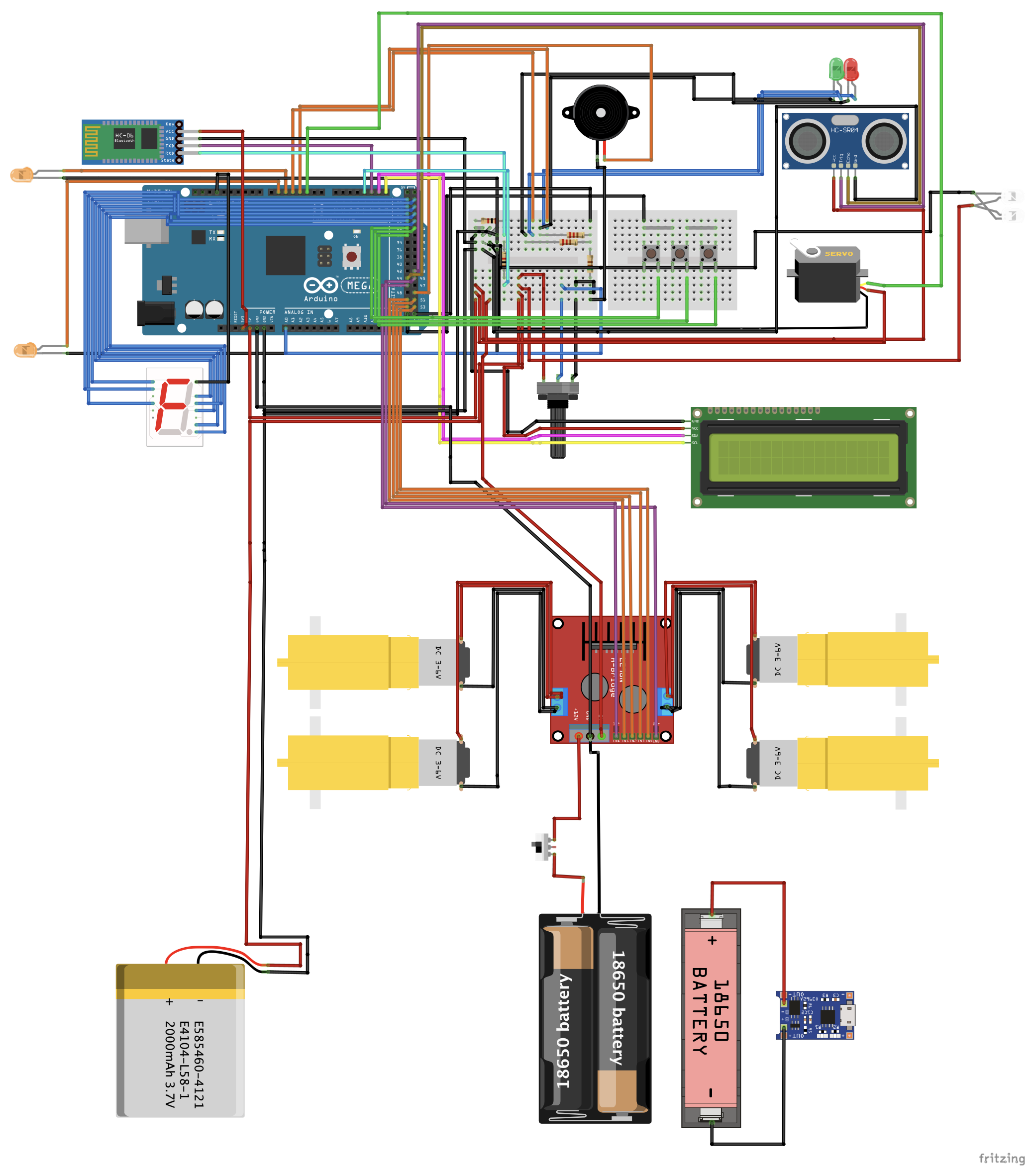
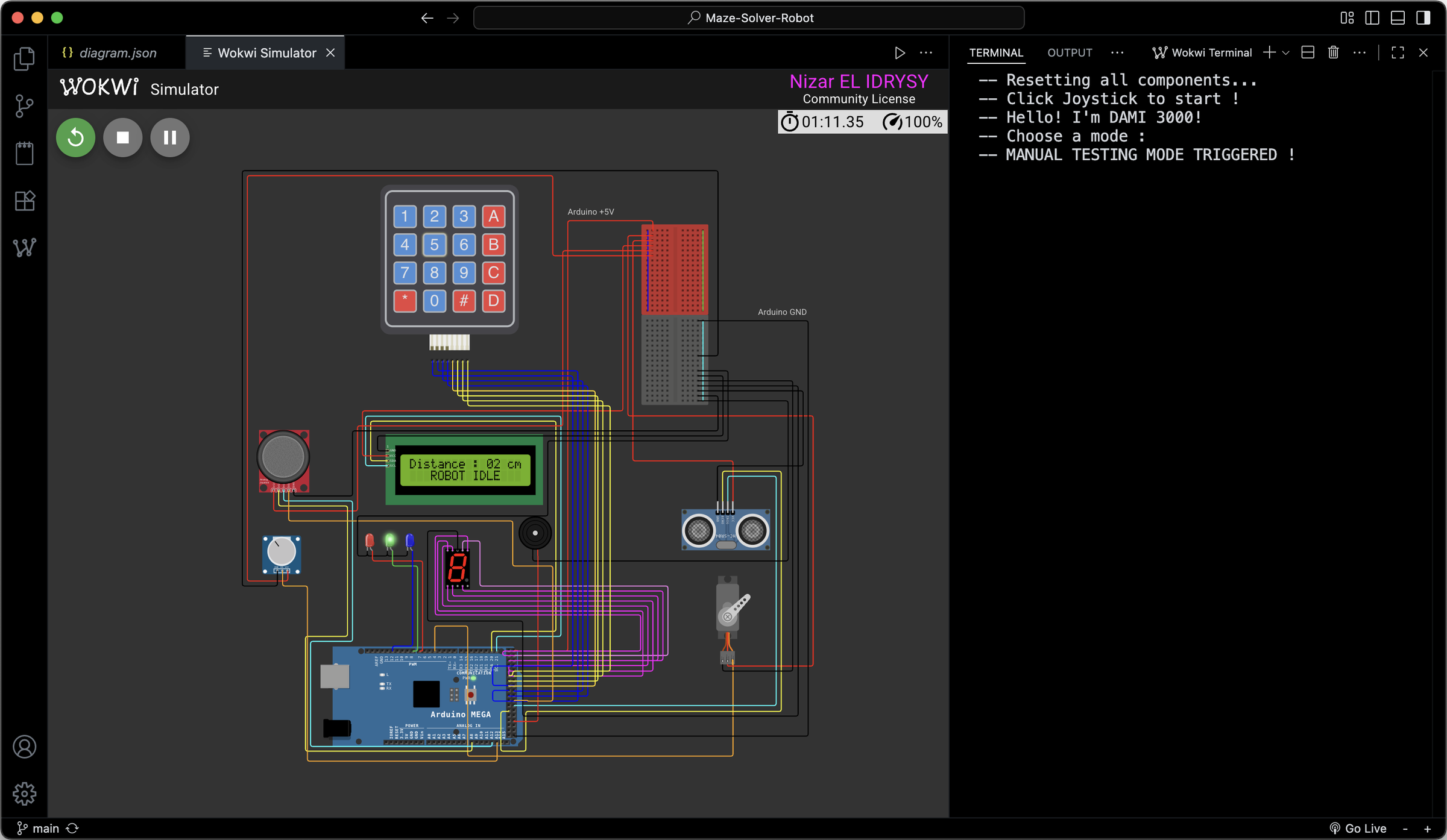
DAMI 3000: Advanced Modular Arduino 4x4 Robot
The DAMI 3000 is an ultra-versatile, mega-expanded robotics platform powered by an Arduino MEGA 2560. Designed to integrate autonomous navigation, sensory feedback, interactive entertainment, and utilities, this project packs massive functionality into a single modular codebase.
Hardware Architecture
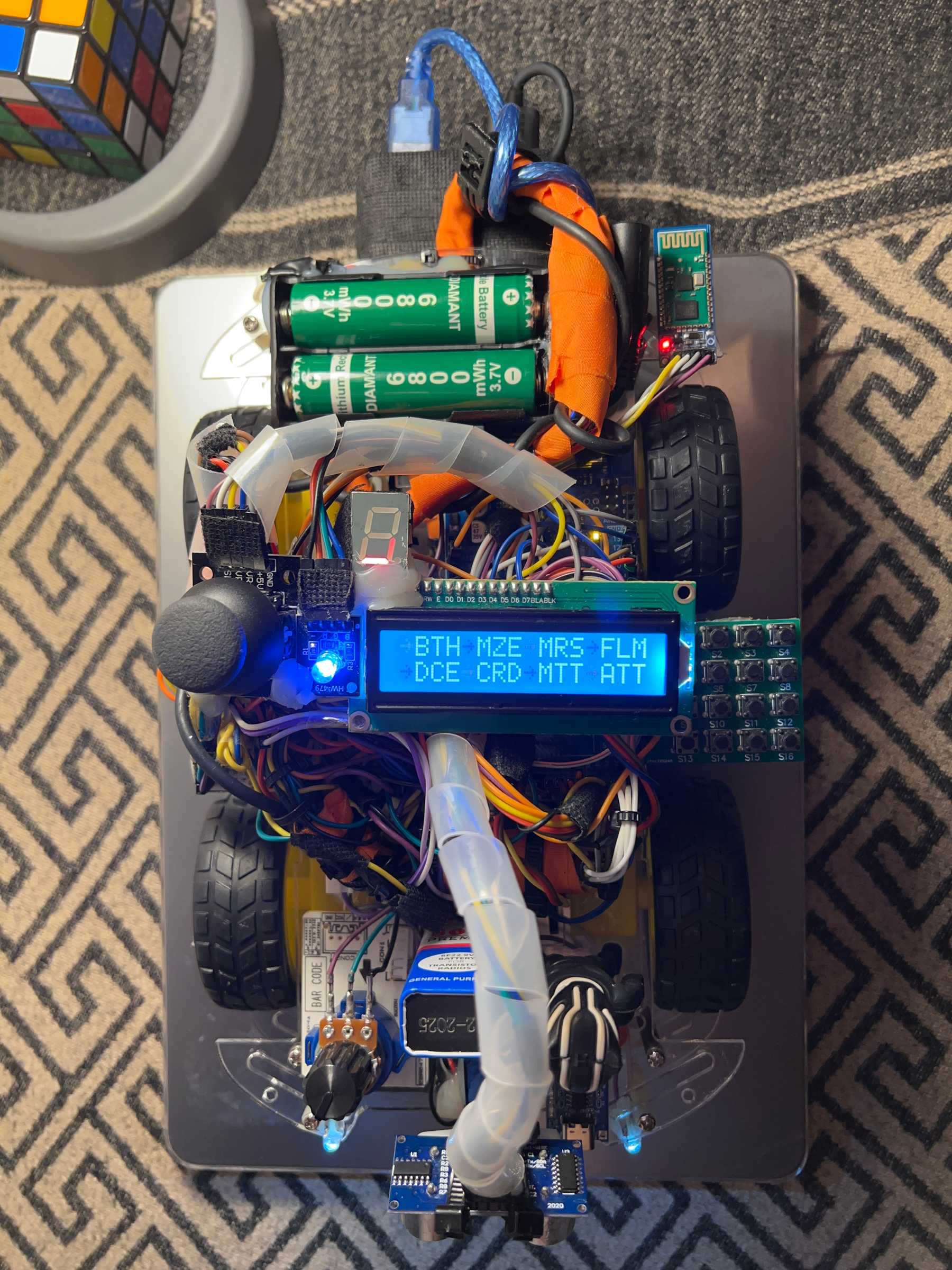
The firmware orchestrates a diverse array of hardware components integrated directly onto the robot:
- Brain: Arduino MEGA 2560
- Locomotion: L298N H-Bridge controlling dual DC motors (with analog potentiometer speed control)
- Vision & Range: HC-SR04 Ultrasonic Sensor mounted on a high-torque Servo Motor
- User Interaction: 16x2 I2C LCD, 4x4 Matrix Keypad, 2-Axis Joystick, and a 7-Segment Display
- Feedback Matrix: Active/Passive Buzzer and full-spectrum RGB LEDs
Integrated Operational Modes
The DAMI 3000 firmware features 17 distinct execution modes categorized below. No complex menu shortcuts required—just smooth, dynamic cycling directly through the I2C LCD.
Autonomous & Manual Control
- BLUETOOTH: Remote operation over serial connection (HC-06) supporting directional drive commands, servo sweeps, and custom horn triggers, all using android (BLE enabled) or CoolTerm on Windows 10.
- MAZE: Autonomous navigation driven by a smart Right-Hand Algorithm with automatic obstacle scanning and path clearing.
- FOLLOW ME: Real-time object tracking utilizing a customizable ultrasonic range threshold adjustable on-the-fly via the joystick.
- OFF: Enters a low-power, safe standby sequence accompanied by an off-tone alert.
Interactive Mini-Games
- CHROME DINAUSOR GAME: An LCD-rendered endless side-scroller game using the joystick to jump over obstacles and track high scores in EEPROM.
- SIMON SAYS: A memory matching visual game testing reflexes and sequential recall.
- REACTION: A lightning-fast reflex testing mode logging milliseconds straight to onboard storage.
Novelties & Simulations
- SLEEPY RADAR: Sweeps the servo to monitor surrounding vectors, scanning objects within immediate proximity.
- MORSE COMMUNICATION: Translates characters input over serial link directly into standard audio-visual Morse code via buzzer and RGB states.
- DICE: True randomized rolling numbers simulated dynamically across the 7-Segment screen.
- MELODIES: Pre-programmed music mode utilizing the passive buzzer to play classic multi-note chiptunes.
Daily Utilities
- CALCULATOR: Full float-based mathematical terminal input directly via the 4x4 matrix keypad layout.
- STOPWATCH AND TIMER: Dual-purpose precision timepiece featuring countdown alarms and standalone run logs.
- CREDITS: Displays project milestones, lineage, development specs, and special acknowledgments across the screens.
Hardware Diagnostics
- AUTOMATIC TEST: A safe sequential self-test pulsing motor directions, testing RGB limits, and running servo sweeps.
- MANUAL TEST: Low-level diagnostic state allowing devs to isolate single pin components via specific keystrokes.
- JOYSTICK TEST: Raw feedback monitoring showing XY boundaries directly on the telemetry terminal.
Built-in Safety Protocols
Emergency State Reset: The firmware intercepts a global emergency key (D) during ALL active states. Triggering it instantly overrides execution, forcefully kills the L298N drive lines, initializes safe servo seating (90∘), flashes warning telemetry data, and cycles the buzzer aggressively until structural safety is restored.
Contribution Workflow
Want to optimize the navigation algorithms or introduce an 18th operational mode? Contributions are welcome:
- Fork this repository.
- Setup your feature branch (git checkout -b feature/amazing-new-mode).
- Document any newly added hardware pins or dependencies.
- Open a clean Pull Request.
Engineered with dedication by Nizar EL IDRYSY ❤️
Supplies
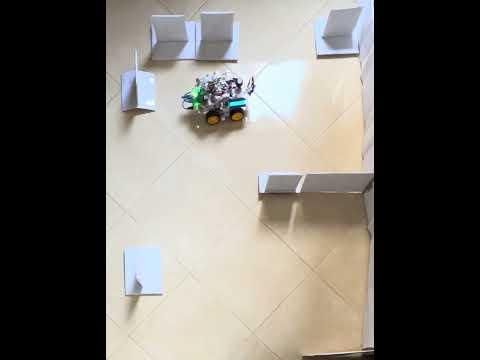
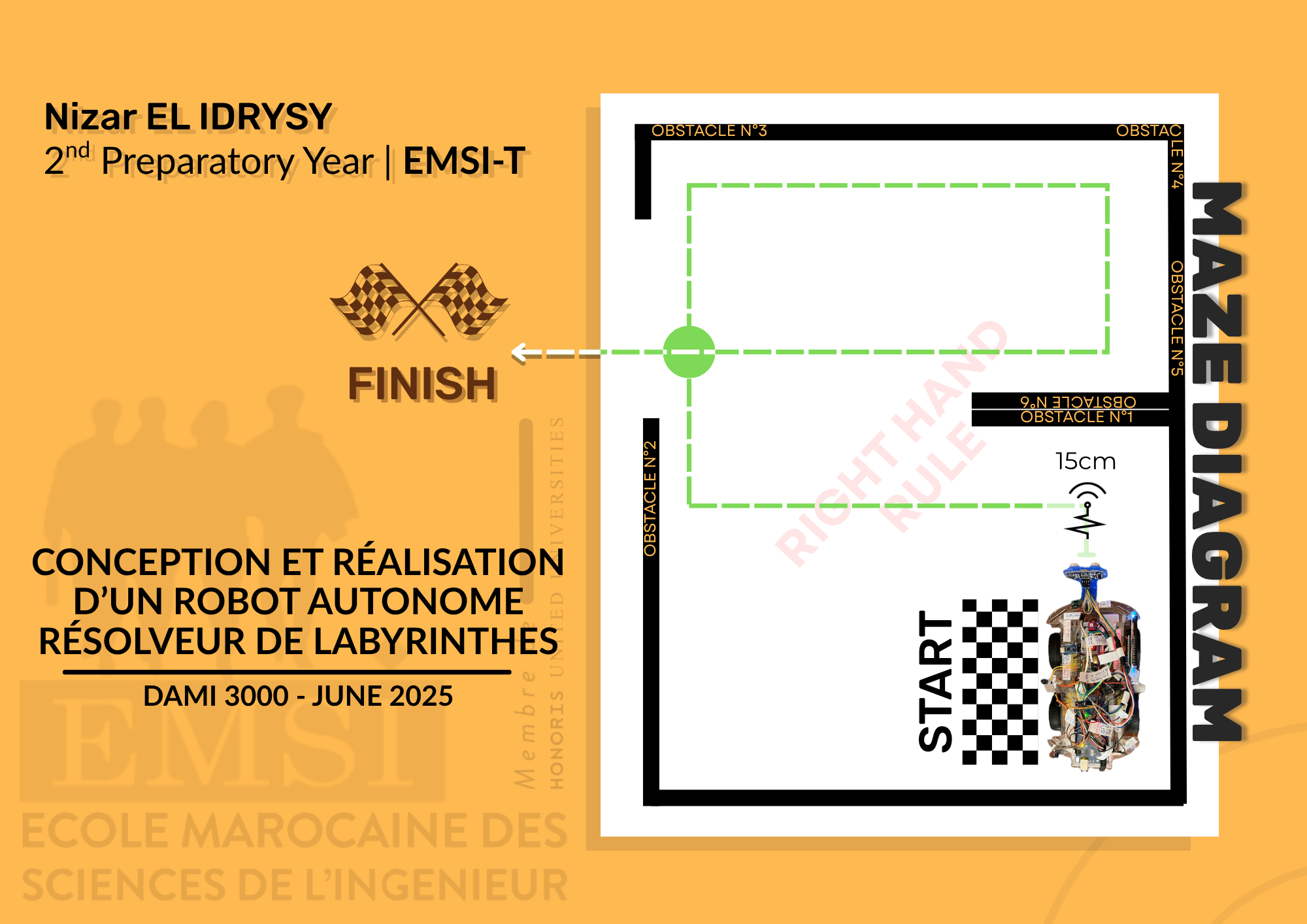
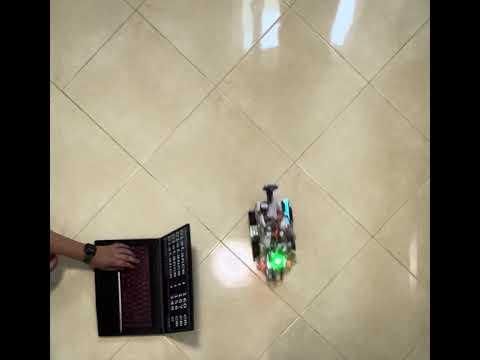
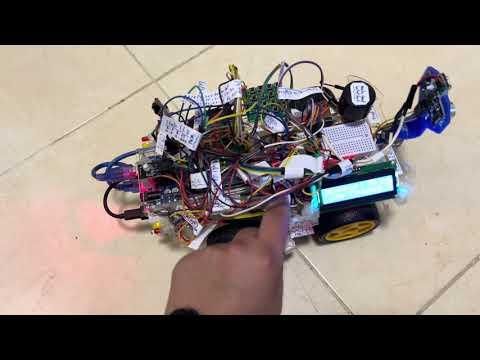
These videos are demonstrations of the 3 main modes of this robot, but the robot houses 17 total modes, please consider seeing them in the actual code or simulation provided below, as they are complimentary to this robot and are as important too.
Also note that the robot in the video is mine and manufactured by me only, the exposed wiring has been fixed and can be seen by the images joined, as the robot is controlled by two 18650 batteries for the motors and other two 18650 batteries in a powerbank shell.
You can test the full capabilities of the robot on WOKWI, as the "motor movement's needed" functions are displayed in the videos, and the rest is in the simulation on WOKWI.
Manual
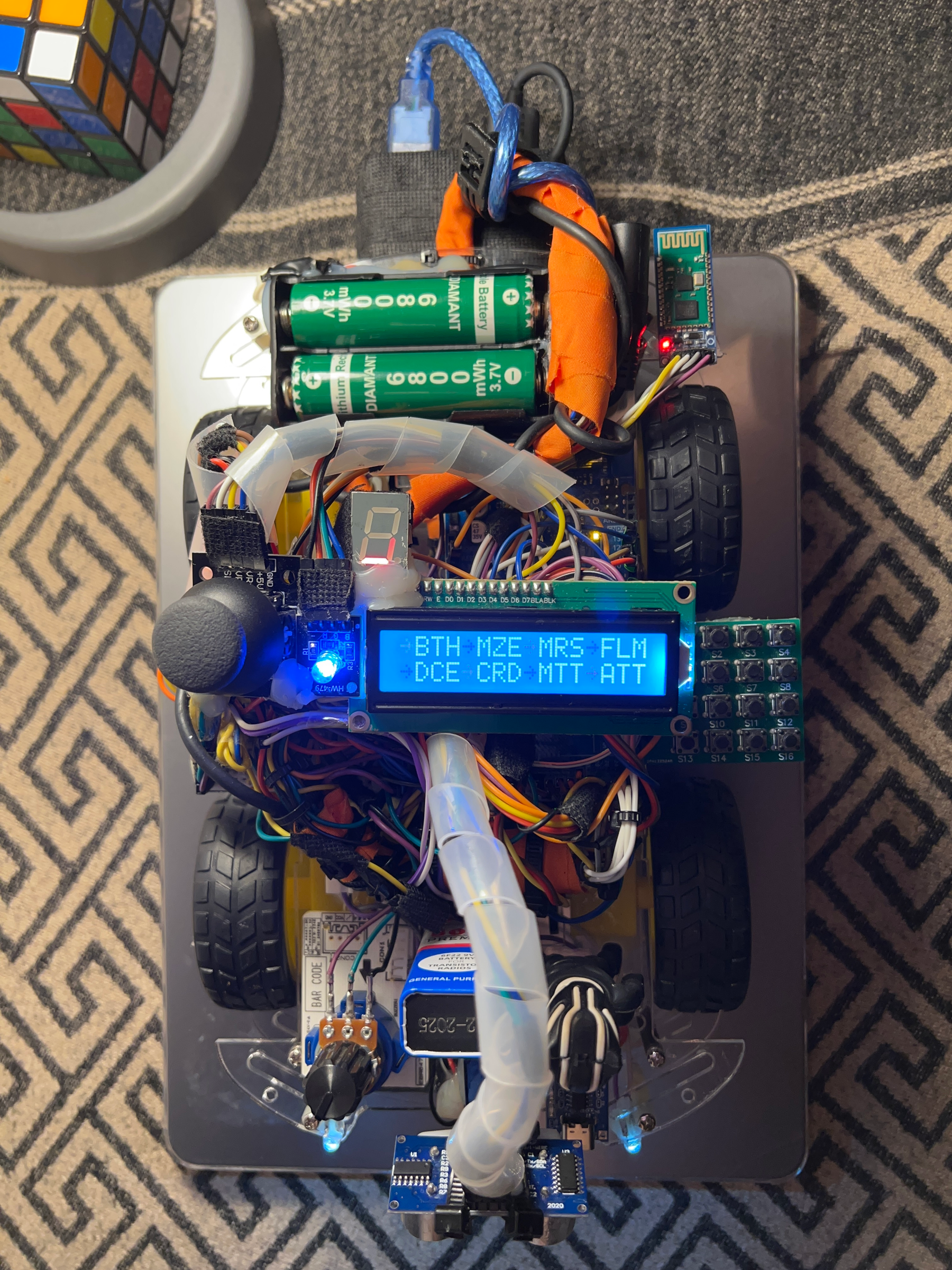
DAMI 3000: Operational Manual
This guide outlines the complete operational lifecycle, interface navigation, and safety protocols for the DAMI 3000 modular robotics platform.
1. Startup Sequence and Hardware Calibration
When the power source is connected, the robot executes an automated calibration routine to ensure structural and electrical safety:
- Hardware Reset: The firmware forces all hardware components to their default safety configurations. This corrects any manual shifts (such as a forced change to the servo motor position while the robot was stored on a shelf).
- Standby Lock: The system locks and waits for user acknowledgment. The LCD remains idle until you click the Joystick.
- Welcome Sequence: Once clicked, a one-time introductory message sequence plays, stating the robot's name (DAMI 3000), before transitioning to the main selection environment.
2. Menu Navigation Logic
The interface displays 16 core operational modes split across two distinct menu variants for clear readability.
- Switching Menu Pages: Move the Joystick Left or Right to cycle back and forth between the two menu variants. Each page presents 8 distinct operational modes.
- Selecting a Mode: Use the 4x4 Matrix Keypad to launch a mode. The keys correspond directly to the operational modes:
- S1 through S16: Pressing a key maps directly to launching its assigned mode.
3. In-Mode Interactions and Runtime Controls
Once a mode is running, user interaction depends on the specific logic of that mode (e.g., joystick steering, calculator inputs, or game reflexes). However, two global overrides are hardcoded into the keypad layout:
- Execution Pause (S15): Supported modes can be paused instantly mid-execution by pressing the S15 button, freezing current movements or timers until resumed by clicking s15 again.
- Emergency Reset & Mode Exit (S16): Pressing the S16 button triggers the 17th mode (Emergency Mode). This functions as both a safety kill-switch and a global "Back" button from current modes:
- It overrides any active process or runaway state.
- It kills motor power and resets all components back to their original baseline positions.
- It terminates the active mode and returns you directly back to the main selection menu.
- If inside an active mode, press S16 to safely exit back to the main menu.
4. Safe Shutdown Procedure
To prevent gear damage, electrical arcs, or memory corruption before storing the robot back on a shelf, follow this sequence:
*. If inside an active mode, press S16 to safely exit back to the main menu. 2. While in the main menu, click the Joystick inward. 3. The robot will initiate a final teardown routine: resetting all actuators to baseline positions, turning off the LCD, and powering down all peripheral matrices. 4. Once the system indicators turn off, it is completely safe to disconnect the batteries and store the robot away.
GitHub Repository
Simulation 'Wokwi'
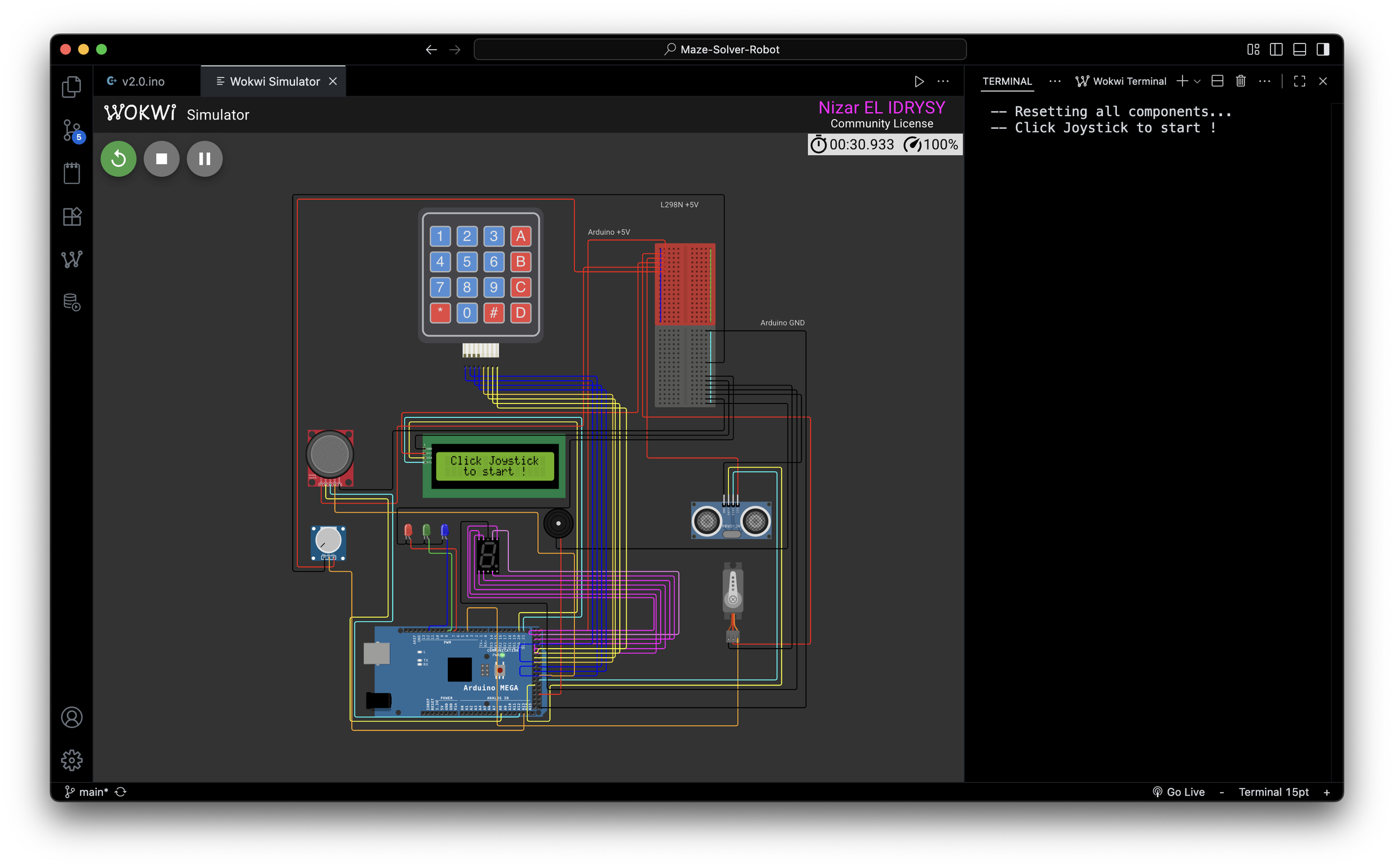
https://wokwi.com/projects/449325268385536001
As explained up top, "motor movement's needed" functions were demonstrated through the videos, as of Bluetooth, Maze and Test modes. Other modes can be displayed here; through the WOKWI website, for the other 14 modes.