OK3588 6.1.99 Android 14 U-Disk Upgrade Solution
by yir65681 in Circuits > Electronics
34 Views, 0 Favorites, 0 Comments
OK3588 6.1.99 Android 14 U-Disk Upgrade Solution

In the deployment and maintenance of Android devices, the system upgrade solution remains a key focus for customers. Common local upgrade methods are OTA upgrades and SD/TF card flashing. The Over-The-Air (OTA) upgrade method, which is the standard for Android updates, allows for both full and incremental packages to be installed through local and network upgrades. While it offers strong functionality, there are limitations in specific situations. These limitations include the inability to roll back an upgrade after a failure and a lack of flexibility when it comes to flashing third-party or custom systems. On the other hand, SD/TF card flashing is more straightforward but requires the hardware platform to have a dedicated card slot.
To address these practical project needs, the OK3588 Android 14 platform offers a more flexible local upgrade method: U-disk upgrade via USB interface. This solution does not rely on TF/SD card interfaces and is suitable for scenarios such as on-site maintenance, offline upgrades, and rapid system recovery.
Background
In the deployment and maintenance of Android devices, the system upgrade solution remains a key focus for customers. Common local upgrade methods are OTA upgrades and SD/TF card flashing. The Over-The-Air (OTA) upgrade method, which is the standard for Android updates, allows for both full and incremental packages to be installed through local and network upgrades. While it offers strong functionality, there are limitations in specific situations. These limitations include the inability to roll back an upgrade after a failure and a lack of flexibility when it comes to flashing third-party or custom systems. On the other hand, SD/TF card flashing is more straightforward but requires the hardware platform to have a dedicated card slot.
To address these practical project needs, the OK3588 Android 14 platform offers a more flexible local upgrade method: U-disk upgrade via USB interface. This solution does not rely on TF/SD card interfaces and is suitable for scenarios such as on-site maintenance, offline upgrades, and rapid system recovery.
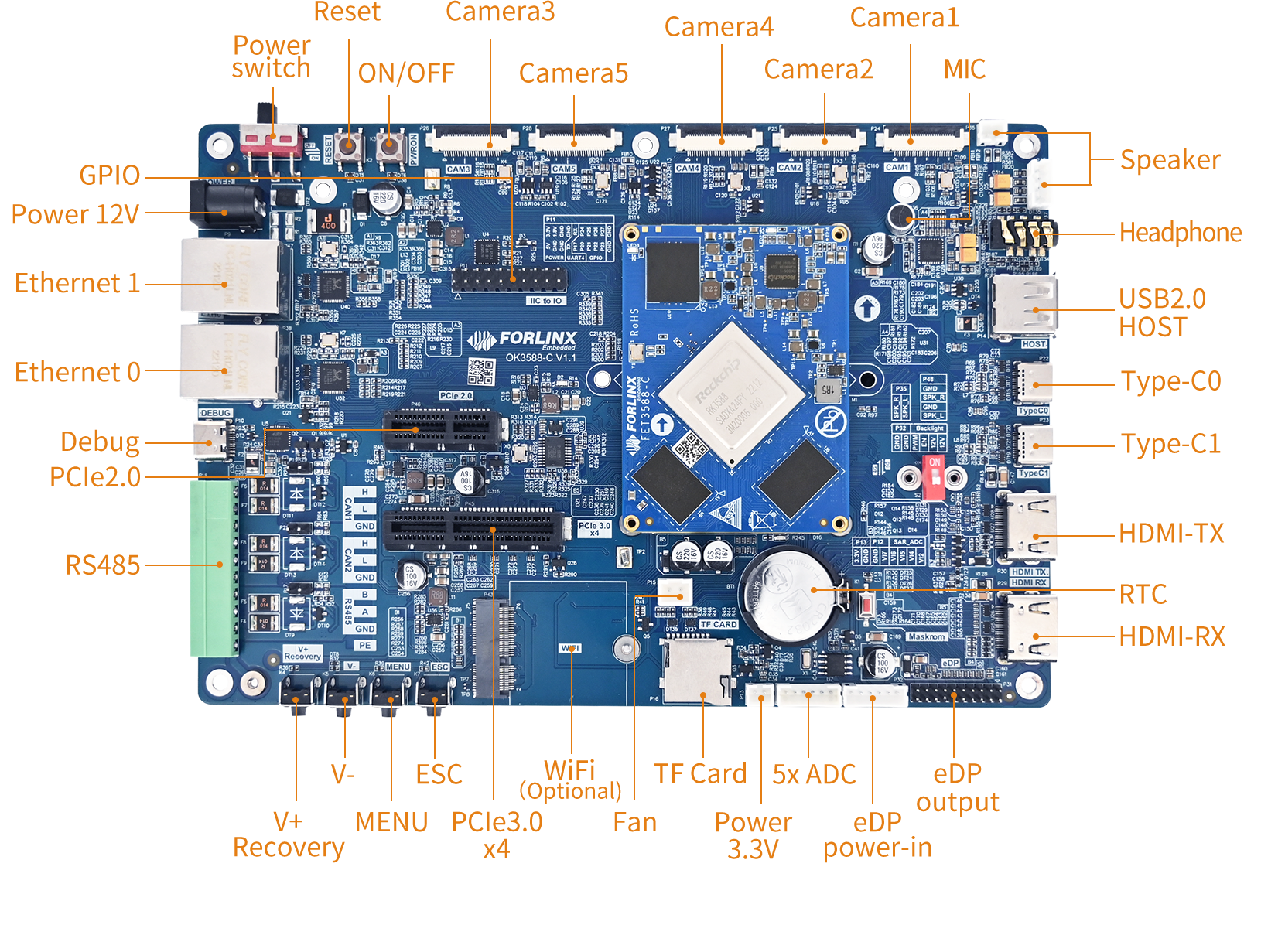
Core Implementation Approach
1. Enabling USB Boot in U-Boot
Before entering Recovery, it is crucial to ensure that U-Boot can recognize the U-disk and successfully boot from the USB device. Boot capability from the U-disk is confirmed when the boot logs display messages such as “Booting from USB.” The default U-Boot in the public version image mainly supports booting from TF/SD cards. If USB boot functionality is required, you must use a version of U-Boot that supports booting from U-disks. For assistance, please contact Forlinx engineers for the necessary support.
2. Recovery Support for USB Storage Flashing (Default support in public version image, no modification required)
The source code for Android 14 Recovery can be found in the directory OK3576-android14-source/bootable/recovery. The current version of the Android 14 Recovery source code supports flashing from USB storage media by default, which means that additional modifications to Recovery are usually not required. Once you enter Recovery, the system will follow the standard upgrade procedure to recognize the upgrade package and execute the flashing process.
2.1 Entering Recovery
OK3576-android14-source/bootable/recovery/recovery_main.cpp
2.2 Start_recovery Flashing
OK3576-android14-source/bootable/recovery/recovery.cpp
USB Flashing Implementation and Process
1. Creating a Bootable U-disk
First, prepare a FAT32-formatted U-disk and create the upgrade medium according to the flashing rules.
In essence, this process is similar to creating a traditional SD card flashing package, but the storage medium is switched from a TF/SD card to a U-disk.
2. U-boot Booting from the U-disk and Entering Recovery
After the device powers on, the USB boot-enabled U-Boot scans various USB buses and storage devices.
3. Flashing via the Update Process in Recovery
After entering Recovery, the system invokes the corresponding upgrade interfaces based on the selected upgrade mode and initiates the upgrade process.
Flashing Completion Prompt
Application Value of the USB Flashing Solution
For the OK3588 Android 14 platform, the USB flashing solution is not merely a supplement to existing upgrade methods, but a more practical upgrade path better suited to project field requirements.
1. Reduced Dependence on Hardware Interfaces
It does not require reserved TF/SD card slots, making it suitable for terminal devices with limited structural space or interface resources.
2. Enhanced On-site Maintenance Convenience
Local upgrades can be performed simply using a U-disk. The operation is straightforward, suitable for after-sales maintenance and rapid system recovery in engineering environments.
3. Favorable for Custom System Deployment
In scenarios where preserving existing user data is not required, USB flashing serves as a more direct method for full system updates.
4. Facilitates Batch Deployment and Standardized Promotion
For projects requiring offline upgrades, batch delivery, or system recovery, this solution offers good replicability and promotional value.
Summary
Implementing USB local flashing on the OK3588 Android 14 platform involves establishing a USB boot link in U-Boot, enhancing the existing Android Recovery upgrade capability to create a comprehensive U-disk upgrade solution.
Compared to traditional OTA and TF/SD card flashing methods, this solution offers significant advantages in offline upgrades, on-site maintenance, structural adaptability, and system recovery efficiency.
For projects that require local upgrades, rapid recovery, and flexible deployment, USB flashing undoubtedly is a solution with greater practical engineering value.