ORBIT: Adding a Claw to the Basebot
by samuelwlinton in Design > 3D Design
66 Views, 1 Favorites, 0 Comments
ORBIT: Adding a Claw to the Basebot

This project explains how to add a Claw to a Basebot to make it into a Clawbot. The Claw consists of a Gripper and a Lifter.
Supplies

- Lifter Frame (1x)
- Lifter Holder (1x)
- Lifter Driver Gear (1x)
- Lifter Driven Gear (1x)
- Shaft Cap (2x)
- Gripper Driver Gear (1x)
- Gripper Driven Gear (1x)
- Servomotor (2x)
Not Shown:
- M2 screws and nuts (4x)
- M3 screws and nuts (2x)
- M2.5 screws for servomotors (comes with servomotor)
Tools Needed:
- Screwdriver
Ensure Gears Turn Smoothly on Their Shafts
The Lifter Driven Gear (3) and Gripper Driven Gear (4) are designed to rotate smoothly on the shafts on the Lifter Holder (2) and Lifter Frame (1), respectively. Smooth out any rough or uneven surfaces by placing the gears on the shafts and turning them until they turn smoothly.
Insert the Lifter Frame Into the Lifter Holder


Squeeze the Lifter Frame (1) into the Lifter Holder (2). Make the Lifter Frame slides smoothly up and down. It may help to slide it up and down to smooth off the surfaces.
Insert Lifter Servomotor

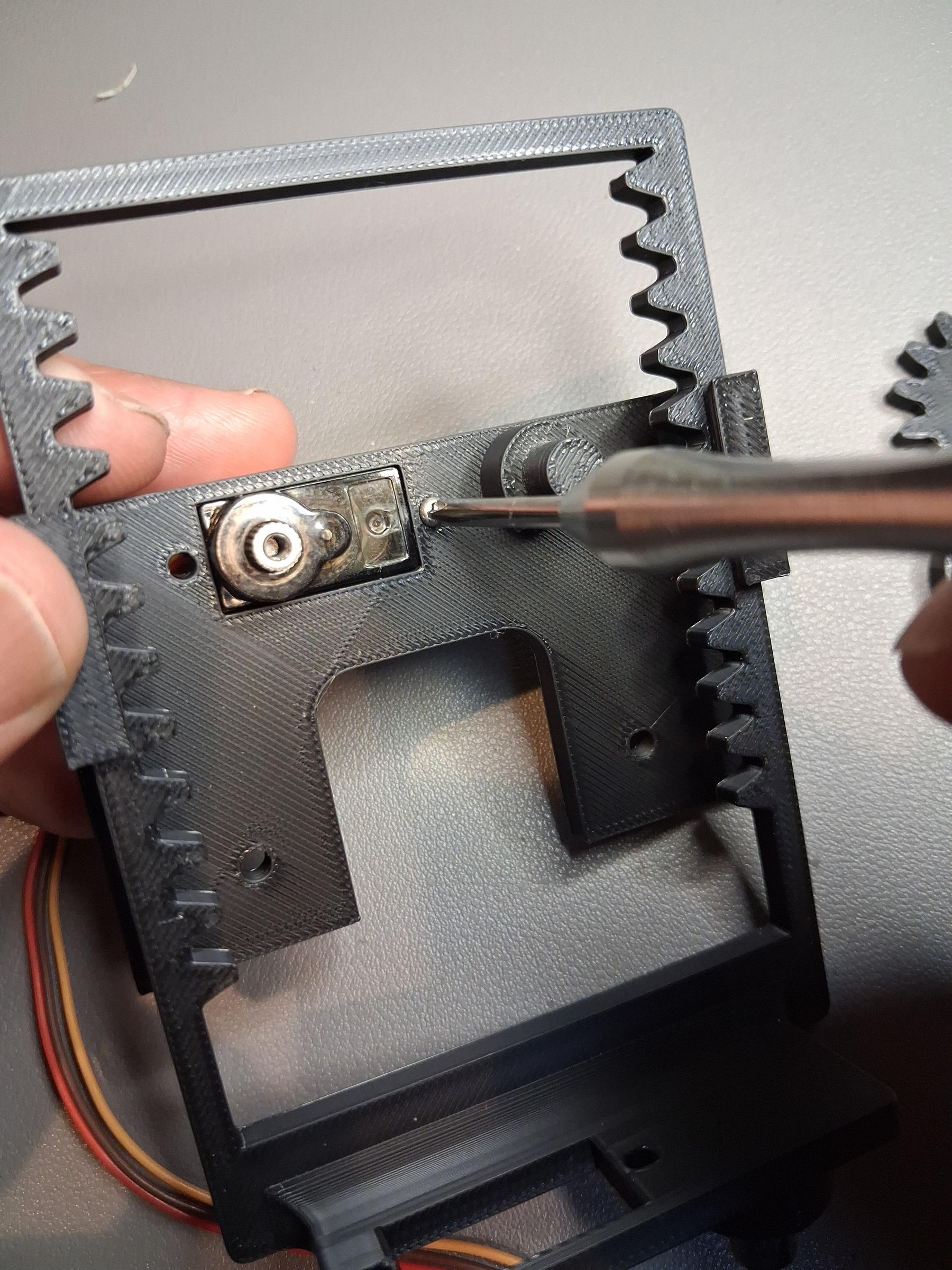

Insert one of the Servomotors (8) into the slot in the Lifter Holder (2). Use two of the M2 screws and bolts to hold it in place. Use a spare servomotor horn to rotate the servomotor fully counterclockwise. Fully counterclockwise is the "zero" position" and corresponds to the Lifter Frame being as far down as possible in the Lifter Holder.
Add Lifter Gears

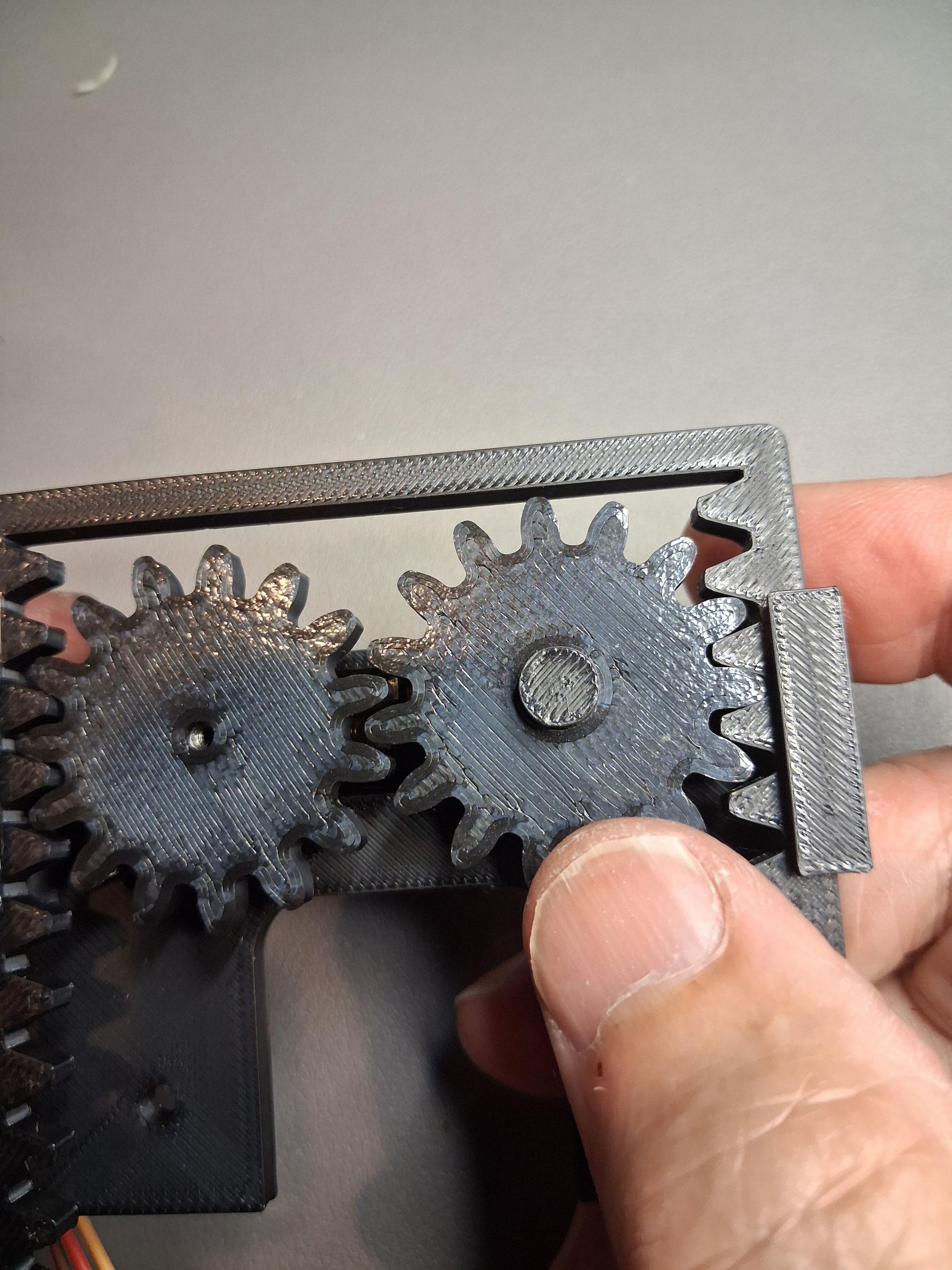


Move the Lifter Frame (1) as far down on the Lifter Holder (2) as possible while allowing room for the Lifter Driver Gear (2). Push the Lifter Driver Gear onto the Servomotor firmly. Next, push the Lifter Driven Gear (3) onto the shaft next to the Lifter Driver Gear. The two gears should mesh with each other.
Use the M2.5 screw that comes with the Servomotor to screw the Lifter Driver Gear into the Servomotor. Next, secure the Lifter Driven Gear onto its shaft by pushing on one of the Shaft Caps (5).
Verify that the Lifter Frame moves smoothly in the Lifter Holder. There should be a slight resistance because the Servomotor will be turned when you slide the Lifter Frame.
Insert Gripper Servomotor
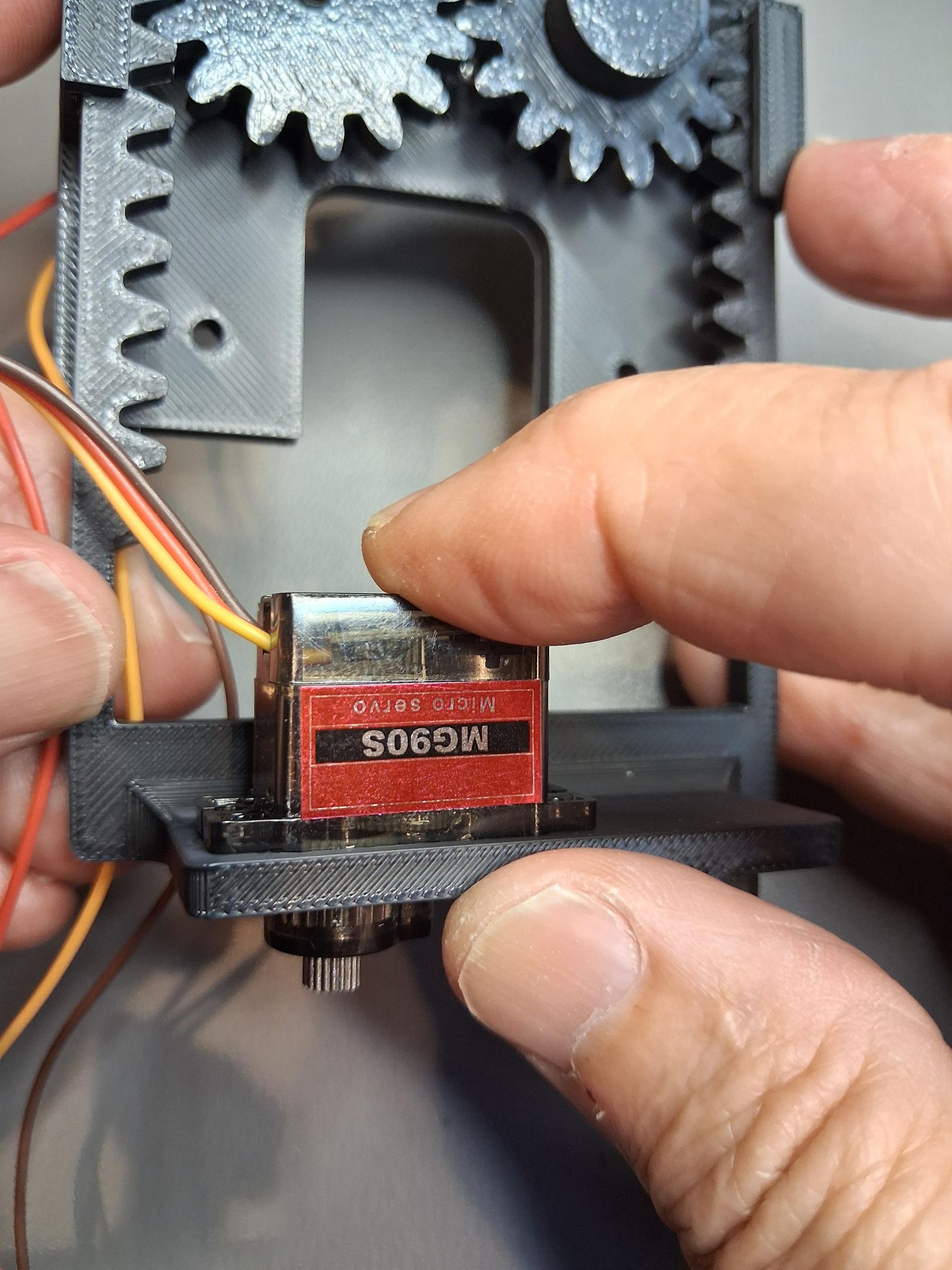
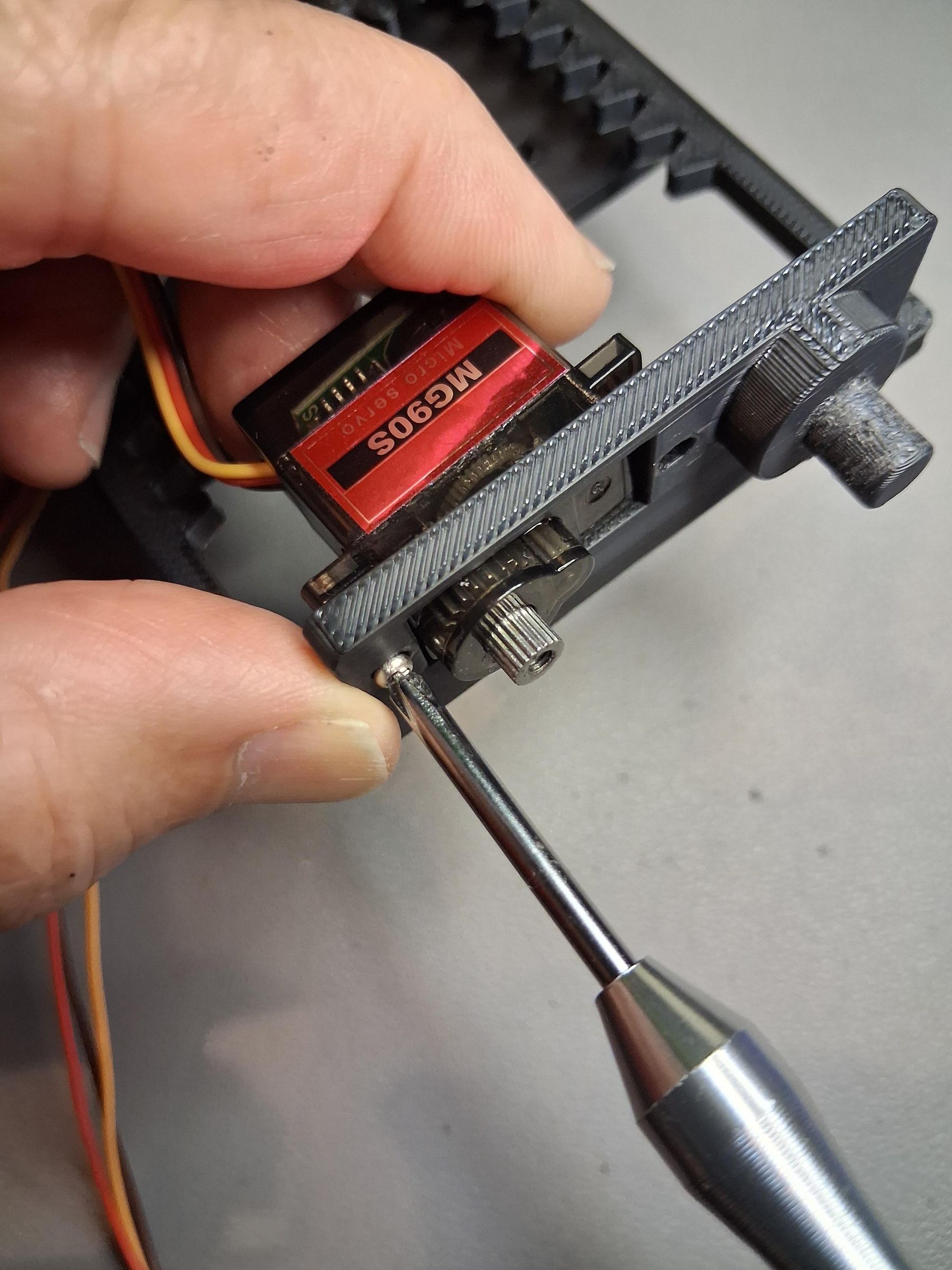

Insert the second Servomotor (8) into the slot made for it in the bottom of the Lifter Frame. Secure it with two M2 screws and nuts. Use a spare servomotor horn to rotate the servomotor fully clockwise. Fully clockwise is the "zero" position" and correspond to the Gripper being fully closed.
Add Gripper Gears

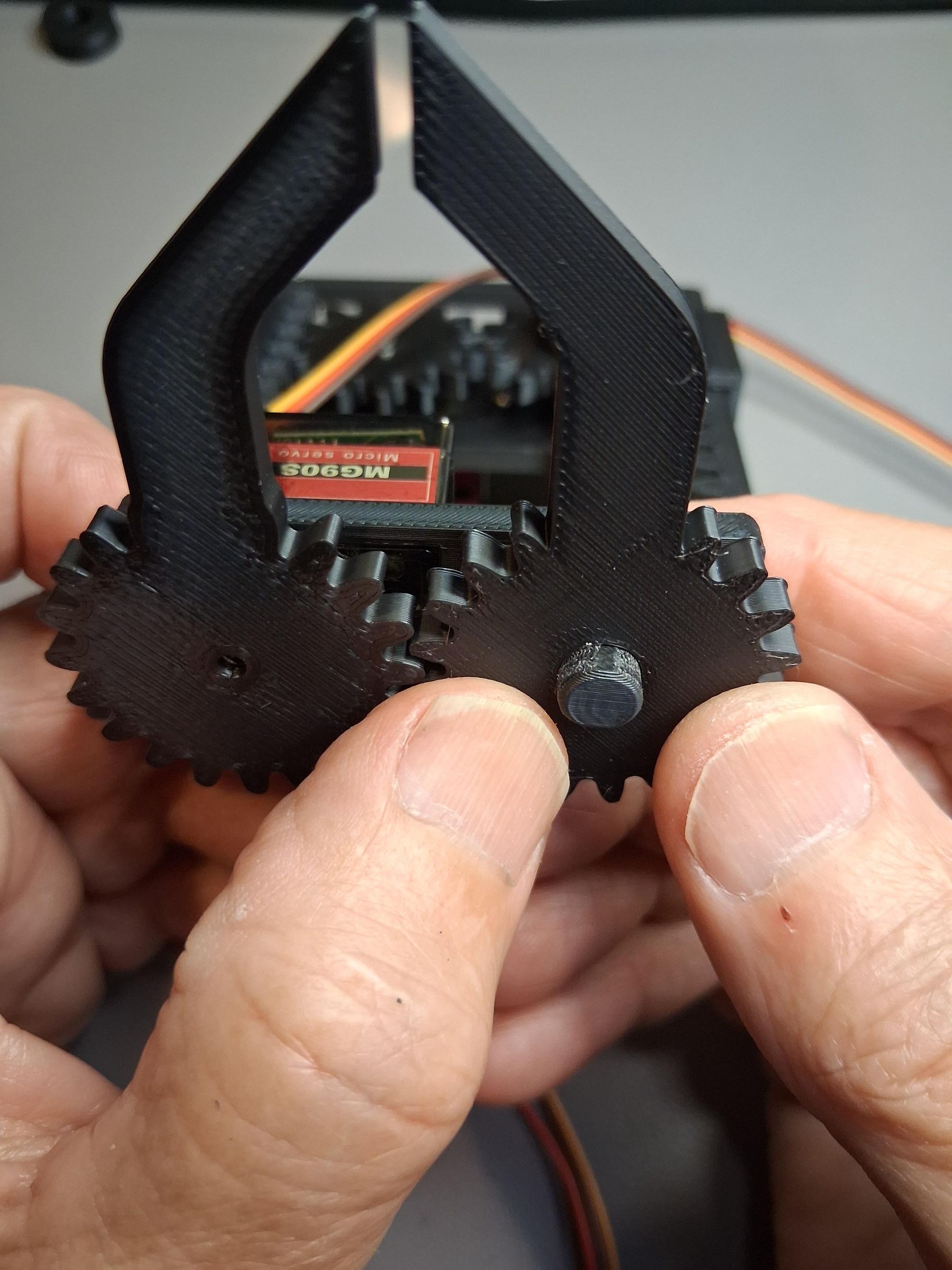

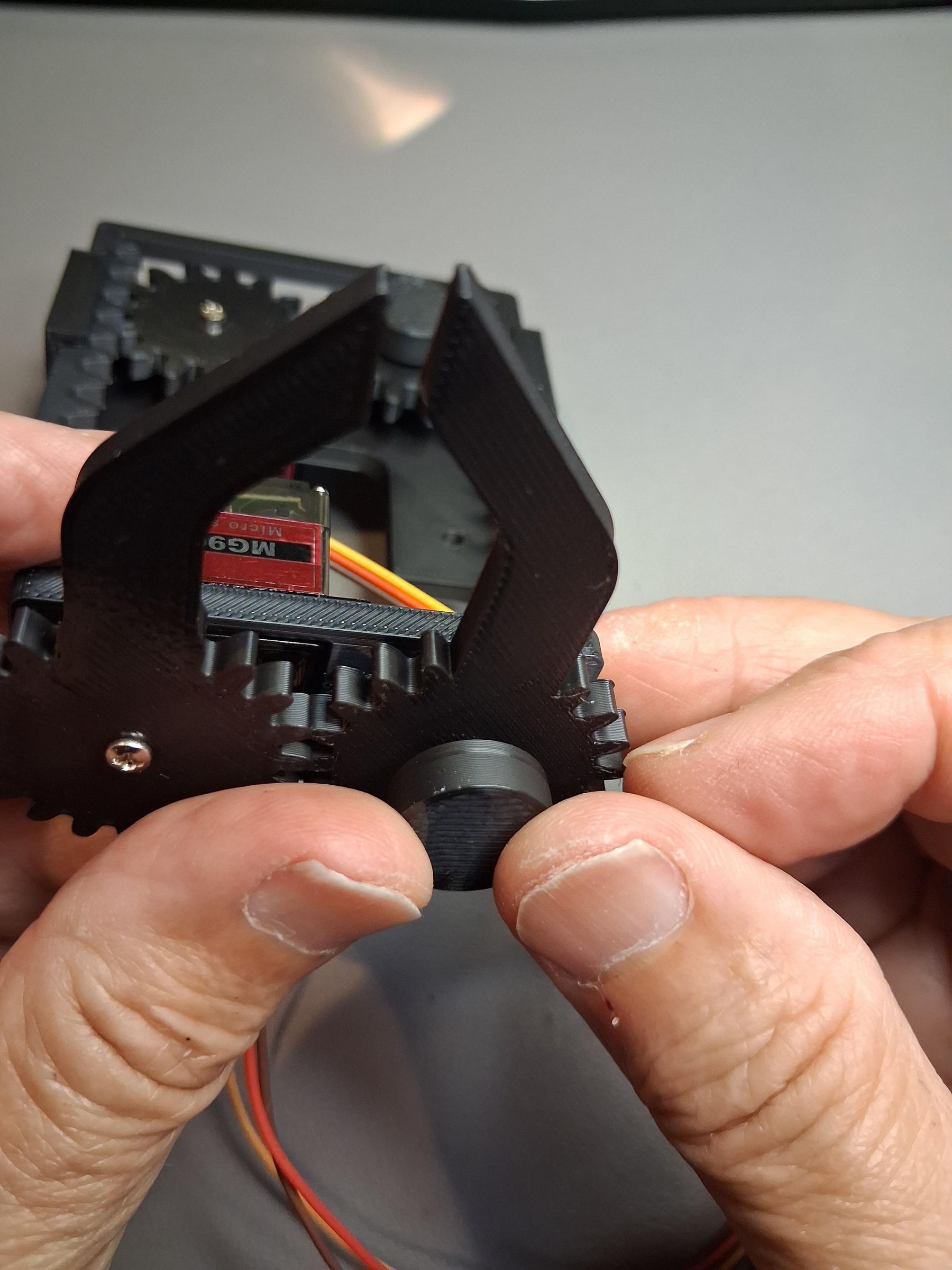
Push on the Gripper Driver Gear (6) onto the Servomotor so that it points forward in what will be the closed position of the gripper. Push the Gripper Driven Gear (7) onto the shaft next to the Gripper Driver Gear. The teeth of the two gears should mesh, and the gripper should be in the closed position.
Use the M2.5 screw that comes with the Servomotor to screw the Gripper Driver Gear into the Servomotor. Next, secure the Gripper Driven Gear onto its shaft by pushing on one of the Shaft Caps (5).
Fasten the Claw to the Robot
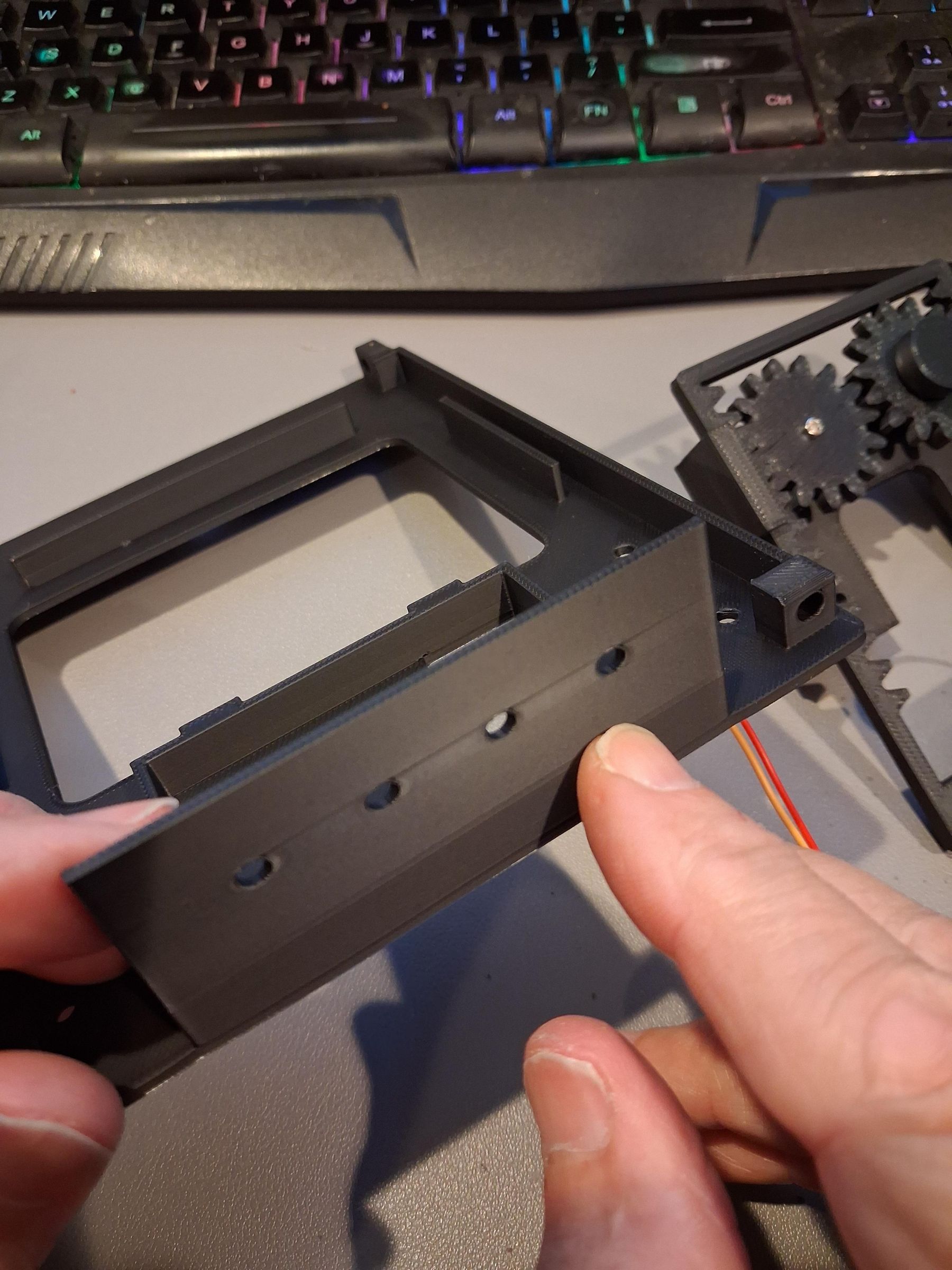

The Basebot frame has an Accessory Bar with 4 holes in it. Attach the Claw to the Accessory Bar using two M3 screws and bolts.
Your Clawbot is complete!