Obstacle Avoiding Robot
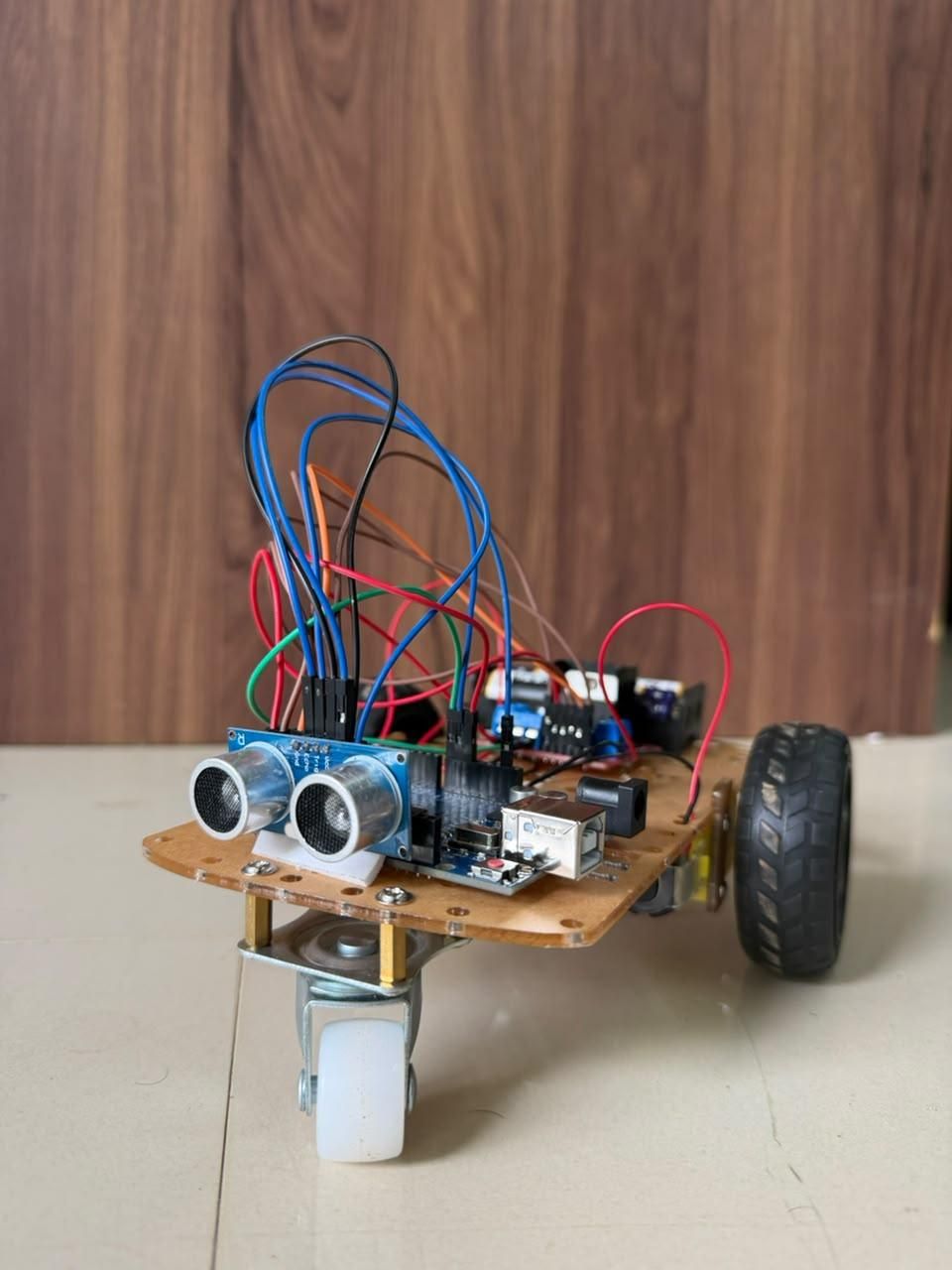
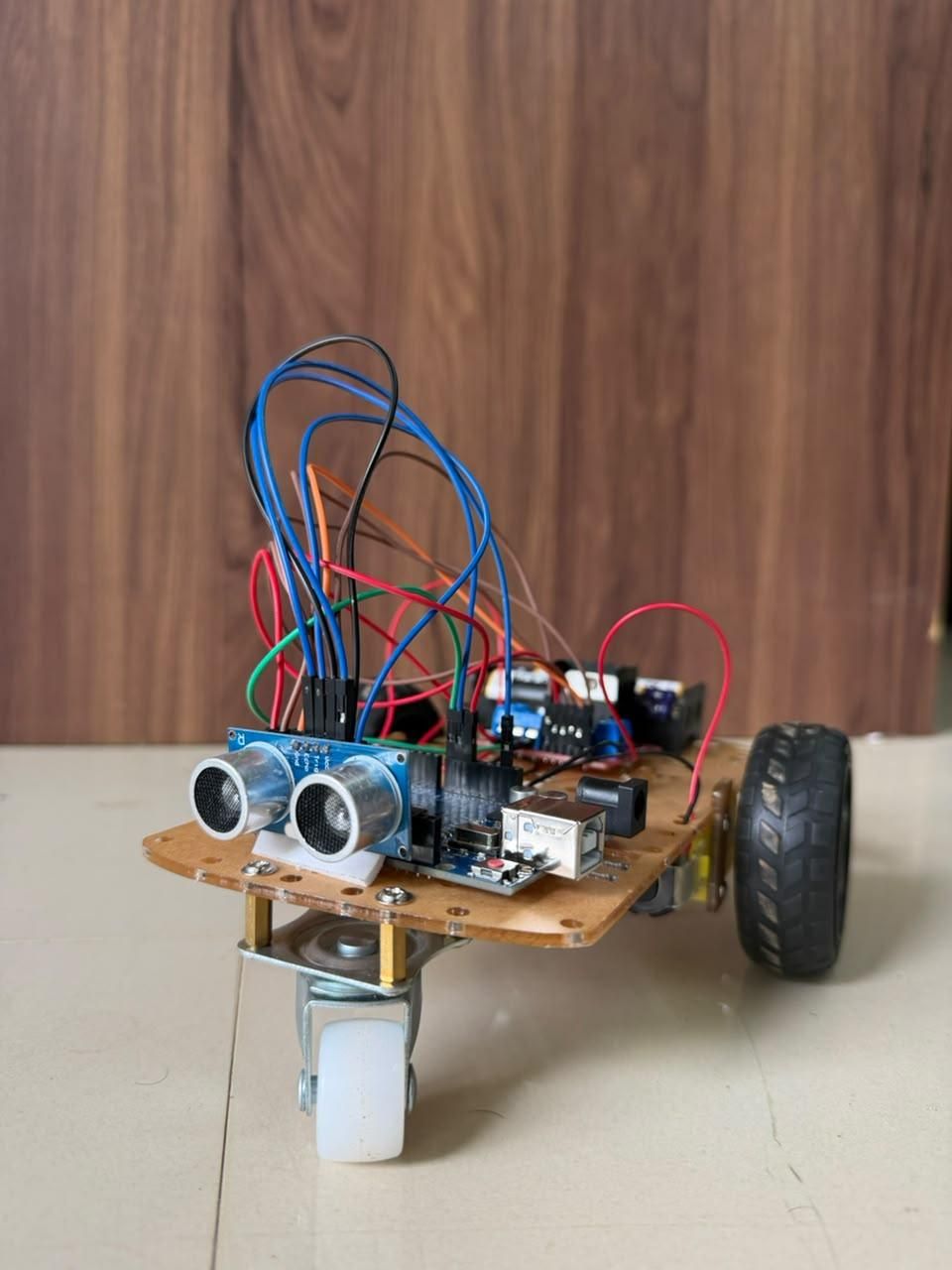
Obstacle Avoiding Robots are autonomous robots capable of detecting obstacles in their path and changing direction automatically to avoid collisions. This project uses an Arduino Uno, an HC-SR04 ultrasonic sensor, an L298N motor driver, and two DC motors to create a simple obstacle avoidance robot.
Supplies
Arduino Uno
HC-SR04 Ultrasonic Sensor
L298N Motor Driver Module
2 DC Geared Motors
Robot Chassis
Caster Wheel
Battery Pack (7.4V–12V)
Jumper Wires
Software - Arduino IDE
Working Principle
The HC-SR04 ultrasonic sensor emits ultrasonic waves and measures the time taken for the echo to return.
Distance is calculated using:
Distance = (Speed of Sound × Time)/2
When the measured distance becomes smaller than the threshold value (for example, 20 cm):
- Robot stops.
- Robot moves backward briefly.
- Robot turns left or right.
- Robot continues moving forward.
This process repeats continuously.
Circuit Connections
HC-SR04 to Arduino
VCC - 5V
GND - GND
TRIG - D9
ECHO - D10
L298N to Arduino
IN1 - D2
IN2 - D3
IN3 - D4
IN4 - D5
Motors
- Left Motor → OUT1 and OUT2
- Right Motor → OUT3 and OUT4
Power
- Battery → L298N Power Input
- Arduino powered through battery
Assemble the Robot
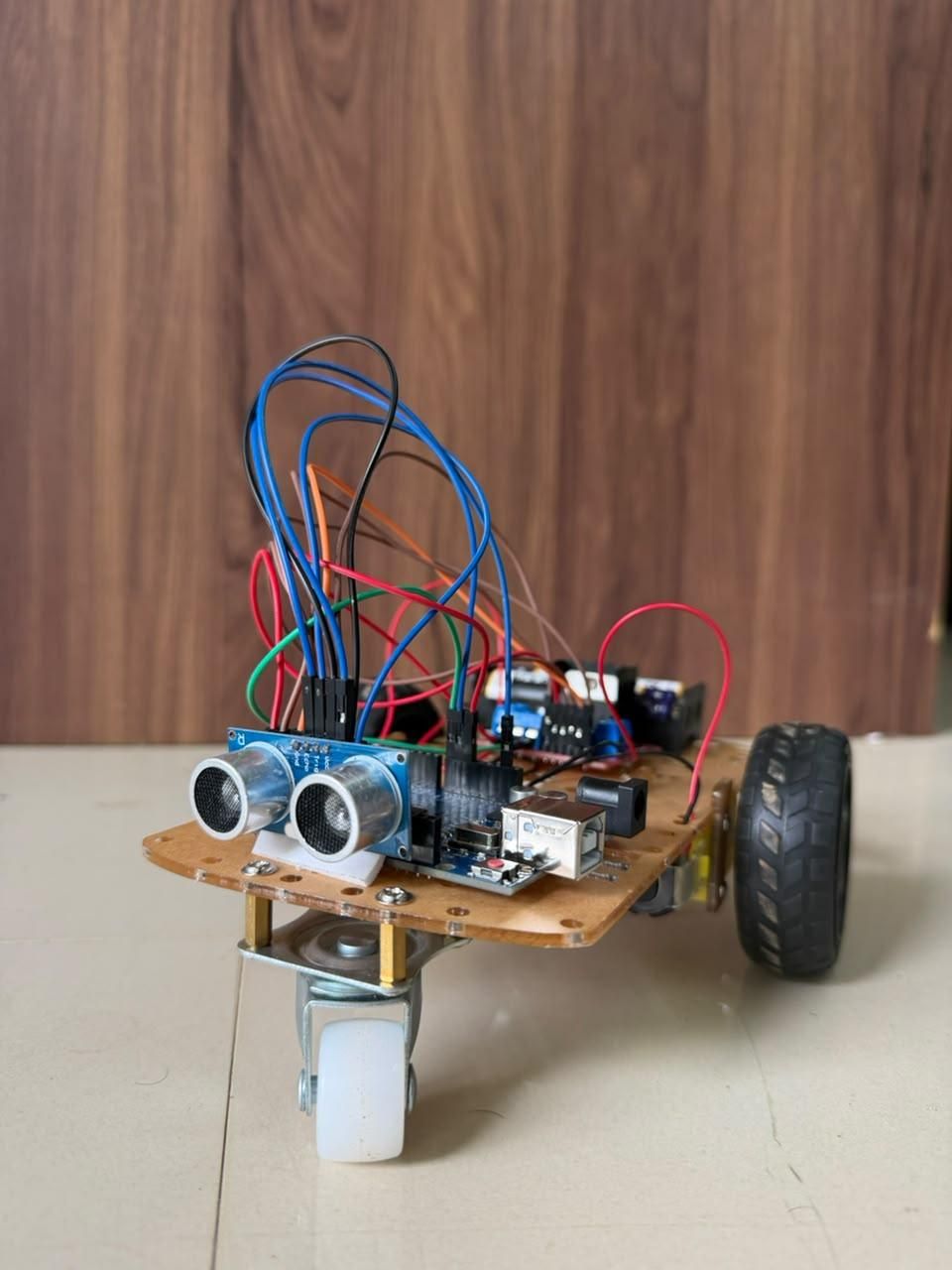
- Fix the motors to the chassis.
- Mount the caster wheel at the front or rear.
- Secure the Arduino Uno on the chassis.
- Fix the L298N motor driver.
- Mount the ultrasonic sensor facing forward.
- Connect all wiring according to the circuit diagram.
- Connect the battery pack.
Upload the Arduino Code
#define trigPin 9
#define echoPin 10
#define IN1 2
#define IN2 3
#define IN3 4
#define IN4 5
void setup() {
pinMode(trigPin, OUTPUT);
pinMode(echoPin, INPUT);
pinMode(IN1, OUTPUT);
pinMode(IN2, OUTPUT);
pinMode(IN3, OUTPUT);
pinMode(IN4, OUTPUT);
Serial.begin(9600);
}
long getDistance() {
digitalWrite(trigPin, LOW);
delayMicroseconds(2);
digitalWrite(trigPin, HIGH);
delayMicroseconds(10);
digitalWrite(trigPin, LOW);
long duration = pulseIn(echoPin, HIGH);
long distance = duration * 0.034 / 2;
return distance;
}
void moveForward() {
digitalWrite(IN1, HIGH);
digitalWrite(IN2, LOW);
digitalWrite(IN3, HIGH);
digitalWrite(IN4, LOW);
}
void moveBackward() {
digitalWrite(IN1, LOW);
digitalWrite(IN2, HIGH);
digitalWrite(IN3, LOW);
digitalWrite(IN4, HIGH);
}
void turnRight() {
digitalWrite(IN1, HIGH);
digitalWrite(IN2, LOW);
digitalWrite(IN3, LOW);
digitalWrite(IN4, HIGH);
}
void stopRobot() {
digitalWrite(IN1, LOW);
digitalWrite(IN2, LOW);
digitalWrite(IN3, LOW);
digitalWrite(IN4, LOW);
}
void loop() {
long distance = getDistance()
Serial.println(distance)
if (distance > 20) {
moveForward();
}
else {
stopRobot();
delay(300)
moveBackward();
delay(500)
turnRight();
delay(500);
}
}
Testing the Robot
- Power ON the robot.
- Place it on a flat surface.
- Observe the robot moving forward.
- Place an obstacle in front of it.
- The robot should stop, reverse, turn, and continue moving.
Downloads
Results
The robot successfully detects obstacles using the ultrasonic sensor and avoids collisions by changing its direction automatically. The system demonstrates the basics of autonomous navigation using simple sensors and control logic.
Future Improvements
- Servo-mounted ultrasonic sensor for scanning left and right
- Bluetooth control mode
- IR sensors for line following
- Speed control using PWM
- AI-based object recognition using a camera
- Battery monitoring system
Conclusion
This Arduino-based Obstacle Avoiding Robot is an excellent beginner robotics project that introduces autonomous navigation, ultrasonic sensing, motor control, and embedded programming. It can serve as a foundation for more advanced robotic systems and smart vehicle applications.
If you found this project helpful, please vote for it and leave your feedback in the comments!