Open-Source Pan-Tilt Head for DIY Motion Control
by immofoto3d in Circuits > Cameras
7196 Views, 65 Favorites, 0 Comments
Open-Source Pan-Tilt Head for DIY Motion Control


An open-source pan-tilt head designed for DIY motion-control projects such as timelapse, stop motion, repeatable camera moves, and automated positioning.
The structure combines CNC-machined aluminum plates with 3D-printed components to achieve high stiffness, accuracy, and easy customization. The design is modular and hardware-agnostic, allowing builders to adapt motors, bearings, and control electronics to their own setup.
STL files are provided for printed parts, with STEP / machining files for CNC components. Remixes and modifications are encouraged.
All files necessary are and always will be free of charge, total material costs as built were about 210€
I encourage you to join my Facebook group, where I will provide updates and you can ask questions or make suggestions and show off your build :)
Supplies
This build can be made with mostly simple tools and standard hardware, the exception being that a 3D printer is required and so is a means of cutting out the metal profiles that form the frame.
I used this desktop CNC from Genmitsu( affiliate link) to cut the profiles from 5mm 6061 Aluminium, this could also be done at a local machine shop with plasma or laser cutting (3mm steel), ordered from an online service such as JLCCNC or PWBWay or even cut with hand tools.
A detailed list of all materials required is attached including the price I paid and relevant links (please let me know if any are out of date so that I can fix them). Here is a link to google drive folder containing the BOM and 3D and production files.
Downloads
Cut the Profiles

I used my desktop CNC to cut the profiles out of the 300x200x5mm 6061 Aluminium plate using a 1/8" single flute carbide end mill over several operations with total machining time about 60min (30min each per plate) Attached are the relevant files and edit as needed to create your own machine paths, or simply load the G-code into Candle or G-code sender of choice and fire away! Note, I am very much a beginner so I do not recommend this path :)
Setting up the machine, I used double sided tape to attach the aluminium to the spoil board for the first operation, boring the mounting holes. Don't go overboard with the tape, as this can gum up the bit later. It is critical to zero the XY to the spoil board not the material, this will ensure the mounting holes line up correctly and adequate clearance and margins are in place for the later operations (the bit will pass very close to the mounting bolts).
After the operation is complete, insert four M6 socket head cap bolts, head type important for clearance, fasten the plate and re-zero the Z axis as the tape will have compressed slightly. The remaining machining can now happen without pause, I recommend starting with the remaining holes and cutouts, then the outer profile and finally the inner.
Finally remove and and de-burr the parts then repeat for the other 2 profiles.
Congrats, the hard work is done!
3D Printing
Print the full set of 3D parts, I recommend PETG or better, with at least 4 perimeters and and 25% infill. The print files can be found in the project folder or on Printables.
Threaded Inserts


Using a soldering iron and an appropriate tip, insert the threaded inserts as pictured. Ensure that they do not protrude at all from the plastic and if necessary, give it a second nudge.
Note, in the final image, the eight M4 inserts should be inserted from the other side, I did them from this side as the screws I had were too short.
Assembly 1

Using four M5x25mm screws, attach the two 2040x40mm extrusions (or printed extrusions) to one of the Tilt profiles
Assembly 2

Attach the camera base with two M4x12 scews
Assembly 3


Insert the two 1/4" tripod screws into the spacer blocks as pictured noting orientation, then attach to the Arca swiss clamping plate using the 1/4" to 3/8" adapters and tighten firmly.
Assembly 4


Next will join the two profiles, we will need four M5x25mm screws, two M4x12mm screws, the Arca Swiss clamp assembly the two profiles and the 3D printed height adjuster scales.
Firstly attach the Arca Swiss clamp assembly the profile as pictured, then insert into the camera base on the other profile and fasten with the 6 screws.
Big Bolts


Insert the two M8x100mm bolts through the entire assembly and tighten. This component is complete for now.
Bearings


Insert the bearings into the bearing mounts. They should be a tight fit, use a piece of wood or soft mallet to encourage them into place. If the fit is too loose you may need to resize the print by a small percentage in your slicer and re-try.
Assembly 7


We will now mount the pictured components to one of the Pan profiles, note the orientation of all components. Use two M4x12mm screws for each of the motor and bearing mounts. Attach the 2060 tensioners with six M5x25mm screws. Do not fully tighten any of the screws at this stage.
Assembly 8


We will now prepare and attach the motors, for the pan motor it is important to note the motor body length, with the standard parts there is clearance for a motor up to 25mm. I have found with a somewhat balanced camera rig, the linked motors provide ample torque for reliable operation. If you need more torque for your application, use the alternate motor mount and a longer belt. There is also mounts available for geared stepper motor use should even more torque be required.
Attach the the GT2 pulleys to the motors in the inverted position, do not tighten fully yet, then attach the two NEMA17 motors to the motor mounts with four M3x6mm button head screws. Button head ensures the belt does not interfere with the screw head.
Now slip the belt over the 3D printed, 90 tooth drive pulley and motor. The thicker pulley is for the pan axis and the slimmer the tilt axis. The orientation of the pulley itself is unimportant. Ensure alignment of the motor pulley and tighten the grub screws.
Assembly 9


Attach the other Pan profile using sixteen M4x12mm screws and six M5x25mm screws. Except for the eight screws holding the motor mount, alternately tighten all screws on both profiles.
Assembly 10


Insert the two M4x45mm screws with washer through the 2060 Tensioner and into the motor mount until the threads engage.
Assembly 11


Attach the pan upper bracket to the adapter plate using the eight M4x16mm wafer head screws. Note the threaded inserts are incorrect in the photo, I inserted them from this side as I was using shorter screws, correct assembly will provide more strength.
Assembly 12


This is one of the trickier steps, first start by inserting the shoulder bolts part way through the lugs, the should be a tight fit so resist the urge to use a hammer instead use firm steady force if required. Next insert the lugs into the bearings as pictured, the 30mm bolts for the pan and the 45mm bolts for the tilt axis ensuring alignment with the GT2 pulley and cable hole.
Insert the appropriate bracket into the the bearing on the other side and carefully tighten the screws. Note, depending on tolerance, a shim can be used however as the motion is transmitted through the bolts themselves, it's not necessary to have them very tight, a gap between the pulley and lug is ok as long as there is no free rotational movement.
Note the pictured bolts on the tilt axis are slightly too long (I used 50mm), with 45mm bolts they should not extend out from the component.
Twang


Tighten the tensioner screw till you get a nice twang from the belt then secure the motor mounts in place by tightening the 4 screws each. If you like you can now loosen the tensioner screw and even replace the whole 2060 Tensioner part with a 2060x60mm aluminium extrusion.
Hochzeit


Guide the tilt assembly onto the lugs as pictured, then fasten the 2020 extrusion (or printed extrusion) in place with four M5x25mm screws.
Now position the height clamp in place over the lug, not the arrow should line up with the (poorly) numbered markings, if it is not exactly aligned, rotate 180 degrees (see pictures of incorrect and correct alignment).
Loosely tighten the eight M5x16mm screws.
Final Assembly


If desired, insert one or two 15mm accessory rods through the Tilt assembly base, using a M4x12mm screw with washer, clamp in place.
Attach camera with lens focus motors etc and using the fore aft travel of the Arca mount and the Tilt height adjustment to balance as best as possible while still allowing for free camera movement.
To control the motors, you can use an Arduino with CNC shield or a compatiable time-lapse or stop motion controller such as Dragonframe or the Pine controller from Black Forest Motion.
Congrats, now share a photo of your PTH for bragging rights!
Mods


A list of modifications from the base design pictured.
Alternate Pan motor mount, use if the 25mm stepper doesn't provide enough torque.
Geared pan motor mount, more torque more better.
Geared tilt motor mount, again, more torque more better, alternatively mount a motor on both sides for double the fun.
More/less bearings. I have always built the assembly with 5 bearings, two for each axis to provide a nice sandwich and the fifth on the other side of the tilt cradle. You could also use all 6 bearing or even just 4 by omitting the outboard tilt bearings. The cradle itself should ensure that the inbouard bearings remain firmly in place and the pulley can then be attached with shorter bolts.
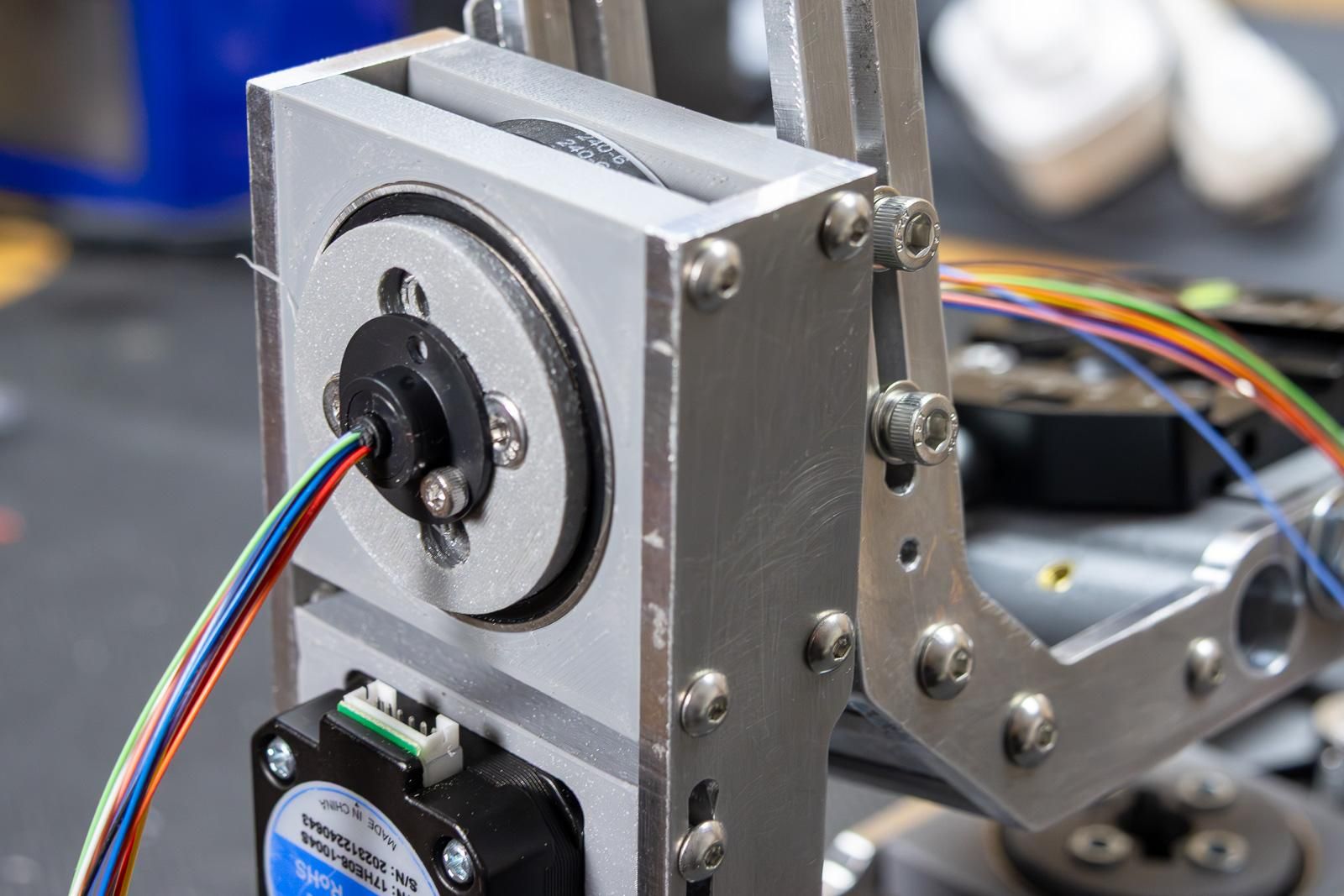
Slip rings - can be used, as pictured. I have not yet fully tested them yet though.
Roll axis - in development or use off the shelf parts as pictured.