3D Printed Pocket Tilt-O-Meter 3000: Tiny ESP32C3 Tilt and Range Gadget
by jfunky1111 in Circuits > Tools
316 Views, 0 Favorites, 0 Comments
3D Printed Pocket Tilt-O-Meter 3000: Tiny ESP32C3 Tilt and Range Gadget
.png)


This project is a compact tool that combines two sensors, a digital level and ruler, designed to be easily recreatable and useful to the general public.
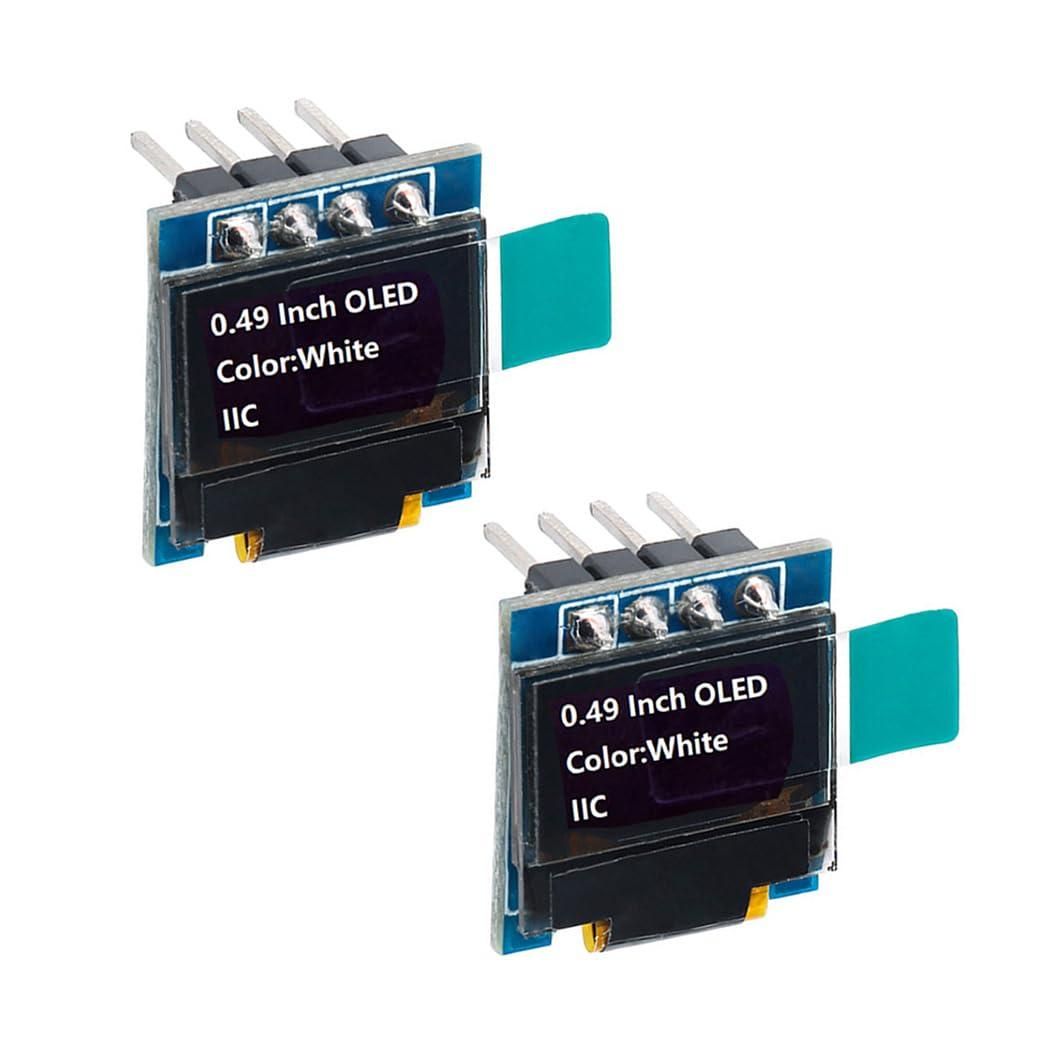
At its heart is a Seeed Studio XIAO ESP32-C3 microcontroller. It reads distance from an HC-SR04T ultrasonic sensor and tilt from an MPU6050 accelerometer/gyroscope. The measurements are shown in real time on a 64×32 SSD1306 I2C OLED display and on a WiFi page.
You can use it to:
- Check if shelves, frames, or furniture are level
- Measure distances like a digital ruler without a tape
- Align projects in the workshop with both angle and distance feedback
Because the XIAO ESP32-C3 is small and low power, the whole device can be made very compact and portable. In this Instructable, I will show how to wire the parts, program the microcontroller, and use the screen to display distance and tilt clearly so you can use it as a handy level-and-ruler tool in your shop or on the go.
This project utilizes two very unique sensors and Autodesk Tinkercad for 3D Design.
(3/28 - I also utilized Autodesk Fusion for the awesome shots of the assembled 3D Model.)
Supplies



- Seeed Studio XIAO ESP32-C3 microcontroller
- HC-SR04T ultrasonic distance sensor
- MPU6050 accelerometer and gyroscope module
- 64×32 SSD1306 I2C OLED display
- Soldering iron
- Hot glue gun
- USB-C cable for programming the XIAO ESP32-C3
- Small 3.7v LiPo battery
- Arduino IDE
Wiring
.png)

Power
- VCC of all boards to ESP32 3v3 pin
- GND of all boards to the ESP32 GND pin
- LiPo + to BAT+ on ESP32 back
- LiPo - to BAT- on ESP32 back
Signal
- All SDA to D4
- All SCL to D5
3D Printing From Autodesk Tinkercad
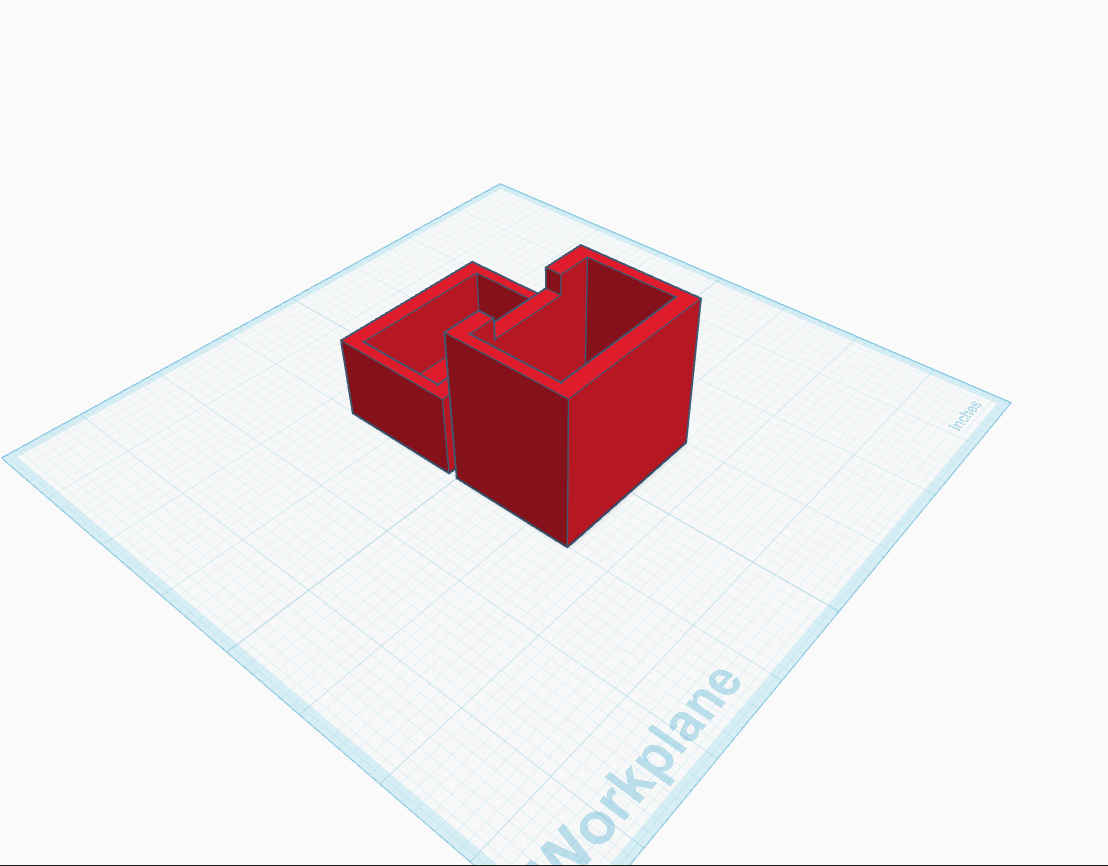
Download Tilt-O-Meter 3000.stl
(This was created with Autodesk TinkerCad, my favorite 3D modeling software, even though it is simple.)
Print it (I used Ender 3 V2)
Downloads
Hot Glue, Everyone's Favorite Part

In the shorter end of the 3D printed parts, insert the HC-SR04T with the white plastic connector sticking out the hole on the end and glue it in.
Insert the power switch in the other hole on the other part.
On the short side of the parts on the outside, glue the screen.
On the longer part, glue the ESP32 in the small divot in the edge so the port sticks out.
Glue the MPU6050 to the inside of the opposite side on which you placed the LCD screen.
Plug the HC-SR04 cable/sensor into the white connector.
Coding in Arduino IDE

Get Arduino IDE and open a new sketch.
Paste this:
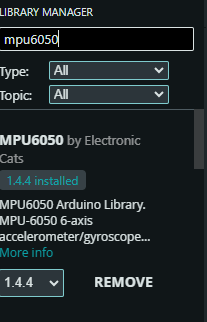
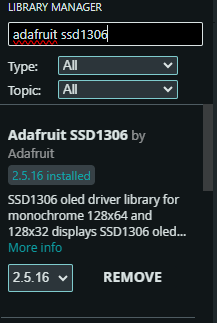
For both of these libraries, click on Library Manager, search for it, and install. Supporting images are in the step.
- MPU6050 by Electronic Cats
- Adafruit SSD1306 by Adafruit
Go to Preferences -> Additional Board URL's and paste this: https://espressif.github.io/arduino-esp32/package_esp32_index.json
Go to Board Manager, search ESP32, and click install.
Plug in your ESP32.
Select XIAO ESP32-C3 where it says Select Your Board
Select Upload!
Your screen should show the distance and how you need to tilt it.
WiFi Interface

Connect the antenna to the connector between the boot and reset buttons.
Look for a network called Tilt-O-Meter 3000. It should be an open network.
Connect to it, and go to 192.168.4.1 in a web browser.
The web interface should appear with the distance and a moving representation of the tilt!
Customization and Usage

.png)
Using It as a Level
- Place the device on a shelf, frame, or piece of wood.
- Watch the OLED:
- When both pitch and roll say LEVEL, the surface is flat enough for most projects.
- If it shows TILT FWD/BACK/LEFT/RIGHT, adjust the object until the text changes to LEVEL.
- You can also use just the web interface and watch the “bubble” move into the center circle.
Using It as a Digital Ruler
- Point the ultrasonic sensor at the target you want to measure (wall, cabinet, etc.).
- Hold the enclosure so the sensor is roughly perpendicular to the target.
- Read the distance in inches on either:
- The OLED display, or
- The WiFi page (the big distance readout).
- This is handy for:
- Quick room measurements
- Checking clearances on the workbench
- Measuring how far a drawer extends
Get out there and get measuring!!!
-James F