Pull-Back Car (with Tinkercad)
by chiquisetas11 in Craft > Printmaking
147 Views, 0 Favorites, 0 Comments
Pull-Back Car (with Tinkercad)
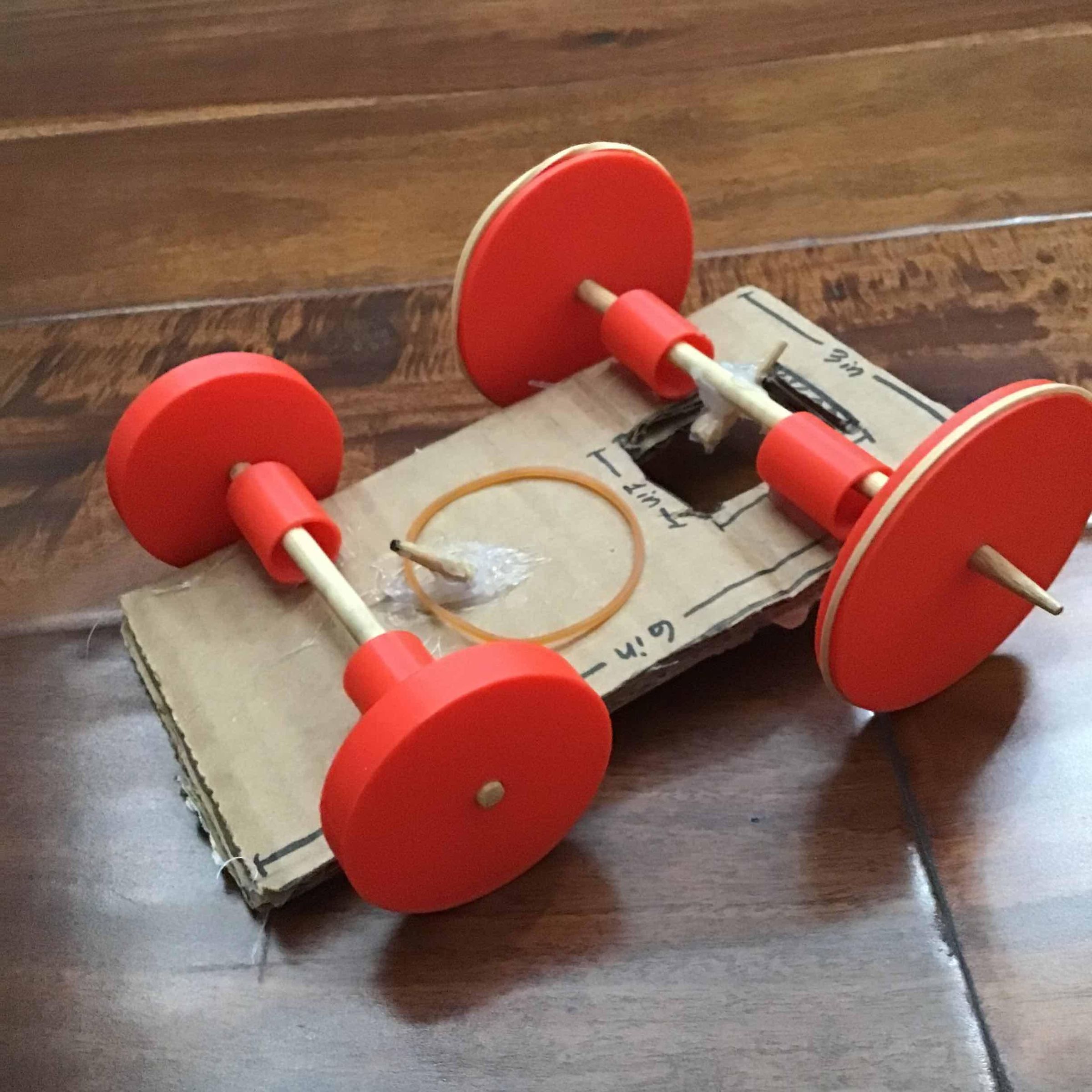
I made this pull-back car that combines 3d printing (using tinkercad) with cardboard and wooden chopsticks. It uses a rubber band for the mechanism. Download the video to see how it works!
Downloads
Supplies


For this pull-back car, you will need a minimum of 3 rubber bands (skinny and stretchy, but not too small), but 5 or more wouldn't hurt, since they might break. More rubber bands will help you have a better grip on the floor. You will also need 2 wooden dowels or chopsticks (the kind they might give you at an Asian restaurant), a hot glue gun, a Tinkercad account, some cardboard, a 3d printer, and some tape if you really need it (optional).
The Cardboard Pieces
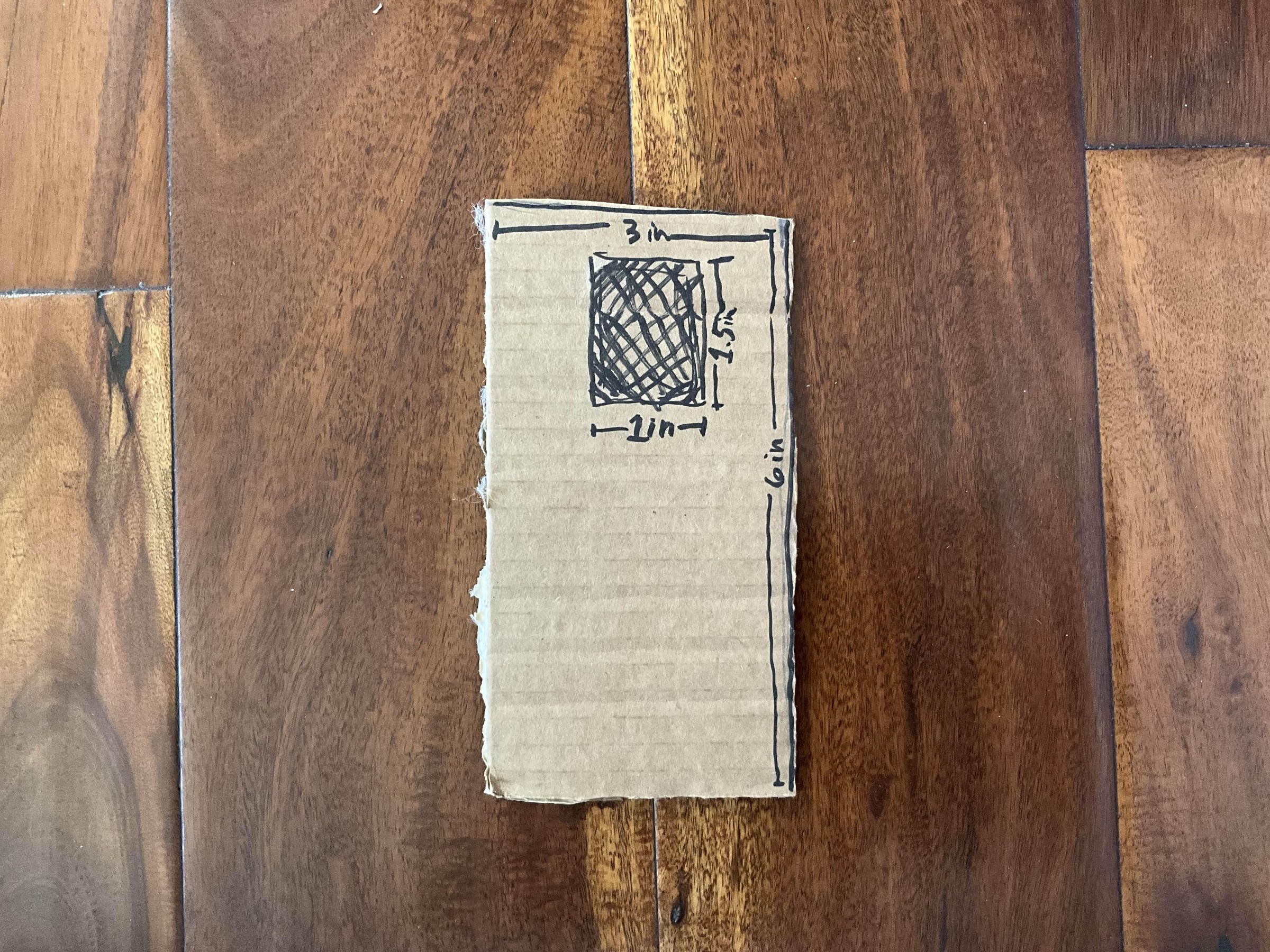
First, you will need two cardboard pieces that are 3 inches x 6 inches. Towards the top, you should make a rectangular hole in both that measures 1 inches x 1.5 inches. Stick them together with a hot glue gun so that it looks like you only have one, only thicker (see image above). If you want, you can decorate it. We will use it later.
Making Tubes in TinkerCad


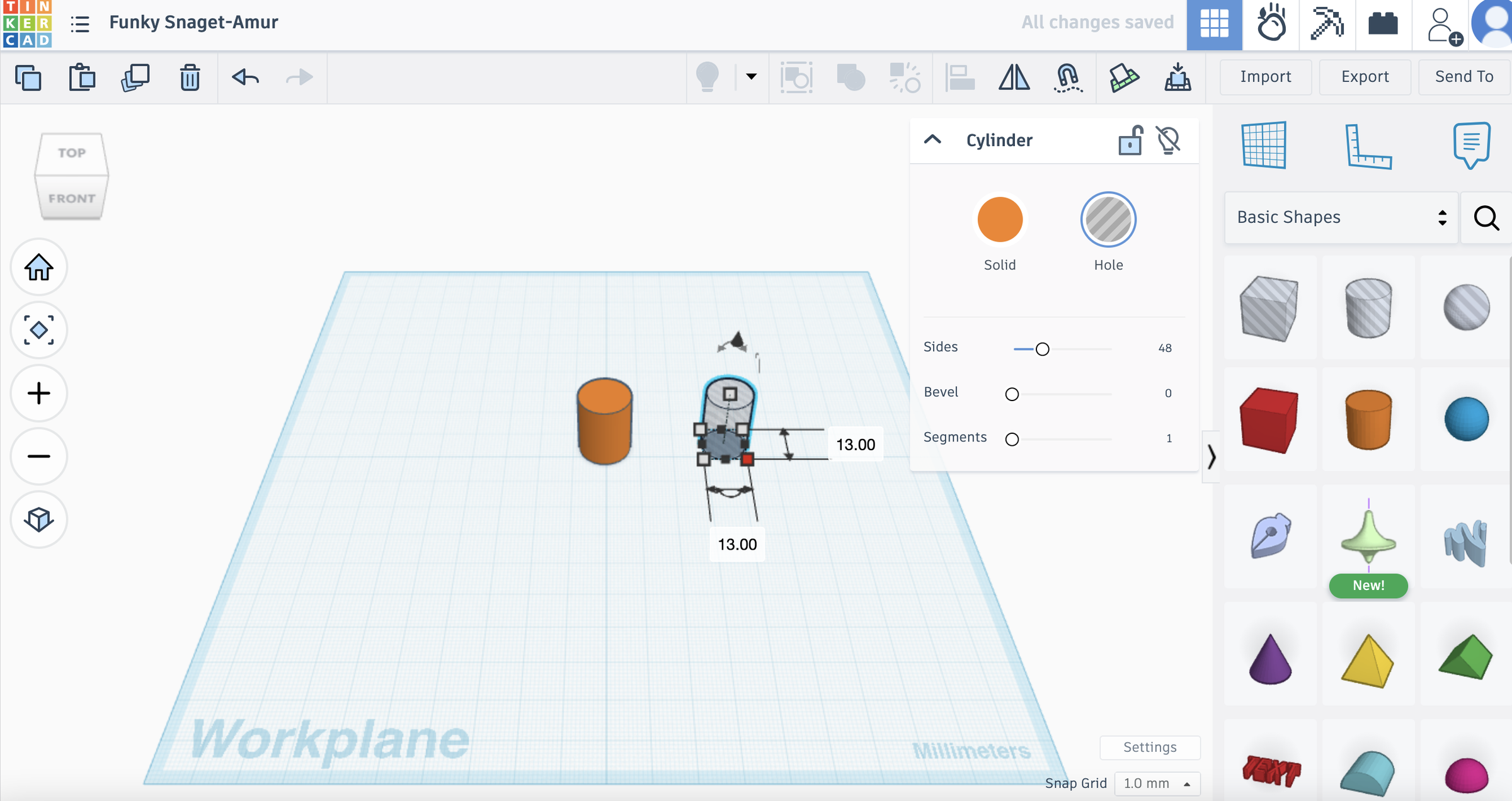

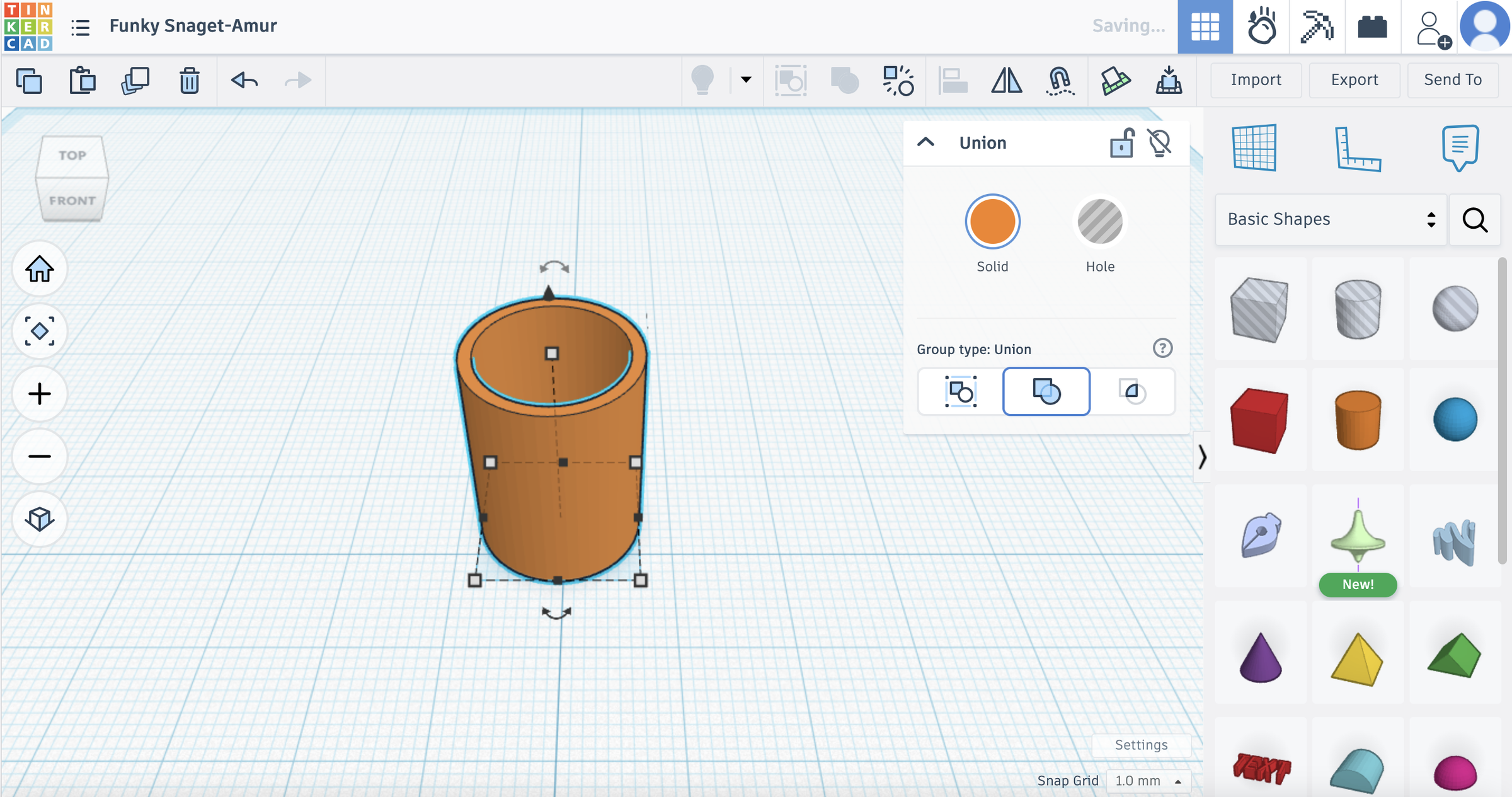
Next, open up your account in Tinkercad (or in another CAD software) and make a new 3d project. Select a cylinder from the menu on the right and place it onto your working space in Tinkercad (see first image). Then, change the measurements so that the cylinder is 15 mm x 15 mm (see second image). Next, take a "hole" cylinder (found in the menu on the right) and make the measurements 13 mm x 13 mm (see third image). Place the "hole" cylinder that you just made right in the middle of the original orange cylinder (see fourth image). Zoom in if you need to in order to see more clearly. Group the "hole" cylinder and the normal cylinder together so that it looks like a very tall ring (see image #5). Finally, click your finished tube and duplicate it until you have four of them.
Printing Your Tubes

To print your cube, click on the "export" button in Tinkercad on the menu on the right. Select ".stl" and then upload it to your slicing software. For me personally, I have a flashforge printer, so I use their slicing software. To do this, I take the .stl file that I just got from Tinkercad and drag it into the program. From there, I send it to my printer and it does all the work!
Gluing Your Tubes Onto the Cardboard
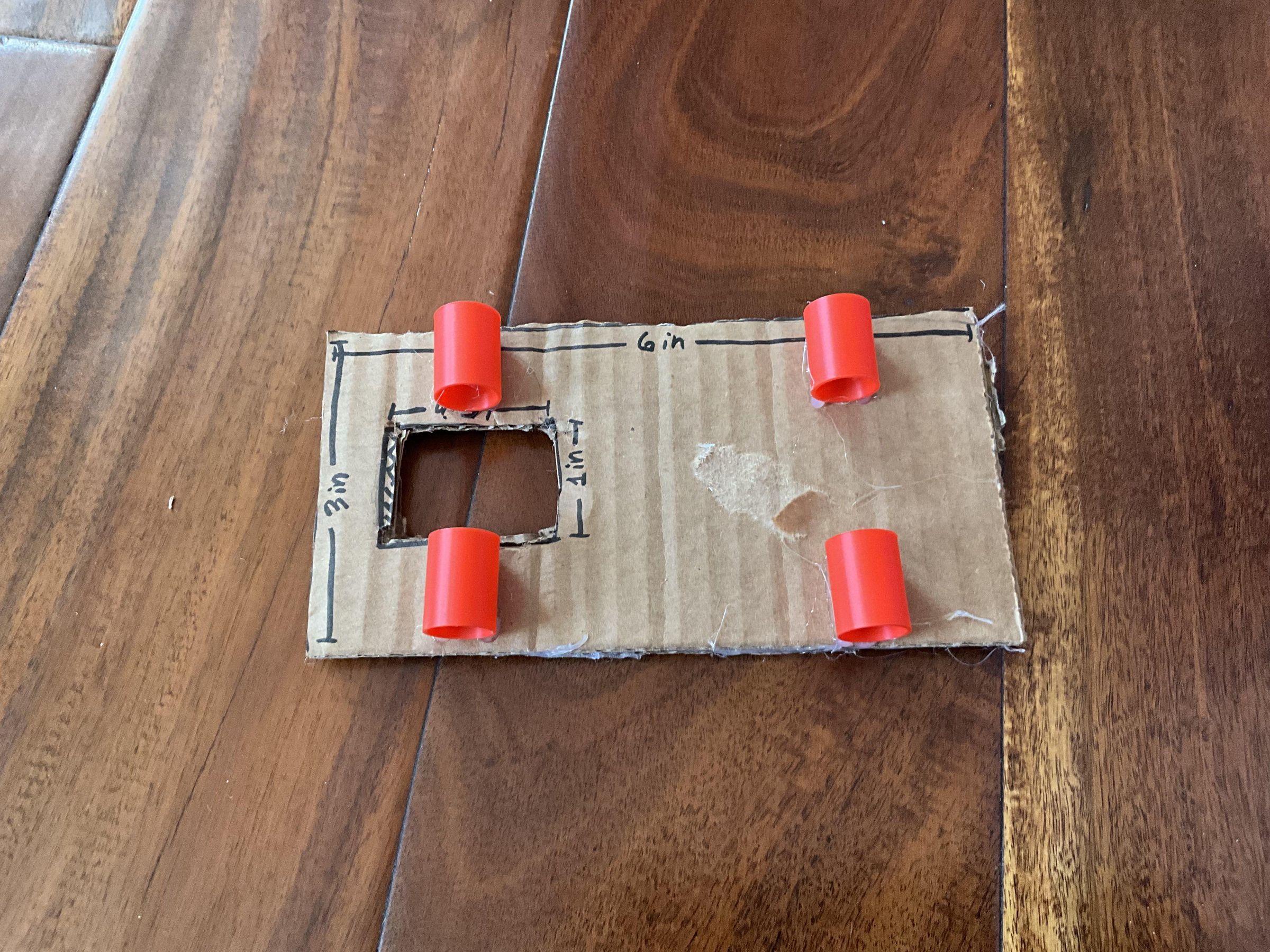
Take the cardboard piece that you made in step 1 and the 4 tubes that you just 3d printed. Take your hot glue gun and glue the 4 tubes horizontally onto the cardboard so that it looks like the image. Make sure to use quite a bit of glue, since some people's 3d printer filament is a bit stubborn and doesn't like to stick to hot glue that well. I made sure to reinforce mine.
Adding a "hook"
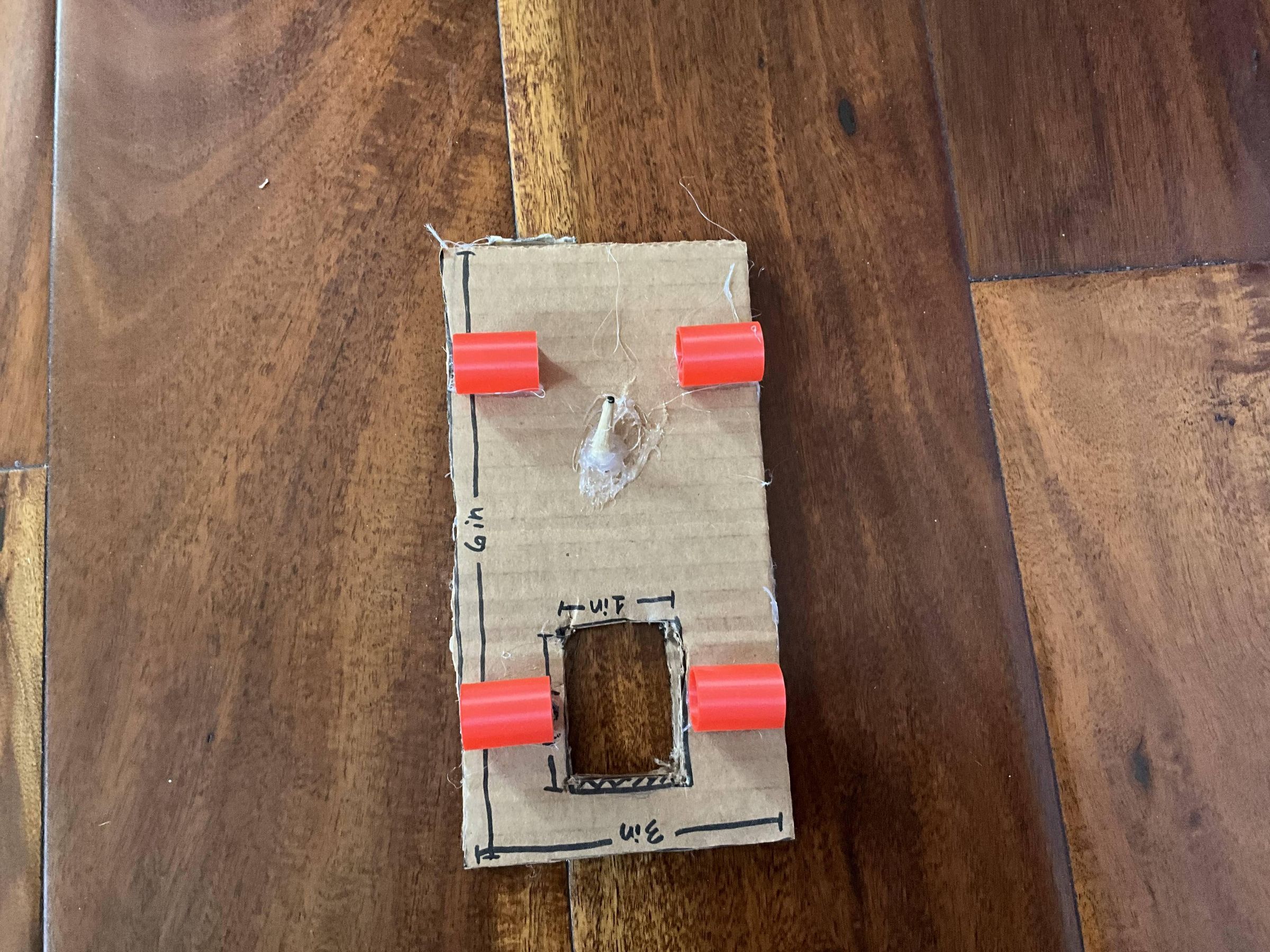
Take one of your wooden chopsticks or dowels and cut off the part that is pointy. Glue this at an angle right below some of the tubes that you glued last step so that it looks like the image. Again, make sure to be generous with the hot glue since some chopsticks (like mine) don't really cooperate with hot glue.
Making Back Wheels on Tinkercad


To make the wheels on Tinkercad, open a new 3d project in your tinkercad account. Then, drag a cylinder out frmo the menu on the right and make the dimensions 60 mm x 60 mm x 5 mm (see first image). Then, take a "hole" cylinder from the menu on the right and make it the dimensions of your chopstick/wooden dowel. Mine is 5.15 mm x 5.15 mm. This might take a few tries, but ultimately you're going to want to get as exact as possible. Group these two cylinders together.
The next part is optional, but really useful, so I really recommend doing it. We are going to make an indent on the wheel so putting the rubber band on later is a lot easier. Search up "ring" in the right hand menu and click on the first one that comes up and make it a hole (see second image). Then, make the dimensions of the ring 62 mm x 62 mm x 2 mm. Also, (optional) for this ring, change the shape of it (see third image).
Next, place the ring that you just made so that it surrounds your wheel and bring it up 2 mm off the ground (see fourth image).
Finally, group these two to make your back wheel and duplicate it so you have two (see last image).
Making the Front Wheels


For the front wheels, I chose not to put rubber bands on them, so I didn't make an indent. These are super easy to make! First, take a cylinder and make the measurements 45 mm x 45 mm x 8 mm. I made these a bit thicker just in case I wanted to put rubber bands on them in the future. This way, they are easier that normal thin wheels.
Next, take a "hole" cylinder from the menu on the right and make the measurements however big your chopsticks/wooden dowels are. Mine are 5.15 mm x 5.15 mm. Then, place it in the middle to the best of your ability and group them to complete your front wheels! Make sure to duplicate so that you have two.
Printing the Wheels

To print the wheels, simply follow the directions on step 3.
Finishing the Wheels

Take the wheels that you just printed out and put some rubber bands on them, like the image above. Here, you have the choice to only put them on the back wheels, but for a better grip on the floor to increase distance, you should put them on all the wheels. However, if it ends up being frustrating or just not working, putting them only on the back wheels should work fine as well too.
Attaching the Wheels to the Axels

Take two wooden chopsticks and put them through the tubes that you attached to the cardboard piece back in step 4. There should still be plenty of space left in the tubes so that the dowels/chopsticks can move freely inside. Then, take the wheels that you made before and stick them into the dowels so that it looks like the image above.
Making the Mechanism
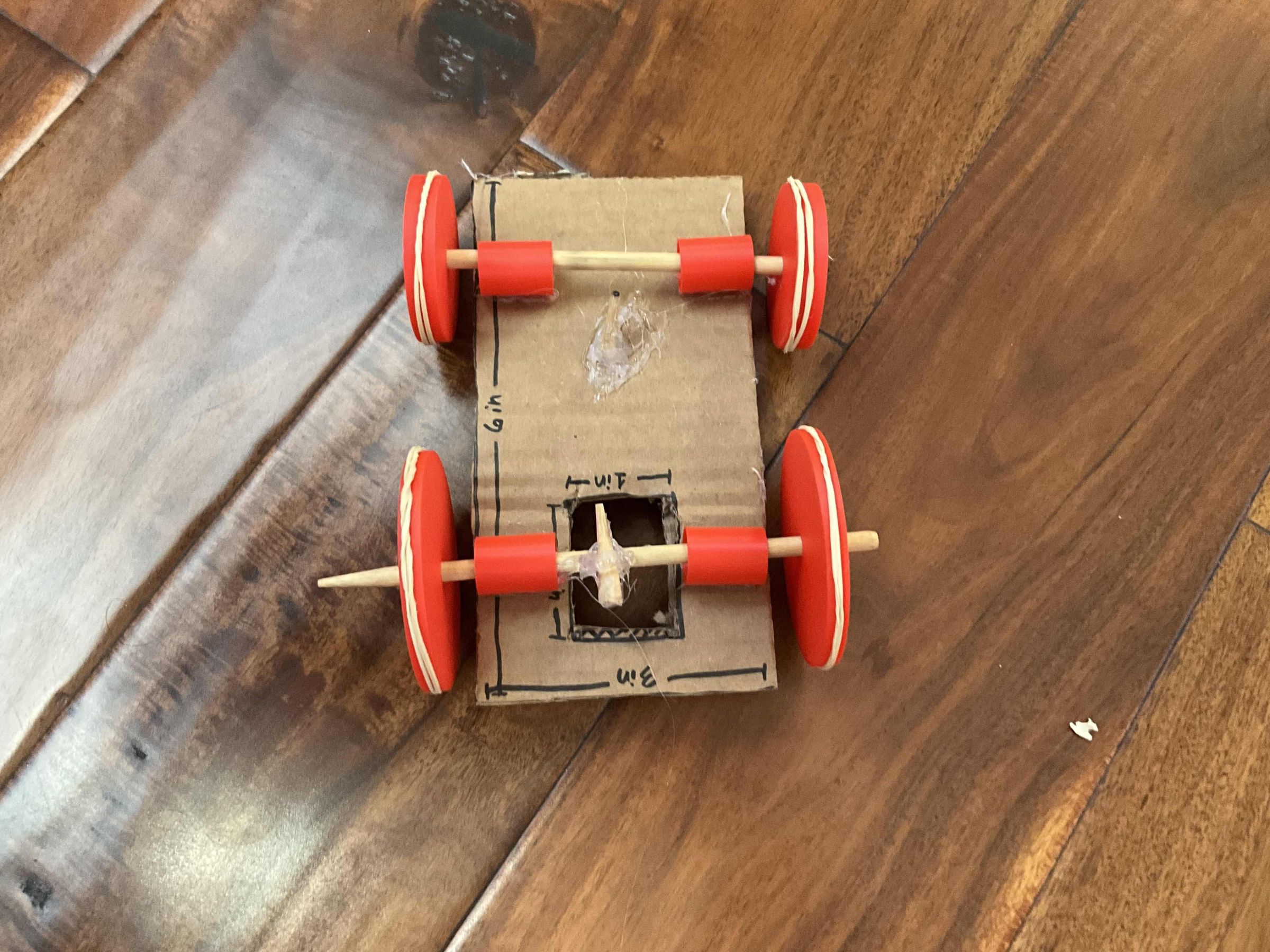
Finally, the last step! For this step, cut off the pointy part of another one of your wooden dowels/chopsticks and hot glue it to the middle of your back axel so it looks like image. Attach a rubber band to the peg that you just made and the "hook" that you made back in step 5. Crank it backwards (if you need a demonstration, download the video below) and let it go! Your pull-back car should work!