Radar Guard System

A radar guard system works on the principle of the Radar, where radio waves are transmitted into the environment. When these waves hit an object (like a person or vehicle), they reflect back to the receiver. By analyzing the reflected signals, the system can detect the presence, distance, and movement of the object.A Radar Guard System is a security and surveillance system that uses radar technology to detect and monitor objects or intruders within a specific area. It is commonly used for protecting borders, buildings, restricted zones, and even smart home environments.
Supplies

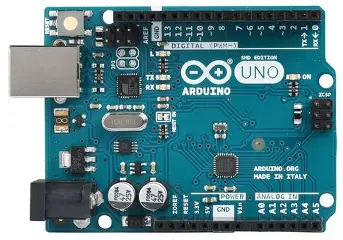
- Arduino uno
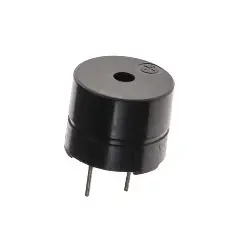
- Buzzer
- LED
- Resistor
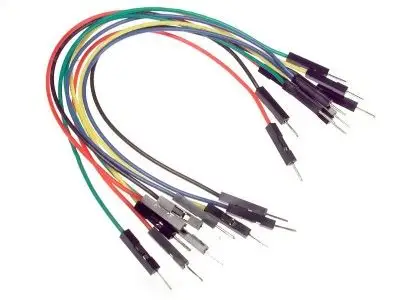
- Jumper wires
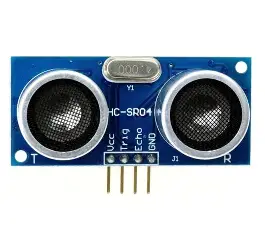
- Ultrasonic sensor
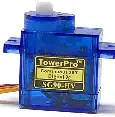
- Servo motor
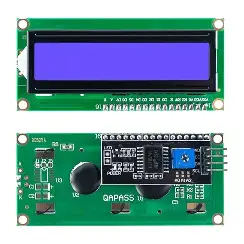
- LCD-I2C display
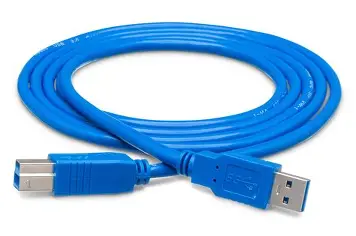
- USB cable
- Breadboard
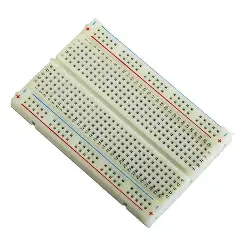
Step1

To Connect First LED to a Breadboard Using an Arduino Uno:-
- positive leg - D2
Step 2

To Connect Second LED to a Breadboard Using an Arduino Uno:-
- positive leg - D3
Step 3

To Connect a Buzzer to a Breadboard Using an Arduiono Uno:-
- Buzzer - D4
Step4

to connect a servo motor to Arduino uno:-
- Brown color (GND) - GND
- Red color (VCC) - 5v
- Yellow color(output) - 6
Step 5

To connect a servo motor to an arduino uno:-
- VCC - 5v
- GND - GND
- Trig - D9
- Echo -D10
To Connect an Ultrasonic Sensor to a Breadboard Using an Arduino Uno

To Connect an Ultrasonic Sensor to an Arduino Uno:-
- VCC - 5V
- GND - GND
- SDA - Analog pin 4
- SCL - Analog pin 5
Code
#include <Wire.h>
#include <LiquidCrystal_I2C.h> // Installed library for LCDI2C display
#include <Servo.h> // Installed Library for servo motor
#define TRIG_PIN 9
#define ECHO_PIN 10
#define GREEN_LED 2
#define RED_LED 3
#define BUZZER 4
#define SERVO_PIN 6
LiquidCrystal_I2C lcd(0x27, 16, 2); // Adjust if needed
Servo myServo;
int pos = 0;
int direction = 1; // 1 = forward, -1 = backward
void setup() {
pinMode(TRIG_PIN, OUTPUT);
pinMode(ECHO_PIN, INPUT);
pinMode(GREEN_LED, OUTPUT);
pinMode(RED_LED, OUTPUT);
pinMode(BUZZER, OUTPUT);
myServo.attach(SERVO_PIN);
myServo.write(pos);
lcd.begin(16,2);
lcd.backlight();
lcd.setCursor(0, 0);
lcd.print(" Sonar System ");
delay(2000);
lcd.clear();
}
long readDistance() {
digitalWrite(TRIG_PIN, LOW);
delayMicroseconds(2);
digitalWrite(TRIG_PIN, HIGH);
delayMicroseconds(10);
digitalWrite(TRIG_PIN, LOW);
long duration = pulseIn(ECHO_PIN, HIGH);
return duration * 0.034 / 2;
}
void loop() {
long distance = readDistance();
if (distance > 20 || distance == 0) {
// No object detected
digitalWrite(GREEN_LED, HIGH);
digitalWrite(RED_LED, LOW);
digitalWrite(BUZZER, LOW);
lcd.setCursor(0, 0);
lcd.print(" Area is Empty ");
lcd.setCursor(0, 1);
lcd.print(" ");
// Move servo faster (delay reduced)
myServo.write(pos);
delay(10);
pos += direction;
if (pos >= 180 || pos <= 0) {
direction = -direction;
}
} else {
// Object detected
digitalWrite(GREEN_LED, LOW);
digitalWrite(RED_LED, HIGH);
digitalWrite(BUZZER, HIGH);
lcd.setCursor(0, 0);
lcd.print(" Warning ");
lcd.setCursor(0, 1);
lcd.print(" Foreign Body ");
// Hold servo in place
myServo.write(pos);
}
}
Downloads
Working


When the ultrasonic sensor detects an object, the LCD I2C display shows “Warning,” the red LED turns on, and the buzzer is activated. When no object or human is detected by the ultrasonic sensor, the display shows “Area is empty,” and the green LED blinks.
Downloads
Advantages
- Works in All Weather Conditions
It can operate in rain, fog, and darkness, unlike cameras.
- Long-Distance Detection
It can detect objects from a considerable distance.
- Non-Contact Detection
Based on the principle of Radar, it detects objects without physical contact.
- Real-Time Monitoring
Provides continuous and instant detection of movement.
- High Accuracy
Gives reliable results for object detection and distance measurement.
- Improves Security
Useful for protecting homes, borders, industries, and restricted areas.
- Low Maintenance
Requires less maintenance compared to many other systems.
- Easy Integration
Can be easily integrated with systems like Arduino Uno, alarms, LEDs, and displays.
Applications
- Border Security
Used by military forces to detect intruders at national borders.
- Home Security Systems
Helps in detecting unauthorized entry in houses and apartments.
- Airport Surveillance
Used for monitoring aircraft movement and runway safety.
- Industrial Safety
Protects restricted areas in factories and industries.
- Traffic Monitoring
Helps in detecting vehicles and managing traffic flow.
- Smart City Projects
Integrated into modern systems for surveillance and automation.
- Parking Assistance Systems
Detects nearby objects while parking vehicles.
- Defense and Military Use
Widely used in systems based on Radar for tracking and surveillance.
Conclusion
The Radar Guard System is an effective and reliable solution for security and surveillance applications. It works on the principle of Radar to detect objects and monitor movement in a given area. In this project, components like the Arduino Uno and an ultrasonic sensor are used to create a simple and low-cost system.
The system successfully detects the presence of an object or human and provides alerts through a buzzer, LEDs, and an LCD display. It improves safety by giving real-time warnings and can be used in homes, industries, and restricted areas.