Realtime Map With Vehicle GPS Tracker - Custom PCB ESP32
by sanjula nipun in Circuits > Arduino
90 Views, 2 Favorites, 0 Comments
Realtime Map With Vehicle GPS Tracker - Custom PCB ESP32

🚴 ESP32 GPS Tracker with SIM7600
Today I’m going to build a GPS tracking PCB using an ESP32 and a SIM7600 module. The main goal of this project is to track my bicycle in real time and view its location directly on Google Maps. 🌍📍
This device is designed to be multi purpose, so it can work from both:
- 🔋 12V power input
- 🔌 USB Type-C power
The tracker will be able to:
- 📡 Send real time GPS location
- 🗺️ Store and display location history
- 🚲 Track where the bicycle goes and stops
- ☁️ Upload data to an online server for map viewing
For this project, I’m designing a custom PCB specially for the ESP32 and SIM7600 setup.
But if making a custom PCB feels difficult, you can still test everything easily using:
- an ESP32 development board
- and a SIM7600 Module module connected together.
That way, you can test the full tracking system before designing your own hardware. ⚡
Supplies
If you not make PCB:
- ESP32 Board
- SIM7600 GSM Module
- GPS Antenna
- GSM Antenna
- SIM Card
- Jumper wires and Breadboard
- Powersupply
If You are Making PCB:
- PCB Service
- SMD Componnets (Full list i will upload with PCB files)
- GPS Antenna
- GSM Antenna
- SIM Card
- Soldering iron
- Hot gun
- Soldering paste & wire
- Powersupply
Additional - 3d printer + abs filament + PG7 cable gland
Designing the Schematic Diagram

Before designing the PCB, we first need to create the schematic diagram. 📄
The schematic is the most important part because it shows all the required connections between the components. Using this diagram, we can properly design the PCB later.
For this project, I used EasyEDA to design the schematic and PCB. It’s beginner friendly and very useful for creating custom electronics projects like this. ⚡
In the schematic, we need to connect:
- 🧠 ESP32
- 📡 SIM7600 GPS/4G Module
- 🔋 12V Power Input
- 🔌 USB Type-C Power Input
- ⚡ Voltage Regulators
- 📶 GPS & LTE Antennas
- 💡 Status LEDs and other supporting components
Once the schematic is completed correctly, we can move on to the PCB layout design. 🎯
PCB Layout Design

After completing the PCB schematic correctly, we can start designing the actual PCB layout. 🛠️
At this stage, we arrange all the components in a clean and organized way using the shape and size we prefer.
The main goal is to make the PCB:
- Clean and professional looking
- Compact and properly sized
- Easy to assemble
- Reliable for power and data connections
After placing the components, we can complete the PCB by routing all the required tracks and signal lines properly. This includes:
- Power lines
- Data signal traces
- ESP32 and SIM7600 communication lines
Once all routing is finished, the PCB design is basically complete and ready for manufacturing. 🚀
I’ve also attached a few photos of the PCB I designed for this project so you can see how everything was arranged and routed. 👀
Ordering the PCB
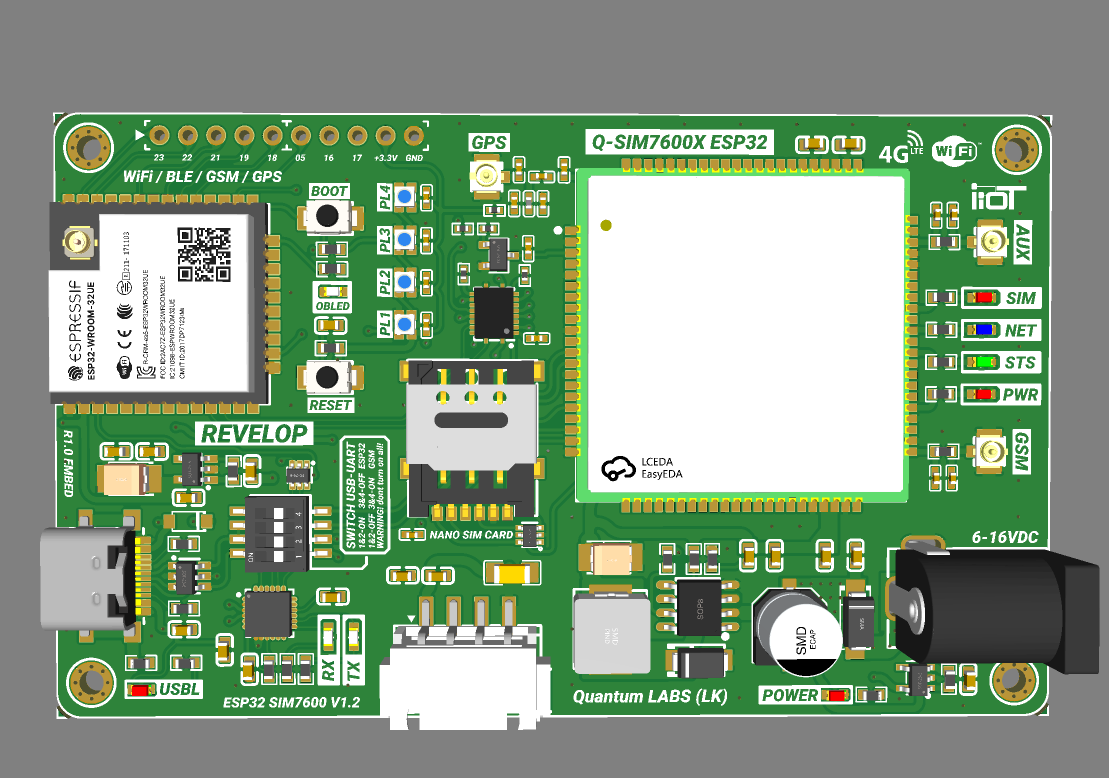
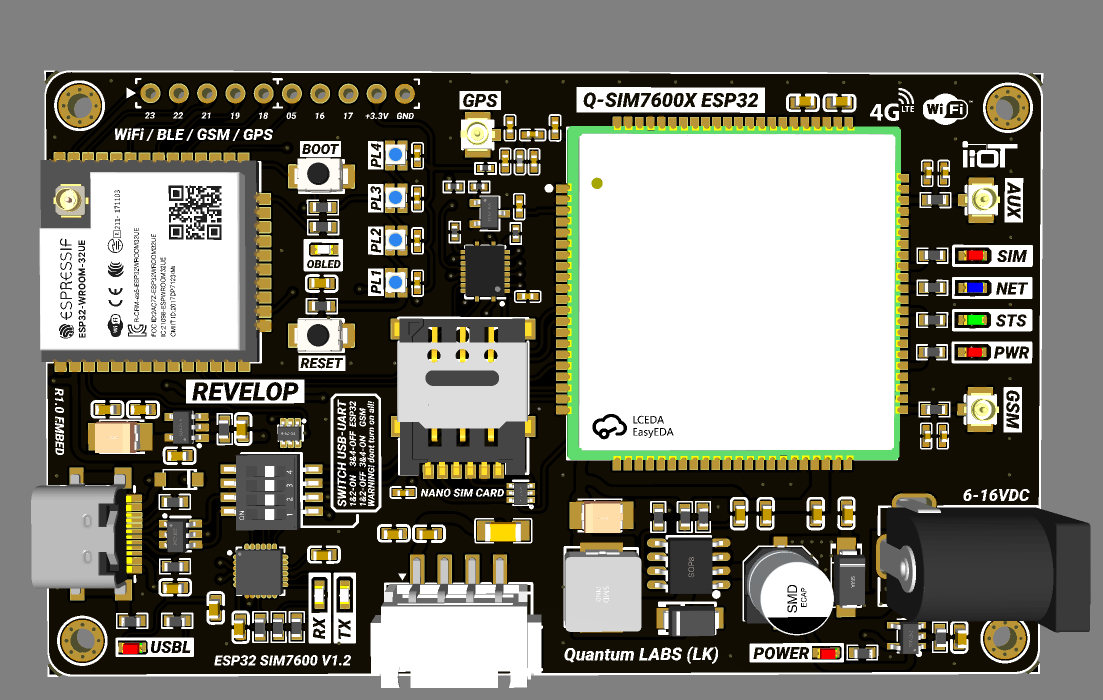
Now the only thing left is to manufacture the PCB we designed. 🚀
To do that, we first need to generate the Gerber files from the PCB design. These files contain all the information needed for PCB manufacturing.
After generating the Gerber files, we can upload them to a PCB manufacturing service and place the order. 📦
A few days later, the finished PCBs can be delivered straight to your home looking clean and professional. ✨
When ordering the PCB, you can also customize several things, including:
- 🎨 PCB color
- 📏 PCB thickness
- ✨ Surface finish options
So you can make the PCB look exactly the way you want. 😄
Finished PCB & Assembly
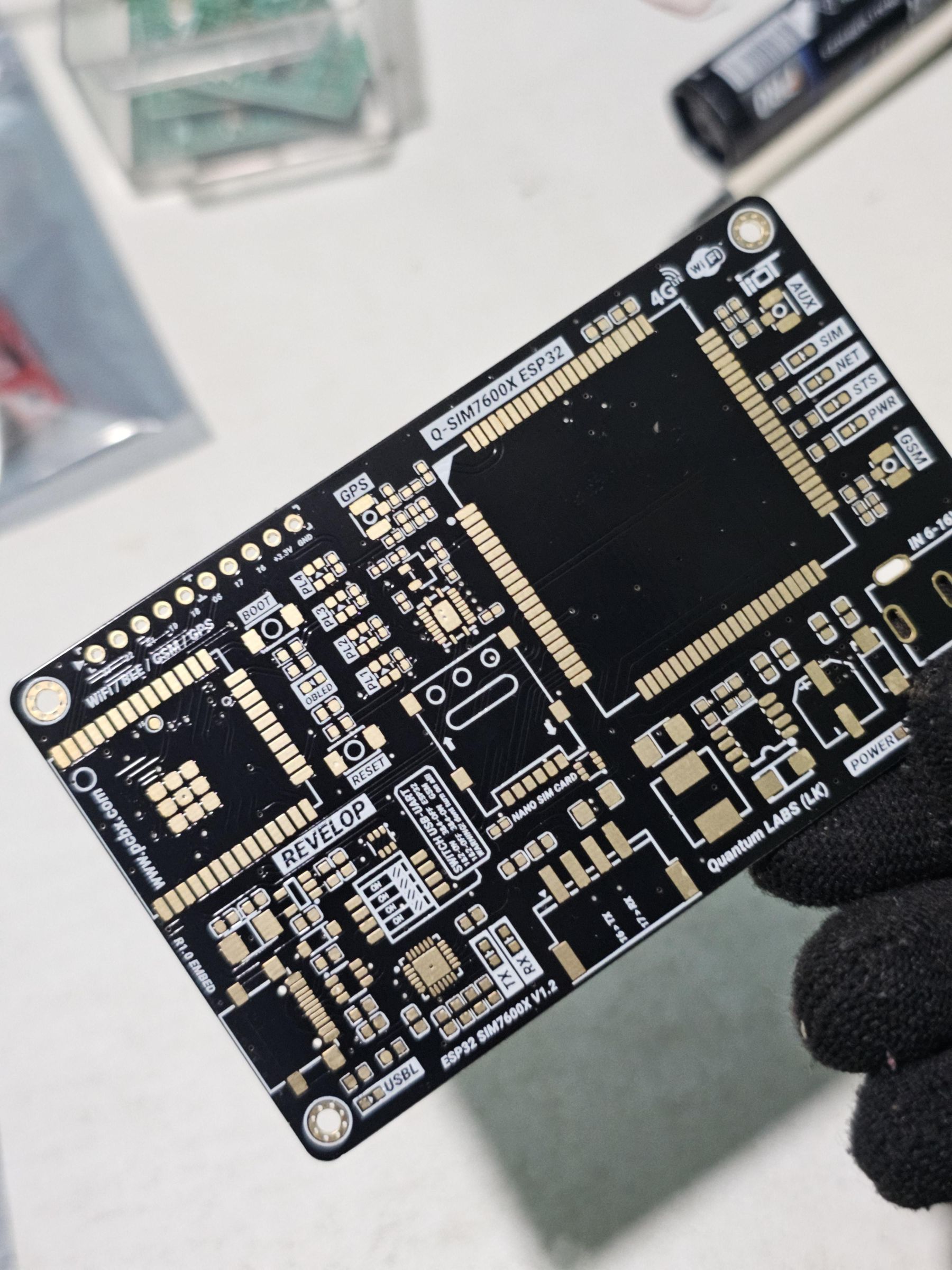

After ordering the PCB, this is how the finished board will look once it arrives. 📦
I’ve added photos of my PCB so you can see the final result and overall appearance. 👀
The next step is assembling all the components onto the PCB. 🔧
For this project, most of the parts are SMD components, so proper soldering is important to keep the board clean and reliable.
I’ve also included the full SMD component list together with the PCB files below, making it easier to identify and place all the required parts correctly. 📋⚡
Final Assembly Completed
.jpg)


Now my PCB is fully assembled and finished. 🔧✨
This is how the final device looks after everything is connected together. It honestly looks just like a professionally manufactured product bought from a store. 😄
The next step is very simple:
- 📶 Insert a SIM card into the SIM slot
- 📡 Connect the GSM antenna
- 🛰️ Connect the GPS antenna
- 🔌 Attach both antennas properly to the PCB’s IPEX connectors
After connecting everything correctly, we can finally power up the device and start testing it. ⚡🚴
Programming the ESP32


In this step, we need to upload the program to the ESP32. ⚡
But before that, we should decide how we are going to display the GPS location. For this, we have two options:
- 🌍 Use an open source GPS tracking platform like Traccar
- 🛠️ Build our own custom GPS tracking interface
For this project, Traccar is a very good option because it already supports GPS tracking and has proper documentation.
📖 Traccar documentation:
https://www.traccar.org/documentation/
The documentation includes all the details we need, including how to prepare the Arduino code for GPS tracking.
Another big advantage is that Traccar also has Android and Apple apps, so we can easily track the device from a phone. 📱📍
Custom GPS Web App Test

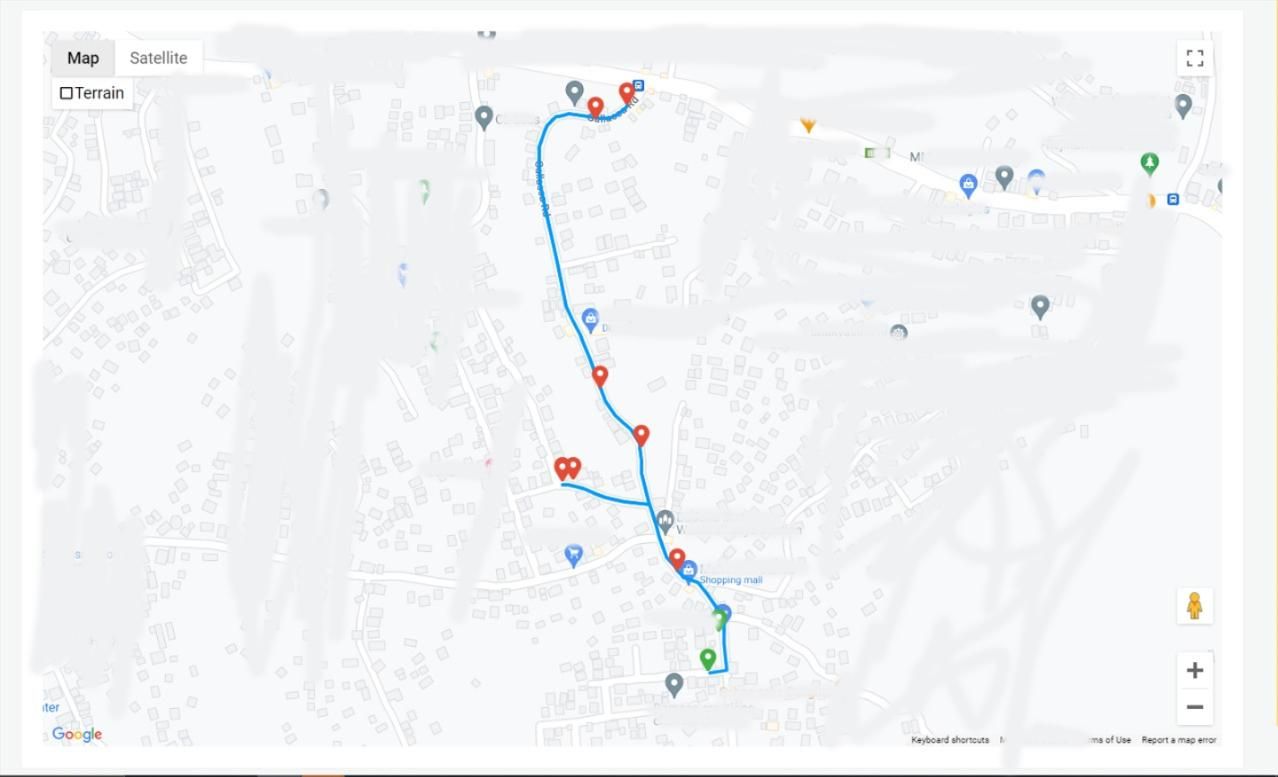
After testing Traccar, I also created a simple web app and connected the GPS location to Google Maps. 📍
As you can see from the photos, my real time location is shown using a red arrow marker. 🔴
The trip history from one bicycle ride is also displayed nicely on the map using blue route lines. 🔵🚴
This project can be improved with many more features, and with further development, it can become a very useful real world GPS tracking system. 🚀
Designing a 3D Printed Case
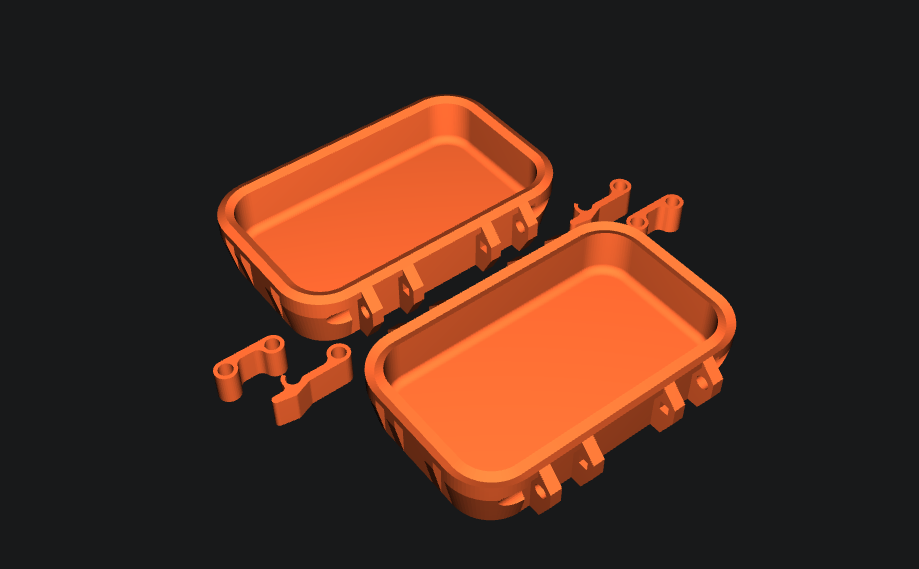

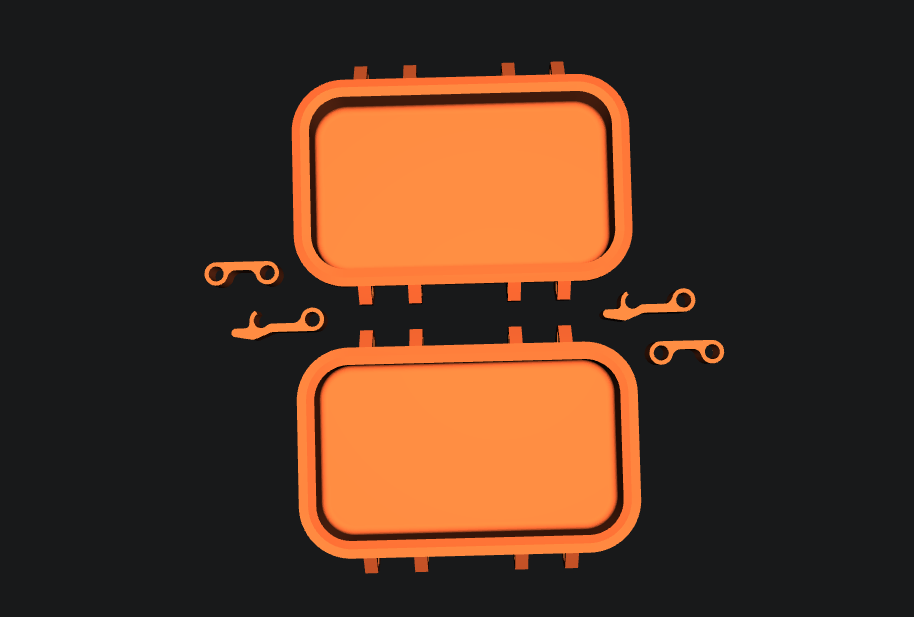
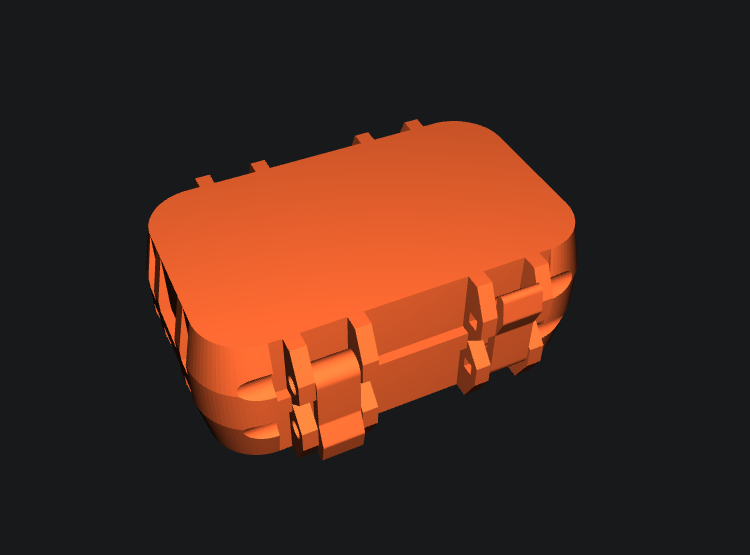

After finishing all the testing, we can design a proper 3D printed enclosure for the PCB. 🛠️
Since this device is mainly intended for vehicles and bicycles, we need a strong and durable hard case to protect the electronics. 🚴⚡
For the enclosure design, we can use Autodesk Fusion 360 to create a clean and professional looking case.
The design can include:
- 🧱 A strong hard shell body
- ⚡ A side mounted PG7 cable gland for the 12V power input wire
- 💧 Better protection for outdoor use
After completing the design, we can 3D print the enclosure and assemble everything neatly inside. ✨
Right now, I don’t have access to a 3D printer, so I’ll update this project later with photos of the final printed case. But I’ve already included the 3D print files below so you can download and print the enclosure yourself. 📦
Project Completed
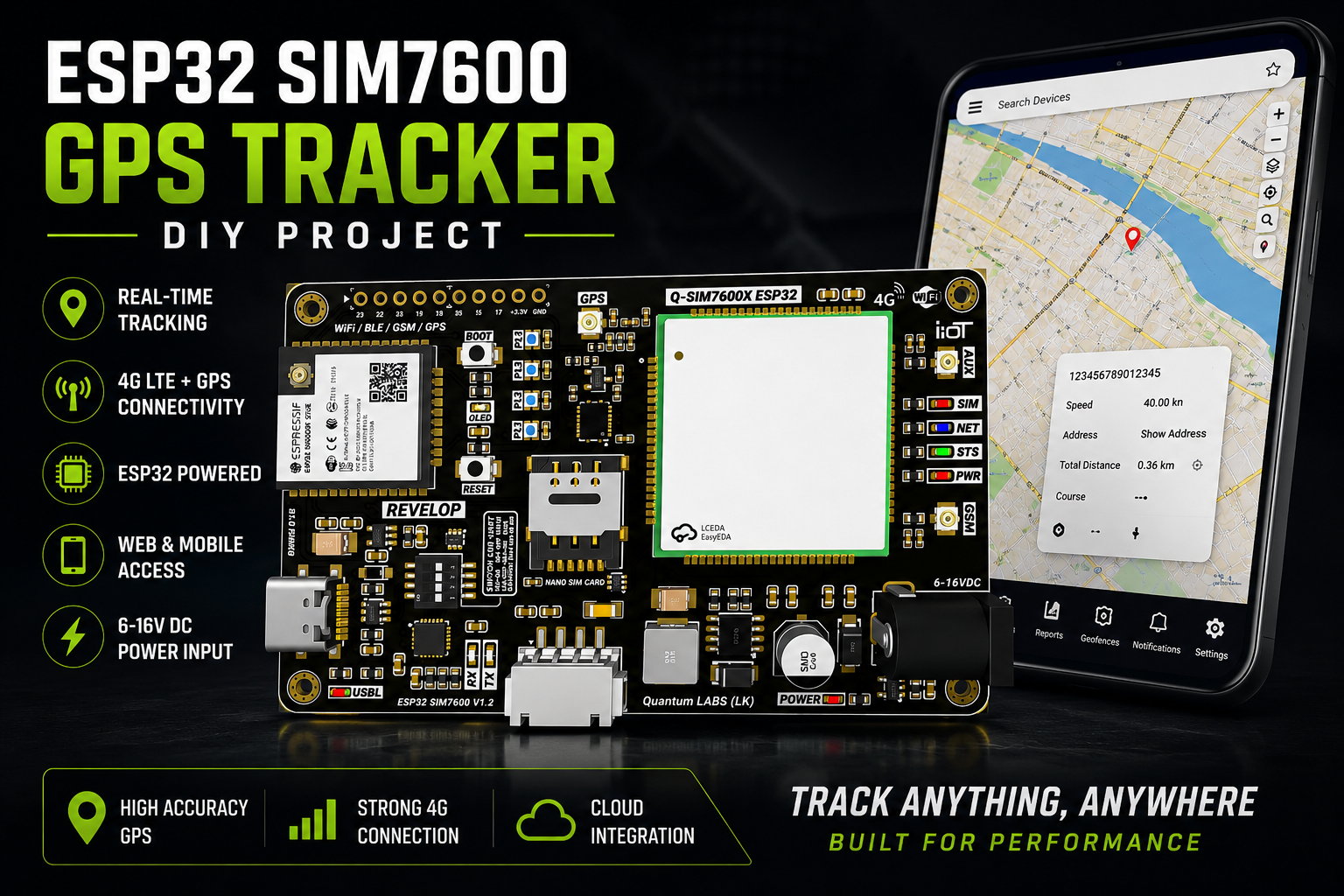
Alright, this is the end of my ESP32 GPS Tracking project. 🚴📡
Don’t forget to leave your ideas and feedback about this project in the comments below. 💬✨
Before you start using the PCB, here are a few important Q&A tips from me. 👇
⚠️ Important Notes
- 📶 Before uploading the code to the PCB, remember to update your SIM card’s APN settings inside the code. Otherwise, the tracker will not connect to the internet.
- 🌍 Also remember to update the server IP address in the Traccar code. If not, the device will not appear on the tracking platform.
- 📡 Before powering on the PCB, double-check that both the GSM antenna and GPS antenna are connected properly. This is very important for the safety and performance of the module.
All the project files can be downloaded from below. 📦
Good luck with your own DIY projects, and happy making! ⚡😄