Recreating a Historic Die Filer Machine
by RichardHuberjohn in Workshop > 3D Printing
12434 Views, 51 Favorites, 0 Comments
Recreating a Historic Die Filer Machine
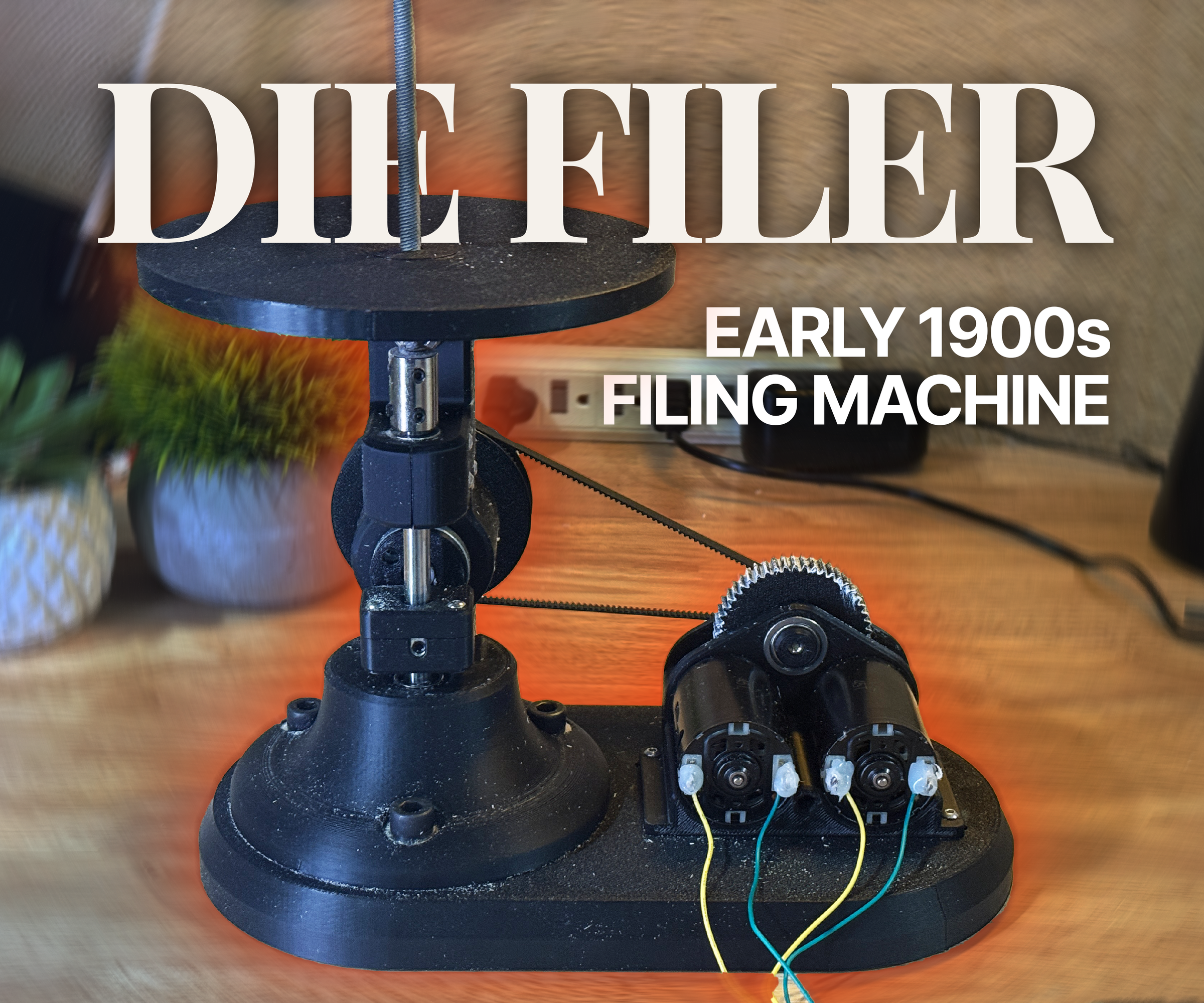
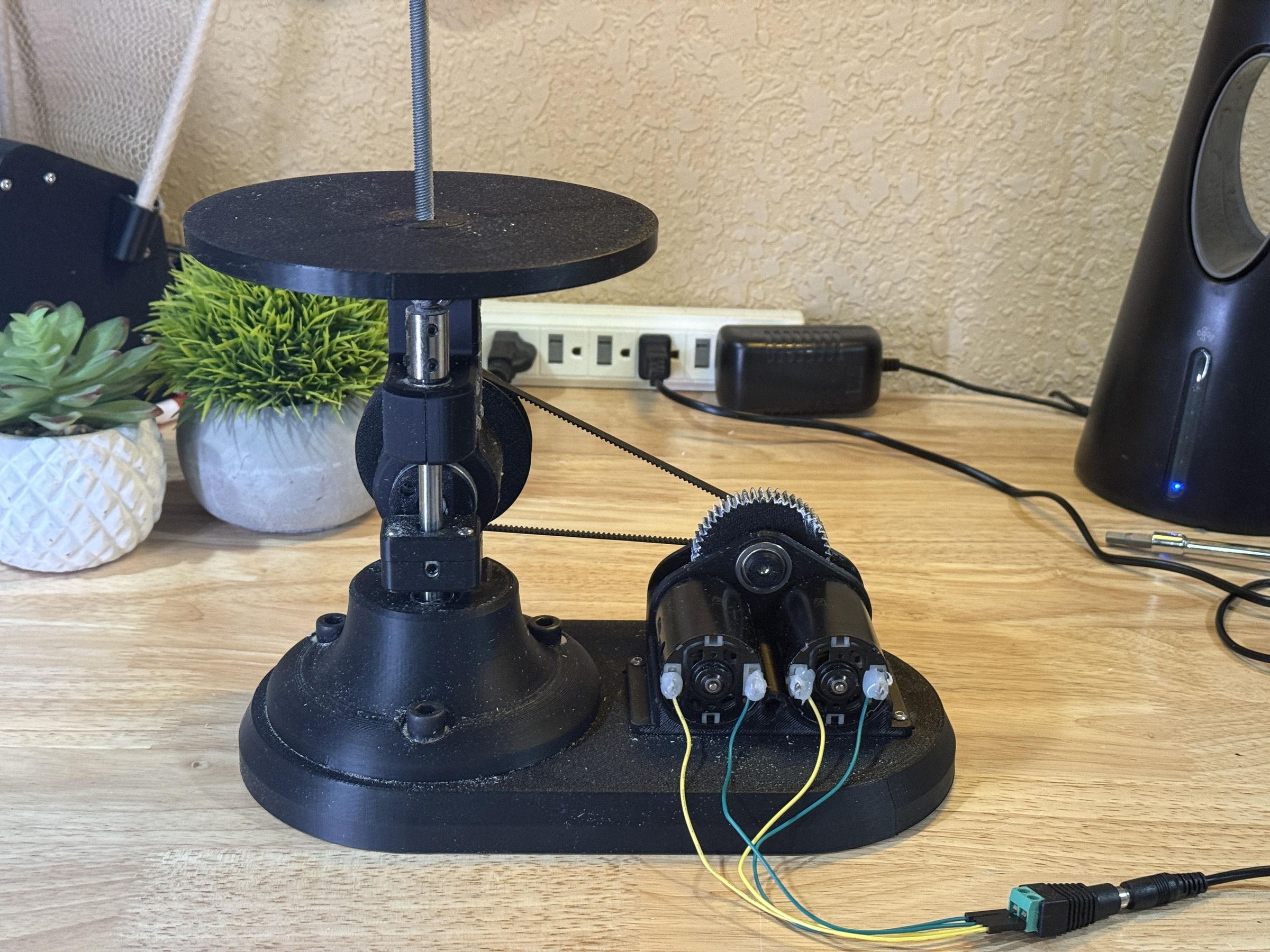
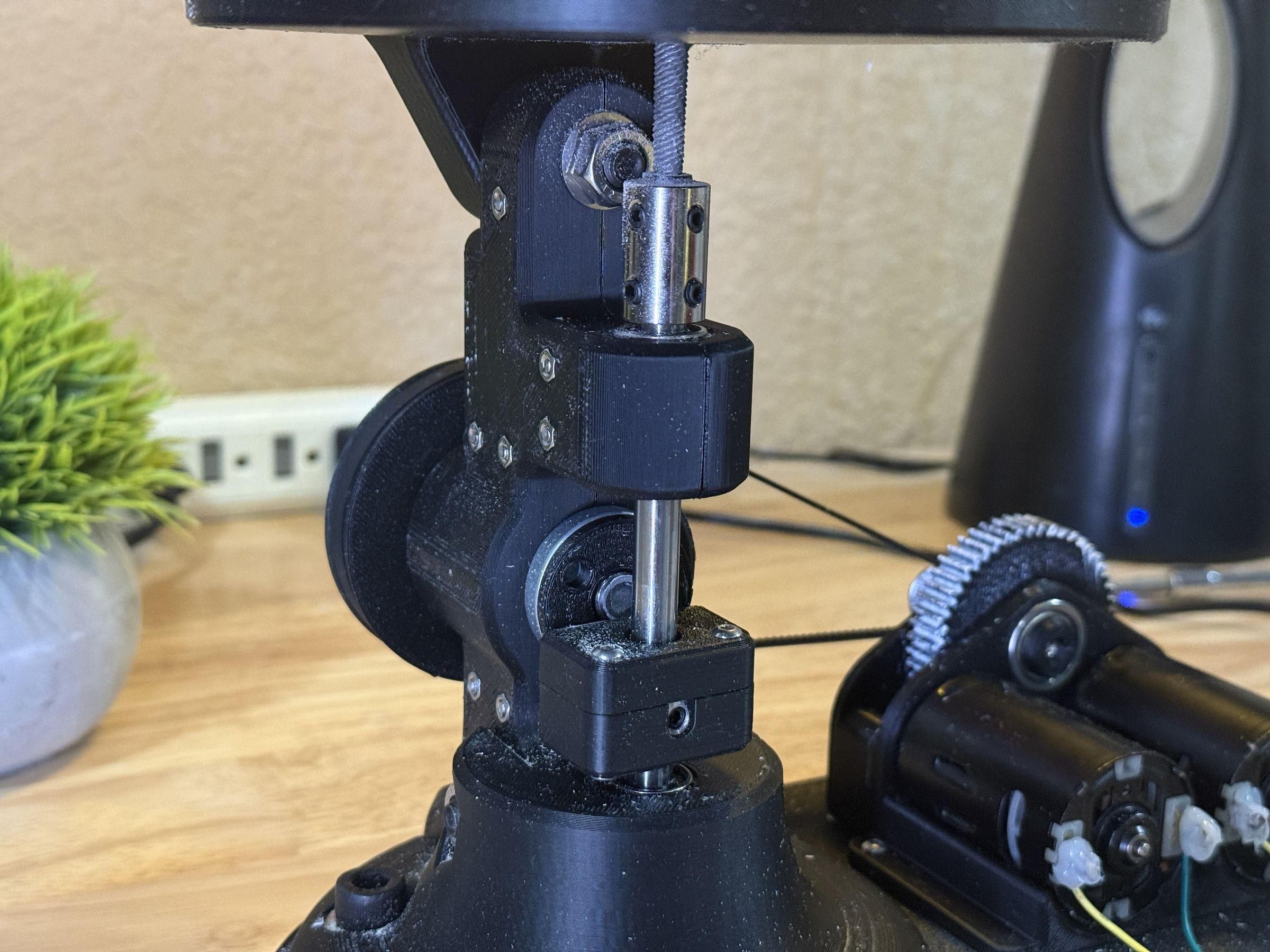
Die filers are specialized workshop tools that were used to shape and smooth metal parts before modern machines became common. They work by moving a small file up and down very quickly so workers could carefully finish detailed pieces by hand. Die filers became popular during the Industrial Revolution because factories needed accurate metal parts for tools, machines, and other equipment. These tools were important because they helped machinists make precise parts more easily and consistently in small workshops and large factories alike.
This Instructable is focused on recreating a die filer using modern materials and tools while keeping the same basic idea as the original machines. The machine will move a file up and down to help shape and finish parts with better control and accuracy. Building this project helps connect older manufacturing technology with modern engineering and shows how simple mechanical designs can still be useful today. It is also a way to learn more about the history of machining and how people made precise parts before CNC machines existed.
Supplies
Materials:
- 3D Printer Filament
- (3x) 10mm Flanged Bearings
- 14mm Round Bearing
- GT2 2mm Timing Belt
- 20t GT2 Pulley
- 8mm Set Collar
- 8x150mm Linear Rod
- (2x) 8mm Linear Bearings
- 8mm Shaft Coupler
- 10mm Arbor
- Arbor Nut
- (3x) M3 5mm Brass Standoff
- Metal Weights
- Grip Tape
- O-ring
- M3 Hardware
- M8 Hardware
- Super Glue
- Grease
Electronics:
- (2x) Brushed DC Motor
- AD/DC Adjustable Power Adapter
Tools:
- Screwdriver (Hex, Phillips)
- Drill (Optional)
- Hammer
- Utility Knife
- File(s)
- Tweezers
Design Analysis

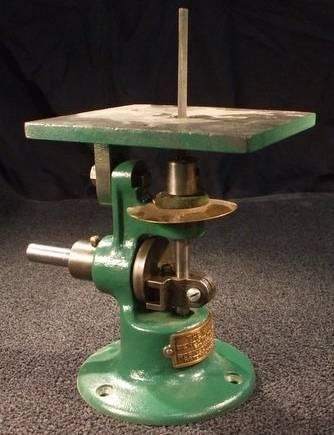
This vintage die filer design consists of a reciprocating linear rod attached to a file, driven from an external pulley.
I will recreate this functionality with modern components, while keeping a similar visual style.
I wanted like to preserve the historical aesthetic and design language by utilizing similar shapes and forms.
CAD
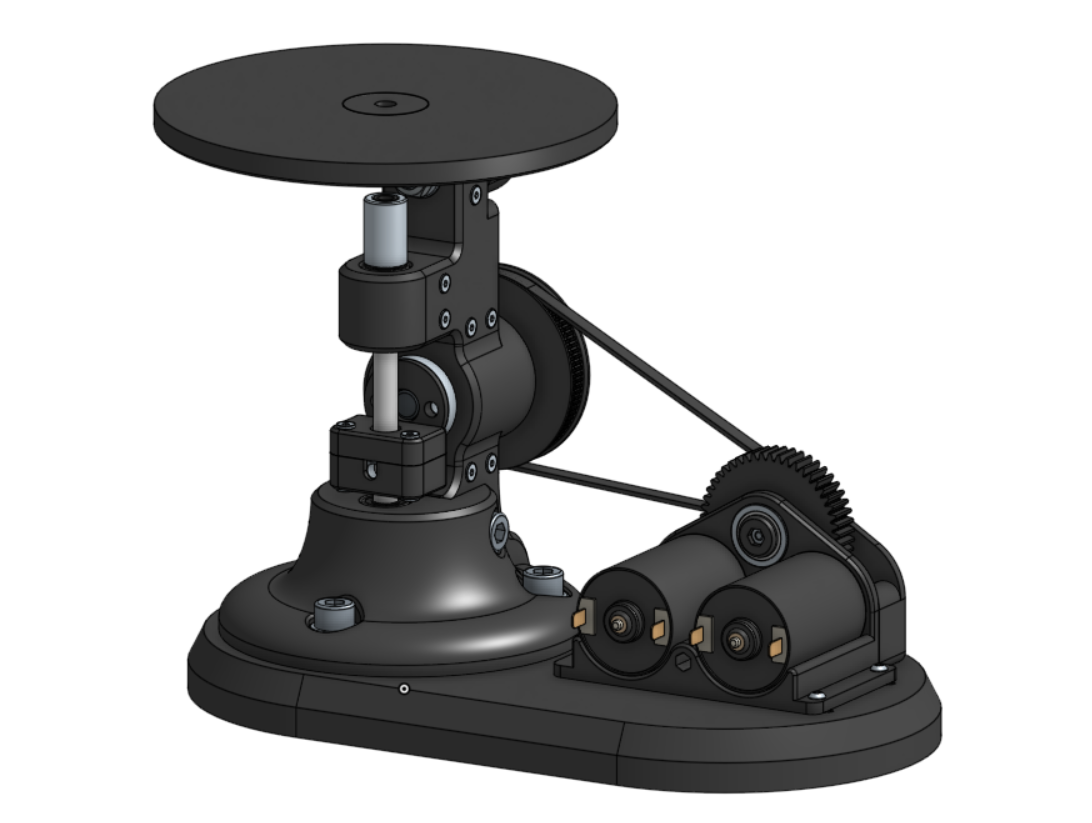
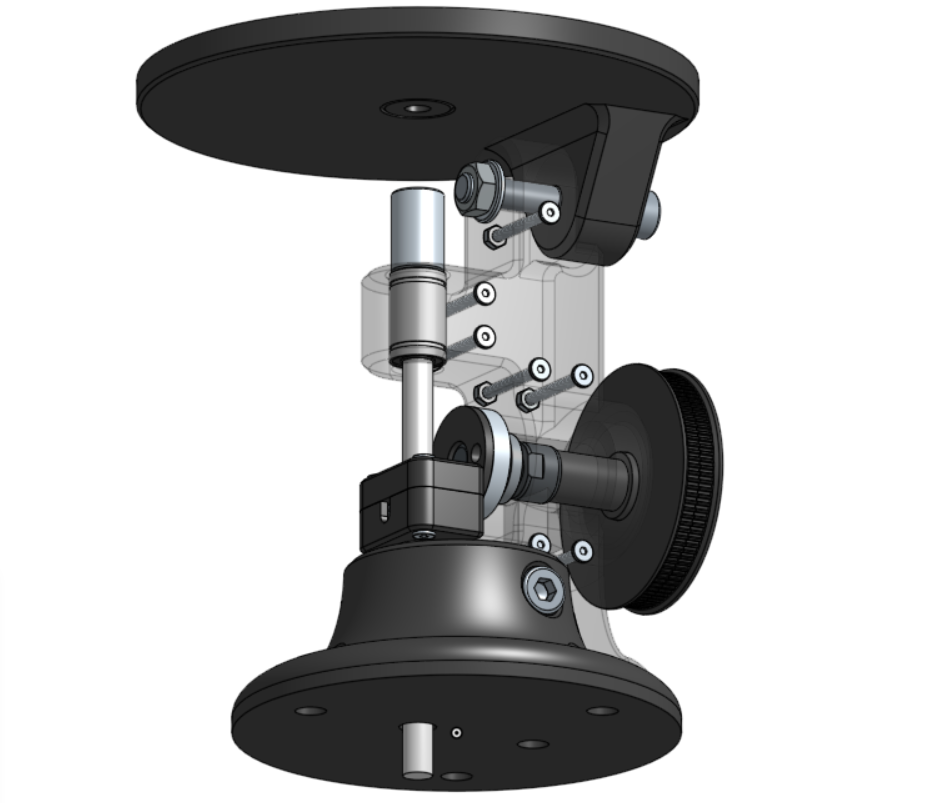
CAD is crucial for planning out the layout of components and modelling accurate parts to 3D print. The CAD model consists of all the printed parts along with off-the-shelf components and hardware required for the build.
The CAD model for the entire assembly along with both subassemblies are provided below for anyone who wishes to learn from it.
Motor Assembly
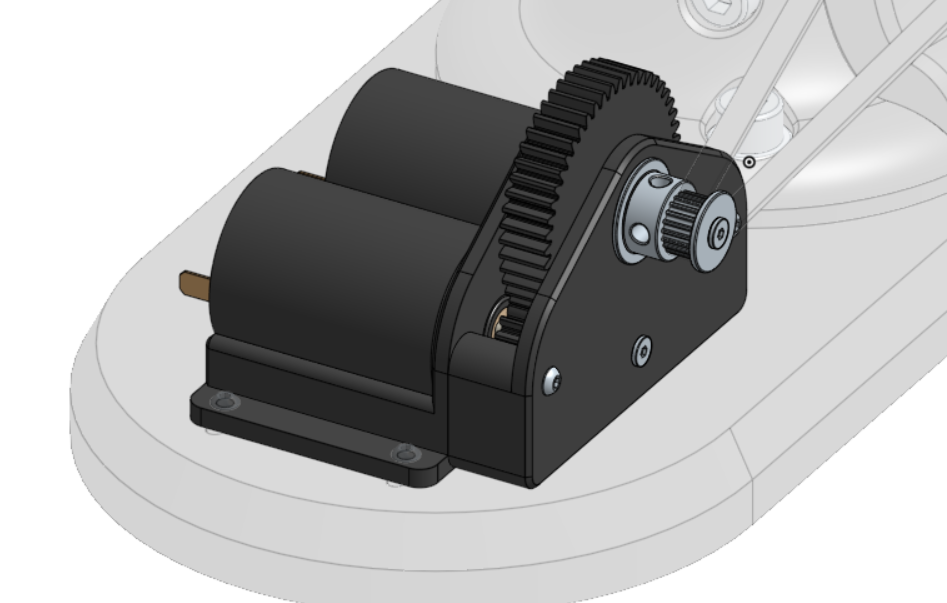
The motor assembly is what powers the die filer and is physically separate but attached to the same platform. I chose to utilize two brushed DC motors for extra power and opted for a gear ratio of 25:1 from the motors to the crank to increase torque.
Platform

The platform not only serves to elevate the presentation of the die filer but also has other functionality. Since the linear rod in the die filer is too long, the excess travels down into the platform and is concealed seamlessly.
The platform also hold weights and has grip texture to prevent the machine for vibrating and moving across the work surface.
3D Printing

Every component for this project was printed using SUNLU PLA+ 2.0 filament, which is stronger than regular PLA and provides more rigidity to the structure.
The majority of components were printed using 10% infill, however large parts like the platform used 5% to save filament.
None of the part require supports, however the body needs to be split in half to print in two clean sections.
Prepare Platform
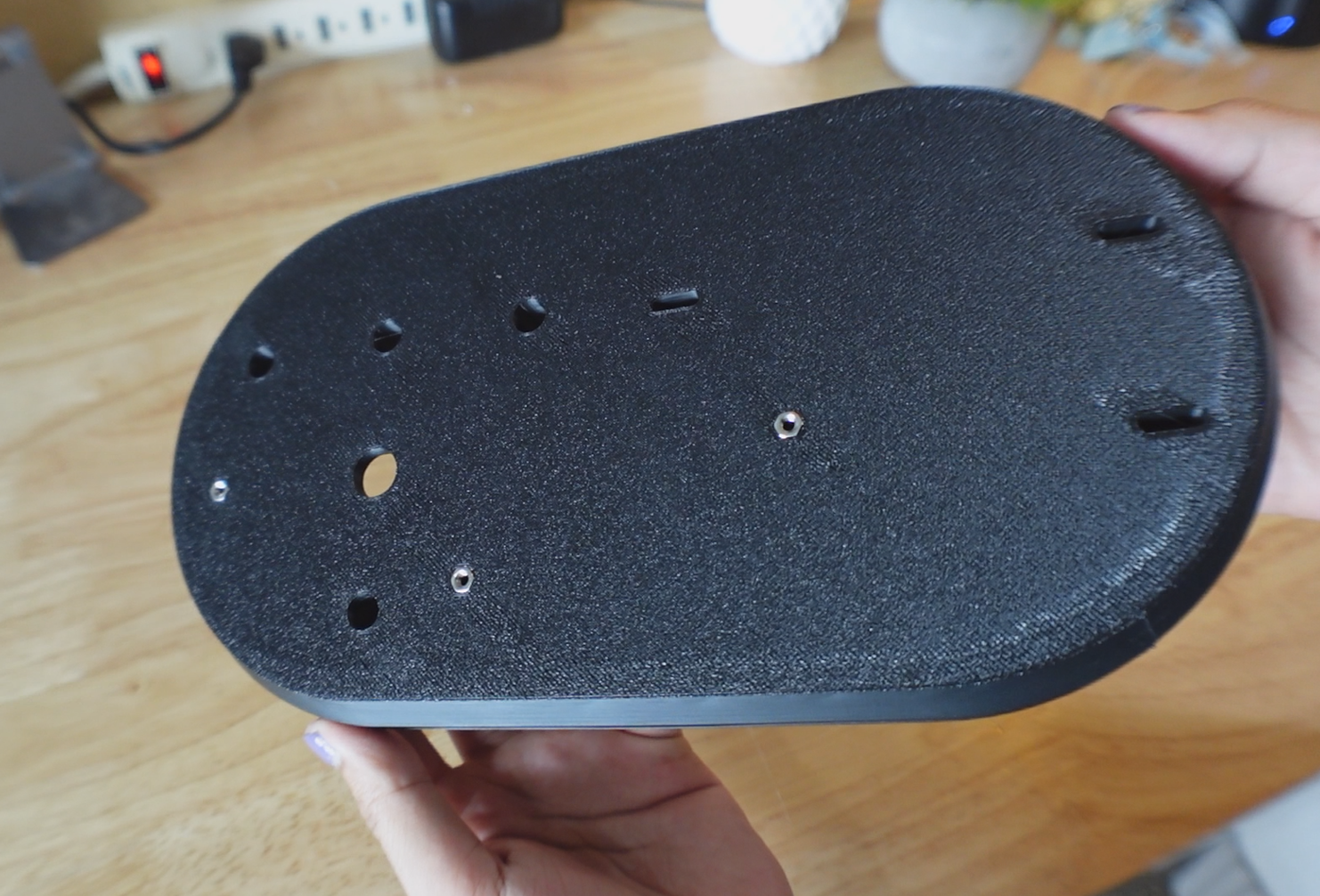


Press 3 M3 nuts into the recesses on the top of the platform.
Insert 4 weights into the slot on the bottom of the platform, ensuring the holes align with the through-hole in the platform. (This allows the linear rod to have clearance)
Screw the cover over the weights using M3 bolts into the previously inserted M3 nuts.
Add Grip Tape
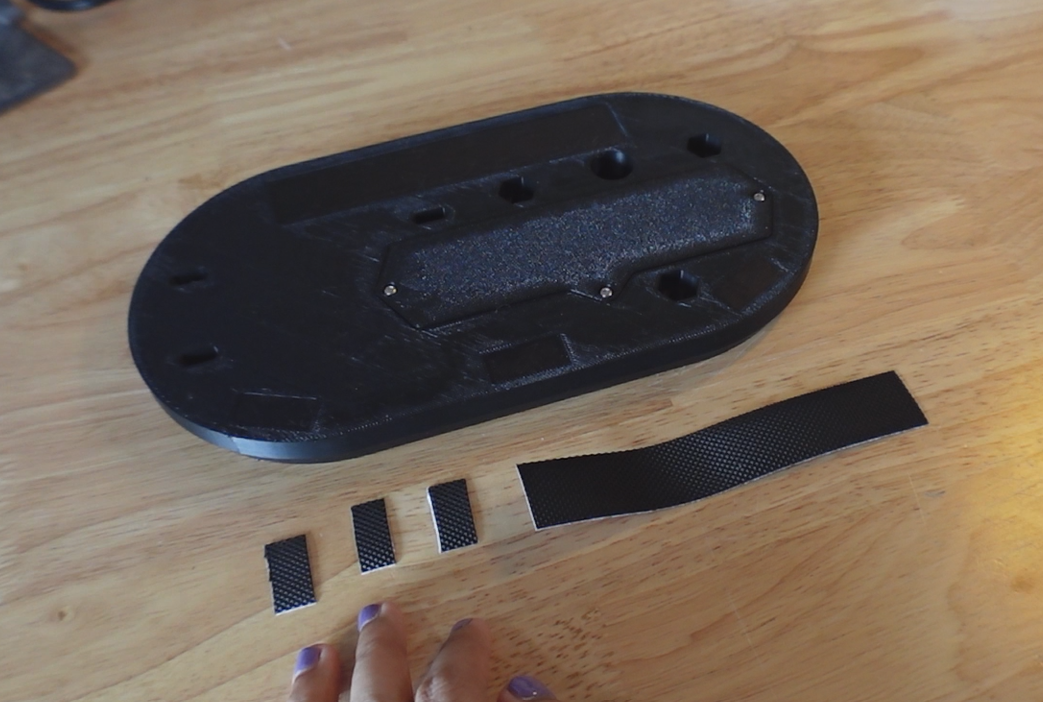
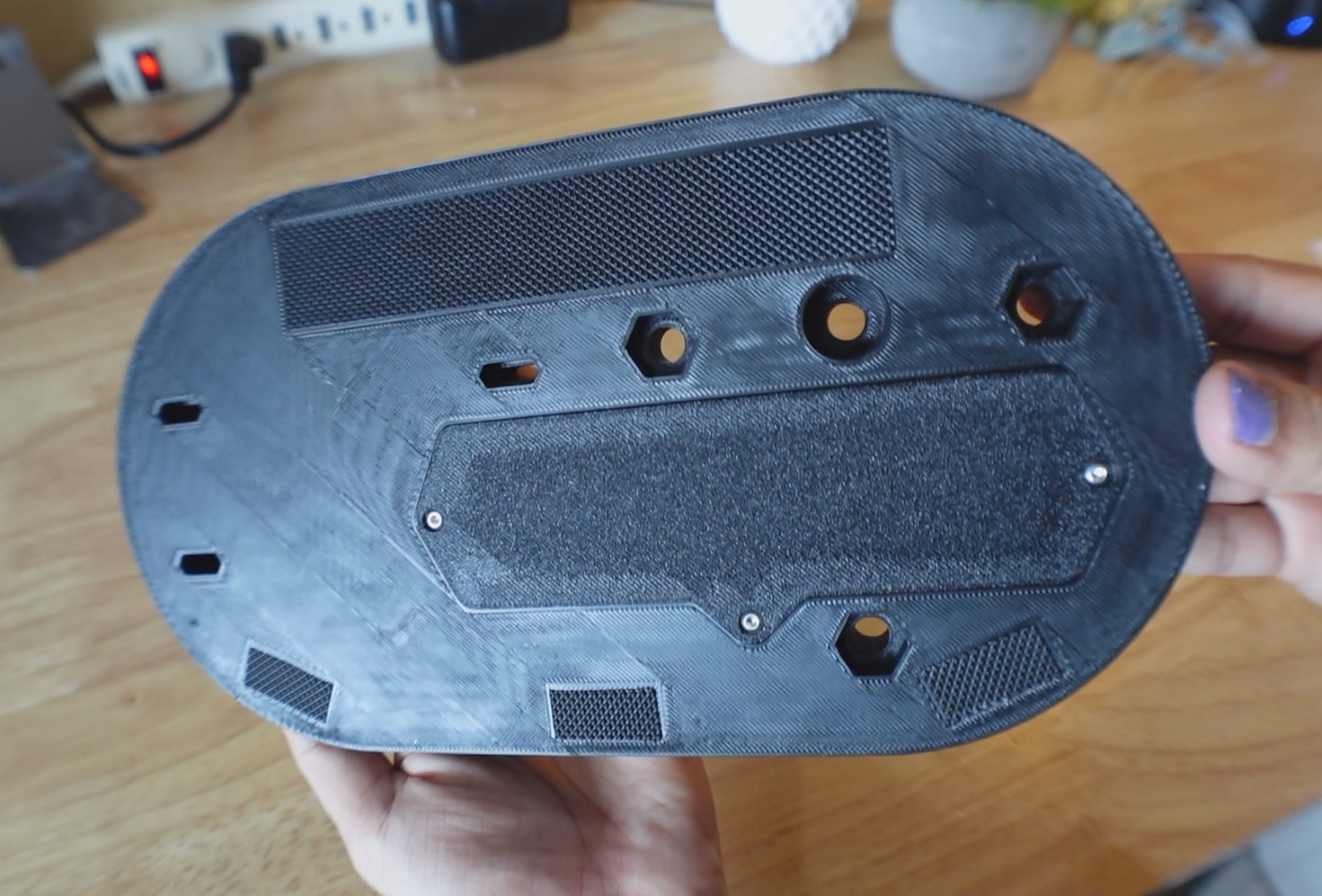
Cut three 14mm and one 120mm lengths from a 1" wide strip of grip tape.
Apply these strips to their respective recesses in the bottom of the platform.
Attach Base
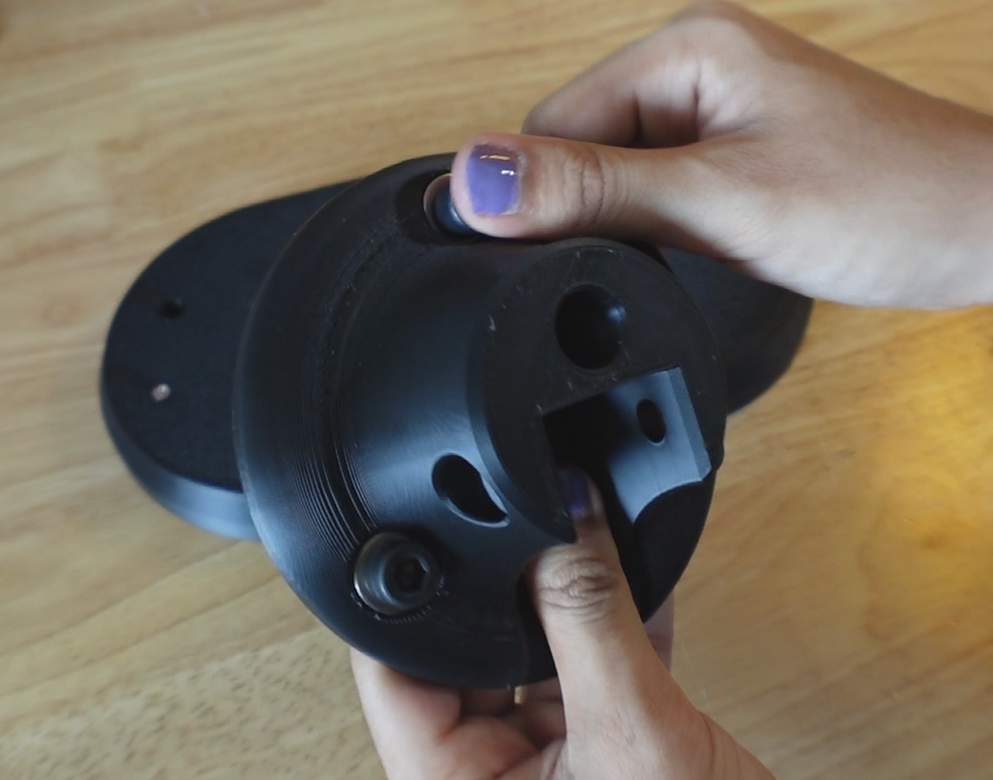
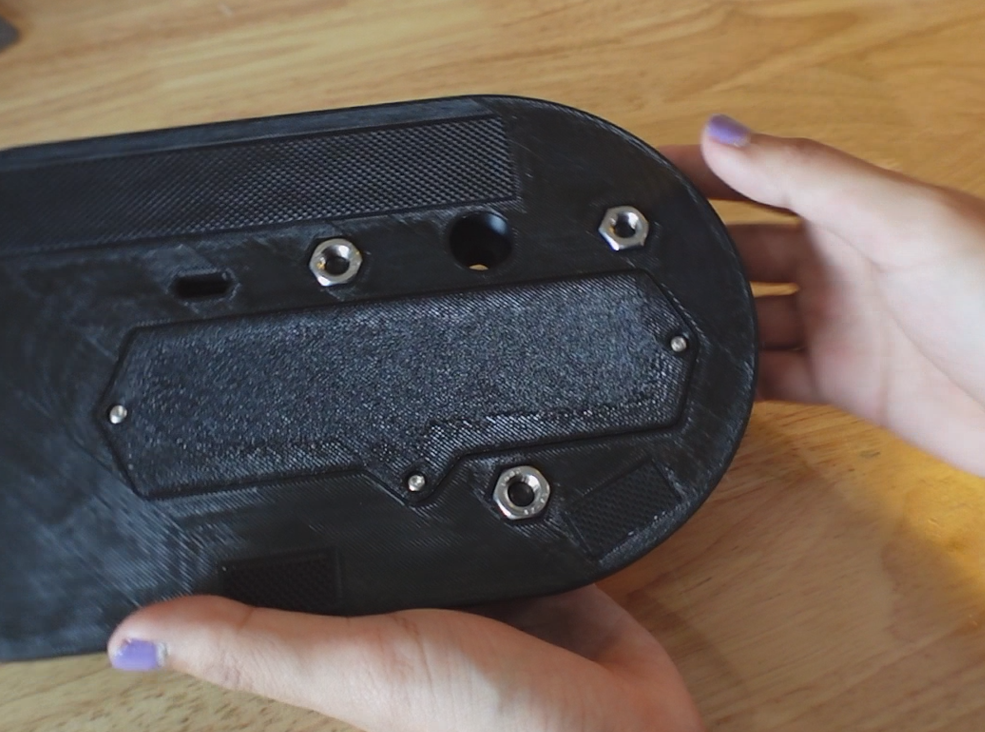
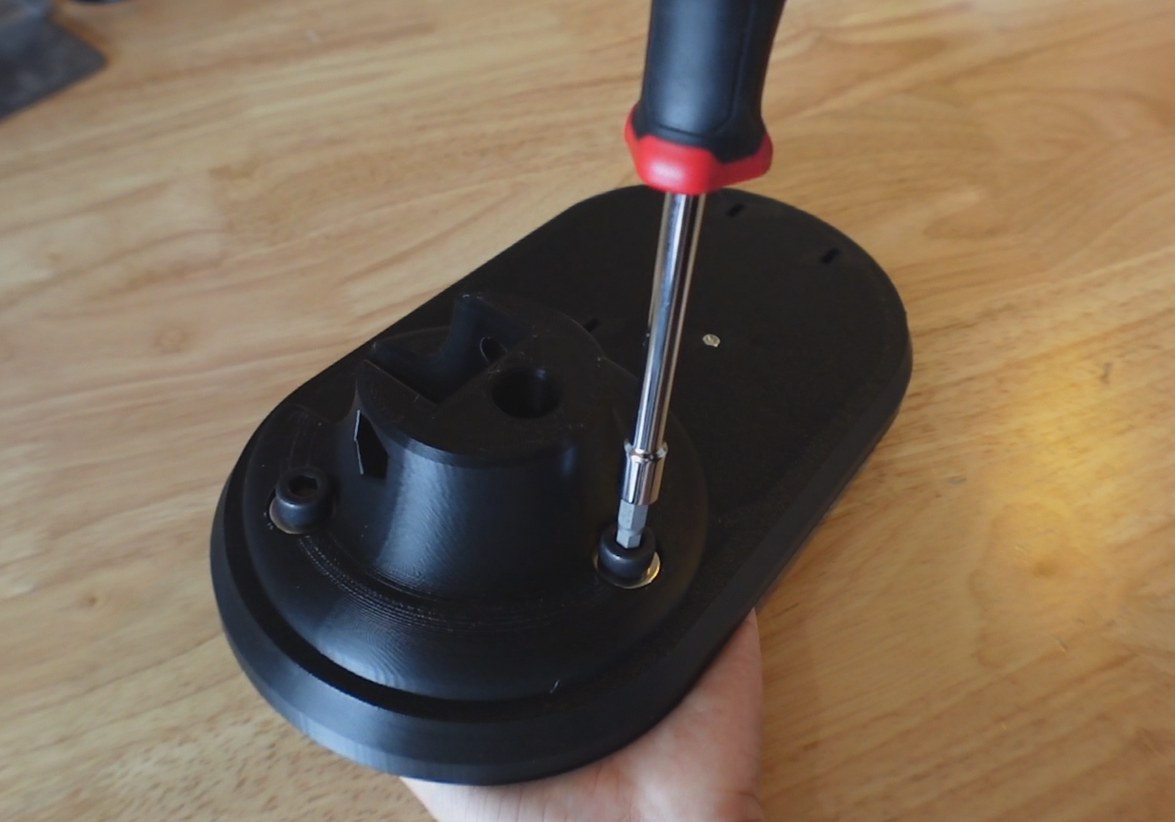
Insert 3 M8 washers and M8 bolts into the holes on the base.
Insert 3 M8 nuts into the bottom of the platform.
Align the bolt holes and screw the M8 nuts in to secure the base to the platform.
Assemble Body
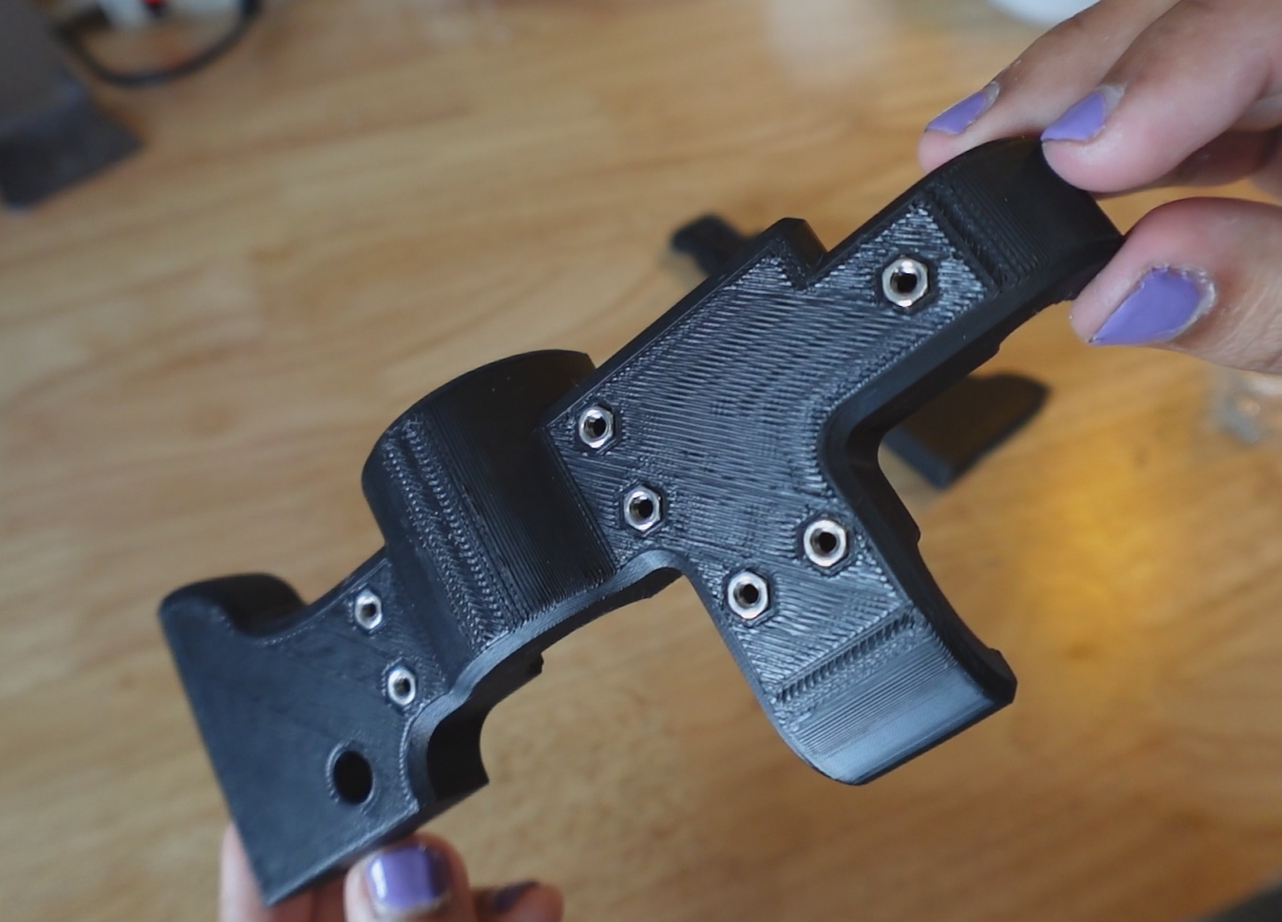


On the left half of the body, insert M3 nuts into all of the hexagonal recesses.
Align the two halves of the body and screw 30mm M3 bolts into all bolt holes.
Ensure the seam on the two halves is properly aligned before fully tightening bolts.
Attach Body
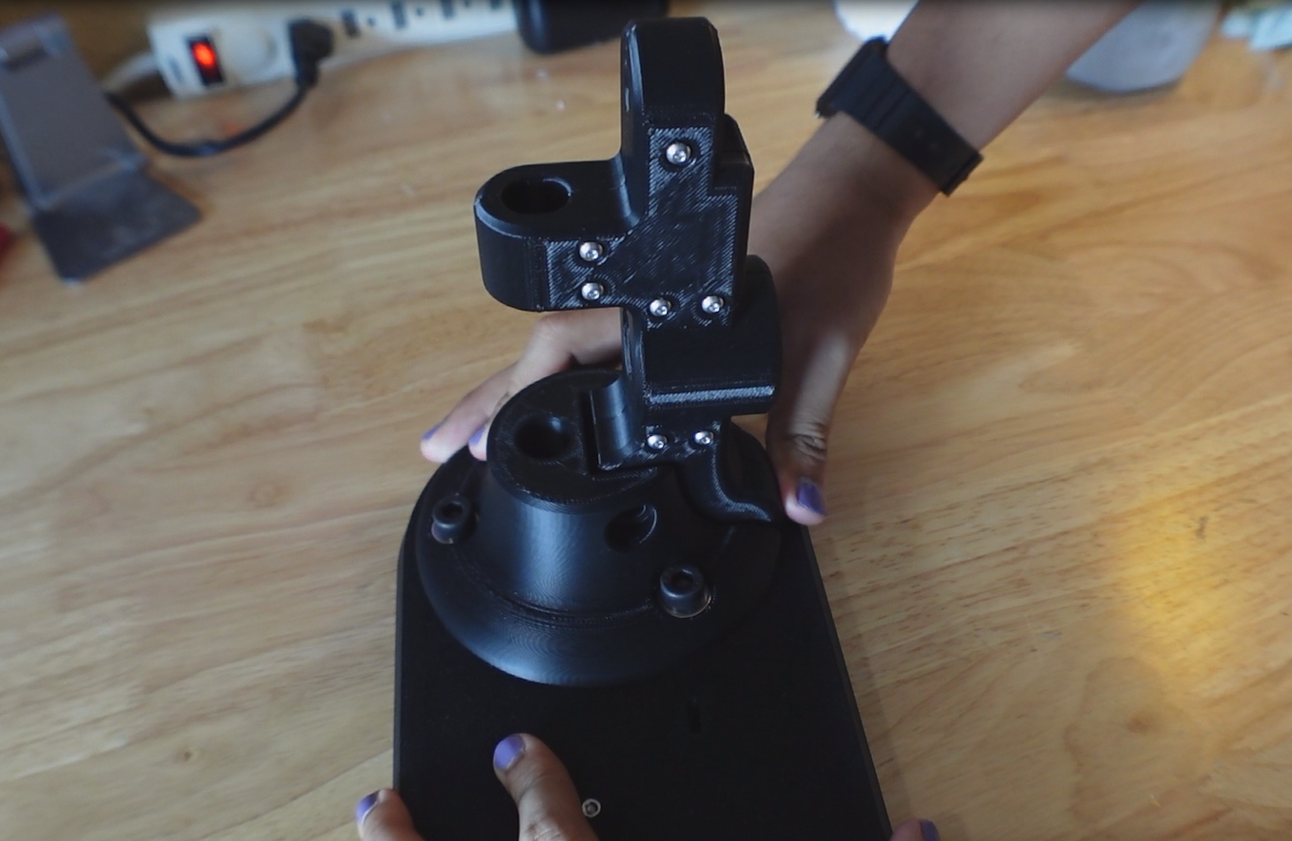


Slide the body into the groove on the base.
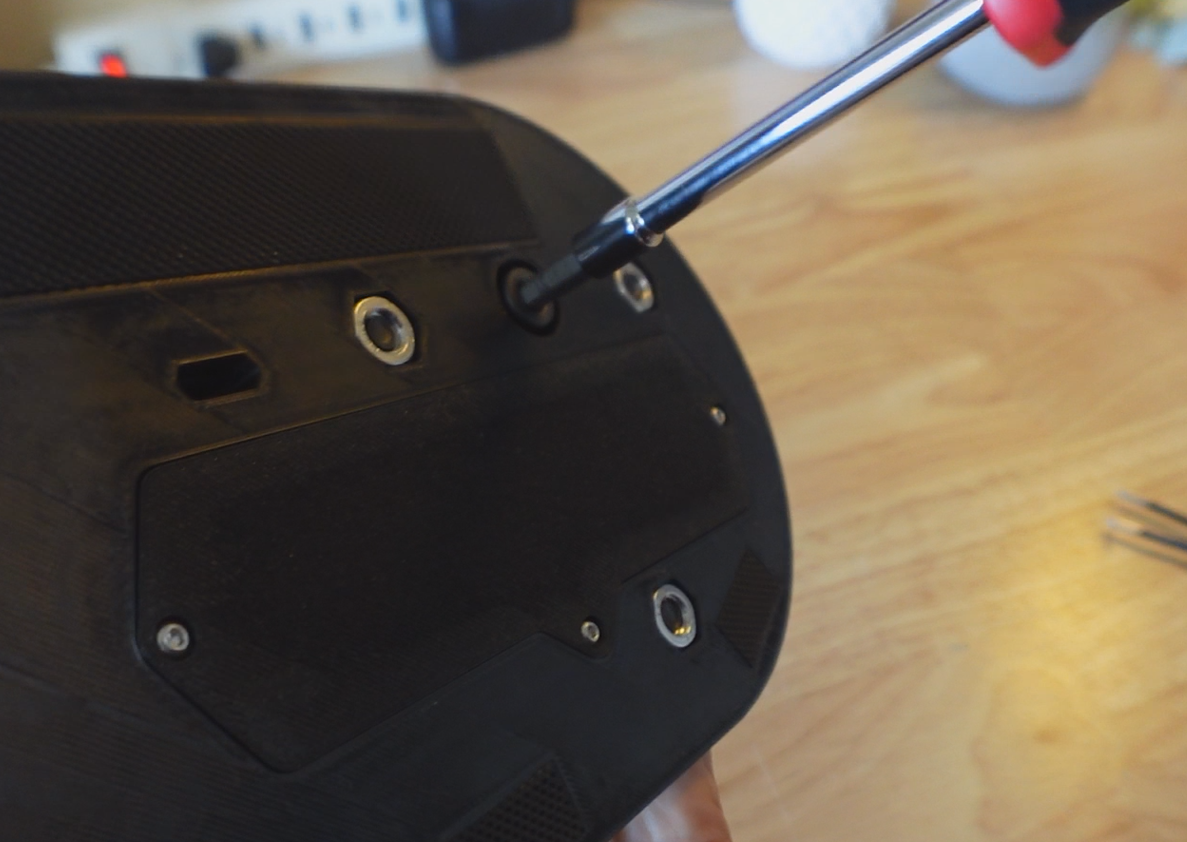
Insert an M8 nut into the hexagonal hole on the left side of the base, then slide a 50mm M8 bolts through the right side and tighten.
In the cylindrical bore on the body, drop an M8 Nut into the hexagonal hole, and insert a 70mm M8 bolt through the bottom of the platform and tighten.
This firmly lock the body to the base and platform by bolting through it in both directions.
Assemble Pulley
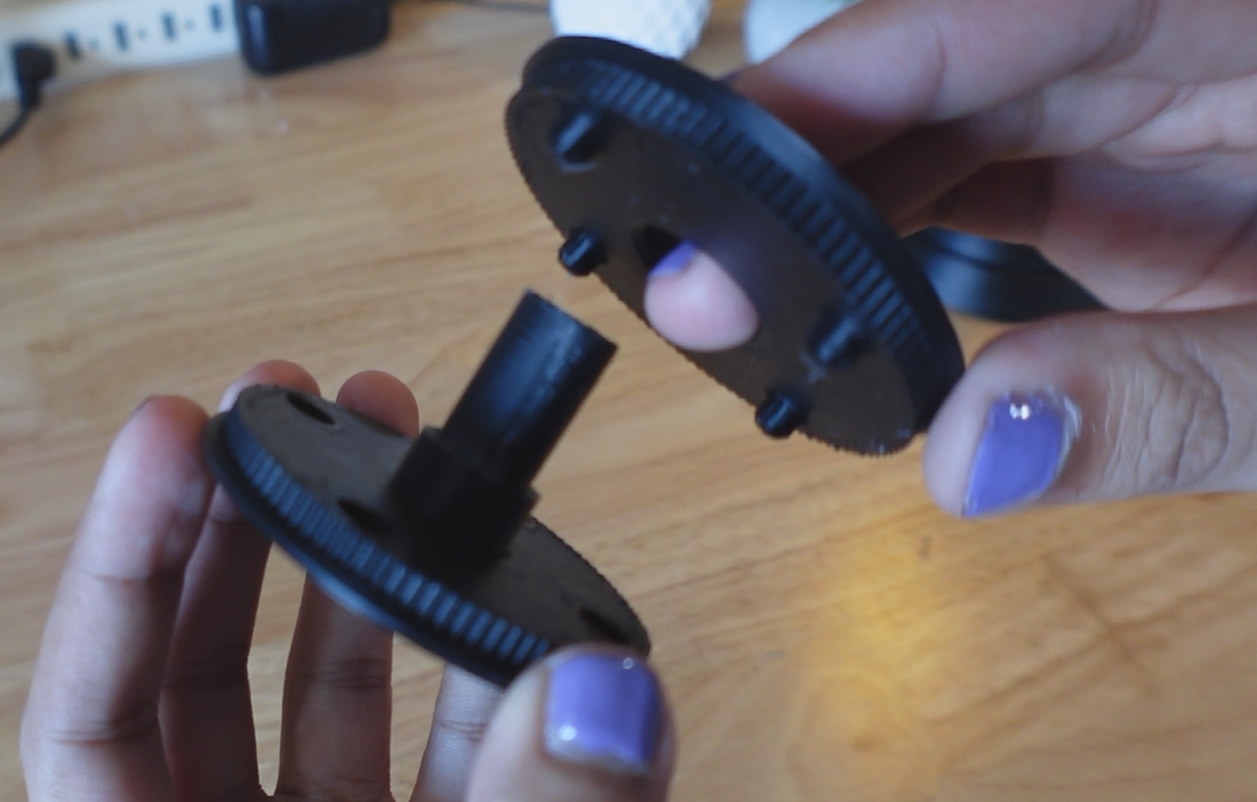
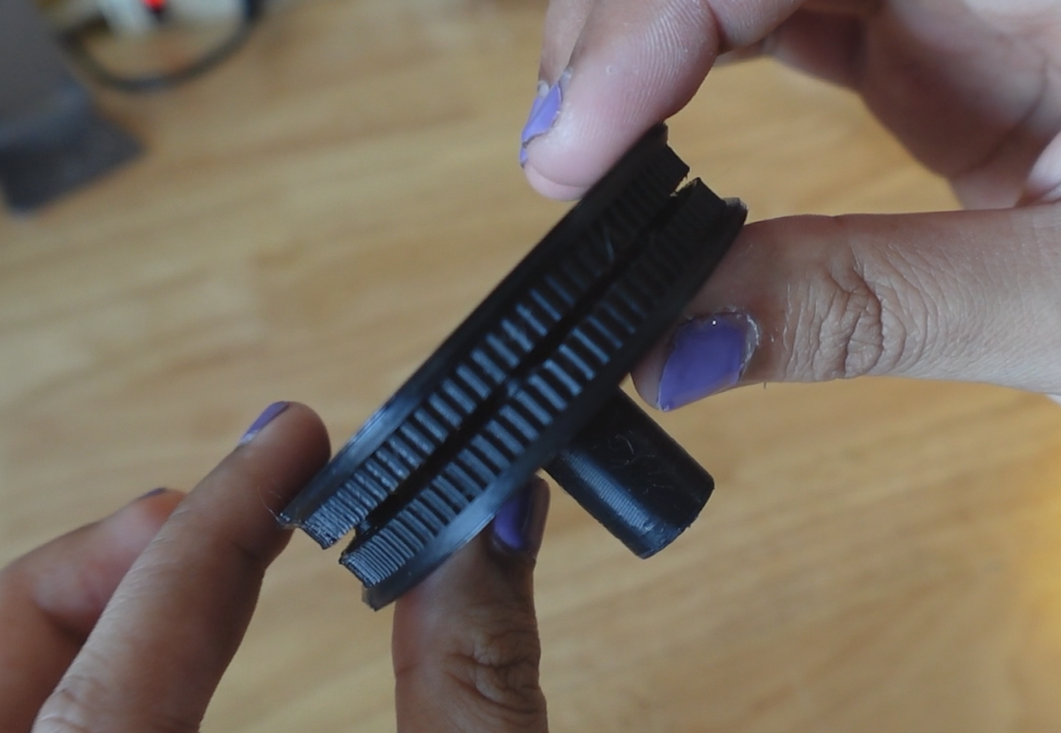
Align the pulley side with the center bore to the pulley side with the shaft using the 4 pegs, then click them firmly into place.
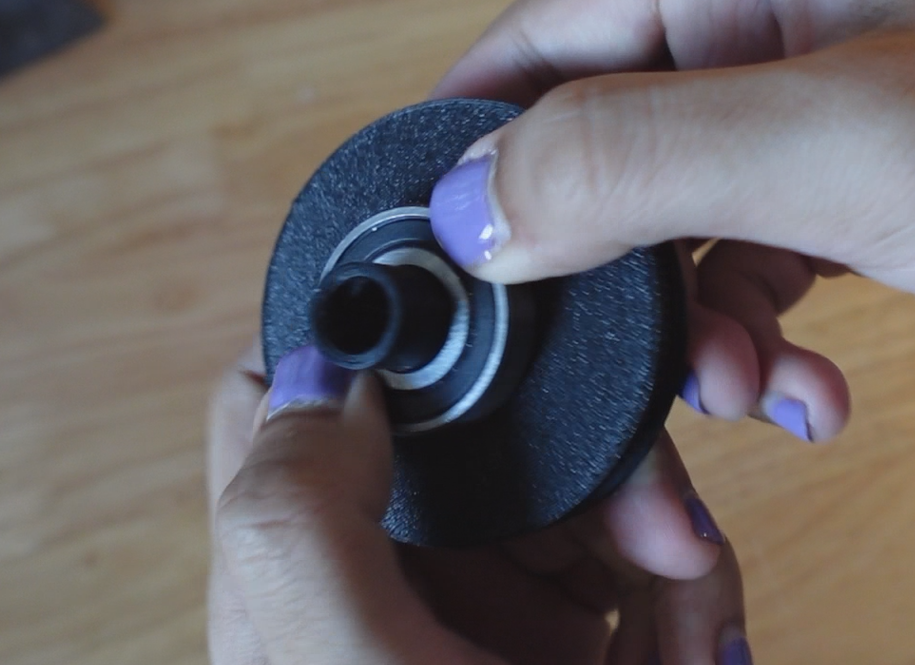
Slide the bearing over the shaft until it reaches the flange, this should be a firm press fit.
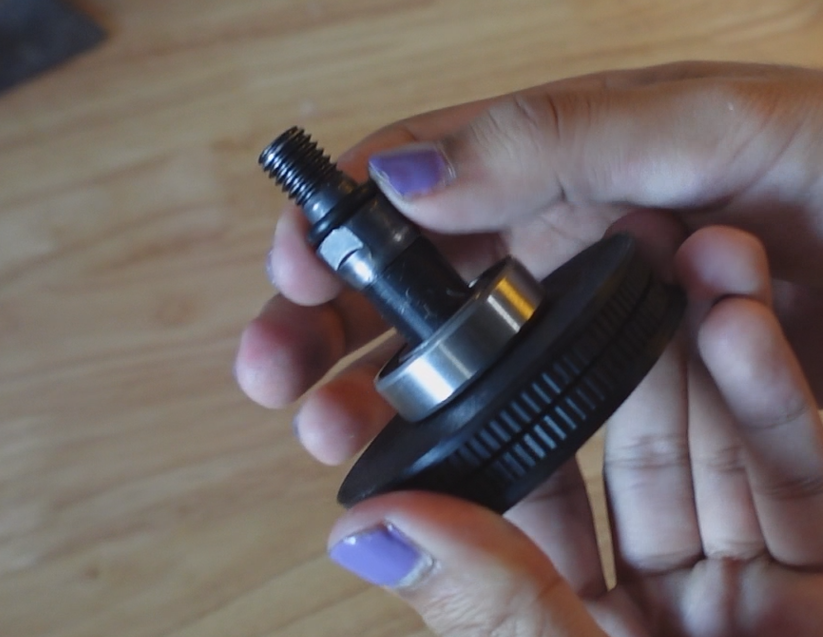
Insert the 10mm arbor into the hole in the shaft, ensuring the flats on the arbor align with the flats inside the shaft.
Slip an O-ring onto the thread side of the arbor, this will essential act as a spacer.
Insert Pulley
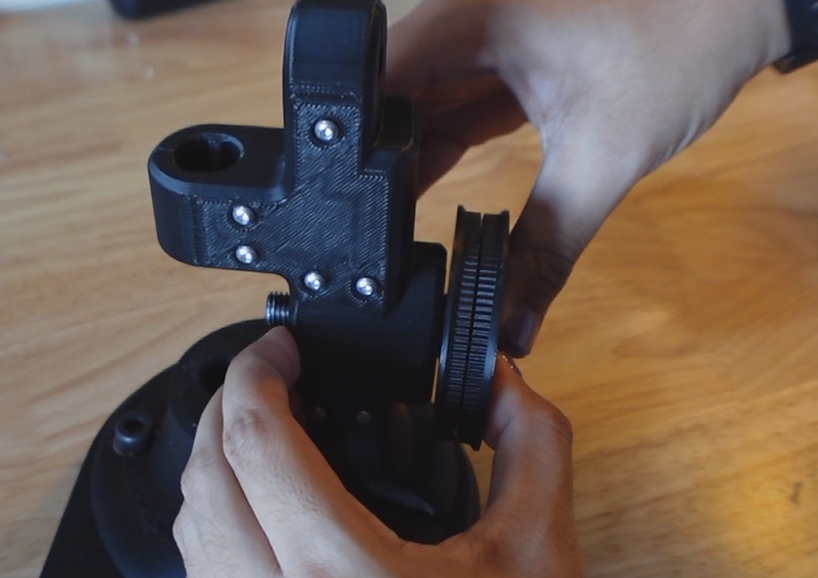
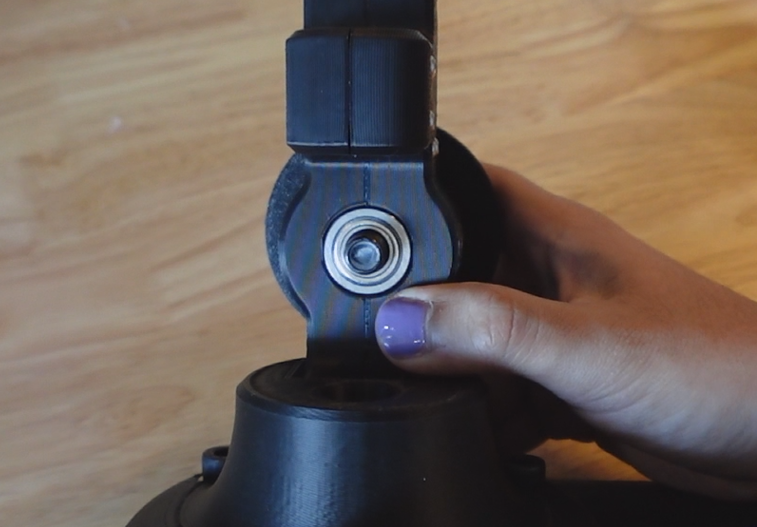
Slide the pulley into the back of the body, firmly pressing the bearings into the counterbore on the back.
On the front of the pulley, slide a 10mm flanged bearing over the arbor threads and press it into the bore in the body.
The pulley should be fully supported and able to spin freely.
Attach Crank
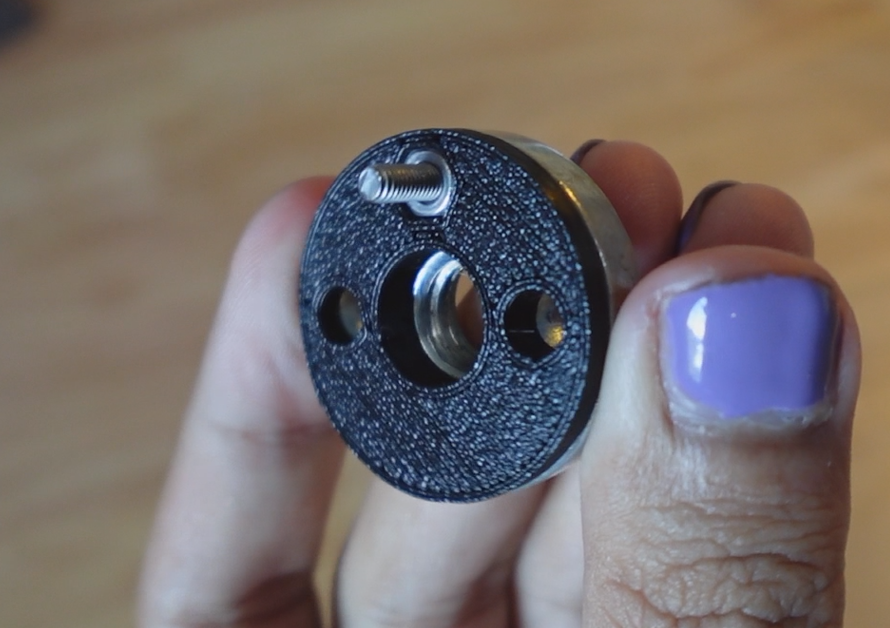
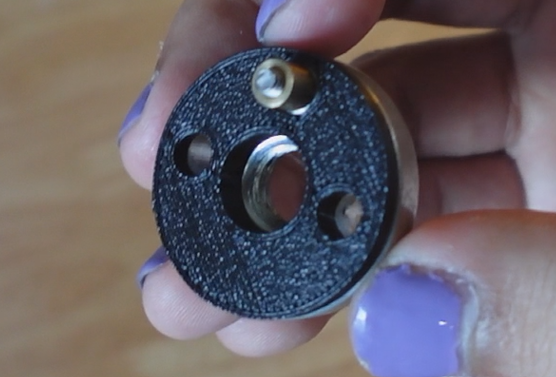

Attach the 3D printed adapter to the arbor nut using an 14mm M3 bolt and nut pressed into the printed part.
Thread an M3 5mm standoff onto the bolt, this serves to reduce friction on the crank when rotating.
Thread the crank onto the arbor and tighten, securing the pulley in place while still allowing free motion.
Insert Linear Bearings

Press the 8mm linear bearings into the top arm on the body and base.
These should be a firm press fit to prevent them from sliding out during linear motion.
Assemble Clamp
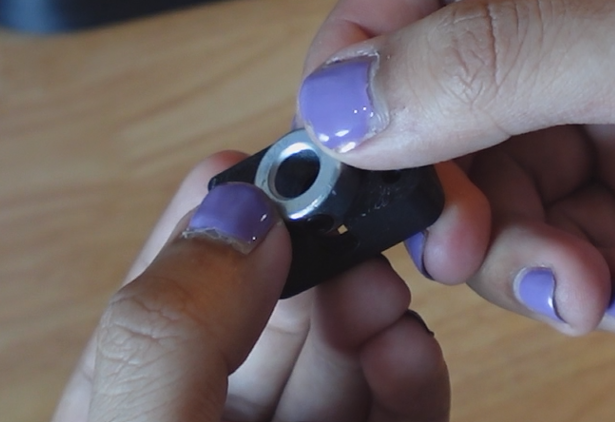
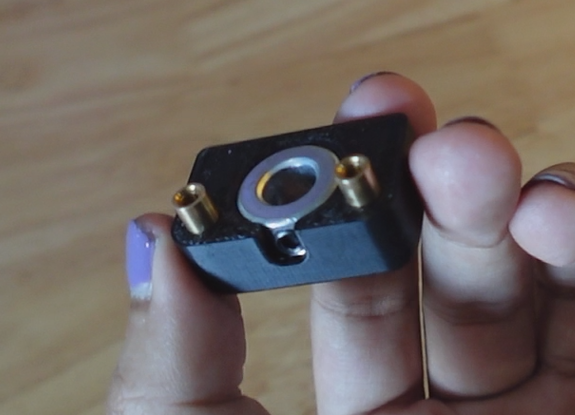
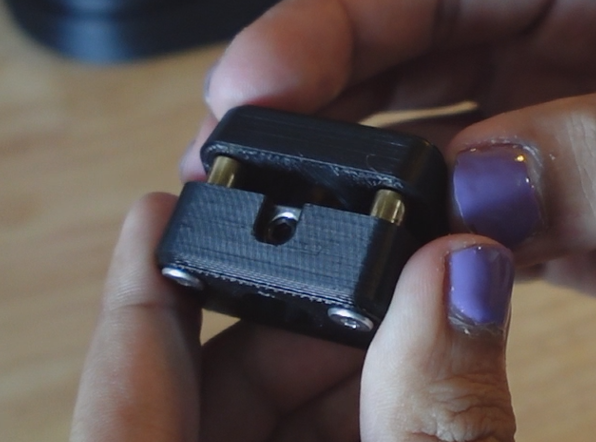
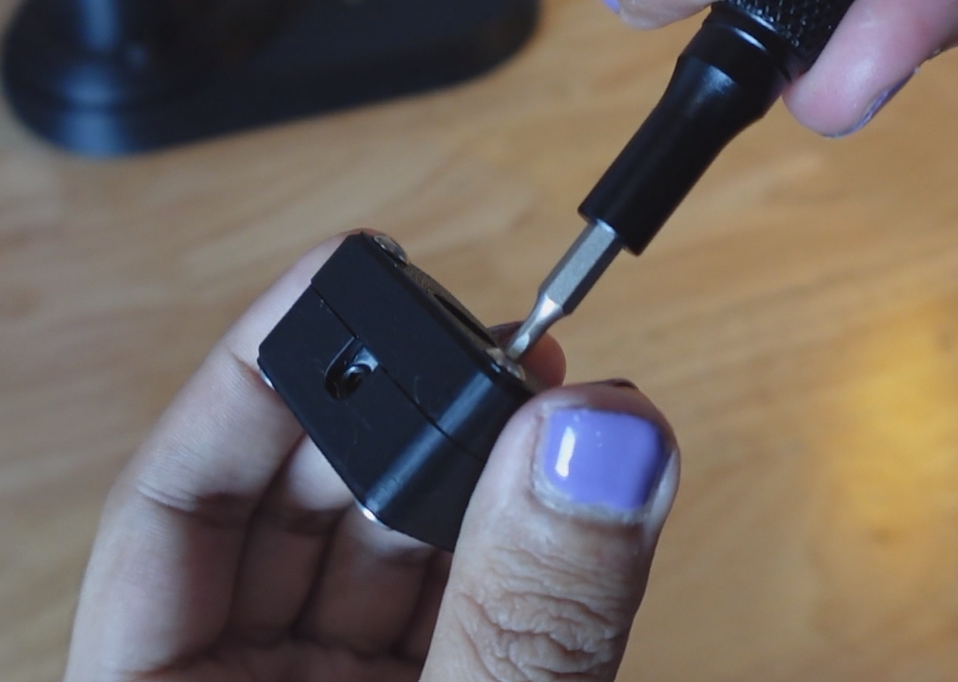
Insert an 8mm set collar into the bottom clamp print, ensuring the set screw is facing the opening in the part.
Insert 2 14mm M3 bolts into the bottom of the part and secure them using the M3 standoffs.
Press the top part over the standoffs and secure it with 6mm M3 bolts.
Once both bolts are engaged with the standoffs, they can be tightened down without worrying about the standoffs rotating.
Insert Linear Rod
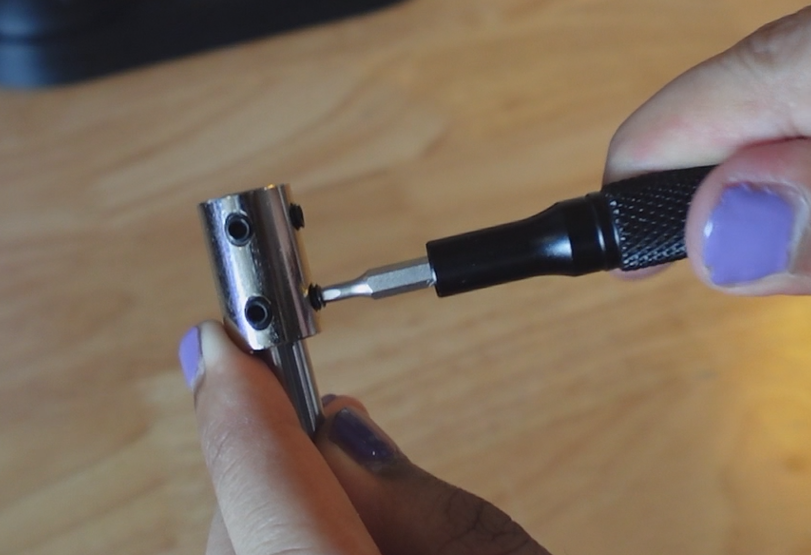


Place the shaft coupler halfway onto the 8mm linear rod and tighten using the bottom set screws.
Slide the shaft through the top linear bearing, then through the set collar clamp, and finally through the bottom linear bearing.
The linear rod should be in the fully down position when the crank is at its lowest point.
Attach Table
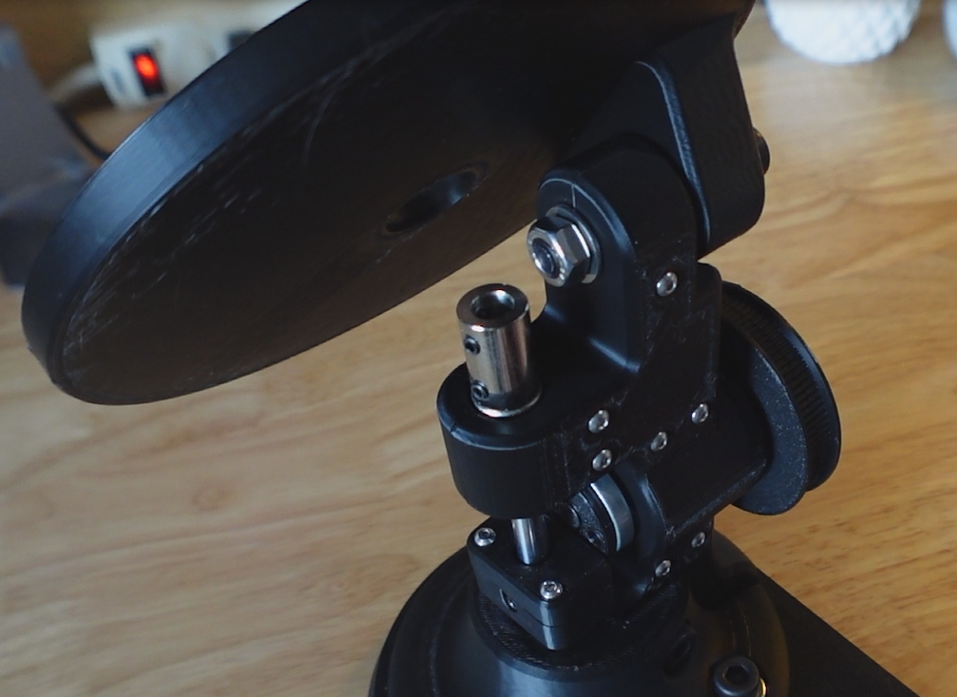

Attach the table to the body using a 50mm M8 bolt with a nut and washers.
Tighten using a wrench and screwdriver, however allow some slack for the table to pivot.
This joint will be adjustable, so don't worry about aligning it perfectly.
Attach File
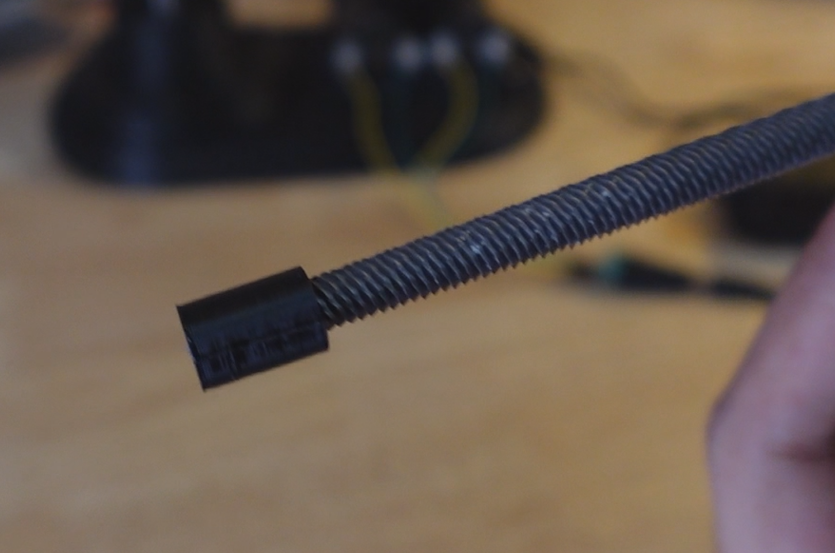
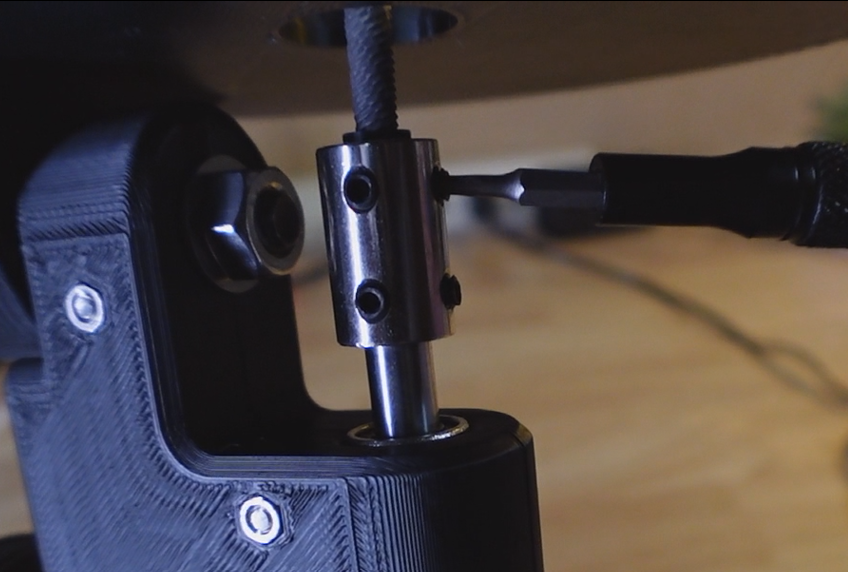
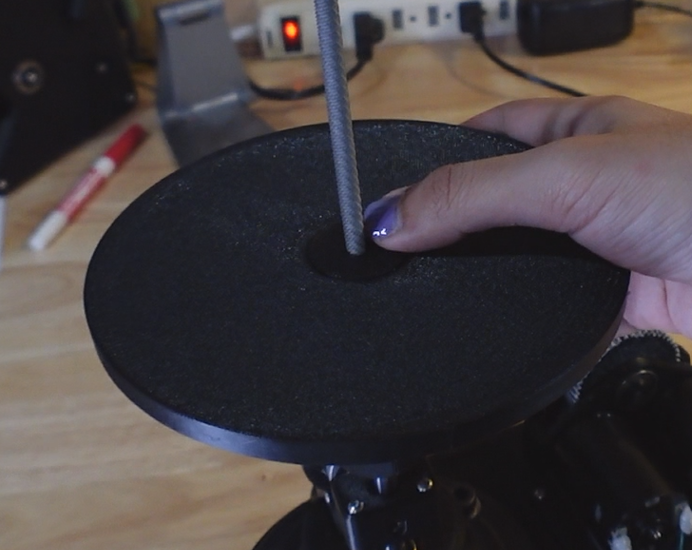
Remove the handle from a standard round hand file and hammer the 3D printed adapter sleeve onto the end.
Insert the adapter into the shaft coupler and tighten the set screws.
The 3D print should compress, putting pressure on the teeth of the file, creating a secure connection.
Prepare Motors

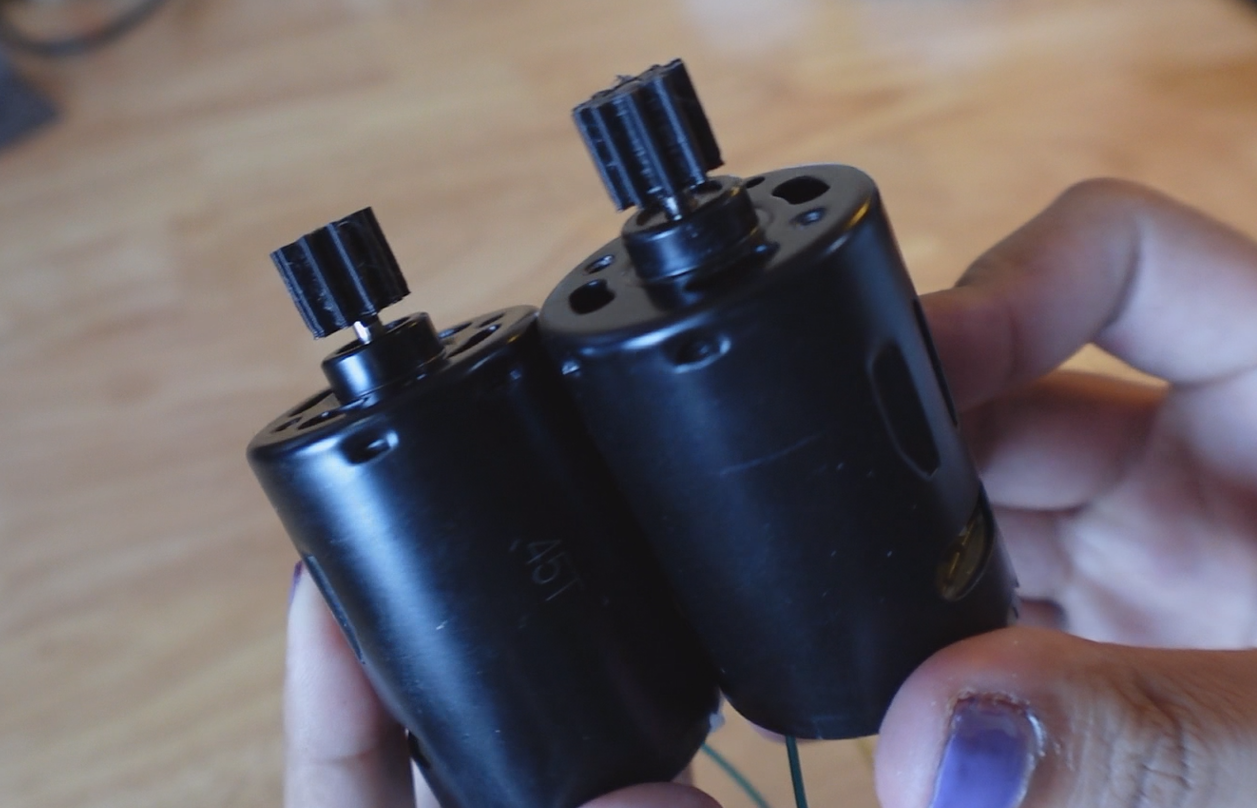
Hammer the 10t pinion gears onto the shafts of the DC motors, ensuring the D-profile is aligned on the gear and shaft.
When hammering/pressing, support the back of the motor shaft with something solid to prevent it from moving or breaking.
Attach Motors
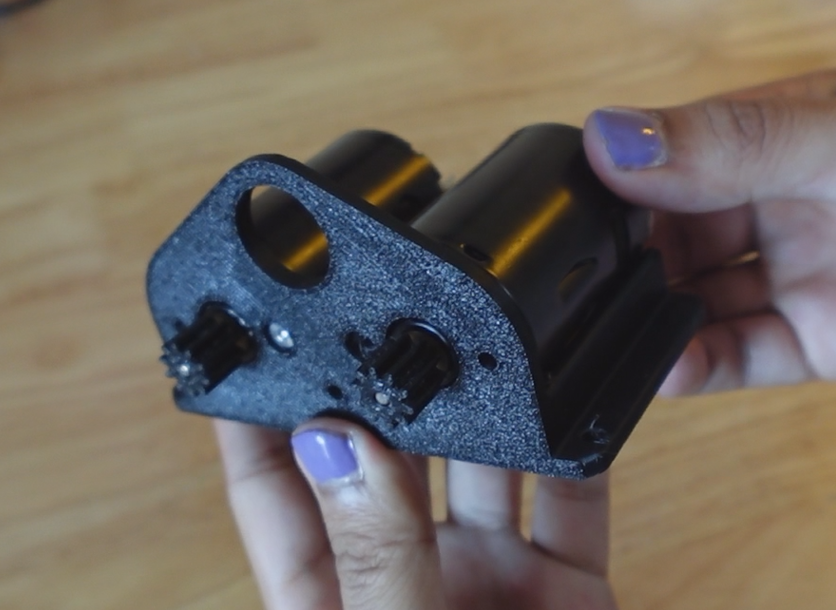
Using 2 5mm M3 bolts, attach both motors to the motor mounting bracket using only the inner mounting holes.
The holes on the far left and right will be utilized later to secure the gearbox.
Assemble Gearbox
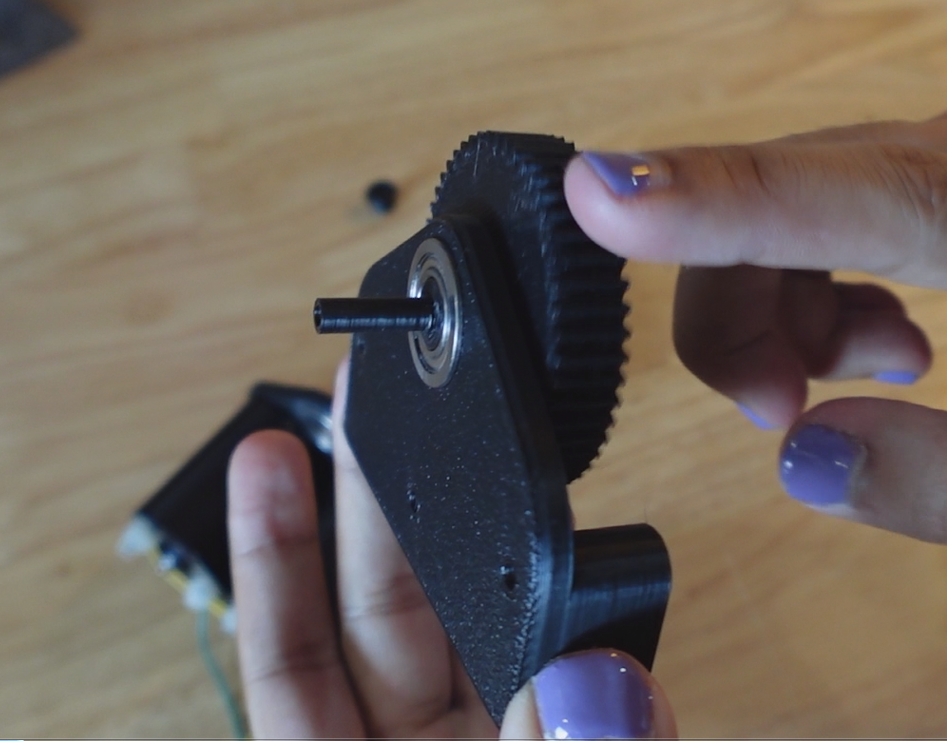
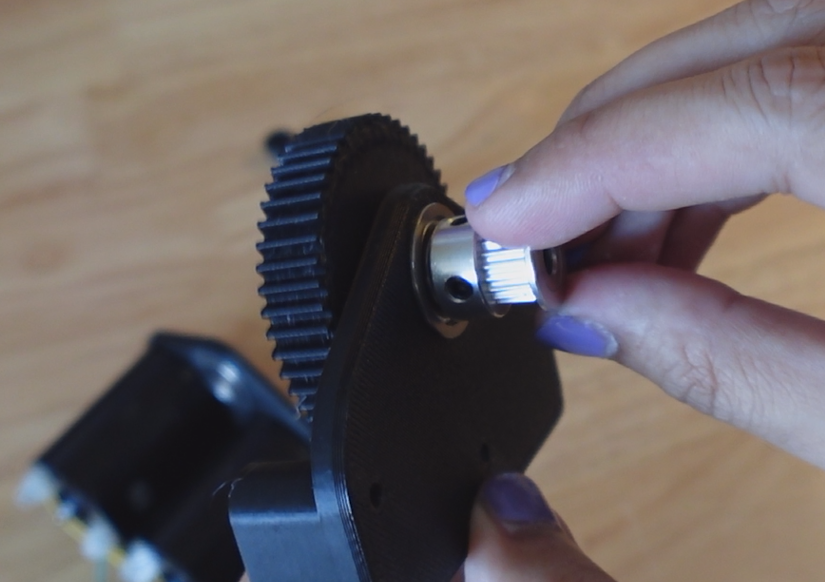
Insert a 10mm flanged bearing into the gearbox plate and press the 50t gear shaft into the bearing.
On the thin shaft of the gear, place the 20t GT2 pulley over the shaft, but do not tighten the set screws yet.
Attach Gearbox


Now attach the gearbox with 2 25mm M3 bolts into the outer motor holes, and a 40mm M3 bolt in the middle.
Bolt another 40mm M3 bolt through the shaft in the 50t gear and pulley, engaging with a recessed nut endcap in a bearing on the other side of the gearbox.
Now the set screws on the pulley can be tightened, as the bolt is supporting the forces on the shaft.
Grease Gears
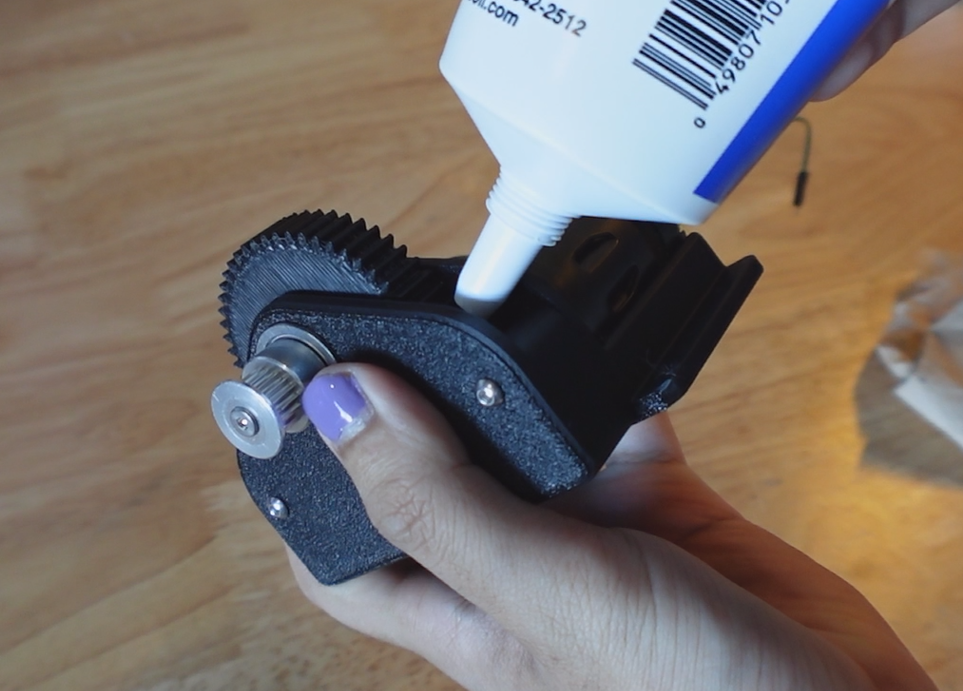
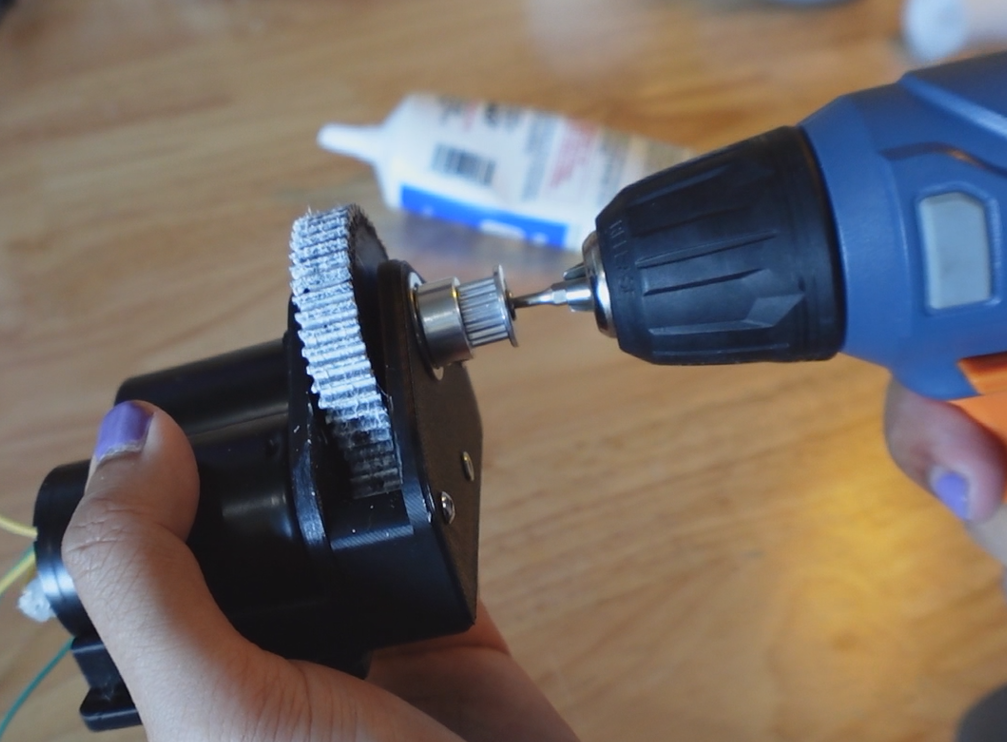
To improve smoothness, apply some white lithium grease (Or other applicable lubricant) to the gears and rotate the gearbox until evenly applied.
I used a drill to spin the gears and quickly coat them with grease.
Splice Belt

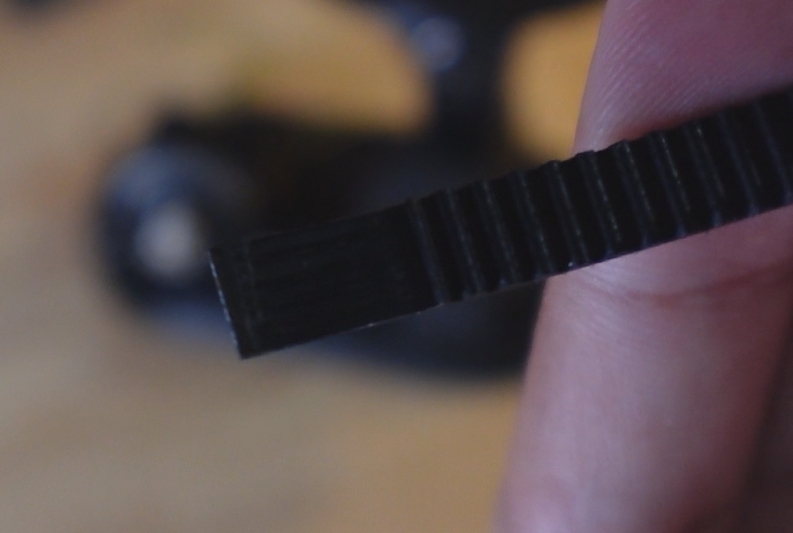
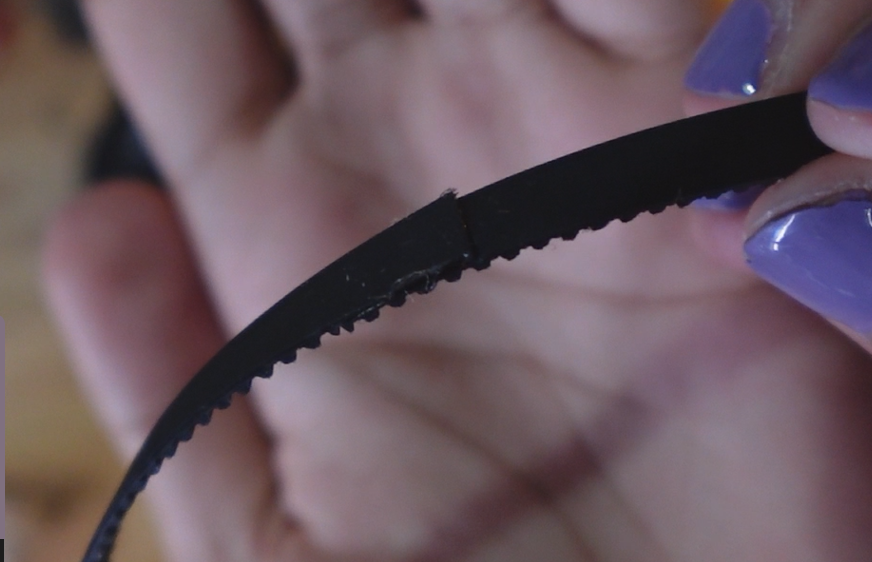
Measure the rough length of the required timing belt and cut the belt around 6 teeth longer.
Then use a utility knife/razor blade to cut the teeth off one end of the belt, and cut the material behind the teeth off the other.
The fibers in the belt should be visible from opposite sides.
Then superglue the ends together, creating one continuous belt.
Attach Motor Assembly
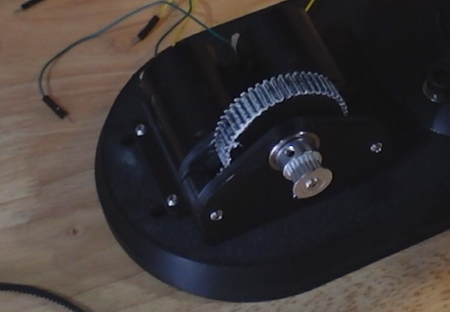


Insert 3 20mm M3 bolts into the holes on the motor bracket and ensure they are aligned with the slots in the platform.
Using tweezers, align 3 M3 nuts in the hexagonal slots in the bottom of the platform, engaging with the bolts but not fully tightening.
Once all three bolts are sliding in the slots, place the belt over both pullies, slide the motor bracket to put tension on the belt, then tighten the bolts, securing the motor assembly in place.
Wire Electronics
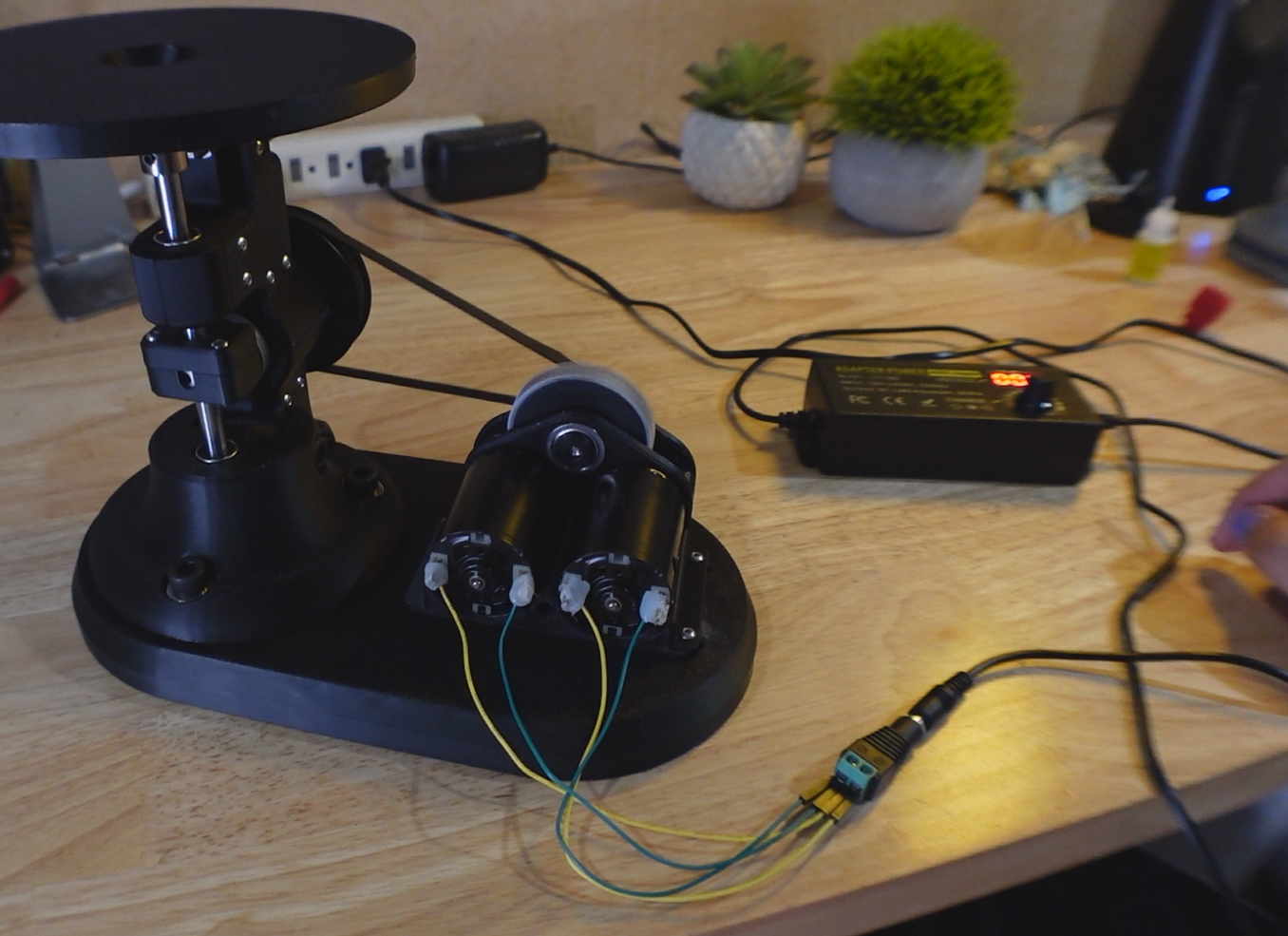
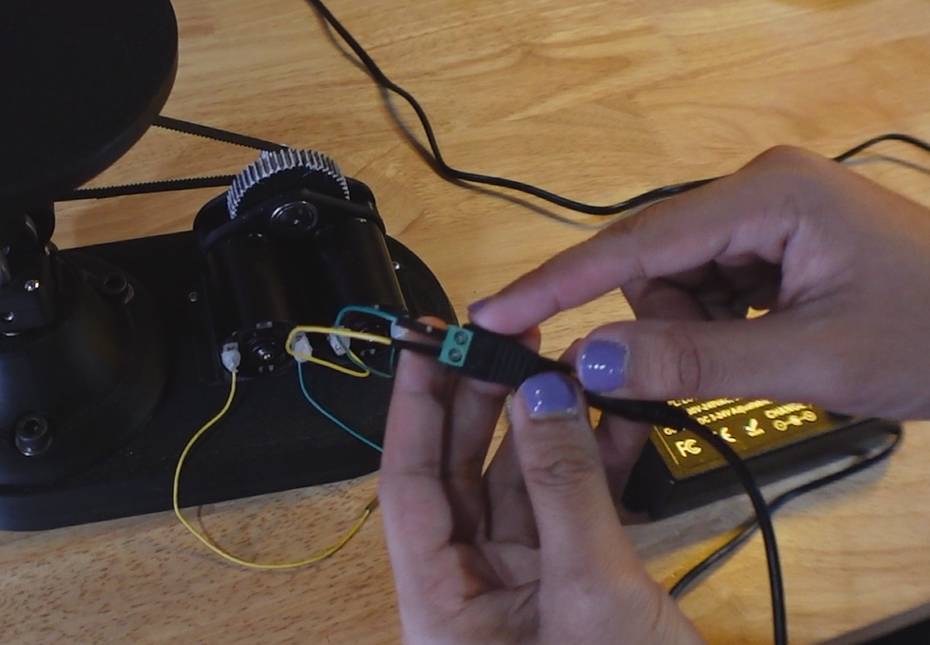
Individually test each motor to determine which wire polarity produces a counterclockwise spin on the 50t gear and pullies. They need to both spin in the same direction otherwise they will likely destroy the pinions.
Wire both motors to the screw terminals on the AC/DC power supply and ensure the mechanism runs without issue on a slow speed.
Test!
 (1).gif)
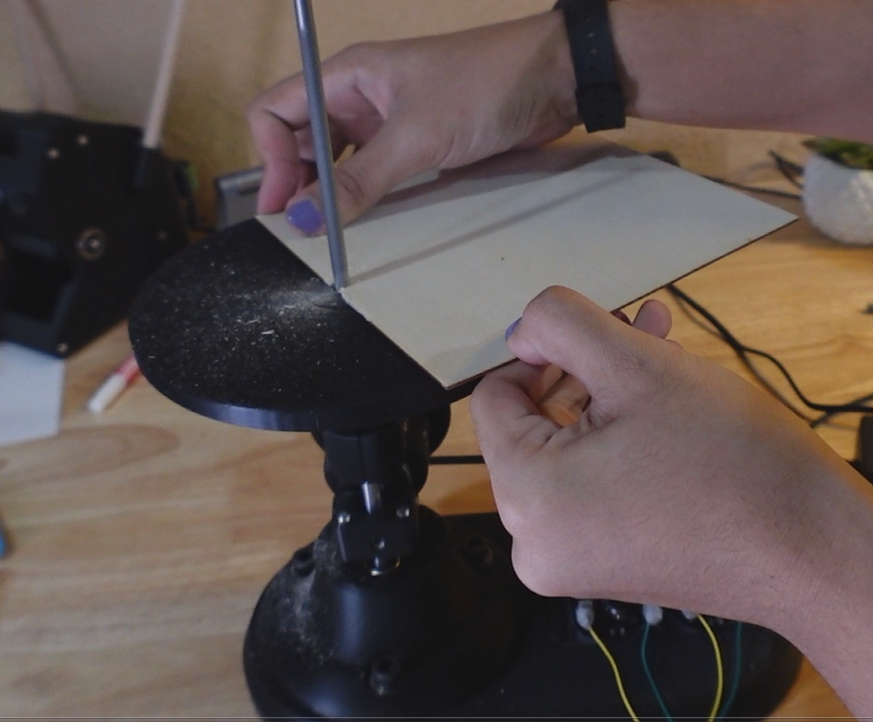

The final step is testing! Try feeding some material into the reciprocating file, ensuring it is held tightly.
I tested using a thin sheet of wood and it seemed to easily cut through it despite some issues with catching the material on the upstroke.
Conclusion
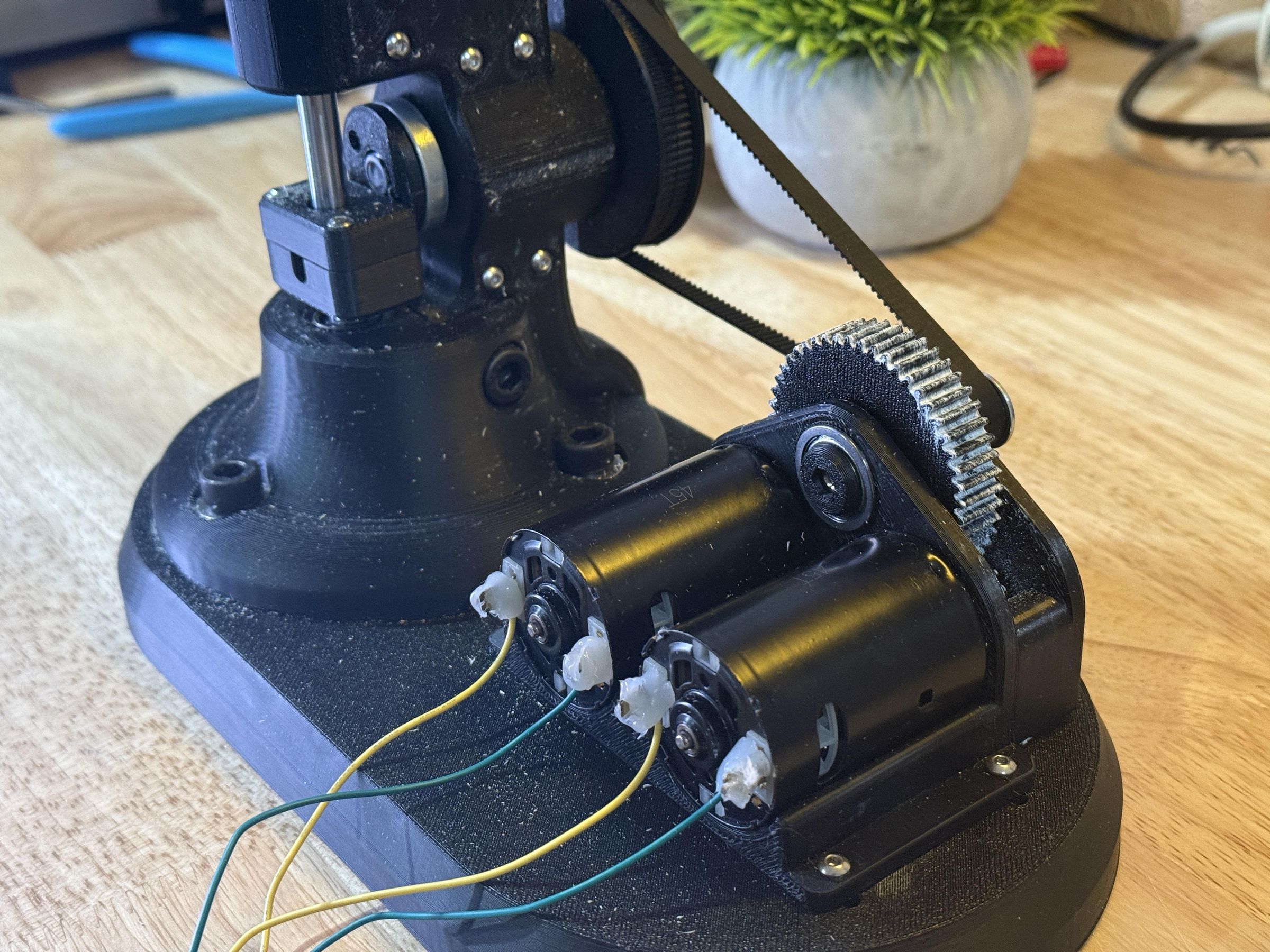

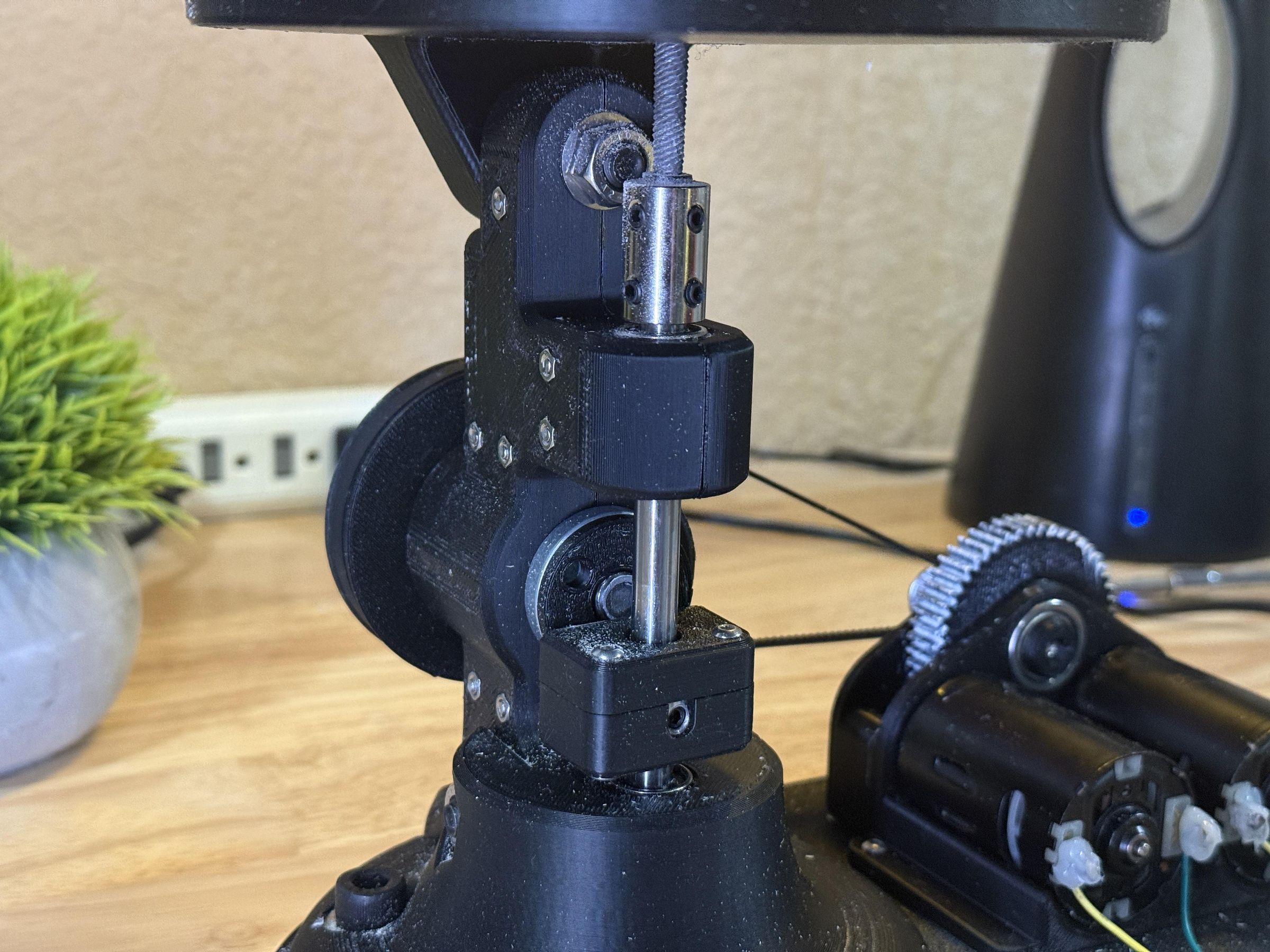
In conclusion, the project really highlighted the complexities and innovation of machines in the early 20th century. Turning simple mechanical motion into precise machine work was a critical development that still stand the test of time.
While maybe not the most practical due to its scale, this project illustrates the contrast between the technology of history and modern day.
I hope somebody learned something new from this project, or perhaps it inspired you to recreate another historical machine.