Single-board ESP32 Drone (SprigDrone)
by frapais in Circuits > Microcontrollers
627 Views, 4 Favorites, 0 Comments
Single-board ESP32 Drone (SprigDrone)
)

After five months, three PCB revisions, two dead boards, and more PID tuning than I want to admit, I finally have a working open-source quadcopter — and I'm going to show you how to build one.
This is the Flix-Sprig, a single-board quadcopter that I designed around my own Sprig-C3 (ESP32-C3) module. Unlike most DIY drones, the PCB is the airframe — the IMU, MOSFET motor drivers, status LEDs, fuel gauge, and battery connector are all integrated into one board you can have manufactured and assembled in one go. No wires running everywhere, no 3D-printed frame holding components in place. You snap the Sprig-C3 onto its headers, plug in a battery, and fly.
The firmware is based on Oleg Kalachev's open-source Flix project — a brilliant, education-focused flight controller written in clean Arduino C++. I ported it to the ESP32-C3 (a first, as far as I know) and adapted it for my hardware. Both the firmware and the hardware files are open source under MIT, so you can build one yourself, modify it, or even sell your own version.
Supplies
General Parts
- 1× Sprig-C3 (ESP32-C3 module with battery management and MAX17048 fuel gauge)
- 1× SprigDrone PCB — manufactured from the Gerbers in the GitHub repo, or buy the assembled board from sprig-labs.com (available soon).
- 1× IMU — MPU-6050 module (Optional - SprigDrone has the ICM20948 IMU integrated)
- 4× 8520 coreless brushed motors, 3.7 V
- 4× 65 mm propellers 1.5mm shaft — 2× type A, 2× type B. (55 mm props also work; better flight time, less stable.)
- 1× 1S Li-Ion or LiPo battery — 600–1000 mAh, high discharge rate
- 1× PH2.0 2P connector assembly (in case the battery has a different connector)
- 2 × Female headers 10P 2.54mm for the Sprig-C3 (so you can remove it).
PCB Components
In case you don't buy an assembled board and chose to build it yourself, using the attached Bill Of Materials, you can order all the PCB components that need to be soldered. You will also need a stencil along with the bare PCB to disperse the solder paste for soldering. If you ordered an assembled board, skip to Step #
Downloads
Understand the Design Before You Build
Take five minutes for this — it'll save you hours later.
The Flix-Sprig is a single board that does four things:
- Holds the Sprig-C3 on female headers. The Sprig provides the ESP32-C3, the battery charger & protection, and the MAX17048 fuel gauge — all of which connect through the same headers.
- Drives the motors through four MOSFETs, one per motor, with the ESP32-C3's PWM directly switching the gates. Each MOSFET has a pull-down resistor on its gate (this matters — without it, the motor will twitch on boot).
- Reads the IMU over I²C on GPIO2 (SDA) and GPIO3 (SCL). The fuel gauge is on the same bus at a different address.
- Lights up status LEDs through a fifth MOSFET driven from a GPIO.
The flight controller firmware is upstream Flix by Oleg Kalachev, modified for the ESP32-C3 (different pins, different PWM frequency limits, I²C IMU instead of SPI, MAX17048 telemetry, status LED logic). All firmware changes are documented in the repo.
Key things I learned the hard way (read this!):
- Never put a MOSFET gate on GPIO8 or GPIO9. These are ESP32-C3 boot strapping pins. A gate pull-down resistor holds them low at boot, and the chip won't initialize properly — I²C dies, the IMU returns 0x00, the whole thing is bricked-looking until you reroute the pin. I spent a week chasing this.
- Decouple everything aggressively. My first board brown-out-reset itself the moment I gave any throttle. The 3.3 V rail dropped from 3.3 V to 2 V under motor switching. The fix: more bulk capacitance (at least 47 µF on the main rail), 10 µF ceramic on every IC's supply, 100 nF as close to each pin as possible, and a star ground topology with short return paths.
- Place MOSFETs close to the motors, not close to the MCU. Switching noise gets coupled into everything nearby. Keep the dirty side of the board (motors, MOSFETs, battery) physically separated from the clean side (Sprig, IMU).
Get the PCB Made (or Buy It Assembled)


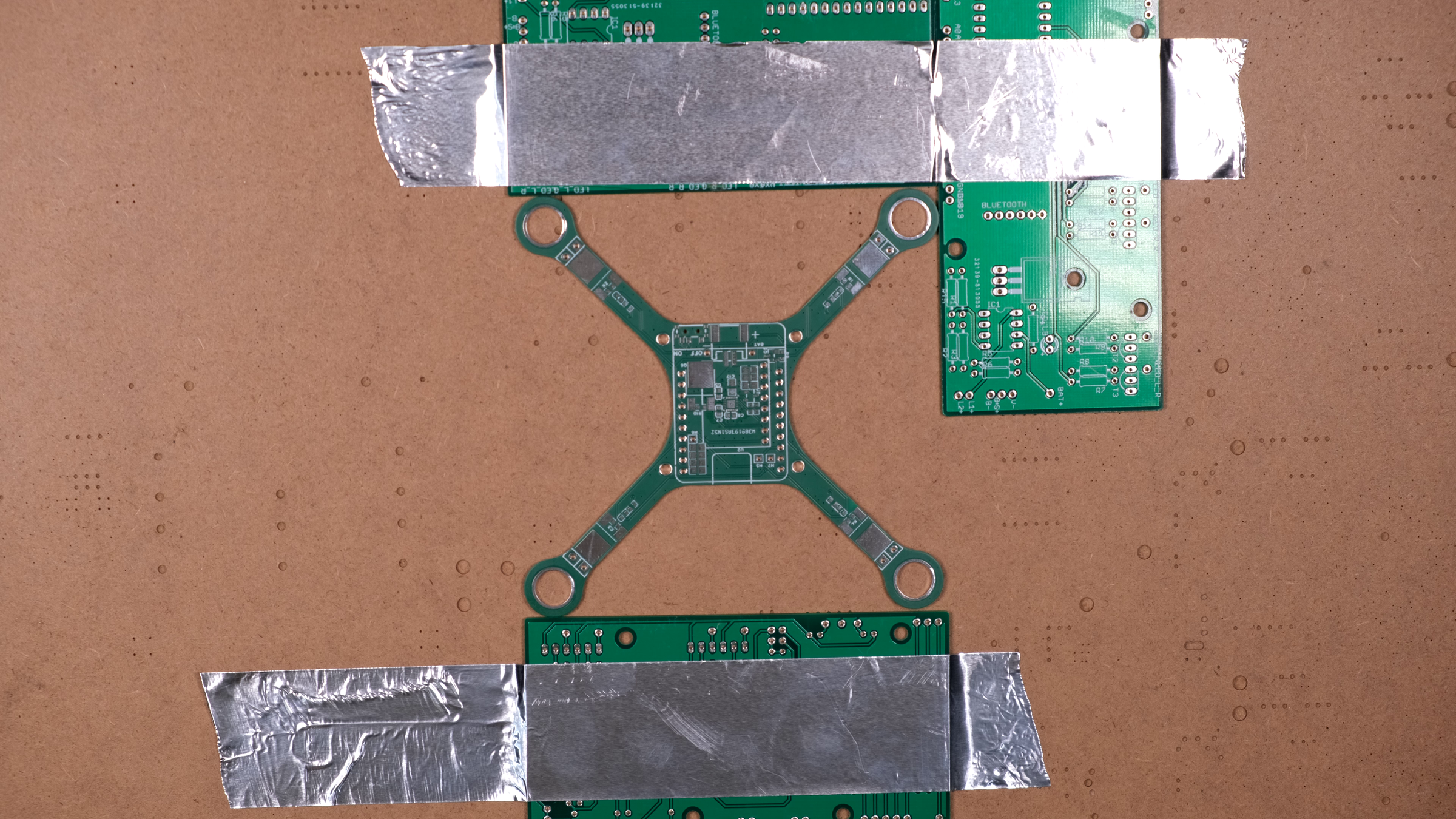
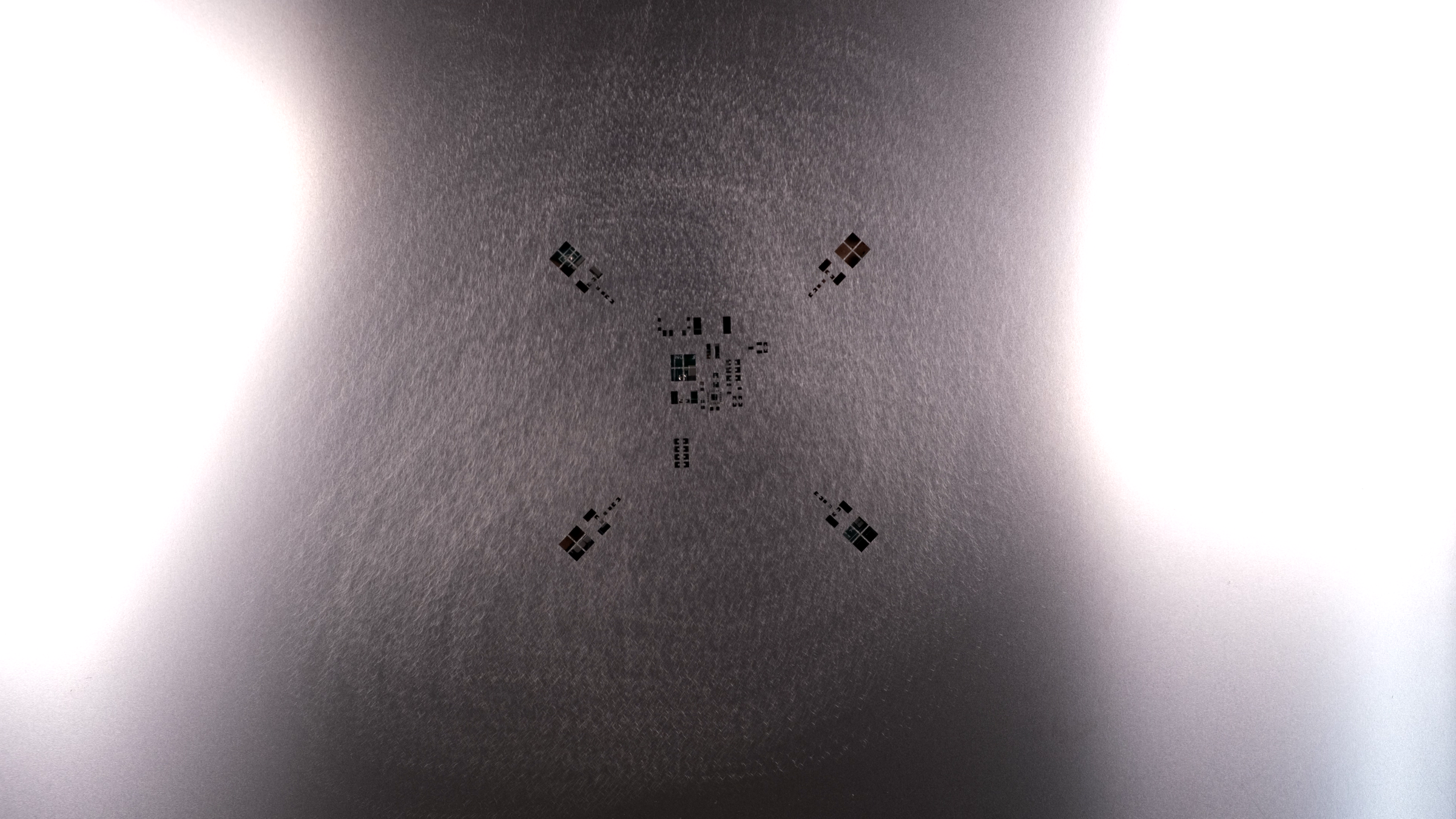


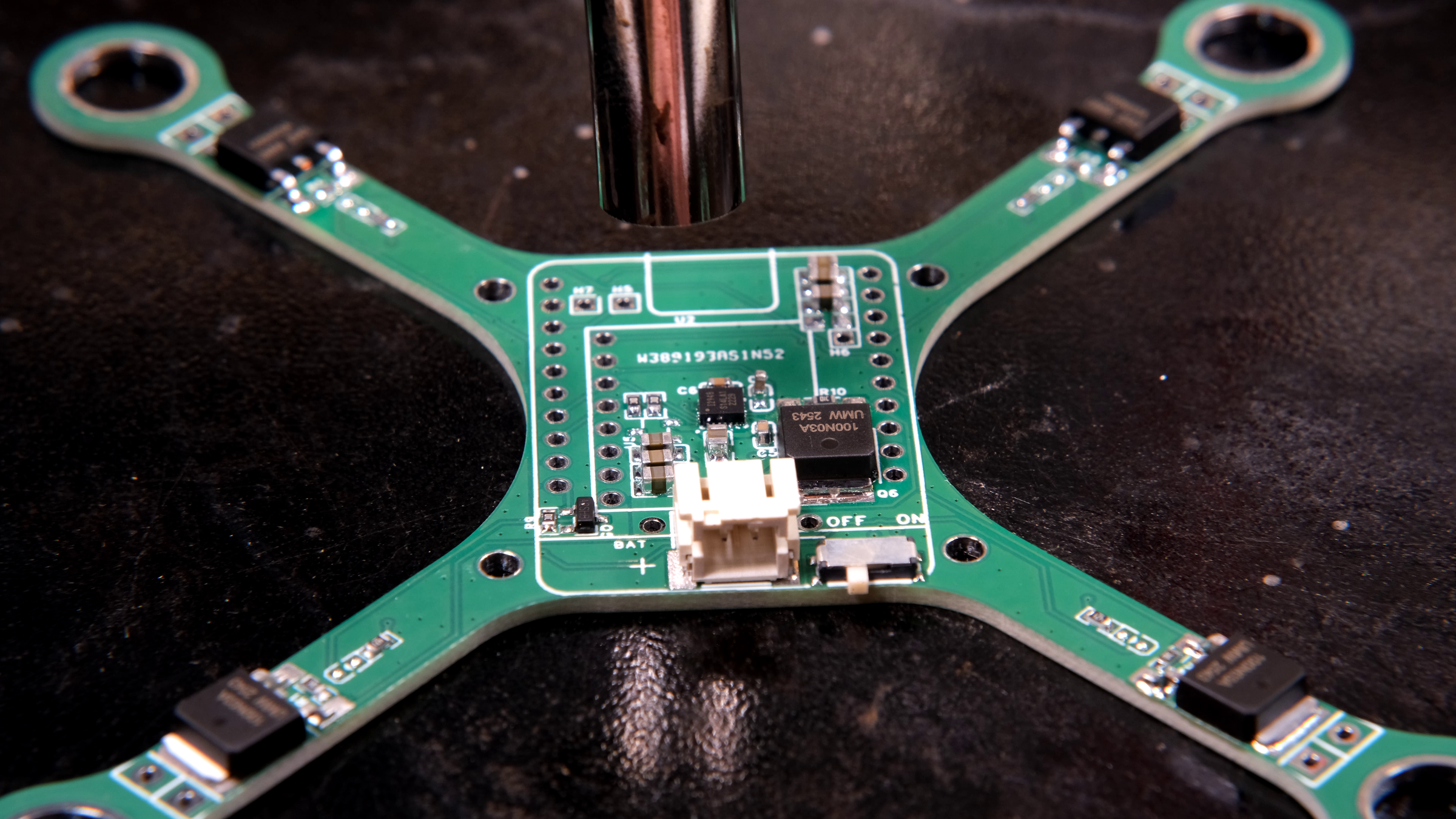
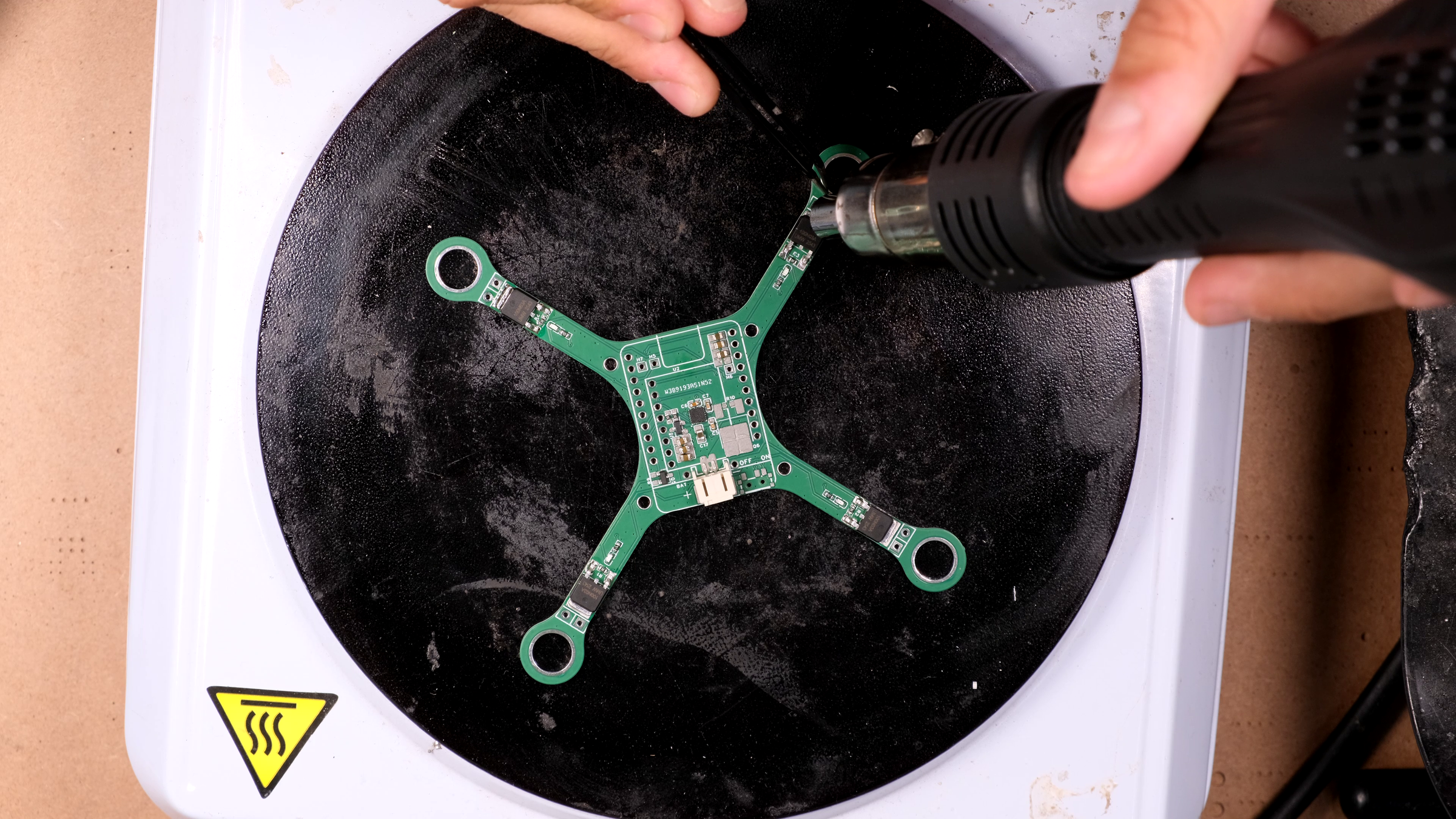
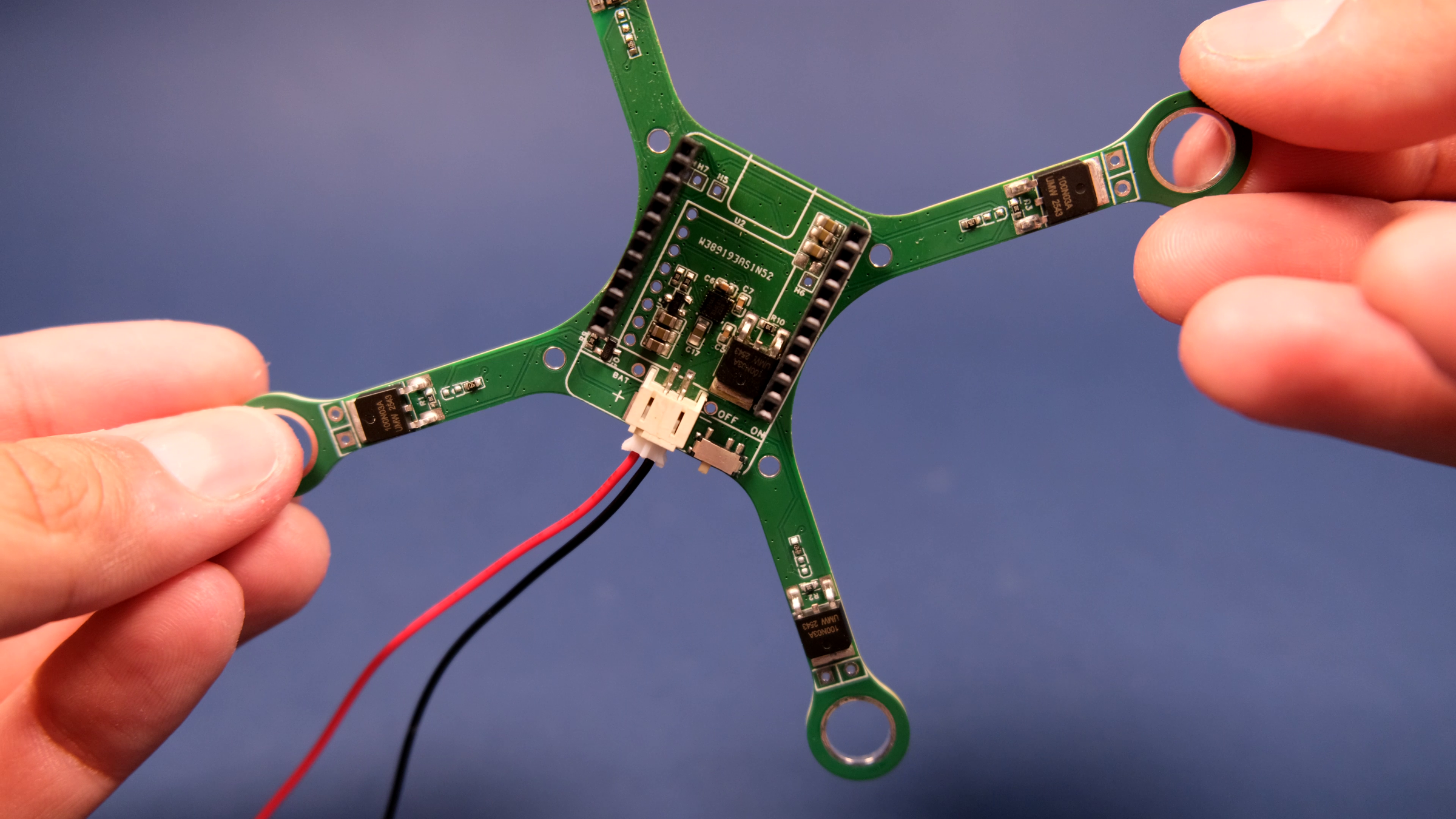
Two paths here. Pick one.
Path A: Order it bare and assemble it yourself.
Download the Altium or EasyEDA project and BOM from the GitHub repo and upload them to your favorite PCB house (PCBWay, JLCPCB, etc). You'll also want to order a stencil — solder-pasting 0603 resistors by hand is doable but miserable, and you have ~30 components to place. Total cost for 5 bare boards plus a stencil is typically €2 – 10 plus shipping.
If your fabricator offers PCBA (PCB Assembly), you can also upload the BOM and pick-and-place files and they'll do the SMD work for you. This is what I'd recommend for a first build — let them do the IMU and the MOSFETs at minimum, then you only solder the connectors, headers, and motors yourself. Costs around €10–40 depending on parts.
Path B: Buy the fully assembled board.
If you don't want to deal with sourcing parts, soldering QFN packages, or debugging assembly issues, you can buy the assembled Flix-Sprig from sprig-labs.com. You snap on a Sprig-C3, attach motors and battery, flash the firmware, and fly.
Either way, inspect the board carefully before you power anything. Check:
- No solder bridges between SDA (GPIO2) and SCL (GPIO3) — these are right next to each other.
- No solder bridges between adjacent motor pins, or motor pins and the I²C lines.
- All MOSFET gates have their pull-down resistors actually populated.
Solder the Headers and the Sprig-C3 Footprint
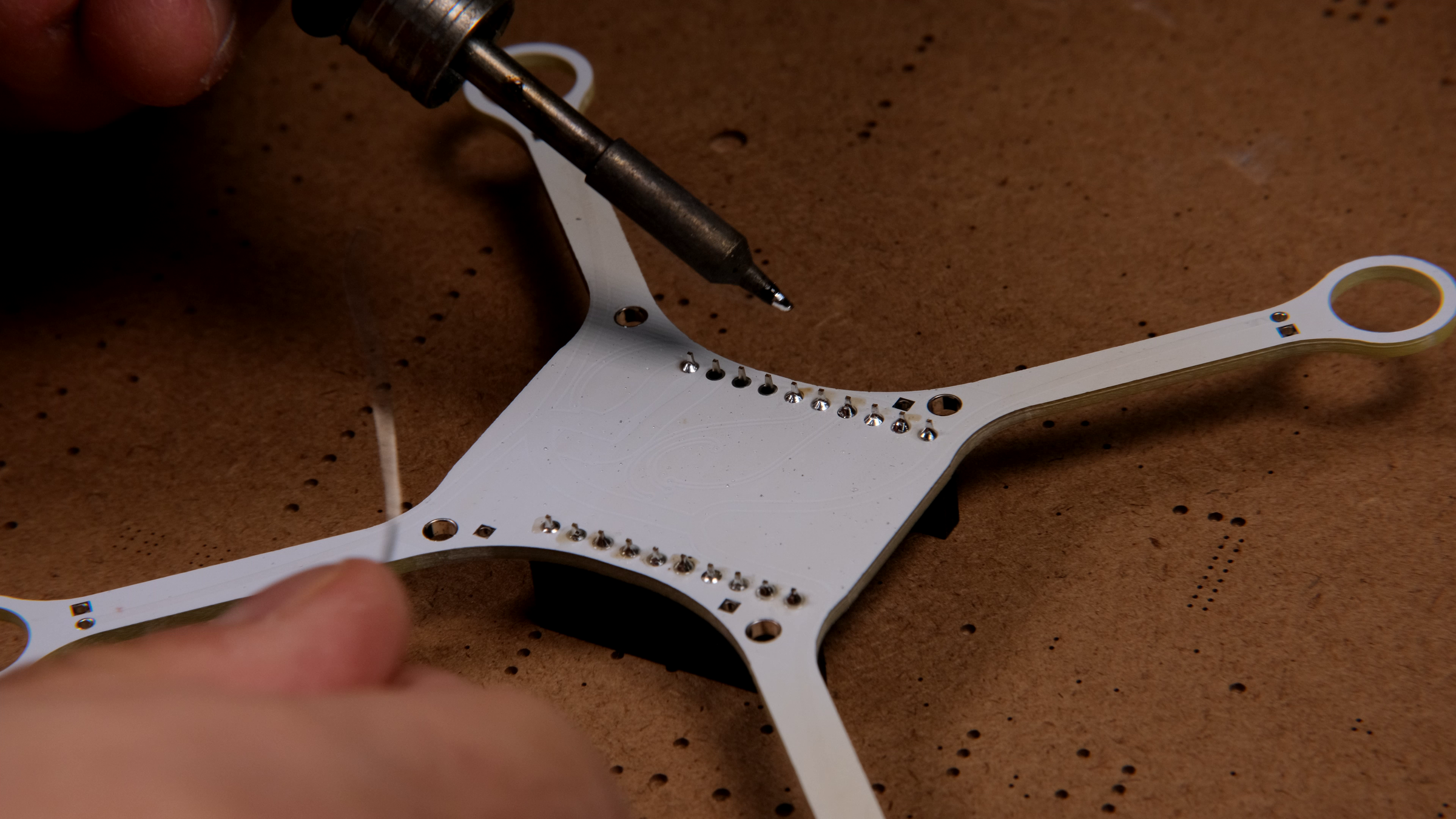
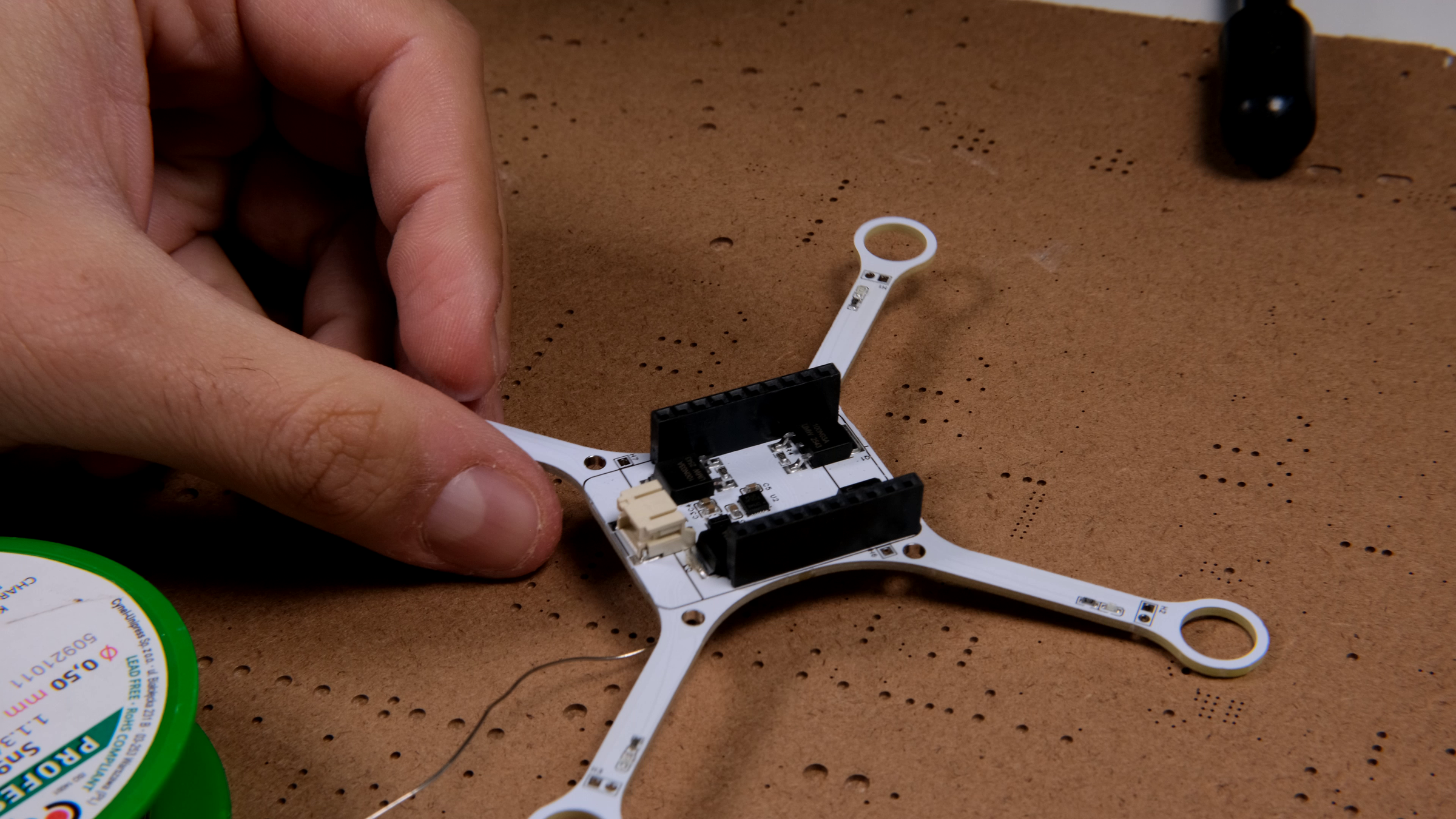
If you're starting from a fully assembled board, skip this step. If you assembled the SMD parts yourself, you've already done that with the hotplate; now we add the through-hole / hand-soldered parts.
Solder the female pin headers for the Sprig-C3 to the top of the board. I went with female headers so I can remove the Sprig and reuse it — important to me because Sprig-C3 modules can always be reused for something else. If you're committed to a single-purpose drone, you can solder the Sprig directly, which saves weight and a few millimeters of height.
Solder the battery connector (JST-PH).
Get out your multimeter. Before plugging in anything that costs money:
- Continuity-check VBAT to GND — should not be a short.
- Continuity-check 3.3 V to GND — should not be a short.
- Continuity-check the 1.8 V rail (if you have one) to GND — should not be a short.
If any of these read short, find and fix the bridge before applying power. A power short can damage the Sprig-C3, the IMU, or your battery.
First Power-On (No Motors, No Sprig)
We're going to power the bare board without the Sprig-C3 plugged in, just to confirm the rails come up correctly.
Connect a charged battery to the battery connector. Be careful with this step. Check the polarity of the battery's connector and verify it matches with the polarity expected by the PCB. Some battery manufacturers use both wiring polarities with their batteries - there is no standard. The polarity expected by the PCB is shown on the silcscreen next to the connector.
Then, with the multimeter:
- VBAT should read the battery voltage (3.5–4.2 V for a 1S cell).
- The 3.3 V regulator is on the Sprig-C3, so this rail will not be present without the Sprig. That's expected.
Now plug the Sprig-C3 into its headers and power again:
- 3.3 V rail should be a clean 3.3 V.
- 1.8 V rail should be a clean 1.8 V. Probe this with a multimeter.
- Idle current should be small (tens of mA). If your board is drawing hundreds of mA at idle, you have a fault somewhere — likely a short across an IC's supply.
If anything is wrong here, fix it before going further.
Mount the Battery
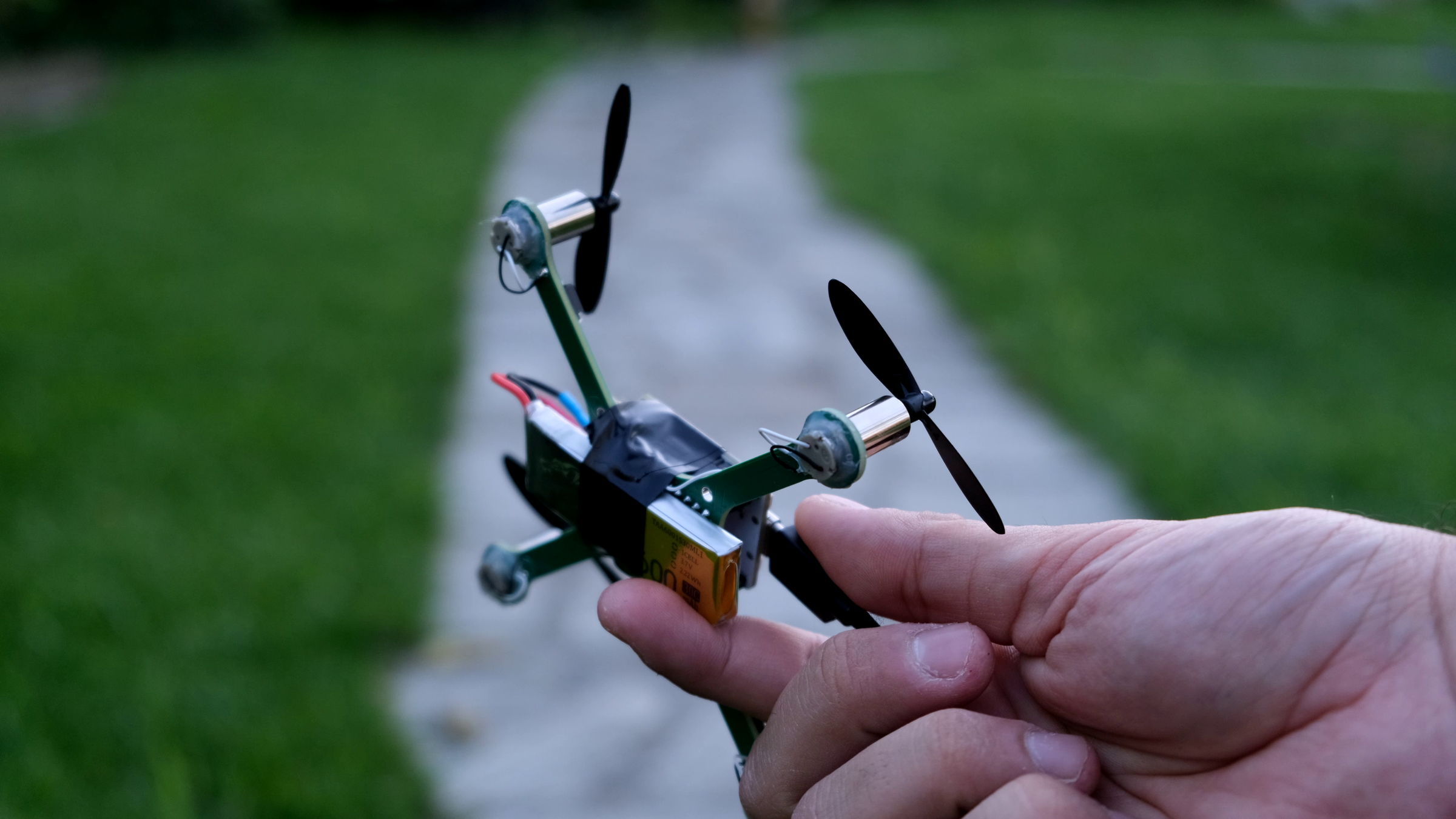
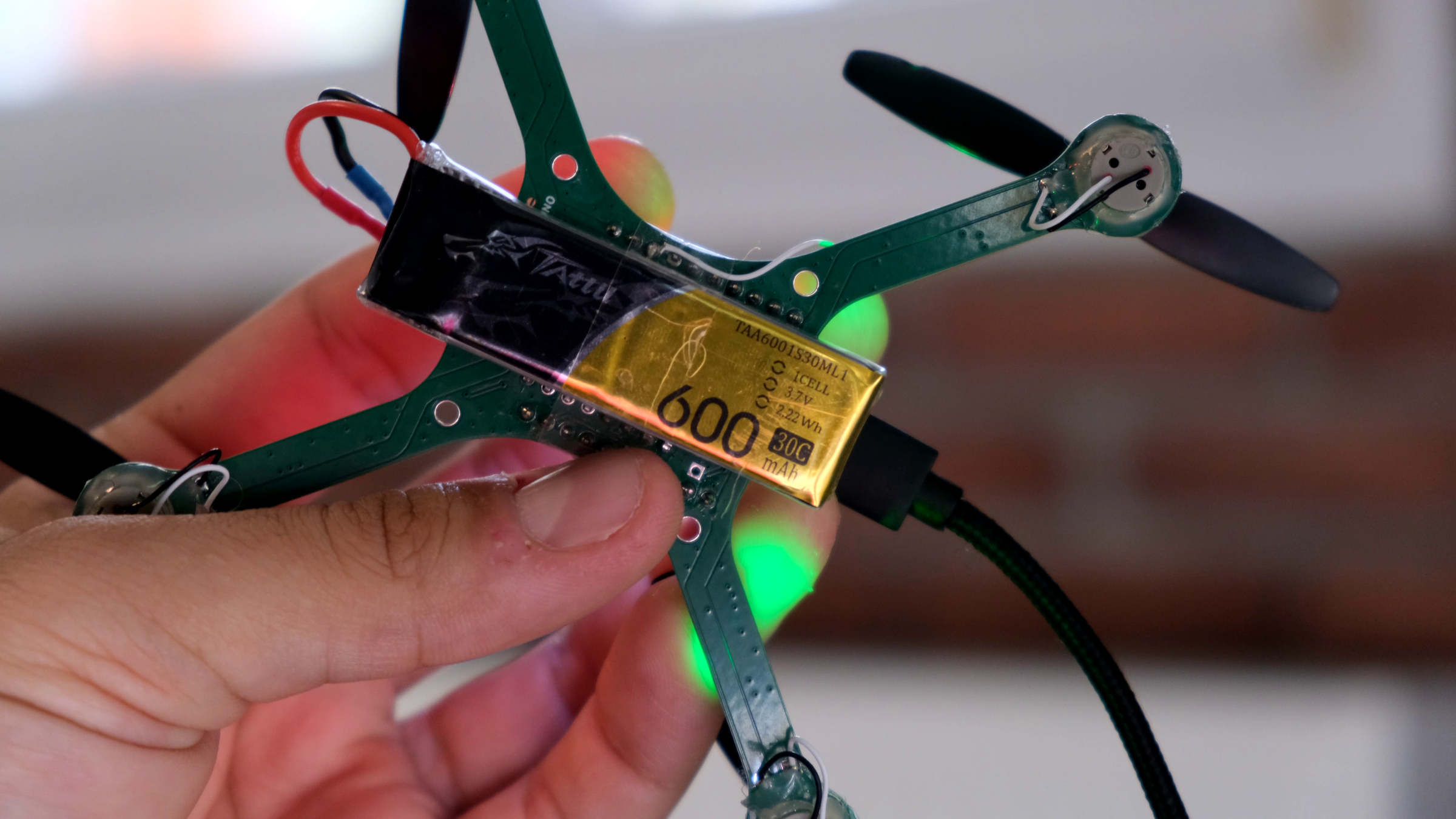
It's easy enough to just tape the battery on the bottom of the SprigDrone PCB with electrical tape, but you can also download and 3D print a battery mount I designed. I'ts compatible with most 500-650 mAh 1S Lipo drone batteries. You just use 4 M2.5 screws to screw it in place. A lot heavier solution than the tape, but also protects the battery from underneath.
Install Arduino IDE and Libraries
While the board is unpowered, set up the software side.
- Install the Arduino IDE (2.x or later).
- In the Boards Manager, install the ESP32 board package by Espressif (version 3.x). Then select "ESP32C3 Dev Module" as your board.
- Open the Library Manager and install:
- FlixPeriph (by Oleg Kalachev) — the IMU and SBUS driver library.
- SparkFun MAX1704x Fuel Gauge Arduino Library — battery telemetry.
- MAVLink — required by the Flix firmware.
- Clone or download the Flix-Sprig firmware from my GitHub repo.
- Open flix/flix.ino in the Arduino IDE. This loads the sketch with all its tabs.
In flix/imu.ino, confirm the IMU declaration matches what you populated. The default is the ICM-20948; if you're using an external MPU-6050 module, switch the declaration as described in the comments.
Flash the Firmware
Connect the Sprig-C3 to your computer with a USB-C cable. The Sprig-C3 has native USB so no extra programmer is needed.
In the Arduino IDE:
- Select the correct port (Tools → Port).
- Click Upload.
After upload completes, open the Serial Monitor at 115200 baud. You should see Flix's boot output — "Setup IMU", "Setup motors", "Setup WiFi", etc. — followed by the WiFi network coming up.
If you see IMU status: ERROR or who am I: 0x00, the firmware isn't talking to the IMU. Most common causes:
- IMU not soldered properly (re-flow the pins).
- Wrong I²C address — flip IMU_I2C_ADDR between 0x68 and 0x69 in imu.ino.
- A solder bridge on SDA/SCL.
On the first successful boot, run preset in the serial console. This loads the Sprig-C3 default parameters (pins, PWM frequency, fuel gauge enable). It's important to do this once — otherwise stale parameters from someone else's defaults might be in flash.
Verify the IMU and Calibrate the Accelerometer
In the serial console, type imu. You should see:
If who am I is 0x00 or status is ERROR, fix that before doing anything else — the drone is unflyable without an IMU. Re-check soldering, address, and bus.
Now calibrate the accelerometer. Type ca in the console and follow the on-screen prompts (you'll need to place the drone in 6 different orientations). This stores per-axis bias and scale in flash.
Then let the drone sit completely still for ~10 seconds to allow the gyro bias to converge. The firmware blocks arming until this is done — that's intentional; arming before bias convergence causes attitude drift.
Solder the Motors (Props Off)
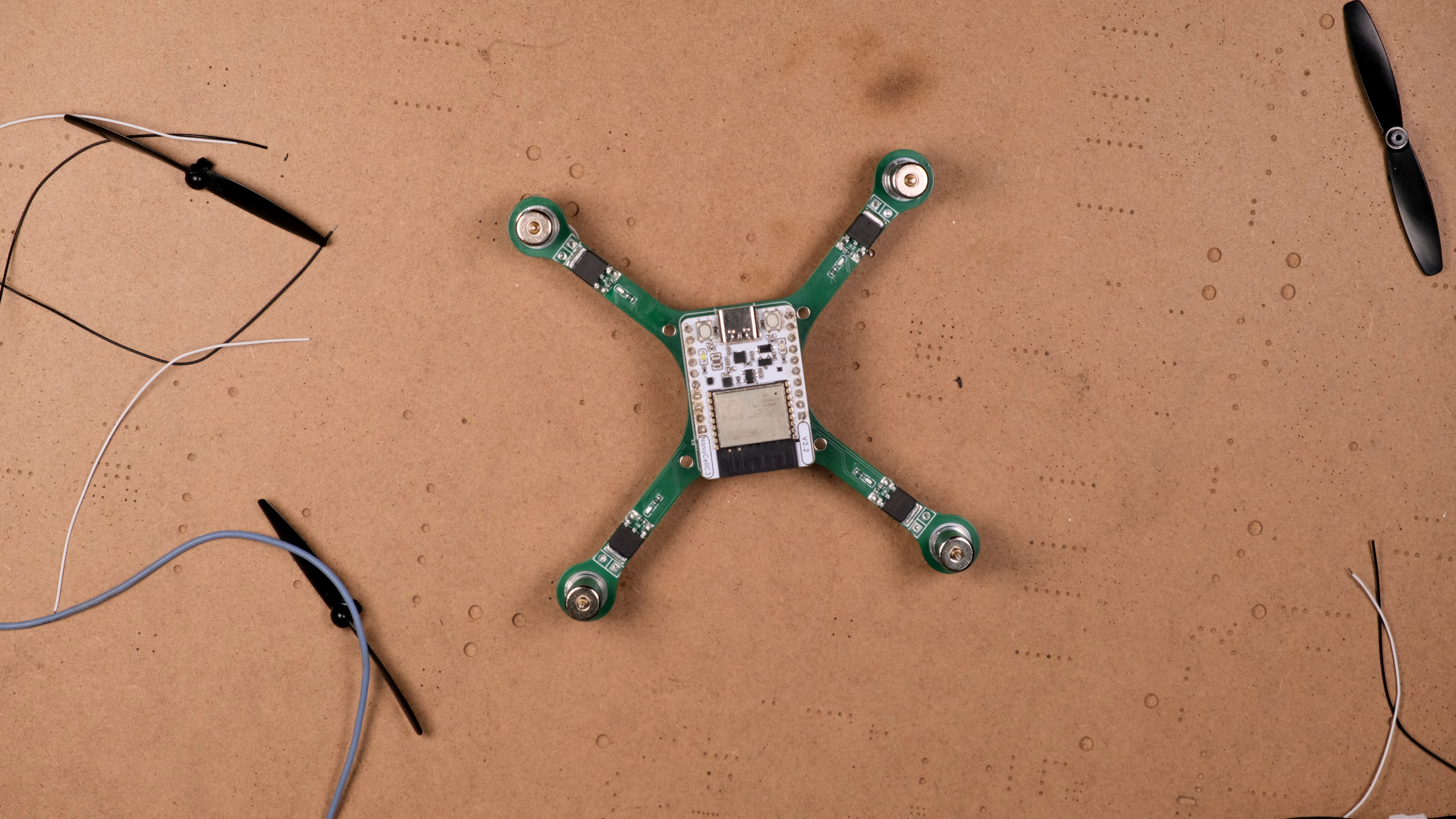


Trim the motor leads to the length you want — mine were about 35 mm. Solder each motor's two leads to its pads on the PCB. Pay attention to polarity for the motors that came with marked positive and negative leads (sometimes a red/blue convention).
Use hot glue to mount the motors initially. I went through a few iterations on motor mounting:
- Tape-thickening the motor barrels to friction-fit larger PCB holes → unreliable.
- Soldering motor casings to plated rims → didn't bond properly because of the casing's nickel plating.
- Hot glue → the winner. Solid, easy to remove if you need to swap a motor, doesn't add much weight.
Do not attach propellers yet. We're going to test motor function next without props, which is much safer.
Verify Motor Mapping

Reconnect the battery, let the drone sit still, then connect to its WiFi network (flix, password flixwifi) from your laptop. Open the serial-over-WiFi console or the wireless CLI.
Run each motor-test command one at a time and confirm the correct motor spins:
- mfl → front-left motor
- mfr → front-right motor
- mrl → rear-left motor
- mrr → rear-right motor
If the wrong motor spins (a common issue), don't re-flash. Set the mapping live with parameters:
Then reboot and re-test. Repeat until each name spins the right motor.
Also verify spin direction: front-left and rear-right should spin one way, front-right and rear-left the other (standard X-quad). If a brushed motor spins the wrong way, swap its two leads.
Mount the Propellers
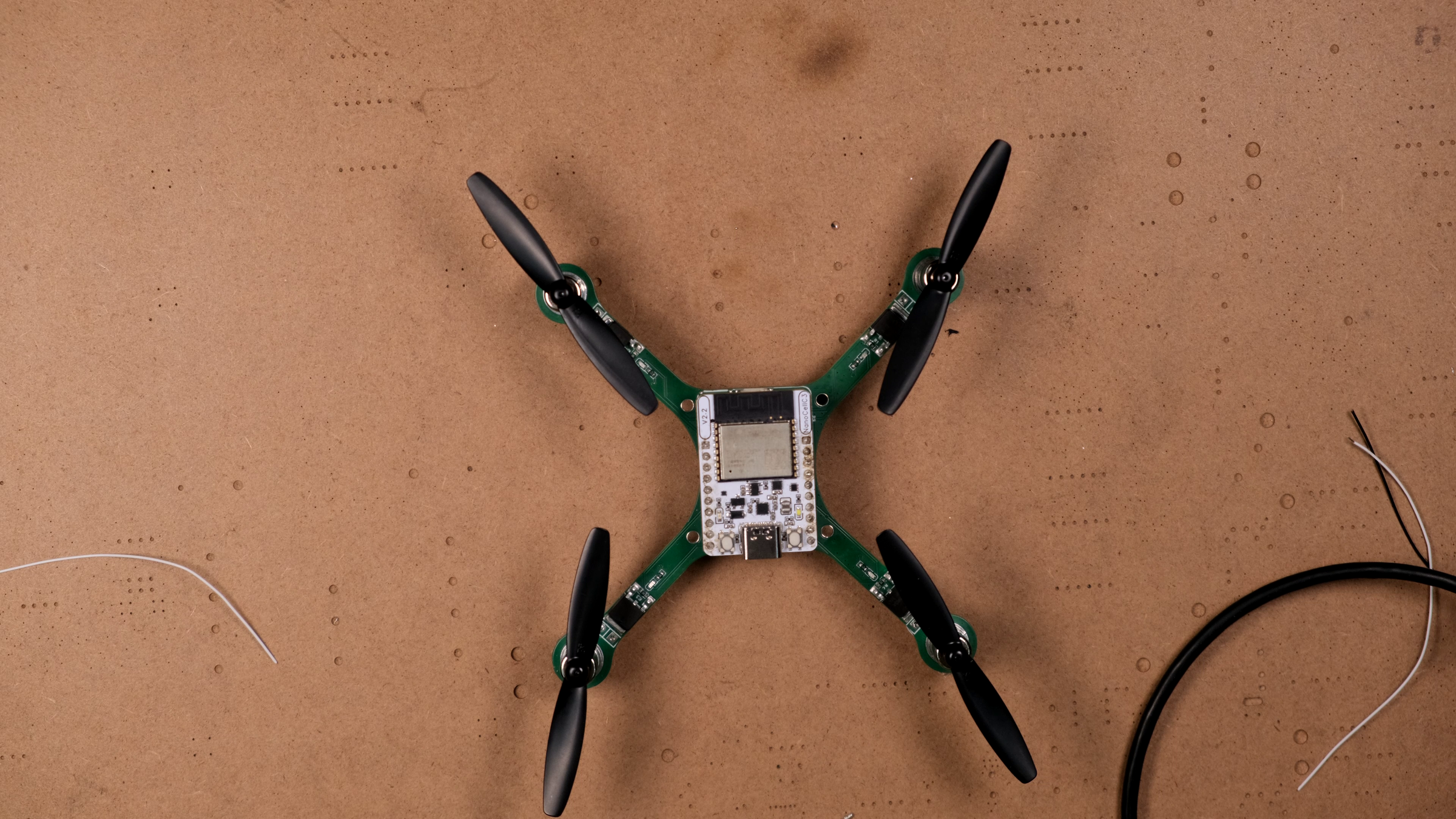
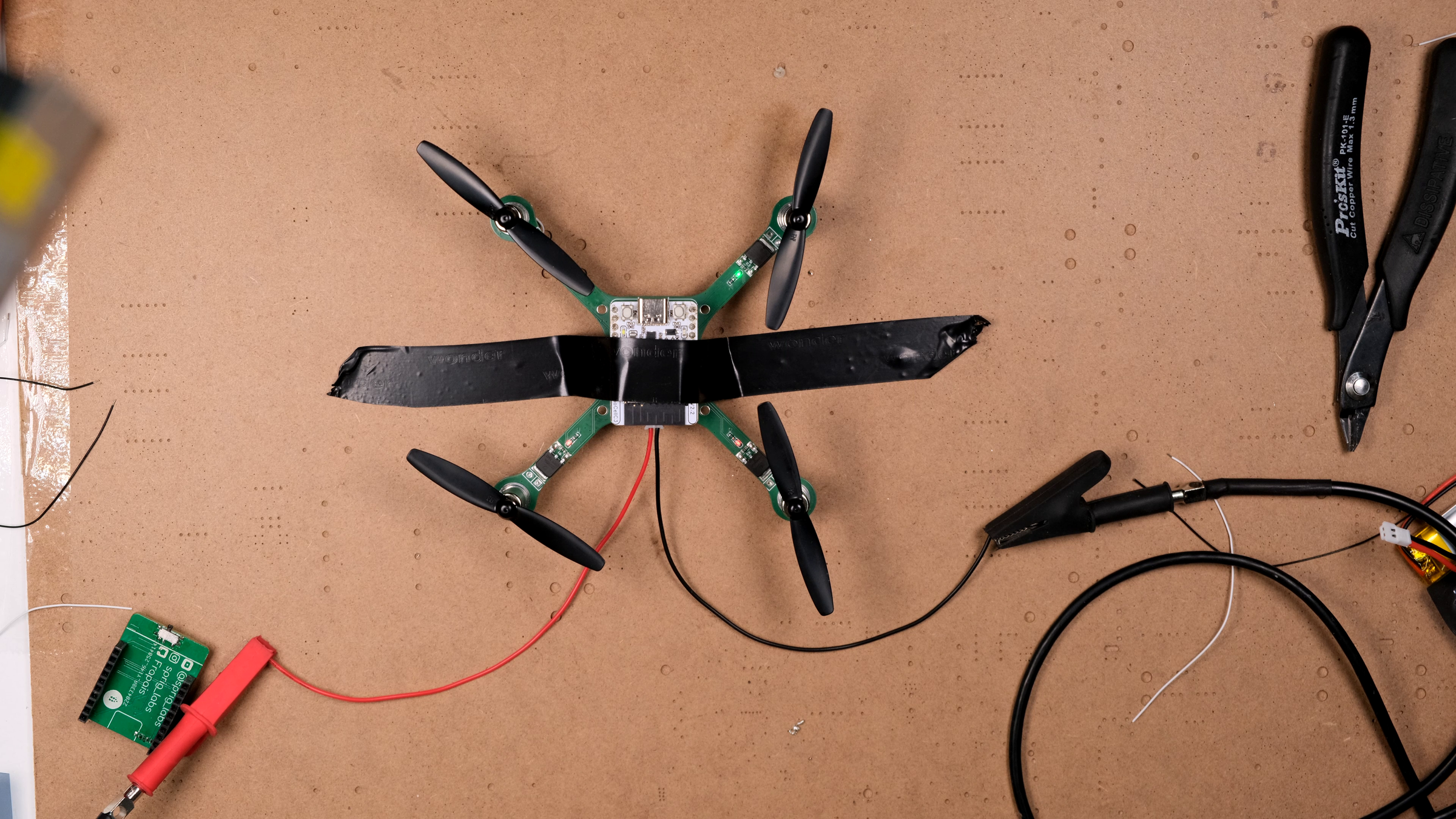
Now match propellers to motors:
- Type A propellers (CW rotation, blow air down when spinning CW from above) → CW motors (typically the ones with blue/red wires).
- Type B propellers (CCW rotation) → CCW motors (black/white wires).
If you mix these up, the drone will try to take off but apply torque in unexpected directions. It'll usually just flip immediately.
Press the props firmly onto the motor shafts. Each propeller has a small "A" or "B" marking near the center hub.
First Flight (Indoor, Wide Open Space)

This is the part where you've earned the moment.
- Place the drone on a flat surface in a clear area — at least 2 m clear in every direction. Indoor is fine for a first flight.
- Power on, wait the few seconds for gyro calibration.
- Connect your laptop or phone to the flix WiFi network.
- Open QGroundControl. It will connect automatically and show telemetry.
- In QGC settings: enable Virtual Joystick, disable Auto-Center Throttle. Or, plug in a USB game controller — much easier.
- Arm the drone (long press or stick gesture, depending on your QGC version).
- Slowly raise the throttle until it lifts off.
Expect it to be twitchy. Brushed quads like this are inherently a bit nervous. A first hover of 3 seconds before you bring it back down is a success.
If it flips immediately: motor direction or prop direction is wrong. Land, disarm, recheck. If it spins on its yaw axis uncommandedly: one motor pair (CW or CCW) is producing more torque than the other — usually a motor wiring issue, sometimes a bent prop. If it drifts hard in one direction: redo accelerometer calibration on a confirmed-level surface.
To calibrate, open the Mavlink console from QGC, and enter 'ca'. Then follow the steps on the screen.
Tune PID Gains

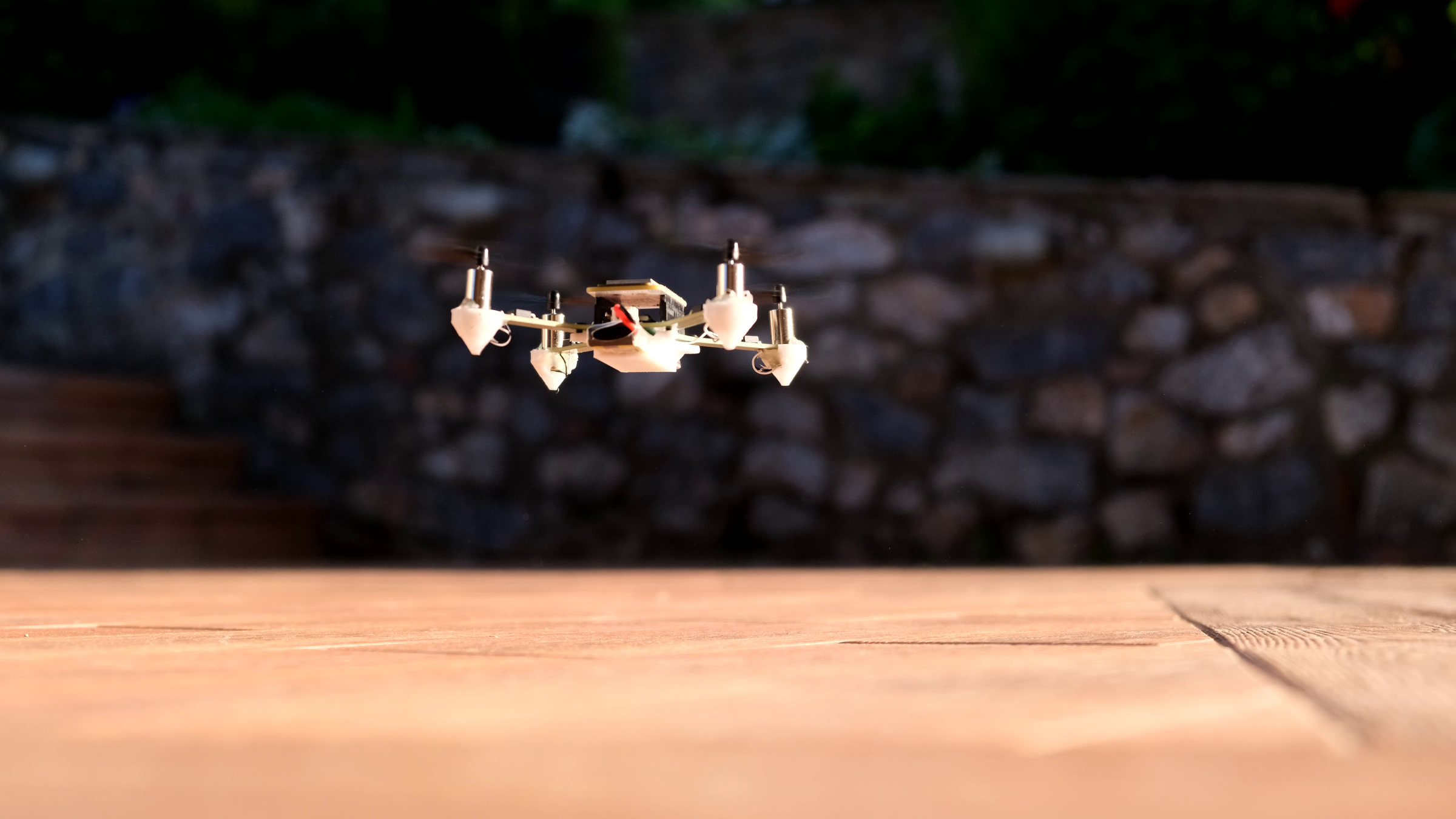
After the first flight, you'll almost certainly want to tune the controller. Brushed quads with stock gains feel either sluggish or twitchy depending on weight, prop size, and battery voltage. The Flix firmware exposes every PID parameter as a live-editable value in QGC's parameter editor — no reflashing needed.
The controller is a cascade PID (outer attitude loop → inner rate loop). Tune the inner loop first.
Symptoms and fixes:
- Fast oscillation / buzz, gets worse when you give a roll or pitch command → inner rate loop too aggressive. Set CTL_R_RATE_D = 0 and CTL_P_RATE_D = 0 first (the MPU-6050 is noisy and often flies better with no D-term at all), then lower CTL_R_RATE_P and CTL_P_RATE_P by ~20% steps until clean.
- Slow wobble that builds over a second or two → lower CTL_R_RATE_I and CTL_P_RATE_I.
- Sluggish, won't hold angle → raise the outer attitude P (CTL_R_P, CTL_P_P).
- Yaw drift → small adjustments to CTL_Y_RATE_I. Yaw on brushed quads is typically the worst axis; don't expect perfection.
Change one gain at a time, in ~20% steps. Always tune roll and pitch together (keep their gains equal).
If you see vibration rather than oscillation — attitude readout shaking when you tap the frame on the bench — that's a mechanical problem, not a PID one. Soft-mount the IMU with double-sided foam tape, balance the props, and check for loose motors. No PID value compensates for vibration.
In the attached image you can see the PID parameters that best worked for me. It's the same hardware so, it should also work for you.
Outdoor Test and Battery Notes


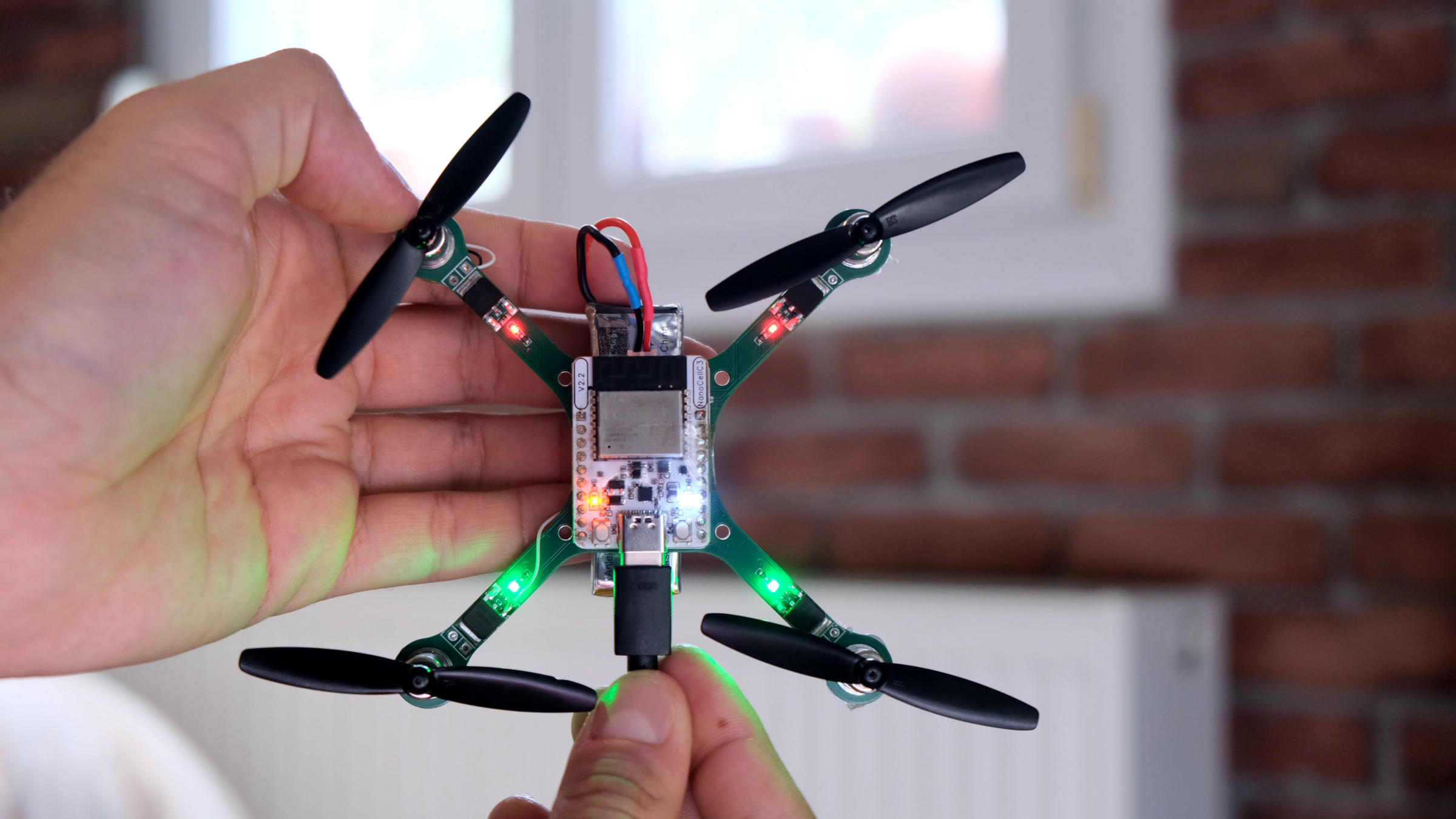
Once it hovers well indoors, take it outside in calm conditions.
A few notes on batteries:
- Use a high-discharge battery. A standard 18650 protected cell will work for bench testing but its protection circuit cuts off under high motor current. A small 600 mAh 10C LiPo handles the load fine.
- Realistic flight time is 5–8 minutes on a 600 mAh battery. The drone consumes about 6 A while hovering, 8 A at full throttle. At 3.7 V nominal that's 22 watts hovering — divide your battery's Wh rating by that for a rough flight time.
- Charge through USB-C — the Sprig-C3 has a built-in charger, so you never need to disconnect the battery. Charging is slow (about 500 mA), so a 600 mAh battery takes ~1.5 hours to charge for ~7 minutes of flight. The ratio isn't great, but the convenience is huge.
3D-Printed Accessories (Optional)
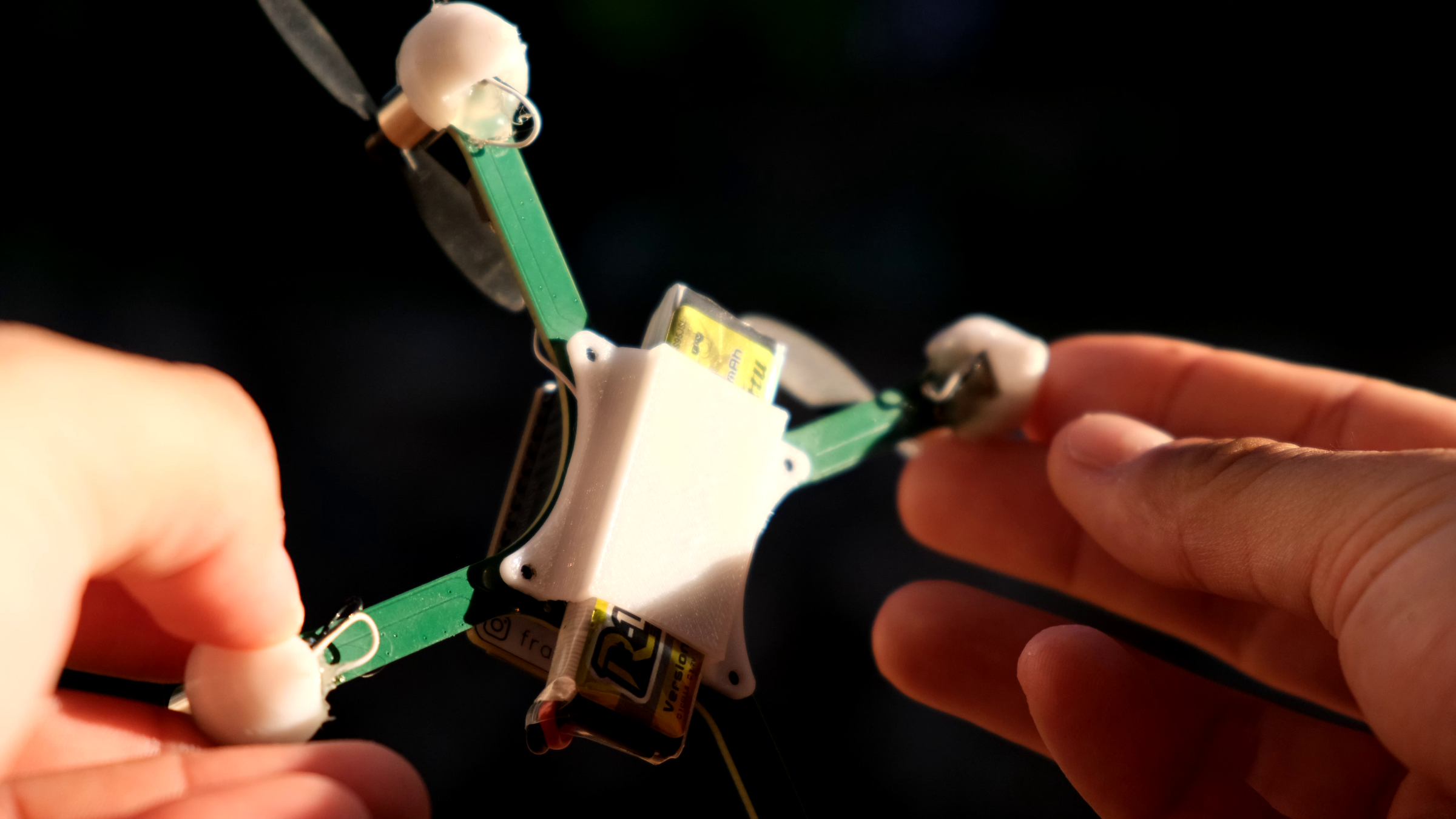


After a few flights, a few small upgrades make life easier:
- Motor brackets / feet — small printed clips that hold the motors more securely than hot glue and double as landing feet so the drone doesn't sit on its battery. STL files in the repo.
- Battery cover — keeps the battery from sliding around and protects it from a hard landing.
- Camera mount (future) — I haven't built this yet, but a small FPV camera + analog VTX would be a great next step. Flying line-of-sight gets hard once the drone is more than ~10 m away, especially when it's facing you and the controls are reversed.
What's Next, and Resources
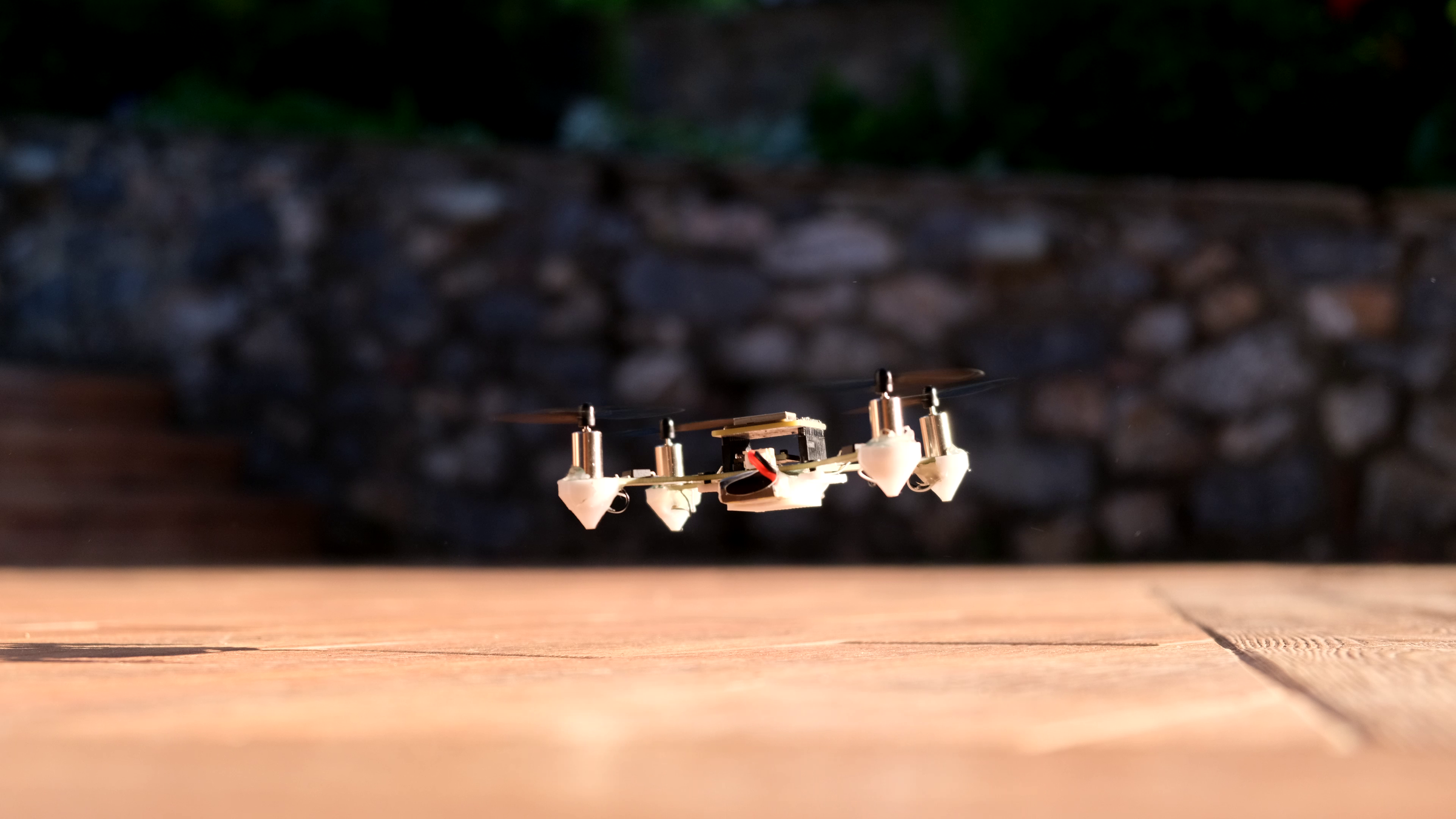


If you got this far, you have a flying ESP32-C3 quadcopter. Things you might do next:
- FPV upgrade — add a tiny analog camera and a VTX. There's room on the board if you're careful.
- Custom firmware — the Flix firmware is small and readable (~2k lines of Arduino C++). You can modify the controller, add new flight modes, log data, anything you like.
- Different IMU — if you have an ICM-20948, you'll get noticeably better gyro performance than with an MPU-6050. The firmware already supports both.
- Submit your build to the Flix user-builds gallery — there's a thriving community and Oleg actively supports user contributions.
Resources:
- Full source code, PCB files, BOM: https://github.com/Frapais/Sprig-Drone
- Buy the assembled board: sprig-labs.com
- Build video: https://www.youtube.com/watch?v=82Q-uBq6s48
- Original Flix project (huge thanks): github.com/okalachev/flix
- Sprig-C3 module: github.com/Frapais/Sprig-C3
The whole project is MIT-licensed — you can fork it and modify it. If you build one, I'd love to see it. Tag me on Instagram or open an issue on GitHub.
Five months. Three PCB revisions. One flying drone. Have fun building yours — and may you skip at least some of the failures I had.