Smart Busy Light for Modern Workspaces
by Mr_Electronaut in Circuits > Gadgets
2350 Views, 11 Favorites, 0 Comments
Smart Busy Light for Modern Workspaces
.gif)
Modern workplaces thrive on collaboration, but they also depend on uninterrupted focus. In a typical office, it's common to walk over to a colleague's desk only to find they're in a meeting, on an important call, or deeply focused on a task. These unexpected interruptions not only break concentration but also reduce productivity for both the person being interrupted and the coworker seeking assistance.
While online collaboration tools display availability status, they are often limited to computers and are not visible to people approaching an office or workstation. Visitors and coworkers still have to knock on the door, peek inside, or interrupt someone's workflow just to find out if they're available.
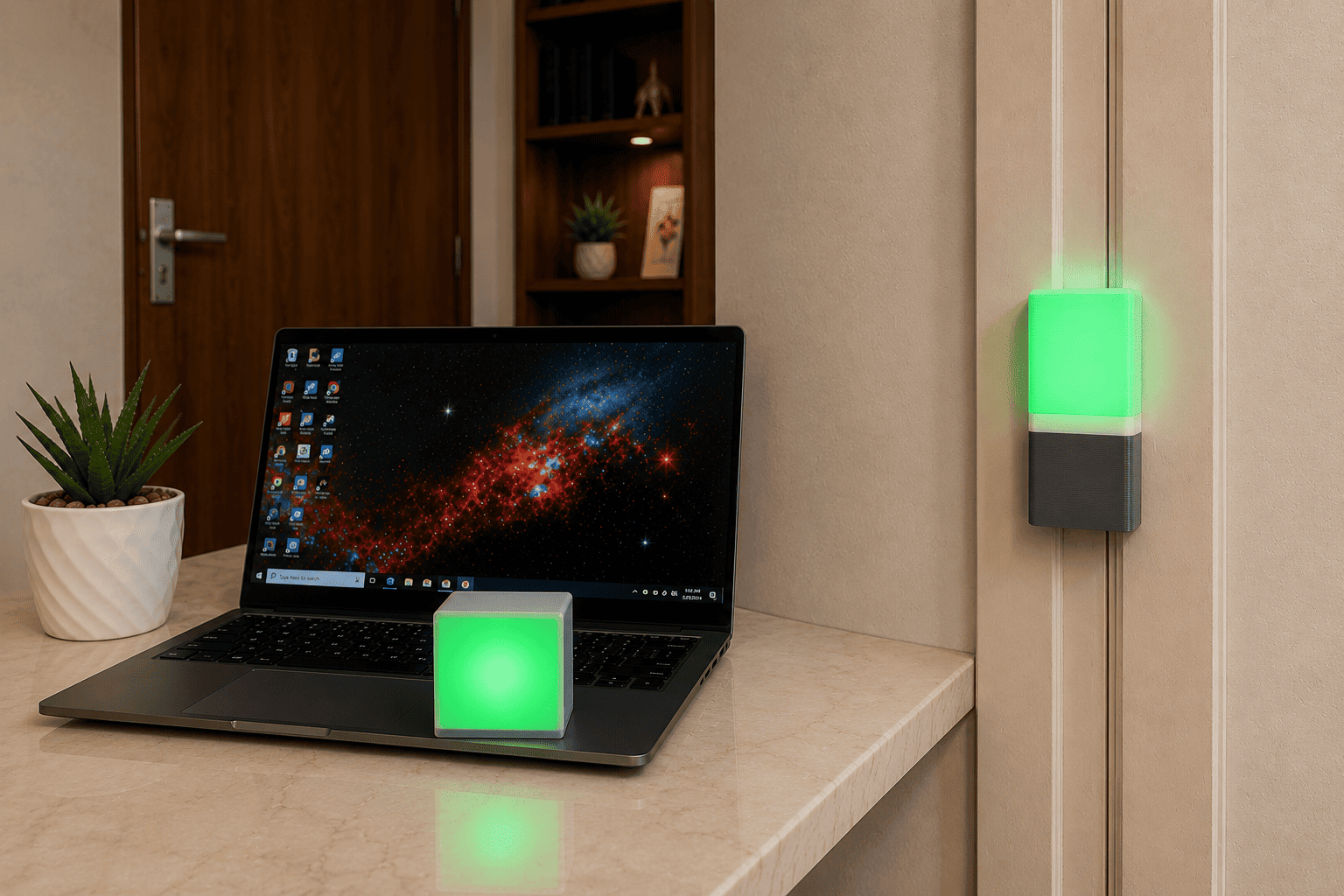
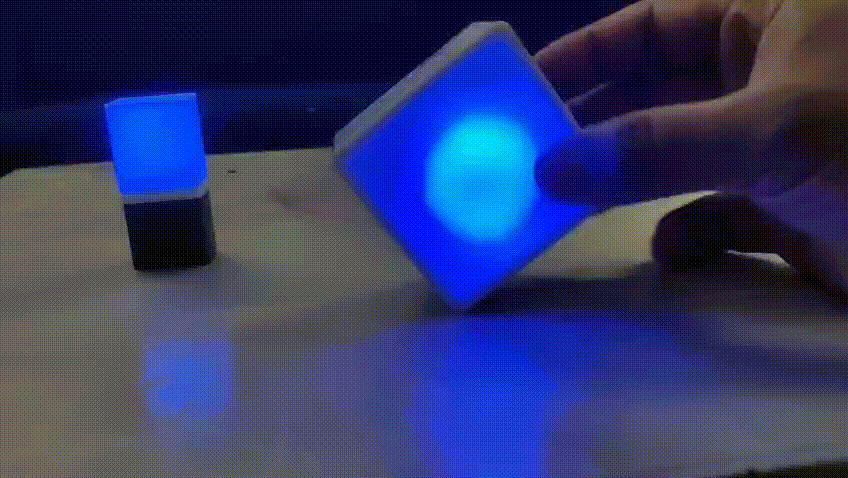
To solve this problem, I built a wireless office presence indicator that keeps your availability visible both at your desk and outside your office room. The system consists of two synchronized devices: a compact desktop cube and a door-mounted indicator. Simply rotating the desktop cube changes your availability status—Available, Busy, Be Right Back, or In a Meeting—and both devices update instantly using ESP-NOW wireless communication. Both the nodes are powered by 900 mAh rechargeable 3.7 V Li-ion batteries, making the system completely wireless and easy to deploy without external power cables.
The system also supports Google Calendar integration, allowing your status to update automatically during scheduled meetings. Whenever manual control is preferred, a simple shake gesture switches the device between Manual Mode and Calendar Mode, giving users complete control over how their availability is managed.
Now, let's build the device.
Supplies
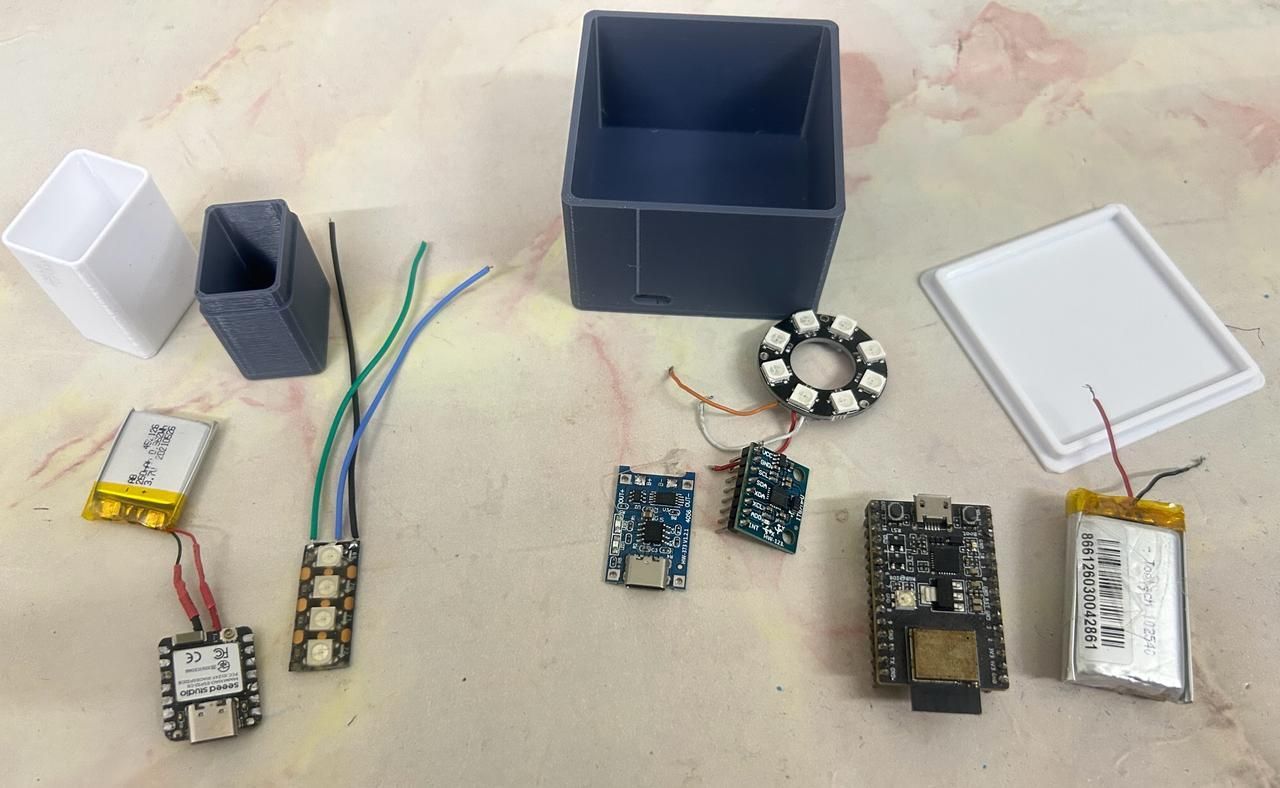
- XIAO ESP32-C6 x1
- ESP32-C3 Dev kit module x1
- 3.7V Li-Ion Battery x2
- TP4056 Battery Charging module
- MPU6050 Module
- WS2812 LED Strip x1
- WS2812 8LED Circular module
- Jumper Wires
- Glue Gun
- Soldering Iron
- 3D Printed Enclosures
Hardware Connections
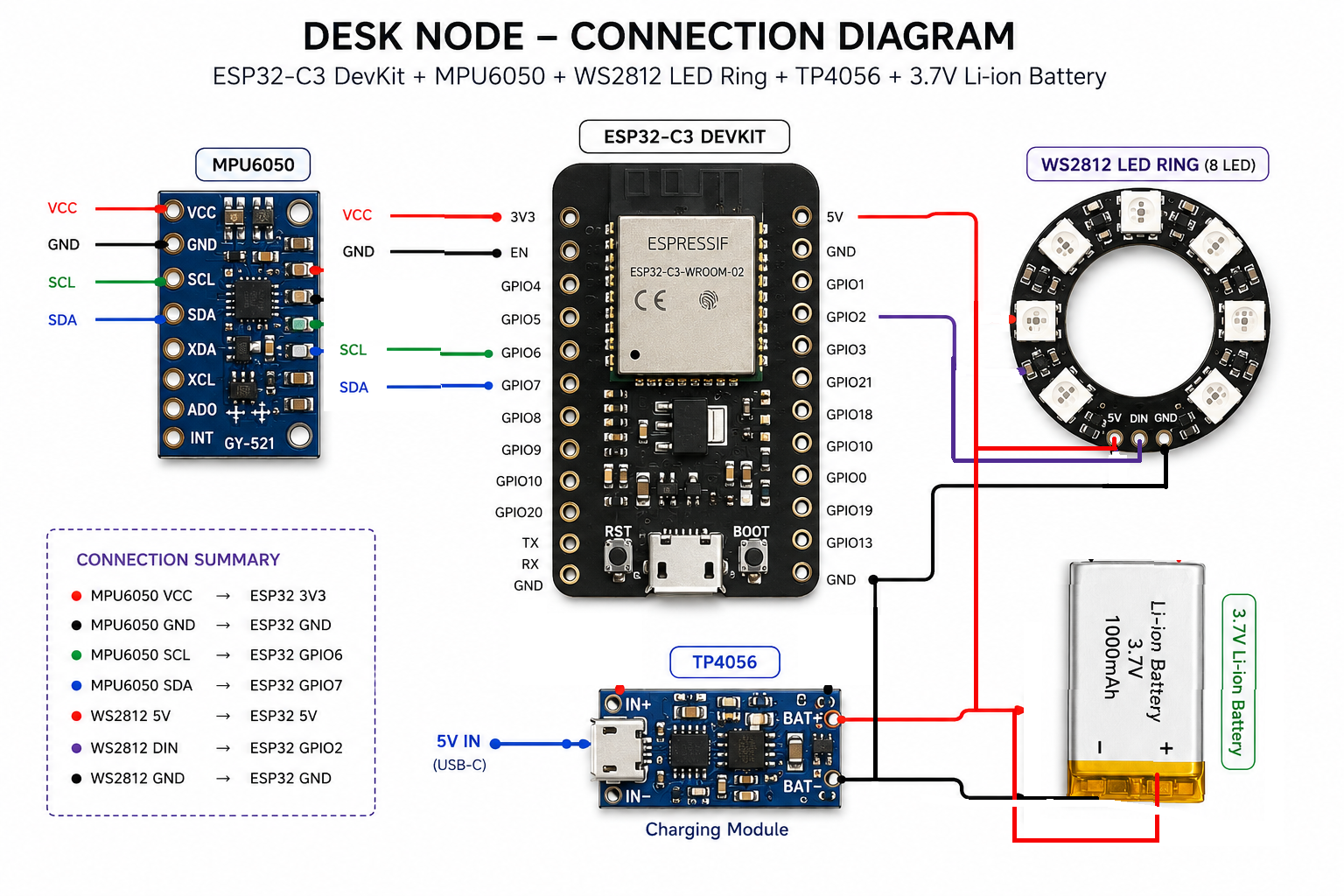
Desk Node
Connect the components as follows:
GPIO 6 - SDA (MPU6050)
GPIO 7 - SCL (MPU6050)
GPIO 2 - WS2812 Data
3.3V - MPU6050 VCC
GND - Common Ground
Door Node
XIAO ESP32-C6
D0 - WS2812 Data
5V / VBAT - LED Power
GND Common Ground
XIAO has inbuilt battery charging circuit, so just connect BAT+ and BAT- on back side battery terminals.
3D Printed Enclosure
.png)
The project uses two custom-designed enclosures.
Desk Node
- Compact cube design
- Frosted diffuser on top made of white PLA.
- Internal MPU6050 mounted flat
- LED ring positioned below the diffuser
- USB-C charging access
Door Node
- Slim vertical enclosure
- Frosted front diffuser made of white PLA.
- Four WS2812 LEDs for high visibility
- Double-sided adhesive/Magnetic mounting
- USB-C charging access
The diffuser creates a soft, uniform glow that is easily visible from across the office.
Component Assembly
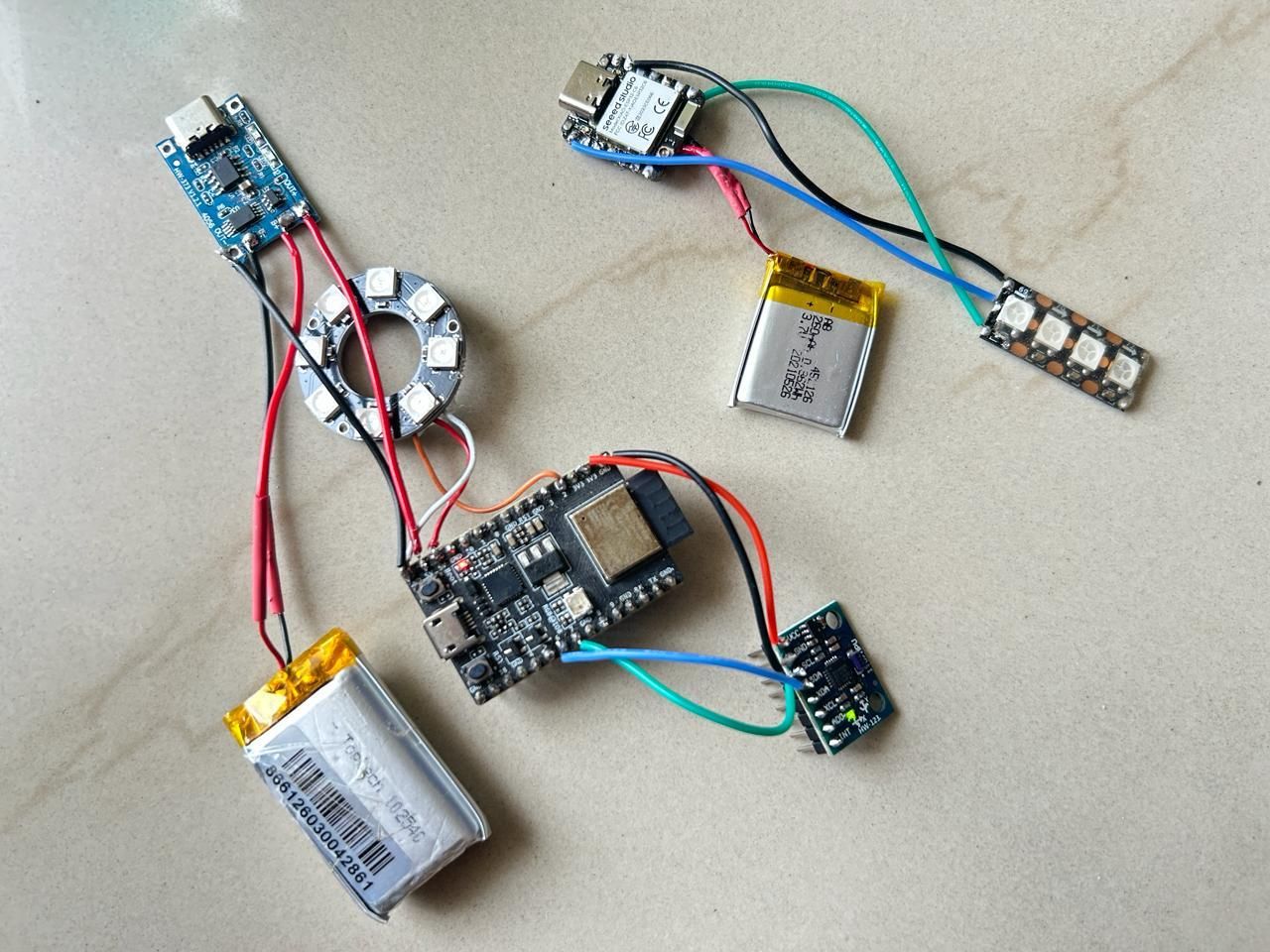
.jpeg)
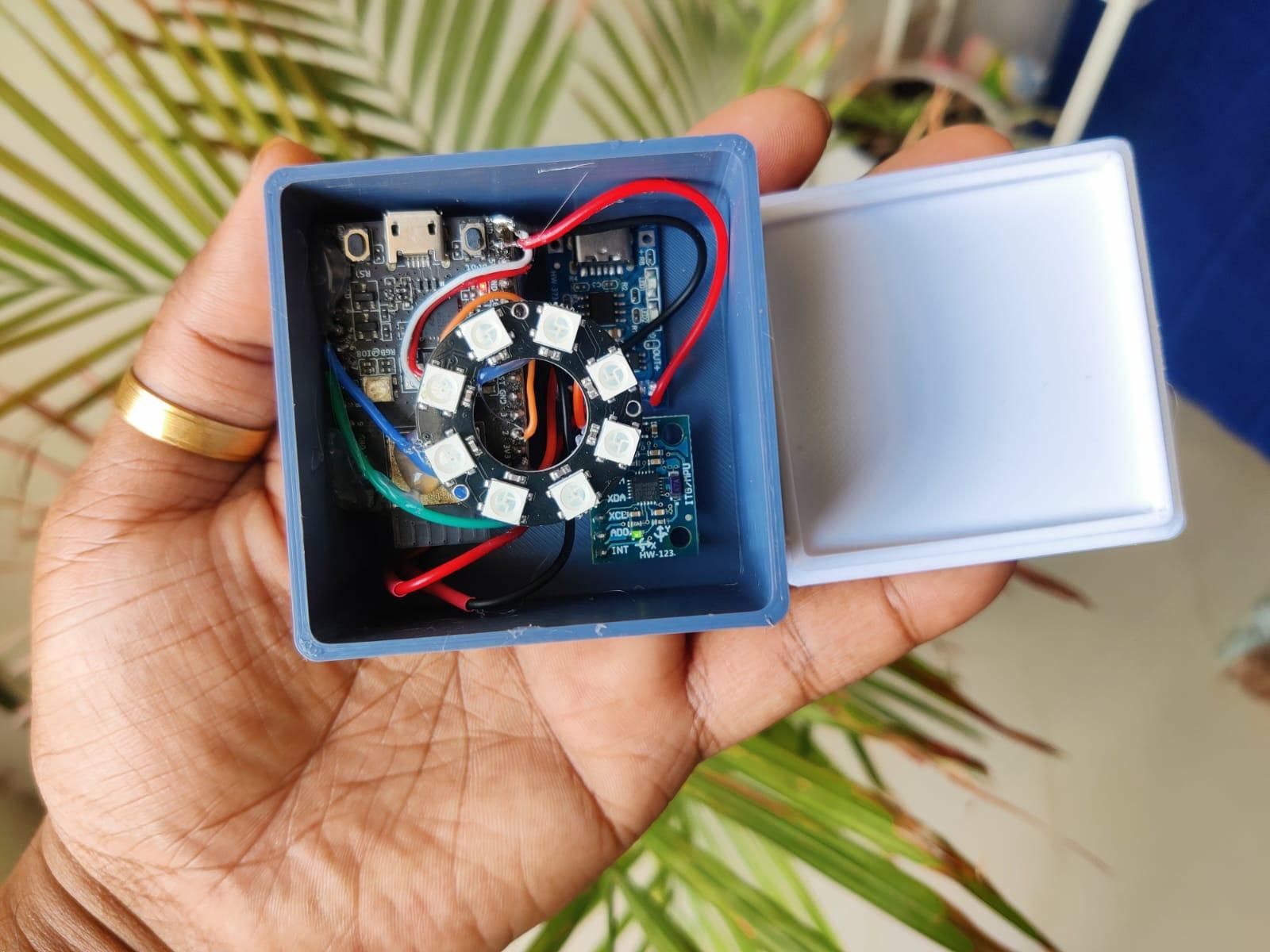
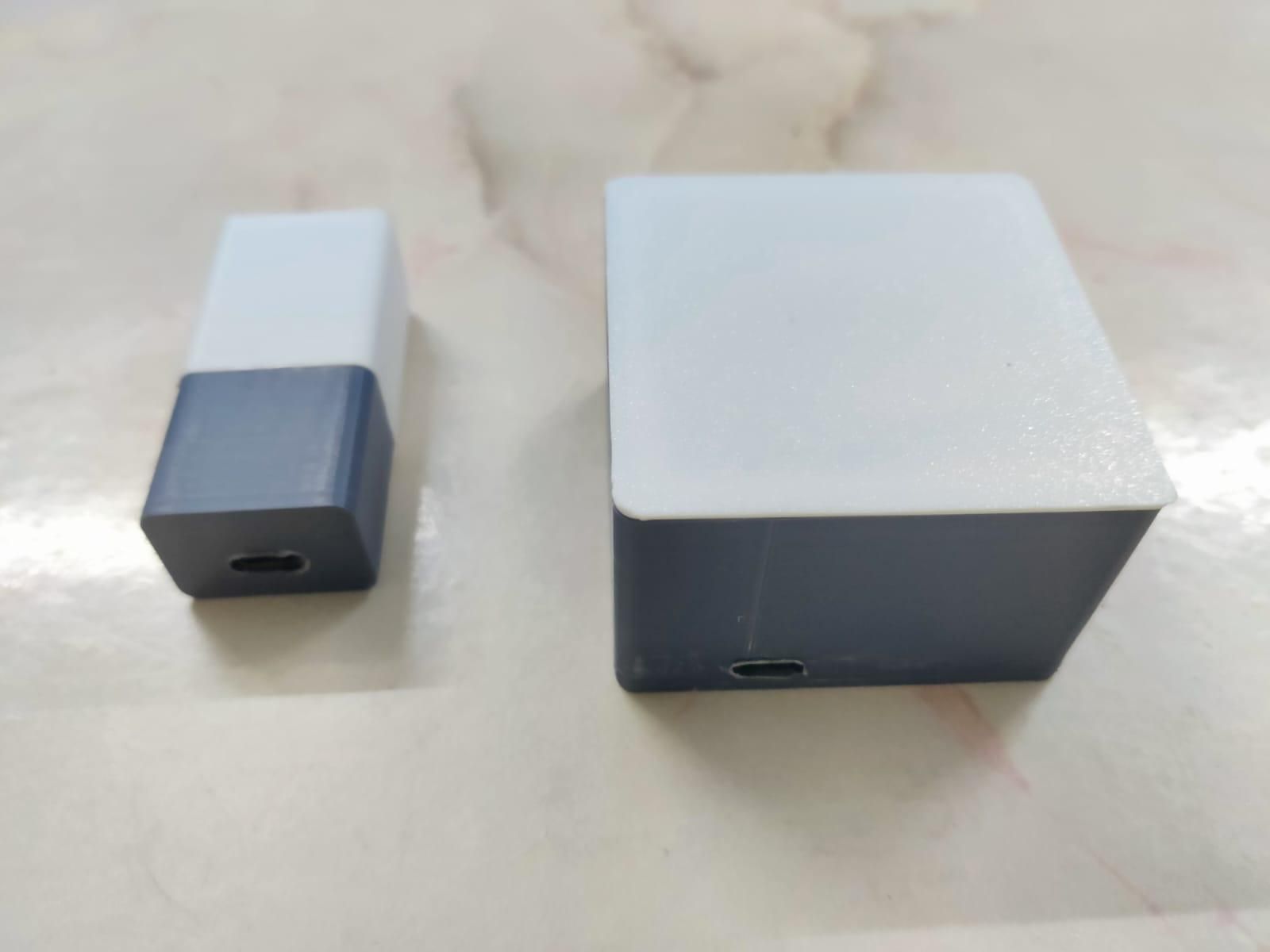
Solder all the components according to the connection diagram and the next step is to assemble both nodes inside their custom 3D-printed enclosures. Since the design is compact, assembling the components in the correct order makes cable management much easier and ensures a clean final build.
Organize the wiring neatly inside the enclosure and close the diffuser.
Use double-sided adhesive tape on the rear of the enclosure to mount the completed door node beside the office entrance.
Code & Working
.jpeg)
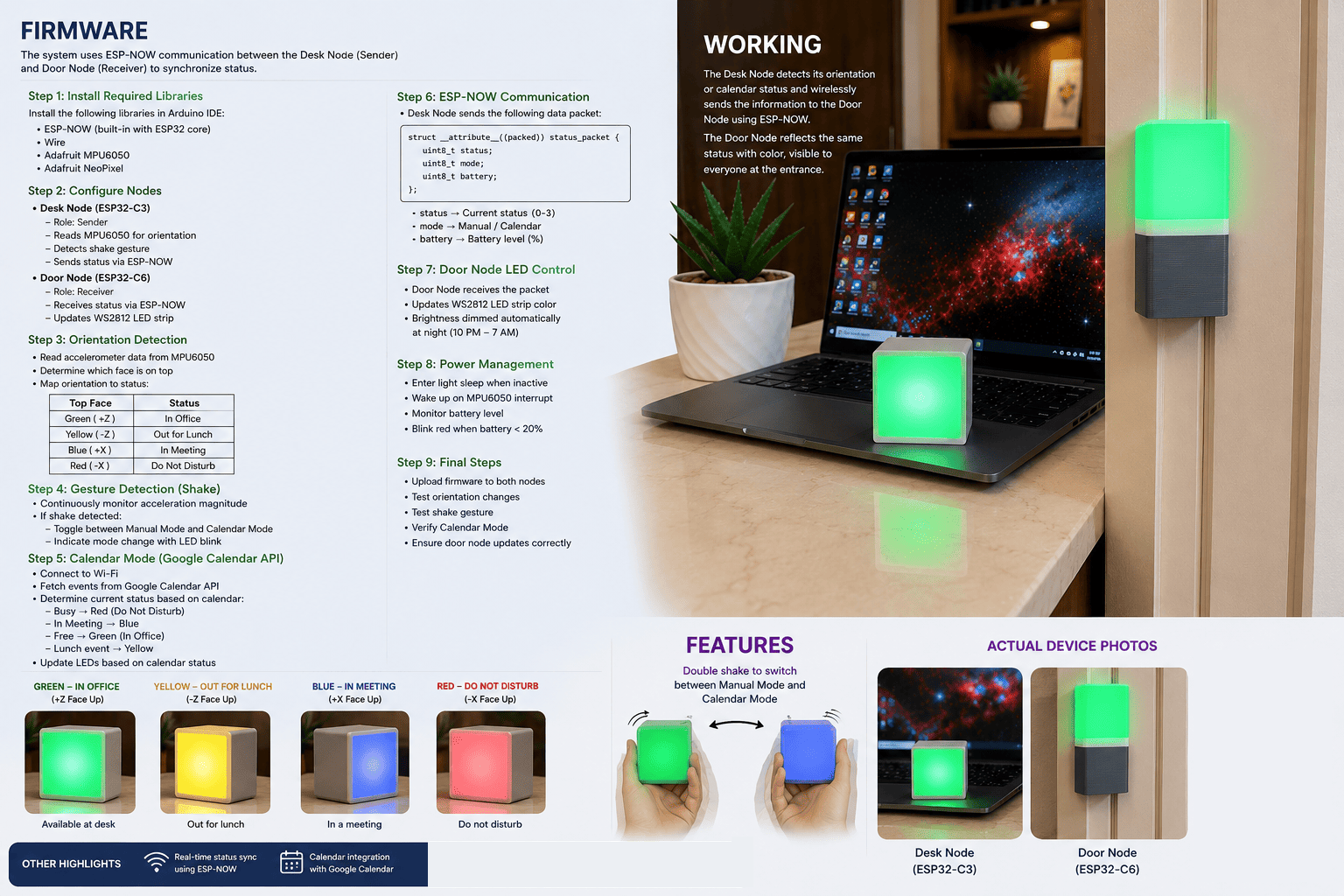
The firmware for both the desk node and door node was developed using the Arduino IDE, making the project easy to modify and extend. The system consists of two independent firmware files: one running on the ESP32-C3 Desk Node and the other on the Seeed Studio XIAO ESP32-C6 Door Node. Both devices communicate directly using ESP-NOW, enabling fast, low-latency wireless communication without requiring a Wi-Fi router.
Required Libraries
The project relies on a small set of widely used libraries.
Adafruit MPU6050
Adafruit NeoPixel
ESP-NOW
These libraries provide a reliable and lightweight framework for implementing real-time status synchronization.
Desk Node Firmware
The desk node acts as the primary controller of the system.
Its responsibilities include:
- Reading the MPU6050 accelerometer.
- Determining which face of the cube is pointing upward.
- Mapping each orientation to a predefined availability status.
- Updating the local WS2812 LED ring.
- Detecting shake gestures for mode switching.
- Sending status updates to the door node through ESP-NOW.
- Synchronizing with Google Calendar when Calendar Mode is enabled.
Orientation Detection
The MPU6050 continuously measures acceleration along the X, Y, and Z axes.
Instead of reacting instantly to every movement, the firmware waits until the cube has stabilized before determining its orientation. This prevents accidental status changes while the cube is being picked up or rotated.
Each face of the cube corresponds to a predefined availability state:
- 🟢 Green — Available
- 🔴 Red — Busy
- 🟡 Yellow — Be Right Back
- 🔵 Blue — In a Meeting
If the cube is placed flat on its top or bottom face, the LEDs turn off, placing the device in an idle state.
Manual and Calendar Modes
The firmware supports two operating modes.
Manual Mode: The user's availability is controlled entirely by rotating the cube.
Every time the orientation changes, the desk node:
- Detects the new face.
- Updates the LED ring.
- Broadcasts the new status to the door node.
This provides immediate visual feedback on both devices.
Calendar Mode: In Calendar Mode, the desk node retrieves the user's meeting schedule from Google Calendar.
During an active meeting, the status automatically changes to In a Meeting, updating both nodes without requiring any manual interaction.
This allows the physical indicators to remain synchronized with the user's calendar throughout the day.
ESP-NOW Communication
ESP-NOW is used to provide direct wireless communication between the desk node and the door node.
Unlike conventional Wi-Fi communication, ESP-NOW does not require:
- A wireless router
- Internet connectivity
- MQTT broker
- Cloud server
Whenever the desk node detects a status change, it sends a compact data packet containing:
- Current status
- Active operating mode
The door node immediately receives this packet and updates its LED indicator, resulting in near real-time synchronization.
ESP-NOW was selected because it offers several advantages for this application:
- Instant peer-to-peer communication.
- Low power consumption.
- No dependency on external infrastructure.
- Reliable indoor communication.
- Minimal programming overhead.
- Near real-time synchronization between both nodes.
Door Node Code
The door node operates as a lightweight receiver.
Its primary responsibilities are:
- Listening for incoming ESP-NOW packets.
- Decoding the received status.
- Updating the four WS2812 LEDs.
- Maintaining synchronization with the desk node.
Because all decision-making occurs on the desk node, the door node firmware remains simple, responsive, and energy-efficient.
Overall Firmware Workflow
The complete firmware follows the workflow below:
- Initialize the hardware peripherals.
- Configure ESP-NOW communication.
- Read MPU6050 sensor data.
- Detect cube orientation.
- Check for shake gestures.
- Determine the active operating mode.
- Update the local LED indicator.
- Broadcast the current status.
- Door node receives the update.
- Door indicator reflects the new availability status.
This event-driven approach minimizes unnecessary processing while providing a responsive and seamless user experience.
You can refer the attached arduino ide code.
Google Calender Integration
While manually rotating the cube provides a quick and intuitive way to update your availability, there are many situations where users may forget to change their status before joining a meeting. To address this, the project includes Google Calendar integration, allowing the indicator to automatically reflect the user's schedule.
When Calendar Mode is enabled, the desk node connects to the configured Wi-Fi network and periodically checks the user's Google Calendar for active events. If an ongoing meeting is detected, the device automatically updates its status to In a Meeting, and the same status is instantly synchronized to the door node via ESP-NOW.
This automation ensures that colleagues always see an accurate indication of your availability without requiring any manual interaction.
Google Apps Script reads the personal Google Calendar and publishes a simplified text feed.
Check the attached script and paste it in the google script online tool. Click on Deploy, you will get an URL to be used in the code to fetch the calender updates.
Also, attached a arduino ide demo code to fetch events from Google calender.
Conclusion
.jpeg)
This project demonstrates how a simple yet thoughtfully designed embedded system can improve workplace communication by making a person's availability instantly visible both at their desk and outside their office. By combining a gesture-controlled desk cube, a synchronized door indicator, ESP-NOW wireless communication, and optional Google Calendar integration, the system helps reduce unnecessary interruptions while giving users the flexibility to switch seamlessly between manual and automatic status updates.
The wireless, battery-powered design makes it easy to deploy in any office without additional infrastructure, while its modular architecture allows future expansion with features such as Microsoft Teams or Outlook integration, mobile app connectivity, and support for multiple indicators. Ultimately, this project offers a practical, intuitive, and scalable solution for creating more productive workspaces where colleagues can know before they knock.