Smart Home Patient Monitoring System
by angasailakshmi in Living > Health
16 Views, 0 Favorites, 0 Comments
Smart Home Patient Monitoring System
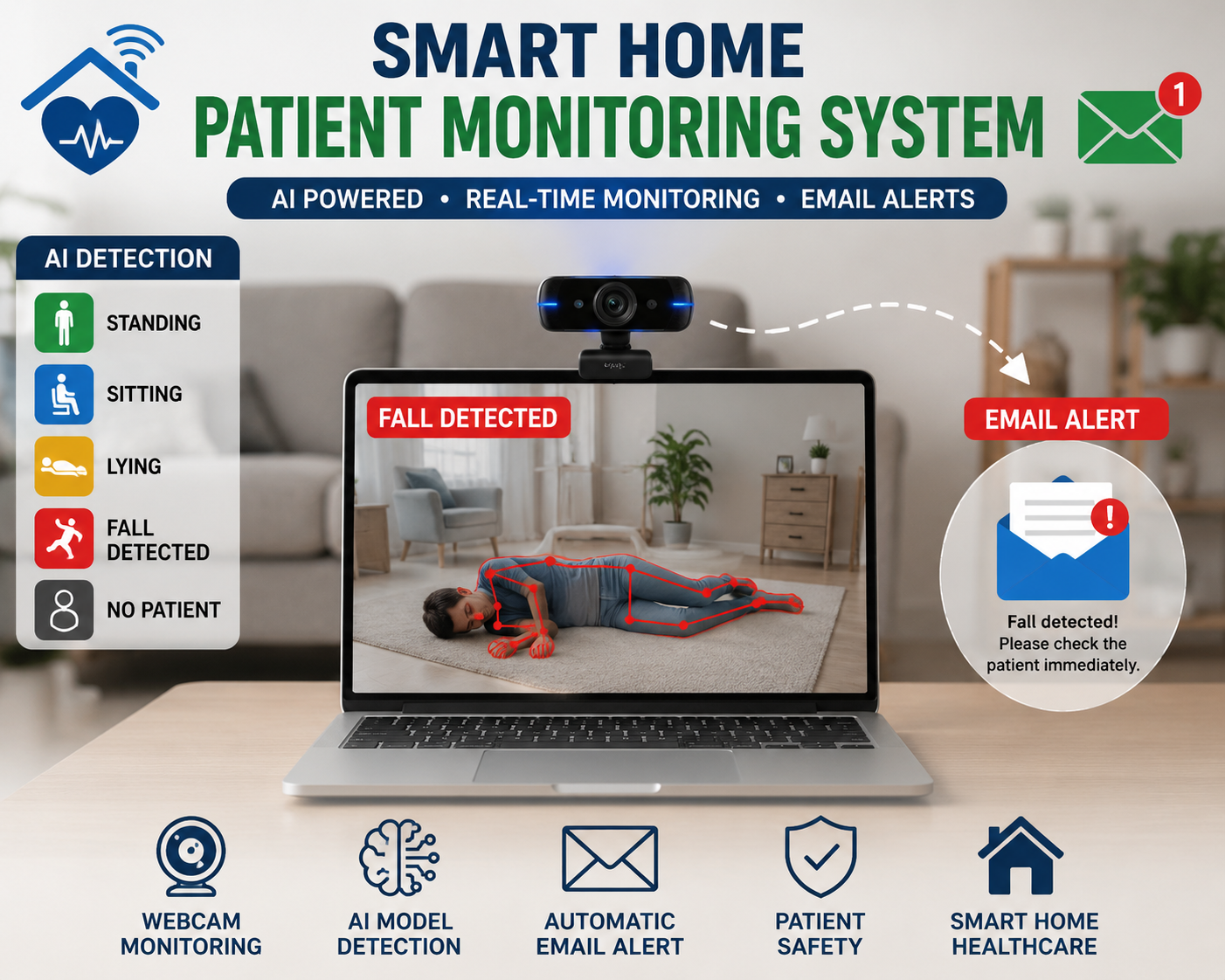
Falls are one of the most common causes of injury among elderly people and patients who need regular care. Continuous monitoring can help provide immediate assistance during emergencies, but manual supervision is not always possible.
In this project, we will build a Smart Home Patient Monitoring System using PictoBlox, Artificial Intelligence (AI), and a webcam. The AI model is trained to recognize five patient conditions: Standing, Sitting, Lying, Fall Detected, and No Patient. When a fall is detected, the system automatically sends an email alert to a caregiver or family member.
This project is easy to build, does not require any additional hardware, and demonstrates how AI can improve home healthcare by providing real-time patient monitoring and emergency notifications.
Supplies
- Pictoblox Software: Download PictoBlox | Windows, MacOS, Linux, Chromebook, Android & iOS
- Laptop
- Web camera
- Internet
Set Up the Project and Collect Training Data
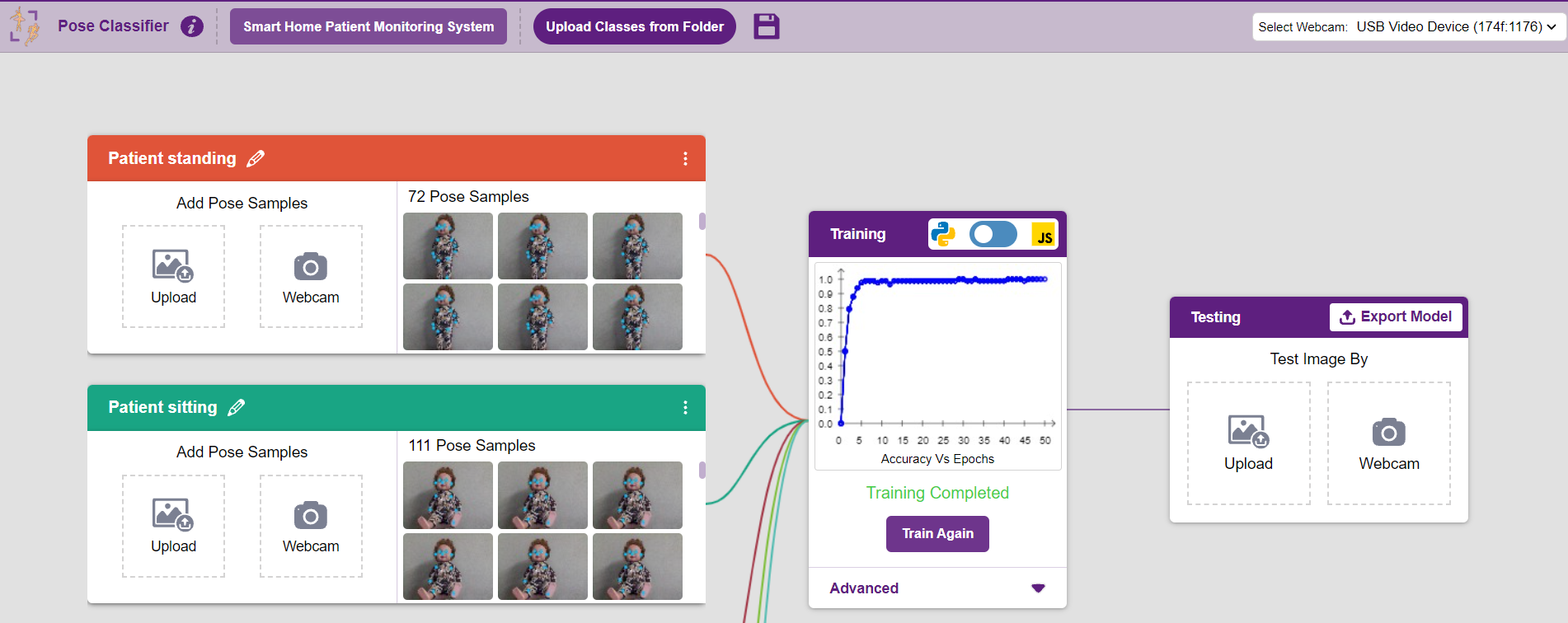
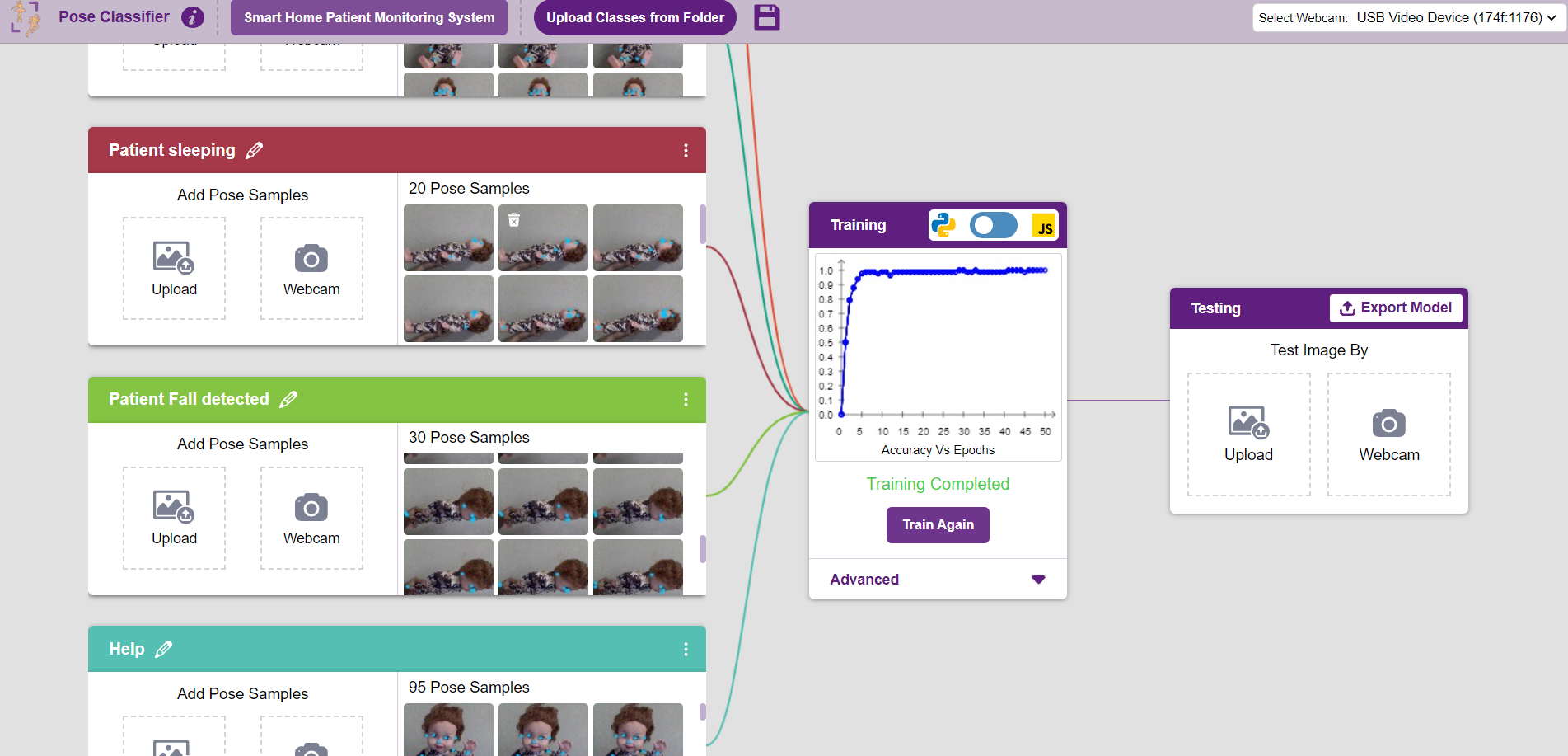
Open PictoBlox and create a new project. Connect your webcam and open the Machine Learning Environment. Create an Image Classifier model and add the following five classes:
- Standing
- Sitting
- Lying
- Fall Detected
- No Patient
Capture multiple images for each class from different angles and lighting conditions. Collecting a good variety of training images will improve the accuracy of the AI model.
Train the AI Model
After collecting images for all five classes, click the Train button to train the AI model. Wait for the training process to complete. Once the model is trained, test it using your webcam to ensure it correctly identifies Standing, Sitting, Lying, Fall Detected, and No Patient. If the predictions are not accurate, capture more images and retrain the model.
Add the Python Code for Email Alerts
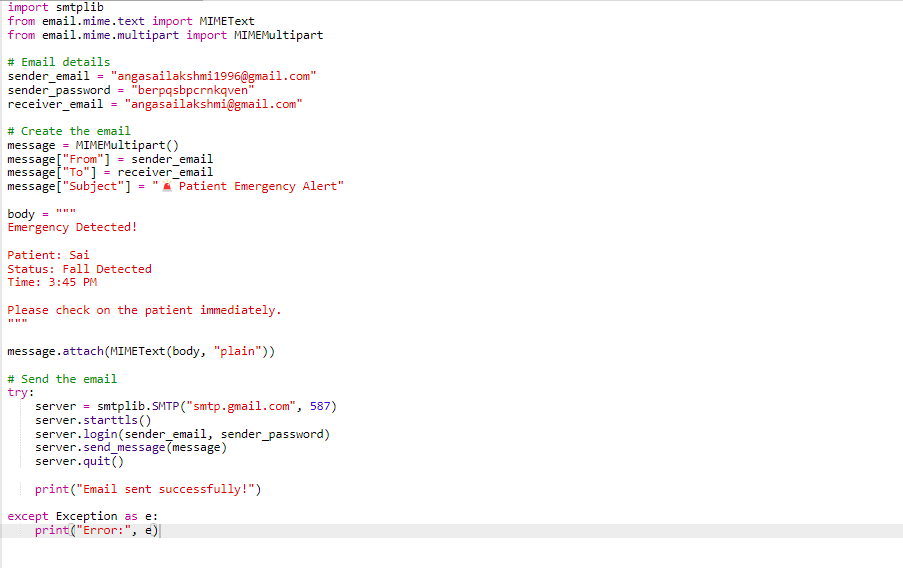
After creating the AI model, add the Python code in PictoBlox to send an email alert. Configure the sender email, receiver email, and App Password. Use the AI prediction variable to check whether the detected condition is "Fall Detected". When a fall is detected, the Python code automatically sends an emergency email to the caregiver or family member. Save the code and make sure it runs successfully before testing the project.
Test the Smart Home Patient Monitoring System
Run the project and allow the webcam to monitor the patient. Test each trained posture—Standing, Sitting, Lying, Fall Detected, and No Patient—to verify that the AI model detects them correctly. When Fall Detected is recognized, confirm that the emergency email is sent successfully to the registered email address. If needed, improve the model by collecting more training images and retraining it for better accuracy.
Final Output and Working Demonstration
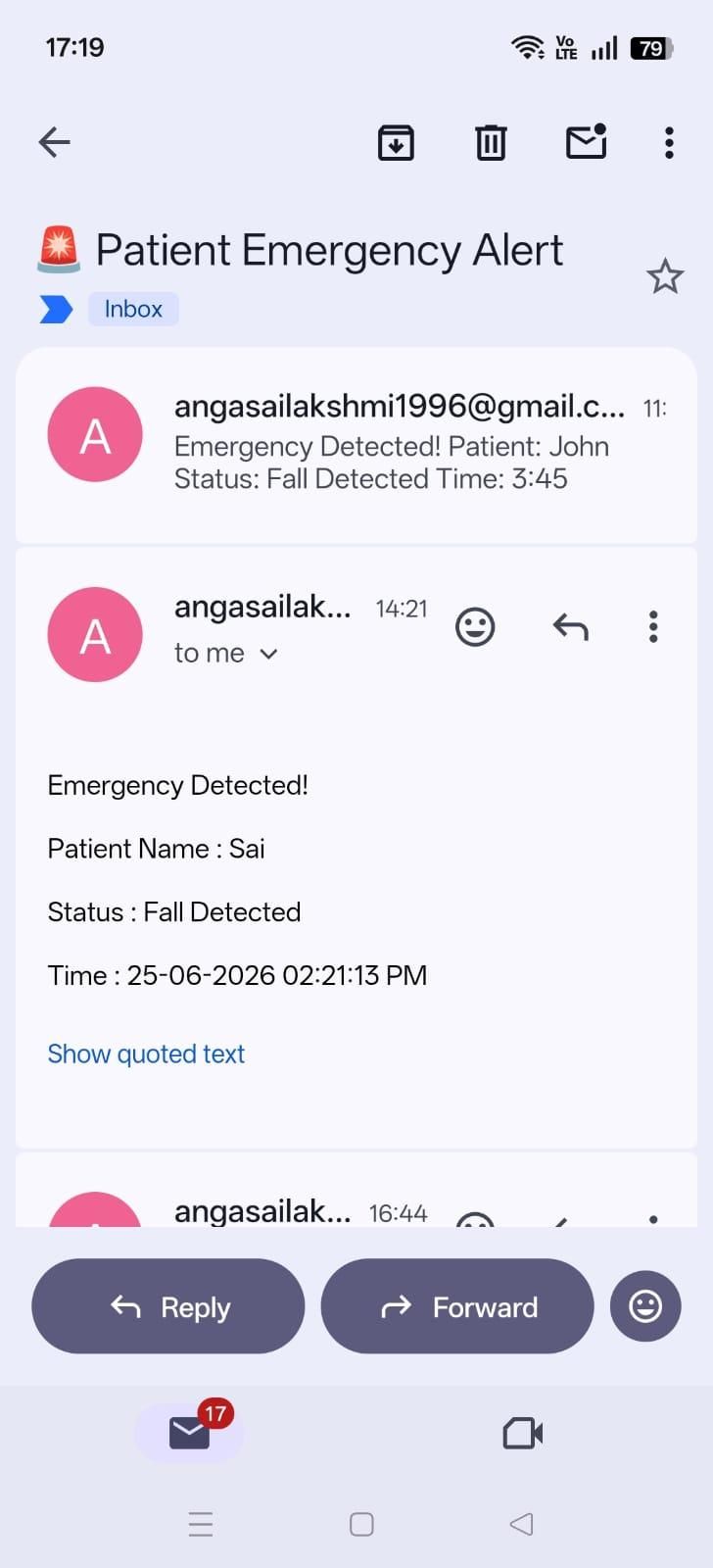
Your Smart Home Patient Monitoring System is now ready to use. The webcam continuously monitors the patient and displays the detected condition in real time. If the AI model detects Fall Detected, the system automatically sends an emergency email notification to the registered caregiver or family member. This demonstrates how AI can be used to improve patient safety through real-time monitoring and quick emergency alerts.
Conclusion
Congratulations! You have successfully built a Smart Home Patient Monitoring System using PictoBlox, Artificial Intelligence (AI), and a webcam. The system can detect different patient conditions in real time and automatically send an email alert when a fall is detected. This project demonstrates how AI can be used to create practical healthcare solutions that improve patient safety and enable faster emergency response.